

Page 1
Original operating instructions
VarioCooking Center MULTIFICIENCY
®
Page 2
Dear Customer,
Congratulations on your new VarioCooking Center MULTIFICIENCY®. Thanks to the
immediately understandable visual operating concept, you will achieve excellent cooking
success very quickly with your VarioCooking Center®, with practically no teaching or timeconsuming user training courses required.
In VarioCooking Control® mode you simply select the food to be cooked and your desired
cooking result at the push of a button - and that's it! There is no need for conventional settings
such as cooking temperature and time or constant monitoring.
In manual mode, all the basic functions of the VarioCooking Center® are available.
With Programming/Save mode you can create your own cooking programs.
As an end customer, we give a 24-month warranty from the date of initial installation, provided
that you have correctly completed the warranty registration in full. The General Terms and
Conditions of the manufacturer shall apply. The warranty excludes seals, glass damage and
damage resulting from incorrect installation, use, maintenance and repair.
To be able to make extensive use of the many possibilities and benefits of your VarioCooking
Center MULTIFICIENCY®, we recommend that you read these operating instructions
thoroughly and keep them on hand at all times. You can also view the operating instructions
by clicking on the ? button on your device.
We hope you have fun with your new VarioCooking Center MULTIFICIENCY
®
.
FRIMA
We reserve the right to make technical changes in the interest of progress!
Dealer: Installer:
installed on:
Unit number:
Page 3
Contents
Explanation of the pictograms in the operating instructions 5
Safety instructions 6
General safety instructions 6
Safety information during use 6
Safety instructions for deep frying 6
Care, inspection, maintenance and repair 10
Care 10
Inspection, maintenance and repair 10
Liability 10
Notes on using your unit 12
Working parts (VarioCooking Center® 112T, 112L) 12
Working parts (VarioCooking Center ® 112, 211, 311) 12
General notes on use 14
Working with the core temperature probe 15
Working with the hand shower 18
Operating instructions 19
Touchscreen and dial 19
Start level display 20
Explanation of the buttons 21
Filling volumes in the pan 28
Help function 32
Overview of the cooking modes 33
VarioCooking Control ® mode 34
Buttons and pictograms in VarioCooking Control ® mode 34
Manual mode 37
Buttons and pictograms in Manual mode 37
Programming/Save mode 39
Page 4
Contents
Buttons in Programming/Save mode 39
MyVCC appliance configuration 41
Cleaning 42
Interim cleaning 42
Basic cleaning 44
Service reports 45
Before you call customer service 49
Domestic appliances 51
Unit accessories 52
Page 5
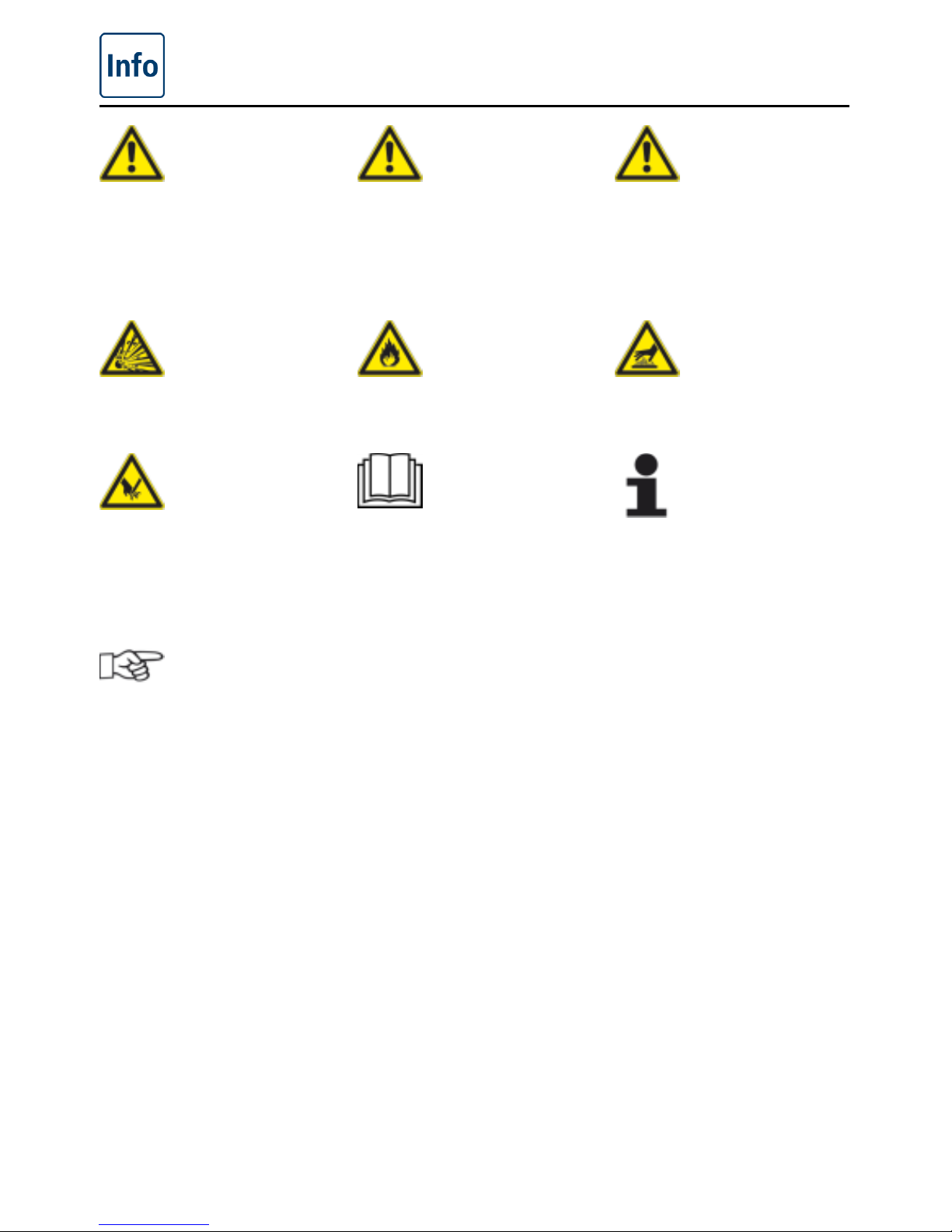
Explanation of the pictograms in the operating
instructions
V-09 - 03/2017 - PM/Stme - English - © FRIMA
5 / 59
Danger!
Immediately hazardous
situation which may result
in severe injury or death.
Warning!
A possibly hazardous
situation that may result
in severe injury or even
death.
Caution!
A possibly hazardous
situation that may result
in minor injury.
Danger of explosion! Danger of fire! Danger of burns!
Danger of injury!
Please read the manual
carefully prior to initial startup.
Attention:
Damage may be caused if
this is ignored.
Handy tips for everyday
use.
Page 6
Safety instructions
6 / 59
V-09 - 03/2017 - PM/Stme - English - © FRIMA
General safety instructions
Keep these operating instructions in a place that is accessible at all times to everyone who
will be using the unit.
The safety guidelines can also be displayed by pressing the "?" button in the device display.
The unit must not be used by children, people with limited physical, sensory or mental abilities
or anyone who lacks experience and/or the necessary knowledge unless such people are
supervised by a person who is responsible for safety.
Operate using hands only. Damage caused by the use of pointed, sharp or other objects will
invalidate the warranty.
We recommend regular training of your staff to avoid the risk of accident or damage to the
unit. Operators must also receive regular safety instruction.
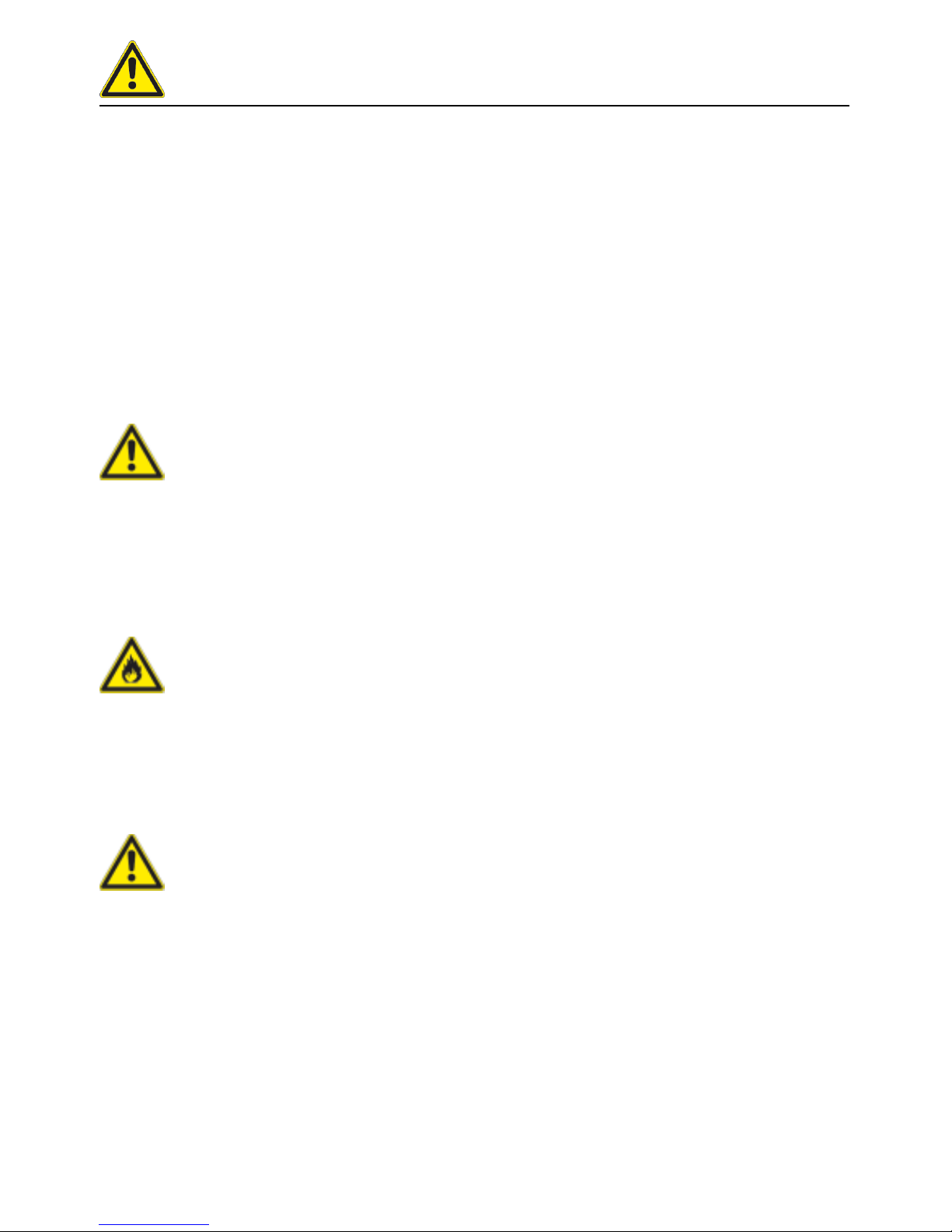
Warning!
Check before switching on and using every day
- Before using the unit for cooking, ensure that there are no cleaning agent residues in the
pan.
- Remove all objects which have been placed on the unit
Warning!
- Do not store any easily flammable substances near the unit – Danger of fire!
- Food that contains easily flammable substances must not be cooked. Substances with a
low flashpoint can ignite spontaneously - Danger of fire!
Warning!
-
The VarioCooking Center
®
must only be set up and installed in compliance with the
local regulations by qualified and authorised personnel who have received product-specific
training.
- Incorrect installation, servicing, maintenance, cleaning or modifications to the unit may
result in damage, injury or death. Read these operating instructions carefully before you
start to use the unit.
- Only use this unit for cooking food in commercial kitchens. Any other use is not intended
and is therefore considered dangerous.
- Cleaning agents and the associated accessories may only be used for the purpose
described in this manual. Any other use is not intended and is therefore considered
dangerous.
Page 7
Safety instructions
V-09 - 03/2017 - PM/Stme - English - © FRIMA
7 / 59
Safety information during use
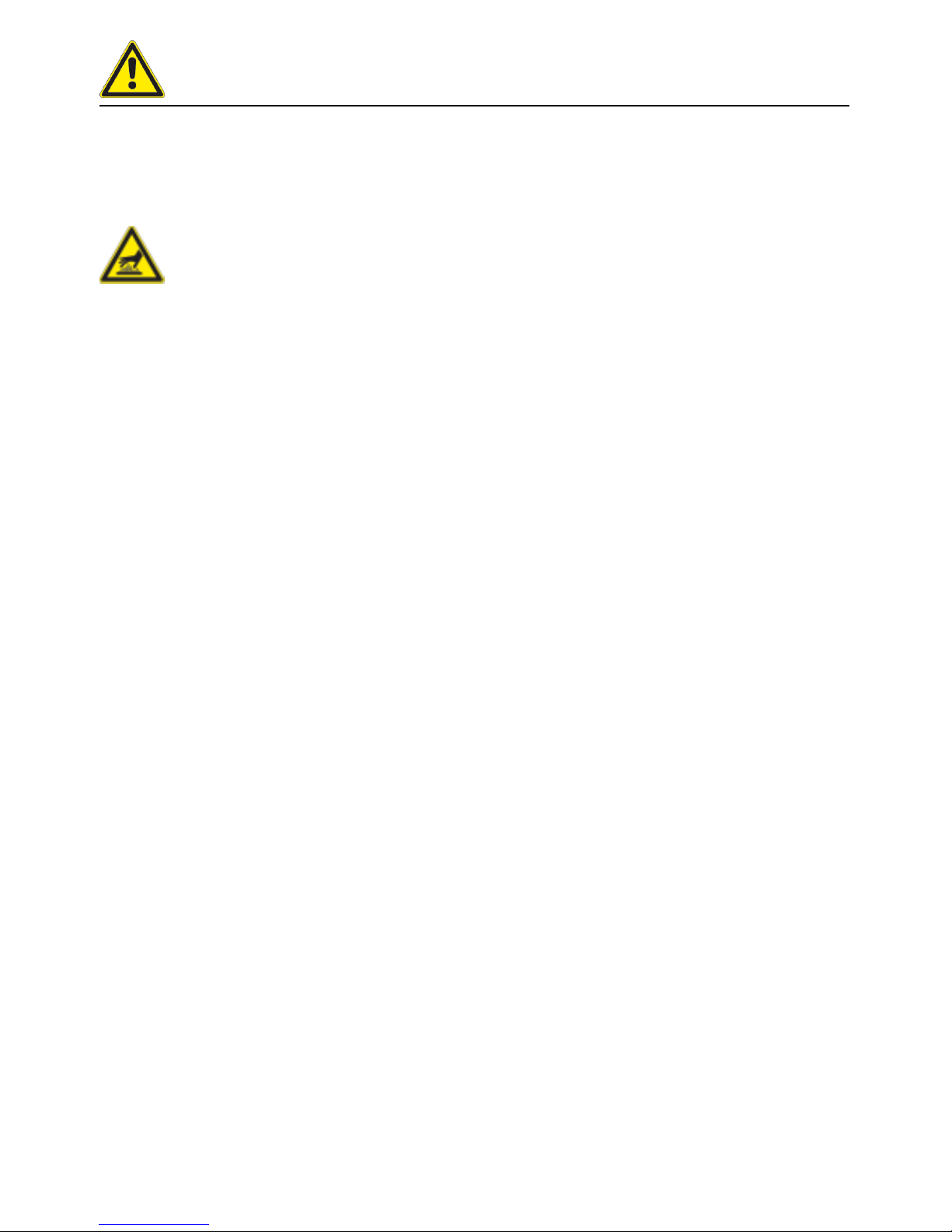
Warning!
- This equipment is designed for commercial catering purpose and will generate significant
heat. Hot surfaces will cause burns. A hazaed and risk assessment must be undertaken
by owners and all operators made aware of these.
- Only take hold of baskets, the lifting arm and other objects in or over the hot pan while
wearing heatproof clothing – Danger of burns!
- The pan contains hot or boiling water – Danger of burns!
- Open the unit cover carefully - hot vapour may escape - Danger of burns!
- Vapours can escape when the lid is closed - Danger of burns
- Tilt the pan carefully in order to avoid spillage – Danger of slipping and burns!
- When pressure cooking (option, not 112T, 112L), observe the minimum fill levels
allowed to build up the pressure and the maximum fill levels allowed (see the
"Operating instructions - Fill levels" section) - Danger of scalding if the contents foam up
or spray out when you open the cover.
- VitroCeran (option, not 112T, 112L) can be hot – Danger of burns!
- Do not use pots or pans with handles on the VitroCeran (option, not 112T, 112L) . Danger
of tipping when the cover is closed and when the pan is moved – Danger of burns!
- Do not place any cooking utensils or aluminium containers etc. on the VitroCeran (option,
not 112T, 112L) while it is still hot – Danger of burns!
- Do not use the VitroCeran (option, not 112T, 112L) as a storage area – Danger of burns!
- Observe the maximum and minimum filling heights allowed in the pan for each of the
cooking modes. There is a danger of fire or scalding if the pan is used incorrectly (if the
limits are exceeded or undershot).
- Do not fill cold water into the preheated empty pan – Danger of burns and scalding!
- The external temperature of the unit may be higher than 60 °C. Only touch the control
elements of the unit - Danger of burns!
- Mobile units must not be moved until the pan is completely empty to ensure that no liquid
spills out - Danger of slipping and burns.
-
For the mobile use of Variomobil
®
: Cover the container if it contains liquids to ensure that
no liquid spills out - Danger of slipping and burns.
- Use a sufficiently wide collecting container when draining – Danger of slipping and burns.
- Never pre-heat the empty pan without supervision.
Page 8
Safety instructions
8 / 59
V-09 - 03/2017 - PM/Stme - English - © FRIMA
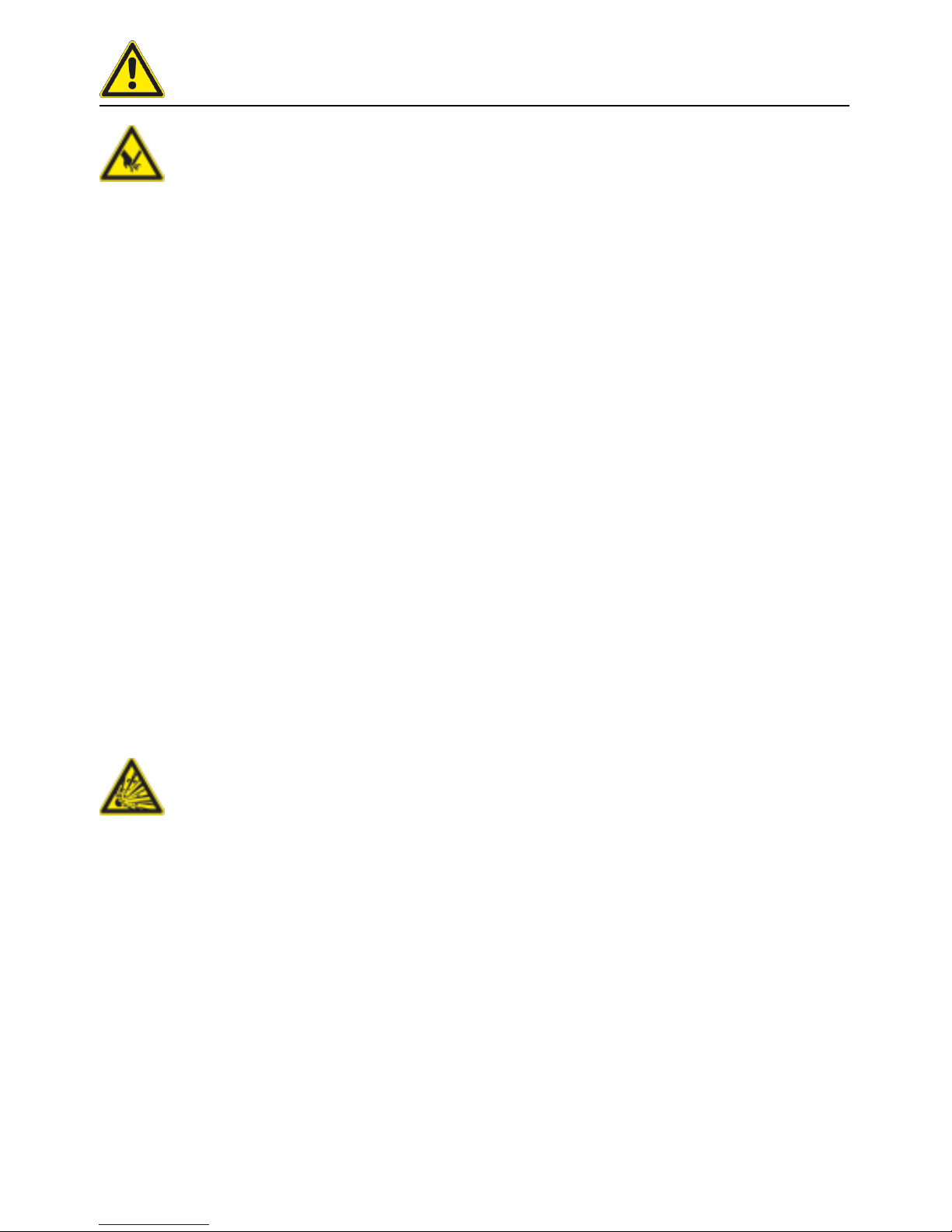
Warning!
- There is a danger of injury when moving the cover, locking (for pressure cooking, not 112T,
112L) or tilting the pan.
- If there are sudden movements when closing or opening the cover, please open the cover
carefully and do not activate the lock. Immediately inform your Service partner. In this case
the following warning sign must be attached to the unit order to inform all users. Warning!
Cover mechanism defective. Do not move the cover! – Danger of injury!
- Do not place any objects on the cover or in its swivelling range.
- If mobile units are not to be moved, the wheel locking brakes must be applied. Units may
roll away on uneven floors – Danger of injury!
- Do not operate the unit in pressure mode (option) if it is mounted on rollers (option) Danger of injury!
-
Oil carts, basket carts, VarioMobil
®
and units mounted on rollers may tip over during
transport on an inclined plane or threshold – Danger of injury!
-
When installing the VarioCooking Center
®
112T, 112L with screwed-on feet a pinch point
is created at the basin leading edge - risk of injury
- Position the core temperture sensor on the lid. Please ensure that the point is not
protruding - danger of injury!
- Do not allow the lever of the pan vent (112T, 112L) to snap back, as hot water or oil may
splash - danger of burning!
Safety instructions for deep frying
Danger!
- Do not extinguish burning fat and oil with water – Danger of explosion!
- Do not add water to fat – Danger of explosion!
- Do not use the hand shower when working with hot oil - Danger of explosion!
- Only use the VitroCeran (option, not 112T, 112L) if it is secured by the frame or with the
bain-marie (see the "Unit accessories" section). Make sure that no liquid sprays into the
pan - Danger of explosion!
- Do not use pots or pans with handles on the VitroCeran (option, not 112T, 112L) or place
on the user console. Danger of tipping when the cover is closed and when the pan is
moved – Danger of explosion!
- Do not drain any oil through the integrated basin outlet - risk of explosion!
- If hot oil is drained through the basin outlet, damage can be made to the structure. No
liability is assumed for this.
Page 9
Safety instructions
V-09 - 03/2017 - PM/Stme - English - © FRIMA
9 / 59
Warning!
- Regularly check the quality of the oil. Old oil may ignite - Danger of fire!
- When using solid fat this is to be melted in the deep-fry mode at a temperature of 50 °C.
Close the device lid during the melting process.
Warning!
- The oil is hot in deep frying mode – Danger of burns!
- Do not exceed the minimum and maximum fill levels allowed (see pan mark 'min oil'
and 'max oil') when deep frying - Danger of burns from spitting oil!
- Baskets and lifting bars are hot - Danger of burns!
- Use the oil cart (see the "Unit accessories" section) or another sufficiently wide drip
container to empty the pan. Position it so as to avoid spills - Danger of burns!
- Tilt the pan carefully in order to avoid spillage – Danger of slipping and burns!
- Hot oil may spit out as you are emptying the pan - Danger of burns!
- Observe the recommended load sizes given in the application manual (which can be called
up by pressing the "?" button) - Danger of burns!
- Oil foams up and spits particularly badly when you lower large quantities of wet food into
it - Danger of burns!
- The external temperature of the unit may be higher than 60 °C. Only touch the control
elements of the unit - Danger of burns!
Page 10
Care, inspection, maintenance and repair
10 / 59
V-09 - 03/2017 - PM/Stme - English - © FRIMA
Care
In order to maintain the quality of the stainless steel, for hygienic reasons ant to prevent
interruptions to operation, the unit must be cleaned daily.
Warning!
If the unit is not cleaned, or is not sufficiently cleaned, fat deposits and/or food residues in
the pan may ignite – Danger of fire!
Warning!
Cleaning – Aggressive chemical agents – Danger of chemical burn! Wear the correct
protective clothing, gloves, goggles and a mask.
- Clean your unit before using it for the first time.
- Clean your accessories before using them for the first time.
- For longer breaks in operation (e.g. overnight), leave the pan valve open and do not close
the cover fully.
- Do not use sharp or pointed tools to clean the pan.
- Do not use high pressure cleaners for cleaning.
- Do not use hydrochloric acid sulphurous or other oxygen-consuming substances to
clean the unit and its accessories since this can damage the passive layer of the chrome
nickel steel and discolour the unit or accessories.
- If necessary, boil a little diluted vinegar in the pan to remove limescale or discolouration
("rainbow colours" after boiling). Then drain off the vinegary water and rinse thoroughly
with fresh water.
- Regularly unscrew, remove and clean the pan valve (see the "Cleaning" section).
- Follow any instructions on the packaging of the cleaning agent.
- Refer to the ”Cleaning” section for the cleaning sequence.
- Only use abrasive cleaning aids on the inside of the pan. All other surfaces are sensitive
to scratches.
- Avoid salt deposits on stainless steel surfaces. When adding salt, dissolve it quickly by
stirring. Remove residues by thoroughly rinsing with fresh water.
Page 11
Care, inspection, maintenance and repair
V-09 - 03/2017 - PM/Stme - English - © FRIMA
11 / 59
Inspection, maintenance and repair
Danger – high voltage
- Inspection, maintenance and repair work must only be carried out by trained and qualified
personnel.
- For cleaning, inspection, maintenance and repair work, the unit must be disconnected
from the power supply.
- For mobile units, the freedom of movement must be restricted so that there can be no
damage to the power cables, water pipes or drain pipes if the unit is moved. If the unit is
moved, it must be ensured that the power cables and water and drain pipes are correctly
disconnected. If the unit is returned to its original position, the movement locks and the
power cables and water and drain pipes must be correctly attached. Attention: The unit
must be levelled horizontally again!
- Your unit should be serviced at least once a year by an authorised service partner to
ensure that it remains in perfect technical condition.
Liability
Installations and repairs that are not carried out by authorised specialists or using original
spare parts, and any technical change that is not approved by the manufacturer will invalidate
the manufacturer’s warranty and product liability. Furthermore, the General Terms and
Conditions of the Manufacturer shall apply.
Page 12
Notes on using your unit
12 / 59
V-09 - 03/2017 - PM/Stme - English - © FRIMA
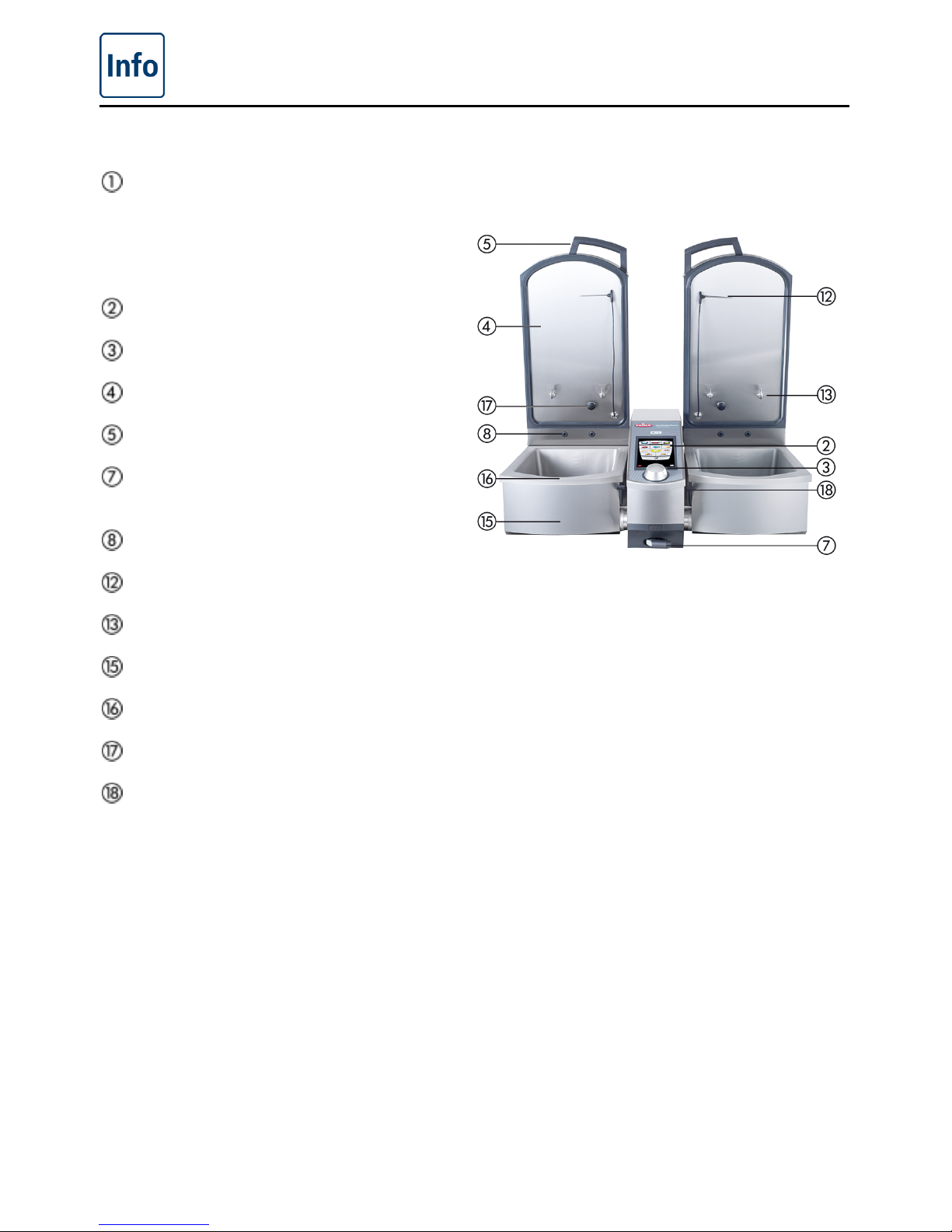
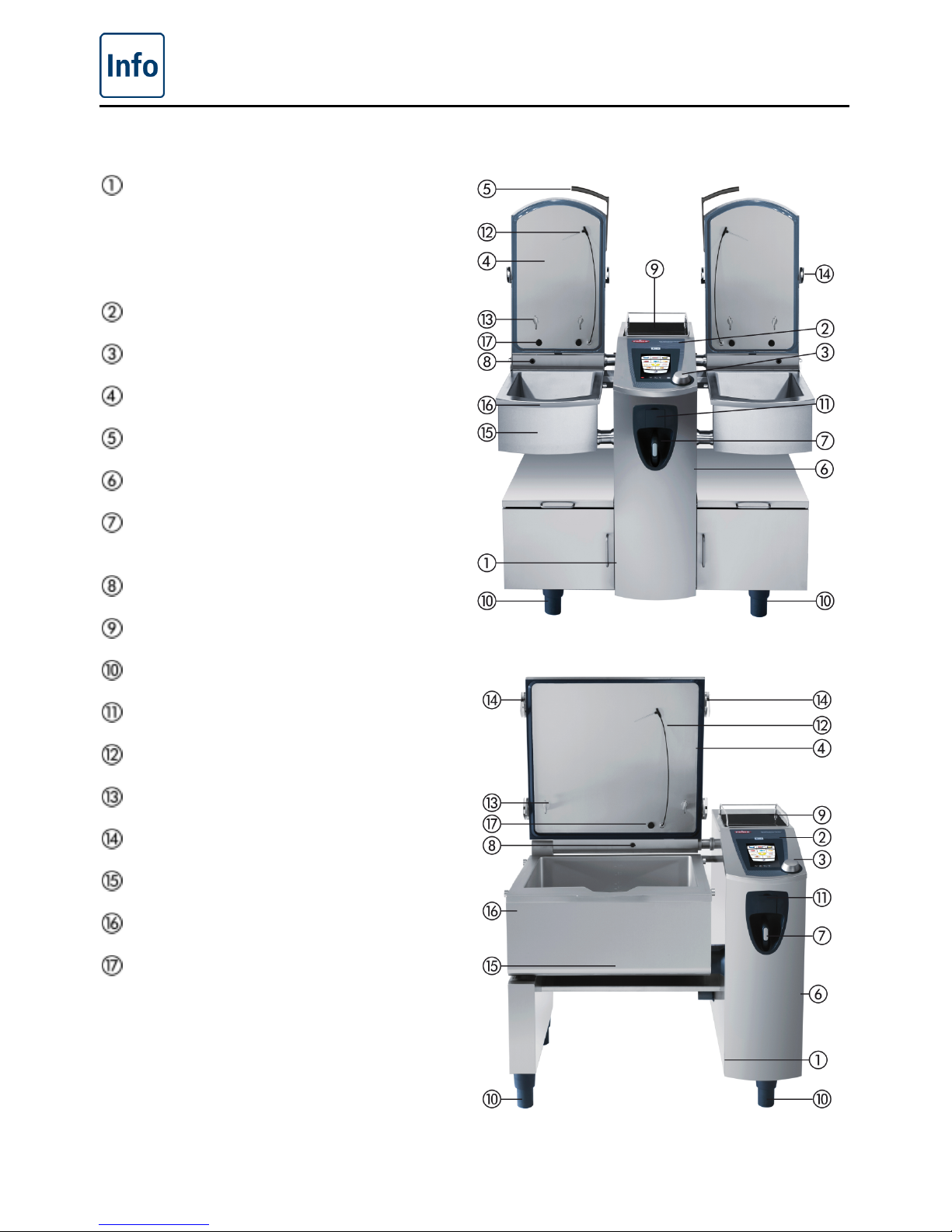
Working parts (VarioCooking Center® 112T, 112L)
Rating plate
(with all the important data such as power
consumption, voltage, number of phases
and frequency along with the unit type,
unit number and weight)
Control panel
Central dial
Unit cover
Cover handle
Hand shower (with retraction
mechanism)
VarioDose
Core temperature probe ·
Lifting arm hook
Pan valve
Pan
Steam nozzles
Pan valve lever
VarioCooking Center® 112T, 112L
Page 13
Notes on using your unit
V-09 - 03/2017 - PM/Stme - English - © FRIMA
13 / 59
Working parts (VarioCooking Center
®
112, 211, 311)
Rating plate
(with all the important data such as power
consumption, voltage, number of phases
and frequency along with the unit type,
unit number and weight)
Control panel
Central dial
Unit cover
Cover handle
Cover for the electronic components
Hand shower (with retraction
mechanism)
VarioDose
VitroCeran (option)
Unit feet (height-adjustable)
Socket 1N A C 230V
Core temperature probe ·
Lifting arm hook
Interlock for pressure cooking (option)
Pan valve
Pan
Steam nozzles
VarioCooking Center® 112, 112T without 9, 11
VarioCooking Center® 211 / 311 are identical
Page 14
Notes on using your unit
14 / 59
V-09 - 03/2017 - PM/Stme - English - © FRIMA
General notes on use
- Avoid having heat sources (e.g. grill plates, deep-fat fryers etc.) near the unit.
- The room temperature must be greater than 5 °C when operating the unit. At lower
ambient temperatures, you must heat the unit to a temperature above 5 °C before starting
it.
- In normal mode, the noise level of the unit is less than 70 dB.
- Only use genuine heatproof accessories made by the unit manufacturer.
- Always clean accessories before use.
- For longer breaks in operation (e.g. free days) switch off the water and power supply to
the unit.
- The water inlets (hand shower and VarioDose) must be used regularly to prevent water
stagnating in the pipes and germs forming. If they are not used for more than three days or
after the unit has been transported, we recommend flushing the VarioDose and the hand
shower with about 10 litres of water (depending on the length of the pipe.
- Check that there are no food residues in the area of the pan valve.
- Do not dispose of this unit in the domestic waste or local collection point. We will be happy
to help you with the disposal of your unit.
Maximum load size for each unit size
VarioCooking Center
®
112/112T: 15 kg per pan
VarioCooking Center
®
112L: 25 kg per pan
VarioCooking Center
®
211: 100 kg
VarioCooking Center
®
311: 150 kg
Exceeding the maximum load sizes can result in damage to the unit.
Observe the specified maximum load sizes for food given in the application manual (which can
be called up by pressing the "?" button).
No deep-frozen products may be thawed or stored in the pan or on the console terminal.
NB: We wish to point out that storing and thawing food in a non-heated cooking area is not
advisable for reasons of hygiene.
Page 15
Notes on using your unit
V-09 - 03/2017 - PM/Stme - English - © FRIMA
15 / 59
Working with the core temperature probe
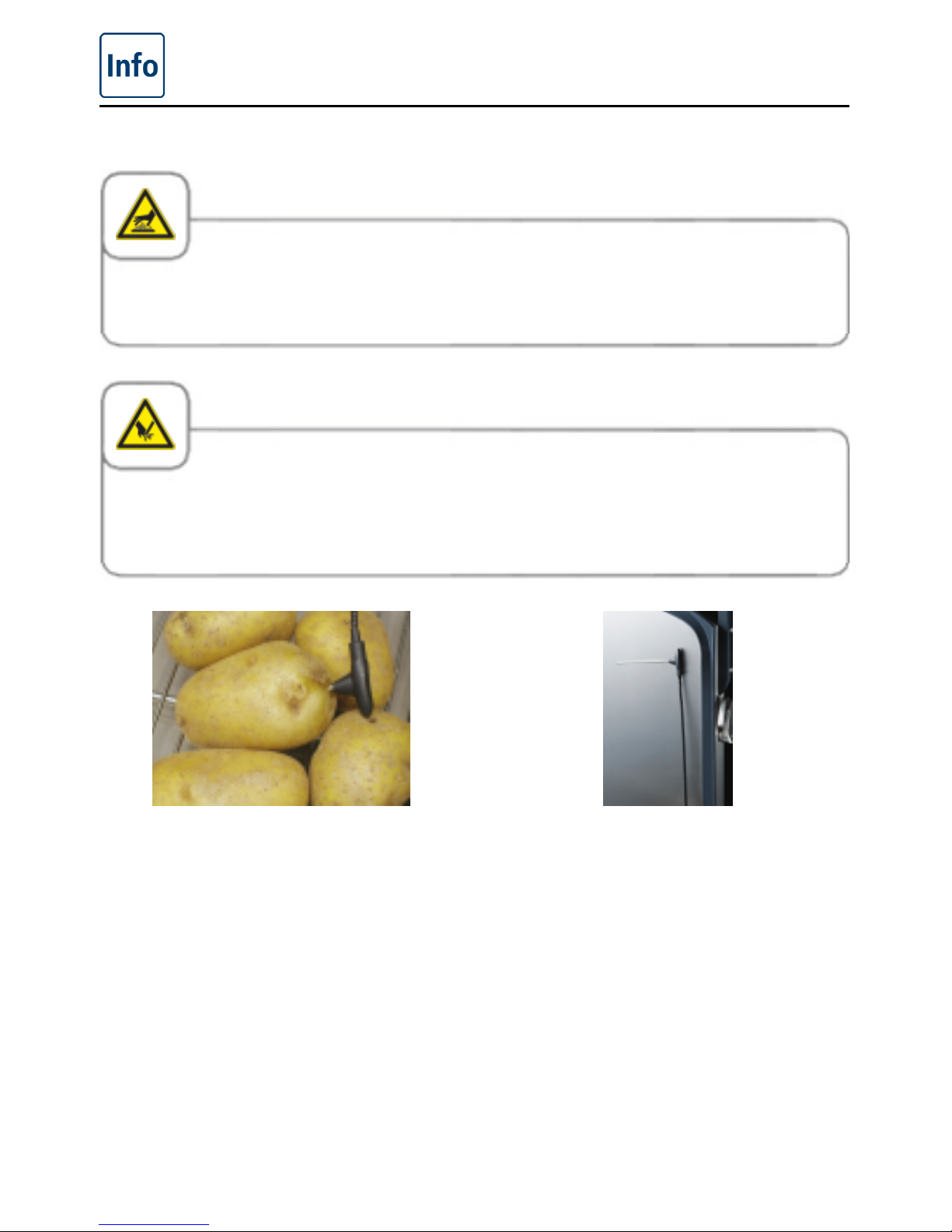
Caution!
The core temperature probe may be hot. Only pick it up wearing heatproof clothing.
Caution!
When you set the core temperature probe, protect your arms and hands against the tip of the
probe - risk of injury.
Insert the core temperature probe into the
thickest point of your food to be cooked.
The needle must pass through the middle of
the food. You will find a detailed description
of the optimum positioning of the core
temperature probe in the application
manual (which can be viewed by pressing
the "?" button).
When the core temperature probe is not in
use, put it back in the place provided on the
cover as shown (cable straight, tip of the
probe turned to one side and attached to
the cover).
Page 16
Notes on using your unit
16 / 59
V-09 - 03/2017 - PM/Stme - English - © FRIMA
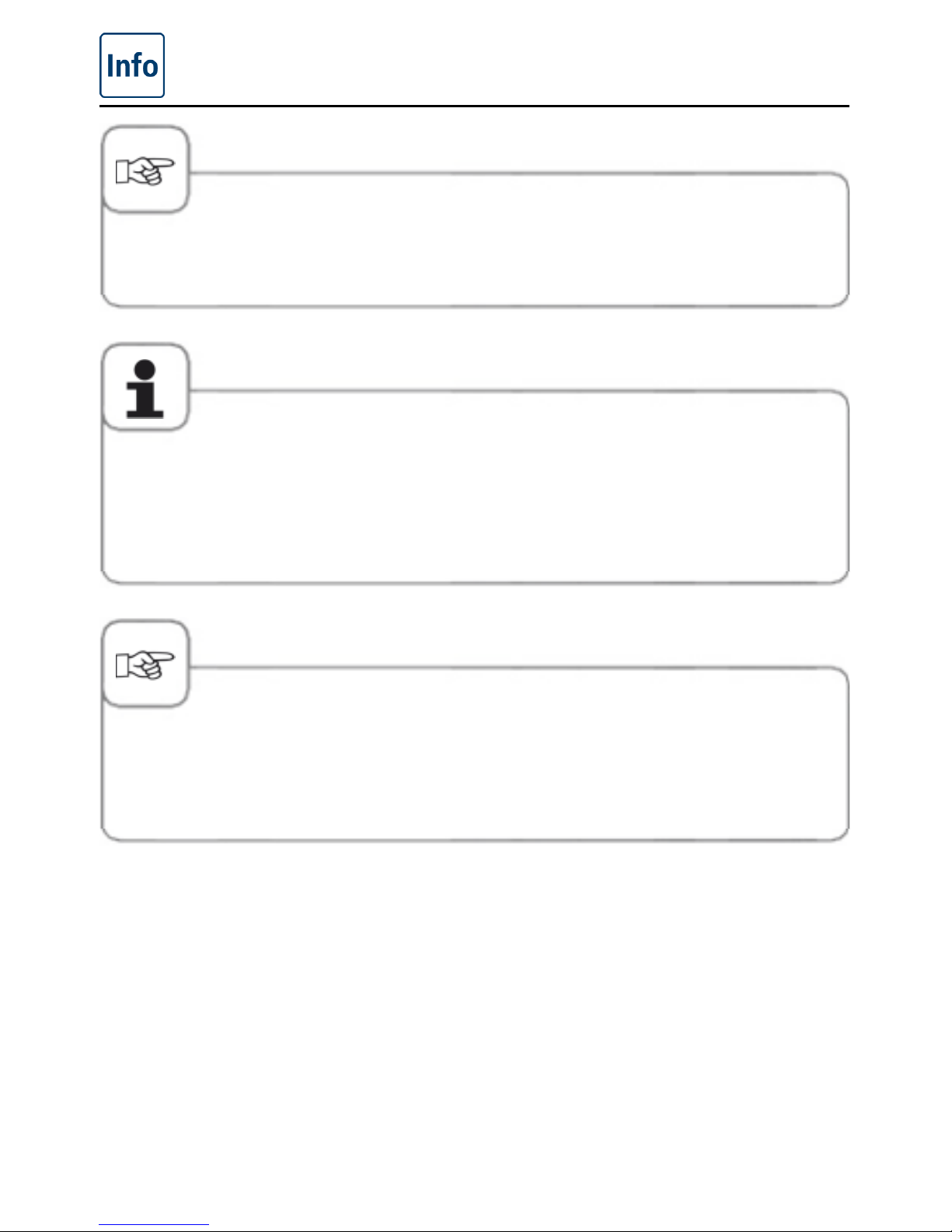
We do not accept any responsibility for any damage resulting from improper use or positioning
of the core temperature probe.
When the core temperature probe is not in use, put it back in the place provided on the cover
as shown - risk of damage.
Do not allow the core temperature probe to hang out of the pan – risk of damage.
Remove the core temperature probe from the food before you remove the food from the pan risk of damage.
If, at the beginning of a cooking process, the core temperature probe is hotter than the core
temperature set (e.g. because it was in the frying oil during preheating), allow it to cool before
putting it into food.
Please ensure that it is dry if it comes into contact with oil - risk of burning!
Page 17
Notes on using your unit
V-09 - 03/2017 - PM/Stme - English - © FRIMA
17 / 59
Maximal socket power
Appliance max. Power Fuse
VarioCooking
Center
®
112 (not
112T, 112L)
2.3 kW 10 A
VarioCooking
Center
®
211/311
3.6 kW 16 A
Unit weights
Appliance without pressure
option
with pressure option
112T 99 kg not available
112 168 kg 186 kg
112L 132 kg not available
211 195 kg 223 kg
311 251 kg 279 kg
Page 18
Notes on using your unit
18 / 59
V-09 - 03/2017 - PM/Stme - English - © FRIMA
Working with the hand shower
- Pull out the hose and press the actuating knob to use the hand shower.
- The hand shower retracts automatically.
- Always allow the hand shower to slide back slowly and in a controlled manner.
Warning!
Do not use the hand shower when working with oil (deep frying).
Close the plug socket cover before using the hand shower!
Pulling the hand shower out sharply beyond the maximum available length will damage the
hose.
Make sure that the hand shower hose is fully rewound after use.
Page 19
Operating instructions
V-09 - 03/2017 - PM/Stme - English - © FRIMA
19 / 59
Touchscreen and dial
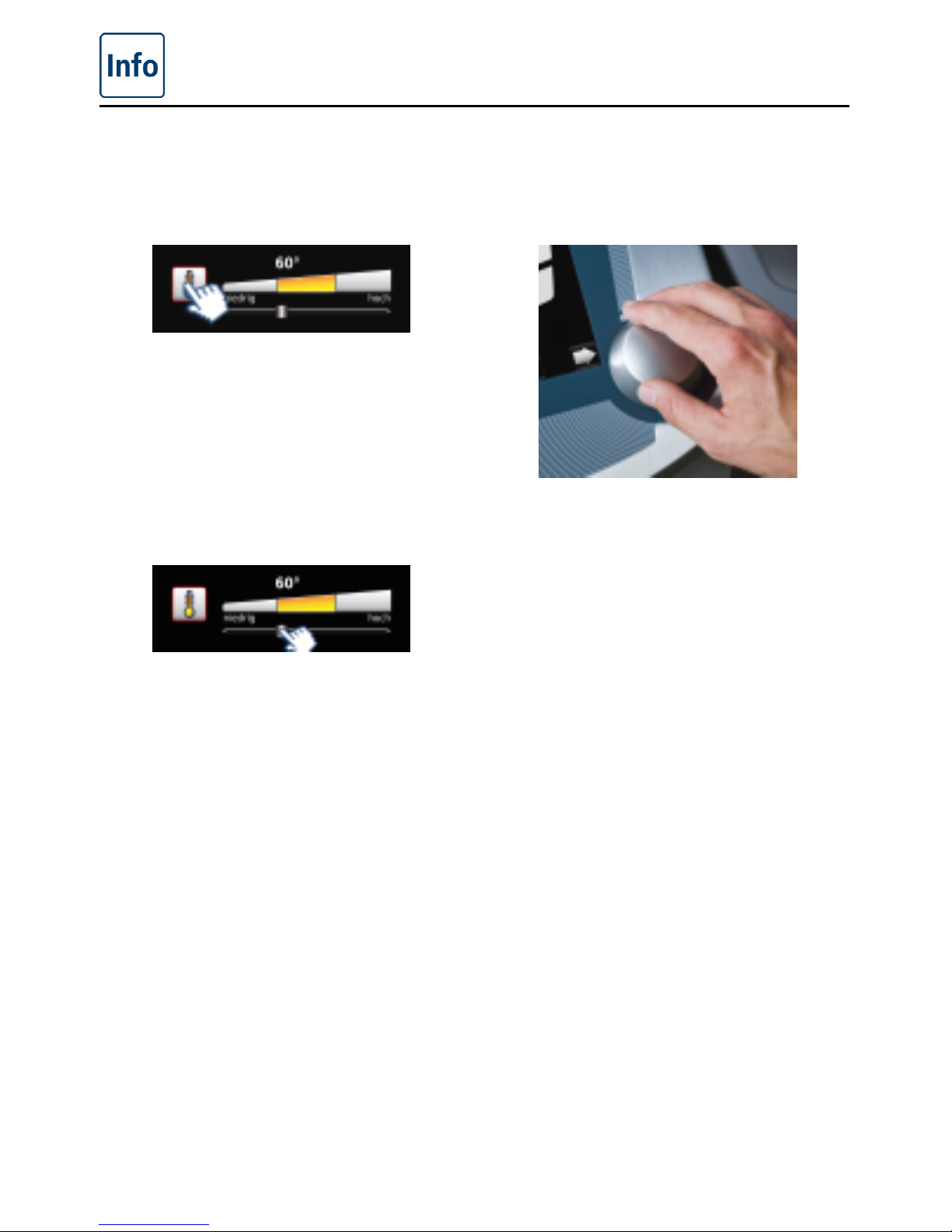
Your unit has a touchscreen. You can make settings on your unit by just touching it lightly
with your finger.
Press a button to activate it. The active
state is identified by the flashing red border.
In the active state, you can make settings
with the central dial.
Alternatively you can make settings by
moving/dragging the slider.
Your setting is accepted when you press
the button or the central dial or after 4
seconds have elapsed.
Page 20
Operating instructions
20 / 59
V-09 - 03/2017 - PM/Stme - English - © FRIMA
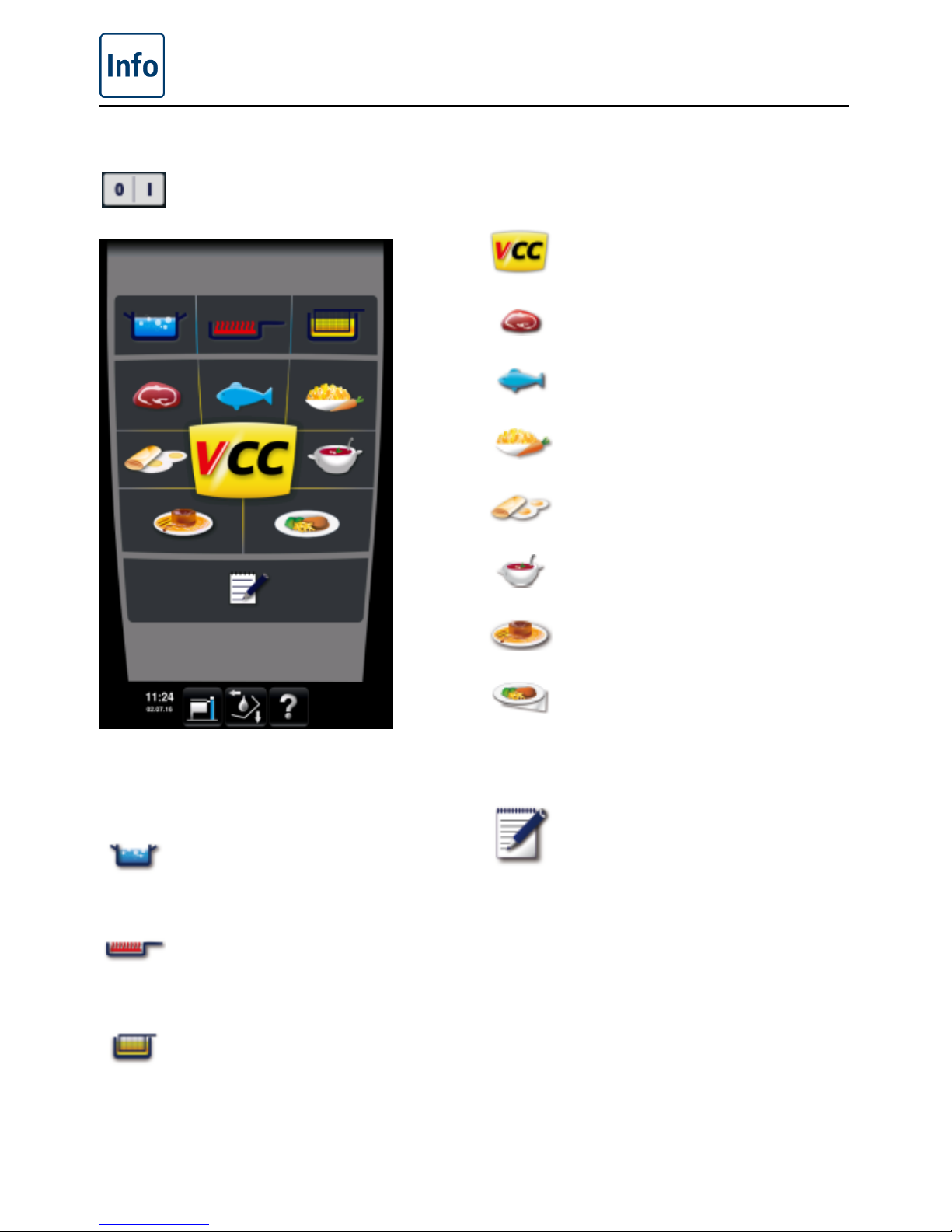
Start level display
On/Off switch
Manual Mode
Boiling
Pan fried
Deep fried
VarioCooking Control® mode
Top 10
Meat
Fish
Vegetables and Side Dishes
Egg dishes
Soups + sauces
Milk / Desserts
Finishing
®
and Service
Other function
Programming/Save mode
Page 21
Operating instructions
V-09 - 03/2017 - PM/Stme - English - © FRIMA
21 / 59
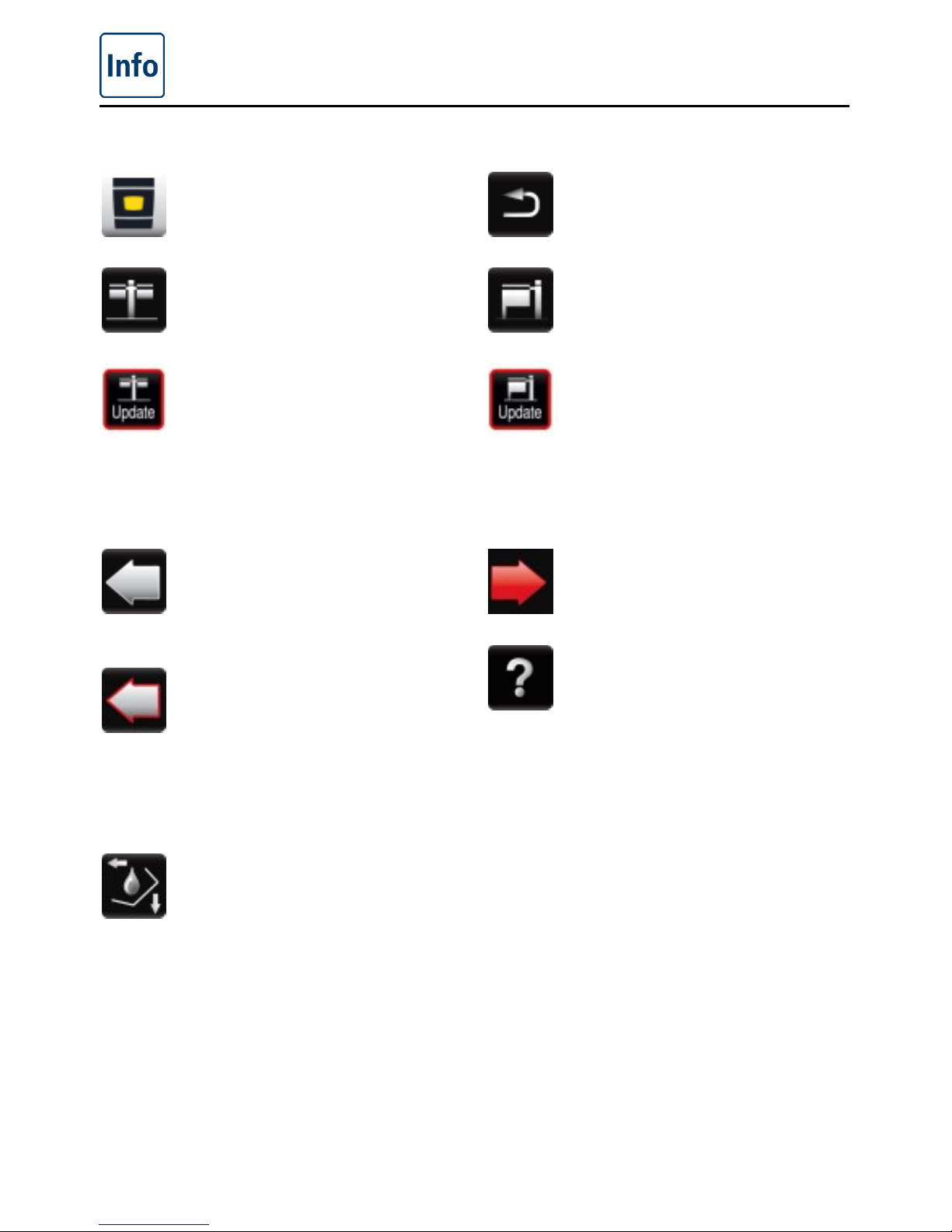
Explanation of the buttons
Home button: Returns to the start
level (hold key down)
MyVCC unit configuration (model
112/112T/112L)
My VCC unit configuration
(model 112/112T/112L) shows
that a new software update is
available (Ethernet option). Press
the button and then select the
"system administration" button to
apply an update.
Pan selection button grey:
Switches to the display view
for the left-hand pan (model
112/112T/112L)
Pan selection button with red
border: A cooking process is
running in the left-hand pan
(display view for right-hand pan is
active). If action is required on the
left-hand side, the border flashes
(model 112/112T/112L).
Function button: Shows the
buttons for operating the unit
components such as cover,
pan, VarioDose, pan valve and
VitroCeran plate (optional, not
112T/112L)
Back button: Exits the process or
jumps to the higher level.
MyVCC unit configuration (model
211/311)
My VCC unit configuration (model
211, 311) shows that a new
software update is available
(Ethernet option only). Press
the button and then select the
"system administration" button to
apply an update.
Pan selection button red: Display
view the right-hand pan is active
(model 112/112T/112L)
Help function
Page 22
Operating instructions
22 / 59
V-09 - 03/2017 - PM/Stme - English - © FRIMA
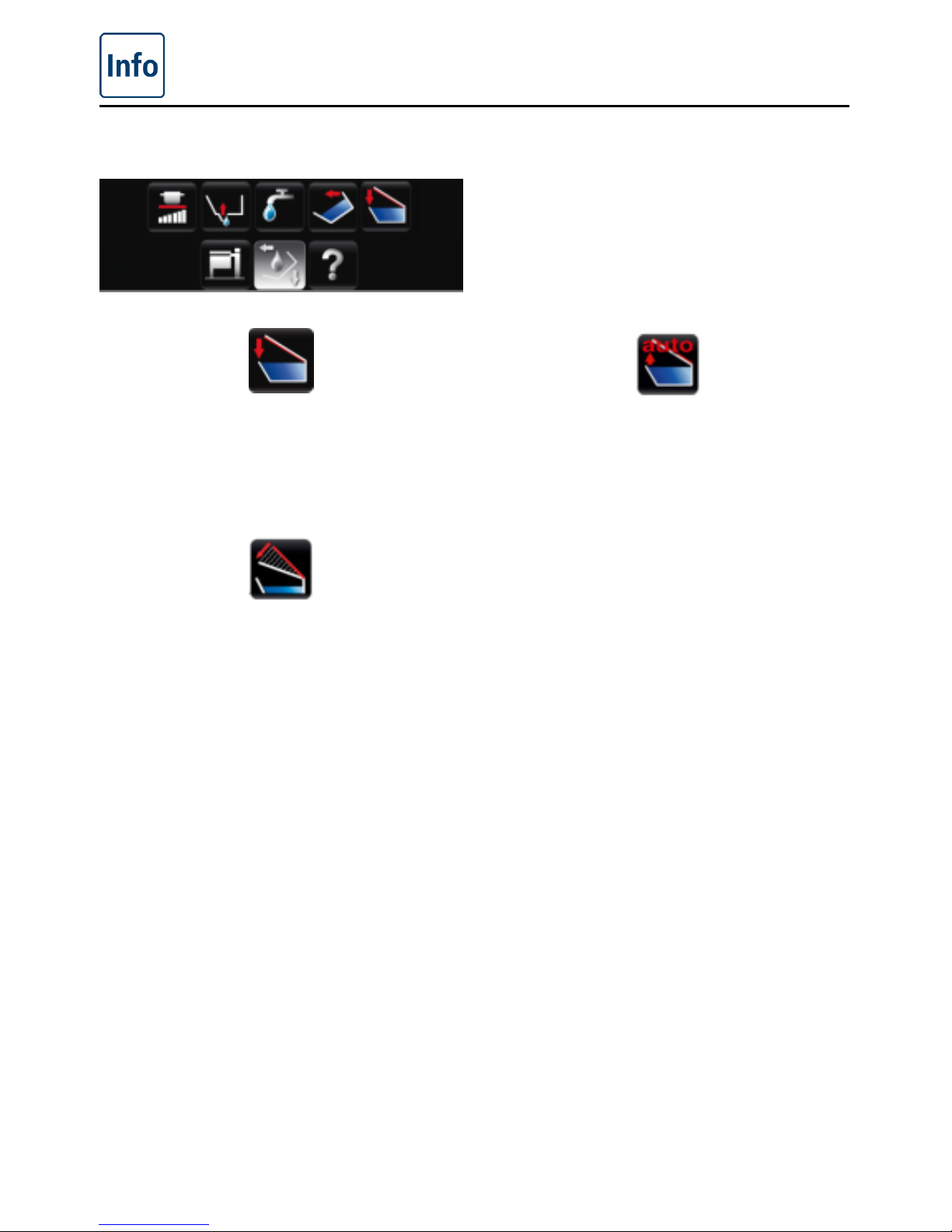
Buttons when function button is pressed
The cover is closed by pressing and holding
the button. On the model 112/112T/112L,
the cover must be closed manually.
The cover is opened by pressing the
button. Pressing the button again stops the
movement. On the model 112/112T/112L,
the cover must be opened manually.
If the "VarioClose" setting has been
activated (model 112L only), one other
button will appear. This lowers the cover
mechanically in order to be able to reach
the handle to close the cover when placed
high up. After 3 seconds, the cover will
reopen completely if the cover was not
closed.
Page 23
Operating instructions
V-09 - 03/2017 - PM/Stme - English - © FRIMA
23 / 59
Caution!
If there are sudden movements when closing or opening the cover, please open the cover
carefully and do not activate the lock. Inform your Service partner immediately. In this case the
following warning sign must be attached to the unit order to inform all users:
Warning! Cover mechanism defective. Do not move the cover! - Risk of injury!
Do not place any objects on the cover or in its swivelling range - risk of injury!
Caution!
Open the appliance cover with care. Vapours can escape - risk of burning!
Page 24
Operating instructions
24 / 59
V-09 - 03/2017 - PM/Stme - English - © FRIMA
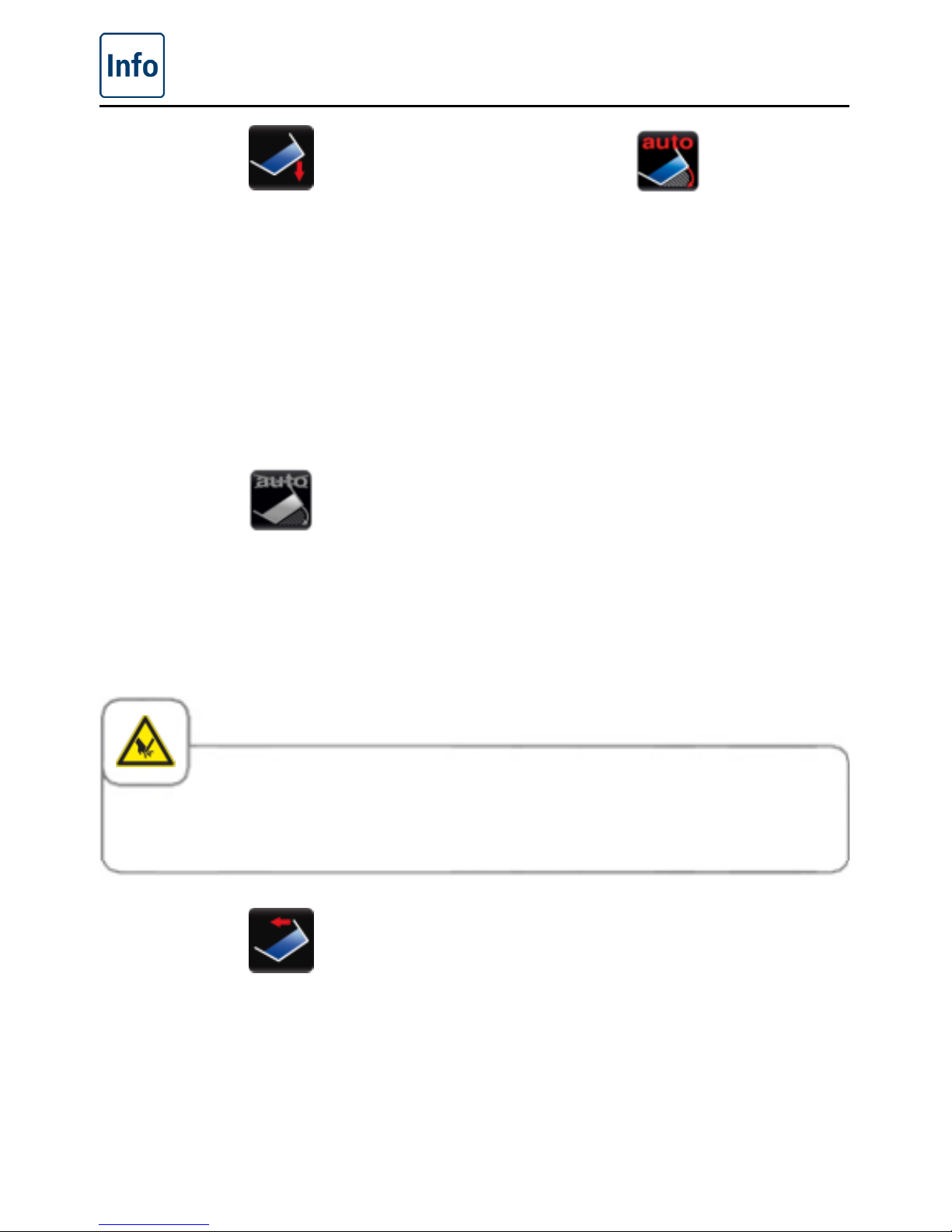
The pan is lowered by pressing and holding
the button. The pan must be fully lowered
before you can start a cooking mode.
After pressing the "Lower pan" button,
another "Lower pan auto" button will
appear. If this is pressed, the pan will
automatically be lowered fully (model 112,
112T, 112L only).
The pan in models 211 and 311 will lower
automatically to 10°. The "Lower pan"
button can then be pressed again and the
pan lowered completely.
This option will only appear (model 211/311
only) if the pan has been automatically
lowered to 10°. Now press the "Lower pan"
button to lower the pan completely.
Caution!
Do not place any objects under the pan or in its swivelling range. - Risk of injury!
The pan is raised by pressing and holding
the button. This is not possible until the
cover is fully open.
Attention! If the lifting arm is in use, it must
first be removed manually!
Page 25
Operating instructions
V-09 - 03/2017 - PM/Stme - English - © FRIMA
25 / 59
Caution!
Tilt the pan carefully in order to avoid spillage – Danger of slipping and burns!
Use a sufficiently wide collecting container when draining – Danger of slipping and burns.
We recommend our accessories VarioMobil
®
and oil cart for this.
VarioDose cold
VarioDose warm (optional,
not112T/112L)
The VarioDose function allows precisely
measured water to be added directly to
the pan. Press the button and then set
the volume of water using the central dial.
Filling and counting down of the number
of litres starts when you press the button,
the dial or after 4 seconds. Pressing the
dial again stops the inflow before the set
number of litres has been reached.
Maximum filling volumes with the
VarioDose
VarioCooking Center
®
112/112T: 14 litres
per pan
VarioCooking Center
®
112L: 25 litres per
pan
VarioCooking Center
®
211: 100 litre
VarioCooking Center
®
311: 150 litre
Page 26
Operating instructions
26 / 59
V-09 - 03/2017 - PM/Stme - English - © FRIMA
The pan valve is opened by pressing
the button. Holding the button down
helps to avoid the pan vent from opening
unintentionally.
It cannot be opened if the temperature
in the pan is too high . It can be opened
again after the pan has cooled down. When
you select deep frying , the pan valve can
only be opened if the pan is fully tilted.
On model 112T/112L the pan valve is
opened manually using the pan valve lever.
The pan valve is closed by pressing the
button. The pan valve is automatically
closed when you select a process or a
manual cooking mode.
On model 112T/112L the pan valve is
closed manually using the pan valve lever.
On the VarioCooking Center
®
112T/112L
the integrated pan outlet is opened and
closed manually by operating the pan valve
lever. If the pan valve is opened during
or after deep-frying an acoustic warning
signal is sounded and the pan valve is to
be closed again immediately. Hot oil is to
be emptied by tipping it over the pan lip
and by following the applicable guidelines
accordingly.
Do not use the hand shower when working
with oil (deep frying)!
Page 27
Operating instructions
V-09 - 03/2017 - PM/Stme - English - © FRIMA
27 / 59
The VitroCeran (optional, not 112T, 112L)
is started by pressing the button. You can
then set 6 different heating levels using the
central dial.
VitroCeran (optional, not 112T,
112L): Stage 1
minimum
VitroCeran (optional, not 112T,
112L): Stage 6
maximum
Caution!
VitroCeran (optional, not 112T, 112L) can get very hot - risk of burning!
Do not use steel pots or pans the VitroCeran (optional, not 112T, 112L) or place on the user
console. Danger of tipping when the cover is closed and when the pan is moved - risk of buring!
Do not place any cooking utensils or aluminium containers etc. on the VitroCeran (optional, not
112T, 112L) while it is still hot - risk of burning!
Do not use the VitroCeran (optional, not 112T, 112L) as a storage area - risk of scalding!
If the VitroCeran (optional, not 112T, 112L) is cracked or broken, disconnect the unit or the
elements from the mains immediately - risk of injury!
Page 28
Operating instructions
28 / 59
V-09 - 03/2017 - PM/Stme - English - © FRIMA
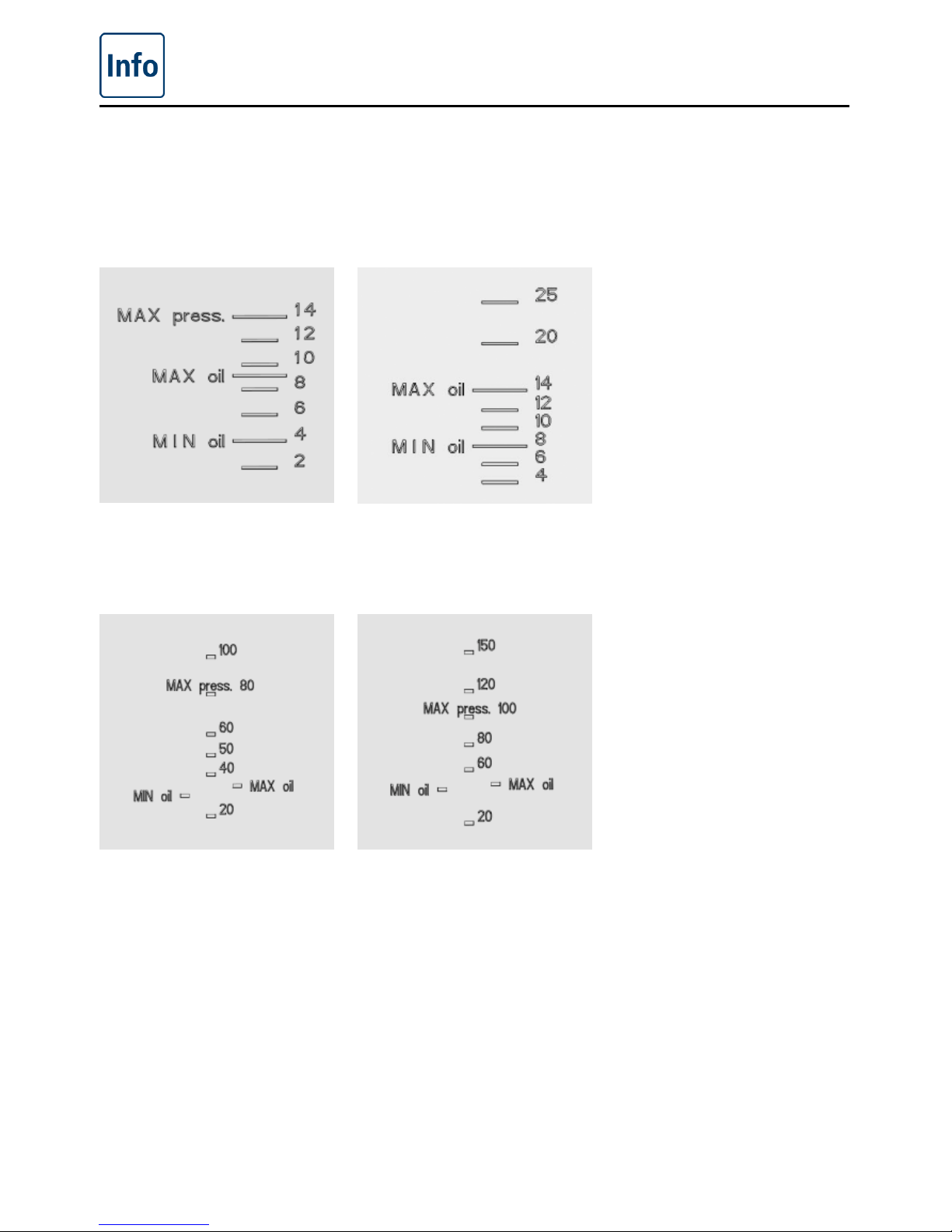
Filling volumes in the pan
For your safety, always observe the filling limits as indicated by the marks in the pan.
112/112T 112L
211 311
Page 29
Operating instructions
V-09 - 03/2017 - PM/Stme - English - © FRIMA
29 / 59
General fill levels
Unit type Permitted
Minimum fill level
Maximum fill level
Fill level
112/112T 3 litres 14 litres
112L 6 litres 25 litres
211 20 litres 100 litres
311 30 litres 150 litres
Unit type Permitted
Minimum fill level
of oil
Maximum fill level
Fill level of oil*
112/112T 4 litres 9 litres*
112L 8 litres 14 litres*
211 30 litres 35 litres*
311 45 litres 49 litres*
* Basically, the maximum permissible filling quantities as per DIN 18869-6 must be observed.
With the VarioCooking Center
®
311, only fill with cold oil up to the "MIN" mark (45 litres). The
oil will automatically reach the "MAX" mark (49 litres) due to the expansion of the oil at the
operating temperature. This complies with the safety regulations and this quantity of oil can
easily be stored and transported in the oil cart.
Fill level for boiling with baskets
Unit type Permitted fill level
for boiling with
baskets
112/112T 10 litres
112L 18 litres
211 60 litres
311 90 litres
Page 30
Operating instructions
30 / 59
V-09 - 03/2017 - PM/Stme - English - © FRIMA
Fill levels for pressure cooking (optional, not 112T, 112L)
The pressure is built up through the evaporation of water. Make sure that there is sufficient
free water in the pan that is not absorbed by the food during cooking.
Unit type Permitted
Minimum fill level
for pressure
cooking
Maximum fill level
Fill level
for pressure cooking
112 2 litres 14 litres
211 20 litres 80 litres
311 30 litres 100 litres
Unit type Maximum load
size
112/112T 15 kg/pan
112L 25 kg/pan
211 100 kg
311 150 kg
Maximum load size of the accessory baskets
The maximum load size of the accessory baskets depends on the food involved. See
application manual.
Page 31
Operating instructions
V-09 - 03/2017 - PM/Stme - English - © FRIMA
31 / 59
Caution!
Observe the maximum and minimum fill levels in the pan for each of the cooking modes.
There is a risk of fire or burning if the pan is used incorrectly (if the levels are too high or too
low)!
Exceeding the maximum load sizes allowed can result in damage to the unit.
Page 32
Operating instructions
32 / 59
V-09 - 03/2017 - PM/Stme - English - © FRIMA
Help function
To make simple and efficient use of the many possibilities of your unit, there are detailed
operating instructions and an application manual with practical examples and useful tips
stored on the unit. Press the "?" button to select the Help function.
Explanation of the buttons
Start the Help function
Display safety instructions
Scroll forward one page
Open the next section
Open the selection menu and
select manual
Exit the help function
Scroll back one page
Open the previous section
Page 33
Operating instructions
V-09 - 03/2017 - PM/Stme - English - © FRIMA
33 / 59
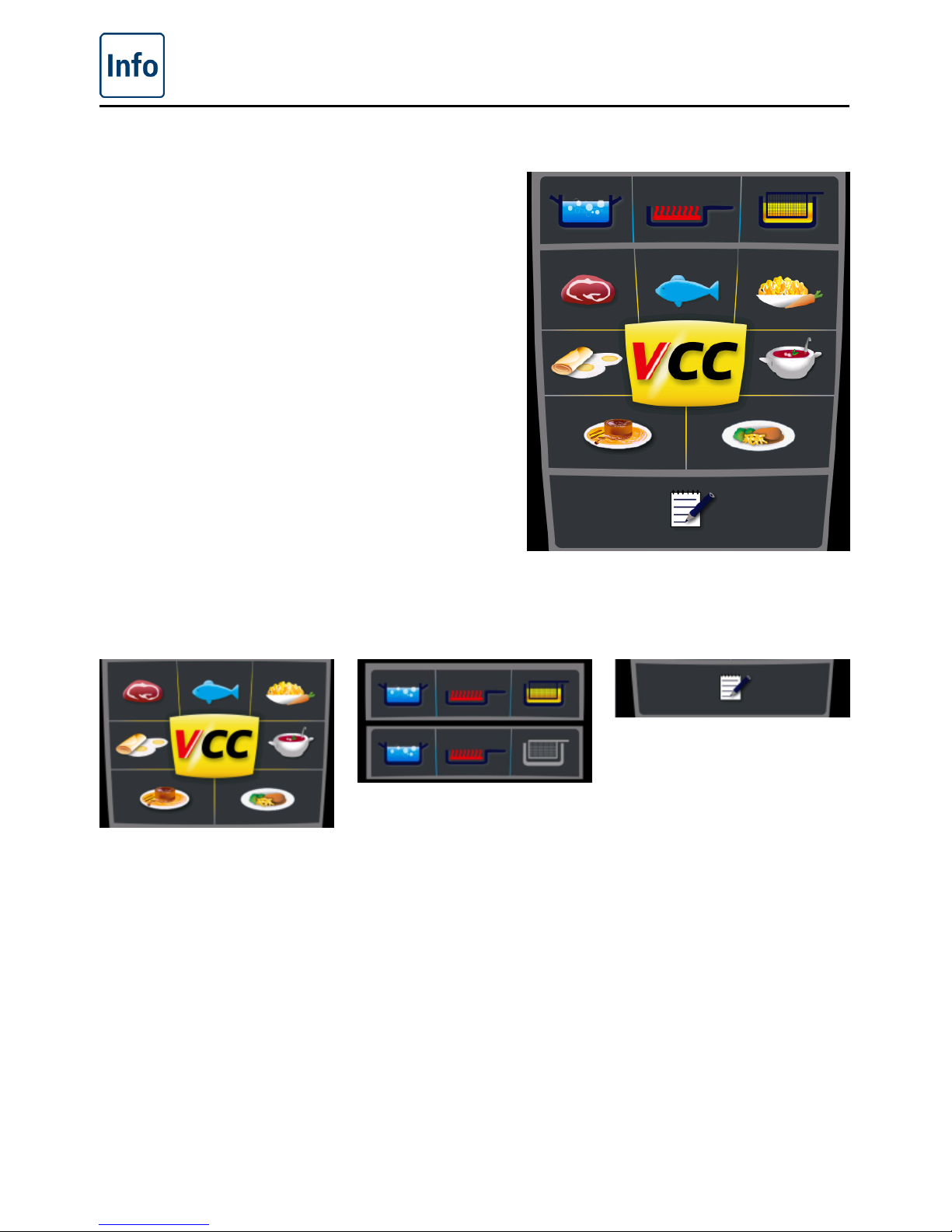
Overview of the cooking modes
When you switch the unit on or hold down the
Home button, you go straight to the Start level.
Here you can select the three cooking modes of
the VarioCooking Center
®
.
VarioCooking
Control® mode
Manual mode Programming/
Save mode
When you press the Meat,
Fish, Vegetables and
Side Dishes, Egg Dishes,
Soups and Sauces, Milk /
Desserts or Finishing
®
and
Service button, the window
for selecting the cooking
processes in VarioCooking
Control
®
mode opens.
When you press the Boil,
Pan-Fry or Deep Fry button,
you switch to manual
mode .
If you have a unit with the
Non-deep frying option, the
Deep Fry button is greyed
out.
When you press the
Programming button, you
switch to Programming/
Save mode .
Page 34
VarioCooking Control
®
mode
34 / 59
V-09 - 03/2017 - PM/Stme - English - © FRIMA
In VarioCooking Control
®
mode you simply select the food to be cooked and your desired
cooking result at the push of a button. Cooking time and temperature are constantly adjusted.
The remaining time as currently calculated is displayed. You will find examples and useful
notes in the application manual, which can be viewed by pressing the "?" button.
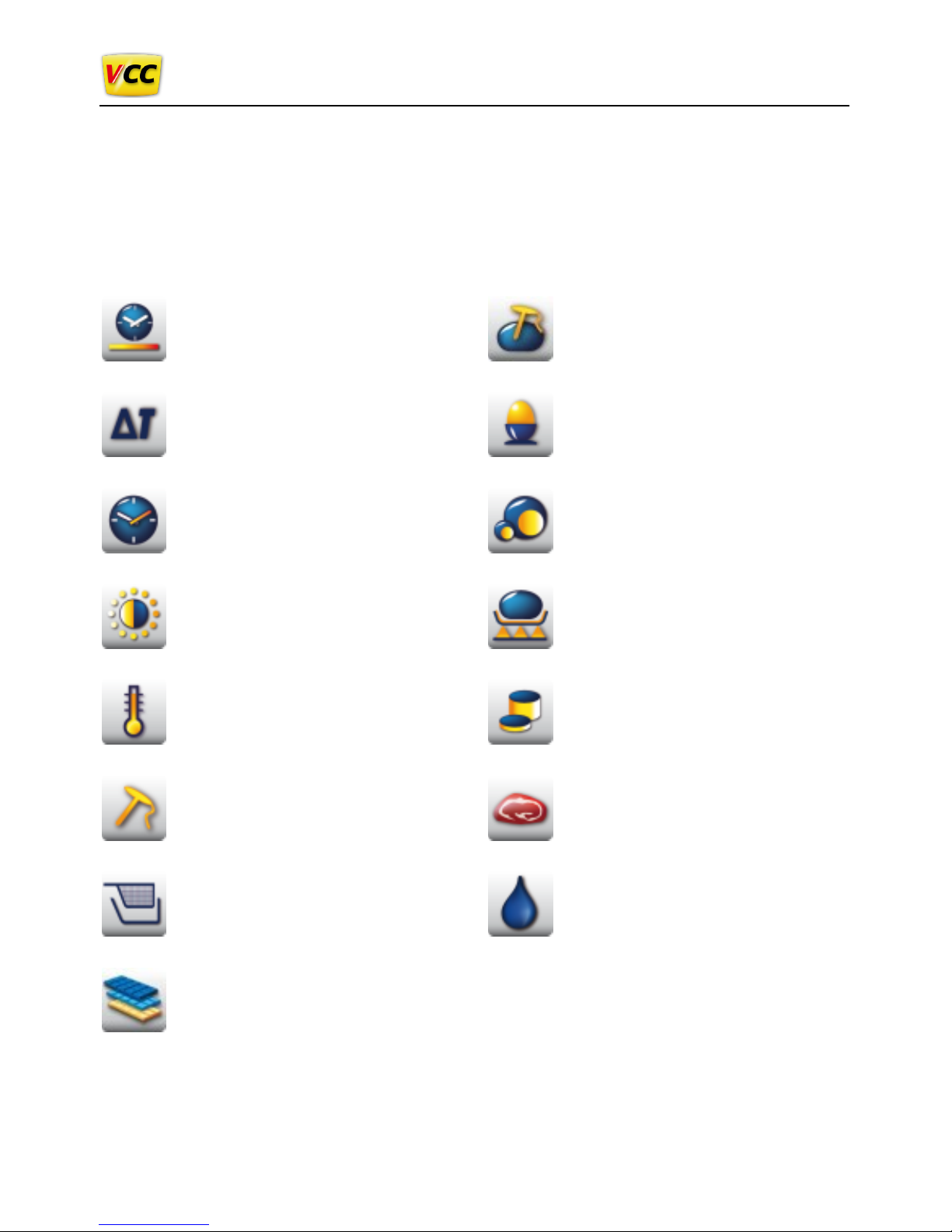
Buttons and pictograms in VarioCooking Control
®
mode
Cooking speed
Delta-T
Cooking time
Browning
Temperature
Core temperature probe
Basket
Chocolate variety
Core temperature/cooking level
Cooking level for Boil eggs
Size of food
Frying level
Food thickness
Type of meat
Viscosity
Page 35
VarioCooking Control
®
mode
V-09 - 03/2017 - PM/Stme - English - © FRIMA
35 / 59
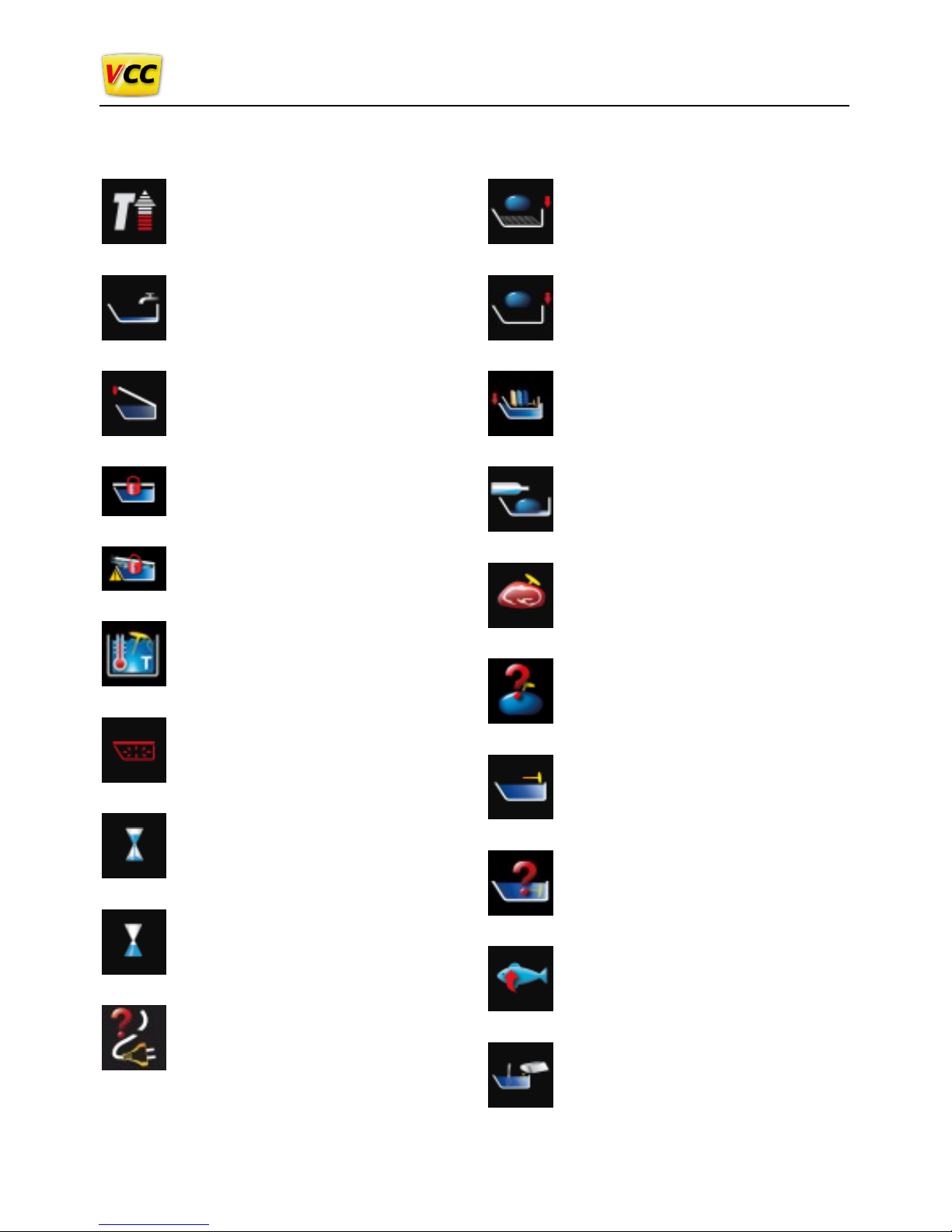
Information and prompts during the cooking process
Preheat display
Water inlet display
Lower cover prompt
Lock lid prompt (option, not 112T,
112L)
Unlock lid prompt (option, not
112T, 112L)
Water bath temperature
Decompression display (option,
not 112T, 112L)
Cooking step display
End of cooking step display
Power failure
Insert roasting rack prompt
Load prompt
Request to load chocolate in
water bath
Deglaze prompt
Prompt to insert core temperature
probe in food (in this case meat)
Request to insert the core
temperature probe again.
Prompt to insert core temperature
probe in cooking liquid
Request to insert the core
temperature probe again.
Prompt to turn food (in this case
fish)
Prompt to stir in
Page 36
VarioCooking Control
®
mode
36 / 59
V-09 - 03/2017 - PM/Stme - English - © FRIMA
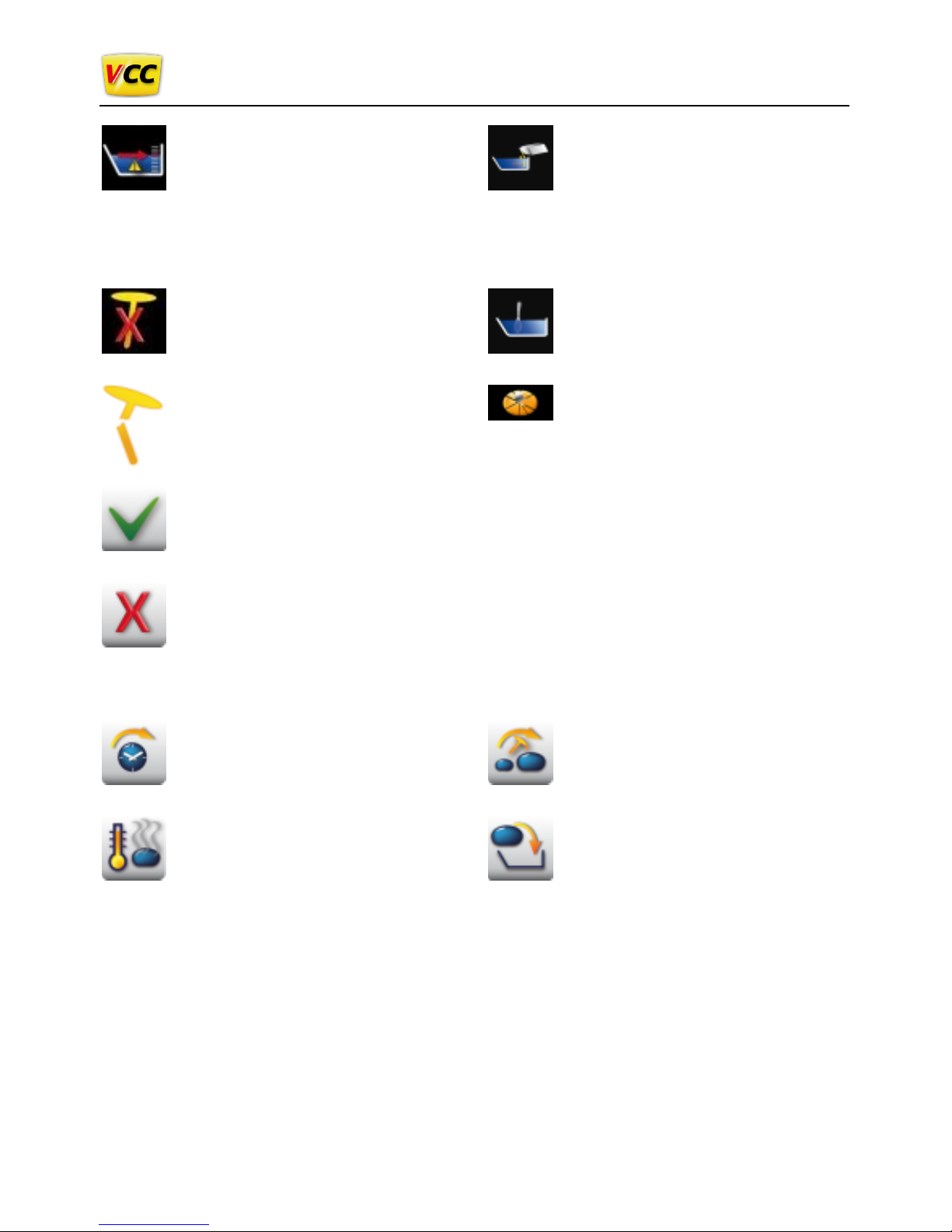
Display of maximum fill level
for pressure cooking (option, not
112T, 112L)
Model 112: 14 litres
Model 211: 80 litres
Model 311: 100 litre
Display emergency process if
core temperature probe is not
inserted or inserted incorrectly
Display of defective core
temperature probe. Some
processes cannot be selected.
Consult a technician.
Prompt to stir in and insert core
temperature probe
Prompt to mix
Prompt to chop Kaiserschmarrn
Confirm / Yes button
Cancel / No button
Options following the end of cooking
Continue with time
Keep hot
Move core temperature probe
Reloading
Page 37
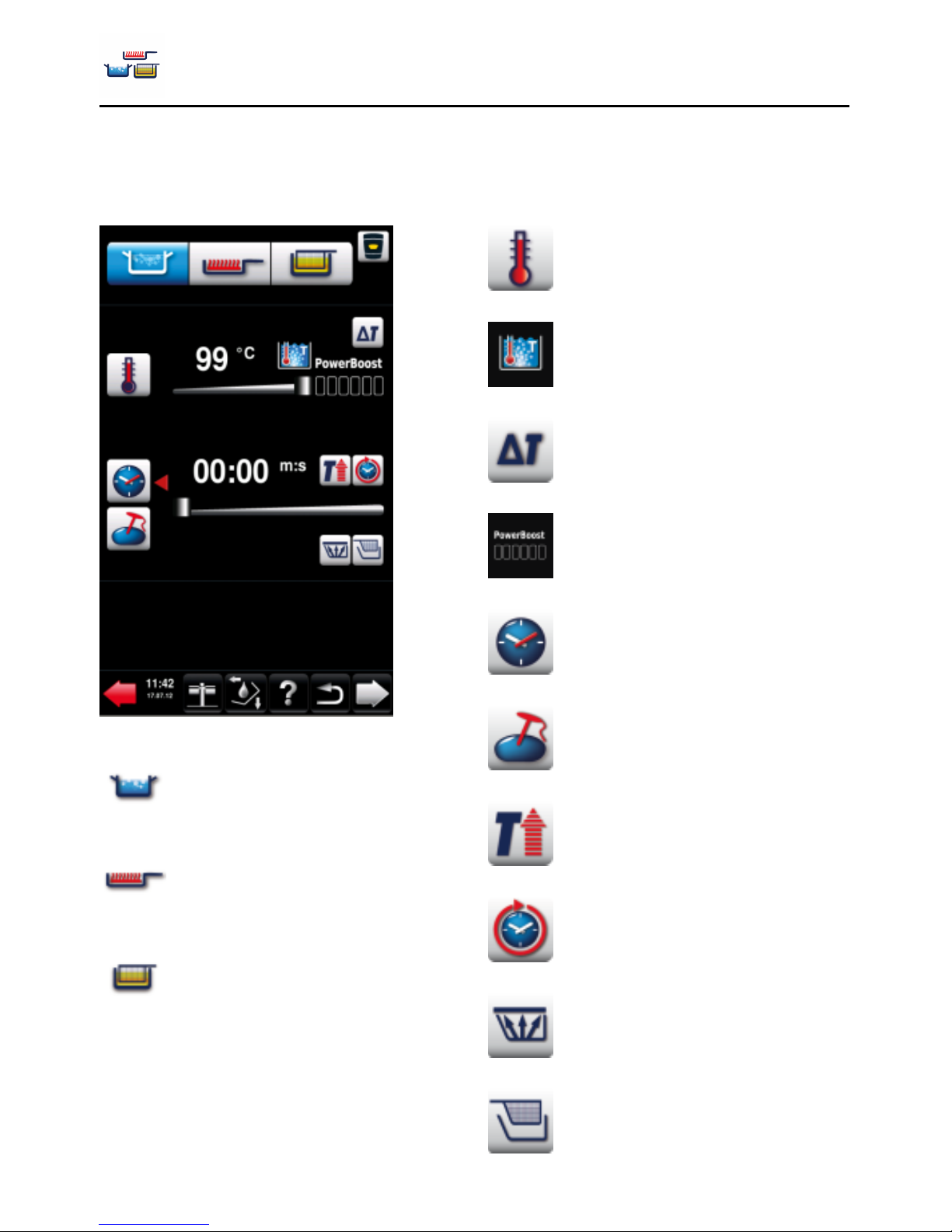
Manual mode
V-09 - 03/2017 - PM/Stme - English - © FRIMA
37 / 59
In Manual mode, all the basic functions of the VarioCooking Center
®
are available:
Buttons and pictograms in Manual mode
Boil
Pan fried
Deep fried
Cooking temperature
Boiling temperature
Delta-T cooking
PowerBoost
TM
Cooking time
Core temperature
Preheat
Continuous operation
Pressure cooking (optional, not
112T, 112L)
Cooking with baskets
Page 38
Manual mode
38 / 59
V-09 - 03/2017 - PM/Stme - English - © FRIMA
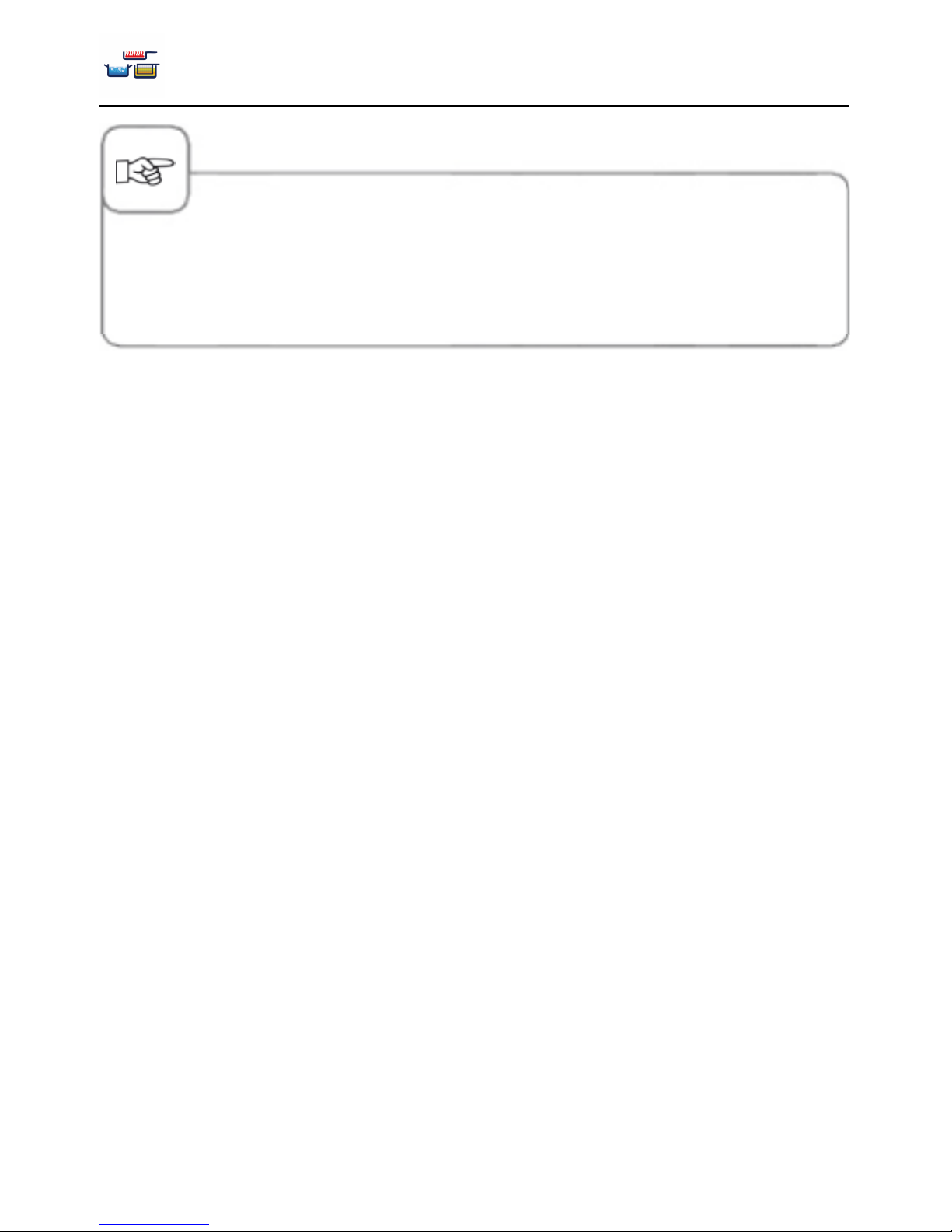
You can press the Cooking temperature button to call up the current data, such as the actual
cooking temperature, actual core temperature and elapsed cooking time.
The actual values are displayed continuously if you hold down the Cooking temperature button
for 10 seconds. Press the Cooking temperature button again to return to the set values.
Page 39
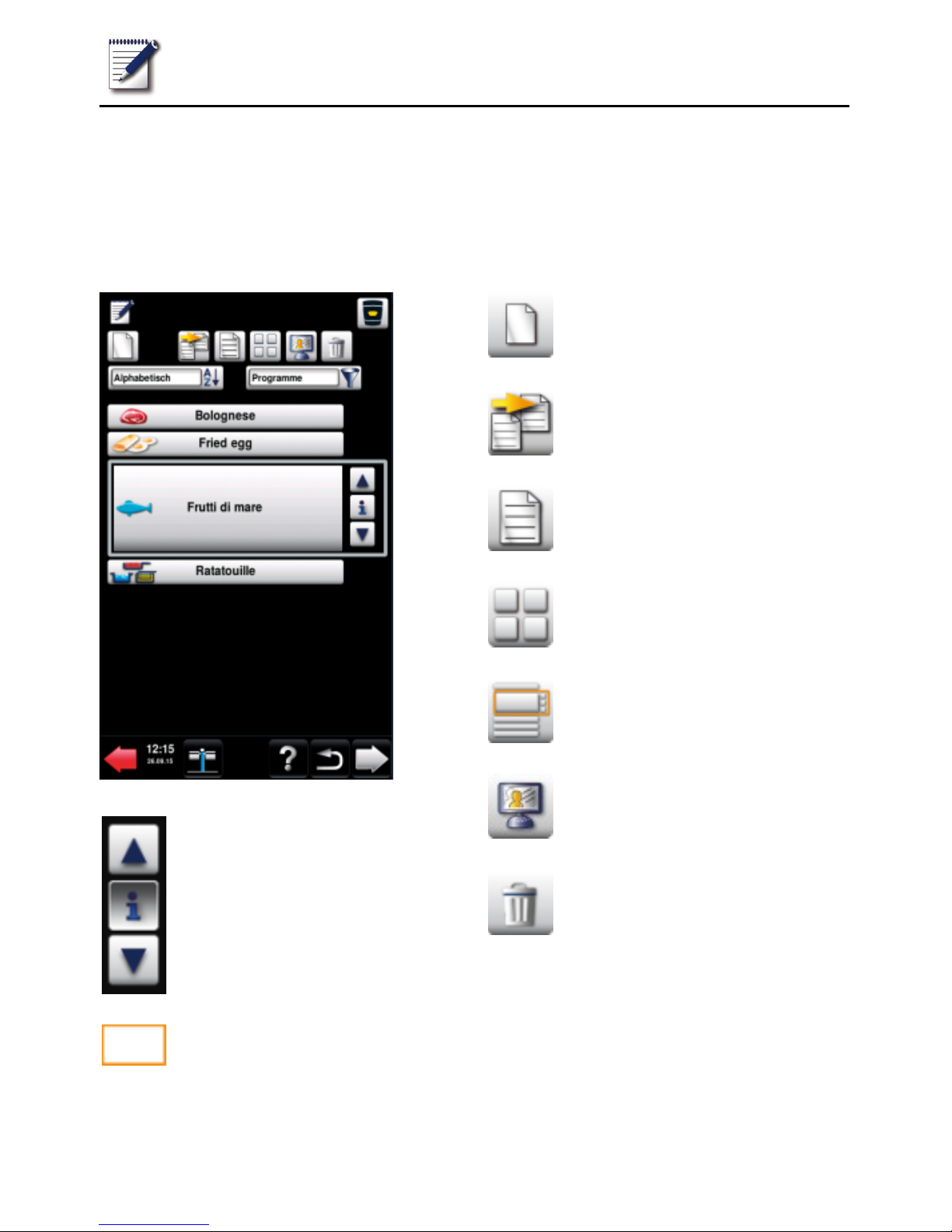
Programming/Save mode
V-09 - 03/2017 - PM/Stme - English - © FRIMA
39 / 59
With Programming/Save mode you can create your own cooking programs. You can copy the
cooking processes from VarioCooking Control
®
mode to suit your individual needs, modify
them and save them under a new name, or create your own manual programs with up to
12 steps.
Buttons in Programming/Save mode
Press the arrow buttons or
turn the central dial to select a
program.
Program selection window
New program
Copy program
Change program
Image view
List view
MyDisplay (see MyVCC MyDisplay section)
Delete program
Page 40
Programming/Save mode
40 / 59
V-09 - 03/2017 - PM/Stme - English - © FRIMA
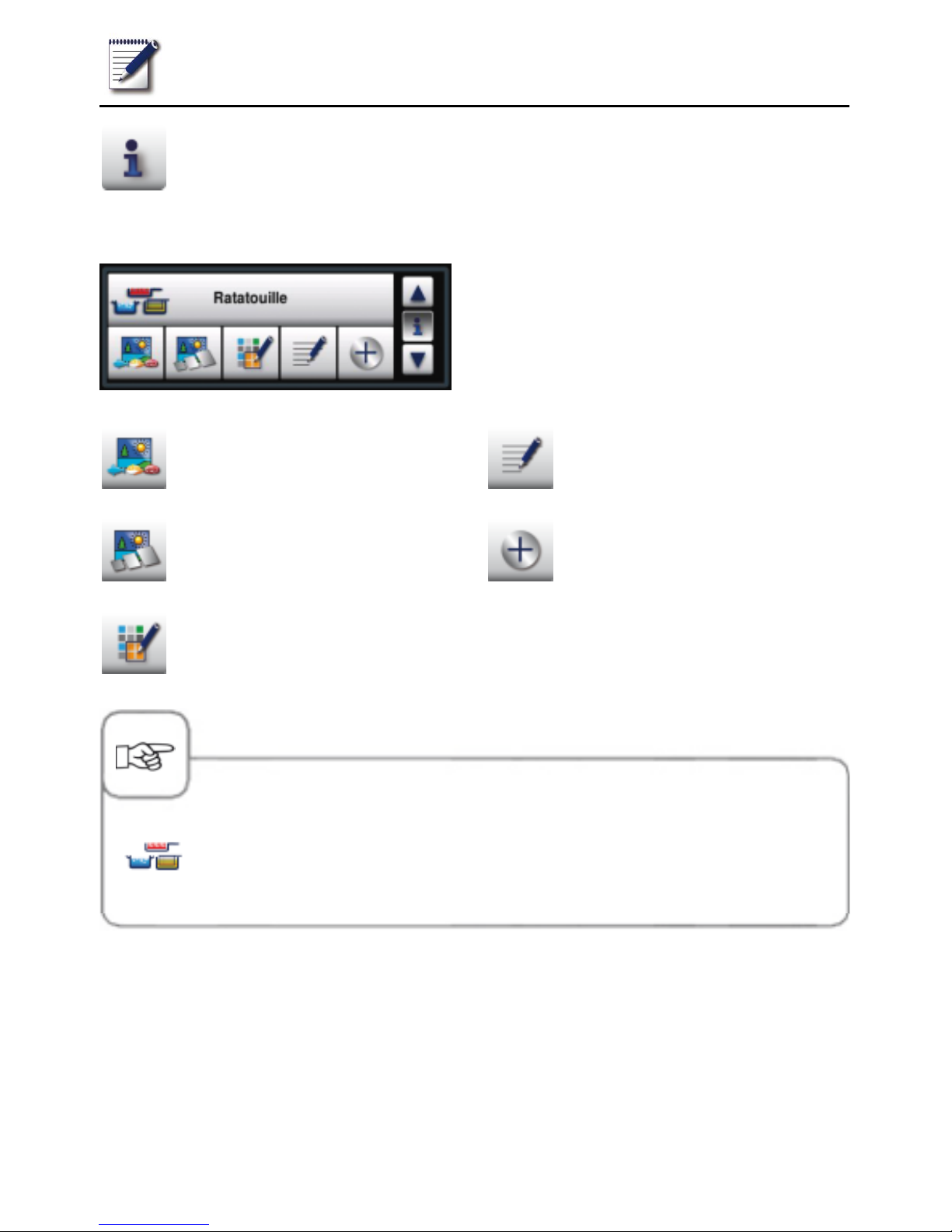
Info button: Displays program
details in the selection window
Selection window when Info button is pressed
When you hold down the Info button, other
information is called up or discarded in
addition to the program name.
Image of the food for the program
Image of the accessory for the
program
Group allocation (e.g. "Breakfast")
Notes about the program
Additional attributes can be
selected
The pictogram beside the program name shows whether the stored cooking
program is a manual program (shown on the left) or a VarioCooking
Control® cooking workflow.
Page 41
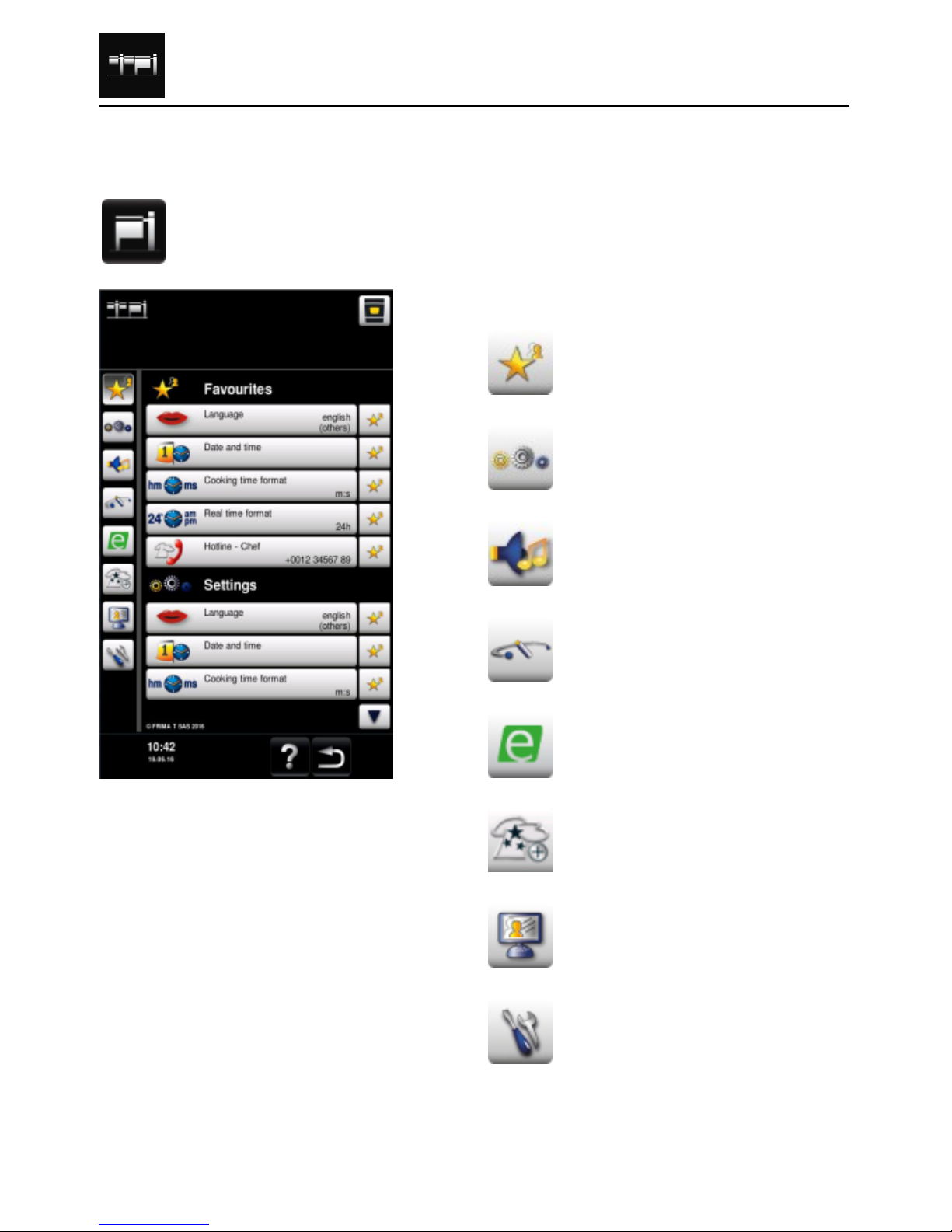
MyVCC appliance configuration
V-09 - 03/2017 - PM/Stme - English - © FRIMA
41 / 59
All the appliance's default settings (e.g. time, date, language etc.) can be changed under
MyVCC.
Press the MyVCC button to open the overview display for your appliance's
default settings. You can customise your appliance's settings to suit your
requirements.
Explanation of pictograms:
Favourites (active when MyVCC
is selected)
Settings
Acoustics
System management
MyEnergy
Expert setting
MyDisplay
Service
Page 42
Cleaning
42 / 59
V-09 - 03/2017 - PM/Stme - English - © FRIMA
Regular cleaning will ensure that your VarioCooking Center
®
retains its value, is protected
from corrosion, and continues to operate smoothly, allowing you to prepare your food
hygienically.
Warning!
Wear the correct protective clothing, gloves, goggles and a mask.
The pan base may be hot. The cleaning water can heat up quickly - Danger of scalding!
Interim cleaning
The following cleaning tasks should be carried out after every time the unit is used.
Pan
Clean the pan, particularly in the corners and edges, after every cooking process using
lukewarm water and a sponge. Remove any scale, grease, starch and protein layers from
the unit and accessories. Corrosion can occur under these layers due to lack of air exposure.
If necessary, use a fat-dissolving cleaning agent or diluted vinegar (do not use acids ). Do
not use sharp or pointed tools to clean the pan.
- Only use abrasive cleaning aids on the inside of the pan. All other surfaces are sensitive to
scratches.
- Do not use steel wool to clean - risk of corrosion!
- Do not use high pressure cleaners for cleaning.
- Do not use hydrochloric acid, sulphurous or other oxygen-consuming substances to clean the
unit and its accessories since this can damage the passive layer of the chrome nickel steel and
discolour the unit or accessories.
- If necessary, boil a little dilute vinegar in the pan to remove limescale or discolouration ("rainbow
colours" after boiling). Then drain off the vinegary water and rinse thoroughly with fresh water.
- Avoid salt deposits on stainless steel surfaces. When adding salt, dissolve it quickly by stirring.
Remove residues by rinsing thoroughly with fresh water.
Page 43
Cleaning
V-09 - 03/2017 - PM/Stme - English - © FRIMA
43 / 59
Pan valve
Clean the pan valve after using the unit by unscrewing the valve cover with the valve opened
and thoroughly clean the opening. Also clean the valve cover and, in particular, the seal.
Avoid damaging the valve's threaded rod and seal (do not use sharp-edged tools).
Screw in the valve cover once more after cleaning.
Warning! If cleaned as described in the instructions, the seal should be replaced after no more
than 1000 operating hours. If the seal is constantly exposed to oil or grease, the service life
may be greatly reduced.
If the seal is damaged, it should be replaced immediately (part no. 20.00.992).
Core temperature probe
Clean the core temperature probe after every use with a soft sponge (do not use steel wool).
If necessary, use a fat-dissolving cleaning agent (do not use acids).
Cover seal
Clean the cover seal regularly. Check, in particular, the bottom sealing area (channel between
the sealing lips) as water can collect in it. Check that the cover seal is clean, particularly
before pressure cooking (optional, not 112T). The cover seal can be pulled out without tools
so that you can clean the guide rail behind it.
Drain channel, 112 model
Clean the drain channel on the back of the pan using the hand shower.
Page 44
Cleaning
44 / 59
V-09 - 03/2017 - PM/Stme - English - © FRIMA
Basic cleaning
The following cleaning jobs should be carried out as required after use, but at least once
a week.
Unit housing
Always lower the pan before rinsing the outer surfaces of the VarioCooking Center
®
. Make
sure that you only pour the water into the unit from above.
If necessary, use a fat-dissolving cleaning agent (do not use acids).
Do not use high pressure cleaners.
VitroCeran (option; not 112T, 112L)
Clean the VitroCeran using commonly available cleaning agents for Ceran plates.
Control panel
Clean the control panel with a soft cloth. Do not use any scratchy or rough materials. Do not
use abrasive or aggressive cleaning agents.
Central dial
The dial can be pulled off without the use of tools so that you can clean beneath it. Remember
to reattach the dial after cleaning so that you do not lose it. You cannot operate the unit
without the dial.
Steam nozzles 112 model
The steam nozzles (protective attachment over the opening to divert the steam to the inside
of the cover) can be removed without using tools. You can then clean the opening beneath
using the hand shower. Clean the steam nozzles using the hand shower or in the dishwasher.
Remember to reattach the steam nozzles after cleaning so that you do not lose them. You
cannot operate the unit without the steam nozzles.
Pressure-cooking system (optional, not 112T, 112L)
Carry out a cleaning cycle on the pressure system once a week by filling the minimum quantity
of water (112 : 2 litres; 211: 20 litres; 311: 30 litres) into the pre-cleaned pan and operating
for 5 minutes in pressure mode.
Accessory
Remove any scale, grease, starch and protein layers from the unit and accessories.
Corrosion can occur under these layers due to lack of air exposure.
Page 45
Service reports
V-09 - 03/2017 - PM/Stme - English - © FRIMA
45 / 59
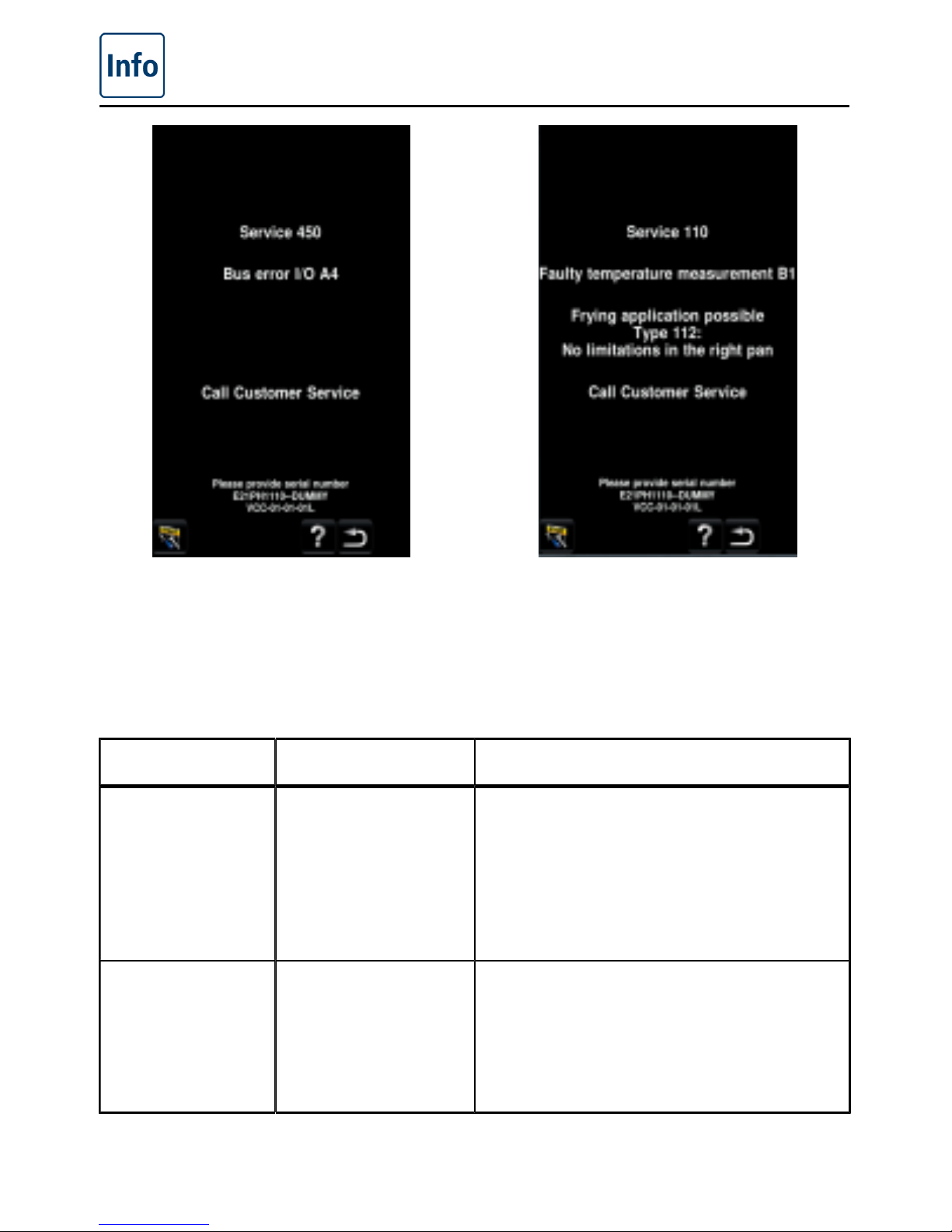
If faults occur on your unit, they are
indicated on the display: Please make
a note of the telephone number so that
you can quickly make contact with your
customer service department.
Faults that allow the unit to continue to be
used can be suppressed by pressing the
Back button.
Service report Error Effects and action
Service 100 Core temperature
probe error
Cooking without a core temperature probe is
possible
Pressure cooking (optional, not 112T/112L)
not possible
Model 112/112T/112L: No restrictions in the
right-hand pan
Call customer service
Service 101 Core temperature
probe error (R)
Cooking without a core temperature probe is
possible
Pressure cooking (optional, not 112T/112L)
not possible
No restrictions in the left-hand pan
Call customer service
Page 46
Service reports
46 / 59
V-09 - 03/2017 - PM/Stme - English - © FRIMA
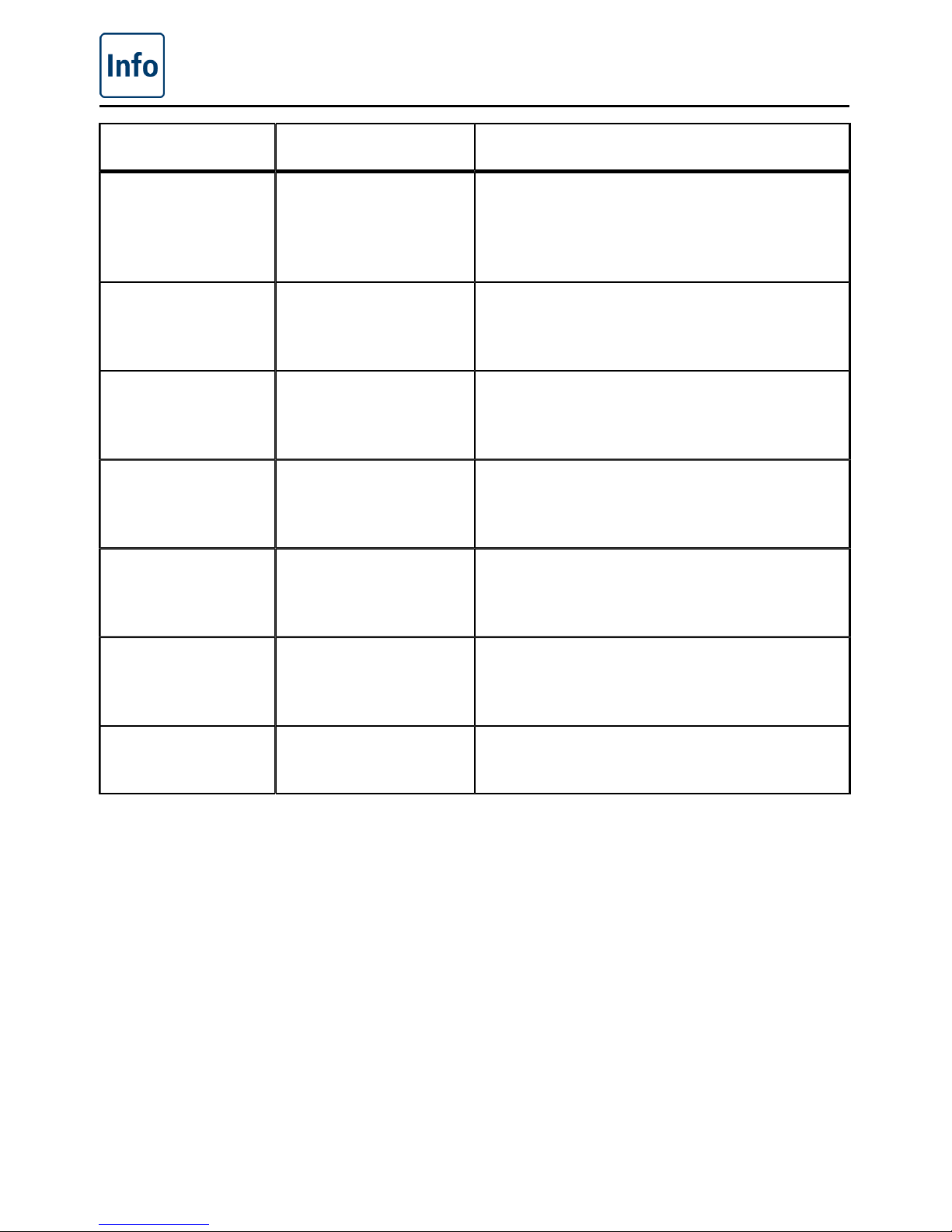
Service report Error Effects and action
Service 110 Error in temperature
measuring system B1
Roasting applications possible
Model 112/112T/112L: No restrictions in the
right-hand pan
Call customer service
Service 111 Error in temperature
measuring system B2
Roasting applications possible
No restrictions in the left-hand pan
Call customer service
Service 121,... 128 Error in temperature
measuring system
B4, ... B11
Call customer service
Service 200 Flow sensor Please check the water inlet.
Cooking without automatic water inlet
possible
Service 201 Hot water flow sensor Please check the hot water inlet.
Cooking without automatic hot water inlet
possible
Service 220+222 Error in the locking
system
Model 112: No restrictions in the right-hand
pan
Call customer service
Service 221 + 223 Error in the locking
system (R)
No restrictions in the left-hand pan
Call customer service
Page 47
Service reports
V-09 - 03/2017 - PM/Stme - English - © FRIMA
47 / 59
Service report Error Effects and action
Service 230 Error in the pan valve
drive
Automatic pan valve defect
Model 112: No restrictions in the right-hand
pan
Call customer service
Service 231 Error in the pan valve
drive (R)
Automatic pan valve defect
No restrictions in the left-hand pan
Call customer service
Service 240 + 242 Error in AutoLift-
system
Open left-hand cover and select AutoLift
again.
Do not close the cover manually during
AutoLift operation.
Service 241 + 243 Error in AutoLift
system (R)
Open right-hand cover and select AutoLift
again.
Do not close the cover manually during
AutoLift operation.
Page 48
Service reports
48 / 59
V-09 - 03/2017 - PM/Stme - English - © FRIMA
Service report Error Effects and action
Service 252 Error in the cover
drive system
Call customer service
Service 260 Error in the pressure
measurement system
Pressure cooking (optional, not 112T/112L)
not possible.
Model 112: No restrictions in the right-hand
pan.
Call customer service
Service 261 Error in the pressure
measurement system
(R)
Pressure cooking (optional, not 112T/112L)
not possible
No restrictions in the left-hand pan
Call customer service
Service 262 Error in the pressure
system
Error in pressure cooking
Please check:
- Bound food product?
- Too little water?
- Overfilling?
- Steam nozzle contaminated?
Otherwise: Call customer service
Service 263 Error in the pressure
system (R)
Error in pressure cooking
Please check:
- Bound food product?
- Too little water?
- Overfilling?
- Steam nozzle contaminated?
Otherwise: Call customer service
Service 450 Bus error I/O A4 Call customer service
Service 460 Unit model not
defined
Call customer service
Service 480.1 -
480.5
System error No restrictions
Call customer service
Page 49
Before you call customer service
V-09 - 03/2017 - PM/Stme - English - © FRIMA
49 / 59
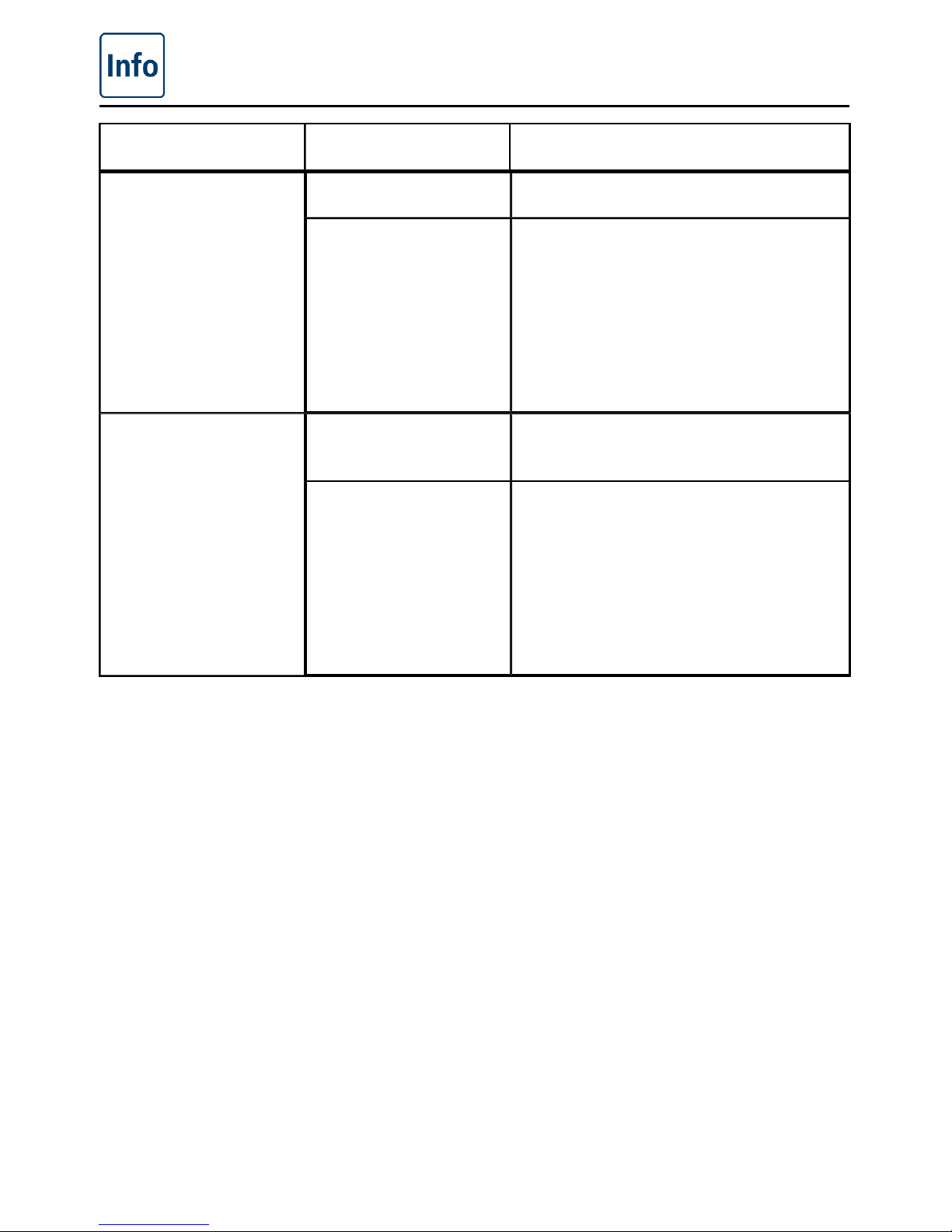
error possible cause Rectification
Water low: "Water tap
symbol"
Water tap closed Open the water tap
Water intake filter on
the unit is fouled
Check and clean the filter. To do this:
- Close the water tap and unscrew the
water supply line to the unit.
- Remove the filter at the water intake
and clean.
- Insert the filter once more. Connect
the water supply line and check for
leaks.
Water leaking out of
the bottom of the unit
The unit is not level Align the unit with a spirit level (see
installation instructions).
Drain is blocked
(blockages can occur
if a lot of products
containing a high
proportion of fat are
cooked or if the drain
pipe was fitted with an
insufficient fall).
Remove the drain (HT pipe) on the
bottom of the unit and clean. Run
the drain pipe as described in the
installation instructions.
Page 50
Before you call customer service
50 / 59
V-09 - 03/2017 - PM/Stme - English - © FRIMA
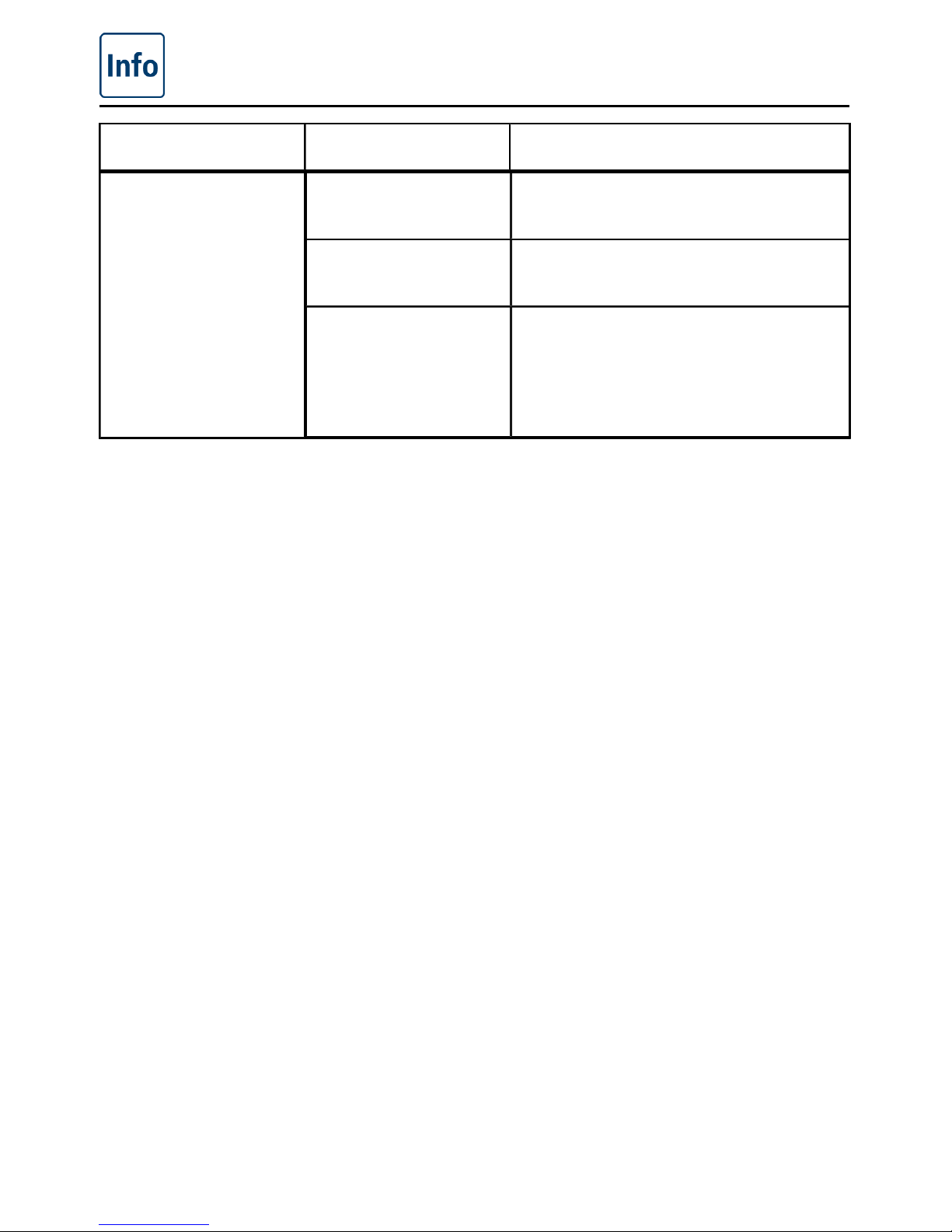
error possible cause Rectification
The unit does not
appear to be working
after switching on
External main switch
was switched off.
Switch on at the main switch.
Fuse has blown on the
main distribution board
Check the fuses on the main distribution
board
The ambient
temperature remained
below 5 °C (41 °F) for
too long after the unit
was switched off.
Heat the unit to a temperature above
5 °C. The room temperature must be
greater than 5 °C when operating the
unit.
Page 51
Domestic appliances
V-09 - 03/2017 - PM/Stme - English - © FRIMA
51 / 59
The following inspection tasks may be carried out by experienced technical personnel. Only
use genuine spare parts from the unit manufacturer.
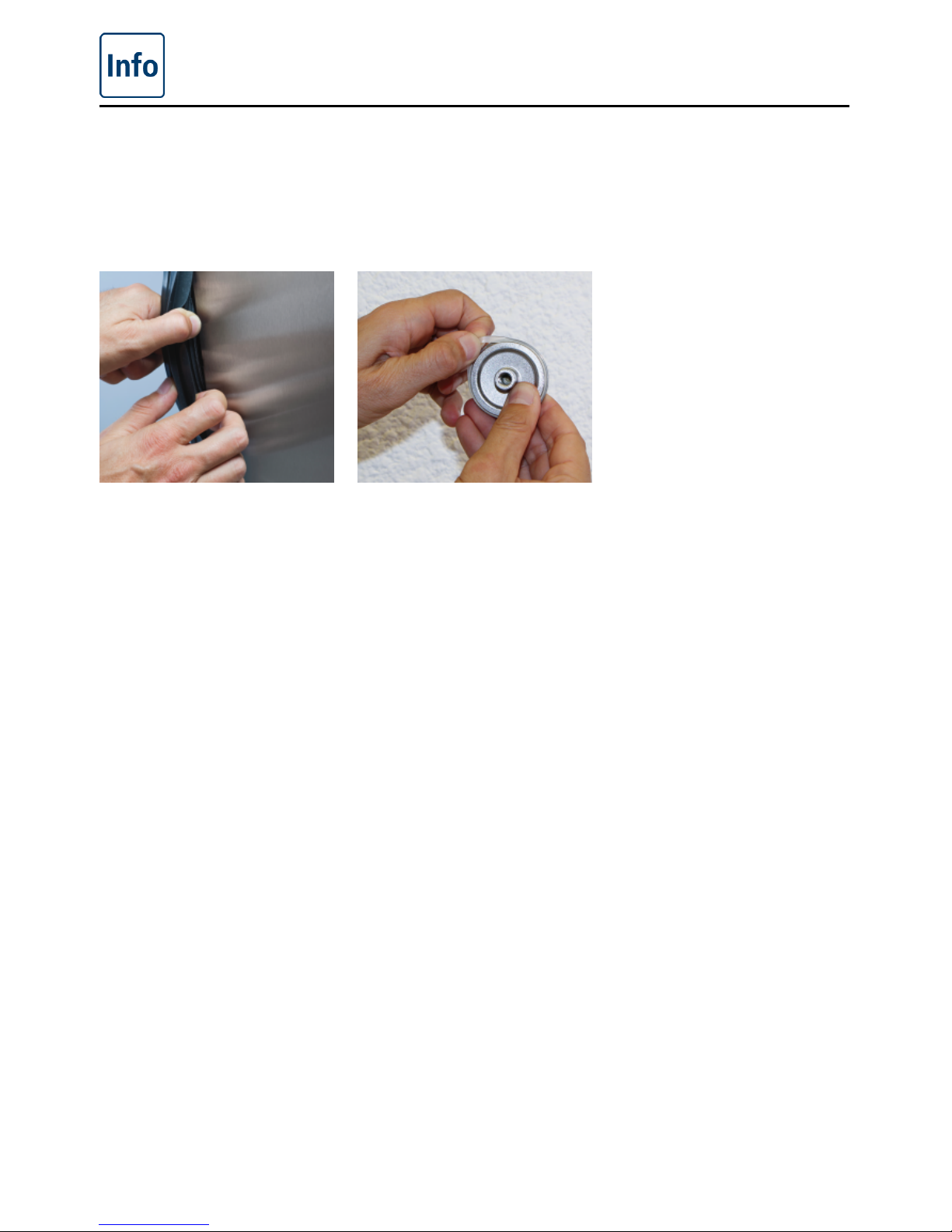
Replacing the cover
seal model 112
Replacing the
pan valve seal
The cover seal is pressed
into a guide on the cover
edge.
- Pull the old seal out of
the sealing groove. (no
tools are required for
this.)
- Clean the sealing groove.
- Moisten the seal base
with soapy water.
- Insert the new seal into
the sealing groove,
starting at each corner of
the cover. The seal base
must be inserted fully into
the seating frame.
The annular pan valve
seal is attached to the
valve cover.
- Open the pan valve and
unscrew the valve cover.
- Clean the sealing groove.
- Pull the old sealing ring
out of the valve cover.
- Attach the new sealing
ring.
- Screw on the valve
cover.
Page 52
Unit accessories
52 / 59
V-09 - 03/2017 - PM/Stme - English - © FRIMA
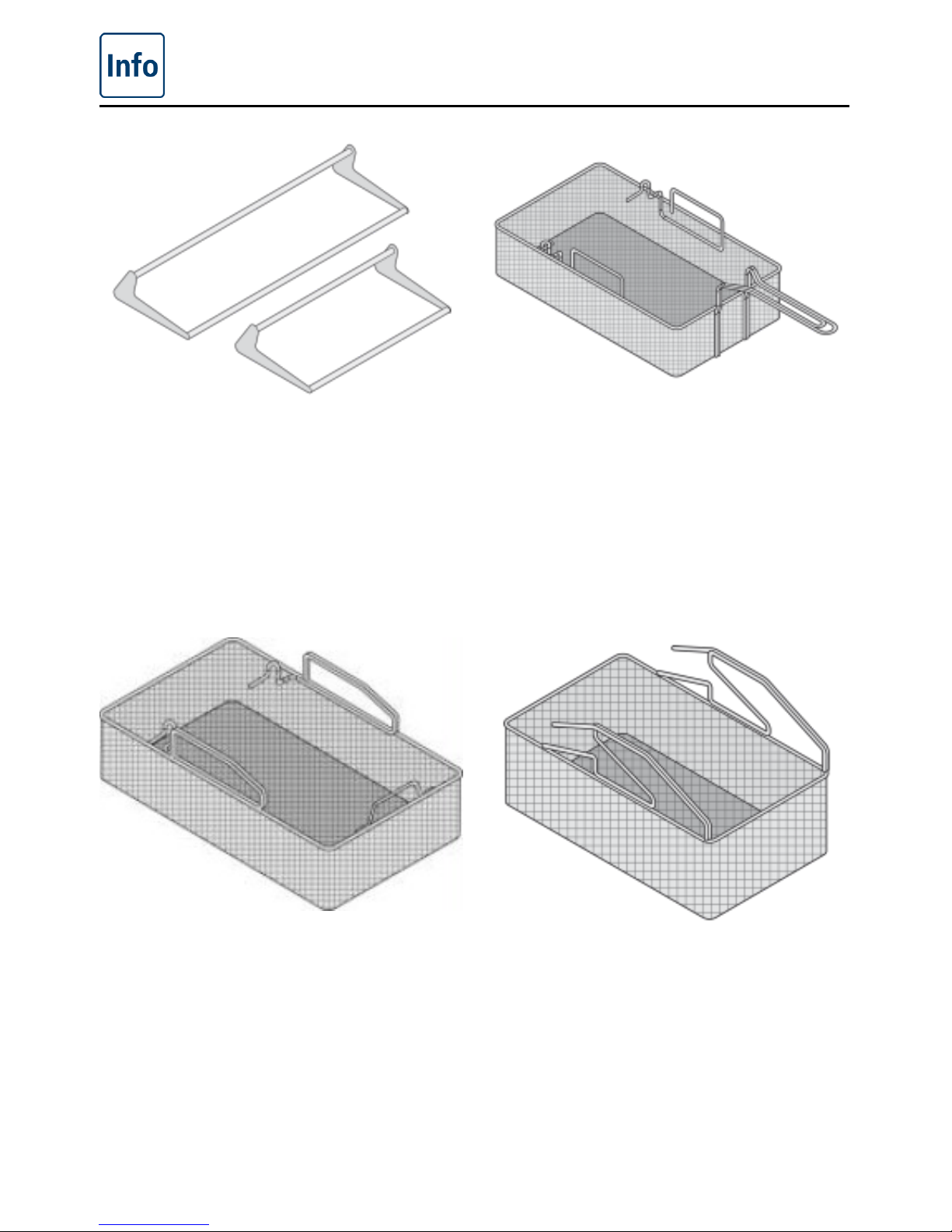
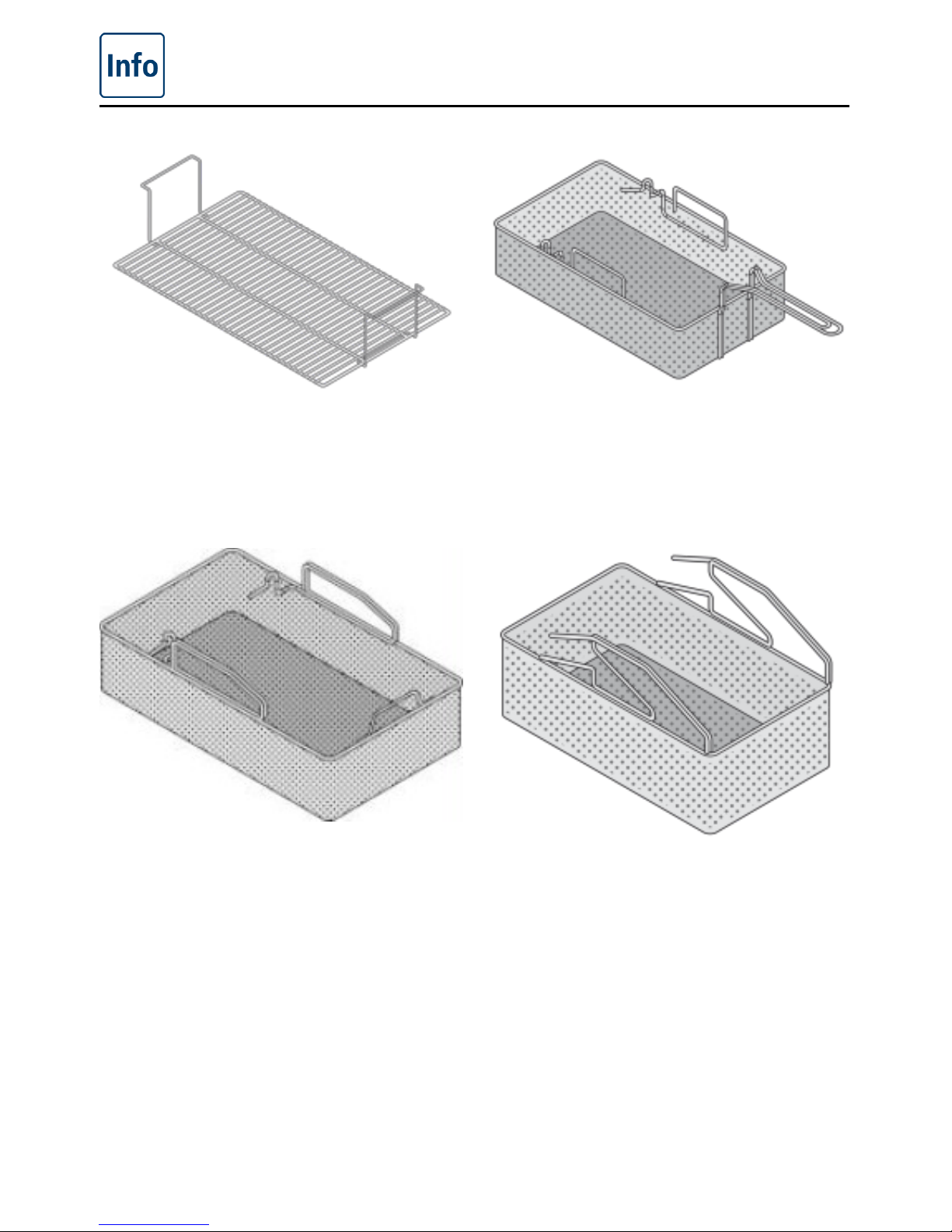
Arm for automatic raising/lowering
mechanism
To boil and deep fry in baskets with
AutoLift.
Model 112/112T: Part no. 24.00.973
Model 112L: Part no. 60.73.795
Model 211: Part no. 24.01.008
Model 311: Part no. 24.00.948
Deep-frying basket 112/112T
For deep frying in baskets with AutoLift.
Model 112/112T: Part no. 24.00.972
Deep-frying basket 112L
For deep frying in baskets with AutoLift.
Model 112L: Part no. 60.73.684
Deep-frying basket 211/311
For deep frying in baskets with AutoLift.
Model 211/311: Part no. 60.70.716
Page 53
Unit accessories
V-09 - 03/2017 - PM/Stme - English - © FRIMA
53 / 59
Basket insert 211/311
Acts as another level when boiling or deep
frying in baskets with AutoLift.
Model 211/311: Part no. 60.70.733
Boiling basket 112/112T
For boiling in baskets with AutoLift.
Model 112/112T: Part no. 60.70.752
Boiling basket 112L
For boiling in baskets with AutoLift.
Model 112L: Part no. 60.73.680
Boiling basket 211/311
For boiling in baskets with AutoLift.
Model 211/311: Part no. 60.70.725
Page 54
Unit accessories
54 / 59
V-09 - 03/2017 - PM/Stme - English - © FRIMA
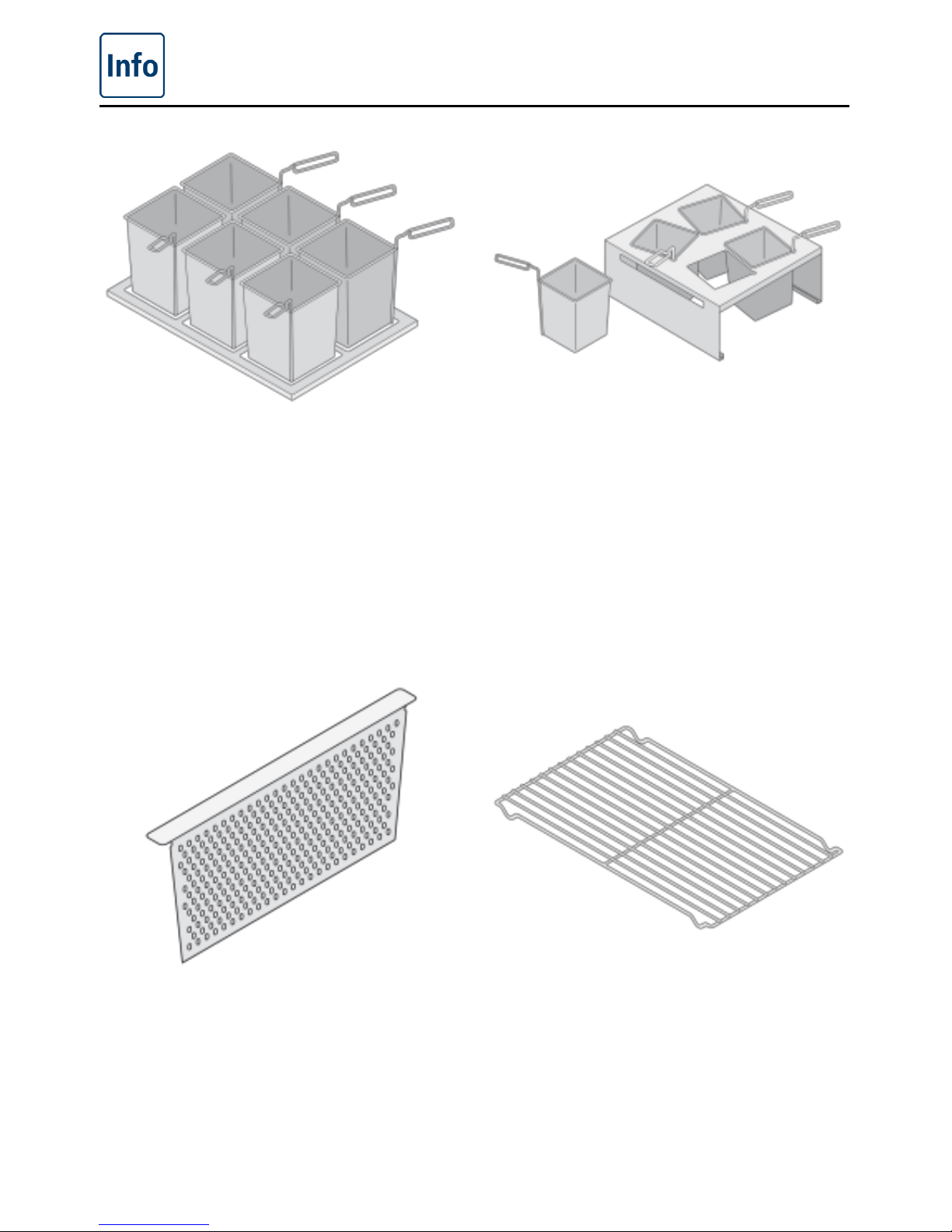
Portion container with handle
6 portion containers, perforated, with frame,
model 112/112T: Part no. 60.71.919
6 portion containers, perforated, with frame,
model 112L: Part no. 60.73.707
Portion container with handle, perforated
(2x): Part no. 60.72.067
Portion container with handle and cover,
non-perforated
(2 x): Part no. 60.72.066
Bain-marie for VitroCeran (optional, not
112T, 112L)
Attachment with 4 portion containers with
handle and cover as well as one 2/3 GN
container:
Part no. 60.71.918
Sieve
Holds back loose boiled products when you
drain off the water.
Model 112/112T: Part no. 60.71.327
Model 112L: Part no. 60.73.706
Model 211: Part no. 60.71.761
Model 311: Part no. 60.72.034
Pan base grid
To avoid contact between roasts and the
pan base.
Model 112/112T: Part no. 60.70.787
Model 112L: Part no. 60.73.702
Model 211: per 2x Part no. 60.71.968
Model 311: per 3x Part no. 60.71.968
Page 55
Unit accessories
V-09 - 03/2017 - PM/Stme - English - © FRIMA
55 / 59
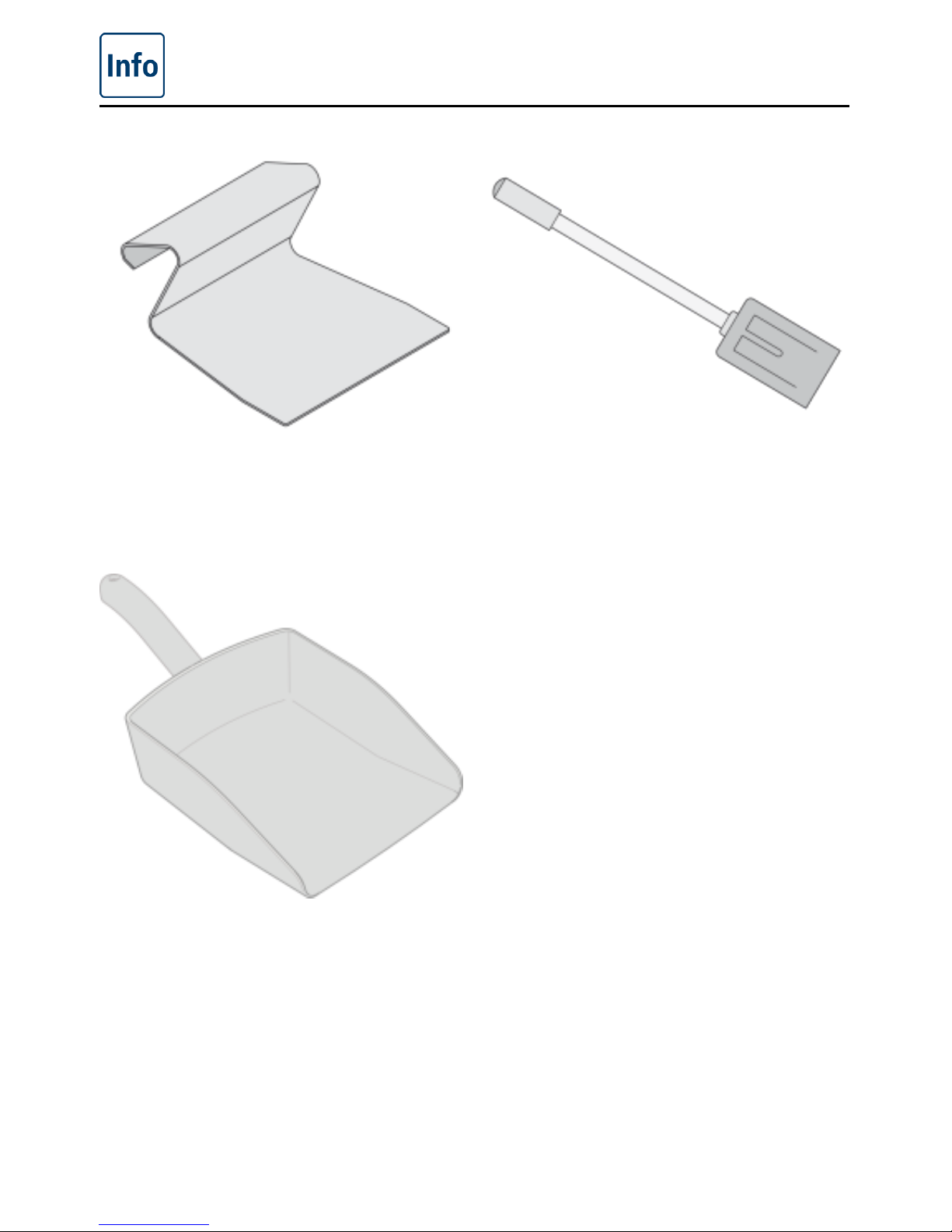
Spatula
Part no. 60.71.643
Stirring spatula 211/311
For mixing and stirring food in the
VarioCooking Center
®
.
Model 211/311: Part no. 60.72.131
Scoop / perforated scoop
To simplify emptying of the pan for large
quantities of food.
Scoop: Part no. 60.73.348
Perforated scoop: Part no. 60.73.586
Page 56
Unit accessories
56 / 59
V-09 - 03/2017 - PM/Stme - English - © FRIMA
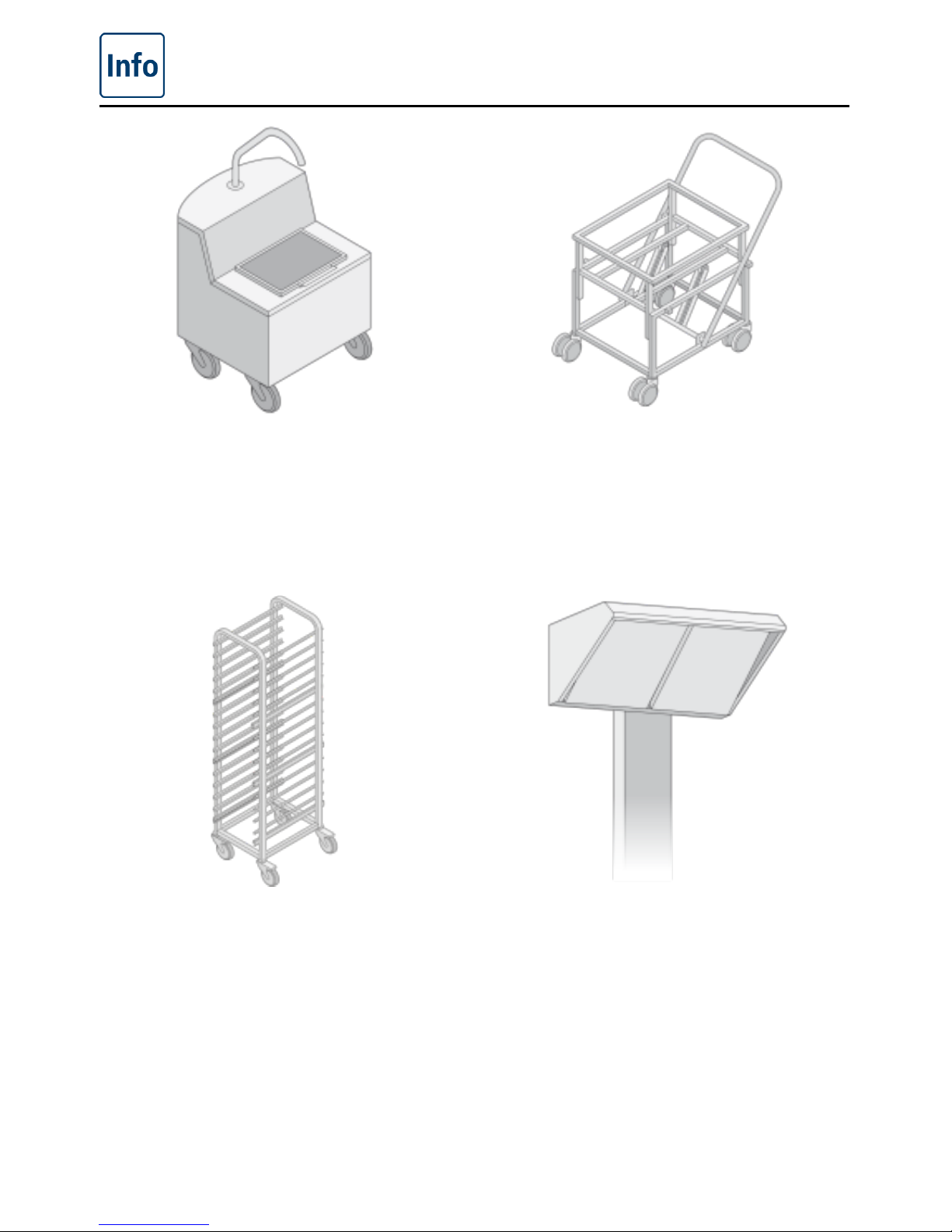
Oil cart
For filling the cooking pan and for storing
and filtering the oil. With preheating to melt
block fat or cooled oil. Extraction of hot oil
possible.
Part no. 60.71.307
VarioMobil
®
For the effortless and safe removal of food
and for transporting in GN containers (GN
containers are not supplied as standard).
Model 112/112T/112L: Part no. 60.70.771
Model 211/311: Part no. 60.70.107
Basket cart 211/311
For storing, transporting and drip-drying
cooking baskets
Model 211/311: Part no. 60.70.108
UltraVent
®
condensation hood
Model 112: Part no. 60.70.804
Model 211: Part no. 60.70.806
Model 311: Part no. 60.70.929
Page 57
V-09 - 03/2017 - PM/Stme - English - © FRIMA
57 / 59
Page 58
58 / 59
V-09 - 03/2017 - PM/Stme - English - © FRIMA
VarioCooking Center MULTIFICIENCY
®
is a trademark of FRIMA T-SAS.
This product incorporates the following software:
1. the software developed independently by FRIMA T-SAS
2. the software licensed under the GNU Gerneral Public License, Version 2 (GPL v2)
3. the software licensed under the GNU LESSER General Public License, Version 2.1 (LGPL
v2.1) and/or,
4. open sourced software other than the software licensed under the GPL v2 and/or LGPL
v2.1
For the software categorized as (3), (4) and (5), please refer to the terms and conditions of
GPL v2 and LGPL v2.1, as the case may be at
http://www.gnu.org/licenses/old-licenses/gpl.-2.0.html and
http://www.gnu.org/licenses/old-licenses/lgpl-2.1.html
At least three (3) years from delivery of products, FRIMA T-SAS will give to any third party
who contact us at the contact information provided below, for a charge no more than our cost
of physically performing source code distribution, a complete machinereadable copy of the
corresponding source code covered under GPL v2/LGPL v2.1.
Contact Information:
Page 59
...
Page 60
80.05.392_FRIMA V-09 PM/Stme 03/17
 Loading...