

Page 1
PRODUCT
Scream
Scream
MANUAL
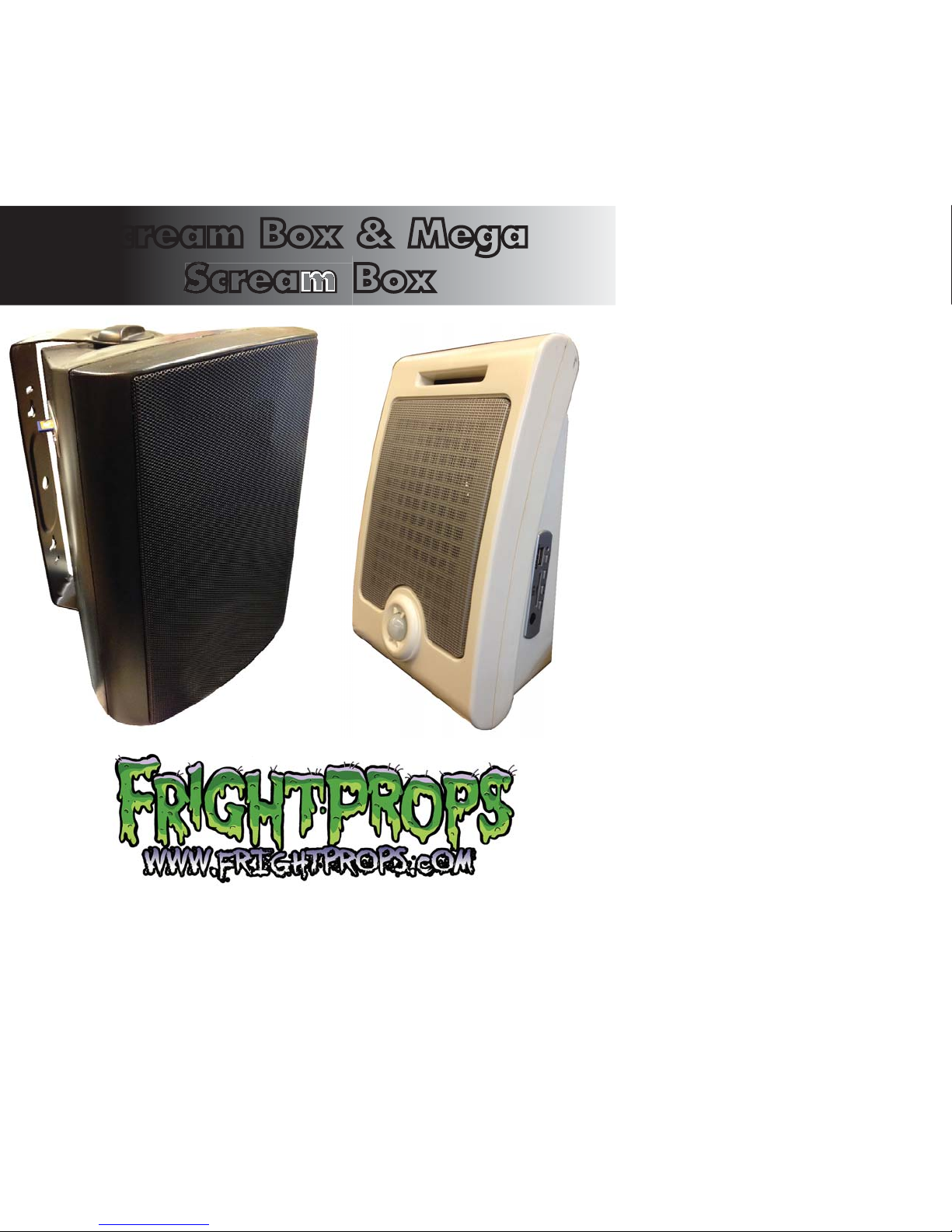
Scream Box & Mega
Scream Box
Page 2

Product Speci cations
Product Speci cations
Features:
• USB Memory Stick upload: If you are going to be using only a few small audio
les you can put them on a USB memory stick and it will read them into the
limited internal memory. You can then remove the USB stick.
• SD Memory Card: Place all audio les onto an SD card and insert into Scream
Box. SD card must be left in the Scream Box.
• Note: USB Stick and SD Memory Card are not included with the Scream Box.
You will need one or the other in order to use your own audio.
• No tools or software needed.
• Will not “forget” program when powered down.
• Storage medium: Built-in SPI Flash/ SD card.
• Internal ash supports 5-30 minutes of sound. Maximum SD card size is 2 Gig.
• Supports MP3 format les .
• Supports two modes: All loop one by one and single loop.
• Built-in power amplier to ensure loud and clear sound.
• Comes with appropriate power supply.
• MEGA SCREAM BOX ONLY: Use any of our triggers: Step-mat, Motion Sensor,
Hand Trigger, Beam Sensor, Wireless Trigger, etc... (Standard Scream Box comes
with built-in PIR motion sensor and cannot use external sensors)
Quick
Operation
Guide
KEY A: Hold down KEY A for 3 seconds to set player to "Play All" mode.
In this mode the player will cycle through all sound files on the SD card,
playing a new sound each time it is triggered.
KEY B: Hold down KEY B for 3 seconds to enter "Single Play" mode.
In this mode the same file will be played each time the Scream Box is
activated.
KEY C & L: Used for adjusting volume. Holding down KEY C for 3
seconds with a USB flash drive inserted will copy the files to internal
memory. The LED indicator will flash until the copy is completed.
Remove USB flash drive when done. All files in the root of the SD card
will be copied.
For the best audio quality, the use of an SD card is recommended.
2
e.
,
Page 3
Set-Up
ms
G
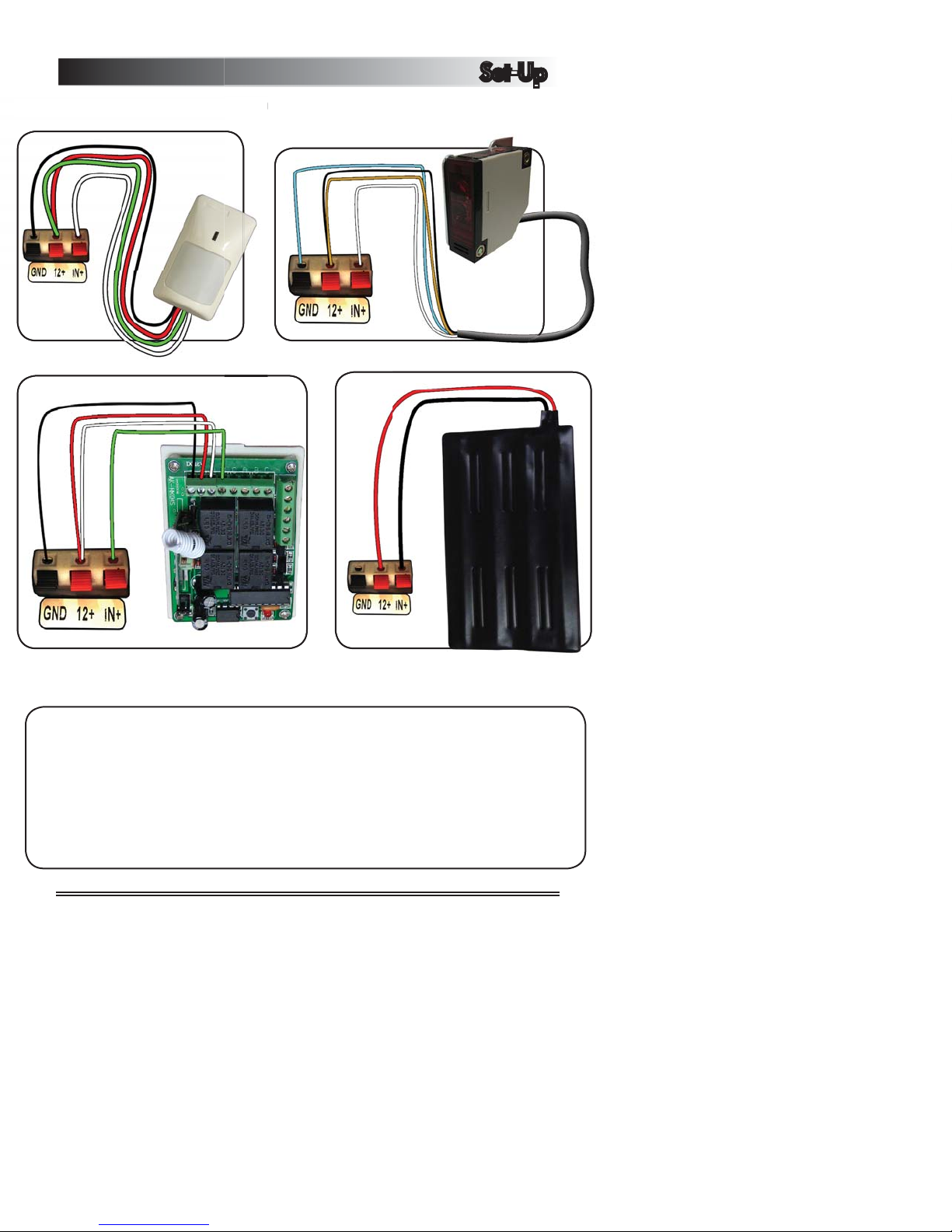
Common Wiring Diagrams (MEGA SCREAM BOX ONLY):Common Wiring Diagra
PIR
(ME
A SCREAM BOX ONLY):
Beam Sensor
Wireless Trigger Step Mat
ATTENTION!
Audio Not Playing?
Make sure your file names are under 5 characters long. So, instead
of ScaryScreamNumber1.mp3 try 1.mp3. Also, remember that the
Mega Scream Box only plays .mp3 files. Make sure your file is in
the correct format! Maximum SD card size is 2 GIGs!
3
Page 4

Looking for more info?
Looking for more info?
Check out our Support
and Training Center at
Check out our Support
and Training Center at
www.FrightProps.com/FAQ
COPYRIGHT © FRIGHTPROPS, LLC. PLEASE CONTACT US IF YOU WOULD
LIKE TO REPRODUCE OR REPUBLISH PORTIONS OF THIS DOCUMENT.
FRIGHTPROPS, LLC has no control over the use of any product and therefore
expects the user to exercise good judgment as to the proper selection,
installation, use and maintenance of any product. FRIGHTPROPS, LLC assumes
no responsibility for damage or injury of any kind due to misuse or improper
application in any way by any person.
REVISED JUNE 2015
 Loading...