

Page 1

1
www.freymedical.eu
How to:
- perform exam
- setup the most used testing strategy
- print result and understand the printout layout
PERIMETER AP-300
QUICK SUPPORT GUIDE
2018
Page 2
2
www.freymedical.eu
THERE ARE TWO WAYS TO PERFORM AN EXAM:
I. STANDARD ACCESS
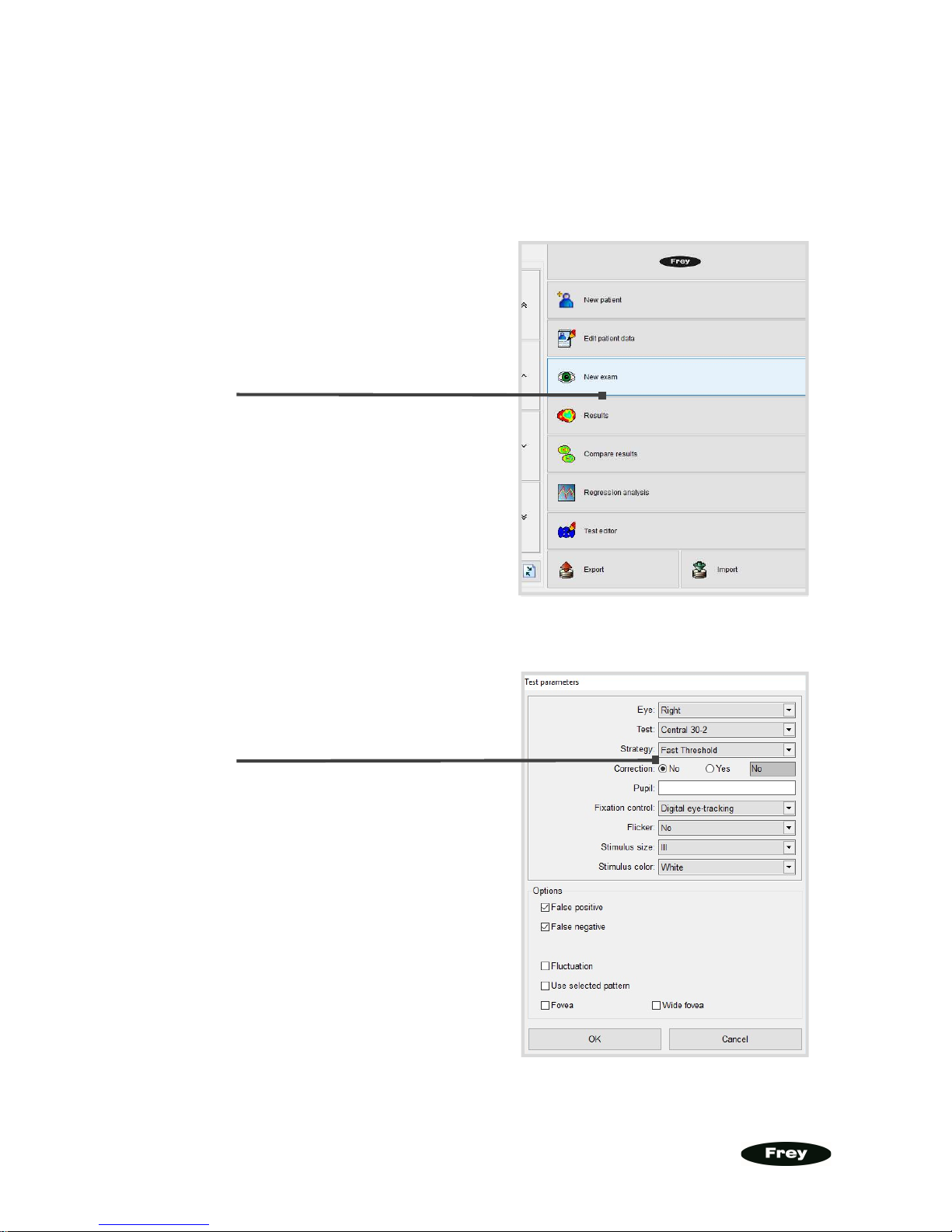
Set the required parameters
of an exam (the example
below shows the most used
settings:
Central 30-2 field,
Fast Threshold
strategy and
Digital eye-tracking
Select
'New
exam
' from
the Main Menu.
Page 3
3
www.freymedical.eu
After clicking 'OK' the exam is being prepared.
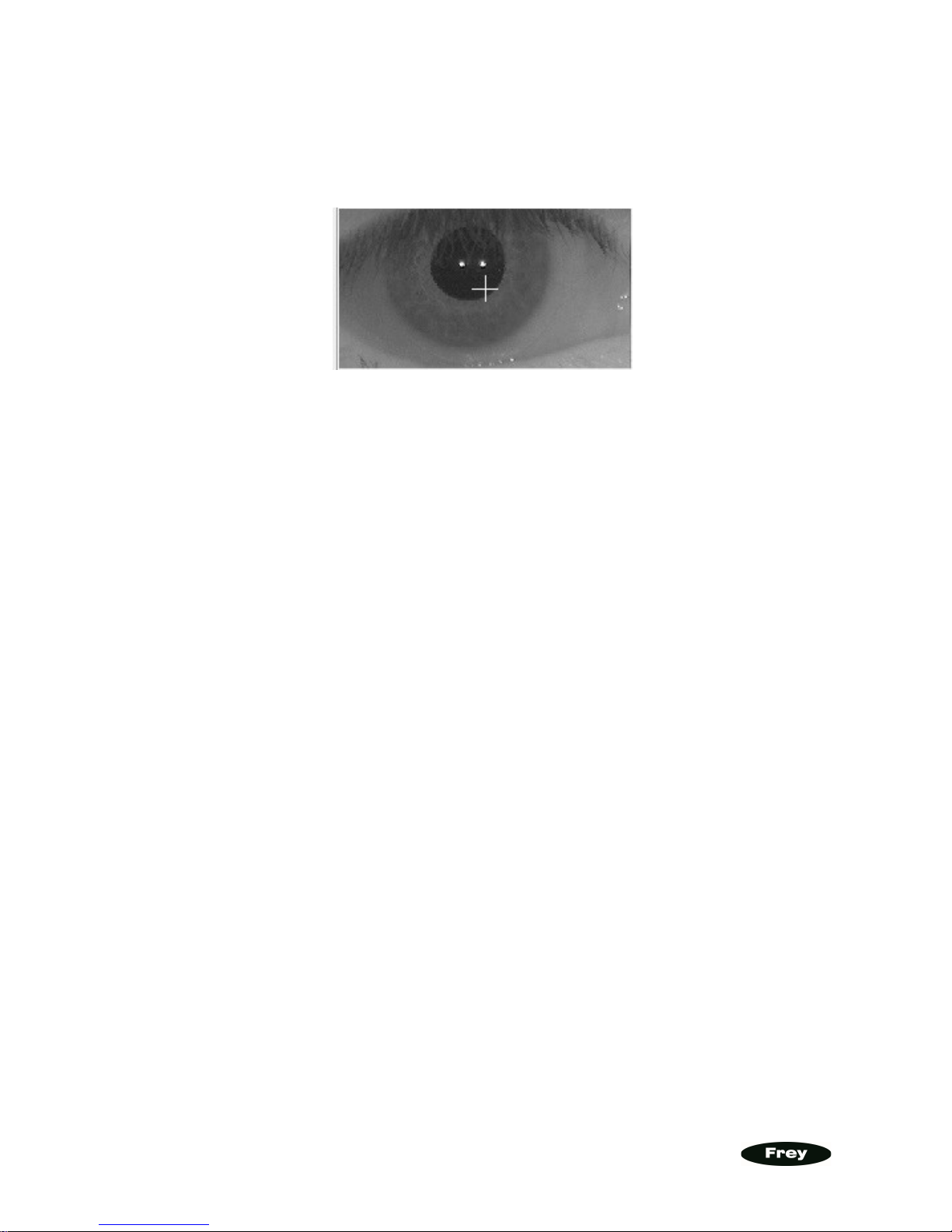
When the test screen appears, please position a patient that his/her pupil is more or less in the
centre of the camera window (no need to position it very precisely!). You should advice the
patient to look into the fixation point in the perimeter bowl.
Press the 'Demo' button to demonstrate how the exam will proceed. Your patient can observe
the stimulii projected onto the perimeter bowl and try to react using the patient button. When
patient is ready, the exam can be started by the 'Start" button.
After the exam is finished it will be saved automatically and you will be asked what to do next.
THE FASTEST WAY TO PROCEED
The fastest way to proceed is:
- to print the results (just click 'Print' in the window which will appear after the)
- then to start testing patient's second eye or test the same again if needed (click appropriate
option in the window after exam is printed)
Page 4
4
www.freymedical.eu
II. QUICK ACCESS (via SIMPLE MENU)
The 'Simple Menu' is a concept which minimizes the time required to start an exam. You can
define your most used test or tests and they will be attached to the buttons on the main
screen.
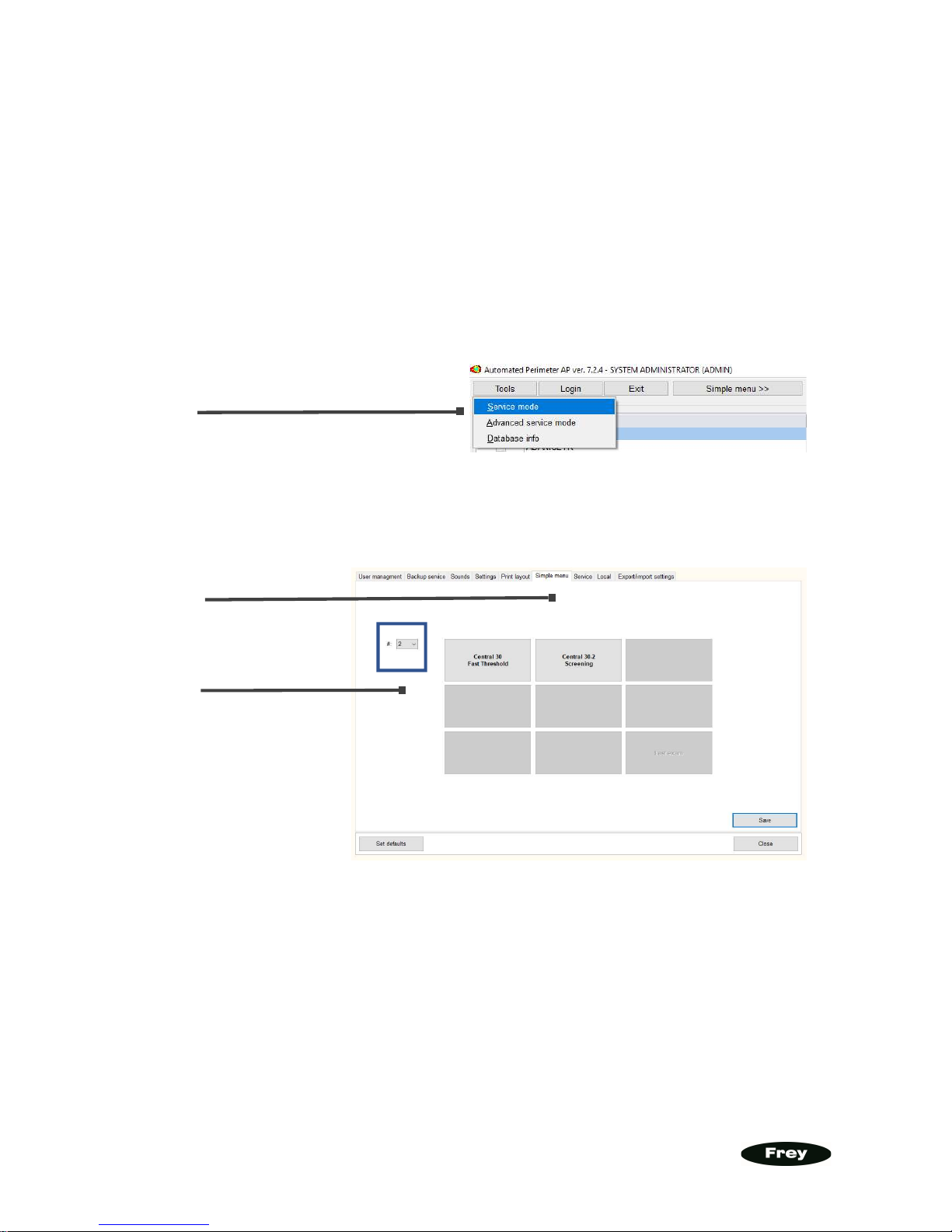
3 STEPS TO CONFIGURE THE 'SIMPLE MENU' SCREEN.
1)
2)
3)
You can define up to 8 configuration sets. Select on the left how many buttons (predefined
exams) you need. On the example above we have two sets defined.
go to the
‘Simple Menu’ tab
go to the
Service Mode
define here up
to 8 configuration
sets
Page 5
5
www.freymedical.eu
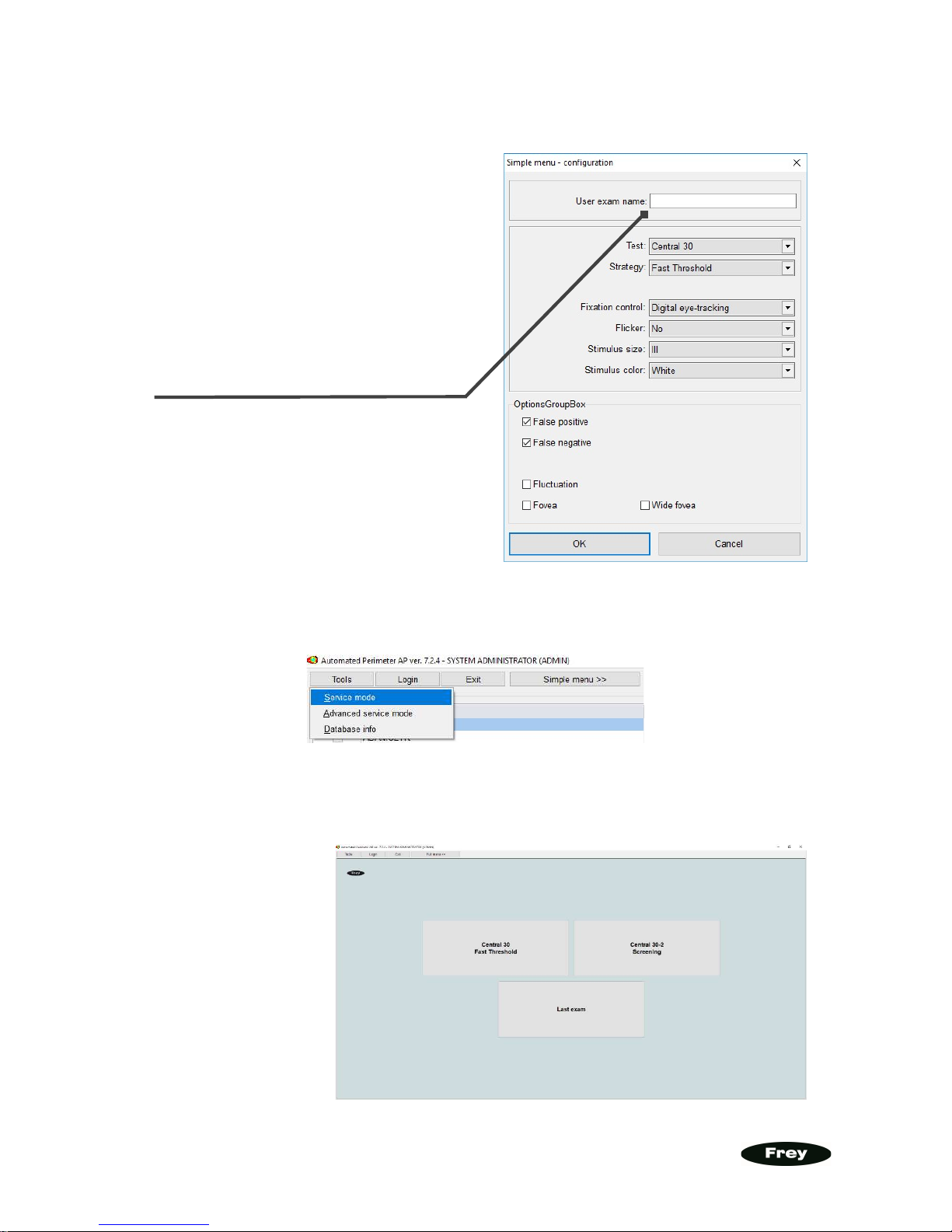
Press for example the first button. The configuration screen will appear:
After that you can access the 'Simple Menu' screen clicking 'Simple Menu >>’ button:
You can return to the default view clicking 'Full menu >>' button when the Simple Menu
screen is displayed.
Click '
OK
' and th
e
n the 'Save' button
in the 'Simple Menu' tab.
You can also set the
Simple Menu screen
as the default one. Go
the 'Service Mode',
next to the 'Settings'
tab, check 'Test and
strategy selection Simple menu", finally
click 'Save'.
Please define the parameters
according to your needs (this example
sets the most used standard: Central
30-2 field and Fast Threshold strategy).
You can name the exam as you want
(the 'User exam name' field) or leave it
black (it will have a default name).
Page 6
6
www.freymedical.eu
PRINTING RESULTS
How to define your required print format? Let's assume you need the most used 'Standard
HFA' format.
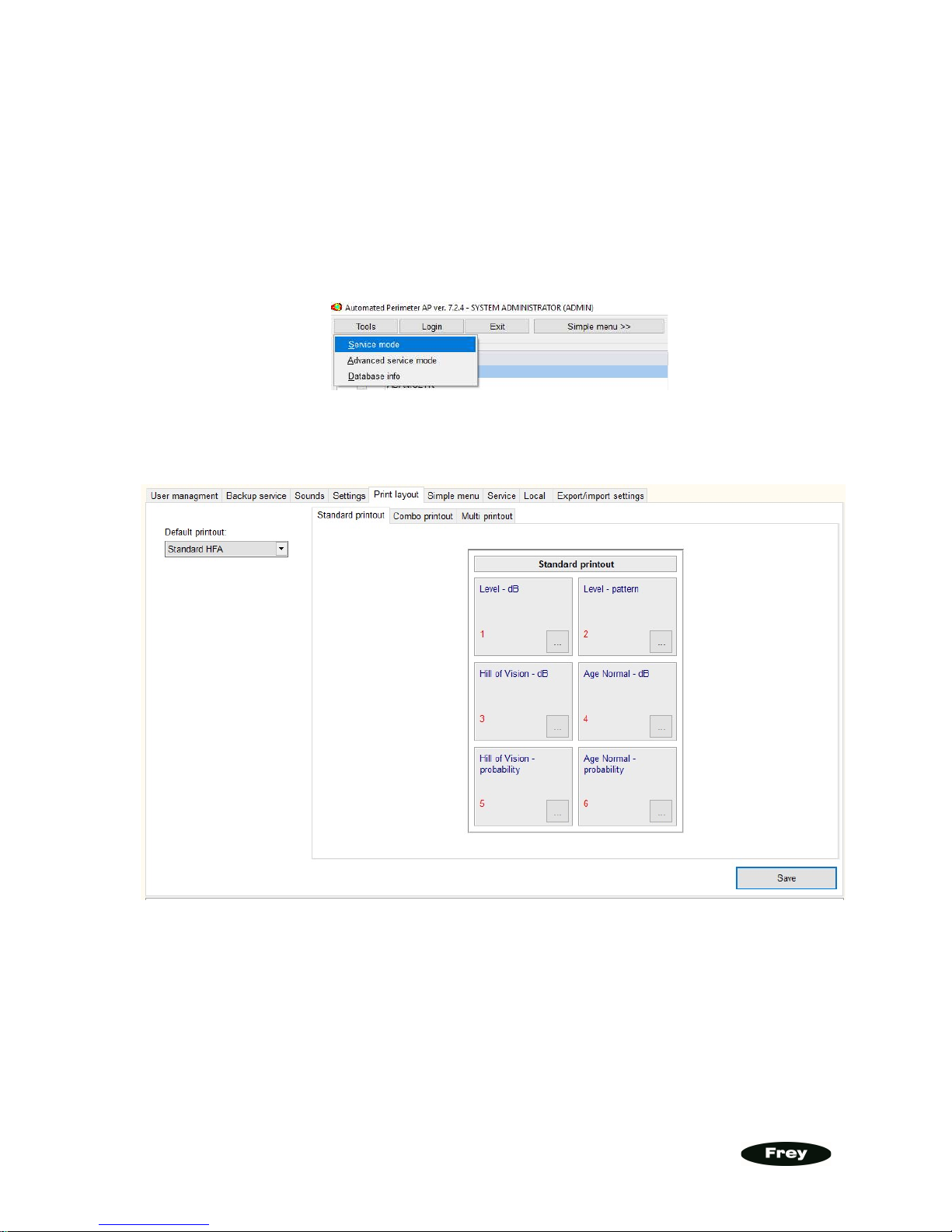
1. Please go to the 'Service Menu":
2. Then go to the 'Print layout' tab:
3. From the 'Default printout' combo box select 'Standard HFA' and click the 'Save'
button.
Page 7
7
www.freymedical.eu
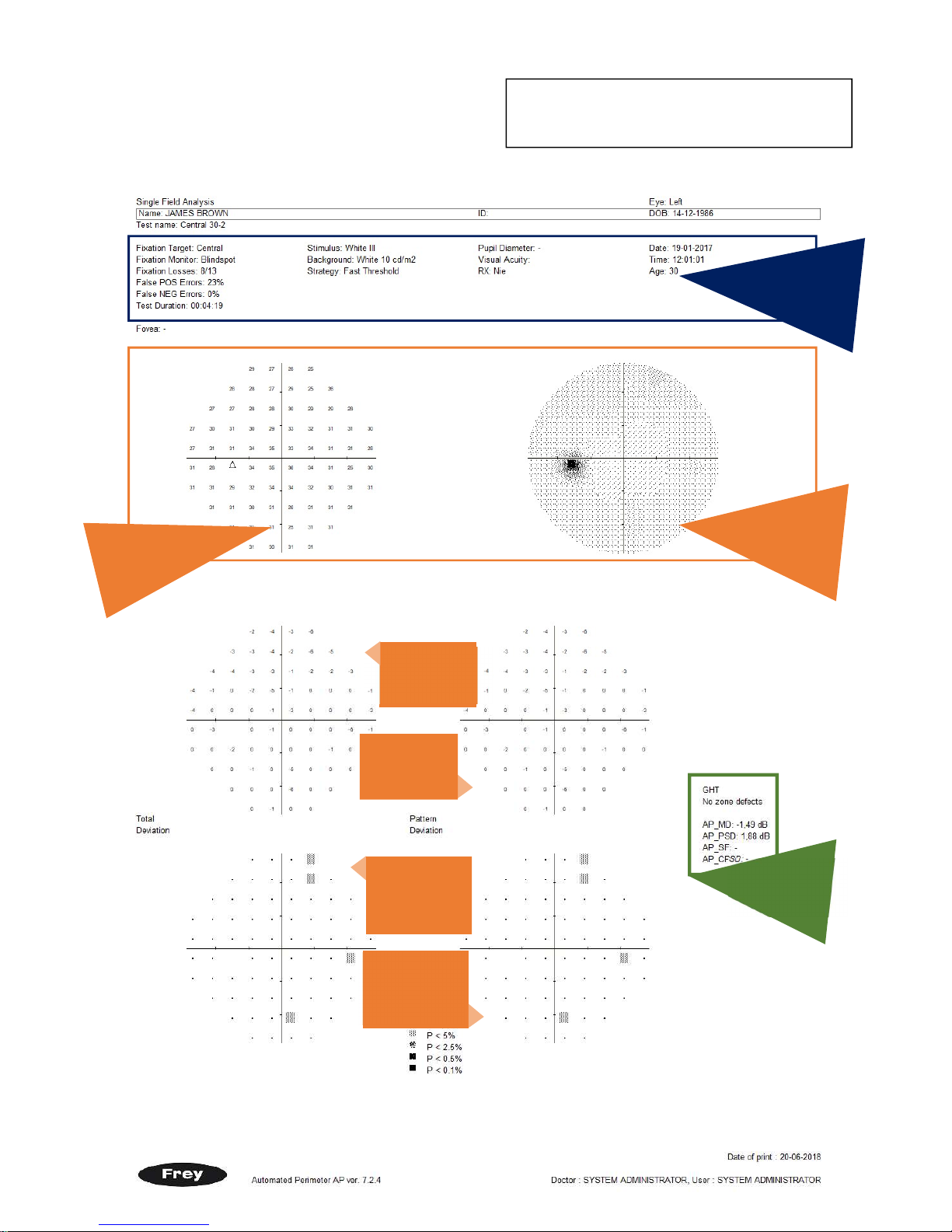
INFORMATION ABOUT PRINTOUTS
The most used printout format is called 'Standard
HFA' and is compatible with standard introduce by
Zeiss Humphrey in their HFA perimeters line.
TOTAL
DEVIATION
MAP
GLOBAL
INDEXES
PATTERN
DEVIATION
PROBABILITY
MAP
PATTERN
DEVIATION
MAP
TOTAL
DEVIATION
PROBABILITY
MAP
dB MAP
(IN DECIBELS)
TEST PARAMETERS
GREY PATTERN
MAP
Page 8
8
www.freymedical.eu
YOUR DISTRIBUTOR
CONTACT DETAILS
:
FREY S.J.
ul. Ceramiczna 24a
05-502 Piaseczno, Gołków
CONTACT
E-MAILS:
 Loading...