

Page 1
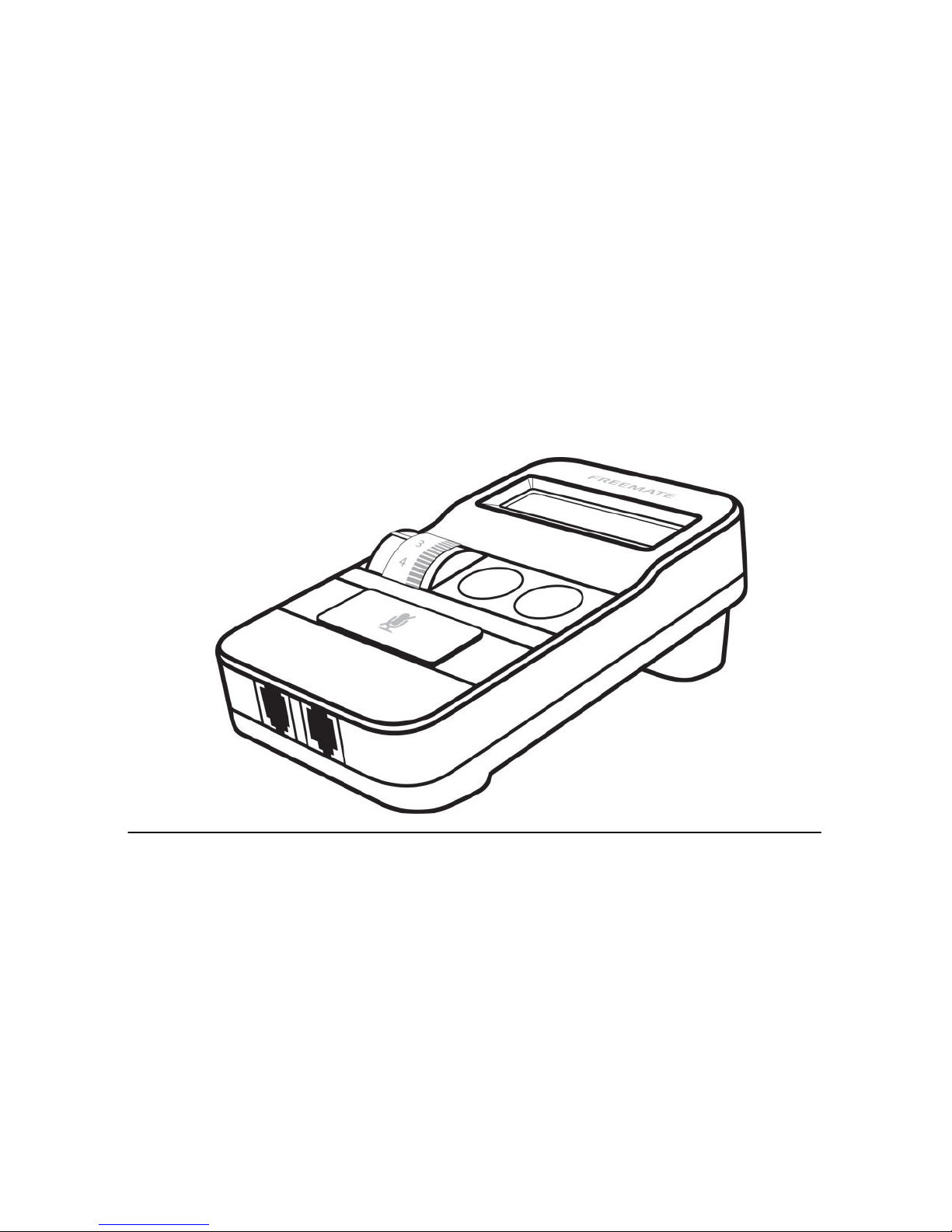
User Manual
(Digital Headset Amplifier)
DA-575
Page 2
1. PRODUCT overview
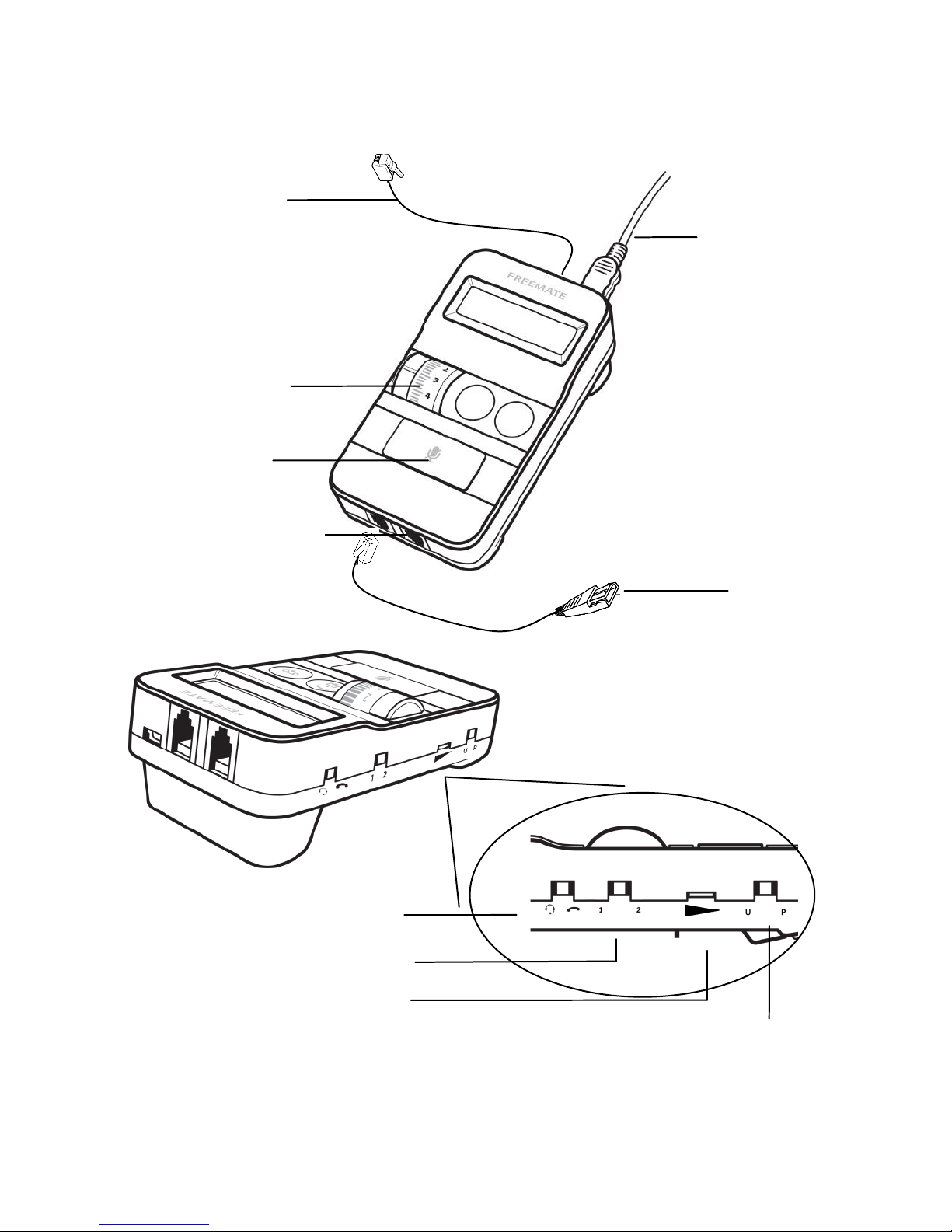
Telephone cord
Speaker volume
control
USB cable
QD cable
(Headset)
Mute button
Telephone
Compatibility Switch
Microphone Volume
Headset Compatibility Switch
U : Universal P: Plantronics
Additional Headset
(Supervisor port)
Headset/ Handset
Selection Switch
Page 3
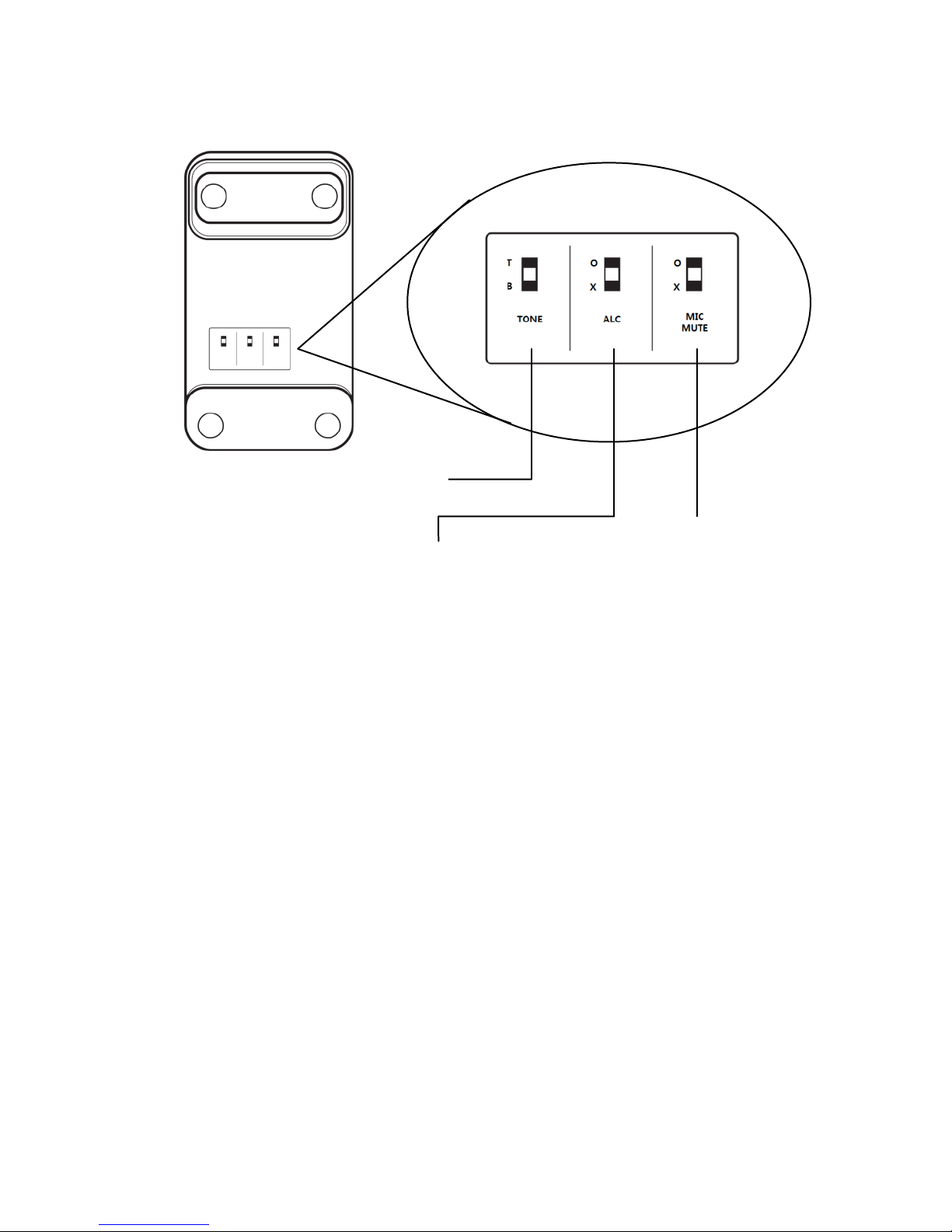
Microphone Mute
(Supervisor)
Tone Control (Treble/Bass)
Automatic Level Control switch
Page 4
2. CONNECT TO POWER
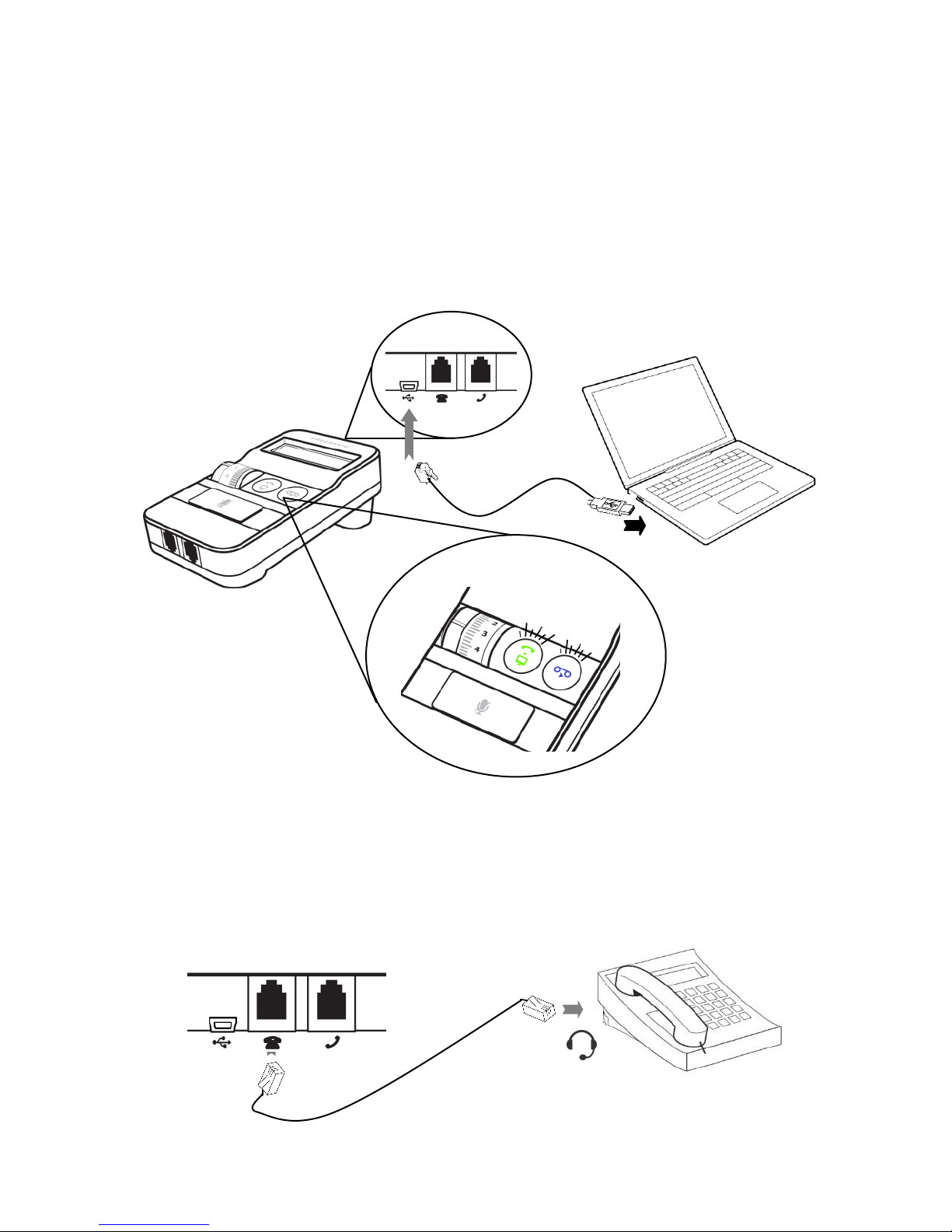
Connection to a PC is necessary to power VoicePro 575,
Plug the USB cable into the mini USB port on VoicePro 575, and connect the other
end of the USB cable into the USB port on the PC. The ‘PC/TEL’ and mute indicator
will be blinking twice.
4. CONNECT TO A DESK PHONE
Make sure that the telephone cord is plugged into the telephone port on the
VoicePro575, and then connect the other end of the telephone cord into the headset
port on the desk phone.
Page 5

5. OPERATING GIUDE
5.1 Switch headset/handset selection switch to “Headset”.
Page 6
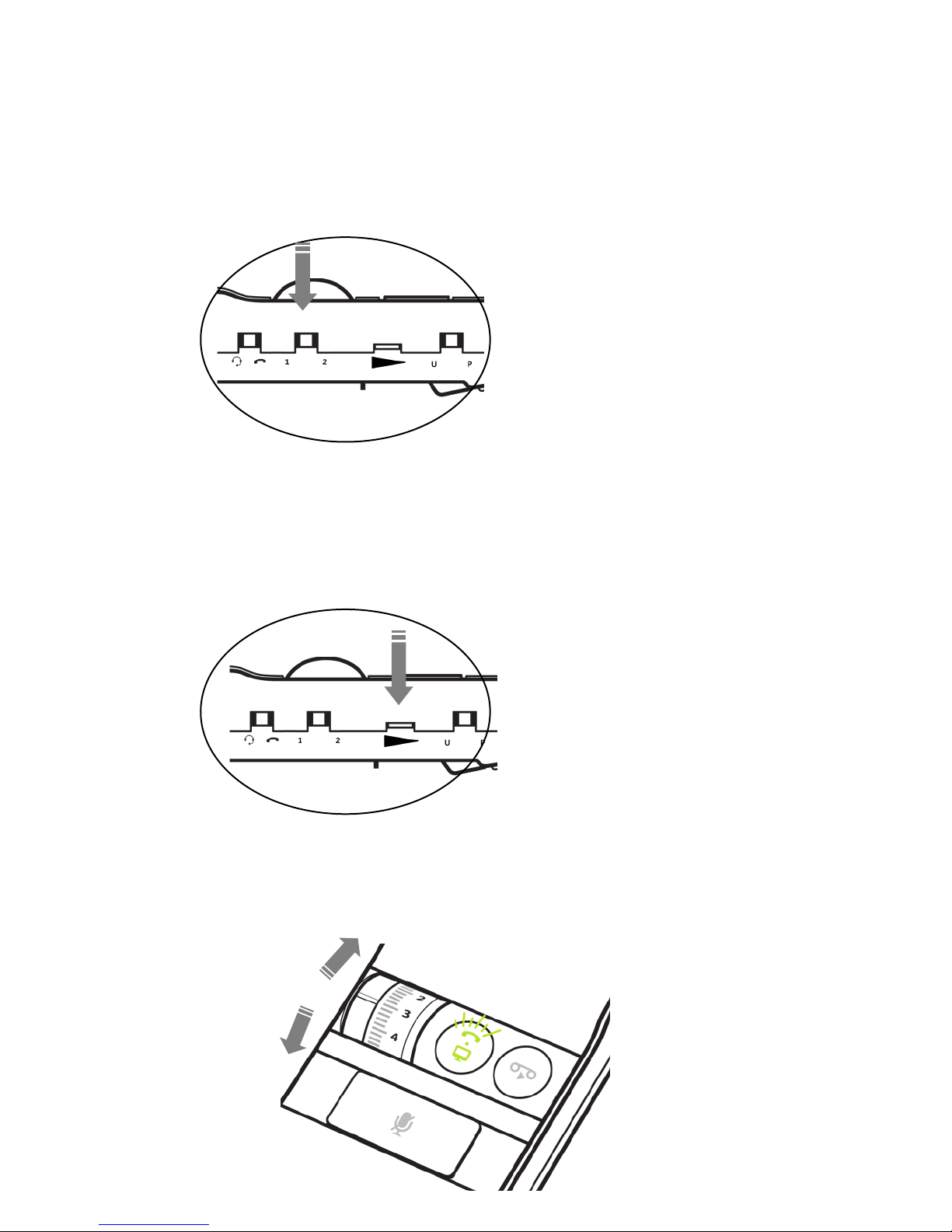
5.2 Adjust the telephone compatibility switch to ‘1’ or ‘2’. The dial tone should be
heard on the headset.
5.3 Make a test call to a colleague to test your speaking volume.
5.4 Adjust the microphone volume control on the VoicePro 575.
5.5 Adjust the speaker volume on the VoicePro 575 to adjust the speaker volume
Page 7

5.6 Press the mute button to mute headset microphone. The mute indicator will be
ON. To Un-mute the headset microphone, press the mute button again.
Indicator will be OFF.
5.7 Connect an additional Headset
An additional headset can be connected to the supervisor port on the unit. It
has the same function as the default headset. Microphone mute switch for
supervisor is located on the bottom.
 Loading...