

Page 1
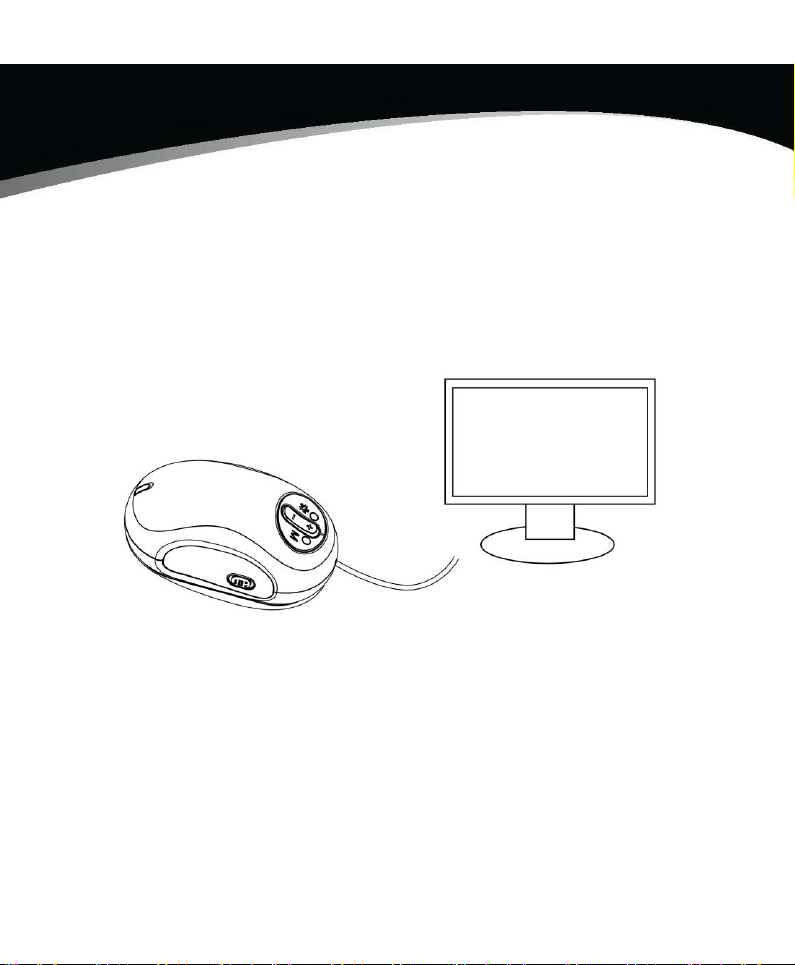
Electronic Reading Aid
User’s Guide
www.freedom-eye.com
Page 2

www.freedom-eye.com
1
Table of Contents
Precaution…..………………………….………………………….…2
Overview…..………………..… ………...… ……………… … ....3
Open Box and Unpack Items……………………………….……3
Part Names & Functions….……….……………..……...………...4
Safety and Maintenance……………….………………...…..……5
Use the Reading Aid on TV………………..…….………………..6
Install the Reading Aid……………………………………………6
Start to Work……………………………………………………...9
Video Mode………...………………….…………….……………9
Magnification Adjustment………………………….…………..…10
Freeze Image…………………………………………………….10
Trouble Shooting…………………………..…………………….…11
Warranty card……………………………………………………...12
Page 3

www.freedom-eye.com
2
Welcome
Thank you for purchasing an Electronic Reading Aid. It enables you
to read better on TV easily.
Please take a moment to read through this manual. Its contents will help you
to get the best use of the device.
Precaution
Federal Communications Commission Notice
This equipment has been tested and found to comply with the limits
for a Class B digital device, pursuant to Part 15 of the FCC Rules.
These limits are designed to provide reasonable protection against
harmful interference in a residential installation.
Page 4
www.freedom-eye.com
3
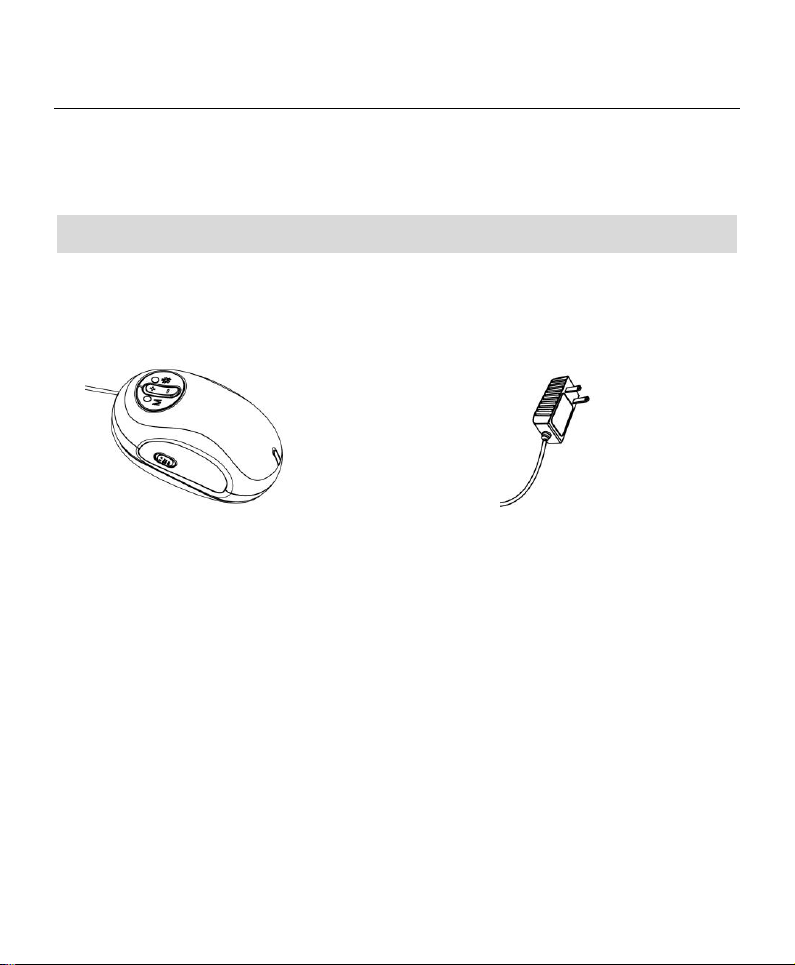
1 x Electronic Reading Aid
with power/video cable
1 x power adaptor
Overview
Open Box and Unpack Items:
Page 5
www.freedom-eye.com
4
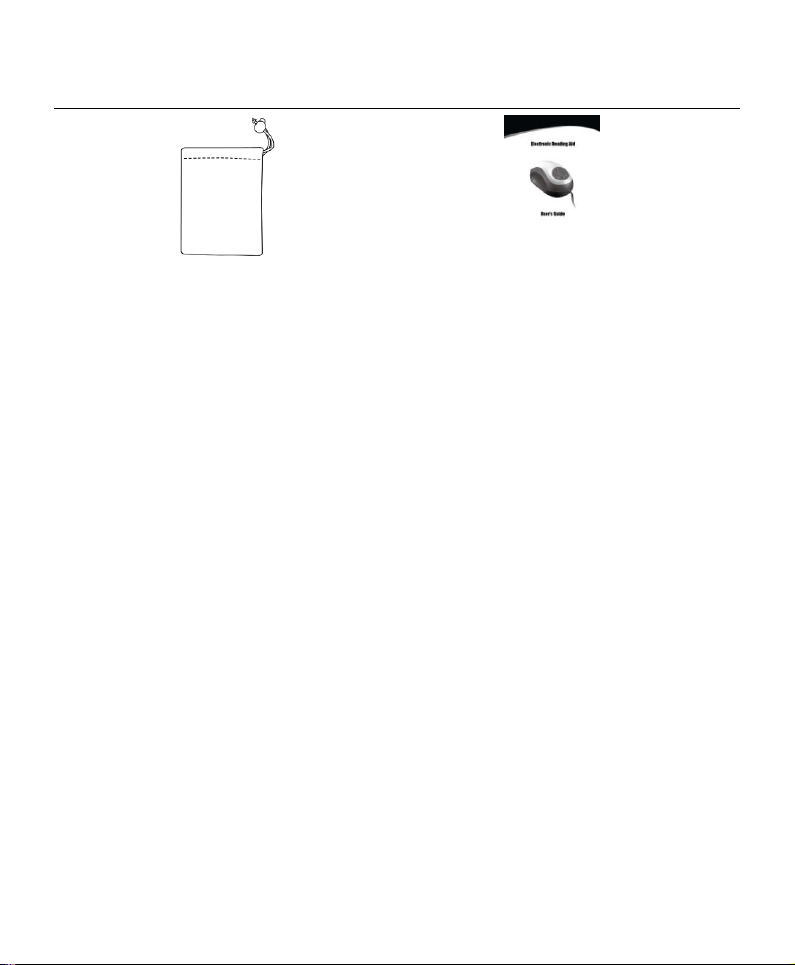
1 x carry bag
1 x user’s guide
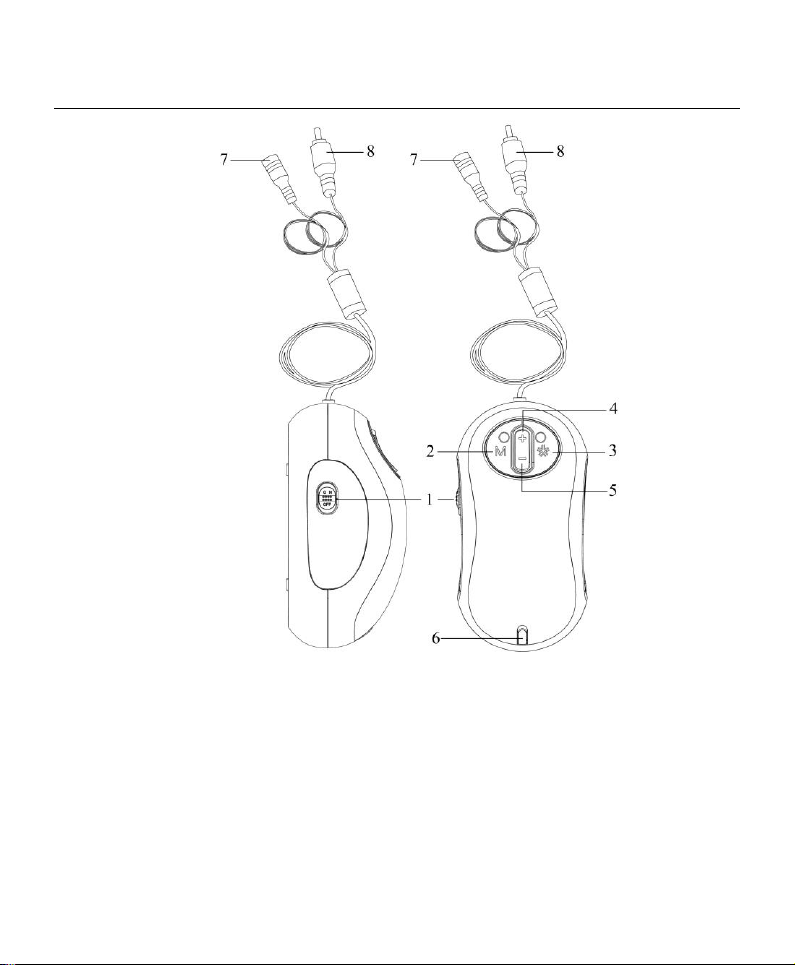
Part Names & Functions
Page 6
www.freedom-eye.com
5
1. Power on/off
5. Minify
2. Video mode
6. Power indicator
3. Freeze & Unfreeze
7. DC plug
4. Magnify
8. Video plug
Page 7

www.freedom-eye.com
6
Safety and Maintenance
To keep your Reading Aid in good condition, observe the
following guidelines:
1. Read the instructions in this user’s manual before attempting
to use the unit.
2. Do not attempt to repair the Reading Aid r or open its case.
This product contains no user serviceable parts.
3. Keep the Reading Aid away from wet areas, rain, and other
sources of liquids. Do not submerge the unit.
4. Always operate the Reading Aid in a place where the
temperature is between 10℃ and 40℃.
5. Always store the Reading Aid in a place where the
temperature is between 20℃ and 65℃.
6. Do not attempt to force any connector into the unit’s
Power/Video port. All appropriate connectors should fit easily
into the port.
7. The white LEDs which illuminate the Reading Aid target
field are very bright. Do not stare directly into these LEDs as
it may damage your eyes.
8. Use only the power adaptor that came with the Reading Aid.
Other adaptors may damage the unit.
Page 8
www.freedom-eye.com
7
Install the Reading Aid
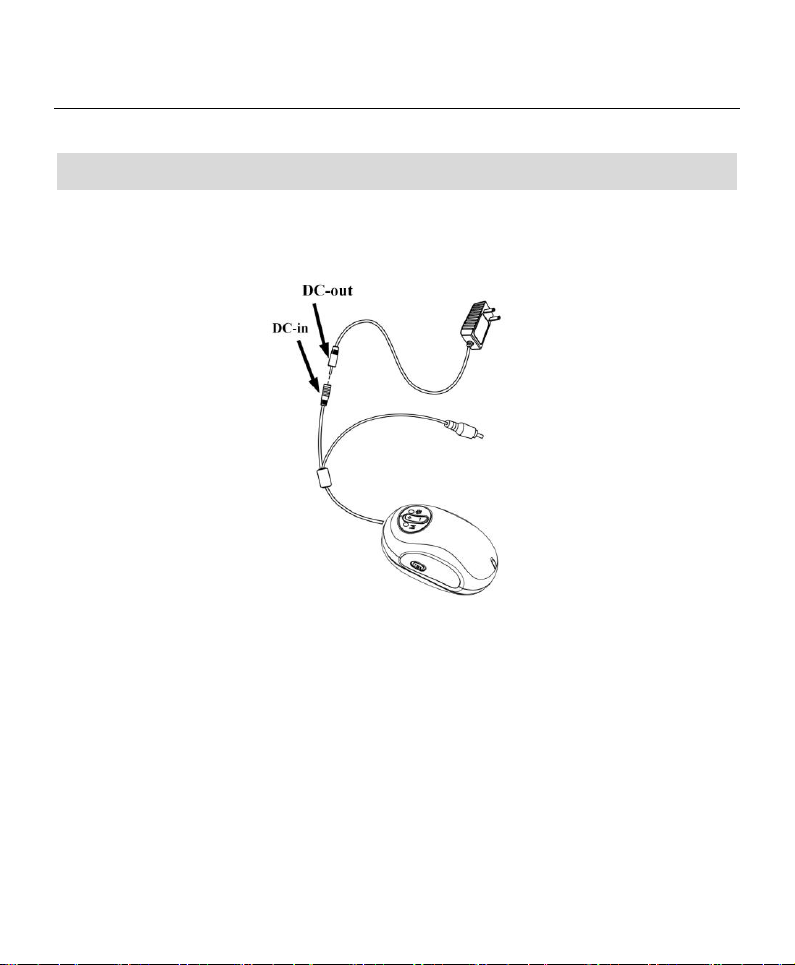
1. Insert the small end of the power adaptor into the black end of the
Y-shaped power/video cable from the Reading Aid.
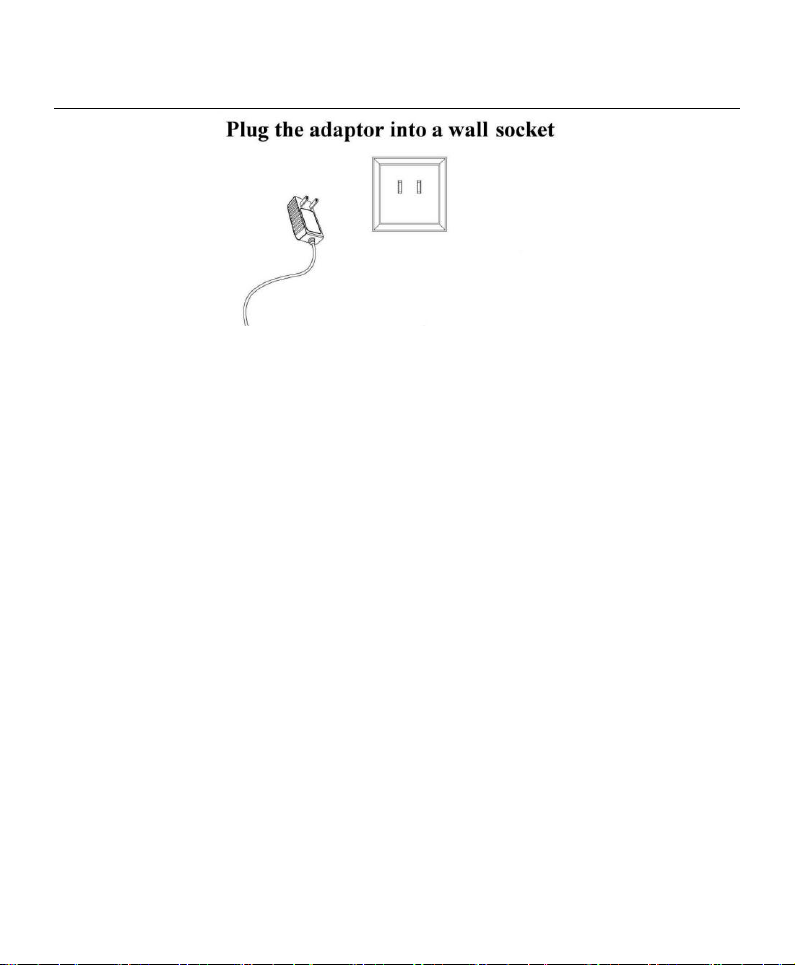
2. Plug the power adaptor into a wall socket.
Page 9
www.freedom-eye.com
8
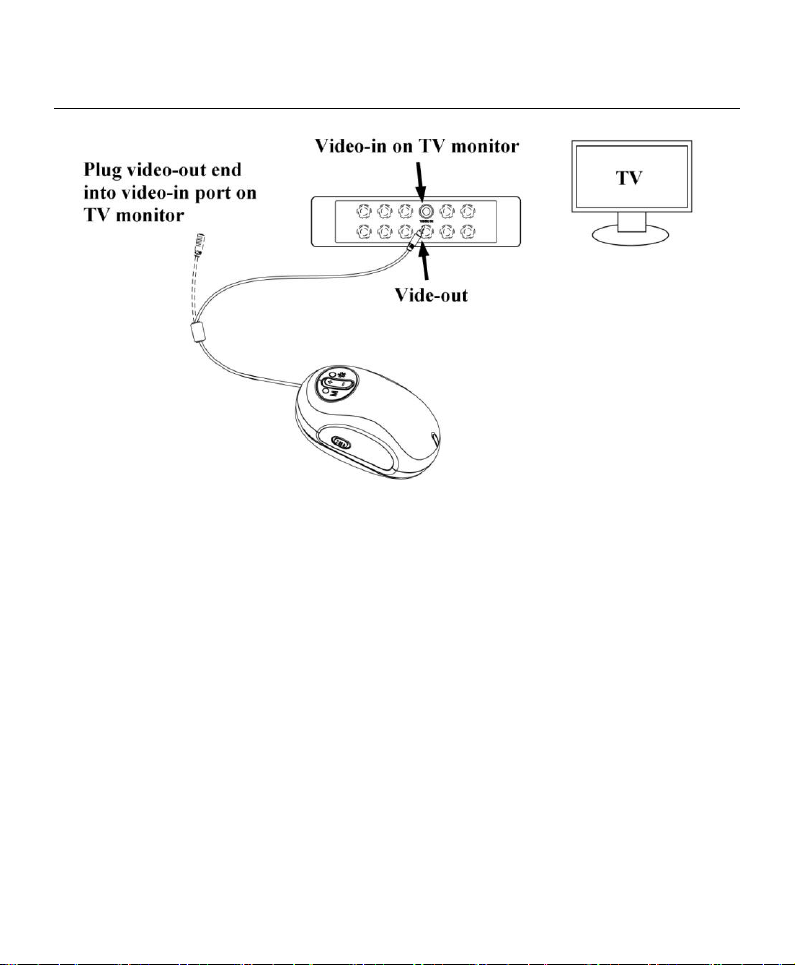
3. Insert the yellow RCA plug on the video cable into one of your
television’s yellow video input connectors. Refer to your television
owner’s manual for more information locating these connectors.
Page 10
www.freedom-eye.com
9
4. Turn on the television. If necessary, switch your television to the
appropriate input channel. Items that you magnify then appear on the
television screen.
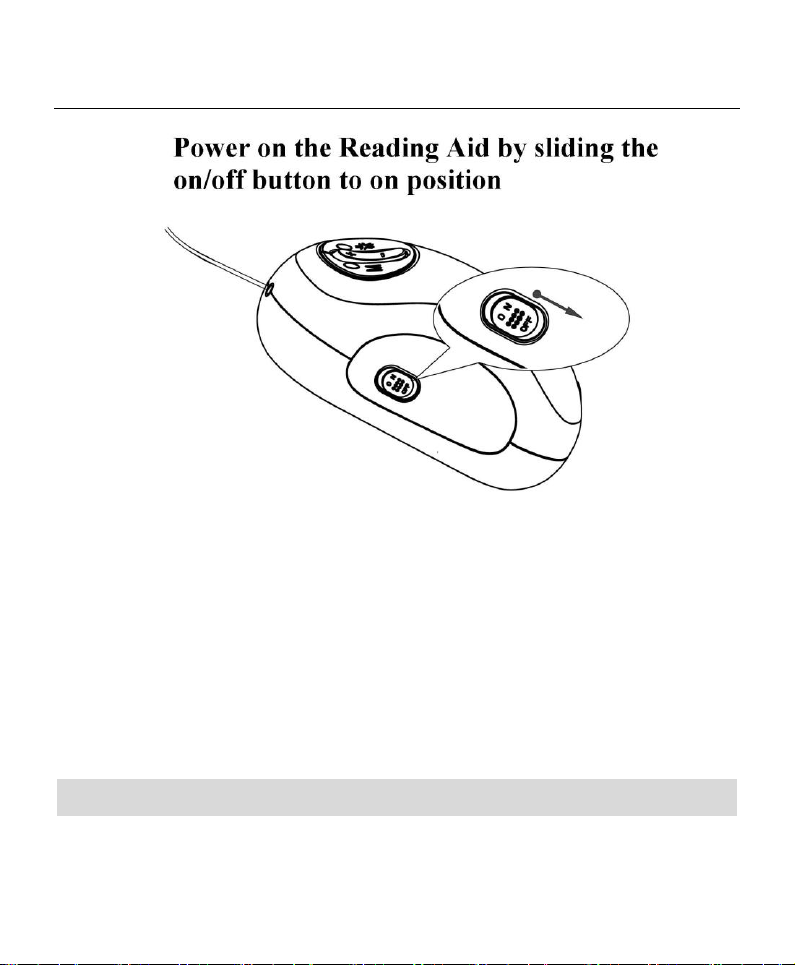
5. Turn on the Reading Aid by sliding the on/off button to ON position.
Then the power indicator will light.
Page 11
www.freedom-eye.com
10
6. Put the Reading Aid on newspapers, magazine etc and then you can read
their big images from TV. Then you can enjoy your reading.
Start to Work
Page 12

www.freedom-eye.com
11
Video Mode
Press Video Mode button to cycle through the Reading Aid’s
four different video modes as the following:
Full color
Black and White
Enhanced positive image (black on white)
Enhanced negative image (white on black)
Magnification Adjustment
Page 13
www.freedom-eye.com
12
Zoom + : Press to get bigger magnification rate.
Zoom -: Press to back to previous magnification rate.
Freeze Image
Press Stop/Play button to switch between freezing and
de-freezing the current image.
Page 14
www.freedom-eye.com
13
Problem
Solution
Reading Aid is
connected to a
television, but no
magnified image
appears on the screen.
Ensure:
1. The adaptor is plugged and connected
properly
2. The Reading Aid is powered on.
3. The video cable is connected correctly.
4. Verify that the item you want to
magnify is positioned correctly under
the Reading Aid.
The image on the screen
is flashing
Switch your television to the appropriate input
channel (PAL/NTSC)
There are smudges or
blemishes on the screen
Clean the screen and camera window
(located on the bottom of the unit).
Text is too small to read
Press the button.
Trouble Shooting
Page 15
www.freedom-eye.com
14
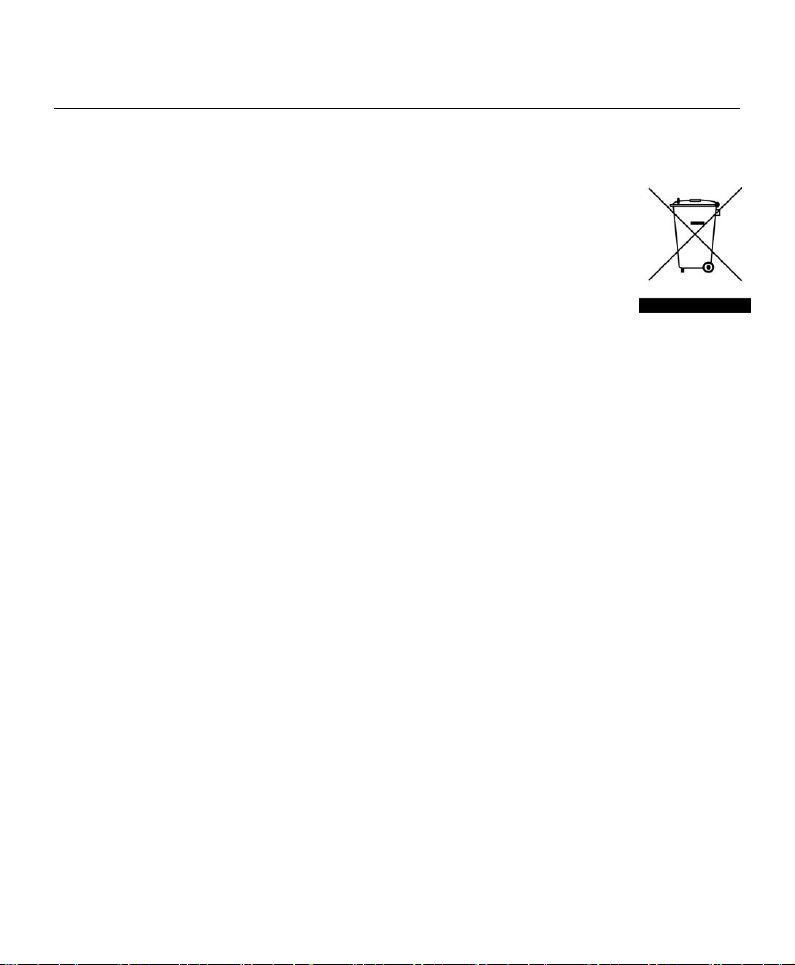
This symbol on the product or in the instructions means
that your electrical and electronic equipment should be
disposed at the end of its life separately from your
household waste. There are separate collection systems for
recycling in the EU.
For more information, please contact the local authority or your
retailer where you purchased the product.
 Loading...