

Page 1
www.aputure.com
R
R
Apu ture Ma nufac turin g Aut horit y
使 用 者 指 南
Page 2
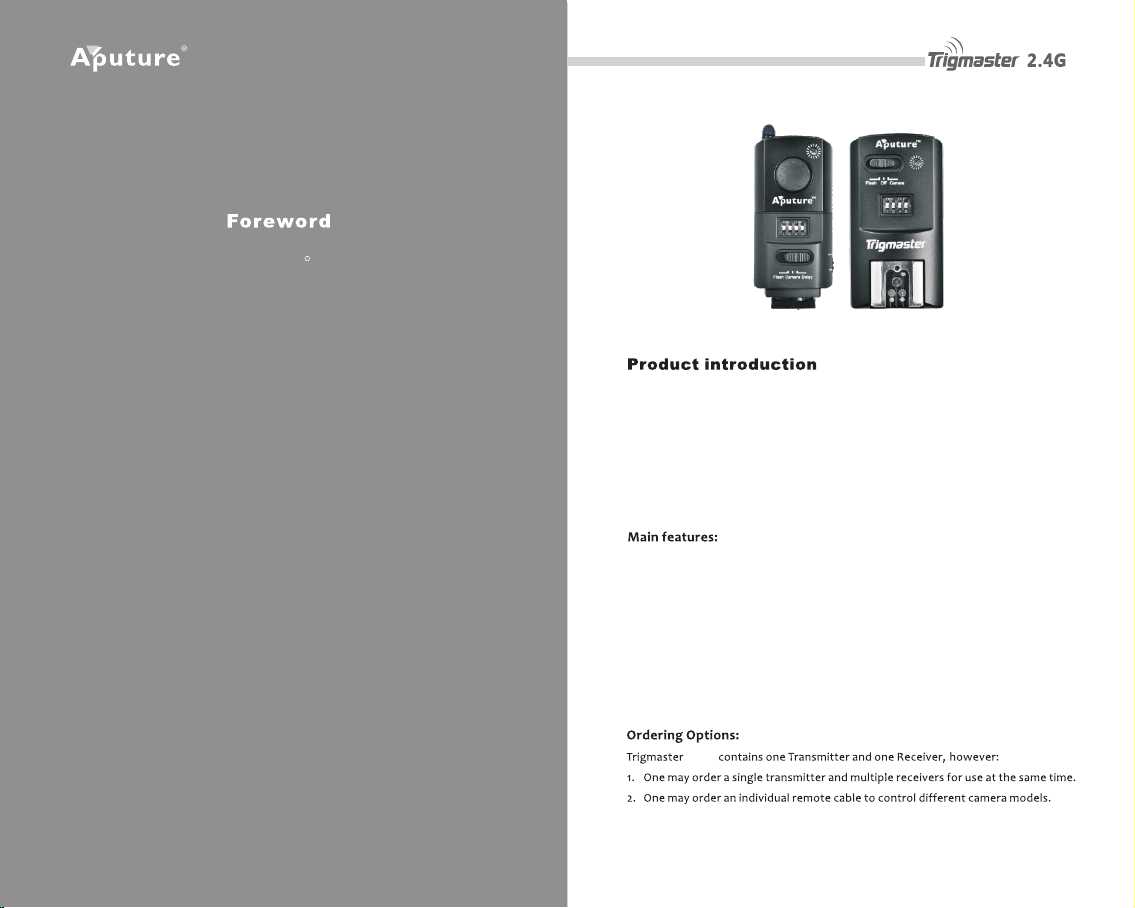
Tha nk you for pur chasi ng Aputu re Trigmas ter 2.4G . It inheri ts
R
the advantage s of previous fla sh and shutt er trig ger produc ts
while integrating excit ing new features, bringing you a
spl endid flash control experience. You can eas ily understan d
how to use Trigmaster 2.4G from this instruct ion manual. To
mak e your shoo ting go smo othly , also refe r to you r camera
and flash manua l befo re use .
Trig maste r 2.4G use s a 2. 4G wir eless fre quenc y whic h is s uitab le fo r free
ch an ne ls in mo st c ou nt ri es . Wi th 16 in de pen de nt ch an ne ls, ma ny
pho togra phers can wor k toge ther u sing Tr igmas ter 2.4 G, ope ratin g effi cient ly
at high speed s and long dist ances in a stab le ma nner. Whe n usi ng a Canon or
Nik on to c ontro l your speed light , the f lash s ync sp eed wo rks up to 1/ 250s, and
120 m eters r emote d istan ce(in o pen are as).
1. St robe, S peedl ight, a nd Came ra all co ntrol lable
2. Ul tra-f ast mic rochi ps enab le sync s peeds o f 1/250 sec
3. 2. 4G radi o frequ ency
4. Mo re stab le, rel iable , sensi tive wi th long er rang e up to 120 m at any ang le
5. Can awa ken most bran ded spee dligh ts l ike Cano n, N ikon, Son y, Olymp us,
etc
6. Co mpati ble wit h all Trig maste r 2.4G fa mily tr igger s
2.4 G
1
2
Page 3
2. 4G
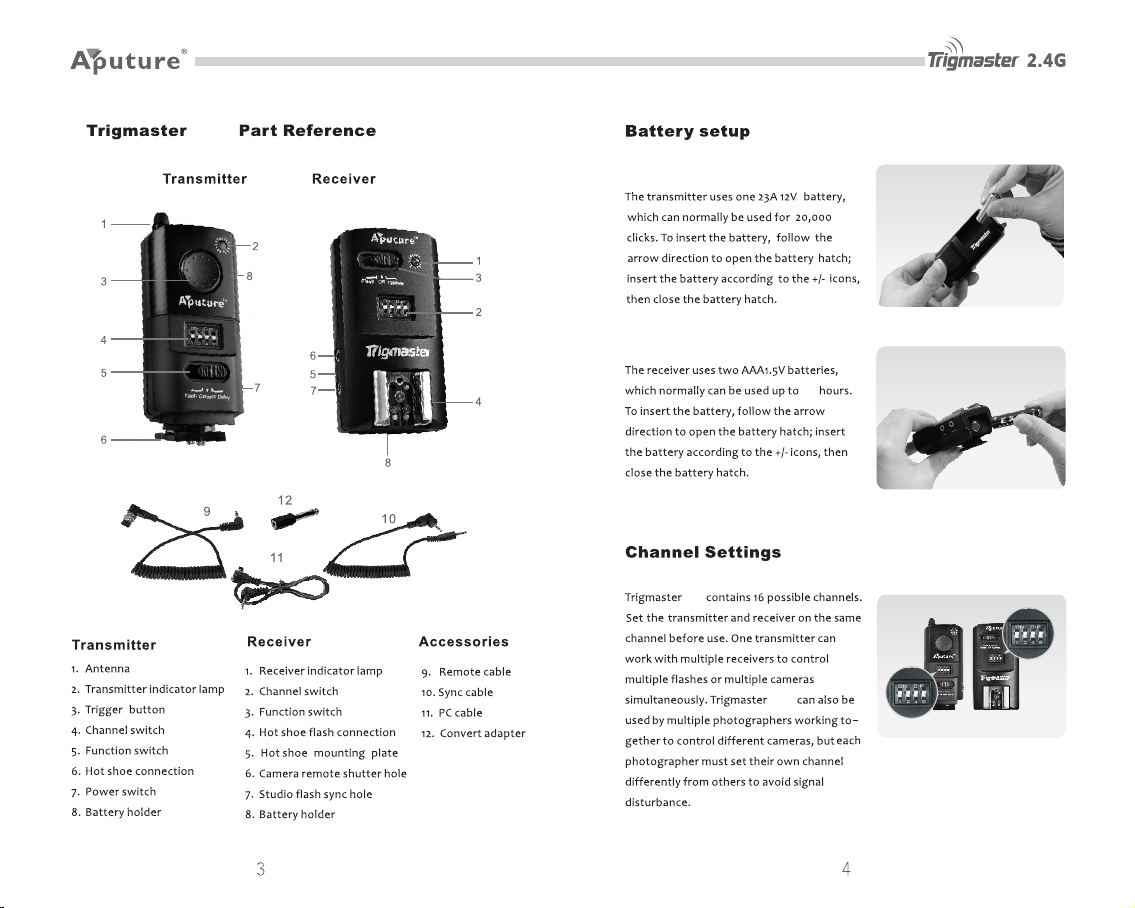
Transmitte r
Receiver
80
2.4G
2.4G
Page 4
Channel Adjustme nt
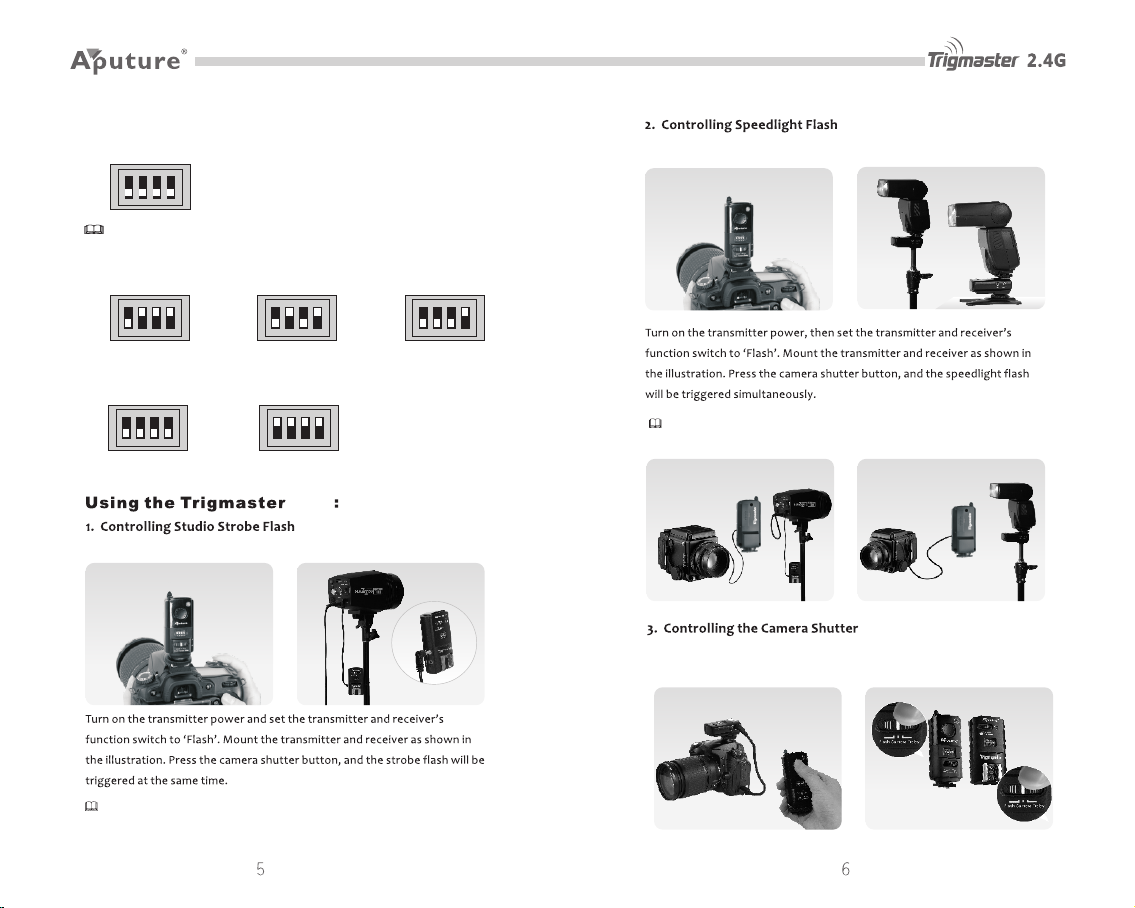
1. Tri gmast er 2.4G C hanne ls
1 2 4 8
Tips : The fou r small b utton s on the bo ttom in dicat e the cha nnel nu mber.
2. Ch annel s Adjus tment O perat ion:
E.g .: chan nel 1
1 2 4 8 1 2 4 8 1 2 4 8
(Chan nel 1 is be low)
E.g .: chan nel 15
1 2 4 8
(Chan nel 15= 1+ 2+ 4+8) (All ab ove)
E.g .: chan nel 5 E.g .: chan nel 7
(Chan nel 5= 1+ 4) (Chan nel 7= 1+ 2+4)
E.g .: chan nel 16
1 2 4 8
2. 4G
Mou nt tran smitt er on cam era, co nnect r eceiv er to str obe fla sh by sync c able.
Mou nt tran smitt er on cam era, sl ide spe edlig ht into r eceiv er’s ho t shoe.
Tips : Trigma ster 2. 4G pack age inc ludes a P C cord, w hich ca n be used t o conne ct
to a ca mera wh ich has n o hot sho e mount .
Con necti ng rece iver to c amera b y remot e cable . Set bot h units ’ funct ion
swi tch to ‘C amera ’.
Tips : When us ing Trig maste r 2.4G to c ontro l your st robe li ght, pr ess the t rigge r
but ton on th e trans mitte r to test s ynchr onici ty of the f lash.
Page 5
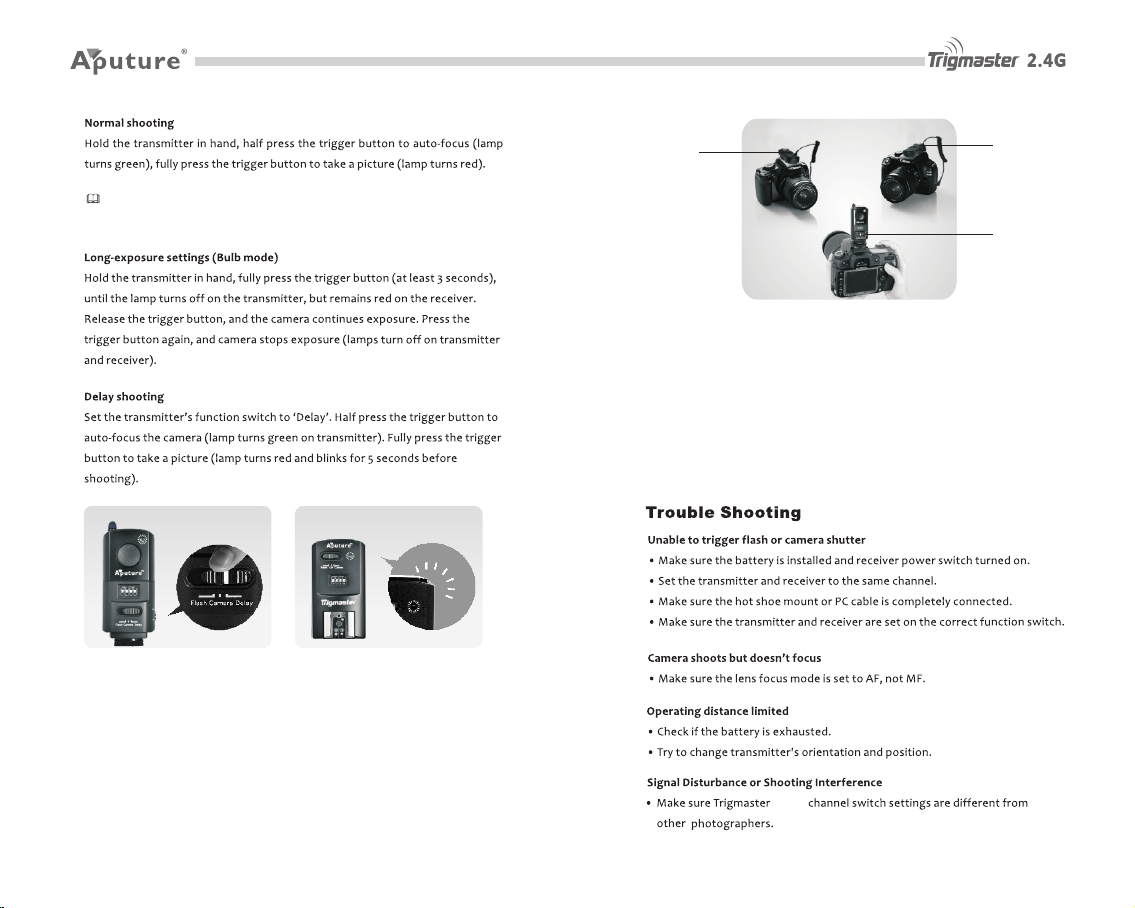
Tips : While y our cam era is se t on Cont inuou s Captu re Mode , f ully pr ess the
tri gger bu tton to a ctiva te cont inuou s shots .
4. Mu ltipl e Camer a Shutt er Cont rol
Wit h Trig maste r 2.4 G, you can contr ol mu ltipl e cam eras a t the same time .
Pla ce on e tri gger t o you r mas ter c amera , and set i t to flash mode. Set the
oth er more rec eiver s o n y our add ition al camer as, and set th em to flash
mod e(Don 't f orgot to atta ch t he remot e sh utter cab le). When you pre ss
the shut ter o n your mast er ca mera, the shutt ers wi ll be trig gered on y our
add ition al came ras at th e same ti me.
Flash
Flash
Flash
5. Wake up F uncti on Oper ation
Trig maste r 2.4G i s able t o wake your sp eedli ght fl ash. W hen you stop us ing
you r f lash for a peri od of time, it wi ll go to s leep and be come dor mant.
Whe n using Tr igmas ter 2.4 G, you ca n wake up t he flas h.
6. 2. 4G Comp atibi lity
All 2.4G produ cts fr om th e Aput ure Tr igmas ter fa mily are co mpati ble w ith
one a nothe r.
2.4 G
7 8
Page 6
2.4 G
2
8
1.5 V AAA bat tery x 2
x 1
9 10
 Loading...