

Page 1

Forensic Air Lite M-12
User’s Guide
Forensic Computers, Inc.
110 Forensic Lane
Glen Lyn, VA 24093
HHUUwww.forensic-computers.comU
© 2009 Forensic Computers, Inc. All rights reserved.
© 2008-2009 Tableau, LLC. All rights reserved.
Tableau is a registered trademark of Tableau, LLC.
Page 2

Table of Contents
1. Forensic Air Lite M-12 (FAL M-12) 3
2. How to Use This Manual 3
3. Quick Start 3
3.1 Unpacking Your Forensic Air Lite M-12 (FAL M-12) 3
3.3 Imaging the OS Drive 5
4. Useful Information 7
4.1 FAL M-12 Ports 7
4.2 ExpressCards (54mm and 34mm) 7
4.2.1 Installing an ExpressCard (34mm) 8
5. Glossary 9
Forensic Air Lite M-12 User’s Guide 2
Copyright
© 2009 Forensic Computers, Inc
Page 3

1. Forensic Air Lite M-12 (FAL M-12)
The Forensic Air Lite M-12 (FAL M-12) is the latest addition to Forensic Computers’ line of high quality
powerful forensic workstations.
2. How to Use This Manual
This manual has two main sections: Quick Start and Useful Information.
The Quick Start section of the manual will give the user enough information about the Forensic Air Lite
M-12 (FAL M-12) and its accessories to get started. There is an overview of the additional components
that come with the FAL M-12 and their use. The Useful Information section goes into more detail about
specific components of the Forensic Air Lite M-12 (FAL M-12).
3. Quick Start
3.1 Unpacking Your Forensic Air Lite M-12 (FAL M-12)
The Forensic Air Lite M-12 (FAL M-12) system has the following items: the Forensic Air Lite M-12 (FAL M-
12), the wireless mouse, the Antec External Hard Drive Enclosure, the Manual Bag, the CD Wallet, the
external USB Floppy Drive, the 34mm 2-port eSATA card, the 34mm 2-port FW 800 card, the two
screwdrivers, the flashlight and the Forensic Write Protection Kit
When you first receive your FAL M-15 SR, please familiarize yourself with all of its contents. The
following table lists each of the items found in the kit.
Photo
Description
Pelican 1510 LOC, which is considered one of the “World's
Most Toughest Watertight Equipment Cases”, comes with an
unconditional lifetime guarantee. The case itself comes with
double-throw latches, an O-ring seal, 2” quiet heavy-duty quad
wheels, metal padlock protectors, an automatic purge valve.
Forensic Air Lite M-12 (FAL M-12) is equipped with a 12" wide
screen display, a Core 2 Duo P9500 2.53Ghz processor and
4GB of RAM.
Forensic Air Lite M-12 User’s Guide 3
Copyright
© 2009 Forensic Computers, Inc
Page 4
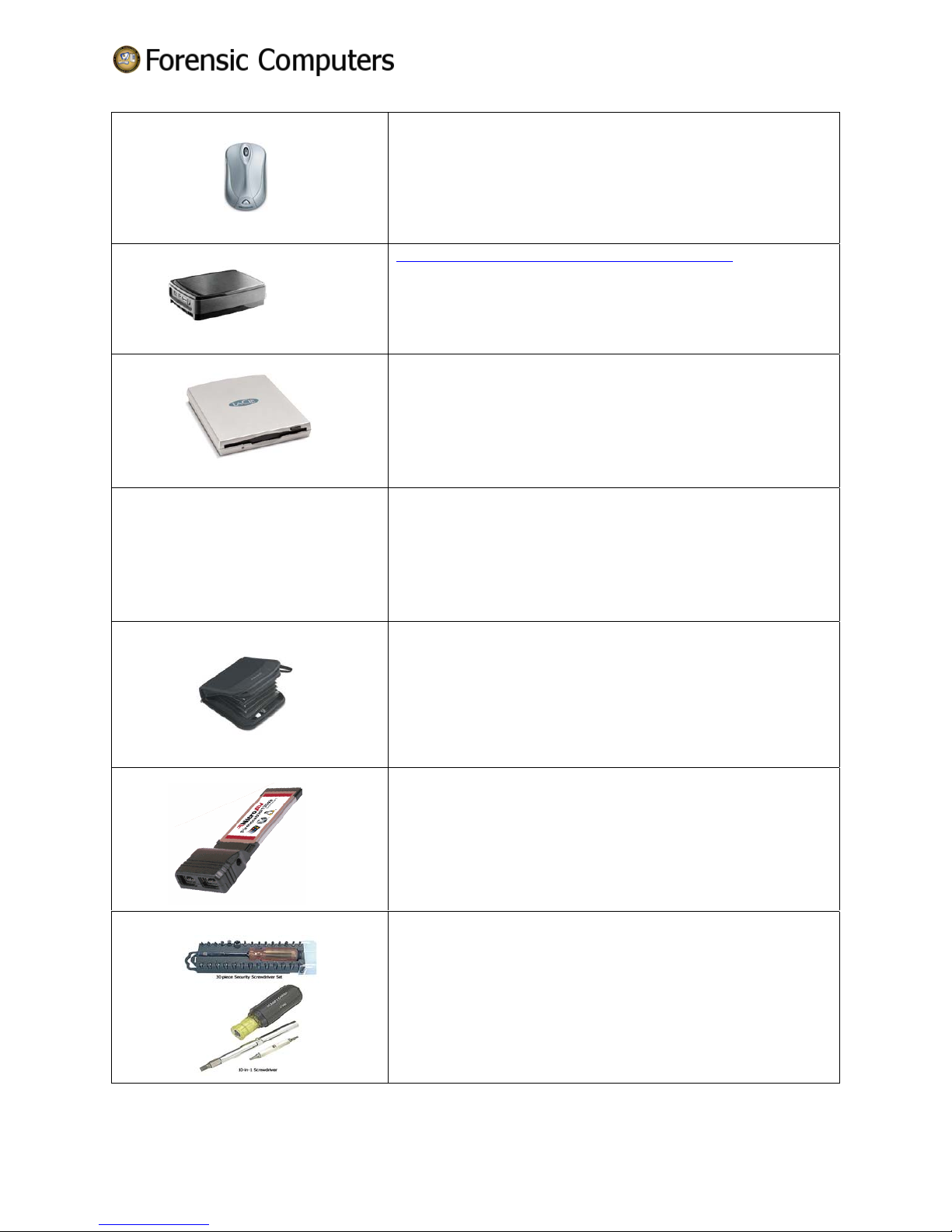
Wireless Mouse: The mouse requires batteries in order to run,
so if you do have a problem later on, check the batteries.
Antec MX-1 Actively Cooled Hard Drive Enclosure with a 1 TB
SATA Hard Drive with eSATA and USB 2.0 interfaces
External USB Floppy Drive
Manual Bag
CD Wallet
Two 34mm ExpressCards: 2-port eSATA and 2-port FireWire
800 Card. The FireWire card supports “hot swapping” and
“plug and play”.
Screwdrivers:
Forensic Air Lite M-12 User’s Guide 4
Copyright
© 2009 Forensic Computers, Inc
Page 5
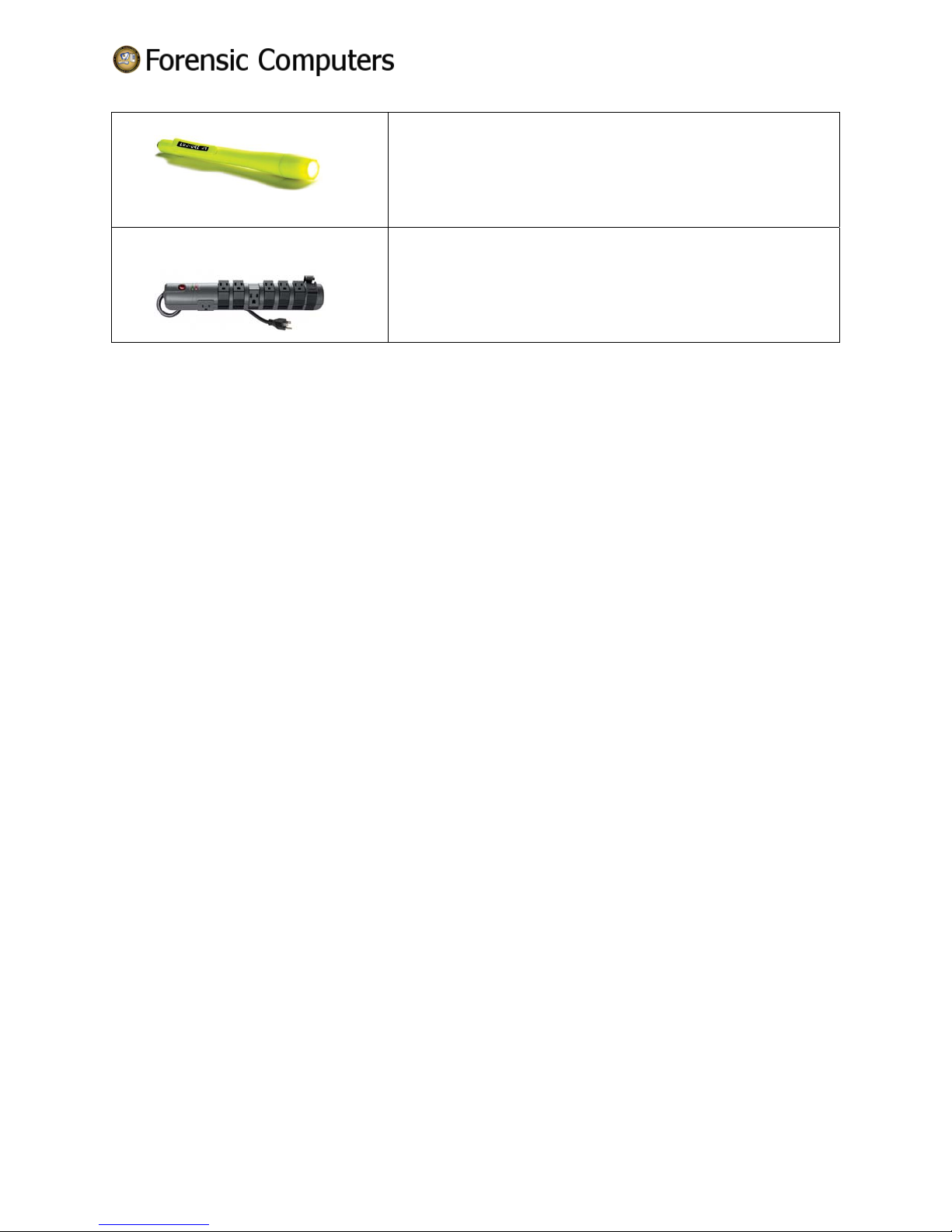
Flashlight
Surge Protector
3.3 Imaging the OS Drive
Over time, an investigator will need to image and re-image their OS hard drive. As of December 2007 three
types of software have been used to create the initial OS hard drive images sent out with Forensic Computers’
line of systems: Norton Ghost, Acr onis TrueImage v ersion 10 an d Image for Wind ows.
3.3.1 Re-Installing the image for the OS Hard Drive (Image for Windows)
(Your username and SN for IMAGE FOR WINDOWS will be located in your CD wallet. If it is not, call us
with the serial number of your system and we will locate your IMAGE FOR WINDOWS serial number.)
• Enter the BIOS and ensure that the DVD_RW is set to boot before the hard drive
• Insert the DVD into the DVDRW
• The program will automatically start up and ask you to "press <space> for menu or wait for the
restore to start"
• Wait for the restore to start as it will select the first hard disk (HD0) which is your OS drive
• The program will then ask if you want to continue with the restore on HD0 (this will erase
everything on the drive and restore it to factory defaults.)
• Once the restore has completed and has been rebooted, the machine will be ready for use.
• For more advance and detailed instructions please refer to the PDF included on your Image for
Windows CD
3.3.2 Re-Imaging the OS Hard Drive (Image for Windows)
• Start Acronis True Image Home 10 from desktop shortcut/start menu
• Choose operation to perform: Backup (next)
• Select Partition: HD0 / specific hard drive (next)
Forensic Air Lite M-12 User’s Guide 5
Copyright
© 2009 Forensic Computers, Inc
Page 6
• Select Destination: DVDRW (next)
• Backup Options (default settings) (Finish)
Image for Windows will burn an image of the drive to the disk and then proceed to automatically validate
the disk. If errors occur during validation, one must start completely over with a fresh DVDRW.
Forensic Air Lite M-12 User’s Guide 6
Copyright
© 2009 Forensic Computers, Inc
Page 7
4. Useful Information
4.1 FAL M-12 Ports
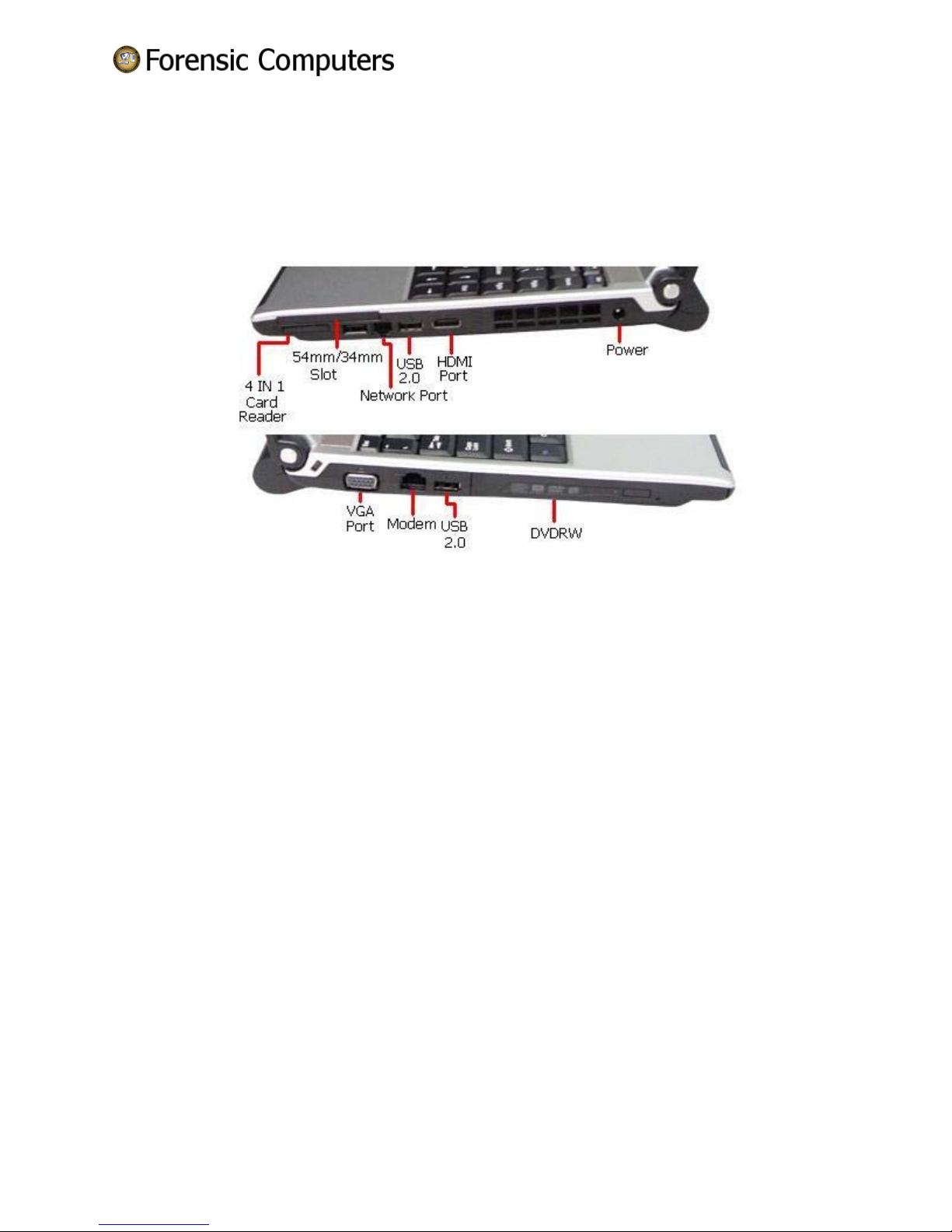
The following image shows the available ports of the FAL M-12.
On one side there are the following ports: one 4 IN 1 Card Reader, one 54mm/34mm Slot, one Network
Port two USB 2.0 ports, one HDMI port and the power port. On the opposite side are: one VGA port,
one Modem port, and one USB 2.0 port.
The 54mm/34mm ExpressCard slot is capable of reading either a 54mm ExpressCard or a 34mm
ExpressCard. The 4-in-1 Card Reader is capable of reading the following: SD/MMC/MS/MS Pro.
4.2 ExpressCards (54mm and 34mm)
The card that has replaced the PCMCIA card is the ExpressCard. ExpressCards, which are NOT bootable
devices, provide extra interfaces for laptops (additional memory, wired and wireless networking, security
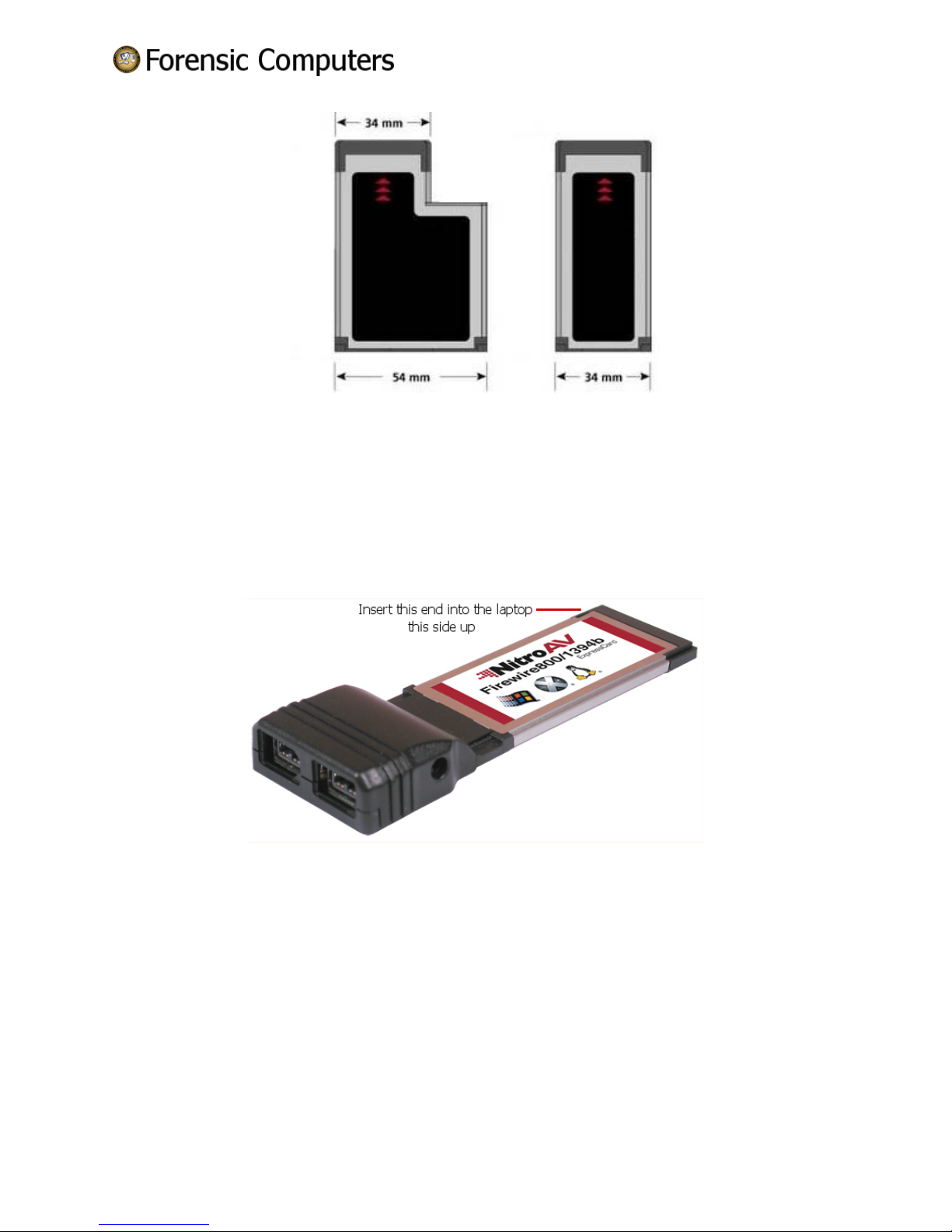
devices, as well as multimedia devices). ExpressCards have two form factors: 54mm and 34mm. The
54mm card form has an ‘L’ shape with a 34mm connection and the 34mm card has a rectangular shape
with a 34mm connection. A 34mm card will fit into a 54mm slot as well as a 34mm card slot, whereas a
54mm card will only fit in a 54mm slot.
Forensic Air Lite M-12 User’s Guide 7
Copyright
© 2009 Forensic Computers, Inc
Page 8
4.2.1 Installing an ExpressCard (34mm)
Installation of an ExpressCard can be done while the laptop is ON and running. There is a triangle or
arrow on the card to indicate the proper end to insert.
The two cards included with the FAL M-12 are the 34mm 2-port eSATA Card and the 34mm 2-port
FireWire Card. The laptop has a 54mm/34mm slot which can take a 54mm or a 34mm card.
1. Remove the 54mm/34mm slot protector. Note the side that is longer and thinner. The side that
is longer is for the placement of 34mm cards.
2. Hold the 34mm card in the upright position.
3. Insert the 34mm card into the side where the longer portion of the slot protector was.
4. DO NOT FORCE THE CARD. If there is any resistance, check the card orientation and try again.
5. Auto-detection will occur.
Forensic Air Lite M-12 User’s Guide 8
Copyright
© 2009 Forensic Computers, Inc
Page 9
5. Glossary
A
ATA – AT Attachment is a standard interface for connecting storage devices such as hard disks and CDROM drives inside of personal computers.
B
C
D
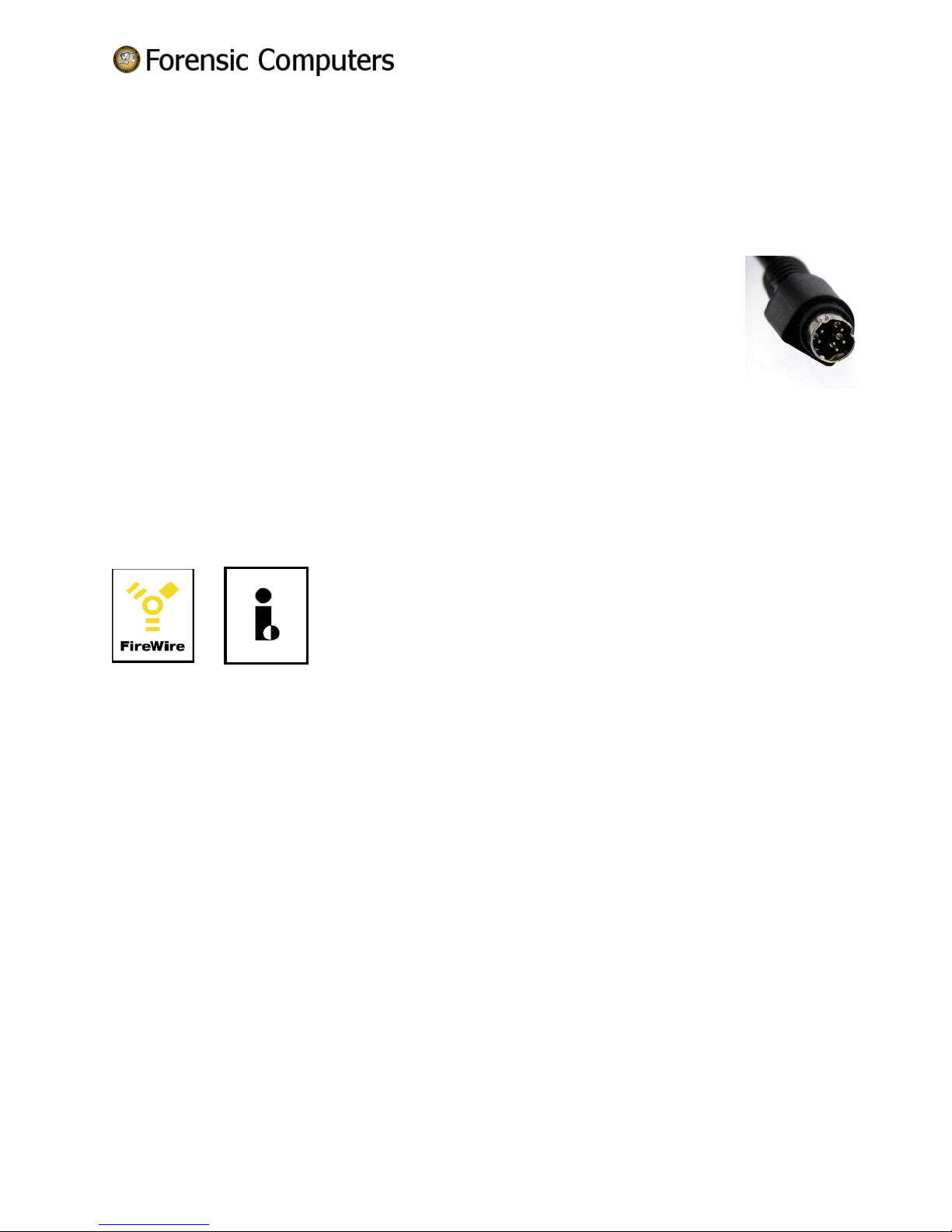
DIN- the abbreviated name of the German Institute for Standardization (Deutches Institut
fur Normung) and is used in the names of its standards. There are a variety of DIN
connectors in existence today. The one mentioned in this text is a 5-pin DIN connector.
DIP – as in DIP Switch, is an electric switch that is packaged in a group of standard dual
in-line package and is designed to be used on a printed circuit board along with other
electronic components and is commonly used to customize the behavior of an electronic device for
specific situations.
E
eSATA – external serial advanced technology attachment: an external interface for SATA technologies.
F
FireWire Symbols -
a. b.
The above symbols represent the IEEE1394 standard. These symbols will help you identify products that
are compatible with computers and cameras that use this standard. The
FireWire symbol on the left (a) is a trademark of the Apple Corporation. The i. Link symbol on the right
(b) is a trademark of Sony Corporation.
G
H
Hot swapping or hot plugging is the ability to remove and replace components of a machine, usually a
computer, while it is operating.
I
IDE – Integrated Drive Electronics, a synonym for an ATA storage device.
iPOD – a brand of portable media players designed and marketed by Apple Computer.
J
K
L
Forensic Air Lite M-12 User’s Guide 9
Copyright
© 2009 Forensic Computers, Inc
Page 10
M
®
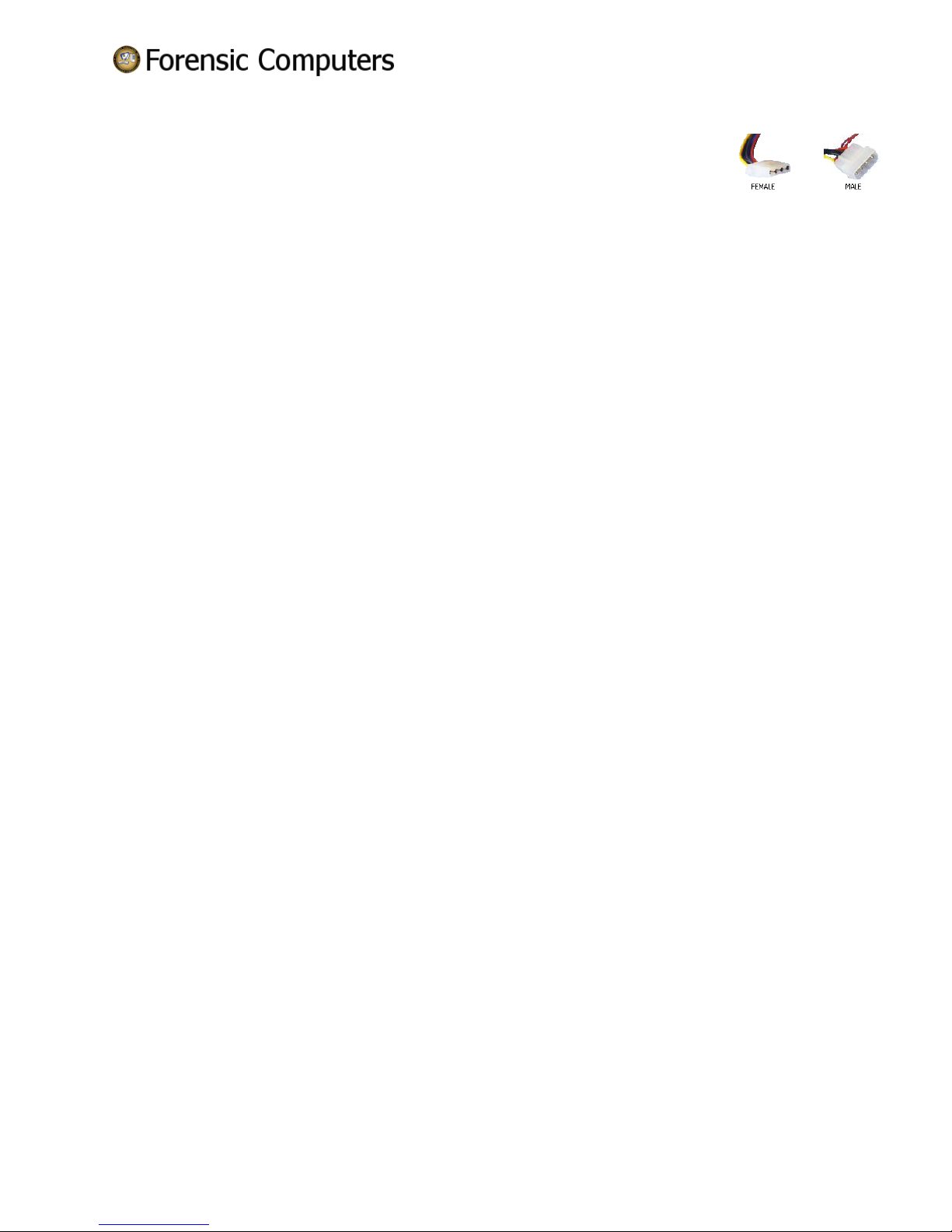
Molex
end attached to four wires: one yellow (12V), one red (5V) and two black (ground).
There are female and male Molex
N
O
P
Q
R
S
SAS – Serial Attached SCSI, a data transfer designed to move data to and from computer storage
devices.
SATA – is a traditional dish from the Malaysian state of Terenngganu, con sisting of spiced fish meat
wrapped in banana leaves and cooked on a grill.
NO REALLY -Serial ATA, a computer bus technology primarily designed for the transfer of data from a
hard disk.
SCSI – Small Computer System Interface is a standard interface and command set for transferring data
between devices on both internal and external computer buses. (pronounced skuzzy)
T
U
USB – Universal Serial Bus is a serial bus standard to interface devices. It was designed for computers
such as PCs and the Apple Macintosh, but its popularity has prompted it to also become commonplace on
video game consoles, PDAs, cell phones and even devices such as televisions and home stereo equipment
(mp3 players) and portable memory devices.
V
W
X
Y
Z
- A type of power connection used the computer industry, which has a plastic
®
connectors.
Forensic Air Lite M-12 User’s Guide 10
Copyright
© 2009 Forensic Computers, Inc
 Loading...