

Ford E-150 AUDIO SYSTEM 1997, E-250 AUDIO SYSTEM 1997, E-350 AUDIO SYSTEM 1997 Owner Manual
Page 1

Table of contents
Audio systems 2
Controls and features 4
Display 19
Care and cleaning 20
Radio frequency information 21
Warranties and service 22
Index 23
1
Page 2
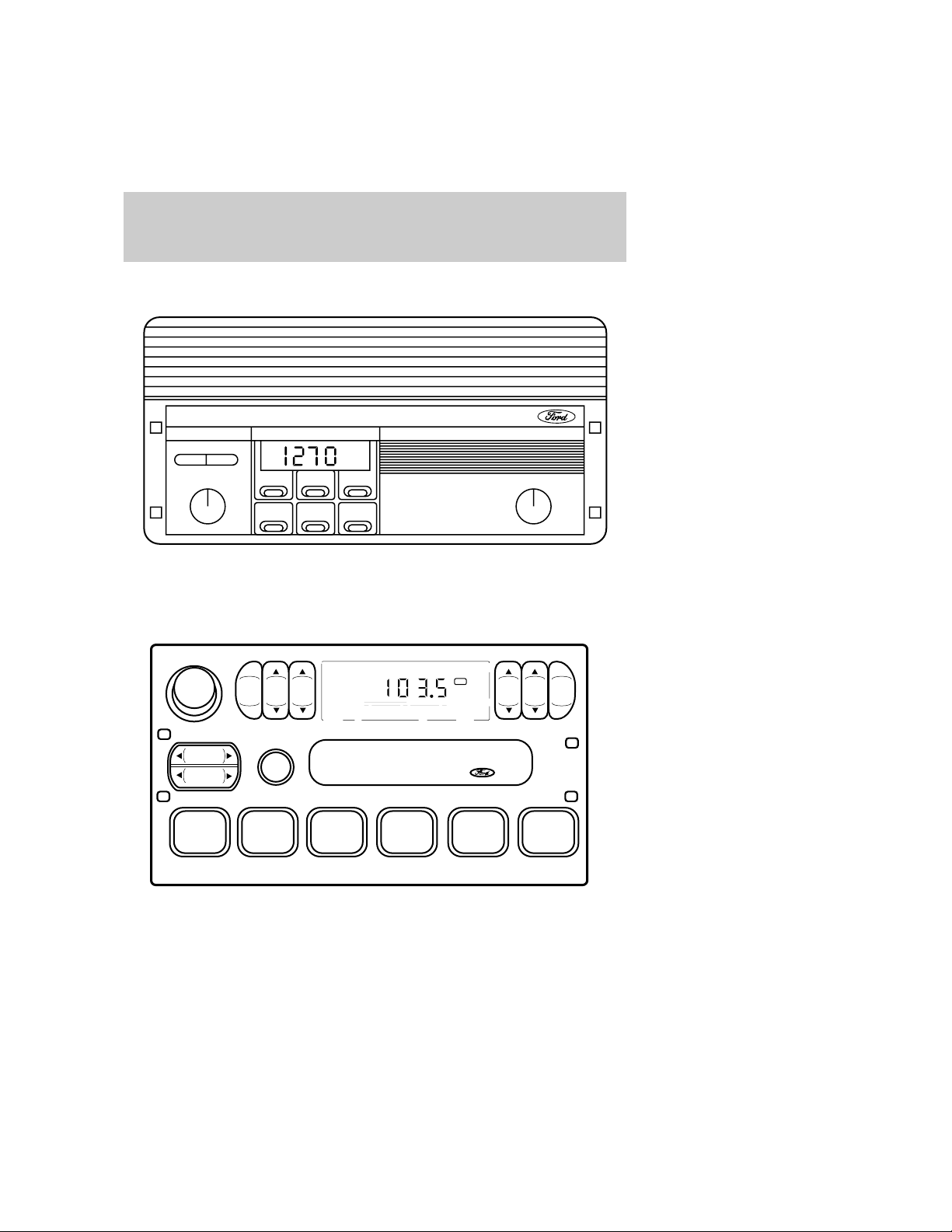
Audiosystems
ELECTRONICAMRADIO(IF
EQUIPPED)
- TUNE +
ON VOL
123
45
ELECTRONICSTEREORADIO
(IFEQUIPPED)
VOL – PUSH ON
AM
BAS STREB
FM
SEEK
TUNE
12 34 5 6
SCAN
6
FM 1
TONE
ST
BA LF AD E
CLK
2
Page 3
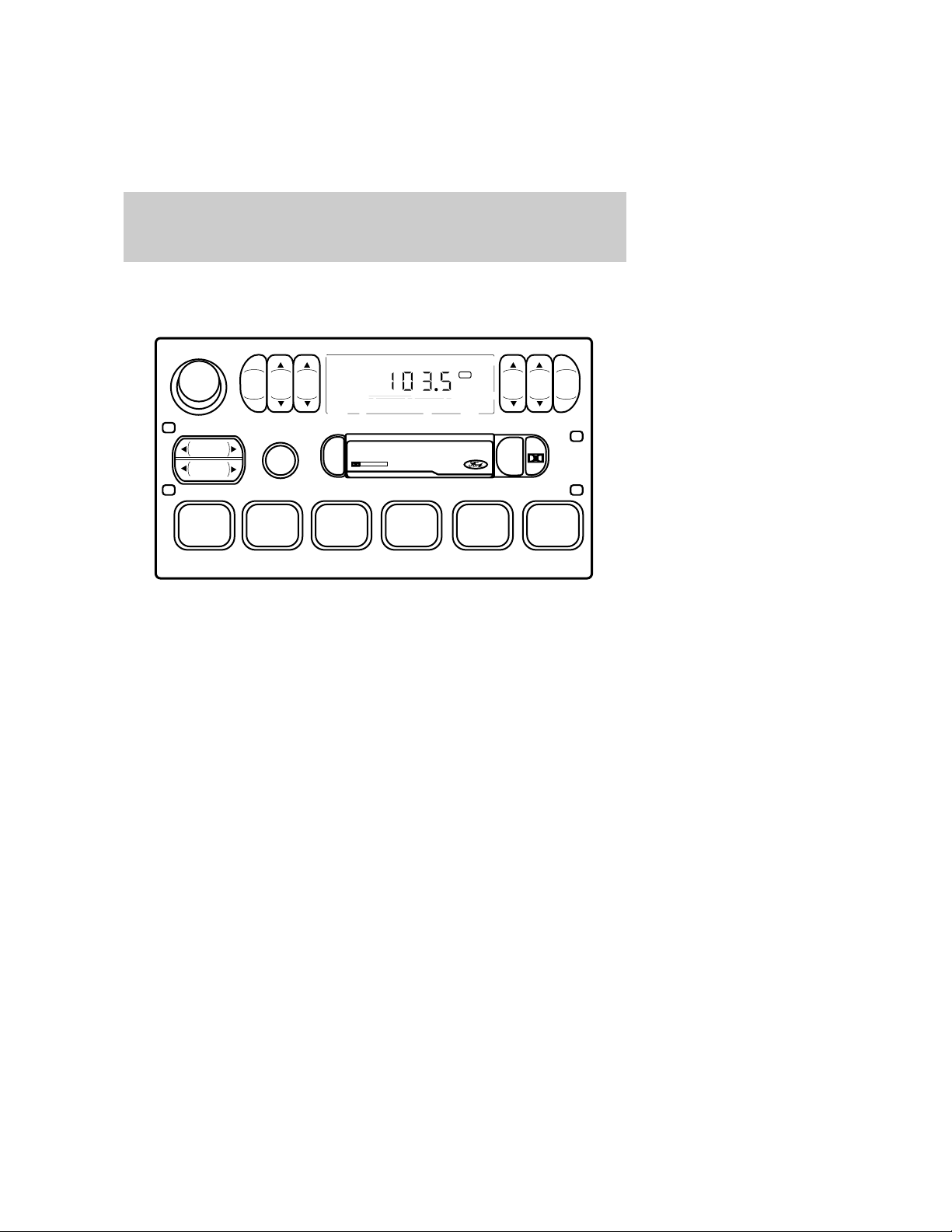
ELECTRONIC STEREO RADIO
WITH CASSETTE (IF
EQUIPPED)
VOL – PUSH ON
AM
BASSTREB
FM
FM 1
Audio systems
ST
BAL FADE
CLK
SEEK
TUNE
REW
1
SCAN
FF
2
EJ
SIDE 1-2
3
DOLBY SYSTEM
TAPE
456
3
Page 4
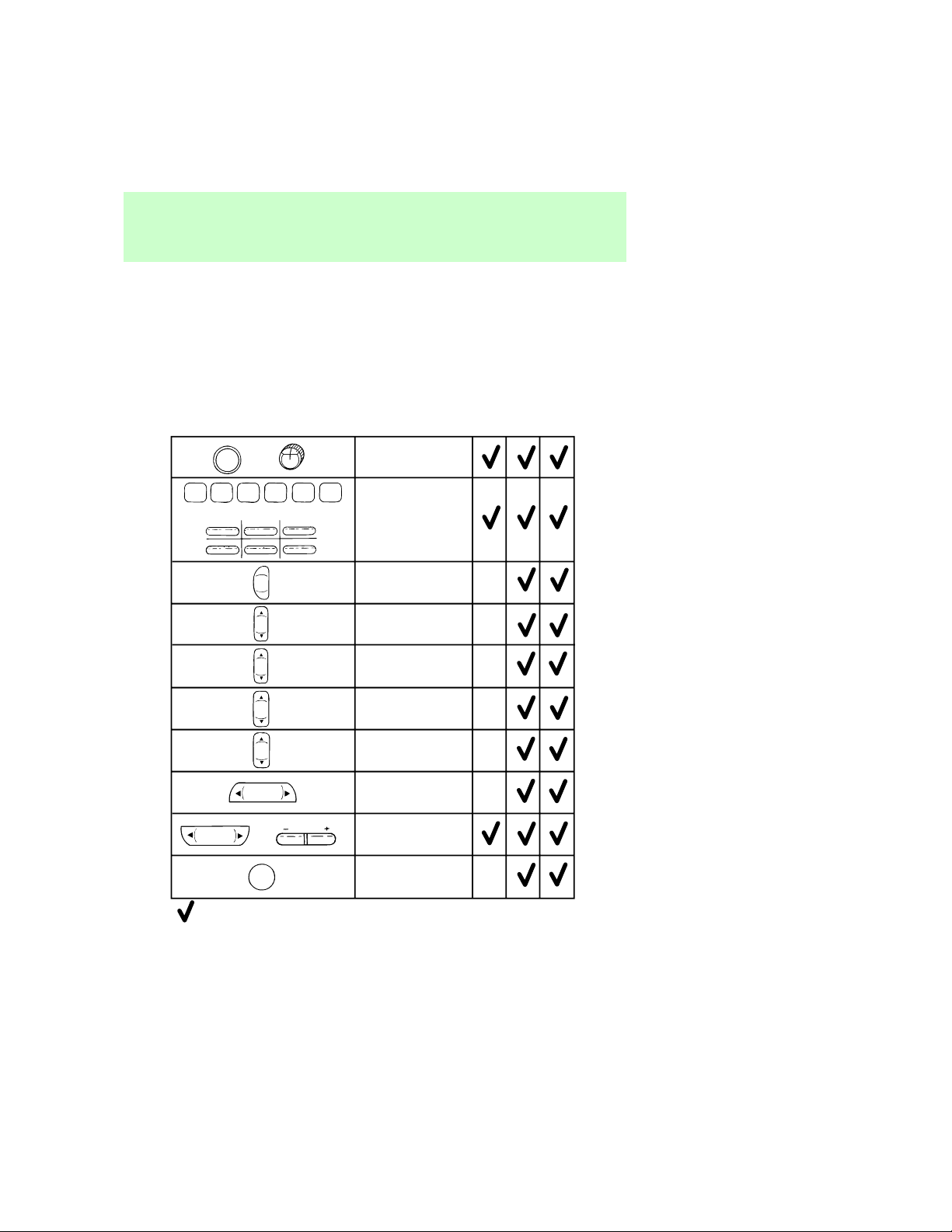
Controlsandfeatures
Audio System Feature
or
or
2
AM
FM
BASS
TREB
BAL
FADE
ON VOL
PUSH CLOCK
Volume/Power
Control
3
Radio Station
Memory Preset
AM/FM Select
Bass Adjust
Treble Adjust
Speaker
Balance Adjust
Speaker
Fade Adjust
VOL - PUSH ON
234561
1
456
Name
Audio System
Electronic
AM Radio
Electronic Search
Electronic Search
Radio (ESR)
Radio with
Casette (ESC)
Seek Function
Tune Adjust
Scan Function
TUNE
SEEK
or
SCAN
TUNE
= Feature included on audio system
4
Page 5
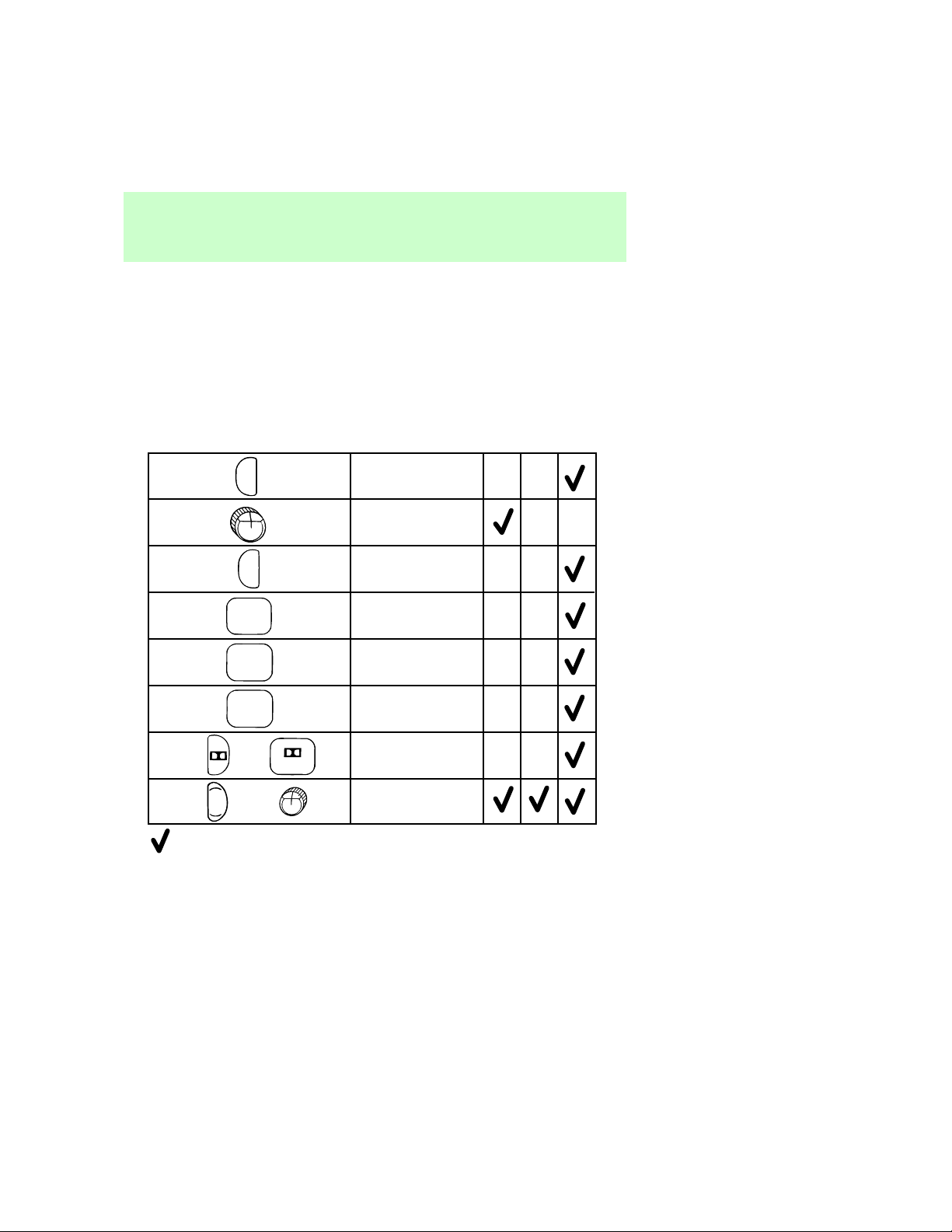
Controlsandfeatures
Audio System Feature
EJ
TONE
TAPE
REW
1
FF
2
SIDE 1-2
3
CLK
or
or
4
ON VOL
PUSH CLOCK
= Feature included on audio system
Tape Eject
Tone Adjust
Tape Play Select
Rewind Function
Fast Forward
Function
Tape Direction
Select
Dolby® Noise
Reduction
Clock
Name
Audio System
Electronic
AM Radio
Electronic Search
Electronic Search
Radio (ESR)
Radio with
Casette (ESC)
5
Page 6
Controlsandfeatures
USINGRADIOCONTROLS
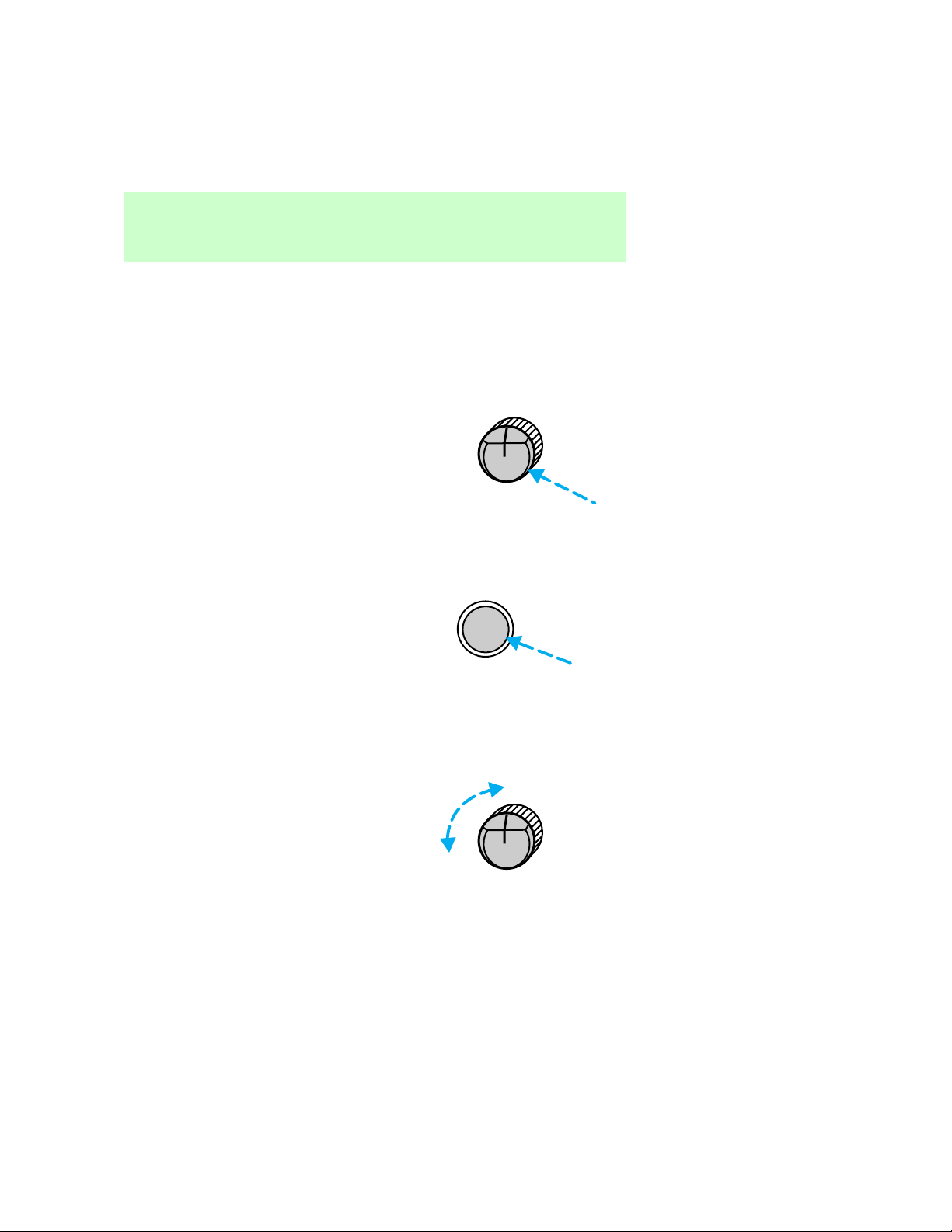
Volume/powercontrol
Pressthecontroltoturntheaudio
systemonoroff.
•AMradio
•AM/FMorAM/FMcassetteradio
VOLON
PUSH CLOCK
VOL – PUSH ON
Turncontroltoraiseorlower
volume.
•AMradio
6
VOLON
PUSH CLOCK
Page 7
•AM/FMorAM/FMcassetteradio
Ifthevolumeissetaboveacertain
levelandtheignitionisturnedoff,
thevolumewillcomebackonata
“nominal”listeninglevelwhenthe
ignitionisturnedbackon.Ifyou
wishtomaintainyourpreset
volumelevel,turntheaudio
systemoffwiththepowercontrol
beforeswitchingofftheignition.
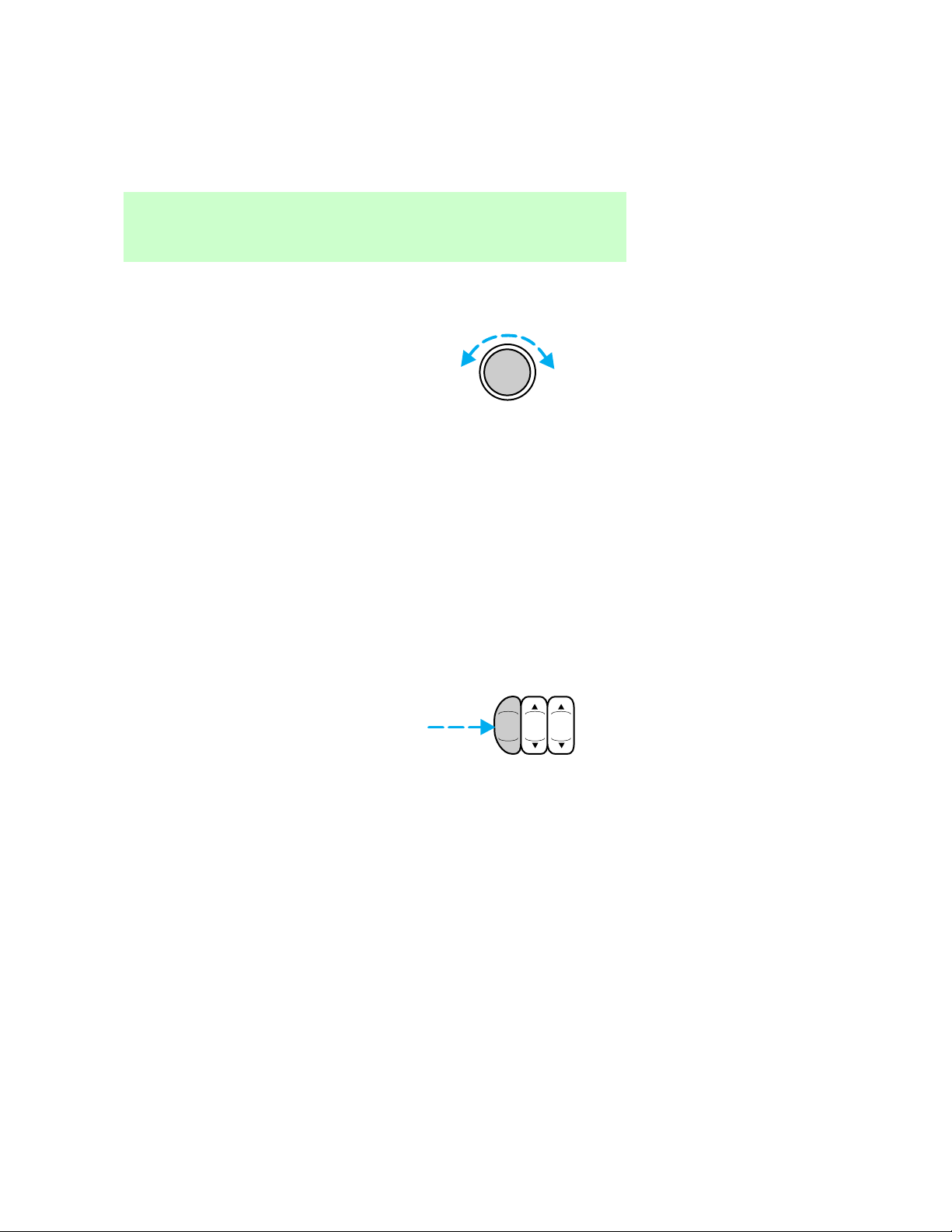
AM/FMselect
TheAM/FMselectcontrolworksin
radioandtapemodes(if
equipped).
Controlsandfeatures
VOL – PUSH ON
AM
FM
BAS STREB
7
Page 8
Controlsandfeatures
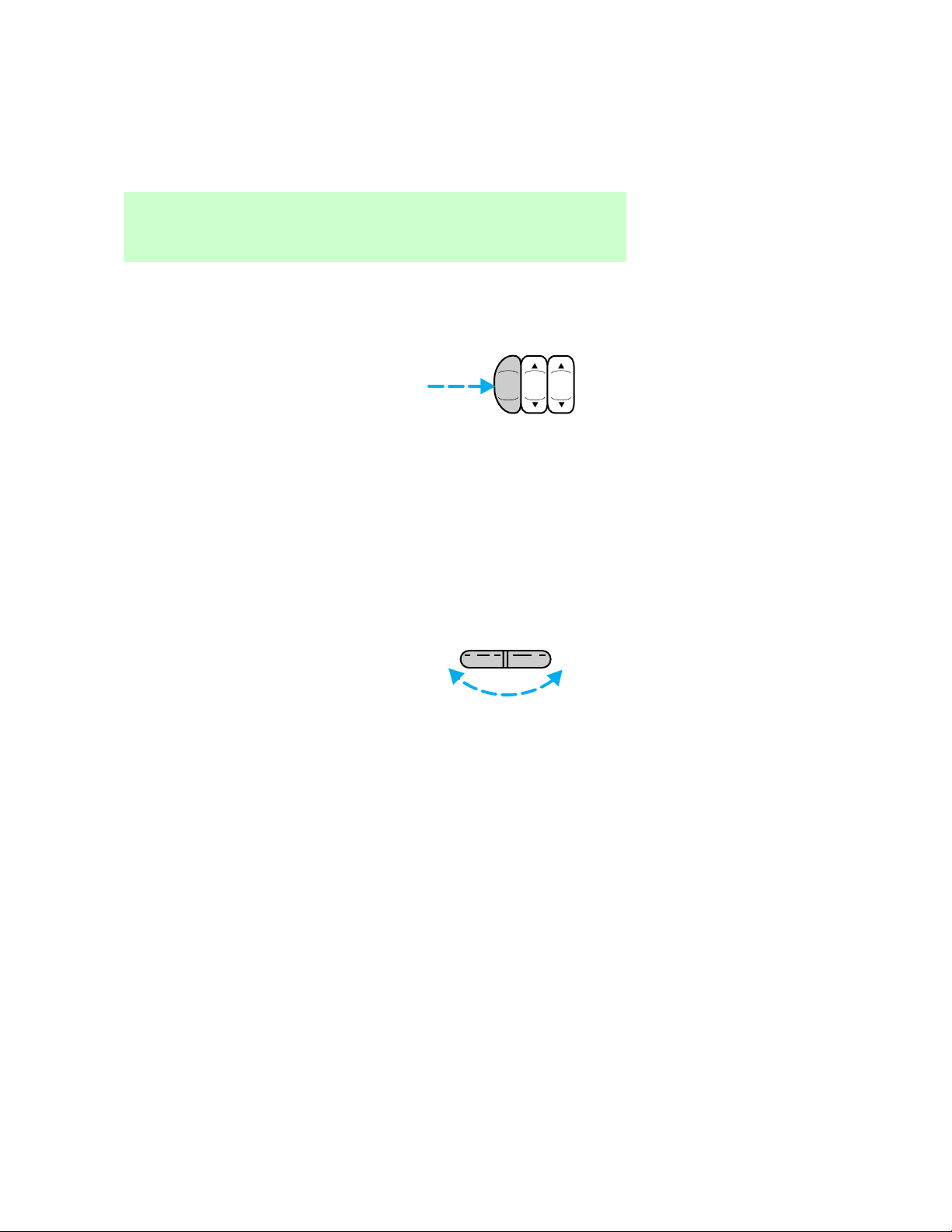
AM/FM select in radio mode
Thiscontrolallowsyoutoselect
AMorFMfrequencybands.Press
thecontroltoswitchbetweenAM,
FM1orFM2memorypreset
stations.
AM/FM select in tape mode
Pressthiscontroltostoptapeplay
andbeginradioplay.
Tuneadjust
AMradio:
•Presstheleftsideofthecontrol
tomovetothenextfrequency
downtheband(whetherornot
alistenablestationislocated
there).Holdthecontroltomove
throughthefrequenciesquickly.
•Presstherightsideofthe
controltomovetothenext
frequencyuptheband(whether
ornotalistenablestationis
locatedthere).Holdforquick
movement.
AM
BASSTREB
FM
TUNE
—
+
8
Page 9
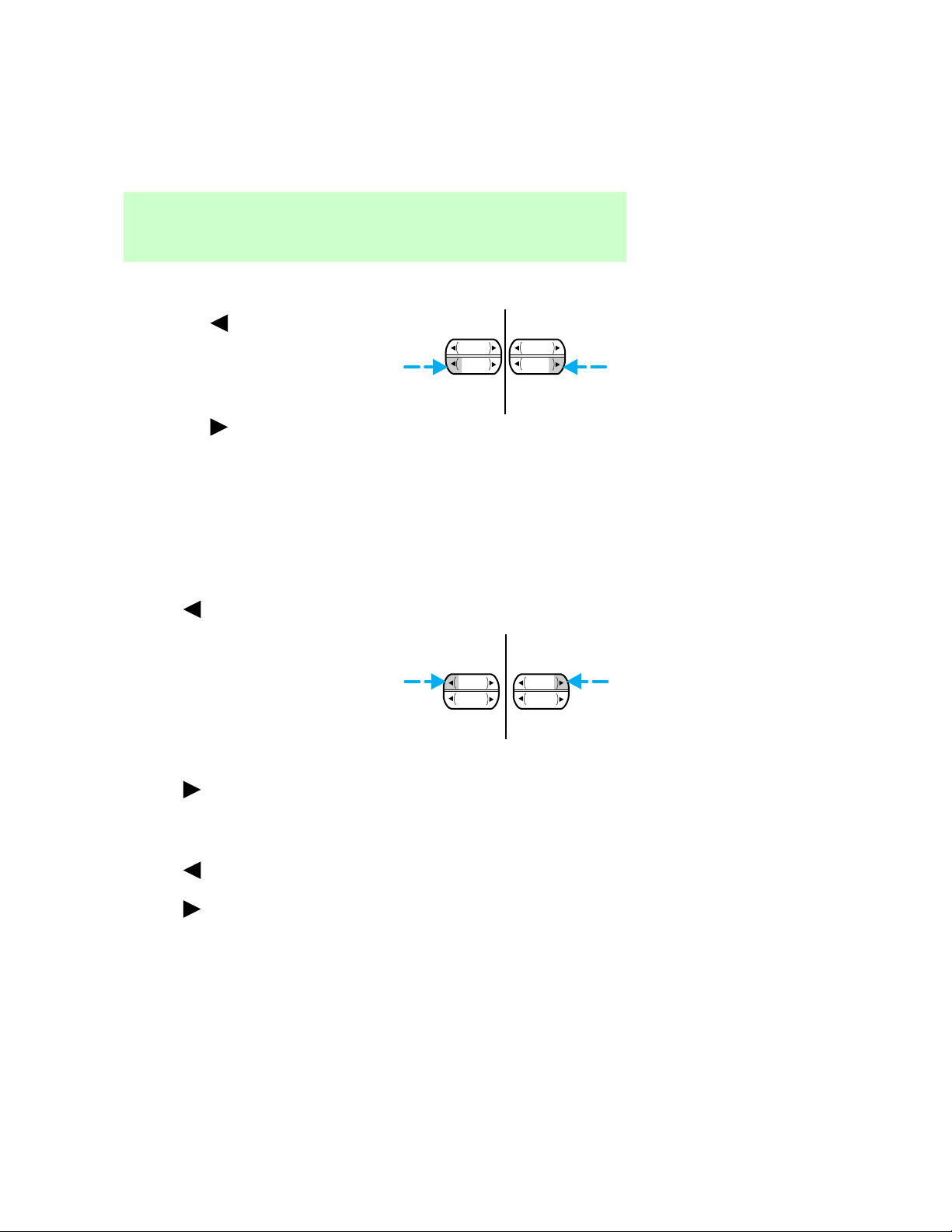
AM/FMorAM/FMcassette
radio:
•Pressthe tomovetothe
nextfrequencydowntheband
(whetherornotalistenable
stationislocatedthere).Hold
thecontroltomovethroughthe
frequenciesquickly.
•Pressthe
tomovetothe
nextfrequencyuptheband
(whetherornotalistenable
stationislocatedthere).Hold
forquickmovement.
Seekfunction
Theseekfunctioncontrolworksin
radioandtapemode(ifequipped).
Seek function in radio mode
•Press tofindthenext
listenablestationdownthe
frequencyband.
Controlsandfeatures
SEEK
TUNE TUNE
SEEK
•Press
tofindthenext
listenablestationupthe
frequencyband.
Seek function in tape mode
•Press tolistentothe
previousselectiononthetape.
•Press
tolistentothenext
selectiononthetape.
SEEK
TUNE TUNE
SEEK
9
Page 10

Controlsandfeatures
Scanfunction
Thescanfunctionworksinradio
andtapemode(ifequipped).
Scan function in radio mode
PresstheSCANcontroltoheara
briefsamplingofalllistenable
stationsonthefrequencyband.
Pressthecontrolagaintostopthe
scanmode.
Scan function in tape mode
PresstheSCANcontroltoheara
shortsamplingofallselectionson
thetape.(Thetapescansina
forwarddirection.Attheendof
thetape’sfirstside,direction
automaticallyreversestothe
oppositesideofthetape.)Tostop
onaparticularselection,pressthe
controlagain.
Radiostationmemorypreset
Theradioisequippedwithsix
stationmemorypresetcontrols.
AMradio:
Thesecontrolscanbeusedto
selectuptosixpresetAMstations.
AM/FMorAM/FMcassette
radio:
Thesecontrolscanbeusedto
selectuptosixpresetAMstations
andtwelveFMstations(sixinFM1
andsixinFM2).
SEEK
TUNE
SCAN
10
Page 11
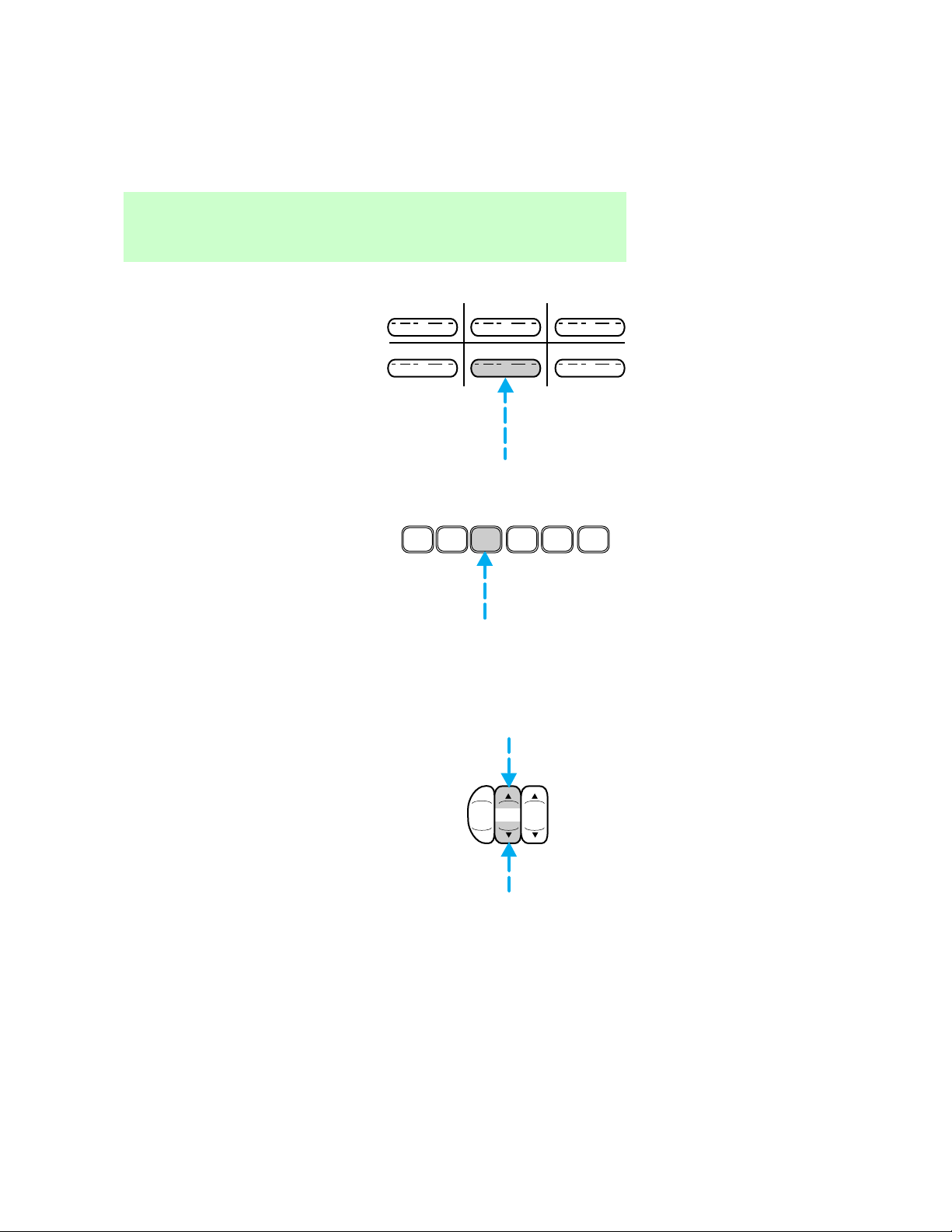
Setting memory preset stations
AMRadio:
1.Selectastation.RefertoTune
adjustformoreinformationon
selectingastation.
2.Pressandholdamemorypreset
controluntilthesoundreturns,
indicatingthestationisheldin
memoryonthecontrolyou
selected.
AM/FMorAM/FMcassette
radio:
1.Selectthefrequencybandwith
theAM/FMselectcontrol.
2.Selectastation.RefertoTune
adjustorSeekfunctionformore
informationonselectingastation.
3.Pressandholdamemorypreset
controluntilthesoundreturns,
indicatingthestationisheldin
memoryonthecontrolyou
selected.
Controlsandfeatures
1 2 3
4 5 6
1
2
3 4
5
6
Bassadjust
Thebassadjustcontrolallowsyou
toincreaseordecreasetheaudio
system’sbassoutput.
AM
FM
BASSTREB
11
Page 12
Controlsandfeatures
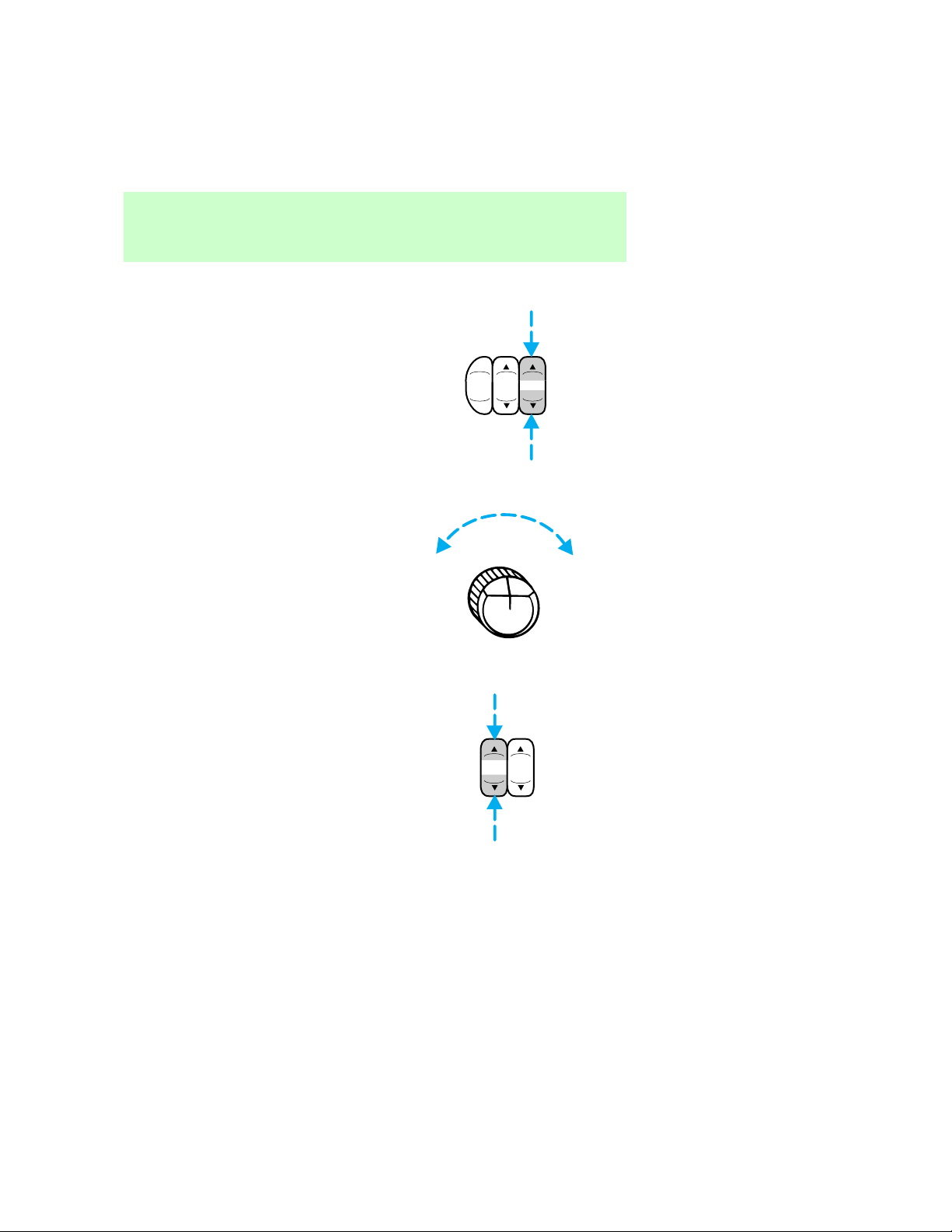
Trebleadjust
Thetrebleadjustcontrolallows
youtoincreaseordecreasethe
audiosystem’strebleoutput.
Toneadjust
Thetonecontroladjuststhebass
andtreblebalance.Rotatethe
controlclockwisetoincreasethe
trebleresponseand
counterclockwisetoincreasethe
bassresponse.
Speakerbalanceadjust
Speakersounddistributioncanbe
adjustedbetweentherightandleft
speakers.
AM
FM
BASSTREB
TONE
12
BALFADE
Page 13
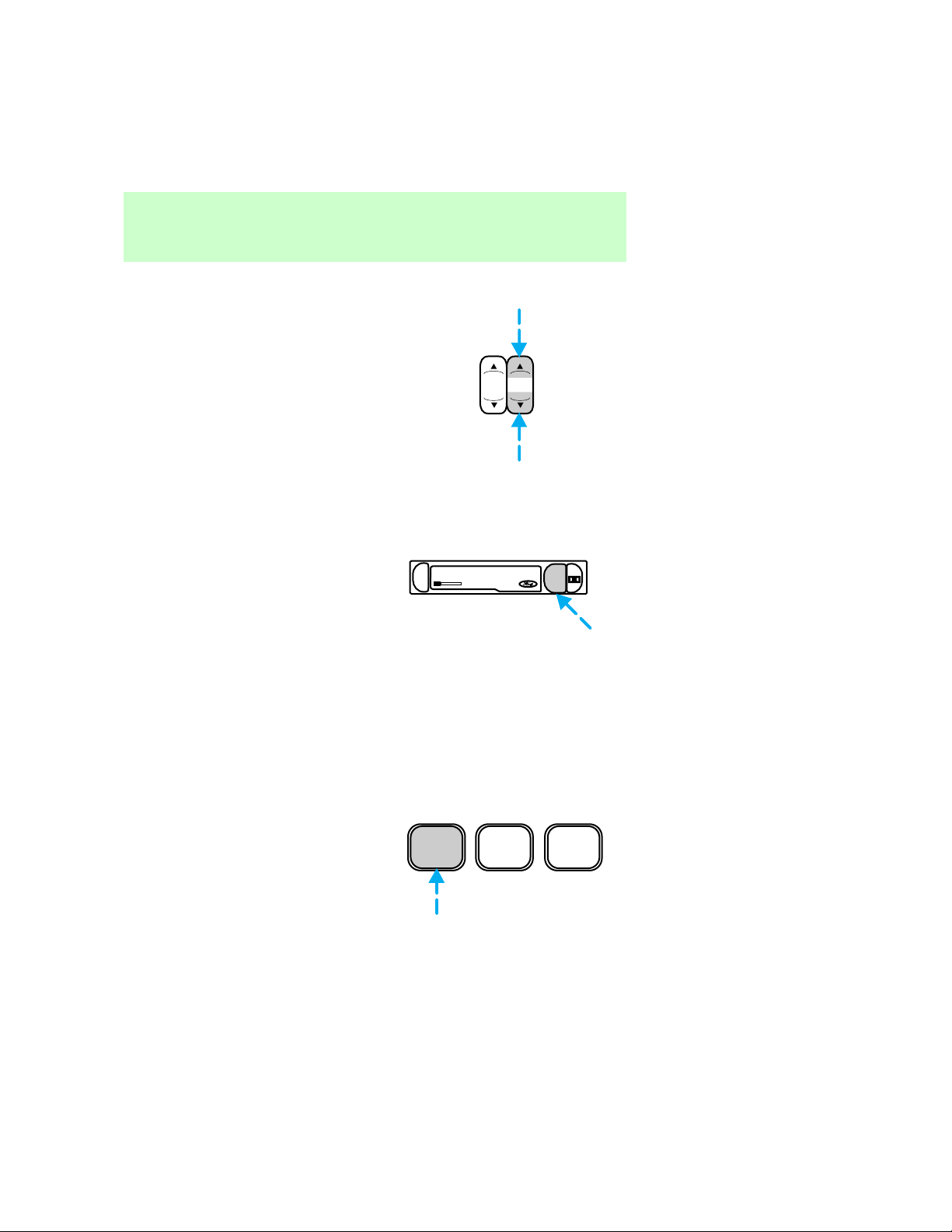
Speakerfadeadjust
Speakersounddistributioncanbe
adjustedbetweenthefrontand
rearspeakers.
Tapeplayselect
PresstheTAPEcontroltobegin
tapeplay(withatapeloadedin
theaudiosystemwhileinradio
mode).
Pressingthecontrolduring
rewindingandfast-forwarding
stopstherewindorfast-forward
function.
Controlsandfeatures
BALFADE
EJ
DOLBY SYSTEM
TAPE
Rewind
Therewindcontrol(REW)works
intapemodes(ifequipped).
Rewind function in tape mode
AfterpressingREW,theradio
playsuntilrewindisstopped(with
thetapecontrol)orthebeginning
ofthetapeisreached.
REW
1
FF
2
SIDE 1-2
3
13
Page 14
Controlsandfeatures
Fastforward
Thefastforwardcontrol(FF)
worksintapemode(ifequipped).
Fast forward function in tape
mode
AfterpressingFF,theradioplays
untilthefastforwardfunctionis
stopped(withthetapeplayselect
controlorthefastforwardcontrol)
ortheendofthetapeisreached.
Attheendofthefirstsideofthe
tape,directionautomatically
reversesandtheoppositesideof
thetapeplays.
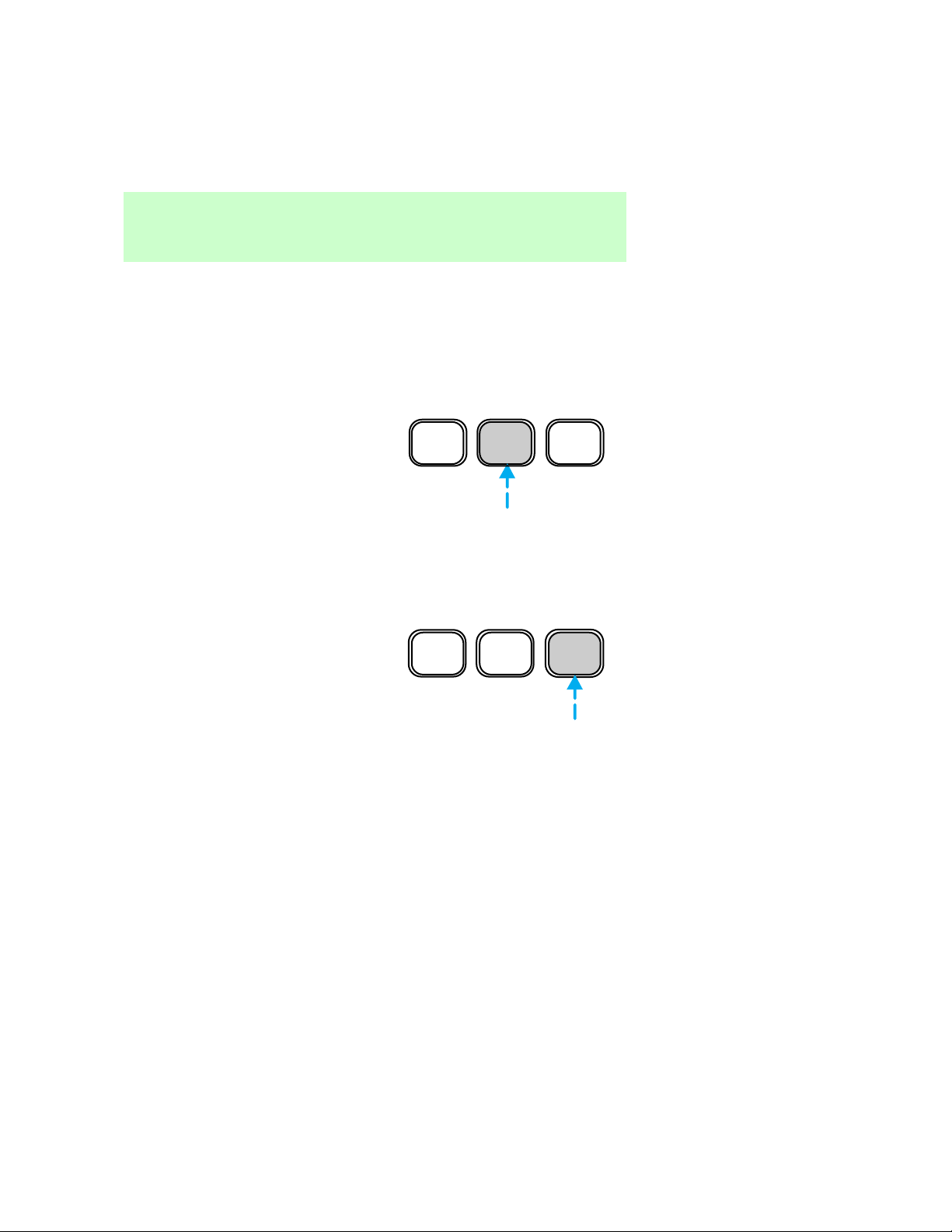
Tapedirectionselect
PressSIDE1–2toplaythe
alternatesideofatape.
REW
1
FF
2
SIDE 1-2
3
14
REW
1
FF
2
SIDE 1-2
3
Page 15
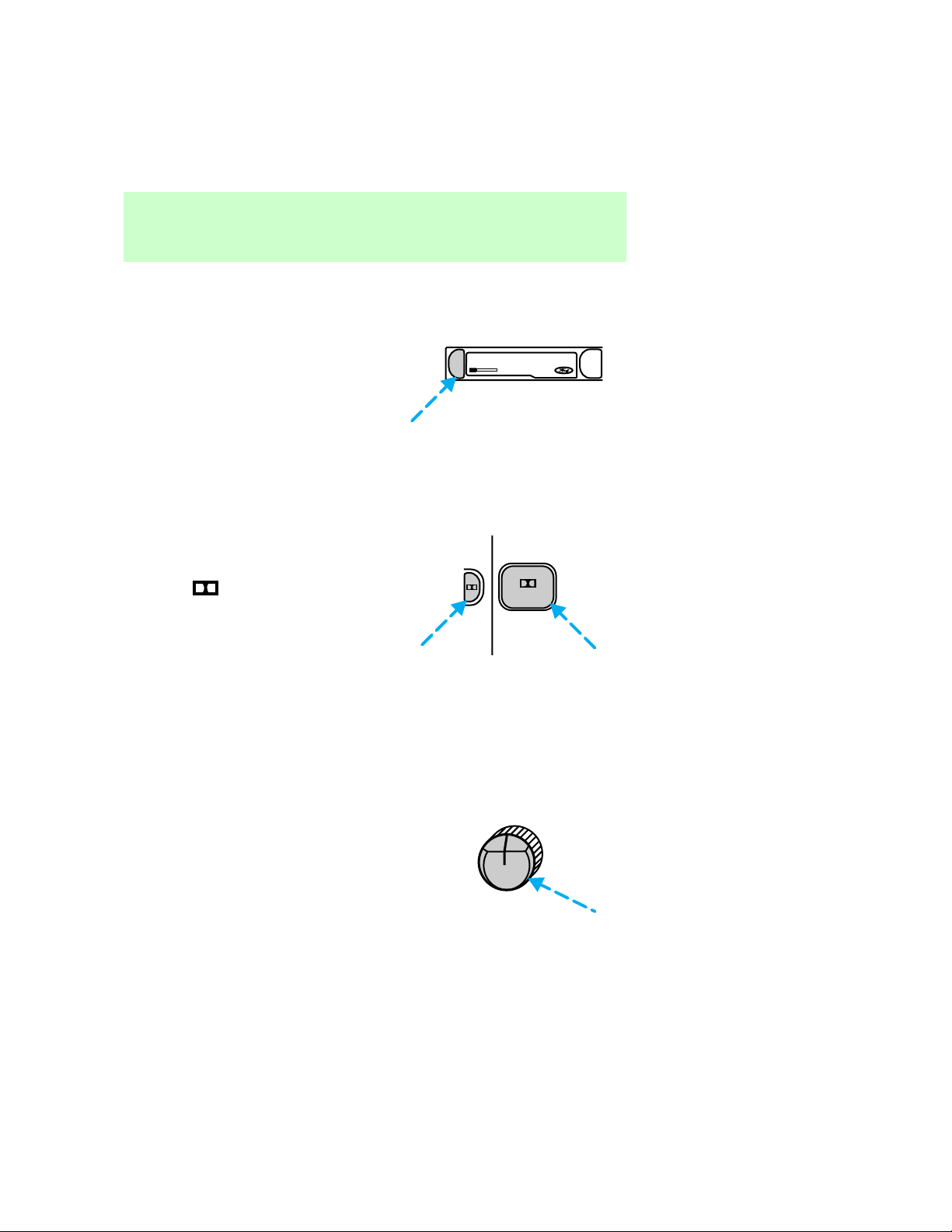
Tapeeject
PressEJtostopandejecta
cassettetape.
Controlsandfeatures
DolbyTnoisereduction
Dolbytnoisereductionoperates
onlyintapemode.Dolbytreduces
theamountofhissandstatic
duringtapeplayback.
Pressthe
buttontoactivate
(anddeactivate)Dolbytnoise
reduction.
Thenoisereductionsystemis
manufacturedunderlicensefrom
DolbyLaboratoriesLicensing
Corporation.
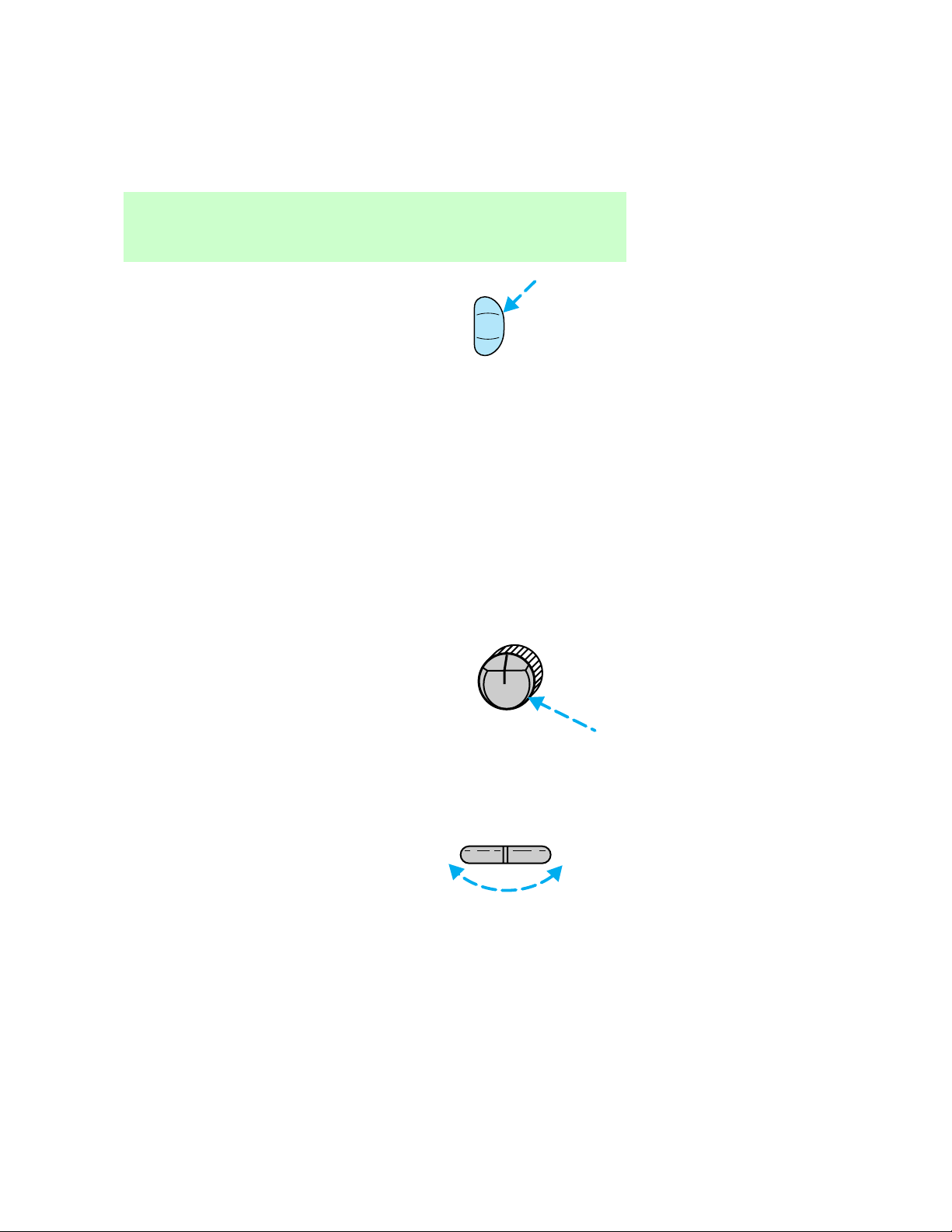
Clock
Pressthecontroltodisplaythe
timeontheaudiosystemdisplay.
•AMradio
EJ
DOLBY SYSTEM
4
TAPE
PUSH CLOCK
VOLON
15
Page 16
Controlsandfeatures
•AM/FMorAM/FMcassetteradio
Timeisdisplayed:
•untilanaudiofunctioncontrolis
pressed.
•approximatelytensecondsafter
eachaudiosystemchange.
•whentheaudiosystemisoff
andtheignitionisON.
Toremovetheclockdisplay,press
thecontrolagain.
Setting the clock
AMradio:
Holdthecontrolandpress:
CLK
VOLON
•theleftsideofTUNEcontrolto
increasehour.
•therightsideofTUNEcontrol
toincreaseminutes.
16
PUSH CLOCK
TUNE
—
+
Page 17
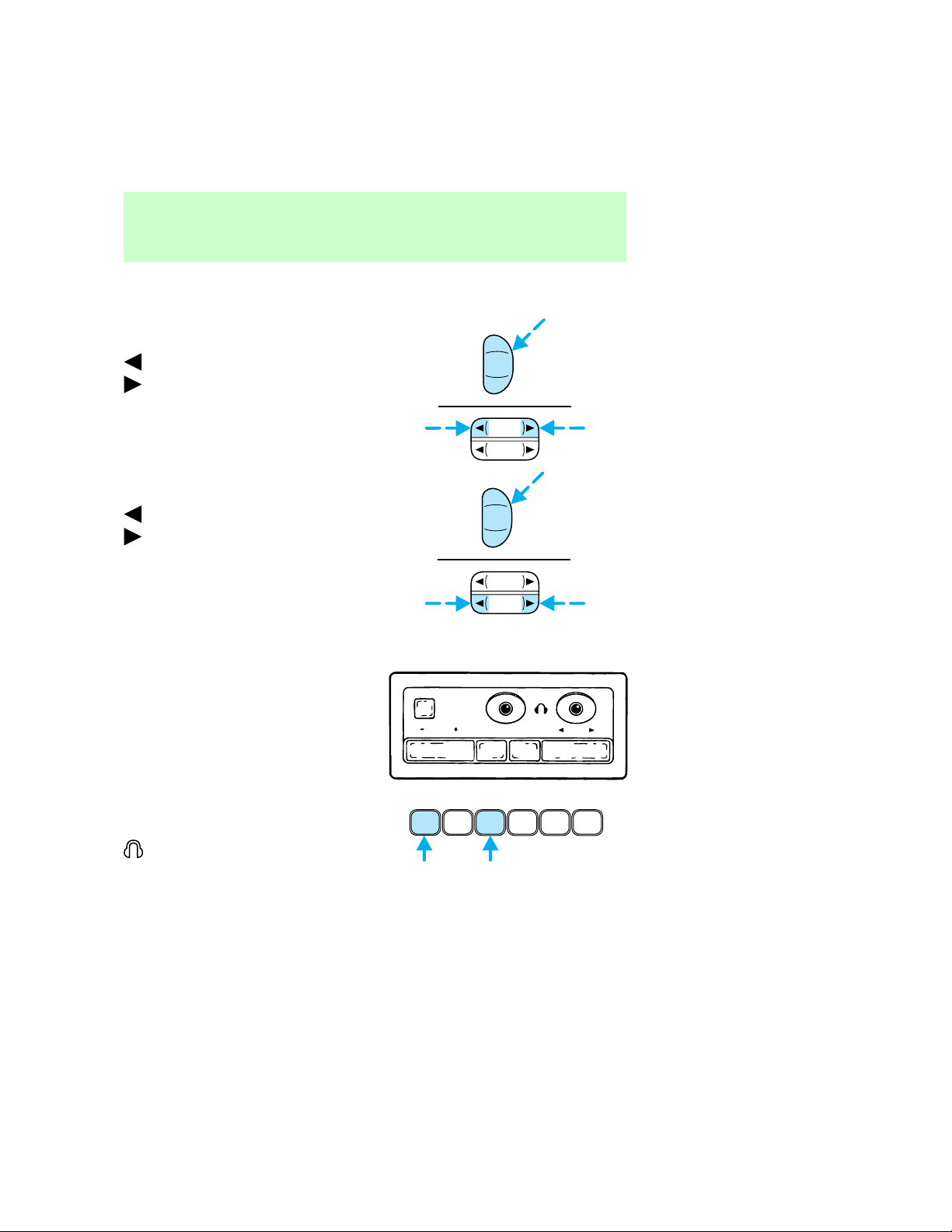
AM/FMorAM/FMcassette
radio:
Tosetthehour,holdtheCLK
controlandpress:
toincreasehourand
todecreasehours.
Tosettheminute,holdtheCLK
controlandpress:
toincreaseminutesand
todecreaseminutes.
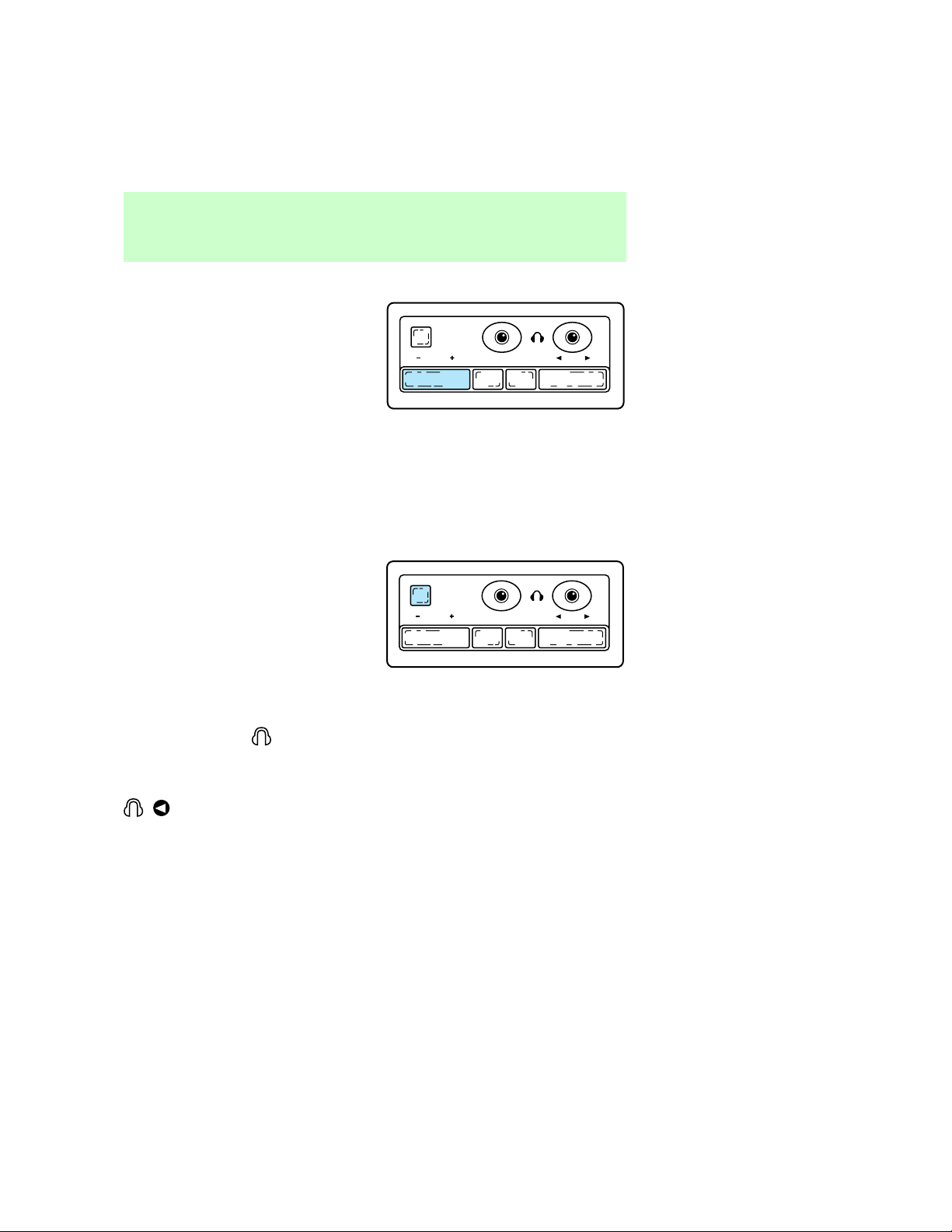
REARSEATCONTROLS(IF
EQUIPPED)
Therearseatcontrolsallowthe
rearseatpassengerstooperatethe
radioanduseheadphones.
Controlsandfeatures
CLK
SEEK
TUNE
CLK
SEEK
TUNE
SPEAKERS
ON/OFF
VOLUME BAND MEMORY SEEK
Toturnontherearseatcontrols,
pressthememorypresetcontrols
1and3atthesametime.The
willappearinthedisplay.
Pressing1and3atthesametime
againwillturntherearseat
controlsoff.
1 2 3 5 64
17
Page 18
Controlsandfeatures
Adjustingvolume
Pressthe+controltoincrease
volume.
Pressthe—controltodecrease
volume.
Fromtherearseatcontrols,
volumecontrolcanbesetno
higherthanthecurrentradio
settingunlessthespeakersare
turnedoff.RefertoTurning
speakersonandoff.
Turningthespeakersonandoff
Presstoturnthespeakersonor
off.
Usingheadphones
Pluga3.5mmheadphone(not
included)intothe
operateheadphoneswithspeakers
turnedoff.
Plugheadphonejackintothe
jacktooperate
headphoneswiththespeakers
turnedon.
jackto
SPEAKERS
ON/OFF
VOLUME BAND MEMORY SEEK
SPEAKERS
ON/OFF
VOLUME BAND MEMORY SEEK
18
Page 19
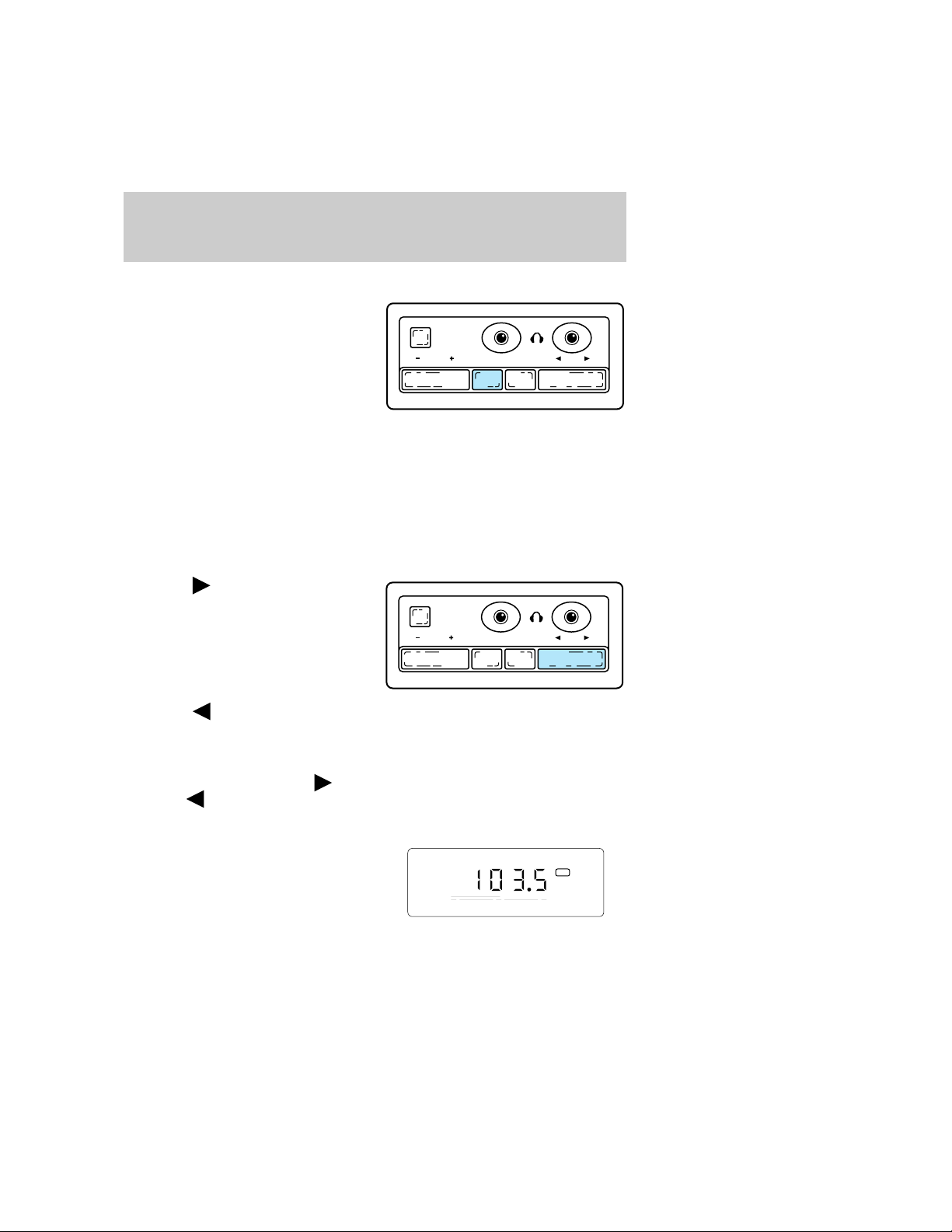
AMorFMselect
PushtheBANDcontroltochange
thefrequencybandbetweenAM,
FM1andFM2.
Memorypresetbutton
PushtheMEMORYcontrolto
accessthestationyouhaveset
intomemorypreset1.
PushtheMEMORYcontrol
successivelytoaccessstations1–6.
Seekfunction
Pressthe
sideoftheSEEK
controltoseekthenexthighest
radiostation.
Display
SPEAKERS
ON/OFF
VOLUME BAND MEMORY SEEK
SPEAKERS
ON/OFF
VOLUME BAND MEMORY SEEK
Pressthe
sideoftheSEEK
controlthenextlowerradio
station.
Intapemode,usetheSEEK
functiontoaccessthenext
previous
selection.
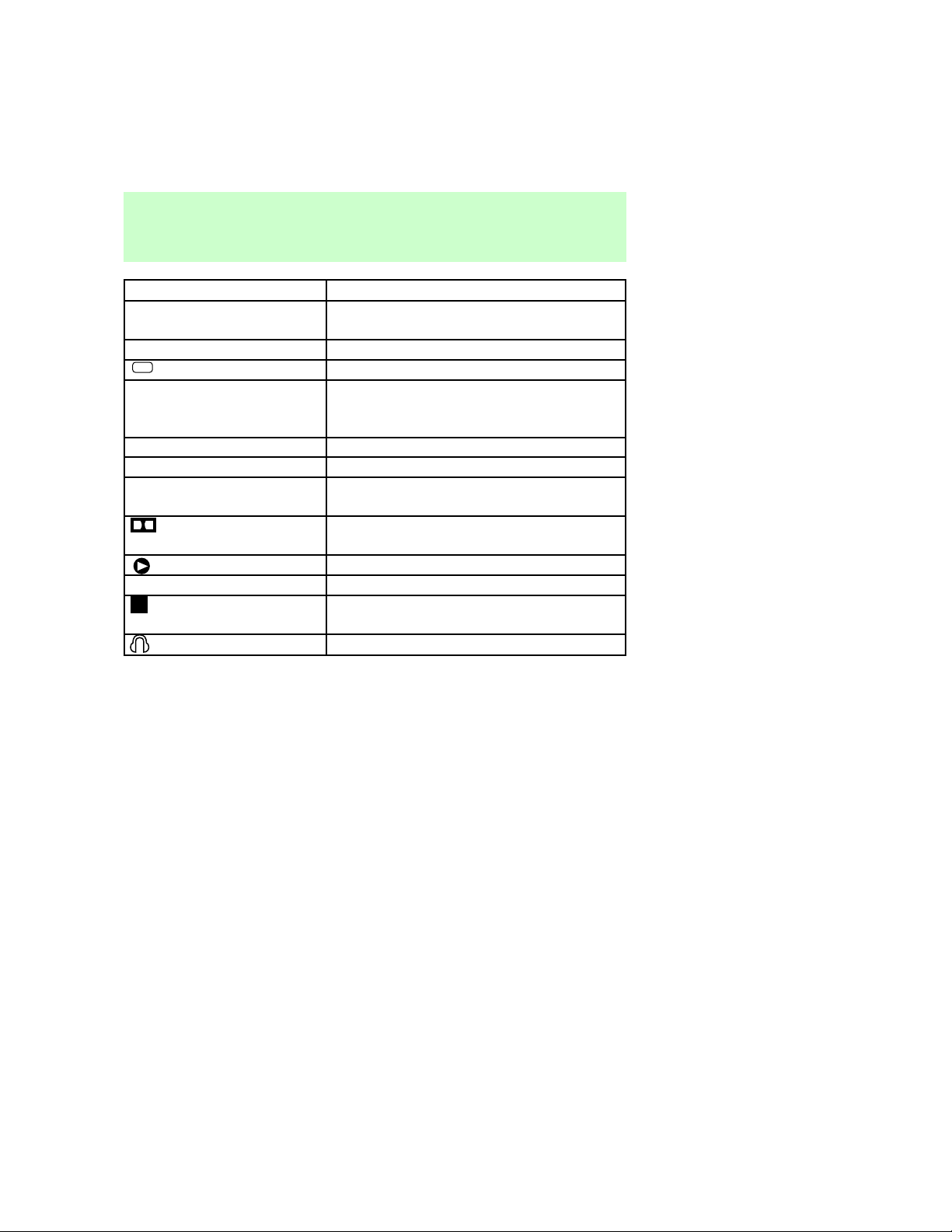
DISPLAY
Thedisplayscreengives
informationonthestatusofthe
audiosystem.
or
FM 1
ST
19
Page 20
Careandcleaning
Display¬ Information
AM,FM1,FM2¬ Indicatesfrequencybandaudiosystemis
in.
87.9to107.9/530to1610¬ Indicatescurrentlyplayingradiostation
ST
Illuminatedbars¬ Indicatesvolume,relativelevelofbass
TAPE¬ Indicatestapeisplaying
SC¬ Indicatestapeisscanning
NOTAPE¬ Indicatesnotapeinplayerwhentape
1or2¬ Indicatessideoftapeplaying
CLEANINGCASSETTEPLAYER
Cleanthetapeplayerheadwitha
cassettecleaningcartridgeafter
tentotwelvehoursofplayto
maintainthebestsoundand
operation.
Indicatesstereooperation
andtrebleandrelativelevelsofspeaker
balanceandfade.
selectbuttonispushed.
Indicates¬ DolbyT¬ Noise¬ Reduction
activation
Indicatestapeplay
Indicates¬ tape¬ is¬ rewinding¬ or¬ fast
forwarding
Indicatesrearseatcontrolison.
CASSETTEANDCASSETTE
PLAYERCARE
•Useonlycassettesthatare90
minuteslongorless.
•Donotexposetapestodirect
sunlight,highhumidity,extreme
heatorextremecold.Allow
tapesthatmayhavebeen
exposedtoextreme
20
Page 21

Radiofrequencyinformation
temperaturestoreacha
moderatetemperaturebefore
playing.
•Tightenveryloosetapesby
insertingafingerorpencilinto
theholeandturningthehub.
•Removelooselabelsbefore
insertingtapes.
•Donotleavetapesinthe
cassetteplayerforalongtime
whennotbeingplayed.
RADIOFREQUENCY
INFORMATION
TheFederalCommunications
Commission(FCC)andthe
CanadianRadioand
Telecommunications
Communications(CRTC)establish
thefrequenciesAMandFM
stationsmayusefortheir
broadcasts.Allowablefrequencies
are:
AM530,540–1600,1610kHzsteps
FM87.9,88.1–107.1,107.9Mhz
steps
Notallfrequenciesareusedina
givenarea.
RADIORECEPTIONFACTORS
Threefactorscanaffectradio
reception:
•Distance/strength.Thefurther
anFMstationtravels,the
weakeritis.Thelistenable
rangeoftheaverageFMstation
isapproximately40km(24
miles).Thisrangecanbe
21
Page 22

Warrantiesandservice
affectedby“signalmodulation.”
Signalmodulationisaprocess
radiostationsusetoincrease
theirstrength/volumerelativeto
otherstations.
•Terrain.Hills,mountainsandtall
buildingsbetweenyourvehicle’s
antennaandtheradiostation
signalcancauseFMreception
problems.Staticcanbecaused
onAMstationsbypowerlines,
electricfences,trafficlightsand
thunderstorms.Movingaway
fromaninterferingstructure
(outofits“shadow”)returns
yourreceptiontonormal.
•Stationoverload.Weakstations
aresometimescapturedby
strongerstationswhenyoupass
abroadcasttower.Astronger
stationmaytemporarily
overtakeaweakerstationand
playwhiletheweakstation
frequencyisdisplayed.
Theaudiosystemautomatically
switchestosinglechannel
receptionifitwillimprovethe
receptionofastationnormally
receivedinstereo.
WARRANTIESANDSERVICE
Refertothe“WarrantyGuide”for
audiosystemwarrantyinformation.
Ifserviceisnecessary,seeyour
dealeroraqualifiedtechnician.
22
Page 23

Index
AM/FM select ................................7
Audio power ..................................6
Bass adjust ..................................11
Clock ............................................15
Display .........................................19
Dolby
Pr noise reduction ....................15
Fast forward function .................14
Radio frequency
information ................................21
reception ...................................21
Rewind function ..........................13
Scan function ..............................10
Seek function ................................9
Speaker balance adjust ..............12
Stations
selecting ....................................10
Tape direction select ..................14
Tape select ..................................13
Treble adjust ...............................12
Warranties
radio ...........................................22
23
 Loading...