

Page 1
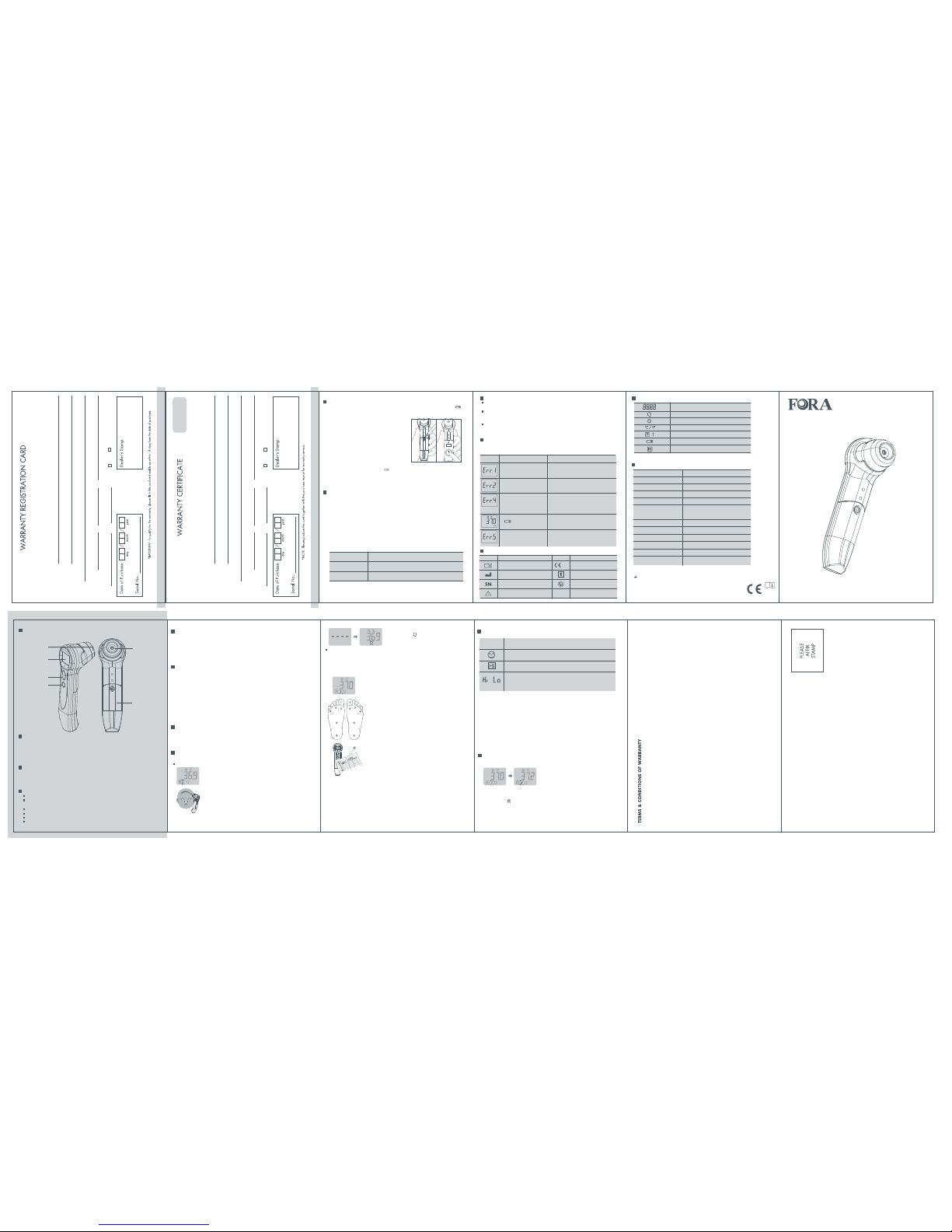
APPEARANCE AND KEY FUNCTIONS OF THE THERMOMETER
Owner's Booklet
INTRODUCTION
Thank you for choosing the FORA IR19 forehead_foot_skin_surface thermometer. Please
read this instruction manual first so you can use this thermometer safely and correctly.
Please keep this instruction manual for future reference. This innovative medical device
uses advanced infrared (IR) technology to measure temperature instantly and accurately on
the skin.
HOW DOES IT WORK
The FORA IR19 forehead_foot_skin_surface thermometer detects the heat generated by
the skin over the temporal artery. FORA IR19 thermometer converts this heat into a
temperature value in one second. The device is also suitable for surface temperature
measurements such as for feet, skin and other surfaces.
HIGHLIGHTED FEATURES
Fast and accurate: meets the accuracy requirement specified in ASTM E1965-98.
Non-contact measurement that is no probe cover is required, thus saving the cost of
replacement.
A probe that can be wiped using a clean cloth slightly dampened with alcohol or water.
Automatically turn off if left unused over 30 seconds.
Big button improves handling and activation.
Memory function allows you to recall previous results up to 10 measurements.
1. As with any thermometer, proper technique is crucial to getting accurate temperature
readings. Please read this manual thoroughly and carefully before using.
2. Always store the thermometer in a cool and dry place: temperature between -20°C and
60°C (-4°F and 140°F); relative humidity less than 95%.
3. Avoid direct sunlight.
4. Avoid dropping the thermometer.
5. Do not touch the lens.
6. Do not disassemble the thermometer.
7. Basic safety precautions should always be observed, especially when the thermometer is
used on or near children or disabled persons.
8. The use of this thermometer is not intended as a substitute for a consultation with your
physician.
Step 3
Read the result. " " is shown together with a
temperature value. The thermometer will automatically
switch off if left unused for over 30 seconds.
Message What it means What to do
DISPLAY SCREEN
SPECIFICATIONS
CARE & CLEANING
The probe is waterproof. Please wipe it clean with a dry cloth or damped with 70%
alcohol.
The body of the thermometer is not water-resistant. Please never put the thermometer
under a running tap water or immerse it with any fluid. Use a soft and dry cloth to clean
it. Do not use abrasive cleaners.
Store the thermometer in a cool and dry location. Please keep it from dust and away
from direct sunlight.
TROUBLESHOOTING
The table below shows problems you may encounter. Please follow "what to do" to
resolve problems. If the problem still exists, please call your local dealer for help.
Room temperature is below
10°C.
Room temperature is above
40°C.
Error occurs in the meter.
Battery is too low to measure
temperature correctly.
No measurements will be
taken.
Put the thermometer under operating
temperature range of 10°C to 40°C (50°F
to 104°F).
Put the thermometer under operating
temperature range of 10°C to 40°C (50°F
to 104°F).
Please put the thermometer under
operating temperature rangr of 10°C to
40°C (50°F to 104°F). If the problem is
unsolved, please contact the customer
service line.
May continue to use the thermometer, but
should change a new battery as soon as
possible.
Change a new battery immediately.
Battery is low and
" " is shown on LCD.
Temperature reading
Forehead temperature indicator
Temperature falls within normal range
Celsius scale / Fahrenheit Scale
Memory mode
Low battery power indicator
High temperature indicator
Dimensions 149 (L) x 44 (W) x 54.23 (H) mm
73.2g (with battery)
22°C to 44°C (71.6°F to 111.2°F)
0.1°C / 0.1°F
°C or °F
10°C to 40°C (50°F to 104°F)
95% RH or less
95% RH or less
10 measurements
-20°C to 60°C (-4°F to 140°F)
±0.3°C (±0.5°F) for the range of
35.0°C (96.8°F) ~ 41.0°C (102.2°F)
Weight
Displayed temperature range
Display resolution
Accuracy
Temperature unit
Operating temperature range
Operating humidity
Storage temperature range
Storage humidity
Memory capacity
311-1119100-015
Model no. FORA IR19
SYMBOL INFORMATION
Dealer’s portion
2-YEAR
WARRANTY
Owner’s portion
Name of product:
Name of owner:
Address:
Tel No: (Mobile) (H) (O)
Email: Age: Gender: M F
Name of product:
Name of owner:
Address:
Tel No: (Mobile) (H) (O)
Email: Age: Gender: M F
DEALER’S INFORMATION
1. We warrant this product to be free of defects in workmanship and materials
within the said warranty period on the warranty certificate.
2. During the warranty period, if this product is found to be defective, you may bring it,
together with the purchase receipt and Warranty Certificate, on a carry-in basis to our
office during normal business hours for warranty service. We will then repair or replace
defective parts or exchange the whole product as we may choose, at no charge to
the original owner. After such repair, replacement or exchange, the product will be
warranted for up to the remainder of the warranty period.
3.This warranty is valid only if the Warranty Certificate and Warranty Registration Card are
duly completed with date of purchase, serial number and dealer’s stamp, and if the
Warranty Registration Card is sent to our office not later than 14 days from the date of purchase.
4. This warranty is void if this product has been repaired or serviced by unauthorized person.
This warranty does not cover defects caused by misuse, abuse, accident, tampering, lack
of reasonable care, fire or any other acts beyond human control.
5. Except as
stated in the above paragraphs, we disclaim all other warranties, implied or
expressed, including the warranties of merchantability or fitness for a particular purpose
with respect to the use of this product. We shall not be liable for any direct, consequential
or incidental damages arising out of the use or inability to use this product.
0459
ForaCare Suisse AG
CH-9000 St. Gallen
www.foracare.ch
Forehead_Foot_Skin_Surface
Thermometer
IR19
Symbol Referent Symbol Referent
Consult instructions for use
Manufacturer
Serial number
Caution, consult accompanying
documents
CE mark
Type BF equipment
Do not use if package is
damaged
0459
CAUTIONS & WARNINGS
Forehead measurement
Do not remove the front cover to measure.
USING THE DEVICE
This thermometer is clinically proven to produce accurate temperature measurements.
However, please be advised if you have the following situations: The accuracy cannot be
ensured when the thermometer is not clean. Check that the probe is clean before taking a
measurement.
Step 1
Press and release the ON/ MEMORY button. When ready, the
thermometer beeps and displays the last measurement.
Step 2
Perform a forehead measurement with a non-contact distance within 3 cm.
Press and hold the SCAN button, at the same time slowly slide the
thermometer probe across the skin/surface (from one temple to another).
As long as you are holding the scan button the thermometer will continue
to measure. Therefore, once you release the button the thermometer will
provide you with a result. To conduct a spot temperature measurement,
simply press and immediately release the SCAN button. Spot
measurements are possible for measurements on the feet, skin or
measuring the temperature of other surfaces.
1. Sit in a comfortable chair.
2. Take temperature measurement in the morning after you have been out of bed for at
least 5 minutes. Remove any socks or stocking prior to taking readings. If you have
been active (walking, etc.) let your feet rest for 5 minutes prior to taking
measurements.
5. Read the result and record it in the block for site 1 on your
log sheet.
6. Continue to take and record the measurements of the remaining five sites on your
right foot and then move to your left foot and take and record all six measurements.
7. The thermometer will automatically turn off if left without use over 30 seconds.
8. When you have completed taking and recording all 12 measurements on the bottom
of your feet, take a few minutes to review the data on your log sheet.
9. Compare the measurements taken from the same sites between your feet. If you
have a reading on one foot that is greater than the same site on the other foot by
more than 2.2ºC (4ºF), this indicates that you may have a “hot spot”. This has the
potential to become a more serious problem such as a foot ulcer. Contact your
physician as soon as possible for advice.
RESTRICTIONS OF USE
IMPORTANT SAFETY INSTRUCTIONS
READ THIS BEFORE USING AND KEEP THESE INSTRUCTIONS
The following basic safety precautions should always be taken.
1. Close supervision is necessary when the device is used by, on or near children,
handicapped persons or invalids.
2. Use the device only for the intended use described in this manual.
3. Do not use the device if it is not working properly, or if it has suffered any damage.
ABOUT NORMAL BODY TEMPERATURE & FEVER
The body temperature can vary with the individual. It also varies at different parts of the
body and different time of the day. The following table1 shows the statistical normal ranges
from different sites. Please keep in mind that temperatures measured from different sites,
even at the same time, should not be directly compared.
Fever means that the body temperature is higher than normal. This symptom may be
potentially caused by infection, overdressing or immunization. But some people may not
undergo fever even when they are ill. These include, but are not limited to, infants not
more than 3 months old, persons with compromised immune systems, persons taking
antibiotics, steroids or antipyretics (aspirin, ibuprofen, acetaminophen), or persons with
some chronic illnesses. Please consult your physician when you feel ill even if there is no fever.
RESULT INDICATORS
RECALLING THE MEMORY
Your thermometer stores the 10 most recent readings in the memory. Make sure the
thermometer is in " OFF " mode before recall.
Tips for Measuring Temperature
1. As with any type of thermometer, you may observe slight variations in consecutive
measurements. It is recommended that you take 3 temperature readings and use the
highest one for the following situations:
(1) Infants not more than 3 months old.
(2) Children not more than 3 years old who have a compromised immune
system, where the presence / absence of fever is critical.
(3) When you are learning to use the thermometer.
2. Please wait at least 30 minutes after the following situations before taking a reading.
(1) After exercising, swimming, or taking a bath. When exposed to extreme temperatures.
(2) During eating and talking.
Version 1.0 04,2013
Foot measurement
3. Hold the thermometer in your hand and turn it on by pressing
the ON/MEMORY button, the thermometer beeps and displays
the last measurement.
4. You will be taking a minimum of six temperature
measurements at different sites ON EACH FOOT as shown
below. Start at site 1, perform a foot measurement with a
contact measurement. Press and release the Scan button. Do
not remove until the thermometer beeps.
Message What it means
Temperature falls within measurement range: 38°C to 44°C
(100.4°F to 111.2°F).
Temperature measurement falls outside the displayed temperature
range: 22°C to 44°C (71.6°F to 111.2°F). Please follow this manual to
take a reading again.
Temperature falls within measurement range:
22°C to 37.9°C (71.6°F to 100.2°F).
Step 1
Press the ON / MEMORY button to enter the memory.
Step 2
Press the ON / MEMORY button to review the result. Each time you press the ON /
MEMORY button, LCD will display stored temperature (latest result shown first),
together with " " and number (from 1 to 10). When the memory is full, the oldest
result is deleted as the new one added.
Step 3
The meter will automatically turn off if left without pressing any button within 30
seconds.
*1. Body Temperature at WebMD;
website: http://firstaid.webmd.com/body-temperature retrieved at 2010 Jan 7.
Table 1*1 Body Site Normal Temperature Range
Oral 0.6°C (1°F) or more above or below 37°C (98.6°F)
Rectal/ear
0.3°C to 0.6°C (0.5°F to 1°F) higher than oral temperature
Axillary (armpit) 0.3°C to 0.6°C (0.5°F to 1°F) lower than oral temperature
(Figure 2)(Figure 1)
Probe
Front Cover
Display Screen
SCAN Button
ON / MEMORY
Button
Battery
Compartment
REPLACE THE BATTERY
The thermometer comes with one CR2032 lithium coin battery . Replace it when " "
appears. Please follow the steps to replace a new battery.
Step 1
Push down the battery cover.(Figure 1)
Step 2
Place the new battery (with the
" + " sign facing
upwards) into the battery compartment and press
it in until the battery is firmly secured. (Figure 2)
Step 3
Recrew the battery cover.
NOTE
1. Although the thermometer works when " " appears, we still recommend that you change the battery to
obtain an accurate result.
2. Remove the battery if stored for a long period of time.
3. The battery should be kept away out of child’s reach. If they are swallowed, promptly see a doctor for
help.
 Loading...