

Page 1
www.footfallcam.com API Documentation
1
USER MANUAL
For FootfallCam 3D Plus
Page 2

www.footfallcam.com API Documentation
2
Table of Content
1.0 Overview
2.0 Export Footfall Data to Retailer System
2.1 Pull Data via API
2.2 Pull Data from Central Database
2.3 Pull Data from FTP Server
2.4 Download CSV from FootfallCam Portal
3.0 Import Data from Retailer System
3.1 Push Data via API
3.1.1 ePOS Data
3.1.2 Staff Labour Hours
3.2 Push Data to FTP Server
1
2
3
3
4
Page 3
www.footfallcam.com API Documentation
3
1.0 Overview
FootfallCam is a fully embedded software module, intended for any environment where store footfall counting is required. Business
intelligence (BI) system extracts and analyses footfall data (from FootfallCam central server) together with ePOS data or staff labour hours
(from retailer’s ePOS system or staff management system) to produce management report for corporate strategic planning.
There are several ways of integrating footfall data with the ePOS data or staff labour hours:
Export footfall data to retailer system
Import ePOS data or staff labour hours to FootfallCam central server
2.0 Export Footfall Data to Retailer System
2.1 Pull Data via API
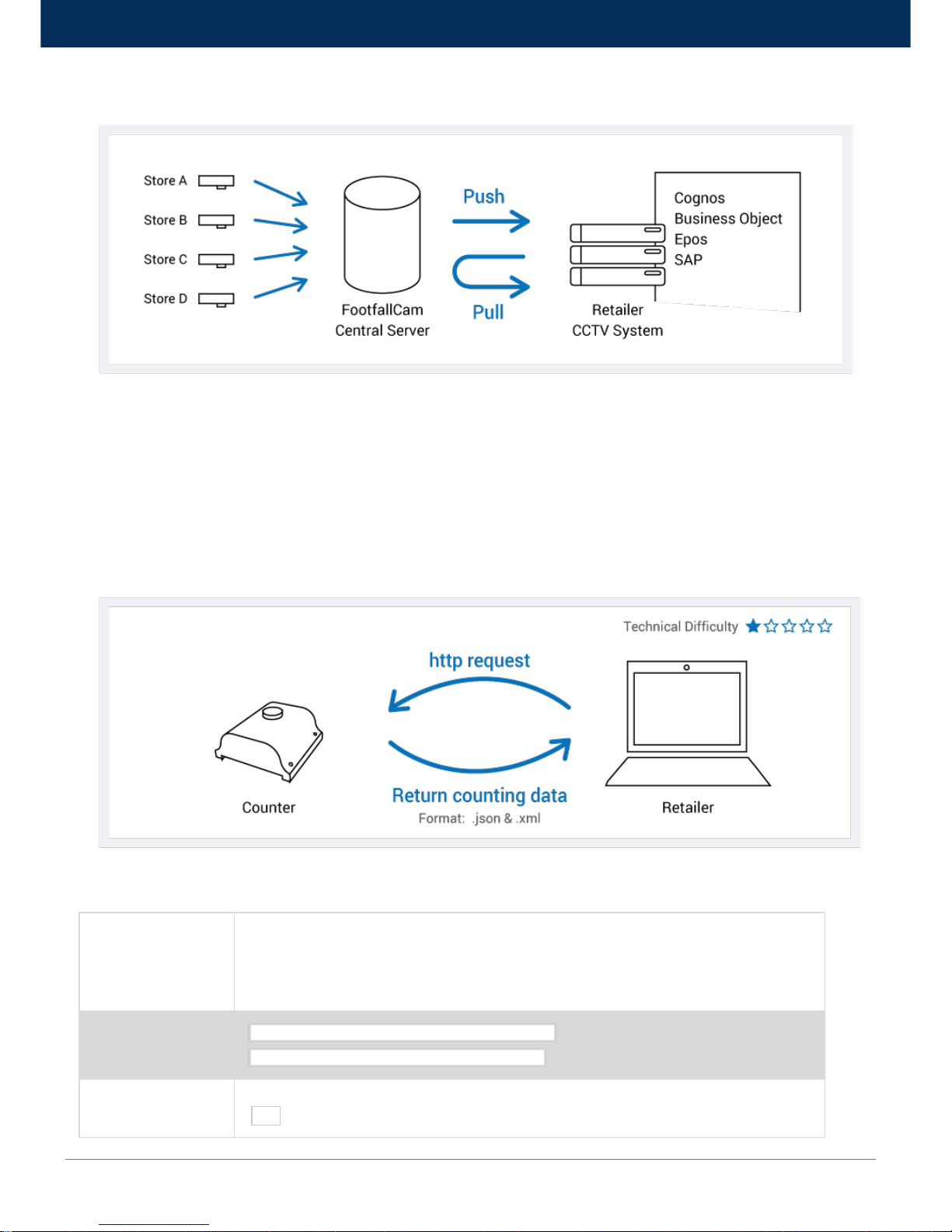
The camera automatically collects the traffic data and builds them into a convenient JSON/XML data file that can be retrieved easily via a web
service API call, hence allowing seamless integration of the camera into any existing solution. Through an API call, the data file will be
extracted from FootfallCam portal to the business intelligence system for further data processing in order to generate the management report.
Title
Get Counting Data
Description: API Function to receive counting data.
Counting data includes Timestamp, number of In count per 15 minutes, number of Out count per 15 minutes
URL
http://<ip to counter>:<port>/pi-cgi/data.json (JSON Format)
http://<ip to counter>:<port>/pi-cgi/data.xml (XML Format)
Method
GET
Page 4
www.footfallcam.com API Documentation
4
URL Params
Optional:-
Name
Value
Description
date
omit
Single day - <YYYYMMDD>
Date range –
<YYYYMMDD>-<YYYYMMDD>
omit – The current day data
Single day – Data on the
specified day
Date range – Data on the
specified data range, both
starting and ending is inclusive
Data Params
None
Success Response
(JSON)
Example:
Content: {
"cameraData": {
"companyCode": "<Company Code>",
"cameraName": "<Counter Name>",
"offset": <offset>
},
"data": [
{
"timestamp": <timestamp>,
"inCount": <valuein>,
"outCount": <valueout>
}]
}
Success Response
(XML)
<?xml version=”1.0” ?>
<count data>
Where <count data> is
<countdata version="2">
<count set>
</countdata>
<typedesc> is description of count type, where 3 represent In, and 4 represent Out.
<typedesc>
<type typeid="3">Pedestrian coming in</type>
<type typeid="4">Pedestrian going out</type>
</typedesc>
and <count set> is
<cntset name="<Company Code> - <Counter Name>" starttime="<start time>" delta="<delta>">
<count group>
</cntset>
Page 5
www.footfallcam.com API Documentation
5
<start time> is POSIX format (seconds since 00:00:00 UTC, January 1, 1970) for the day
<delta> is the time interval specified in seconds between each entry and <count group> is
<cntgroup endtime="<end time>">
<cnt typeid="3"><valuein></cnt>
<cnt typeid="4"><valueout></cnt>
</cntgroup>
Sample Call
curl http://<ip to counter>:<port>/pi-cgi/data.json?date=20140101-20140131
Notes
None
2.2 Pull Data from Central Database
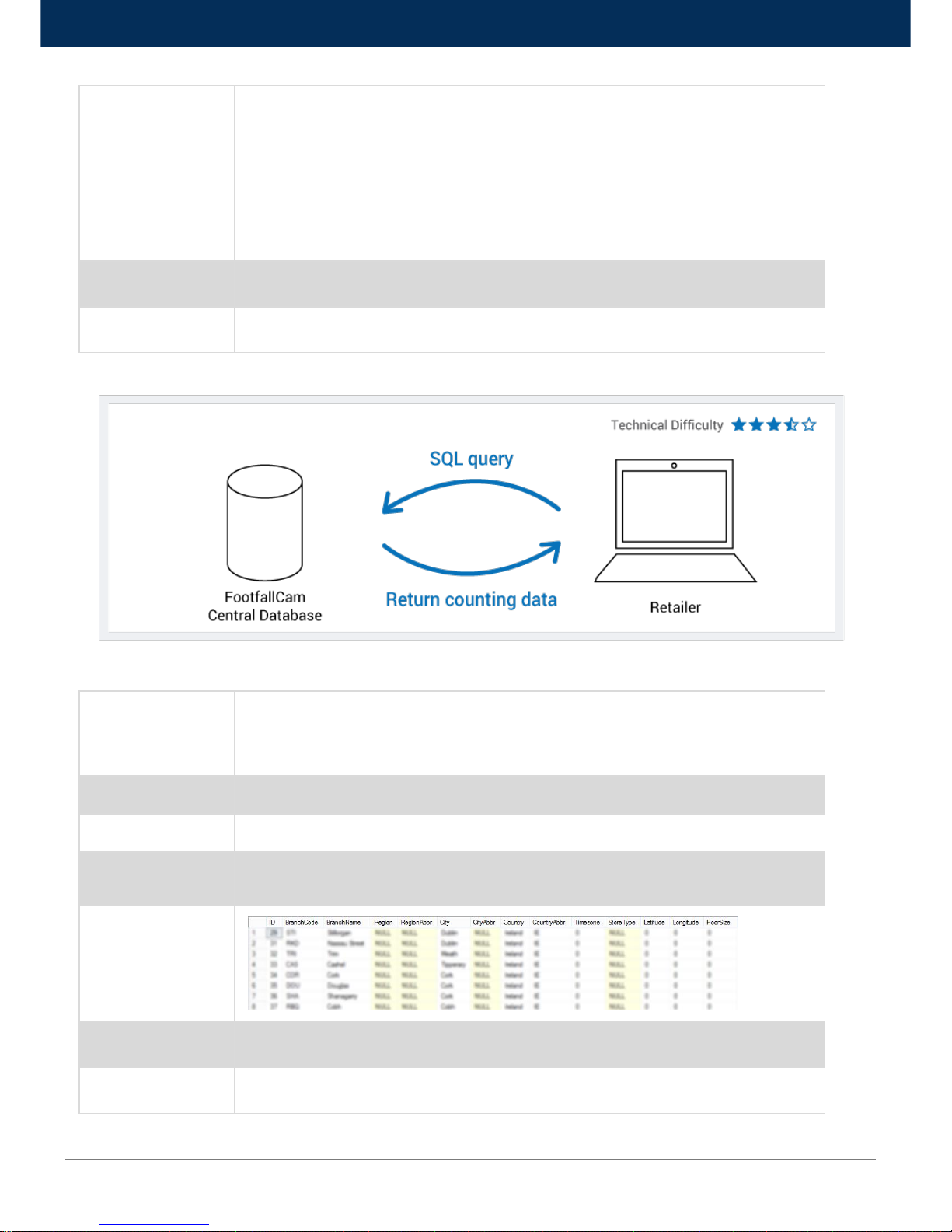
Instead of using API, users may choose to extract the footfall data directly from FootfallCam Central Database. This involves establishing a
remote connection directly to the database to extract the data from the relevant table to the business intelligence system.
Title
Get Branch List
Description: SQL Function to retrieve branch list.
Branch data include Branch Id, Name, Region, City, Country, StoreType, Latitude, Longitude and Floor Size
Function Name
GetBranchList
Method
SQL
Data Params
Username [nvarchar]
Password [nvarchar]
Success Response
Sample Call
SELECT * FROM GetBranchList('username','password');
Notes
None
Page 6
www.footfallcam.com API Documentation
6
Title
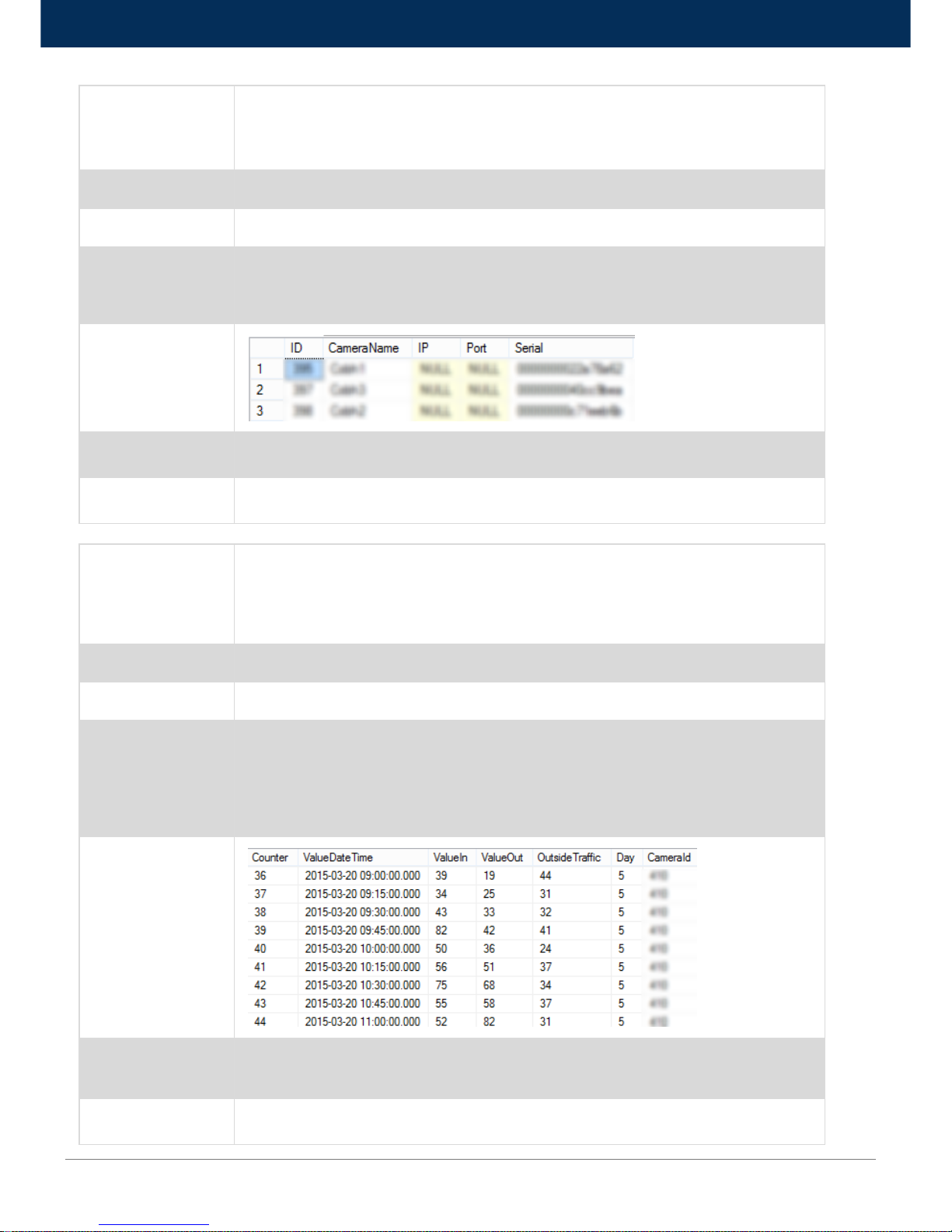
Get Counter By Branch
Description: SQL Function to retrieve counters filtered by branch.
Counter data include Counter Id, Name, IP, Port, Serial
Function Name
GetCounterByBranch
Method
SQL
Data Params
Username [nvarchar]
Password [nvarchar]
BranchId [bigint]
Success Response
Sample Call
SELECT * FROM GetCounterByBranch('username', 'password', 37);
Notes
None
Title
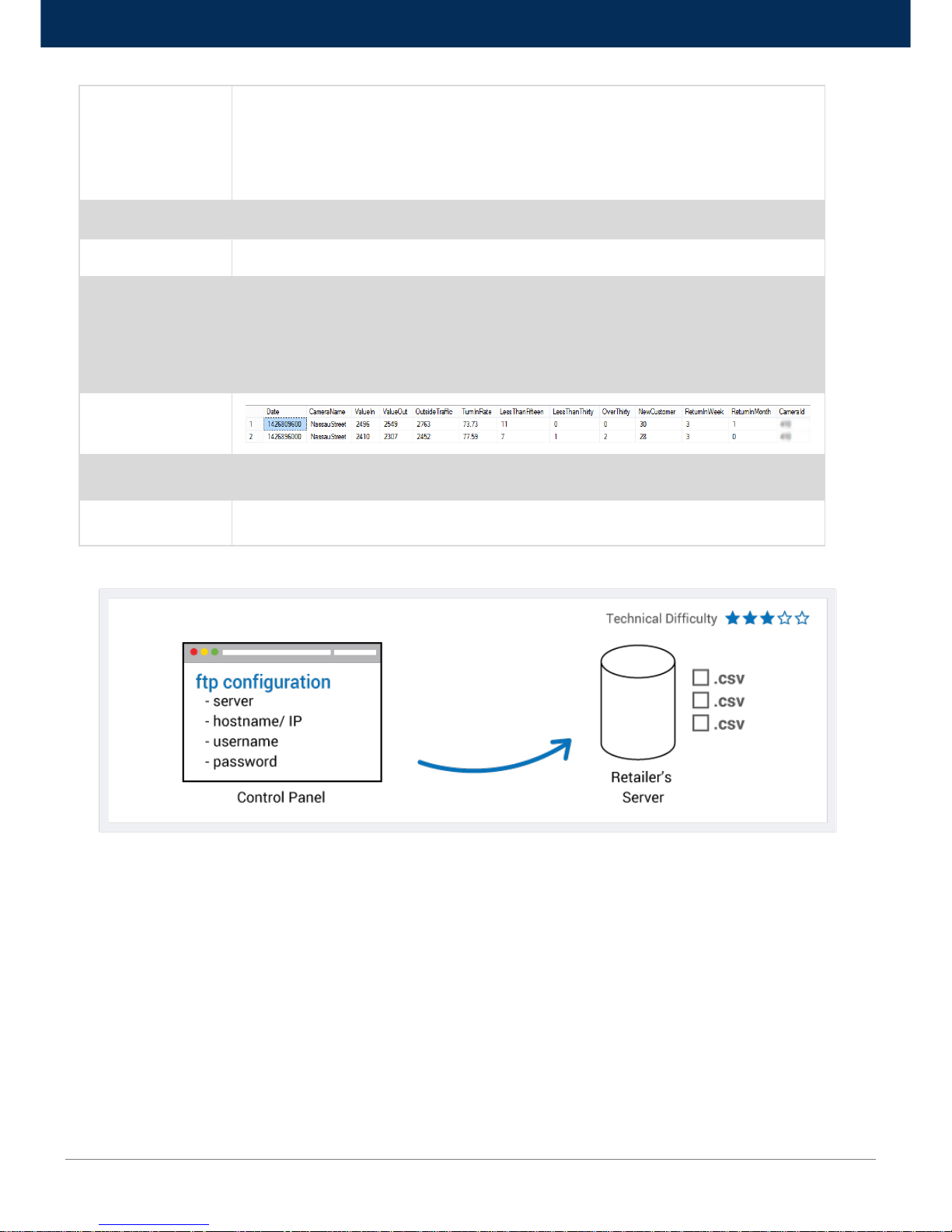
Get Counter Counting
Description: SQL Function to retrieve counting filtered by counter.
Counting data include Counter (in hourly interval), ValueDateTime, ValueIn, ValueOut, OutsideTraffic, Day,
CounterId
Function Name
GetCounterCounting
Method
SQL
Data Params
Username [nvarchar]
Password [nvarchar]
CounterId [bigint]
StartDate [datetime]
EndDate [datetime]
Success Response
Sample Call
SELECT * FROM GetCounterCounting('username', 'password', 410, '2015-03-20 00:00:00', '2015-03-20
23:59:59');
Notes
None
Page 7
www.footfallcam.com API Documentation
7
Title
Get Counter Daily Summary
Description: SQL Function to retrieve daily summary filtered by counter
Counting data include Date (POSIX Timestamp), CameraName, ValueIn, ValueOut, OutsideTraffic,
TurnInRate, LessThanFifteen, LessThanThiry, OverThirty, NewCustomer, ReturnInWeek, ReturnInMonth,
CounterId
Function Name
GetCounterDailySummary
Method
SQL
Data Params
Username [nvarchar]
Password [nvarchar]
CounterId [bigint]
StartDate [bigint] (POSIX Timestamp)
EndDate [bigint] (POSIX Timestamp)
Success Response
Sample Call
SELECT * FROM GetCounterDailySummary('username', 'password', 410, 1426809600, 1426896001);
Notes
None
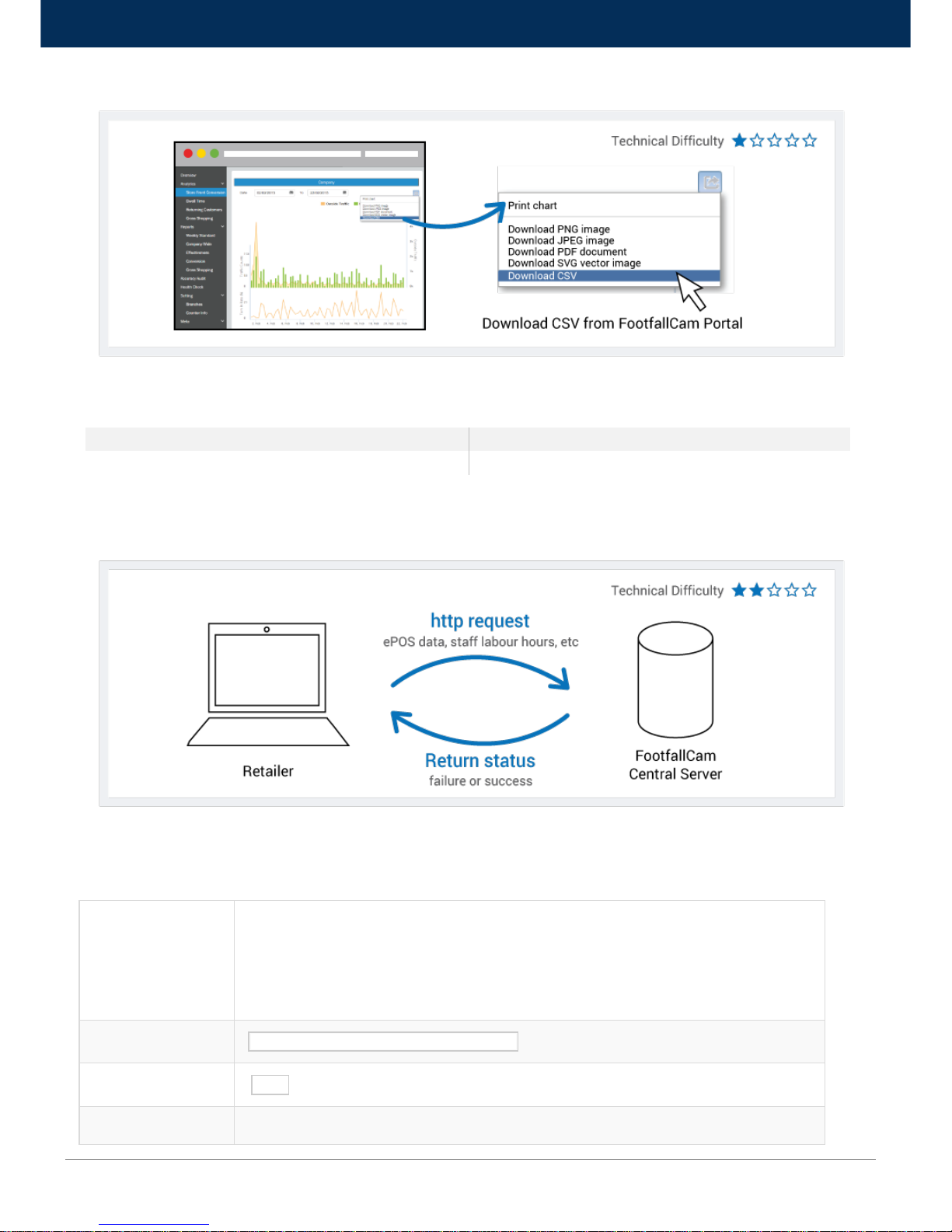
2.3 Push to FTP Server
A dedicated FTP server will be provided by retailer as a ‘shared folder’ where access (link, username and password) will be given to
FootfallCam technical team to dump the footfall data (.csv files) into it. These data will then being retrieved from the FTP Server to the
business intelligence system for further data processing to generate the management report.
Page 8
www.footfallcam.com API Documentation
8
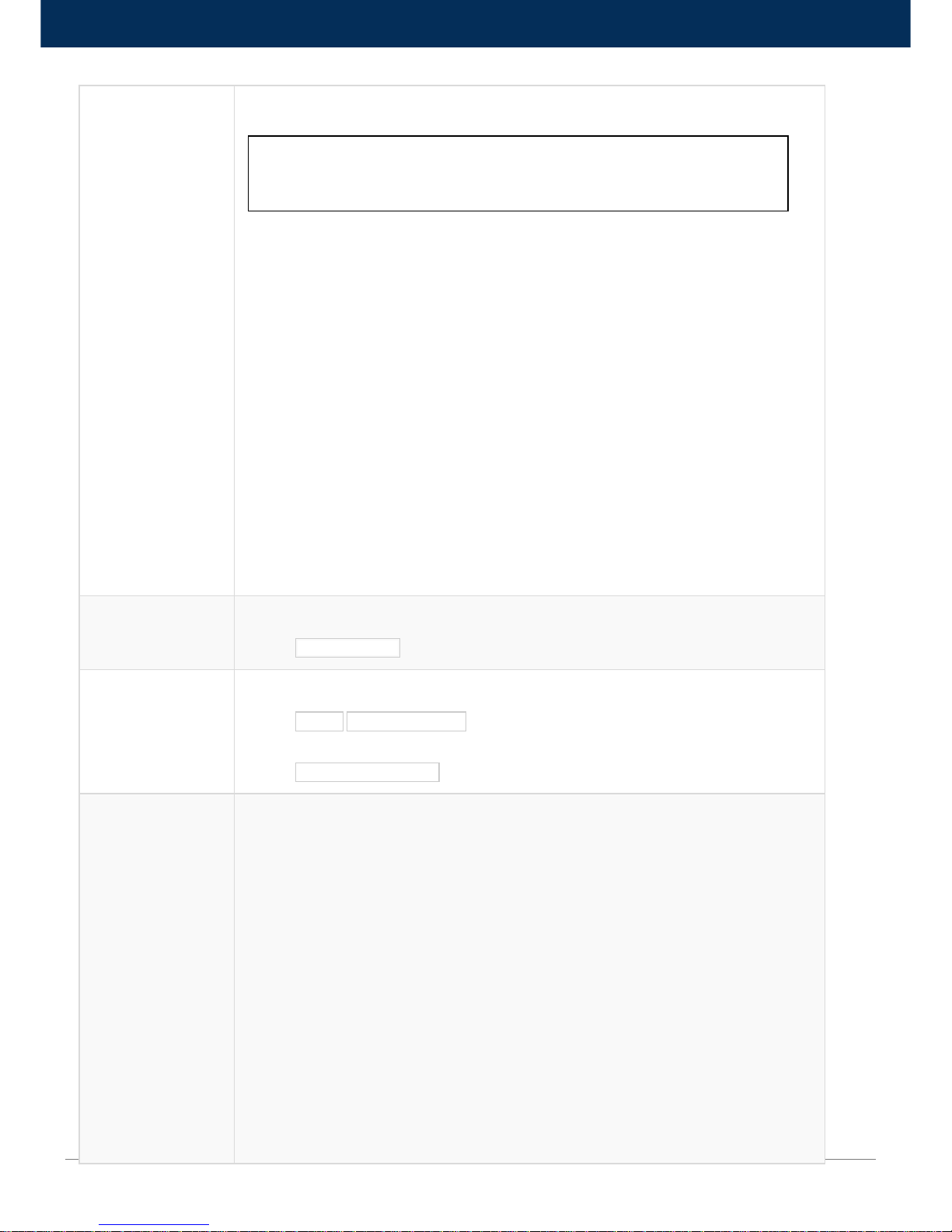
2.4 Download CSV from FootfallCam Portal
Footfall data will be stored and updated to central server every 15 minutes automatically. Retailer will be given access (link, username and
password) to access FootfallCam portal to access these data and download it in .csv, PDF format, etc.
CSV Sample Data
Name
Symbol
Separator
, (comma)
3.0 Import Data from Retailer System
3.1 Push Data via API
Through an API call, retailer system sends a http request (containing ePOS data, staff labour hours, etc.) to FootfallCam central server.
FootfallCam central server returns a status to retailer’s system, indicating if the request is successful or fail. The data received from retailer’s
system will be further processed to integrate with the footfall data and generate reports in FootfallCam portal.
3.1.1 ePOS Data
Title
PostTransaction
Description: API Function to receive Transaction data.
Transaction data including timestamp, number of transaction per 15 minutes, average amount per 15
minutes.
Each data entry must be in 15 minutes interval.
URL
http://footfallcounter.com/api/Action/PostTransaction
Method
POST
URL Params
None
Page 9
www.footfallcam.com API Documentation
9
Data Params
SecretKey : [String] Secret key provided by footfallcam for authentication purpose.
Data: Array of data entries as below:
Example:
{
SecretKey : “0E6A48F765D0FFFFF6247FA80D748E615F91DD0C7431E4D9”,
Data : [{
Timestamp : 1418688000,
TransactionCount : 10,
AverageAmount : 500.00
},
{
Timestamp : 1418688900,
TransactionCount : 8,
AverageAmount : 420.00
},
{
Timestamp : 1418689800,
TransactionCount : 14,
AverageAmount : 530.00
}]
}
Success Response
Example:
Code: 200
Content: { Response: “OK” }
Error Response
Example:
Code: 401 UNAUTHORIZED
Content: { error : " UNAUTHORIZED " }
OR
Code: 422 Unprocessable Entry
Content: { error : "Invalid Structure" }
Sample Call
$.ajax({
url: "http://controlpanel.retailcam.co.uk/api/Action/PostTransaction",
dataType: "json",
data : {
SecretKey : “0E6A48F765D0FFFFF6247FA80D748E615F91DD0C7431E4D9”,
Data : [{
Timestamp : 1418688000,
TransactionCount : 10,
AverageAmount : 500.00
},
{
Timestamp : 1418688900,
TransactionCount : 8,
AverageAmount : 420.00
},
{
Timestamp : 1418689800,
TransactionCount : 14,
Timestamp : [long] Timestamp for every 15 minutes
TransactionCount : [int] Numbers of transaction withinin 15 minutes
AverageAmount : [double] Average amount of transaction within 15 minutes
Page 10
www.footfallcam.com API Documentation
10
AverageAmount : 530.00
}]
},
type : "POST",
success : function(r) {
console.log(r);
}
});
Notes
Timestamp must be in 15 minutes interval for each record.
3.1.2 Staff Labour Hours
Title
PostStaffLabourHour
Description: API Function to receive Staff data.
Data including timestamp, number of staff per 15 minutes
Each data entry must be in 15 minutes interval.
URL
http://footfallcounter.com/api/Action/PostStaffLabourHour
Method
POST
URL Params
None
Data Params
SecretKey : [String] Secret key provided by footfallcam for authentication purpose.
Data: Array of data entries as below:
Example:
{
SecretKey : “0E6A48F765D0FFFFF6247FA80D748E615F91DD0C7431E4D9”,
Data : [{
Timestamp : 1418688000,
StaffCount : 1
},
{
Timestamp : 1418688900,
StaffCount : 1
},
{
Timestamp : 1418689800,
StaffCount : 2
}]
}
Success Response
Example:
Code: 200
Content: { Response: “OK” }
Error Response
Example:
Code: 401 UNAUTHORIZED
Content: { error : " UNAUTHORIZED " }
OR
Code: 422 Unprocessable Entry
Timestamp : [long] Timestamp for every 15 minutes
StaffCount : [int] Numbers of Staff withinin 15 minutes
Page 11
www.footfallcam.com API Documentation
11
Content: { error : "Invalid Structure" }
Sample Call
$.ajax({
url: "http://controlpanel.retailcam.co.uk/api/Action/PostStaffLabourHour",
dataType: "json",
data : {
SecretKey : “0E6A48F765D0FFFFF6247FA80D748E615F91DD0C7431E4D9”,
Data : [{
Timestamp : 1418688000,
StaffCount : 1
},
{
Timestamp : 1418688900,
StaffCount : 1
},
{
Timestamp : 1418689800,
StaffCount : 2
}]
}
type : "POST",
success : function(r) {
console.log(r);
}
});
Notes
Timestamp must be in 15 minutes interval for each record.
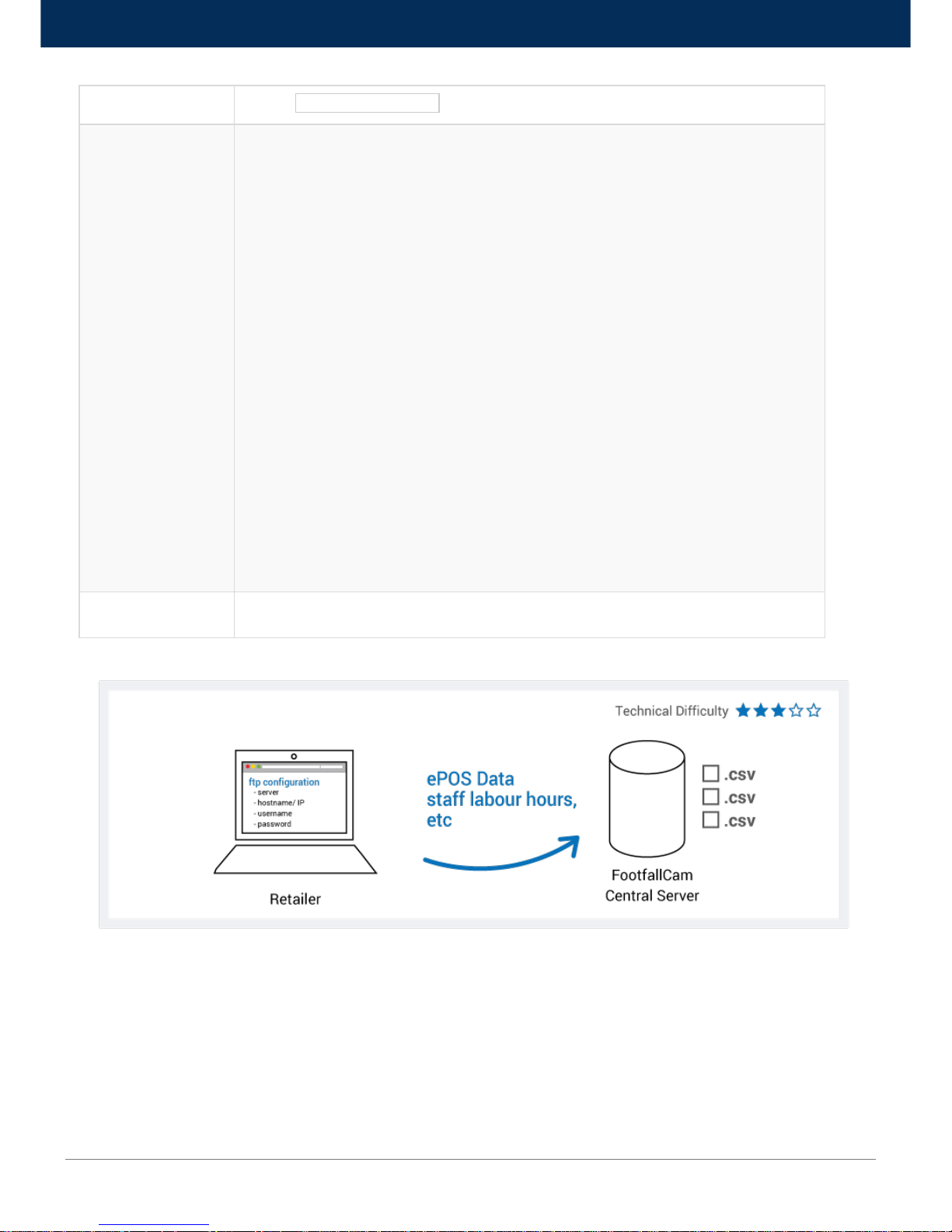
3.2 Push Data to FTP Server
A dedicated FTP server will be provided by FootfallCam as a ‘shared folder’ where access (link, username and password) will be given for
retailer to dump the ePOS data, staff labour hours, etc. into it. These data will then being retrieved, further processed to integrate with the
footfall data and generate reports in FootfallCam portal.
 Loading...