

Page 1
Bedienungsanleitung
User Instructions
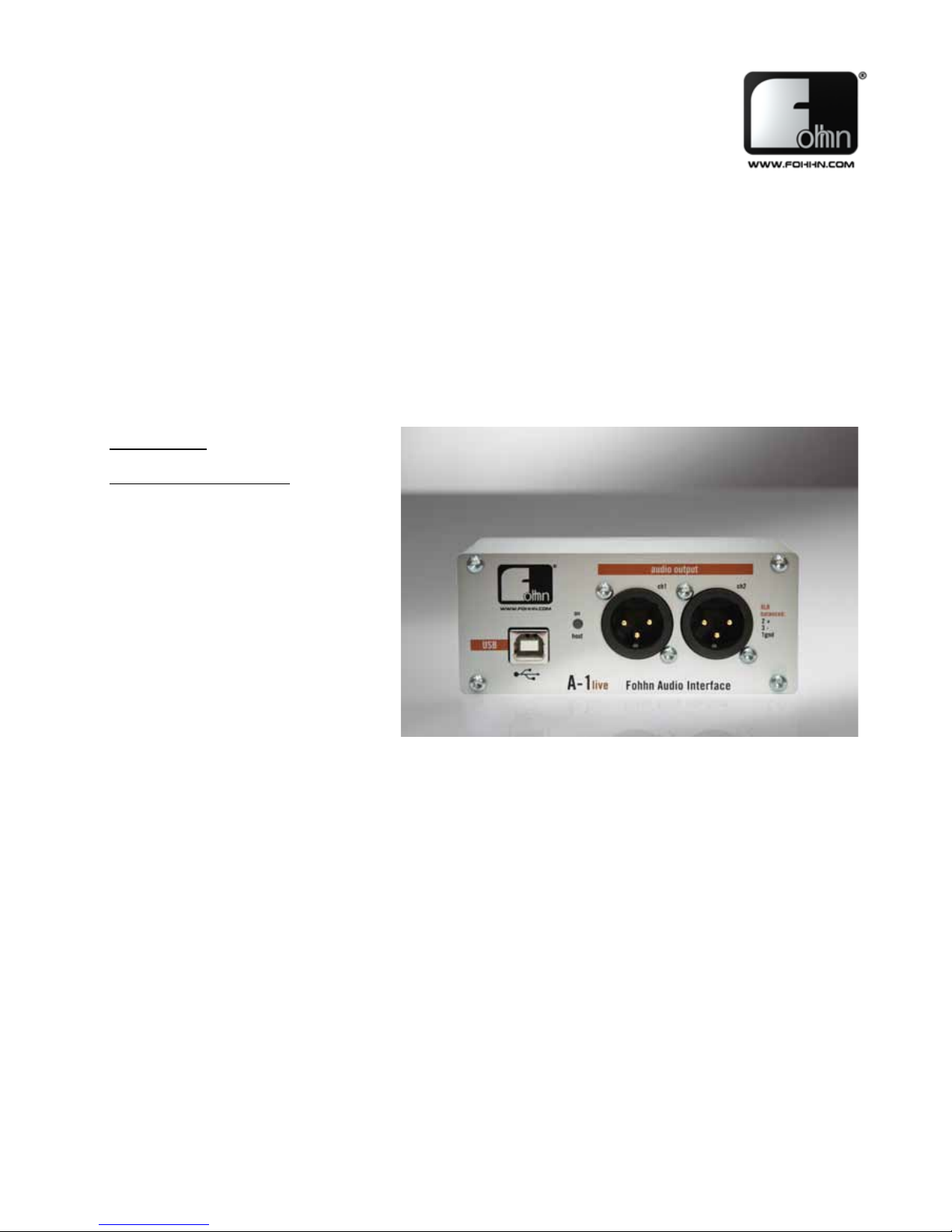
A-1 live
Fohhn Audio Interface
Bitte lesen Sie vor Inbetriebnahme des Gerätes die Bedienungsanleitung sorgfältig durch und bewahren Sie sie auf.
Please read this manual carefully before operating the equipment and keep it for the future reference.
Accessories
Fohhn Audio Interface.
Page 2
Beschreibung
Installation
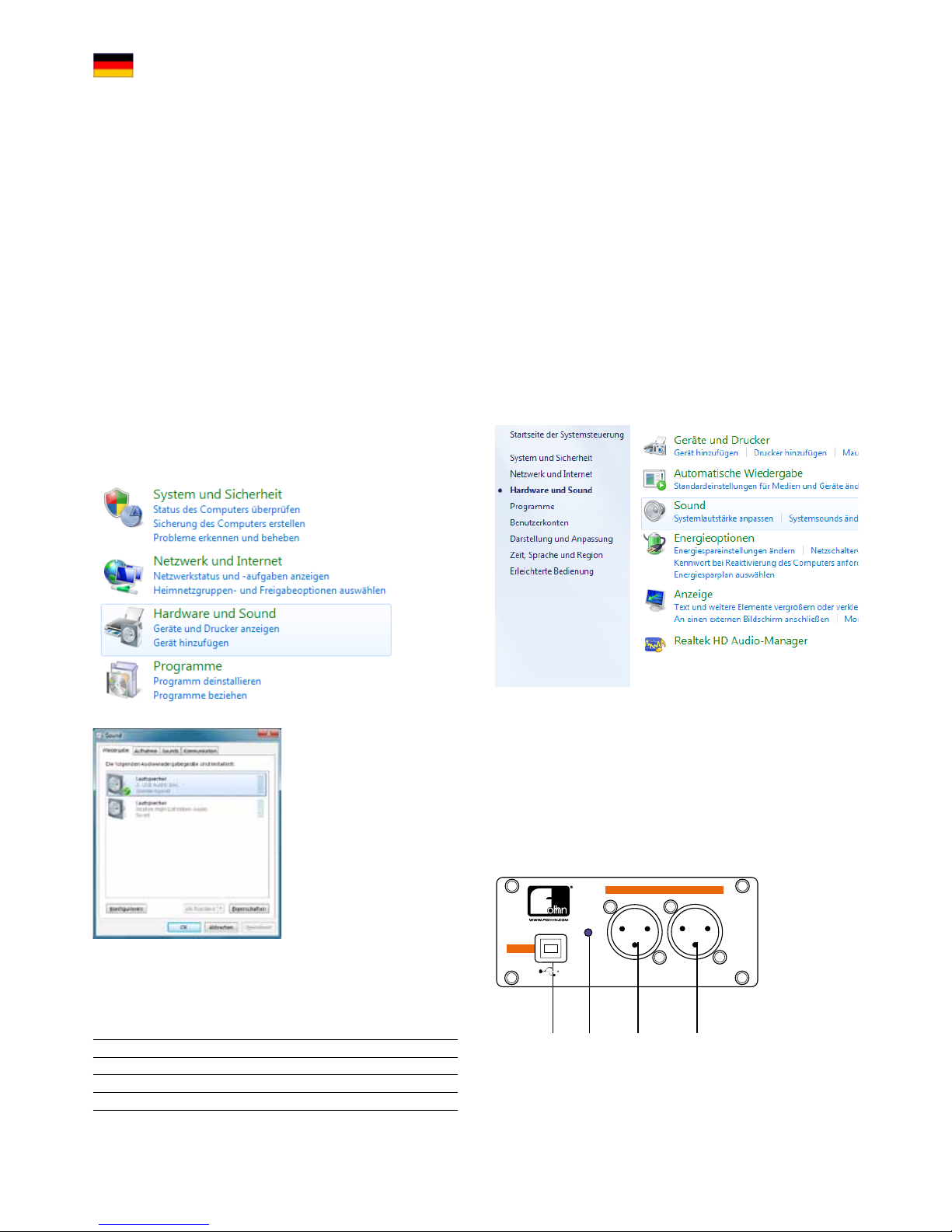
Um das A-1 live als Standard Audio Gerät unter Windows
auszuwählen, gehen Sie in die Systemsteuerung -> Hardware und
Sound -> Audiogeräte verwalten.
Hier Können Sie das A-1 live
als Standardgerät auswählen.
Das A-1 live wird im
Betriebssystem als USB Audio
DAC angezeigt.
Technische Daten
Je nach Wiedergabe Software können Sie diese Auswahl auch direkt
in Ihrer Audiosoftware vornehmen und die On-Board Soundkarte als
Standgerät belassen, so dass z.B. Systemklänge nicht über den A-1
live wiedergegeben werden.
Das A-1 live ist ein hochwertiges, zweikanaliges USB Audio
Interface mit symmetrischen XLR-Audioausgängen und galvanisch
getrennter USB-Verbindung.
Das A-1 live wurde entwickelt um eine hochwertige, störungsfreie
Übertragung von Audiosignalen eines Computers auf ein
professionelles Beschallungssystem zu ermöglichen. Der Computer
kann durch das A-1 live direkt und ohne Verwendung weiterer
Geräte wie Mixer etc. über eine symmetrische XLR-Verbindung an
das Beschallungssystem angeschlossen werden. Diese Verbindung
ist absolut störungsfrei, sicher, ohne Pegelverluste und schützt
aufgrund der galvanischen Trennung zudem ihren Computer.
Viele handelsübliche Soundkarten bieten zwar vielfältige
Möglichkeiten und Funktionen, verfügen aber häufig weder über
einen symmetrischen XLR-Ausgang noch über eine galvanische
Trennung der USB-Verbindung. Die Folgen sind oftmals
Einstreuungen, Brummen, schlechte Übertragungsqualität oder zu
niedriger Ausgangspegel. Diese Probleme gehören mit dem A-1 live
der Vergangenheit an.
Das A-1 live funktioniert unter Windows XP, Windows Vista und
Windows 7 (32-Bit und 64-Bit), sowie unter Mac OS 10.4 – 10.7 und
Linux ab Kernel 2.6.
(1) (2) (3) (4)
(1) USB Anschluss
(2) Betriebsanzeige, leuchtet bei Verbindung mit einem Computer
(3) Audio Ausgang, links
(4) Audio Ausgang, rechts
Fohhn Audio Interface
on
A-1live
ch1 ch2
XLR
balanced:
2 +
3 -
1gnd
host
16-Bit 44,1kHz,
16-Bit 48kHz
USB
audio output
Fohhn Audio Interface
on
A-1live
ch1 ch2
XLR
balanced:
2 +
3 1gnd
host
audio output
USB
Anschlüsse
USB Anschluss USB 1.1 Full Speed, galvanisch getrennt
Audio Ausgänge
2-Kanal XLR Symmetrisch (Stereo)
Audio DAC
16-Bit 44,1 / 48 kHz
Stromversorgung
USB Powered (kein Netzteil)
Maße (B x H x T)
150 x 45 x 50 mm
Page 3
Description
Installation
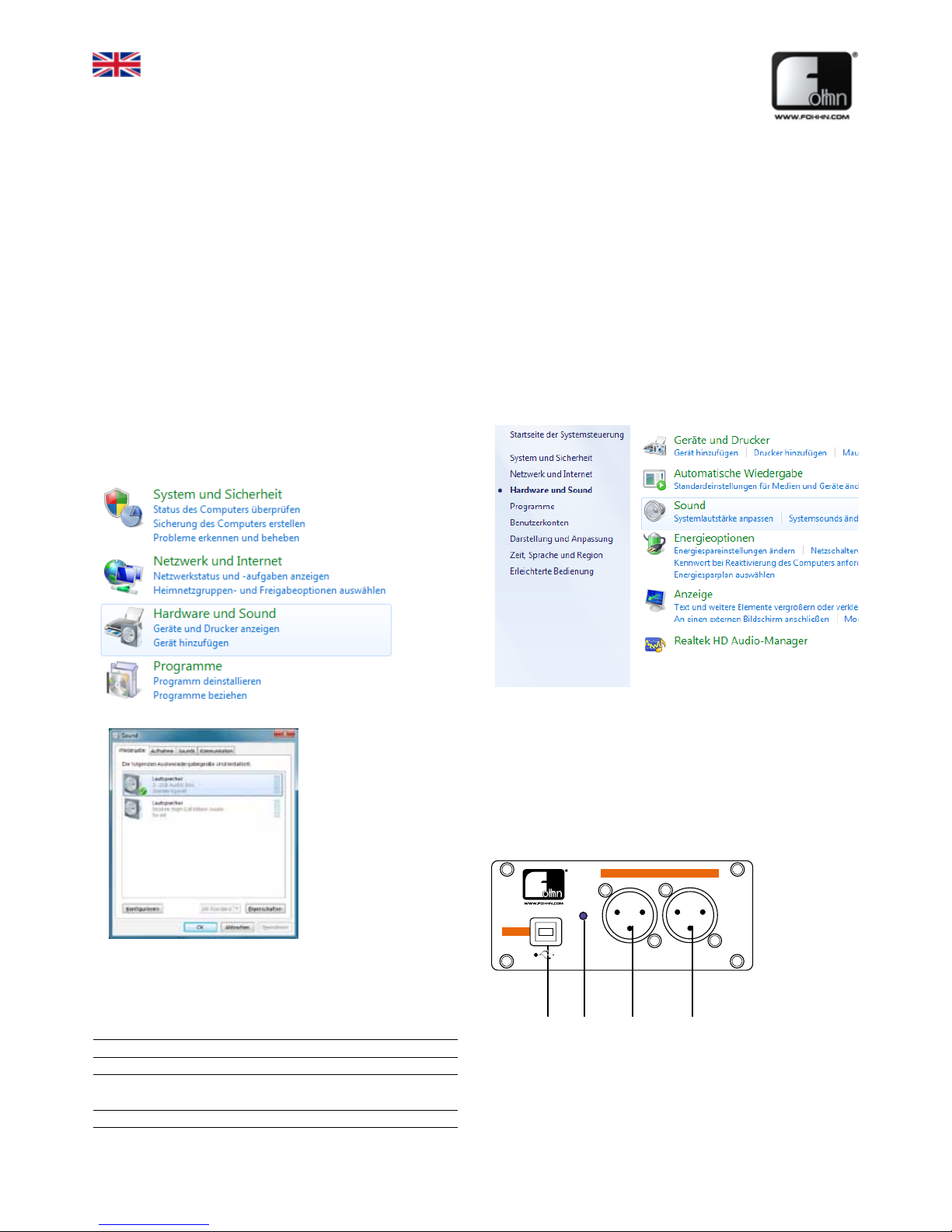
To select the A-1 live as your default audio device under Windows,
go to the Control Panel -> Hardware and Sound -> Audio Devices.
Here you can select the
A-1 live as your default
device.
The A-1 live will appear in
the operating system as
USB Audio DAC.
Technical specifications
Depending on your playback application, this selection can also be
made from within the audio software itself. Your on-board soundcard
will remain as the default device, so that any system sound for
example won't be transmitted via the A-1 live.
The A-1 live is a high-quality, two-channel USB audio interface with
balanced XLR outputs and a galvanically isolated USB connection.
The A-1 live has been specially developed to enable a highquality, trouble-free transfer of audio data from a computer to a
professional sound reinforcement system. Using the A-1 live, the
computer can be directly connected to the system via balanced XLR
connectors, without the need for additional devices such as a mixer.
A trouble-free connection is guaranteed, with no reduction in signal
level and the galvanic isolation providing additional protection for
your computer.
Despite offering a variety of functions and possibilities, many
standard sound cards and interfaces often lack either balanced XLR
outputs or a galvanically isolated USB connection. This frequently
leads to interference, hum, poor transfer quality and insufficient
output levels. With the A-1 live however, such problems become a
thing of the past.
The A-1 live is compatible with Windows XP, Windows Vista and
Windows 7 (32-bit and 64-bit), as well as Mac OS 10.4 – 10.7 and
Linux from Kernel 2.6.
(1) (2) (3) (4)
(1) USB connection
(2) Connection indicator: lights up when the interface is connected
to a computer
(3) Audio output left
(4) Audio output right
Fohhn Audio Interface
on
A-1live
ch1 ch2
XLR
balanced:
2 +
3 -
1gnd
host
16-Bit 44,1kHz,
16-Bit 48kHz
USB
audio output
Fohhn Audio Interface
on
A-1live
ch1 ch2
XLR
balanced:
2 +
3 1gnd
host
audio output
USB
Connections
USB connection USB 1.1 Full Speed, galvanically isolated
Audio stereo outputs
2-channel balanced XLR
Audio DAC
16-Bit 44,1 / 48 kHz
power supply
USB powered /
no separate power supply is required
dimensions (W x H x D)
150 x 45 x 50 mm
Page 4
Fohhn Audio Interface
on
A-1live
ch1 ch2
XLR
balanced:
2 +
3 -
1gnd
host
16-Bit 44,1kHz,
16-Bit 48kHz
USB
audio output
Fohhn Audio Interface
on
A-1live
ch1 ch2
XLR
balanced:
2 +
3 1gnd
host
audio output
USB
audio
files
Fohhn Audio Interface
on
A-1live
ch1 ch2
XLR
balanced:
2 +
3 -
1gnd
host
16-Bit 44,1kHz,
16-Bit 48kHz
USB
audio output
Fohhn Audio Interface
on
A-1live
ch1 ch2
XLR
balanced:
2 +
3 1gnd
host
audio output
USB
audio
files
DB0040X
German quality
engineered and made
by Fohhn®
Fohhn Audio AG
Hohes Gestade 3-7
72622 Nürtingen
Germany
Tel. +49 7022 93323-0
Fax +49 7022 93324-0
www.fohhn.com
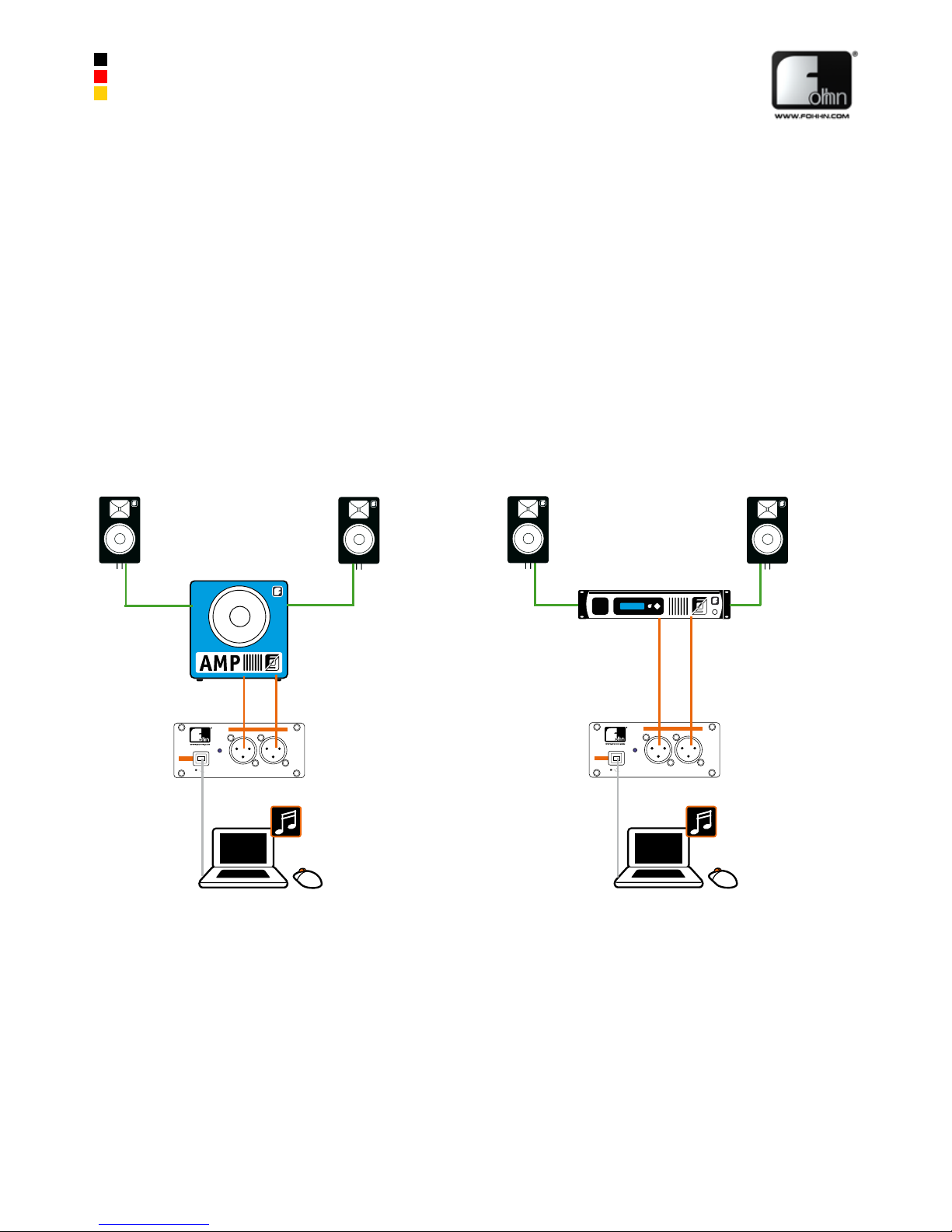
Audiosignale vom Computer störungsfrei und
ohne Qualitäts- oder Pegelverluste direkt auf ein
professionelles Beschallungssystem übertragen.
Trouble-free, direct transmission of audio data from a
computer to a professional sound reinforcement system,
without any reduction in sound quality or level.
Anschlussmöglichkeiten / Applications
 Loading...