

Page 1
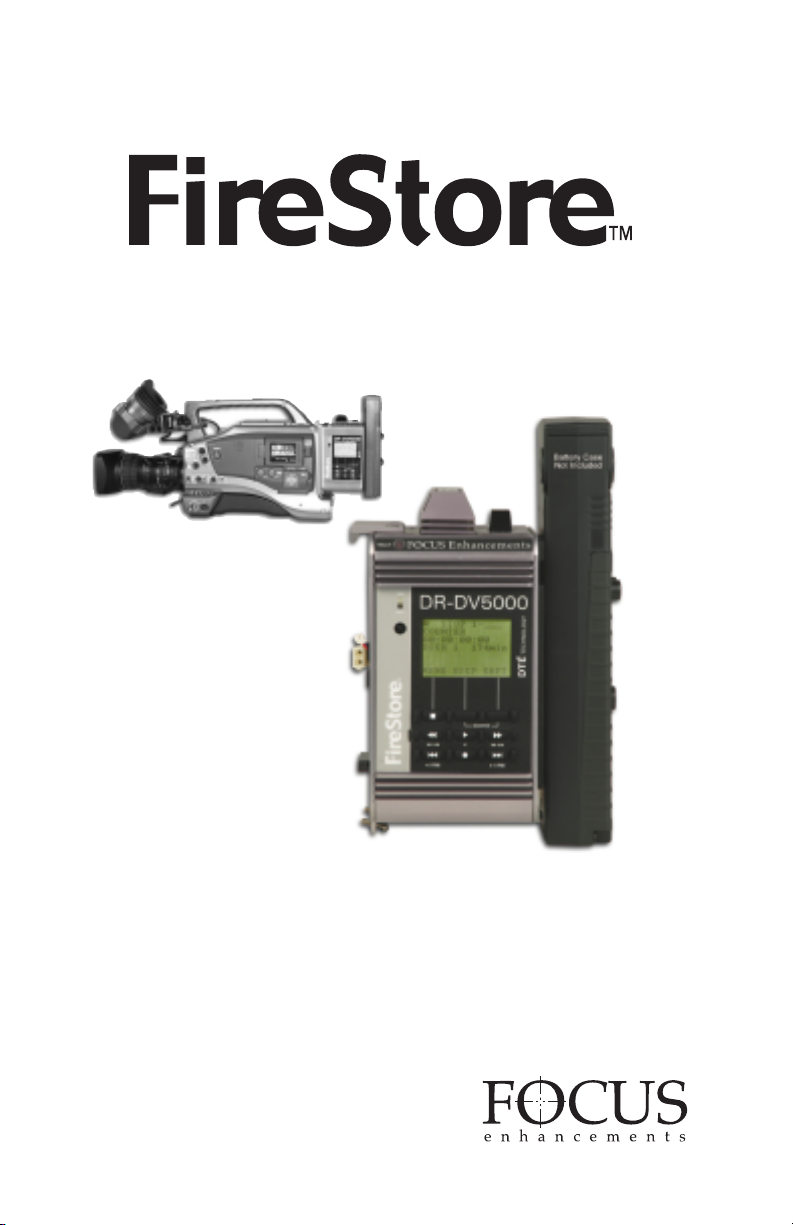
Camera Mount DTE Recorder
DR-DV5000
USER GUIDE
ADDENDUM
Version 1.3
Page 2

FireStore DR-DV5000 User Guide Addendum
TABLE OF CONTENTS
Introduction . . . . . . . . . . . . . . . . . . . . . . . . . . . . . . . . . . . . . . . . . . . . . . . . . . . . . . . . . . . . . . . . . . . . . . . . . .P1
1.0 New File Formats . . . . . . . . . . . . . . . . . . . . . . . . . . . . . . . . . . . . . . . . . . . . . . . . . . . . . . . . . . . . . . . . . .P2
1.1 Pinnacle AVI . . . . . . . . . . . . . . . . . . . . . . . . . . . . . . . . . . . . . . . . . . . . . . . . . . . . . . . . . . . . . . . . . . .P2
2.0 Stop Output Settings . . . . . . . . . . . . . . . . . . . . . . . . . . . . . . . . . . . . . . . . . . . . . . . . . . . . . . . . . . . . . . . .P2
3.0 Format Disk Update . . . . . . . . . . . . . . . . . . . . . . . . . . . . . . . . . . . . . . . . . . . . . . . . . . . . . . . . . . . . . . . .P3
INTRODUCTION
This User Guide addendum describes functionality of FireStore DR-DV5000 units that have firmware
version 1.3 or above. This addendum is to be used in conjunction with the DR-DV5000 version 1.2
User Guide (MANL-0908-03).
In order to determine the version of firmware you are using, navigate to OS VERSION # in the DRDV5000 SETUP MENU. The version number will display on the DR-DV5000 LCD. If you have an
earlier version of firmware and would like to update to version 1.3, it is possible to download the latest
version from the FOCUS ENHANCEMENTS support website at: http://www.focusinfo.com/support.
If you require further assistance, in the US and Canada contact FOCUS Enhancements technical
support at:
www.FOCUSinfo.com
E-mail: [email protected]
Telephone: 408-370-9963. 8AM – 5PM
Monday to Friday, Pacific time.
(Hint: Mondays tend to be the busiest.)
Fax: 408-866-4859
PAGE 1
Page 3
FireStore DR-DV5000 User GuideAddendum
1.0 NEW FILE FORMATS
1.1 Pinnacle AVI
FireStore DR-DV5000 now includes an
additional file format in the REC FORMATS
menu, PINNACLE AVI. To navigate to REC
FORMATS, select MENU - > REC FORMAT
from the DR-DV5000 menu. The following list
of formats now appears:
RAW DV
AVI TYPE 1
AVI TYPE 2
CANOPUS AVI
Once you have finished a Pinnacle recording
session, do the following:
1. From the FireStore SETUP MENU, select
ORGANIZE PINN.
2. You will be asked "ORGANIZE PINNACLE
CLIPS? Select YES.
3. It is now possible to remove the disk drive
from FireStore to begin editing.
The Pinnacle AVI file format was created for use
with products such as Pinnacle Liquid Edition.
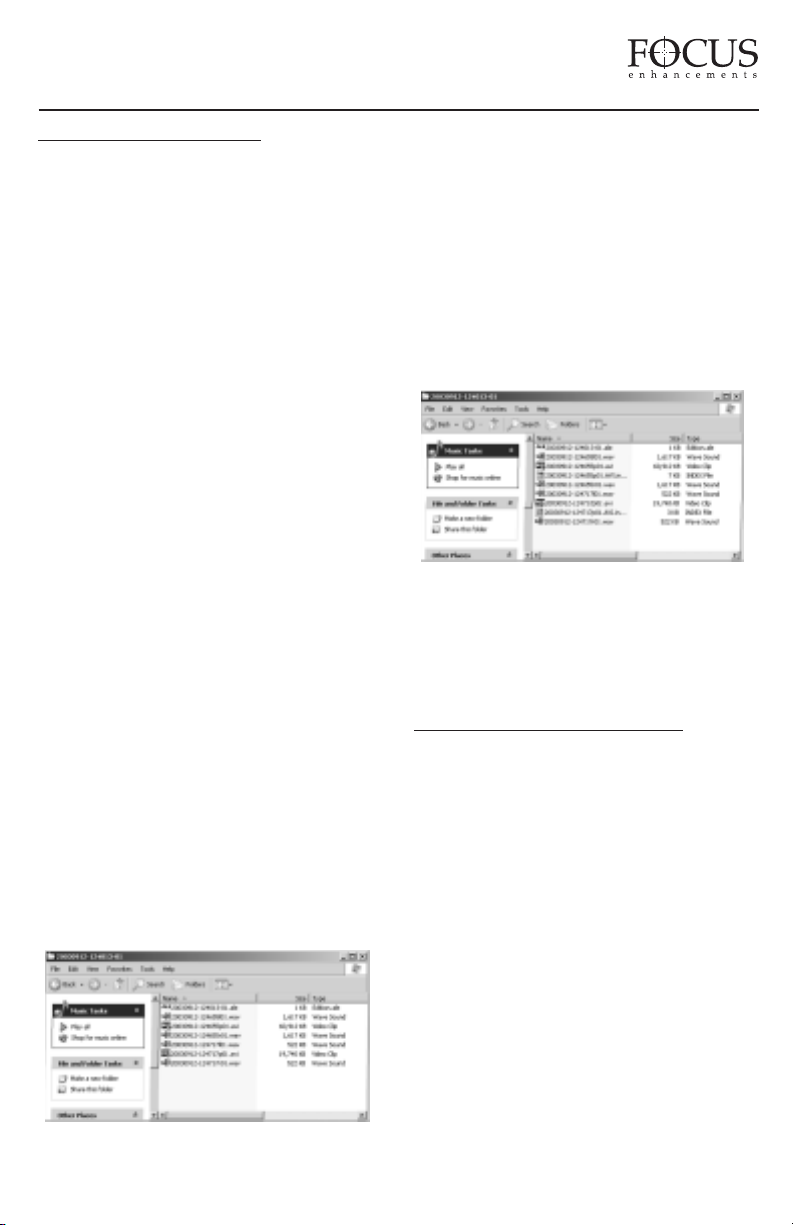
The Pinnacle AVI file format creates three files
simultaneously during a recording; an AVI video
file and two separate WAV audio files labeled as
left and right. An additional "Edition.ale" file per
recording session is also created which contains
timecode data. This file must be kept with the
media. See below:
MATROX AVI
PINNACLE AVI
QUICKTIME
AVID OMF
When used with Pinnacle applications such as
those listed above, it is possible to use the clips
directly in the Pinnacle timeline without first
having to convert the clips or extract audio from
the AVI file. In order to import clips into the
Pinnacle application, use the Pinnacle import
media files function.
Once clips have been imported into Liquid
Edition, an Index file is created on the disk drive
per clip. Do not delete this file as it is required to
continue work in the particular project. See below:
NOTE: For products such as Pinnacle DV500,
DV500 Plus and ProONE, use the AVI TYPE 2
file format. For Pinnacle CineWave, use the
QUICKTIME file format.
2.0 STOP OUTPUT SETTINGS
The previous CLIP PREVIEW menu item in the
SETUP menu has been replaced with the STOP
OUTPUT menu. It is now possible to set stop
output to one of the following:
CLIP PREVIEW – When CLIP PREVIEW
is selected, the camcorder is in VTR mode and
the user scrolls from one clip to the next on
DR-DV5000 using the index buttons, the first
frame of each clip will be generated and showed
via the DV output after one second if the user
pauses on that clip.
GRAY – When GRAY is selected and
DR-DV5000 is in STOP mode, a GRAY
splash screen is output via the DV port.
PAGE 2
Page 4
NO OUTPUT – When NO OUTPUT is
selected and DR-DV5000 is in STOP mode,
there is no signal output via the DV port. For
example, if DR-DV5000 is in AV/C CONTROL
MODE and is being controlled by a DV device
via FireWire such as a DV VTR, it is necessary
to use the NO OUTPUT setting.
3.0 FORMAT DISK UPDATE
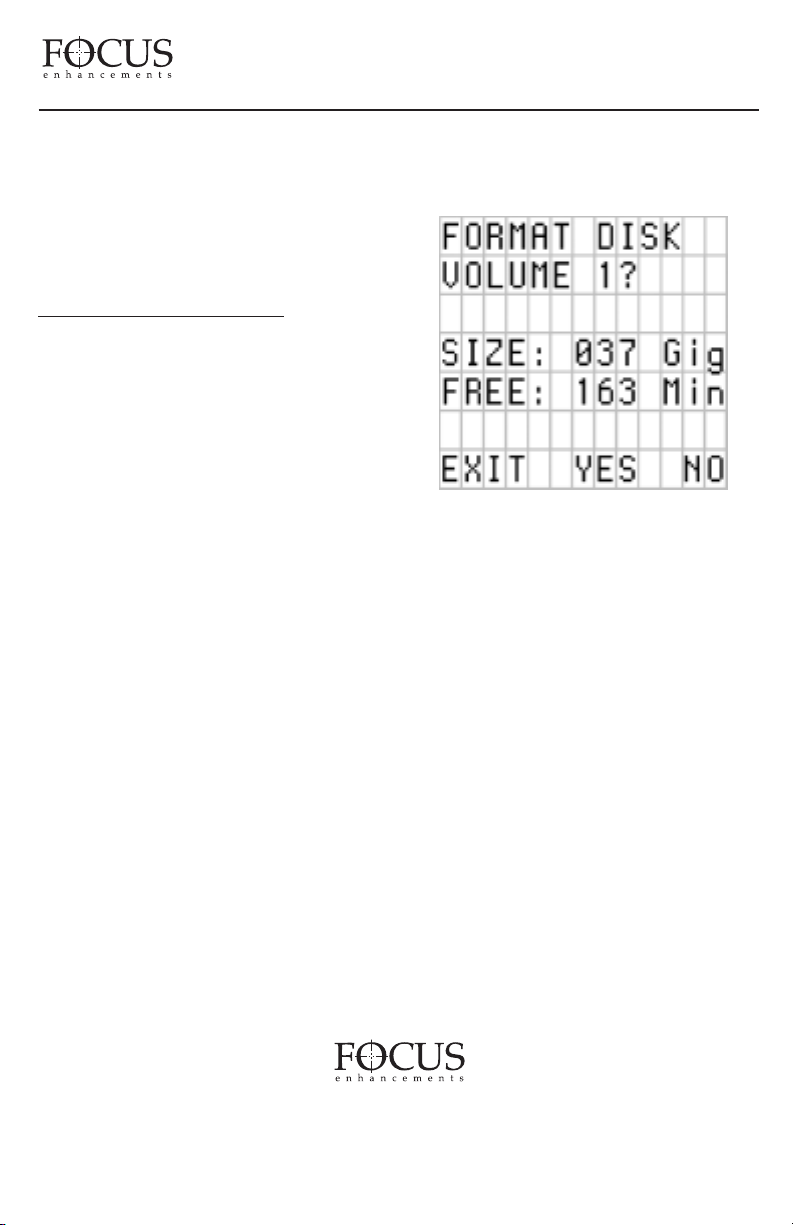
The format disk function on DR-DV5000 has
been enhanced. When multiple disk drives are
connected (internal and/or external), it is now
possible to select which disk you would like to
format. When you select FORMAT from the
DR-DV5000 UTILITIES menu, you will be
asked to confirm which disk you wish to format.
To select between available disk drives, press the
forward and backward index buttons on the
DR-DV500 front panel (drives are ordered
according to when they were formatted. The
oldest format will appear as Volume 1).
FireStore DR-DV5000 User Guide Addendum
WARNING: FORMAT ERASES ALL DATA
ON THE DISK DRIVE!
Finally, select YES to begin the format process.
PAGE 3
FOCUS Enhancements, Inc.
1370 Dell Ave. Campbell, CA. 95008 USA
Telephone: 408 866-8300 Fax:408 866-4859 www.FOCUSinfo.com
MANL-0952-02
 Loading...