

Page 1
1
INSTRUCTIONS
Page 2

3
Welcome
Warning
What you need to
understand before
using foc.us
What’s in the box
Before starting
Getting started
Calibrate your
foc.us
Programs
Starting & Stopping
a Session
Welcome
The foc.us v2 is an advanced micro current
signal generator.
Download the latest version of this manual
from:
http://www.foc.us/v2/downloads
foc.us is designed to be used by healthy
adults who do not suffer from epilepsy,
brain or mental health conditions or have
a metalic implant such as a skull plate,
cochlear implant, pace-maker or others.
Setup options
foc.us dock &
software
Intended use
Bluetooth®
connection
Troubleshooting
Specications
Support
Glossary
FCC
Warranty &
Guarantee
Contents
3
4
6
9
11
13
15
17
19
20
23
24
24
25
26
26
27
28
29
Page 3
5
Warning
If you suffer from epilepsy,
seisures, brain lessions,
bipolar depression or
severe heart disease you
should not use the foc.us
headset.
If you experience short
term negative effects
with foc.us you should
immediately stop using it.
This is not a toy and is not
intended to be used by
anyone under the age of
18 years old.
If using your own electrodes it is not
recommended to create novel electrode
placements.
Do not position the electrodes so that the
current may pass through the brainstem.
Do not position the electrodes over cuts,
grazes or damaged skin.
Allow at least 48 hours between usage.
Always use the electrodes with wet
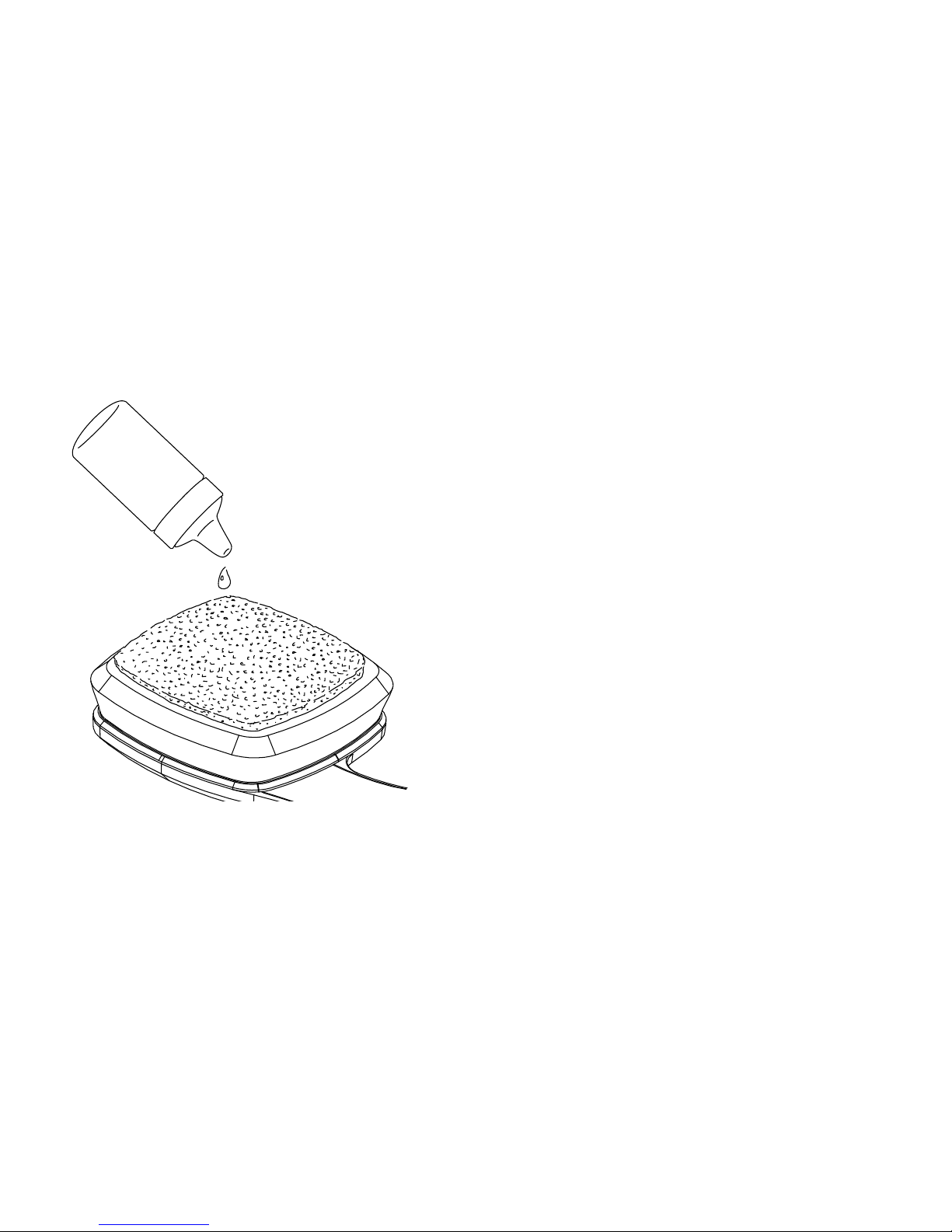
sponges.
Do not touch the metal electrodes as this
can lead to burns.
Page 4

7
What you need to understand before
using foc.us
foc.us is designed to improve your mental
gaming skills.
You are exciting and inhibiting sections
of your pre-frontal cortex with an electric
current.
Possible side effects include tingling
sensations under the electrodes or on the
scalp, visual artifacts, nausea, headaches
and fatigue.
If you experience any of these you should
stop using foc.us.
Repeated use may lead to skin irritation.
If you exceed the recommended durations
you increase the risk of consolidating both
the excitatory and inhibitory processes.
You may feel a tingling sensation, or a hot
or cold sensation.
If this is uncomfortable or painful then
you should stop session and remove the
electrodes.
Redness may appear under electrodes
after use which will disappear after a short
time.
Foc.us should not be used during any
activities other than seditary gaming.
If you see white flashes, or phosphenes you
should adjust the position of the headset
on your head, pushing it further back away
from your eyes.
Page 5
9
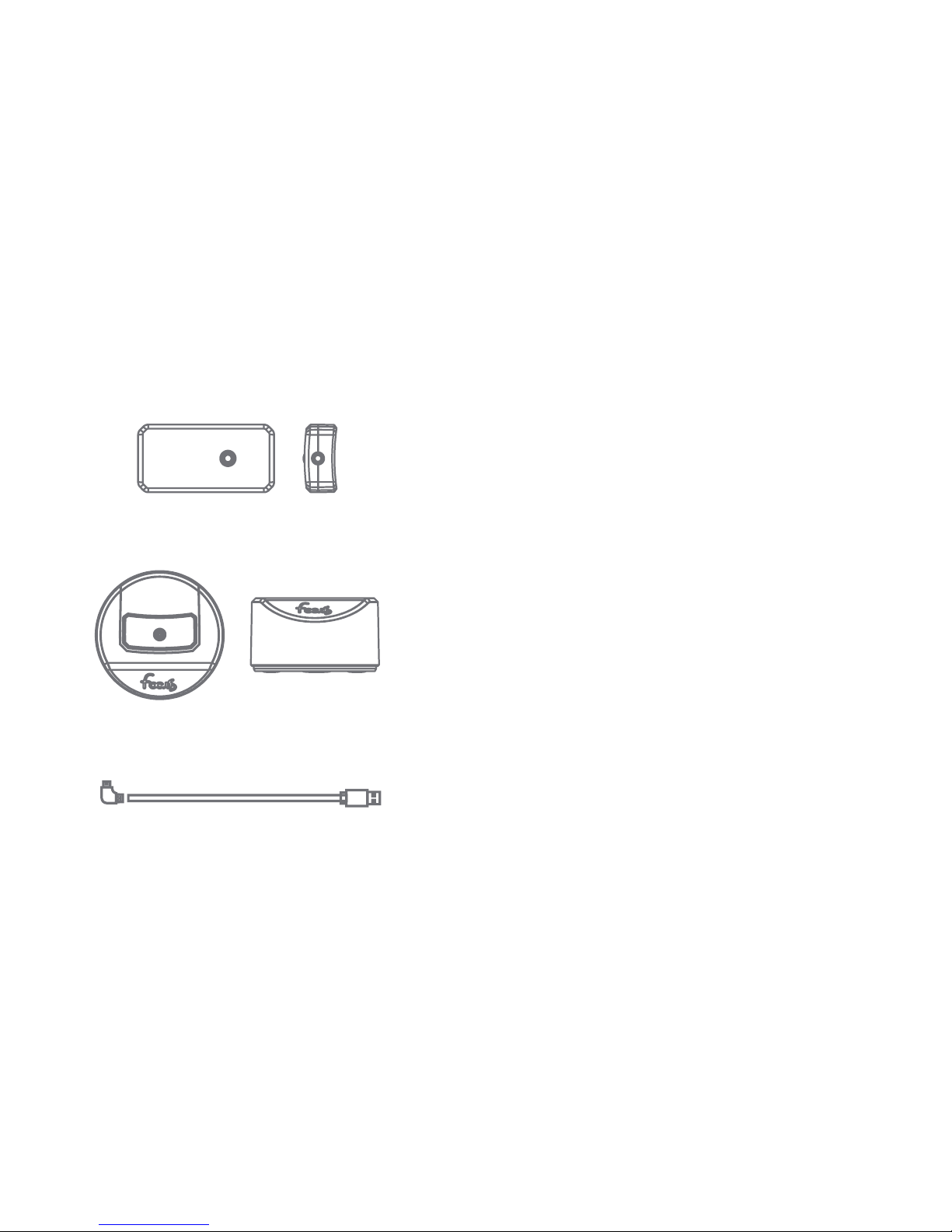
What’s in the box
1. foc.us v2
2. foc.us dock
3. micro-usb cable for recharging
4. this instruction booklet
1.
2.
3.
Page 6
11
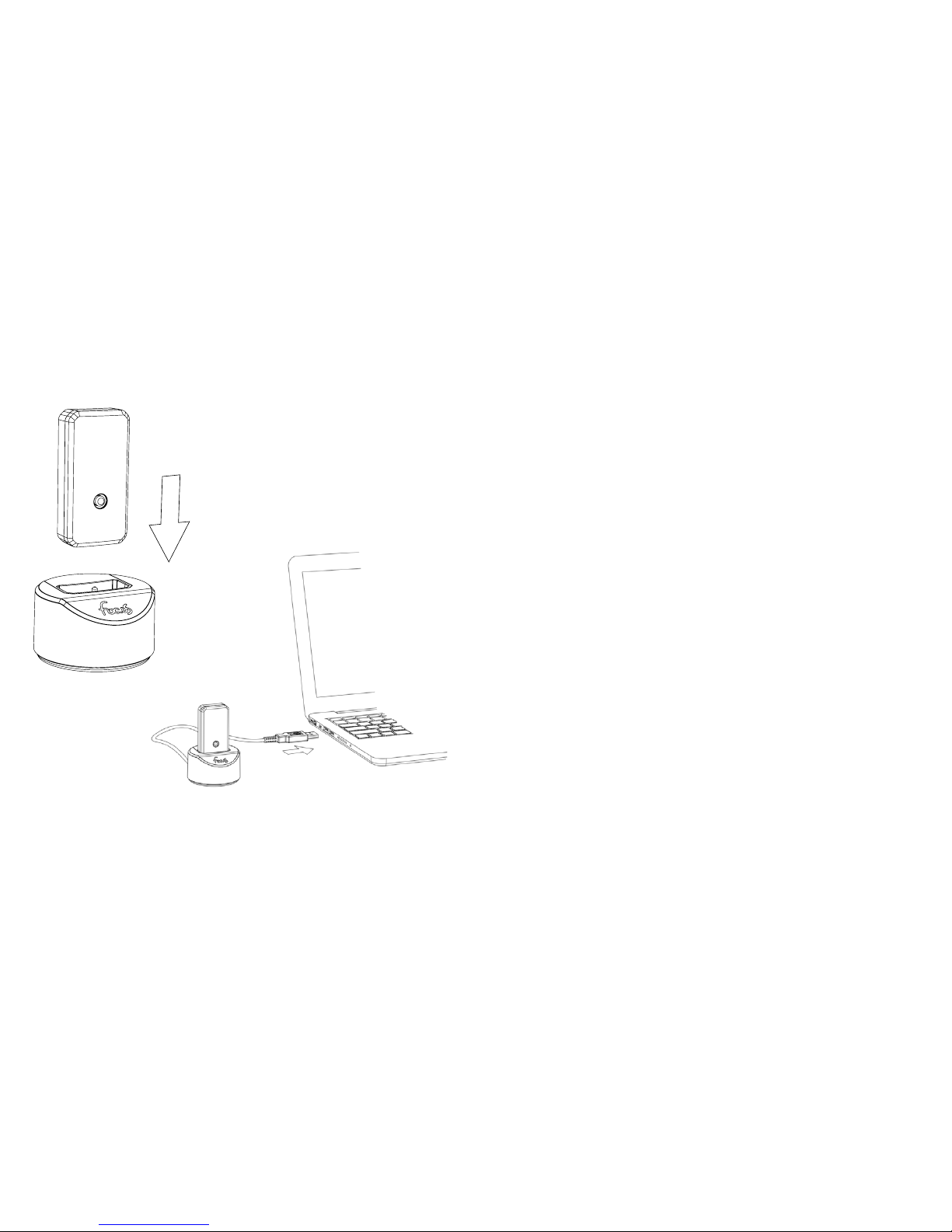
Before starting
Firmly push the v2 into the provided dock
and connect the dock to a USB power
supply to recharge.
Install the foc.us software and check for
rmware updates.
http://www.foc.us/v2/downloads
Page 7
13
Getting started
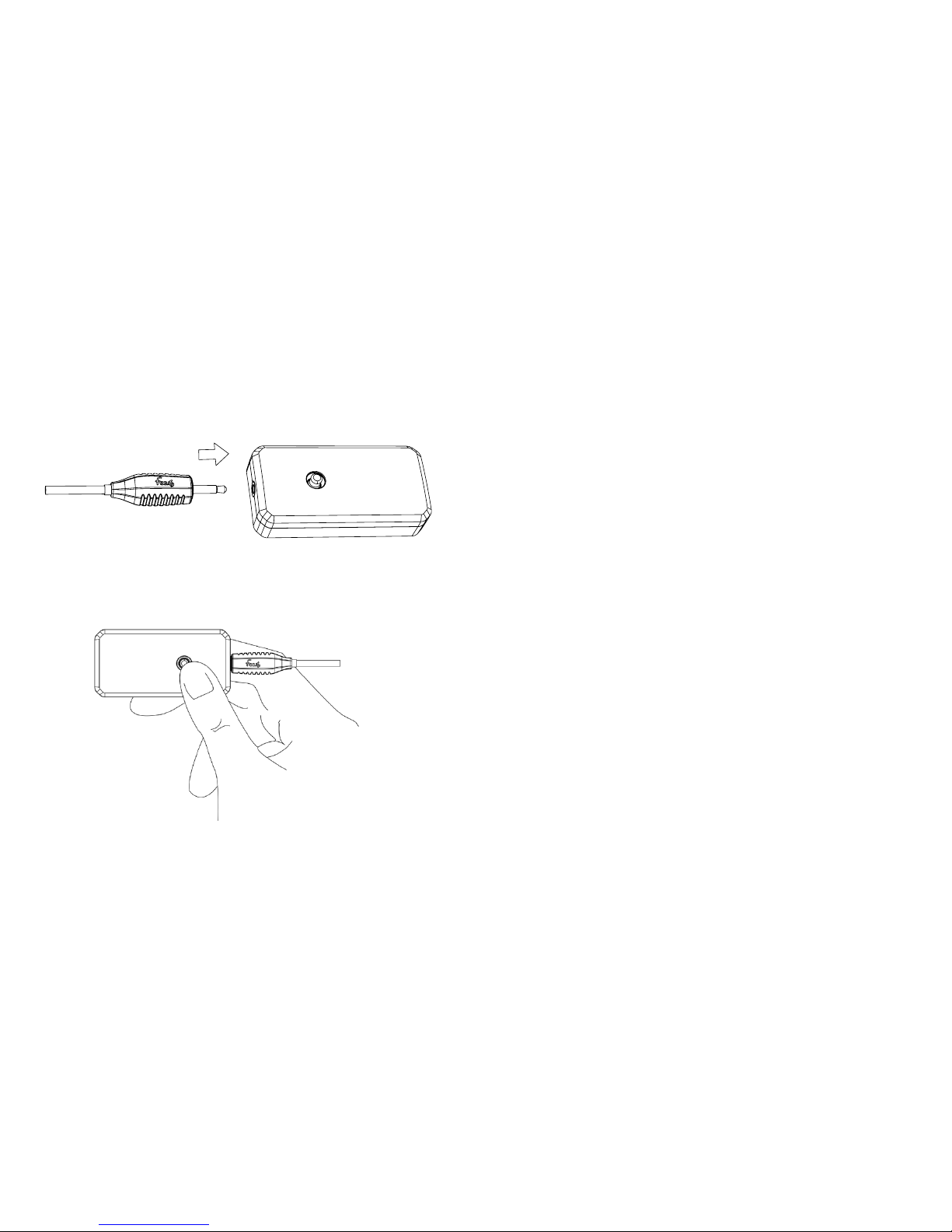
Wake the foc.us v2 by pressing the blue
joystick and holding to turn on.
Connect a compatible “Made for foc.us”
headset.
A list of compatible headsets can be found
here:
www.foc.us/made-for-focus
Page 8
15
Calibrate your foc.us
The calibration function allows you to nd
a current level that is comfortable for you.
Start the calibrate function and follow the
on-screen instructions.
You can recalibrate your foc.us at any time
by entering the calibrate menu.
Ensure sponges are wet before use.
Page 9
17
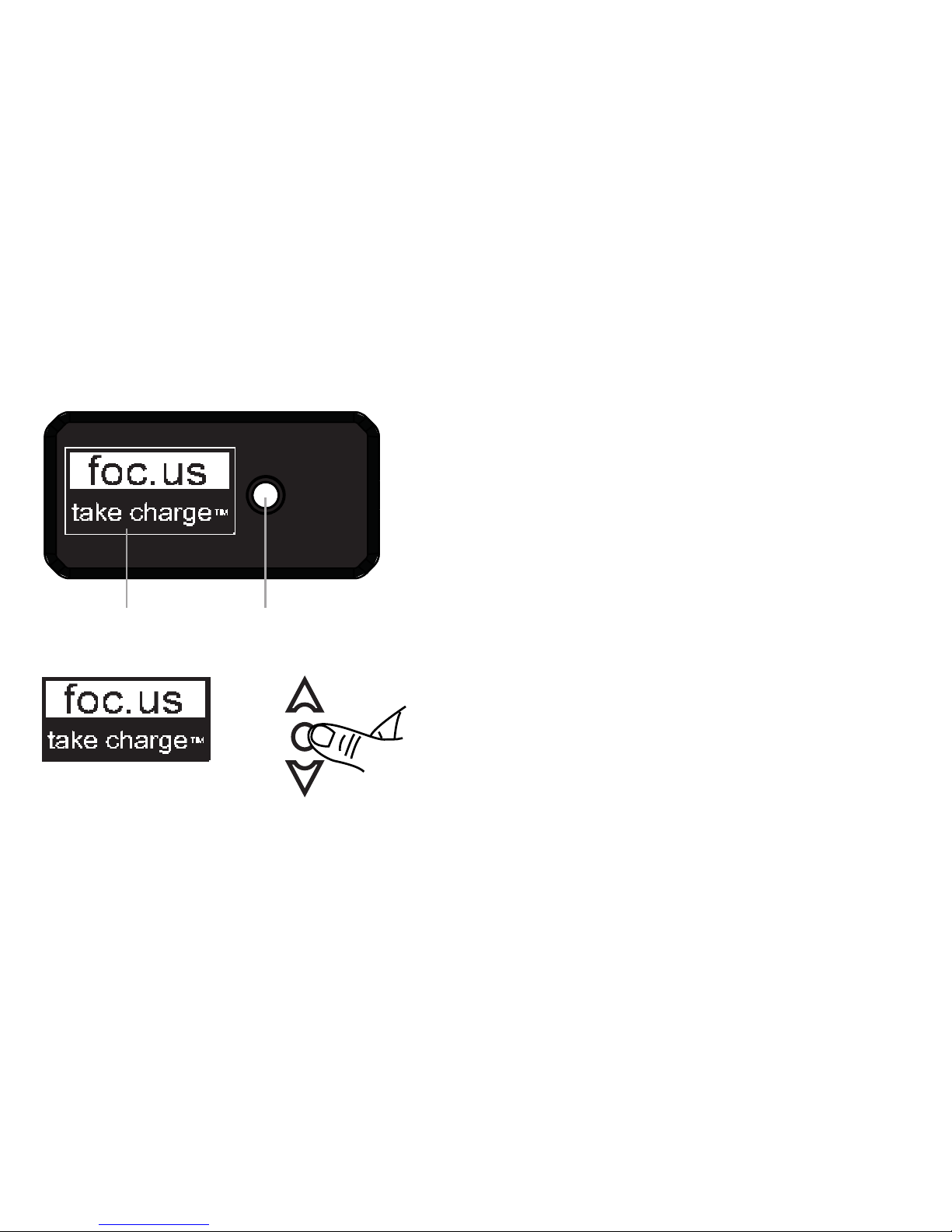
blue joystickScreen
click to select
Programs
A program is a combination of settings
used during a session.
Foc.us ships with two programs - Gamer
and Endurance
You can create your own program with
custom settings.
Your calibration settings will override any
program settings.
Page 10
19
Starting & Stopping a Session
Follow the onscreen instructions to start a
session.
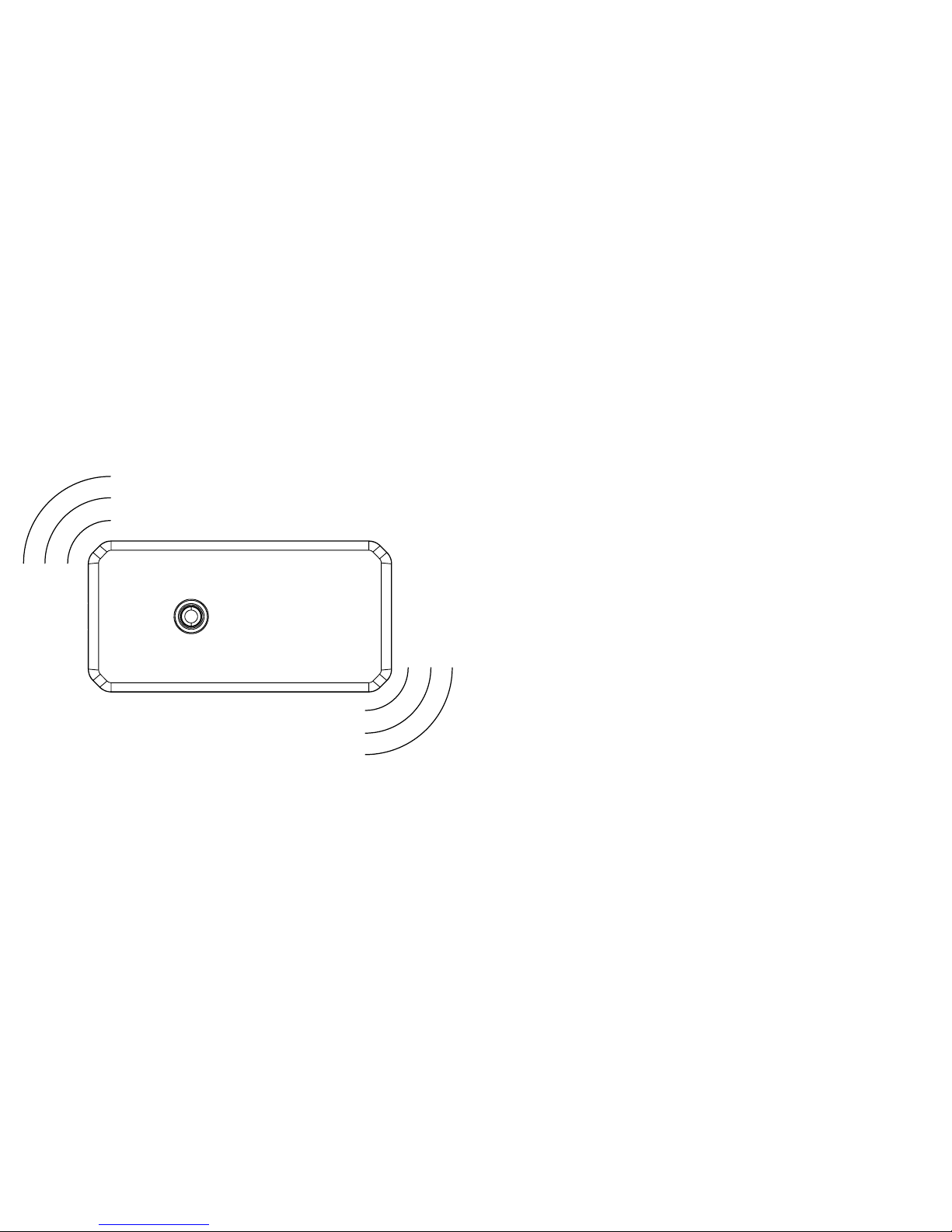
You can stop a session at any time from
the stop menu onscreen or by vigorously
shaking.
Page 11

21
Setup options
The setup menu contains options for
language, security and communication
settings.
Airplane mode - turns off bluetooth
PIN - the default PIN is 000000
Reset - reset your foc.us device to factory
settings
Security - please set your foc.us device to
lock to prevent un-authorised usage.
Language - if your language is not
supported please contact [email protected]
Session - foc.us+ session sharing settings
Warnings - it is not recommend to use your
foc.us more than once every 48 hours.
Page 12
23
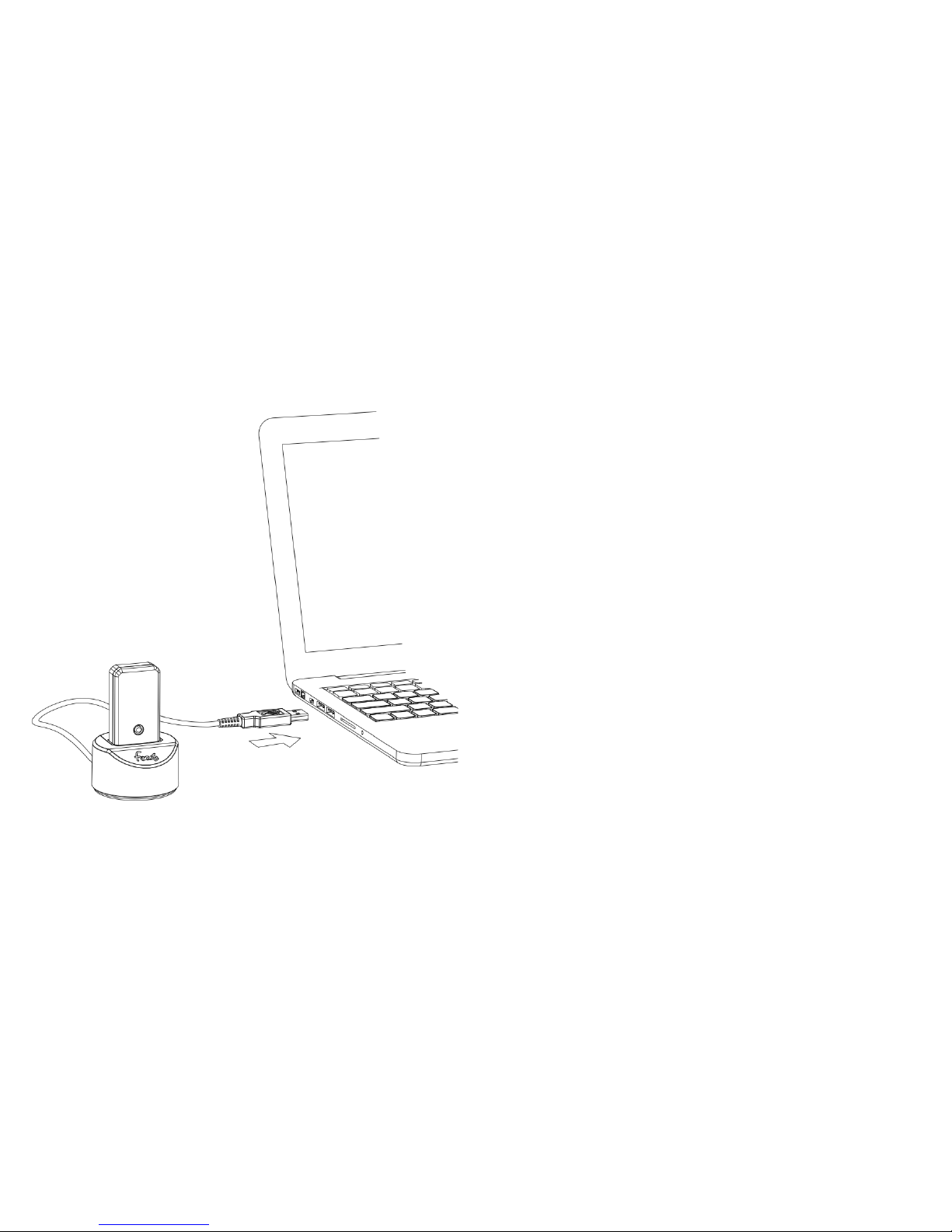
foc.us dock & software
The foc.us dock and software can be used
to update the rmware of your v2.
It can also be used to sync your program
and session data with foc.us+
Page 13

25
Intended use
Use foc.us in accordance with the
guidelines of the connected headset
WARNING: If you attach external
electrodes, make sure you know what you
are doing.
You have a responsibility to ensure they
are not placed in positions that could be
dangerous including but not limited to
passing current through the brain stem.
Bluetooth® connection
foc.us can be controlled by bluetooth.
Approved apps can be found here: http://
www.foc.us/v2/apps
Troubleshooting
Problem Solution
Cannot turn on Ensure battery is
charged by placing in dock
Error mode Ensure sponges are
wet
Battery will not charge check connection of
micro-usb to 5v power source.
Page 14

27
Specications
Size: 56mm x 29mm x 14mm
Weight: 21g
Battery: 3.7V Li-Po 180mAh rechargable
Max current: 2.05mA
Max voltage: 60V
Bluetooth: 4.0 bluetooth low energy GATT
prole
FCC ID: 2AAH6NUFC9
Support
More information is available on the
website:
http://help.foc.us/
you can also email [email protected]
Glossary
Activate start the current flowing
between the electrodes
Anode positive electrode
Cathode negative electrode
Montage the positioning of electrodes
tDCS transcranial Direct Current
Stimulation
tRNS transcranial Random Noise
Stimulation
Phosphenes visual artifacts
Sedentary sitting, not physically active
Page 15

29
FCC
FCC warning statement:
This device complies with Part 15 of the
FCC Rules.
Operation is subject to the following two
conditions:
(1) This device may not cause harmful
interference, and
(2) This device must accept any
interference received, including interference
that may cause undesired operation.
This equipment complies with FCC
radiation exposure limits set forth for an
uncontrolled environment. End users must
follow the specic operating instructions
for satisfying RF exposure compliance.
This transmitter must not be co-located or
operating in conjunction with any other
antenna or transmitter.
Changes or modications not expressly
approved by the party responsible for
compliance could void the user’s authority
to operate the equipment
Warranty & Guarantee
foc.us warrants the foc.us headset (the
“Product”), and only the Product, against
defects in materials and workmanship
under normal use for a period of twenty
four (24) months commencing on the
date of original purchase by the original
purchaser (the Warranty Period). This
Page 16

31
warranty does not cover damage caused
by misuse, accident, abuse, natural and/
or external causes (i.e. re, earthquake,
flood, etc.), use other than as intended
and described in the Product instruction
manual, nishes, normal wear and tear,
tampering, unreasonable use, service
performed by unauthorised service agents,
or loss or damage to the battery. foc.us
does not warrant that the operation of the
Product will be uninterrupted or error-free.
Limitation of remedies
Under this Limited Warranty, foc.us liability
and customer’s exclusive remedy under
the foregoing paragraph will be limited to
replacement or repair of the Product by
foc.us or its authorized service centers. A
replacement Product or part assumes the
remaining warranty of the original Product
or Ninety (90) days from the date of
replacement or repair, whichever is longer.
To obtain warranty service contact help@
foc.us
For your security, please return your
Product with an insured carrier (e.g., FedEx,
UPS, USPS Parcel Post) and retain your
receipt. foc.us is not responsible for items
damaged or lost in transit. Other than for
the reason of hardware defects, the return
freight cost responsibility belongs solely to
the customer.
Page 17

33
Limitation of damages
In no event will foc.us or any of its afliated
or subsidiary companies be responsible
for any special, incidental, or consequential
damages resulting form the use of this
Product, or based on any breach of
warranty, breach of contract, negligence,
tort or any other legal theory.
Such damages may include without
limitation, loss of savings or revenue;
loss of prot; loss of use; the claims of
third parties, including without limitation
retailers; any cost of any substitute
equipment or services.
Some states do not allow the exclusion or
limitation of incidental or consequential
damages, so the above limitation may not
apply to you.
The warranty gives specic legal rights,
and you may have other legal rights, which
vary from state to state or country to
country.
This Limited Warranty is valid only in the
the United States and Europe for Products
sold in the United States and Europe.
Resellers, agents, or employees of
foc.us are not authorized to make any
modication, extension, or addition to this
Limited Warranty.
Page 18

www.foc.us
 Loading...