

Page 1
- 1 -
SC-A10 Manual
User
SC-A1
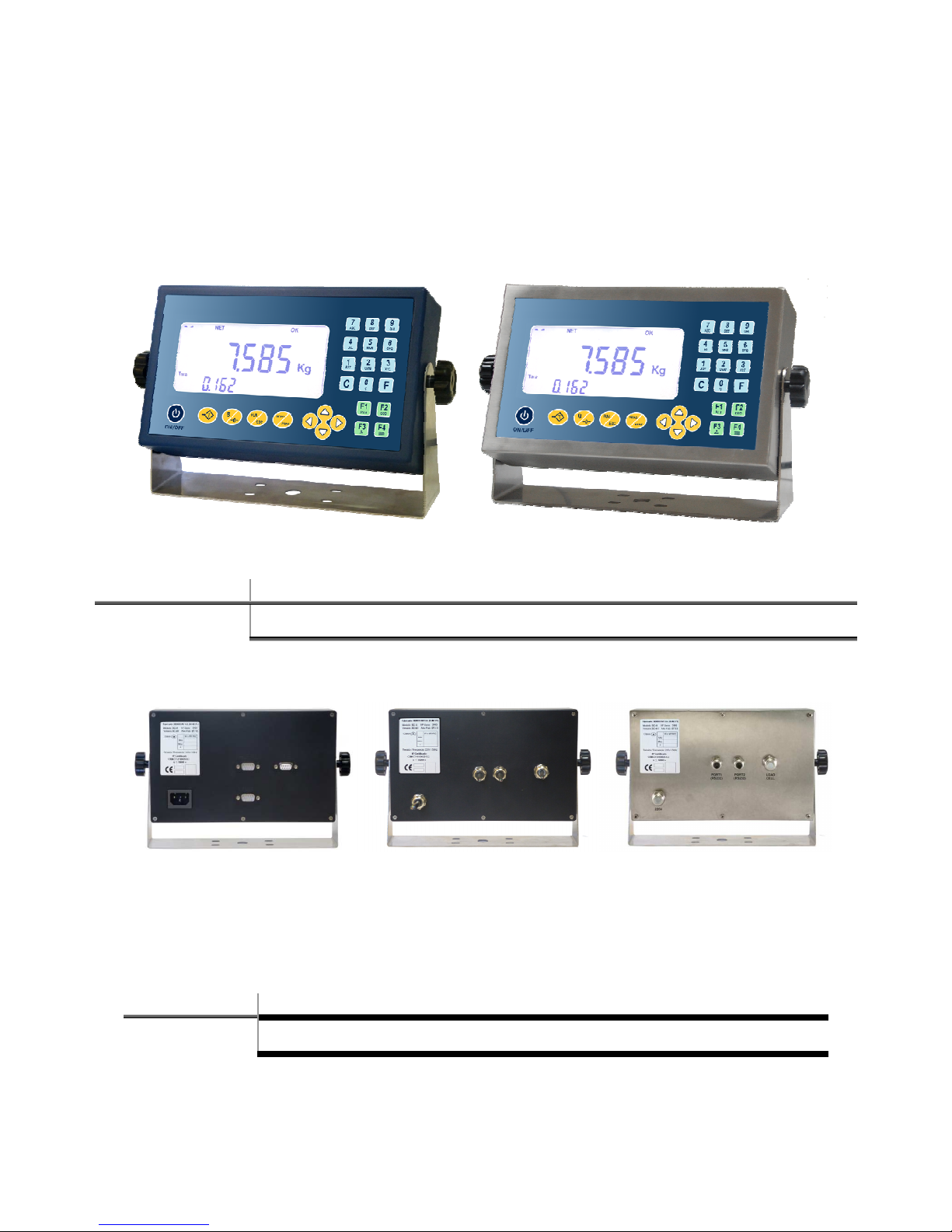
Advanced weighing equipment with ABS or INOX finish, backlit LCD display with 3 numeric display
fields and alphanumerical keyboard.
2017-02-14
COMPLETE USER MANUAL
Page 2
- 2 -
Features
Weight-Tare-Piece counter with possibility of options and add-ons.
Keys exclusively for the classic weighing system, similar to previous units, in the line of
SC10.
Clear, intelligible weighing symbols for improved, more convenient reading of the data
displayed.
Printing of weight on the platform with large, notable size.
Clock/Calendar fitted as standard.
Quicker weighing system optimized for greater fluidity, accuracy and exactness.
Intuitive menu system.
Enter menu with fully configurable, flexible scale, fraction and decimals.
Auto-calibration without having to re-adjust the weight when changing scales.
On/off by key.
Option to manually set the weight, for optimal, quick calibration.
Piece counter function with more than a million internal points.
Dedicated animal weighing function as standard.
Smart display-repeater function, with possibility of repeating most market protocols.
Extended accumulation: millions of accumulations with 64 bit totaliser.
Standard manual tare.
Accumulation and auto-accumulation of serial weighings.
Automatic totalling of serial weighings.
Accumulated Grand Total.
Configurable number of lines to finish ticket and delays per printed line.
Repeat ticket and optional ticket per weighing.
Note: If the equipment shuts down with an open ticket, when restarting the equipment will
continue with the ticket but can not be repeated, unless the equipment has DSD
memory, in which case the ticket may be repeated using the option DSD in the user
menu.
Dedicated selectable connection to the most used printers.
Label printing function (connection to Godex and Zebra labeller).
Possibility of serial communications up to 115200 baud rate, N81, E71 and O71.
Self-test of the default serial communication channels.
Continuous programmable send time.
Optional auto-zero in negative to prevent zero errors of the scales in hostile environments.
Energy-saving and optimisation measures: low consumption mode and programmable
power-off due to inactivity.
Transfer of external data and configuration from PC of the display parameters.
Battery status indicator (in versions with battery).
Possibility of independent auto-calibration of each display.
Multirange totally programmable, flexible twin scales.
Linearisation up to 16 points which can be easily defined by the user.
GROSS-TARE-NET special discharge function ticket as standard.
Large selection of compatible printers with optional auto-cutter.
Auto-calibration of analogue cell systems
Customer-programmable password.
SENSORED communication system and network connection of indicators (for RS485
wired networks) for customized weighing applications
6 languages: Spanish, Portuguese, French, Italian, English and German.
Includes USB connector for standard PC keyboard.
Page 3

- 3 -
INDEX
1 KEYBOARD ...................................................................................................................... - 4 -
2 FUNCTIONS MENU .......................................................................................................... - 5 -
3 DISPLAY LCD .................................................................................................................... - 8 -
4 INSTRUCTIONS AND GENERAL OPERATION MODE ........................................................... - 9 -
4.1 Ordinary weighing (Net/gross tare, tare lock) .................................................................... - 10 -
4.1.1 Quick zero: ......................................................................................................................... - 11 -
4.1.2 Stability .............................................................................................................................. - 11 -
4.1.3 Quick tare .......................................................................................................................... - 12 -
4.1.4 Gross weight/net weight: .................................................................................................. - 13 -
4.1.5 Tare lock ............................................................................................................................ - 13 -
4.1.6 Quick Manual Tare (*): ...................................................................................................... - 14 -
4.2 Memorized Tares (*) .......................................................................................................... - 15 -
4.3 Quick selection code .......................................................................................................... - 16 -
4.4 Extended accumulation and totalisation of weighings ........................................................ - 17 -
4.4.1 Manual accumulation ........................................................................................................ - 17 -
4.4.2 Automatic accumulation ................................................................................................... - 19 -
4.4.3 Totalise .............................................................................................................................. - 19 -
4.5 Piece counter .................................................................................................................... - 21 -
4.5.1 Accumulation and totalisation .......................................................................................... - 21 -
4.6 Units with Battery ............................................................................................................. - 22 -
4.7 Equipos con memoria DSD (Aliby) ...................................................................................... - 22 -
Page 4
- 4 -
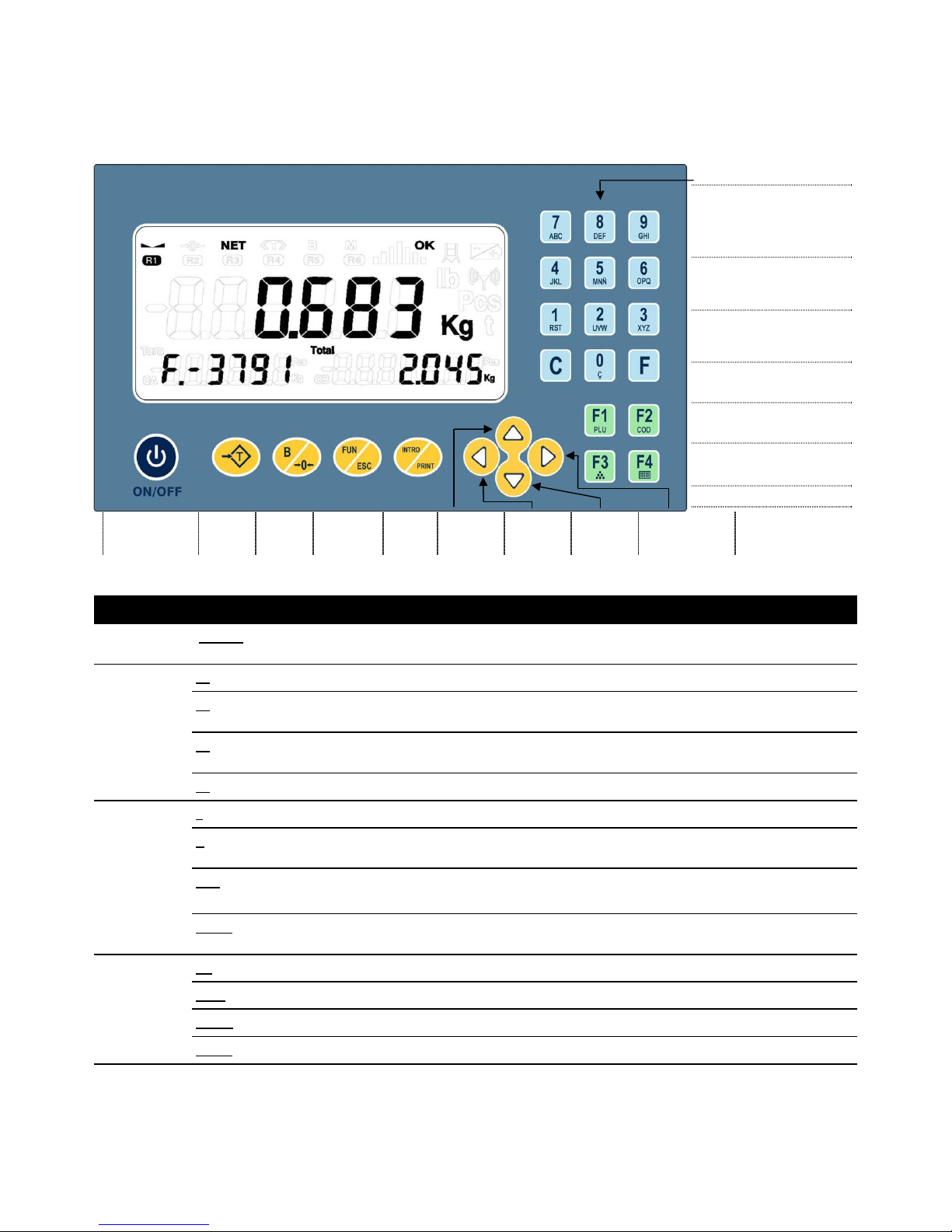
1 KEYBOARD
ON / OFF:
Turn ON /
Turn OFF
T:
Tare
B:
Zero /
Gross
FUN:
Function
(auxiliary)
INTRO
:
Intro /
Print
UP:
Up /
Increm.
LEFT:
Exit /
Return
DOWN:
Down /
Decrem.
RIGHT:
Enter /
Change Option
Environment Key Descriptions (standard functions)
Always
ON/OFF
With the equipment power off, pressing the key turns the equipment ON.
With the equipment power on, long press the key (more than 2 seconds) turns the equipment OFF.
Direct access
F1 TOTALIZ
E
. With relay opion will enter in
RELAY MENU
.
F2
Selection/Edition of
SAVED MANUAL TARE
with numeric code (up to 255).
Edition of UNIT WEIGHT PIECE COUNTER (if active).
F3
Switches the display between WEIGHT and PIECES (if active).
QUICK MANUAL TARE in weight mode.
F4
Key for direct Access to the
FUNCTIONS MENU
.
Weighing
T
Carries out
TARE / TARE LOCK
(2
quick pres
s of T key
) /
TARE UNLOCK
.
B ZERO
is set.
If there is a tare, the weight display mode is: NET / GROSS.
FUN SPECIAL FUNCTION
key to combine with any of the others:
- INTRO: TOTALISE in the Relay Programs.
INTRO
The weighing is
ACCUMULATED
and
PRINTED
through RS232. If there is an active dosing program, the
START function is carried out.
Flechas
:
Pesaje/
Navegación por
códigos
UP
Moving between menus, allows to move to the next menu in the navigation
LEFT LEAVE
the menu or option.
DOWN
Moving between menus, allows to move to the previous menu in the navigation
RIGHT
ENTER
the submenu or change the option.
NUM: Numeric keyboard
C: Delete figure, number
or literal.
F: Validate figure,
number, literal, option.
F1: Totalize
F2: Tares / Codes
F3: Rapid Manual Tare/
Piece Counter
F4: User Menu
Page 5
- 5 -
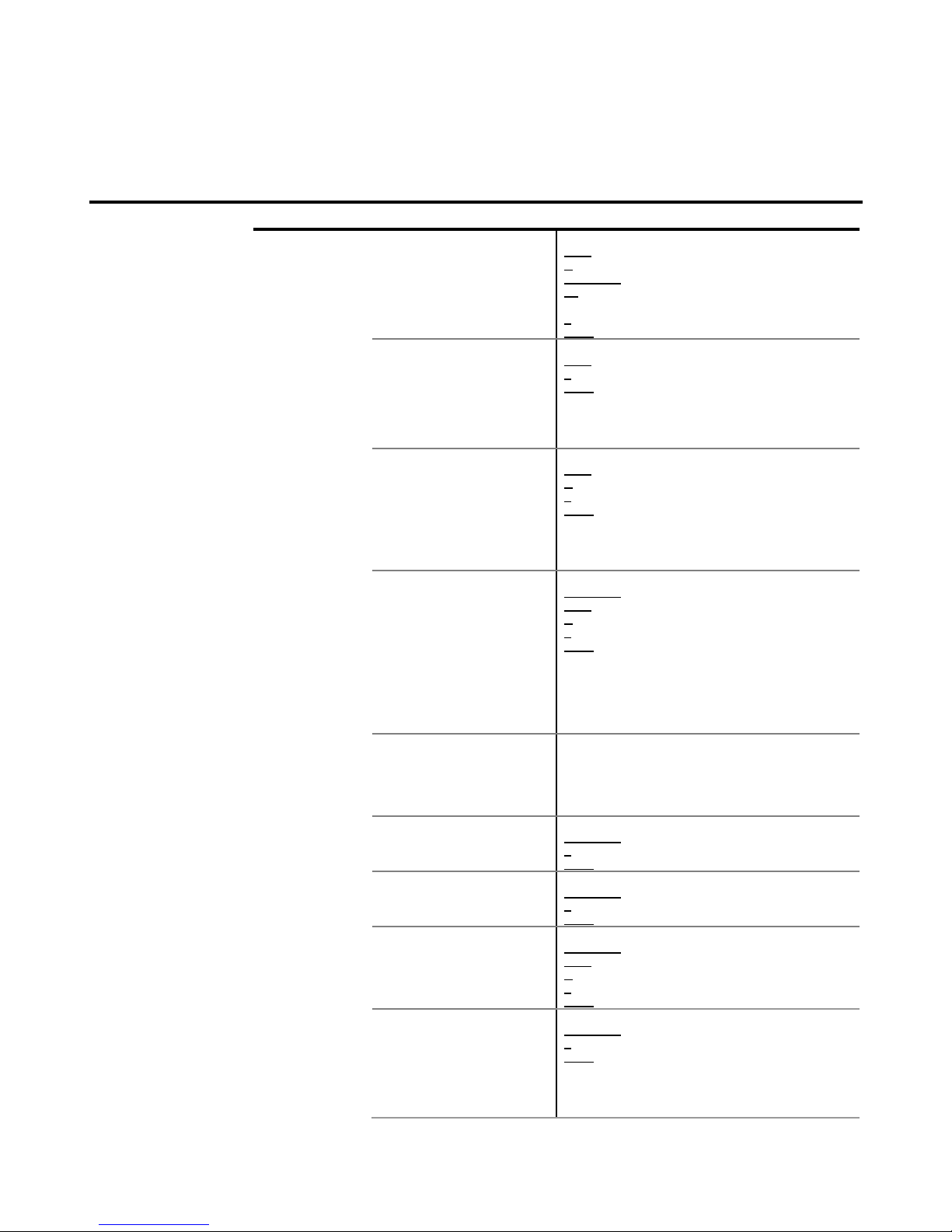
2 FUNCTIONS MENU
To enter: F4
(The optional ones are shaded)
Option Description Actions
-
CODE
-
Code of weighing in progress. (0.. 255)
NUM to modify code (numeric or alphanumeric)
C delete flashing digit.
UP/DOWN to increase/decrease the numeric code.
F2 to change between numeric and alphanumeric
code.
F to select/validate/save the code.
LEFT to exit without saving.
N.LABEL.
(**)
Label number. (0..255) (The label 255 corresponds to the Total).
NUM to enter the label number.
F to validate/save the code.
LEFT to exit without saving.
(Appears only when in the Programming Menu some
labeler have been selected).
NOTE: See Programming Manual for more
information.
TICKET
(***)
Delivery note number. (6 decimal digits).
NUM to enter the number of Ticket/Delivery.
C delete flashing digit.
F to validate/save the number of Ticket.
LEFT to exit without saving.
If 0, it will not appear in the ticket. Otherwise it will
increase automatically.
(Does not appear on equipment with the DSD option)
TIK.REP
.
Repeat ticket (0. .15 automatic tickets).
UP/DOWN to increase/decrease value.
NUM to edit value.
C delete flashing digit.
F to validate/save the value.
LEFT to exit without saving.
Each time a ticket is closed, proceed in accordance
with the values:
-0: Normal operation.
-1: You will be asked whether to repeat the ticket.
-2. .15: There will be as many tickets as the value.
SUBTOT
Shows the accumulated weight
subtotal so far.
It shows the number of total accumulated weighings
and the total weight of the current ticket or the previous
one if it is been already closed.
It leaves the option after displaying the number of
weighings and the accumulated weight.
AUTOAC
Auto-accumulation when
stability is reached.
(Yes/No)
UP/DOWN to change between Yes/NO.
F to validate/save the option.
LEFT to exit without saving.
AUT
.TAR
Auto Tare when stability is
reached after passing through
zero.
(Yes/No)
UP/DOWN to change between Yes/NO.
F to validate/save the option.
LEFT to exit without saving.
NU.ACUM
(*)
Number of accumulations
before automatic totalling.
(0. .255 accumulations).
UP/DOWN to increase/decrease value.
NUM to edit value.
C delete flashing digit.
F to validate/save the value.
LEFT to exit without saving.
W.UNIQ.
Single weighing mode selection. (Yes/No)
UP/DOWN To change between Yes/NO.
F to validate/save the option.
LEFT to exit without saving.
There will be a complete ticket for each weighing (and
also when totalising weighing).
Page 6
- 6 -
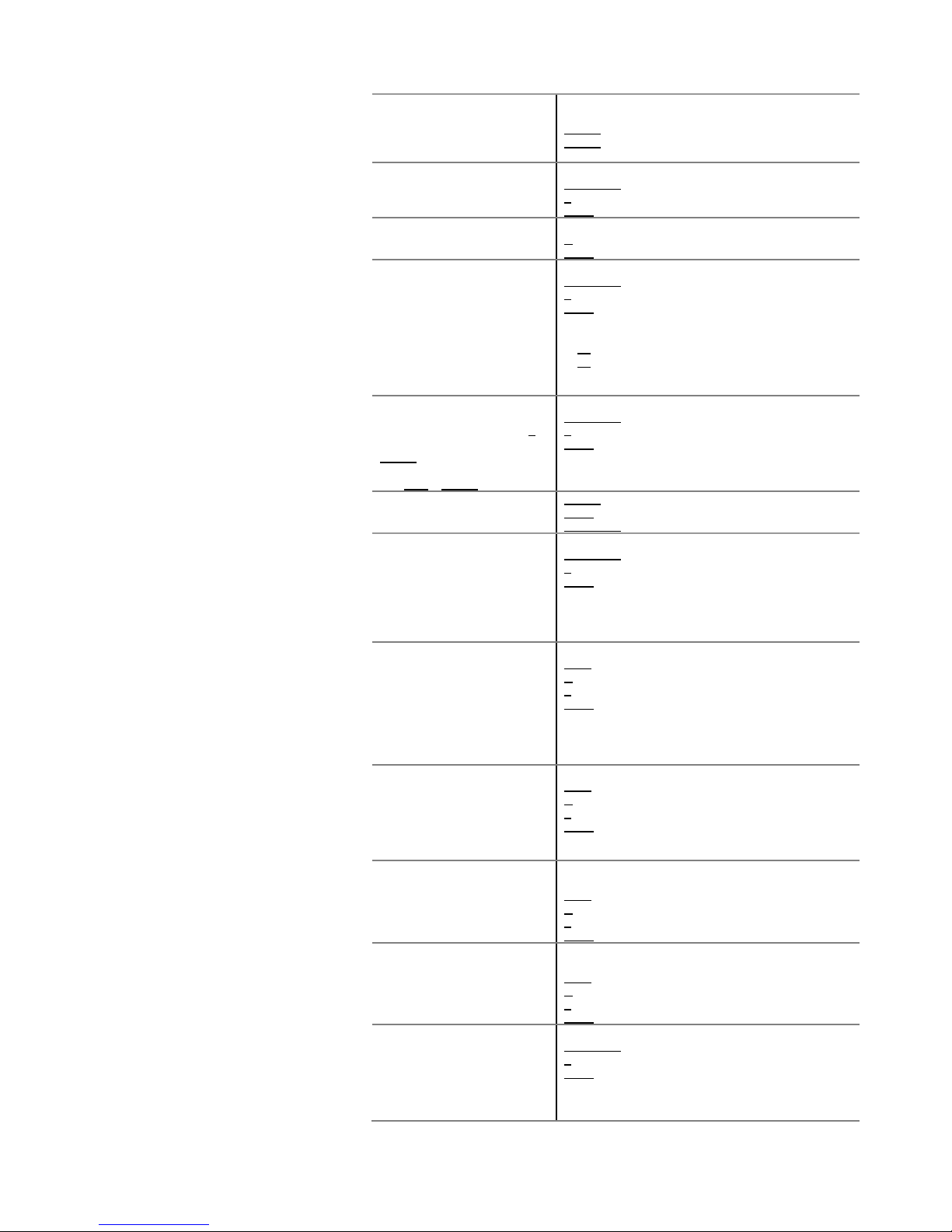
BIG.TOT
Grand Total.
Shows the accumulated weight
total since the last time its value
was reset.
It shows the grand total of accumulated weighings and
the grand total accumulated weight.
INTRO to show the accumulated grand total.
INTRO during scroll: Prints and deletes the
accumulated grand total.
F.WEIGHT
It displays the maximum weight.
When pushing
[INTRO]
the
memorized weight is erased and
recalculates a new maximum.
(Yes/No)
UP/DOWN To change between Yes/NO.
F to validate/save the option.
LEFT to exit without saving.
HI-RES
High resolution.
Shows the weight with another
precision digit (Weight x 10)
Displays wieght in high resolution. (x10)
B performs a ZERO in equipment.
LEFT to exit.
PIECES
Advanced piece counter.
Selects Piece counter mode
(Yes/No)
UP/DOWN To change between Yes/NO.
F para validar/grabar opción.
LEFT para salir sin grabar.
Al habilitarlo, en modo peso:
F3 Cambia entre piezas y peso.
F2 Para introducir el número de piezas que se
están pesando ( el equipo calculará el peso
unitario)
D
ISCHA
. (*)
Accumulation in download.
Process (once in weight mode):
1- With full container press T.
2- Empty container and press
INTRO.
(repeat process until finishing
with FUN + INTRO)
(Yes/No)
UP/DOWN To change between Yes/NO.
F to validate/save the option.
LEFT to exit without saving.
ANIM.WE
.(*)
Dynamic weighing for animals
RIGHT
to enter submenu.
LEFT leave submenu.
UP/DOWN to navigate inside submenú.
--ON--
(Yes/No)
UP/DOWN To change between Yes/NO.
F to validate/save the option.
LEFT to exit without saving.
A very large number of weight samples will be carried
out at high speed to calculate and display the average
at the end of the process.
LOW.BOW.
Inferior limit of weight (6 digits).
NUM to enter value.
C delete flashing digit.
F to validate/save the value.
LEFT to exit without saving.
-Weight values below this value are rejected.
With AUTOMA=YES, waiting time T.INI is initiated
when the weight exceeds this value.
HIG.BOW
Upper weight limit (6 digits).
NUM to enter value.
C delete flashing digit.
F to validate/save the value.
LEFT to exit without saving.
- Weight values above this value are rejected.
INIT.T.
With AUTOMA=YES. Waiting time before initiating the
process of sample weight. (0.. 25,5 seconds).
NUM to enter value.
C delete flashing digit.
F to validate/save the value.
LEFT to exit without saving.
AWG.TIM
Time duration of the sampling weight.
(0 .. 25.5 seconds).
NUM to enter value.
C delete flashing digit.
F to validate/save the value.
LEFT to exit without saving.
AUTOMA
(Yes/No)
UP/DOWN To change between Yes/NO.
F to validate/save the option.
LEFT to exit without saving.
Yes -> Weight sample is automatically initiated once
INIT.T. time is passed after the weight value defined in
Page 7
- 7 -
LOW.BOW is exceeded.
No -> The equipment waits for the pressing of
INTRO key to initiate the process of weight sample. (It
does not wait for INIT.T. even though the LOW.BOW is
exceeded).
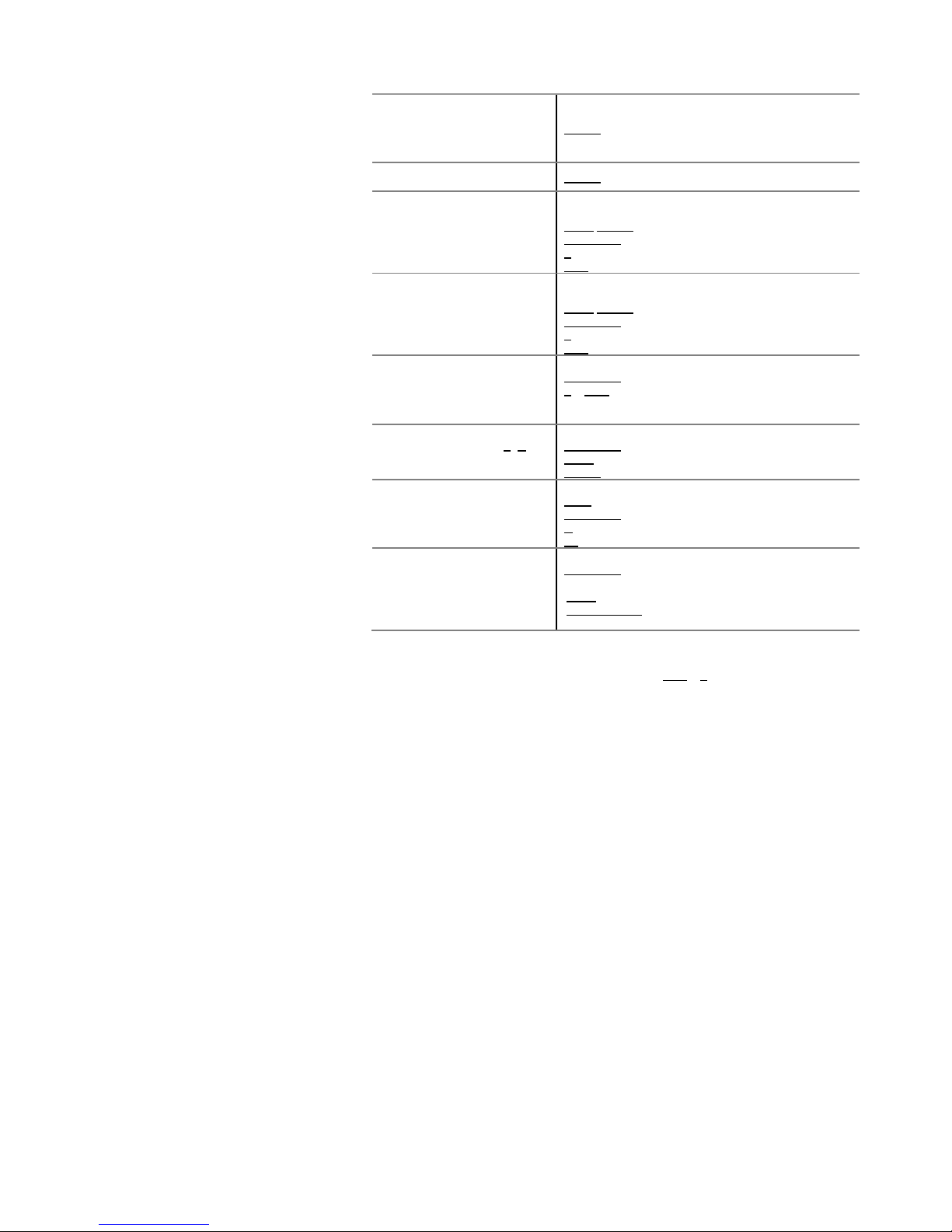
CLOCK
Shows/Sets the clock and
calendar.
RIGHT to access submenu.
TIME
Displays and enables modification of current time.
(HH:MM:SS)
LEFT/RIGHT to change the flashing digit.
UP/DOWN to change the value of the flashing digit.
F to validate/save Time.
FUN to exit without saving.
DATE
Displays and enables modification of current date.
(DD.MM.AA).
LEFT/RIGHT to change the flashing digit.
UP/DOWN to change the value of the flashing digit.
F to validate/save Date.
FUN to exit without saving.
CELLS
Show counts and weight of each
load cell.
(Only in equipment with
communication with digital load
cells)
Load cell number selection mode.
UP/DOWN to increase/decrease number.
F o DER to validate number and move on to reading
mode.
CEL. xx
(load cell selection with T /B)
Read Mode.
UP/DOWN to change load cell.
LEFT switches to the load cell number selection mode
RIGHT to switch between counts and weight.
-DSD
- (*)
Consult and print data saved in
DSD memory.
(Only in equipment with DSD)
Ticket number selection mode.
NUM to enter number.
UP/DOWN to increase/decrease number.
C delete flashing digit.
F2 to validate number and move on to detail mode.
It shows the net weights of the
different accumulations
registered in the selected Ticket
and also print a copy of the
Ticket.
Detail Mode.
UP/DOWN to navigate through the different
accumulations recorded and the Total accumulated.
LEFT switches to the Ticket number selection mode.
INTRO/PRINT prints a copy of the selected Ticket.
(*) This option DOES NOT appear if there is an open ticket. (Close ticket by pressing FUN + T in Weight mode)
(**) This option DOES NOT appear if any communication PORT of the equipment no has not been configured to connect
to the labelling machine. (See option -COM- from Programming menu).
(***) This option DOES NOT appear if the equipment has DSD. (With DSD option the equipment does not allow manual
modification of the number of Ticket / Delivery Note)
Page 8
- 8 -
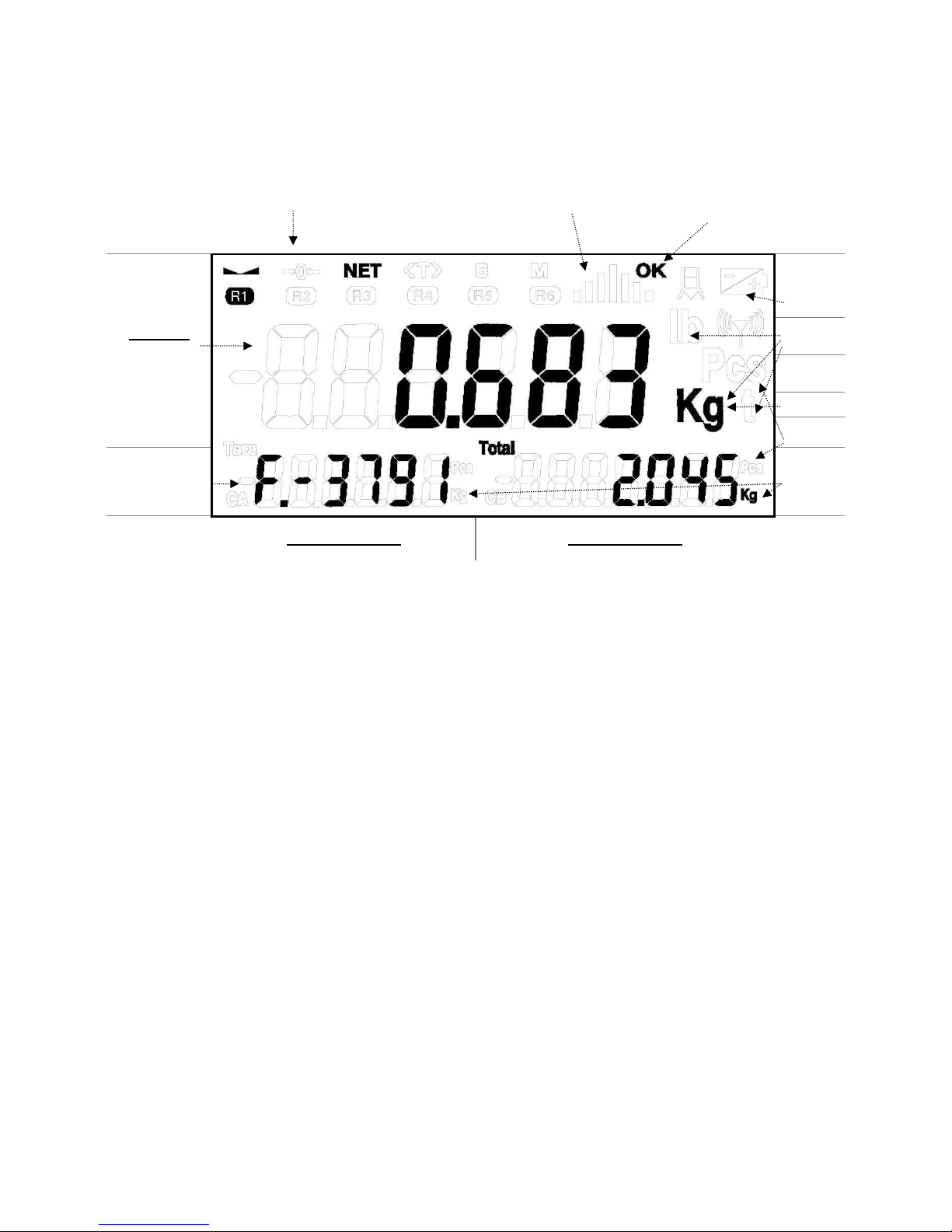
3 DISPLAY LCD
Símbolos de pesaje
Scroll Estamos pesando
Display 1
Peso sobre
plataforma
Estado
batería
Unidades
Modo
Piezas
Tipo de datos
Unidades
Display auxiliar 2
Peso tarado, códigos, datos, etc.
Display auxiliar 3
Peso total (a totalizar, a dosificar, etc.)
Page 9
- 9 -
4 INSTRUCTIONS AND GENERAL OPERATION MODE
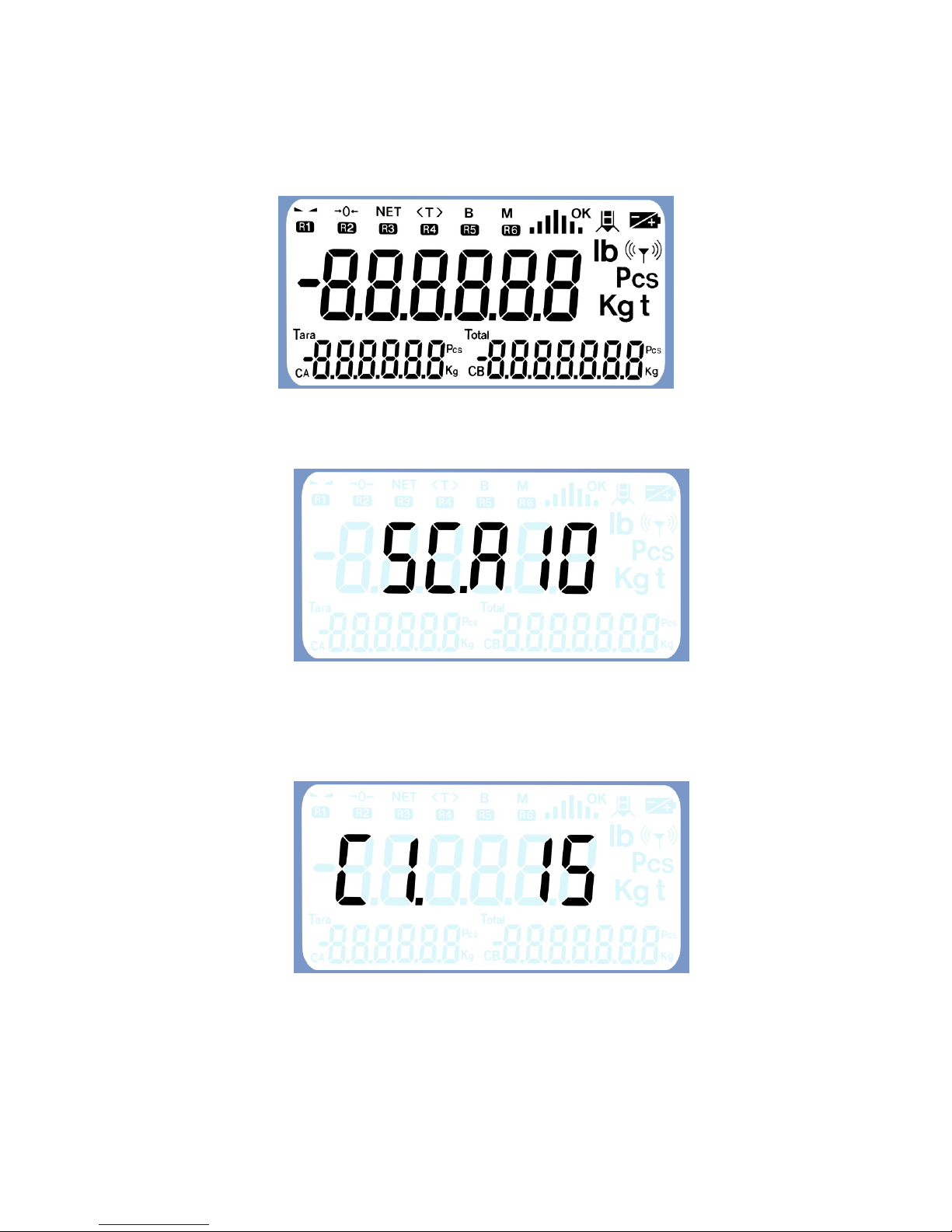
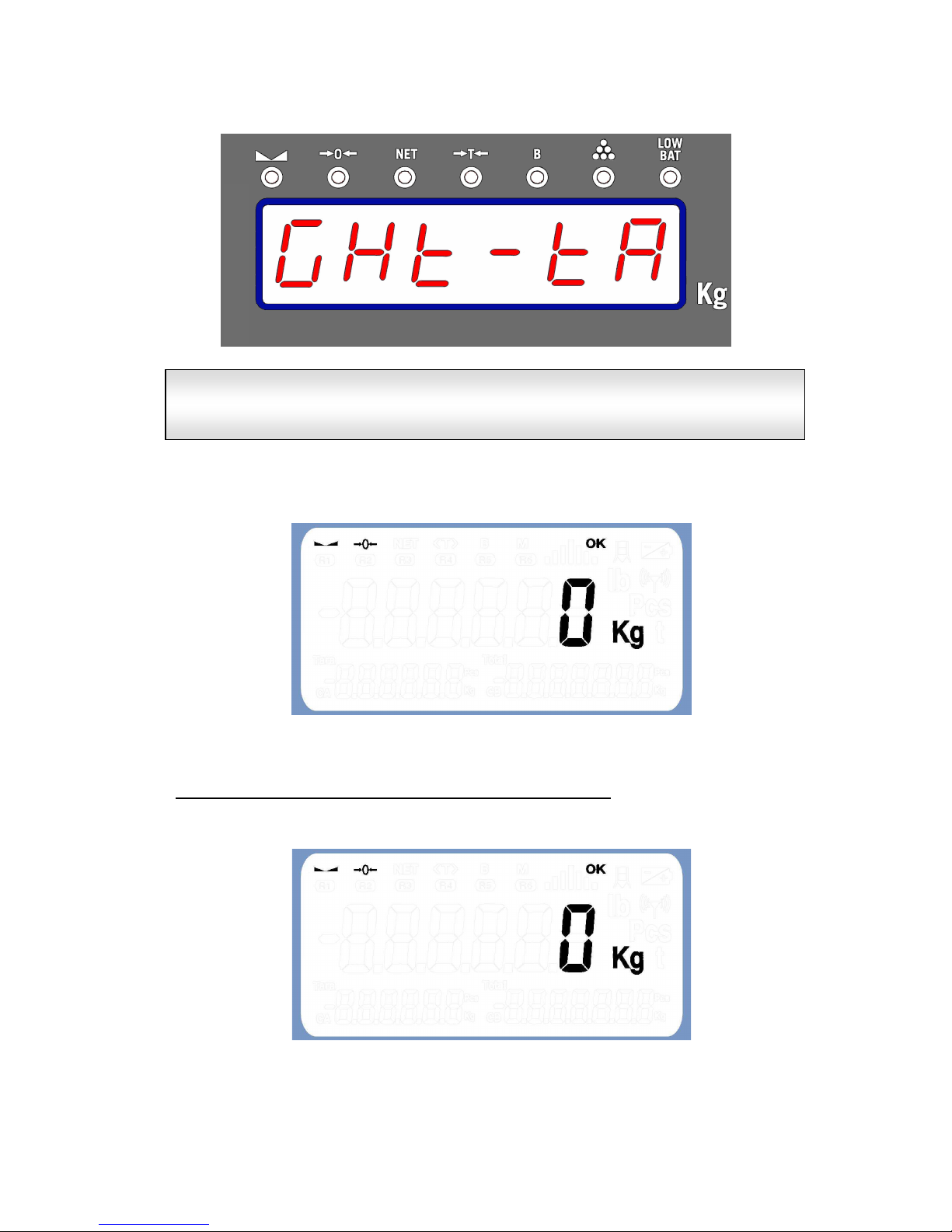
When starting up the unit, the ON/OFF key can be pressed to carry out an initial test,
showing all the display's digits and pilots.
The equipment identifier is then displayed:
Then, if the equipment has dead weight (units with weight module or digital cell
communication), the counter value is shown the number of times the unit's metrological
(weight) parameters have been modified.
Page 10
- 10 -
Finally, a message (banner type) describing the different functions of the unit is displayed.
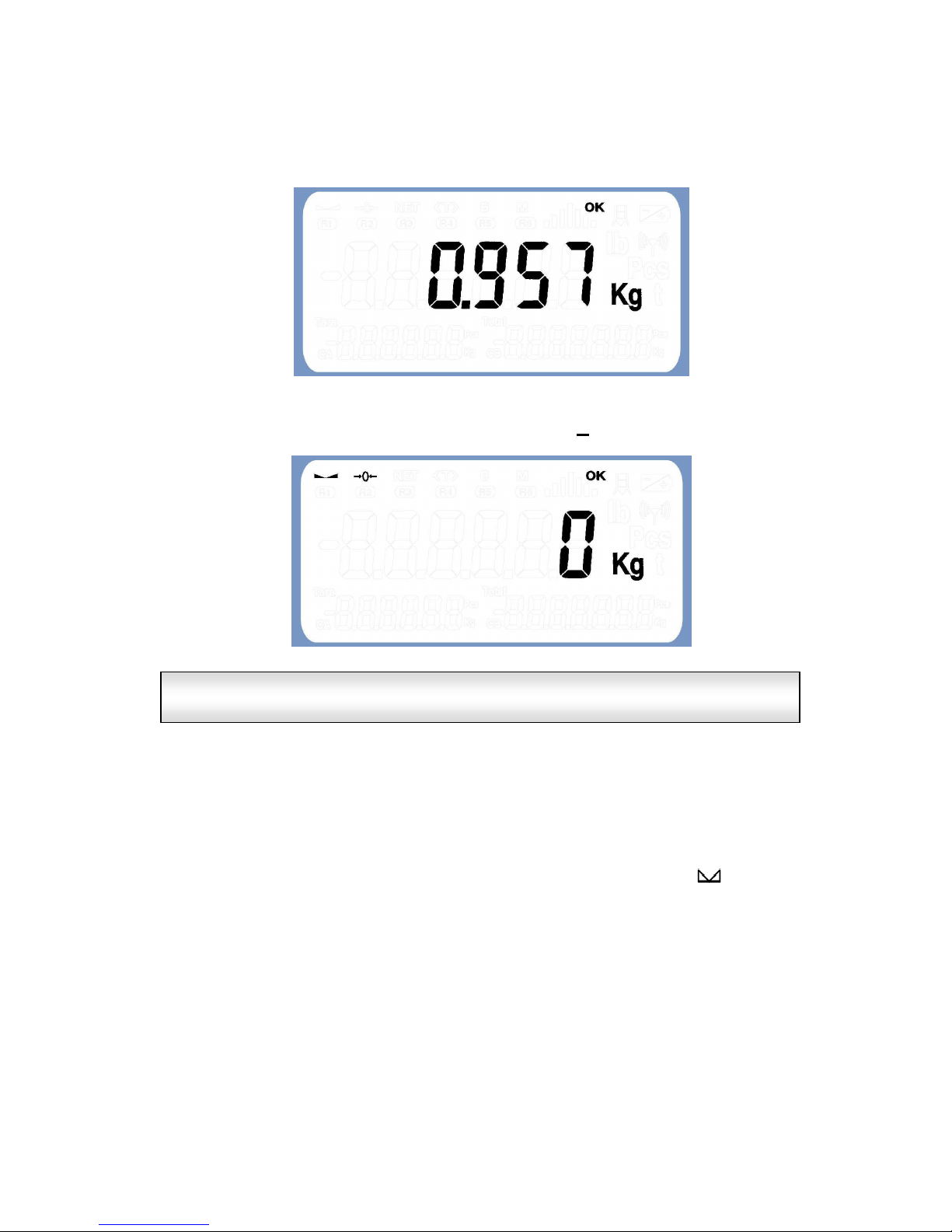
Once complete, the unit returns again to weight mode and shows the measured weight (The
equipment performs a “0” when starting up”).
4.1 Ordinary weighing (Net/gross tare, tare lock)
By defect, the unit will start up showing the weight on the platform:
Both the text of the banner displayed when starting up the unit and the
headers and footers of the tickets can be defined by the user using the
SENSODATA program.
Page 11
- 11 -
4.1.1 Quick zero:
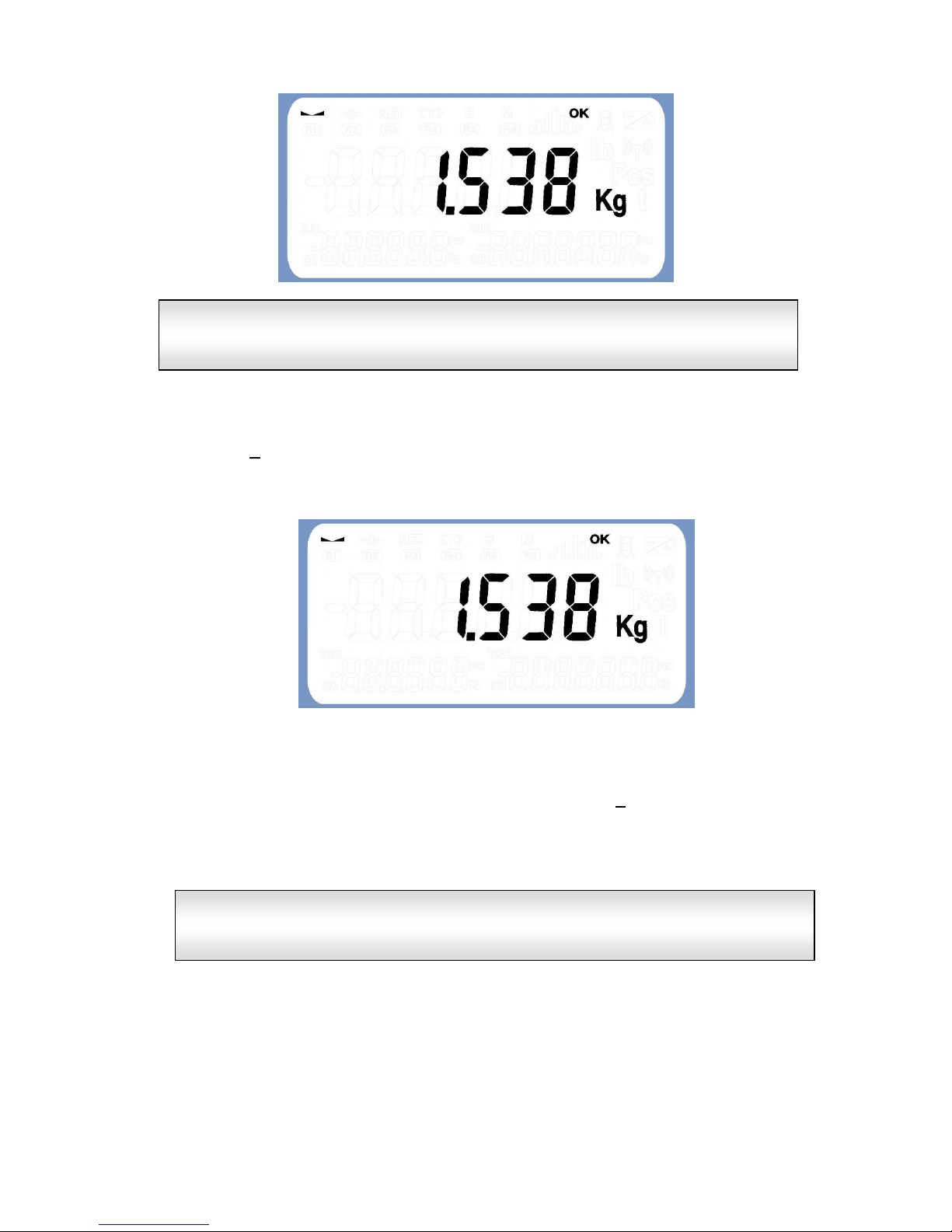
Whenever, without any weight on the platform, the unit shows a weight value other than
zero.
The zero should be manually corrected by pressing the B key.
4.1.2 Stability
The display shows the measured weight variations. The speed with which the changes
and the degree of weight stability shown are displayed depend on the values set in the
filter parameters. (Options STAB.T, FILTER and FIL.DEP in the Programming Menu).
As soon as the weight stabilises, the display activates the stability pilot ( ) to indicate the
condition of stable weight.
The machine can automatically reset at start
-up
enabling
the
INIT.Z
option
in the WEI.OPT. programming submenu.
Page 12
- 12 -
4.1.3 Quick tare
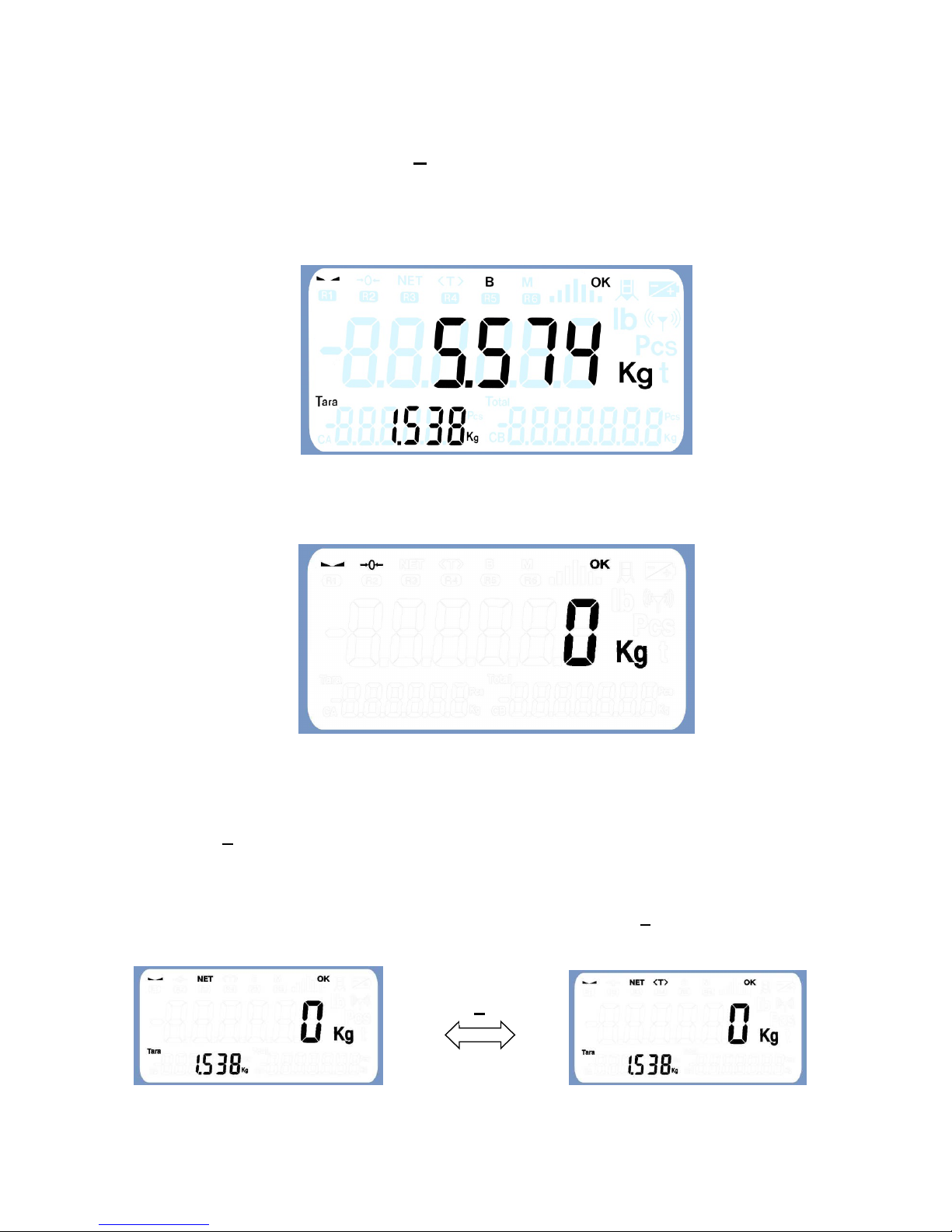
Pressing the T key when the unit shows stable weight other than zero causes the unit to
tare the weight on the platform, making the weight value displayed on screen pass to 0
and activating the pilot NET.
As of this moment, the display shows the net weight whenever the platform weight
changes.
Whenever the net weight displayed is not zero, pressing the T key again causes the unit to
carry out a new Tare.
T
he Quick Tare function it’s only available when the number of divisions of
gross weight is bigger than the one defined in the minim weight option
(WEI.MIN) in the WE.CTR programming submenu.
Most of the actions carried out by the display (print ticket, start load or
discharge, etc.) are associated with stable platform condition.
Most of the actions carried out by the display (tare, pri
nt ticket, start load
or discharge of dose, etc.) are associated with stable platform condition
(stable weight).
Page 13
- 13 -
4.1.4 Gross weight/net weight:
With the unit tared, pressing the B key allows switching between net weight and gross
weight on the display.
To indicate that the weight shown on the display corresponds to gross, enable both the B
pilot and the NET pilot:
Tare is automatically disabled when all the weight is removed from the platform, deleting
and re-displaying the gross weight:
4.1.5 Tare lock
To prevent tare from being disabled when all the weight is removed from the platform,
press the T key a second time when the net weight shown is zero (pressing once tares the
weight, and pressing twice locks tare).
Locking the tare activates the unit's >T< pilot in order to indicate locked tare. As of this
moment, and always when the net weight shown is zero, the T key can switch between
tare and tare locked modes.
T
Page 14
- 14 -
4.1.6 Quick Manual Tare (*):
The system allows to define a value of quick manual tare. To do this without leaving the
weight mode, you must press the F3 key (This option does not work if the piece-
counting mode is enabled). When doing so, the equipment enters in editing mode of
manual tare showing a tare value with the rightmost digit flashing. To change the tare
value shown, use the alphanumeric keypad, with the key LEFT we leave without validating
and the key F validate the tare value introduced, doing a Tare in the equipment while Tare
gets blocked.
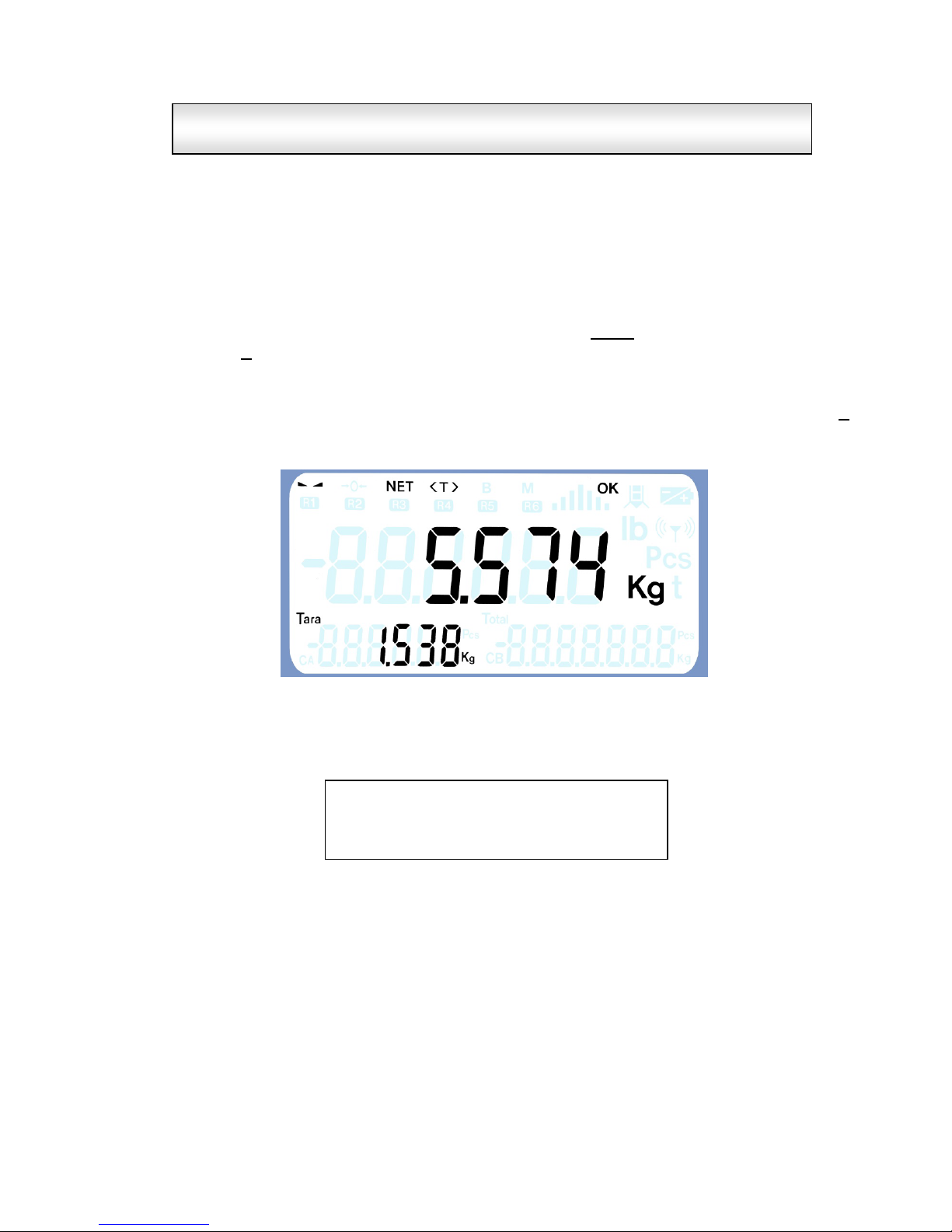
For example, with a weight of 7.112 we enter a manual tare 1,538, after validating the F
key on the display will be shown:
When manual tare is activated, the printing of tare on a ticket is accompanied by the
symbol "PR" to indicate that the weighing is carried out with a manual tare.
========================================
N.PES. CODIGO TARA kg NETO kg
========================================
1 PR: 1.538 5.574
The tare lock function is only available if initial zero opti
on (
INIT.Z
) has
been enabled in the WE.CTR programming submenu.
Page 15
- 15 -
4.2 Memorized Tares (*)
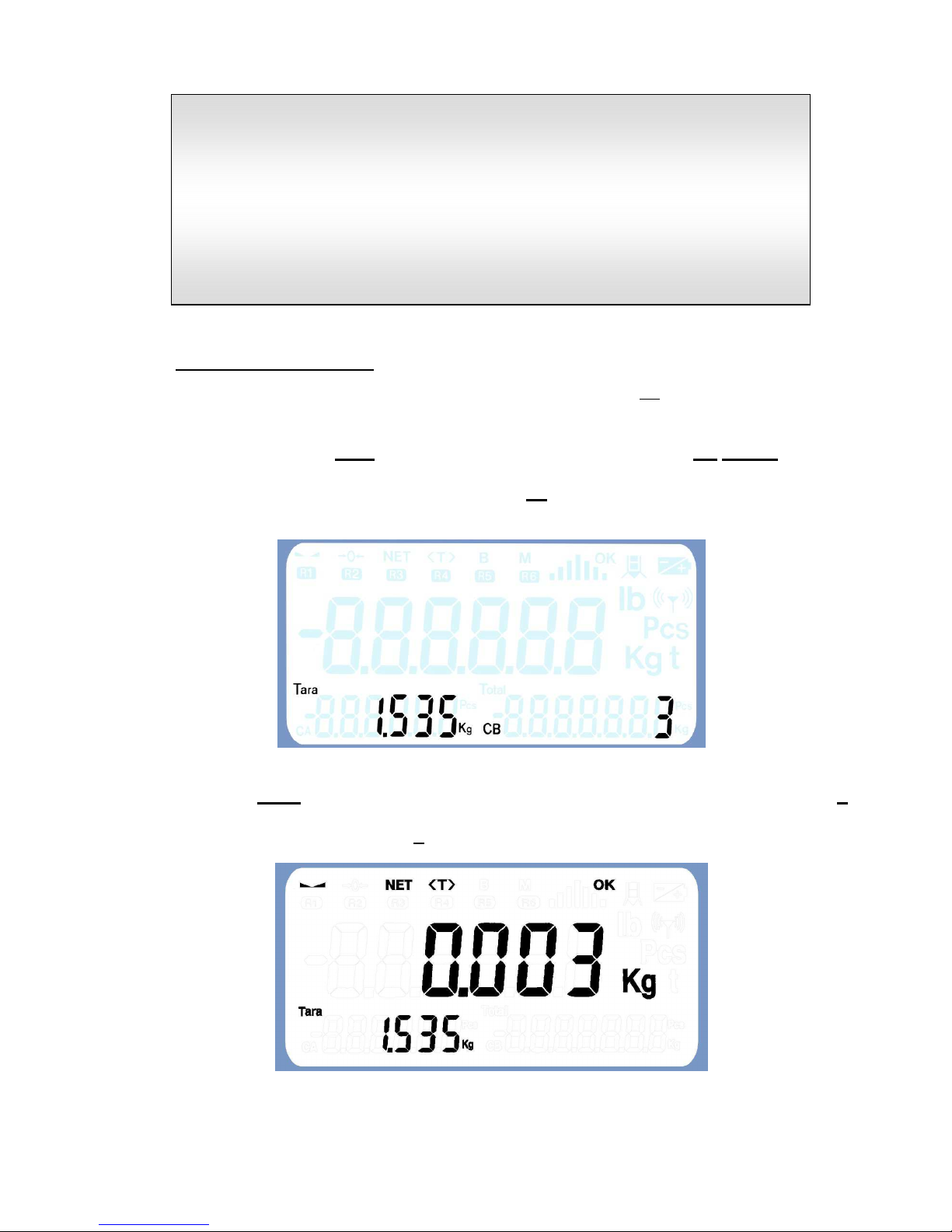
To edit and/or select a tare associated with a tare number, press F2. Doing so, in the
auxiliary display 2 is shown the preset tare corresponding to the number of tare shown on
auxiliary display 3 with the rightmost digit flashing. We can change this tare number using
the alphanumeric keypad NUM or increase / decrease its value with the UP/DOWN keys.
Within the menu of memorized tares, pressing the F2 key allows us to toggle between
editing modes of tare number and preset tare.
By last with the LEFT key exits the menu without selecting or record anything and with the F
key the memorized tare is selected or only it is recorded if it has been modified (in this last
case, with a second pressing of the F key we exit selecting the new tare).
(*) The F3 function key to
enter manual tare is NOT available in the
following cases:
- If are activated any of the following options: limits, semaphore or
any dosage (options available via the submenu APLICA of the
programming menu)
- If the mode Piece-Counter is activated (option available via the
submenu option PIECES of the user menu)
Page 16
- 16 -
With an active preset tare, pressing the T key does not swing between tare and locked tare,
but allows to tare again the weight pressing it when desired, saving at the same time as the
value of memorized tare associated with the number of tare active in that moment. From
this point functionality will be restricted to the tare blocking section.
The value of manual tare will be printed on the ticket preceded by the symbol "PT",
indicating the nature of the tare.
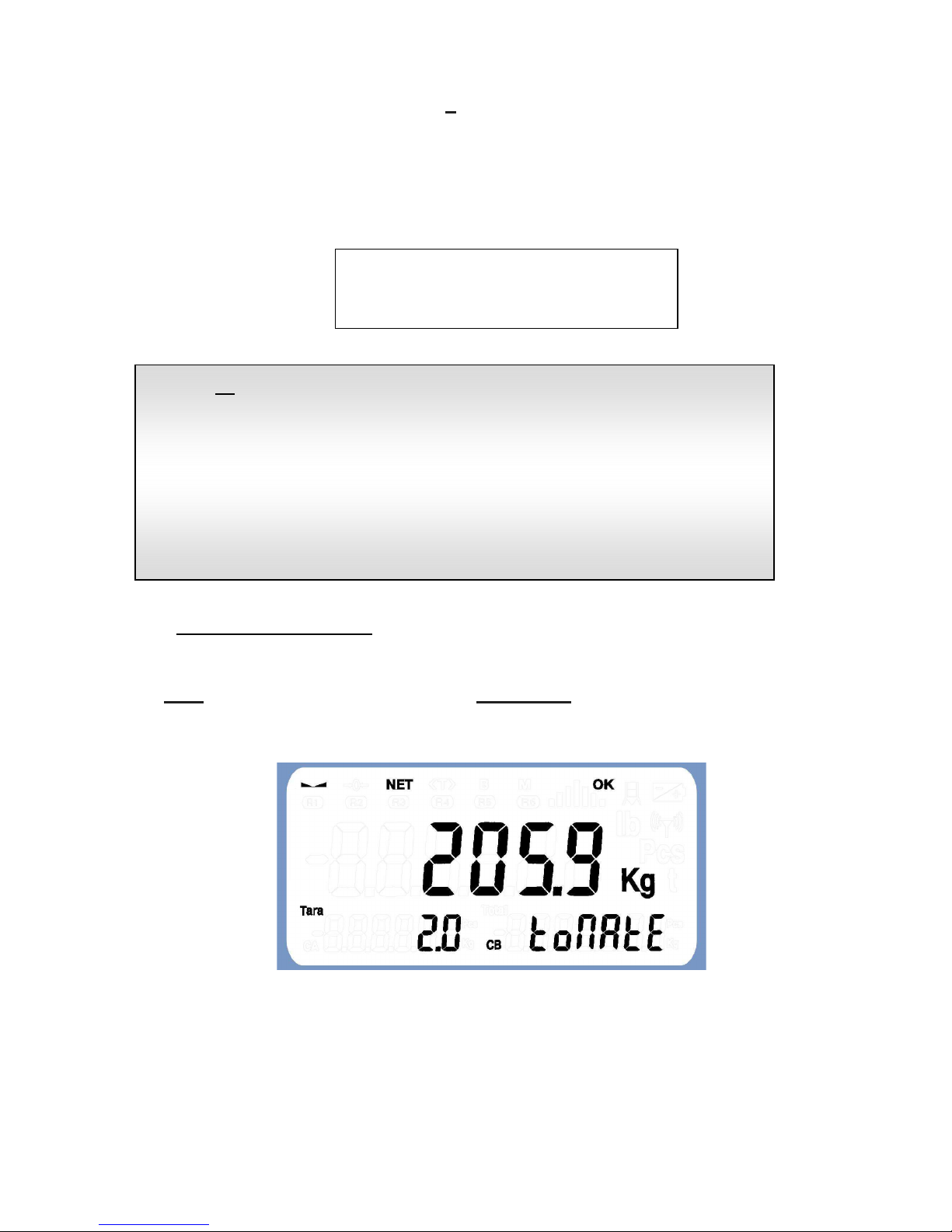
4.3 Quick selection code
The equipment allows to select an alphanumeric code directly simply by typing its number in
the NUM alphanumeric keypad or using the UP / DOWN keys to change to the previous /
following code shown in the auxiliary display 3.
(*) The
F2 function key to
enter
memorized
tare
s is NOT available in the
following cases:
- If are activated any of the following options: limits, semaphore or
any dosage (options available via the submenu APLICA of the
programming menu)
- If the mode Piece-Counter is activated (option available via the
submenu option PIECES of the user menu)
========================================
N.PES. CODIGO TARA kg NETO kg
========================================
1 PR: 1.538 5.574
Page 17
- 17 -
4.4 Extended accumulation and totalisation of weighings
The unit can account for weight (accumulate weighings), using the data to print a ticket per
printer and/or label and/or send the weighing data through the serial communication ports
(PORTS).
The unit allows individual weighings (printing a ticket for each weighing) or multiple
weighings (with several weighings in the same ticket and finalised with a total) to be done
automatically (when detecting stable weight on the platform) or manually (by pressing the
INTRO key when the unit displays stable weight).
Three conditions must be met in order for the unit to account for a weight (carry out
weighing): there must be stable weight, which exceeds the value defined as minimum
weighing (*), with the weight dropping below the minimum weight necessary to carry out
weighing at some point since last weighing (i.e. the last weighing has been discharged).
Pressing the key
4.4.1 Manual accumulation
In order to carry out manual accumulation, press the ENT key when the unit shows a
stable weight value above the value defined as minimum weighing.
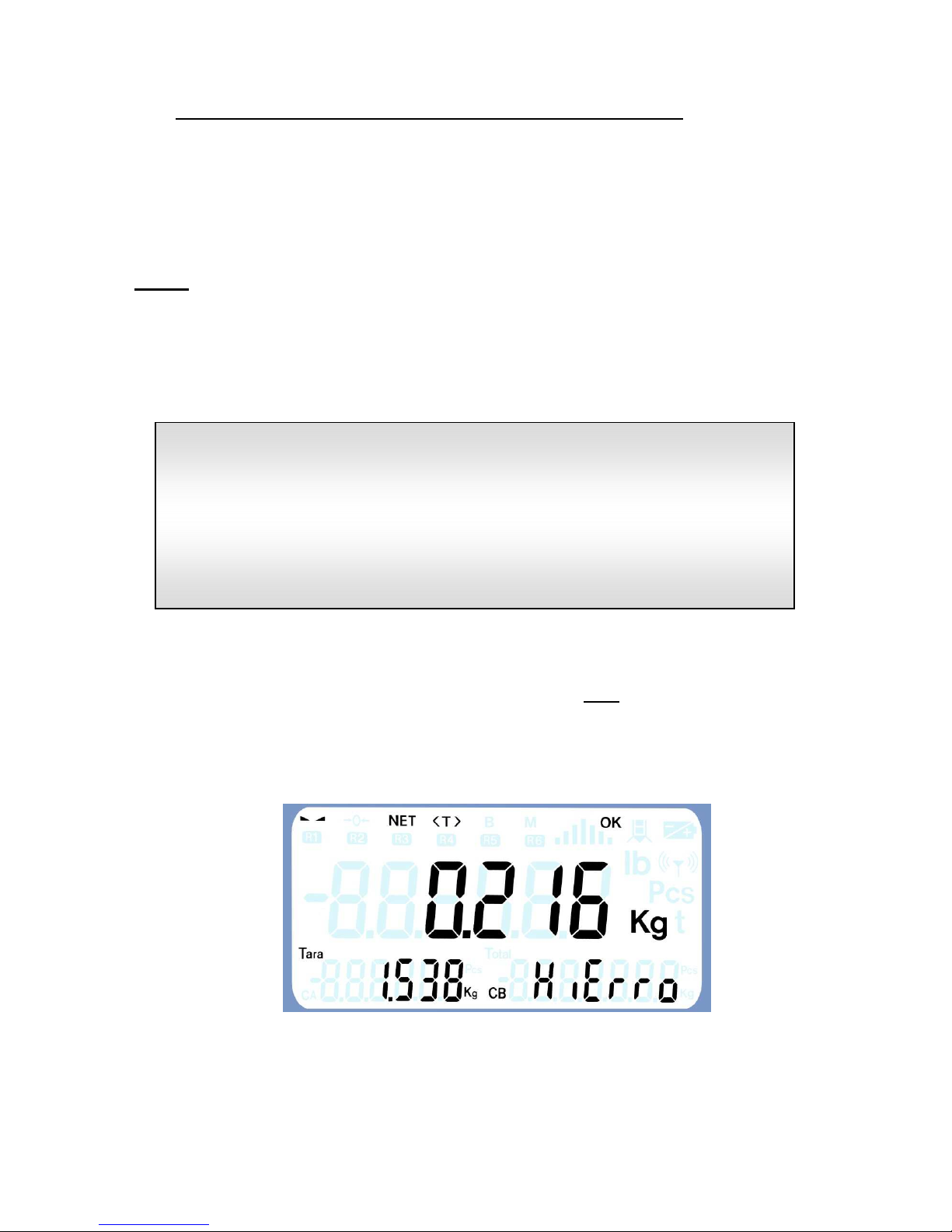
The following example assumes a stable weight of 1,754 kg, which we have previously
tared manually at 1,538 kg. (1754-1538 = 0.216) and the active code is “HIERRO”.
Single weighing is selected using the
W.UNIQ.
option in the Functions
menu.
Automatic weighing mode is selected using the AUTOAC option in the
Functions menu.
(*) The minimum weight value for a weighing is determined using the
WEI.MIN option in the unit's Programming menu.
Page 18
- 18 -
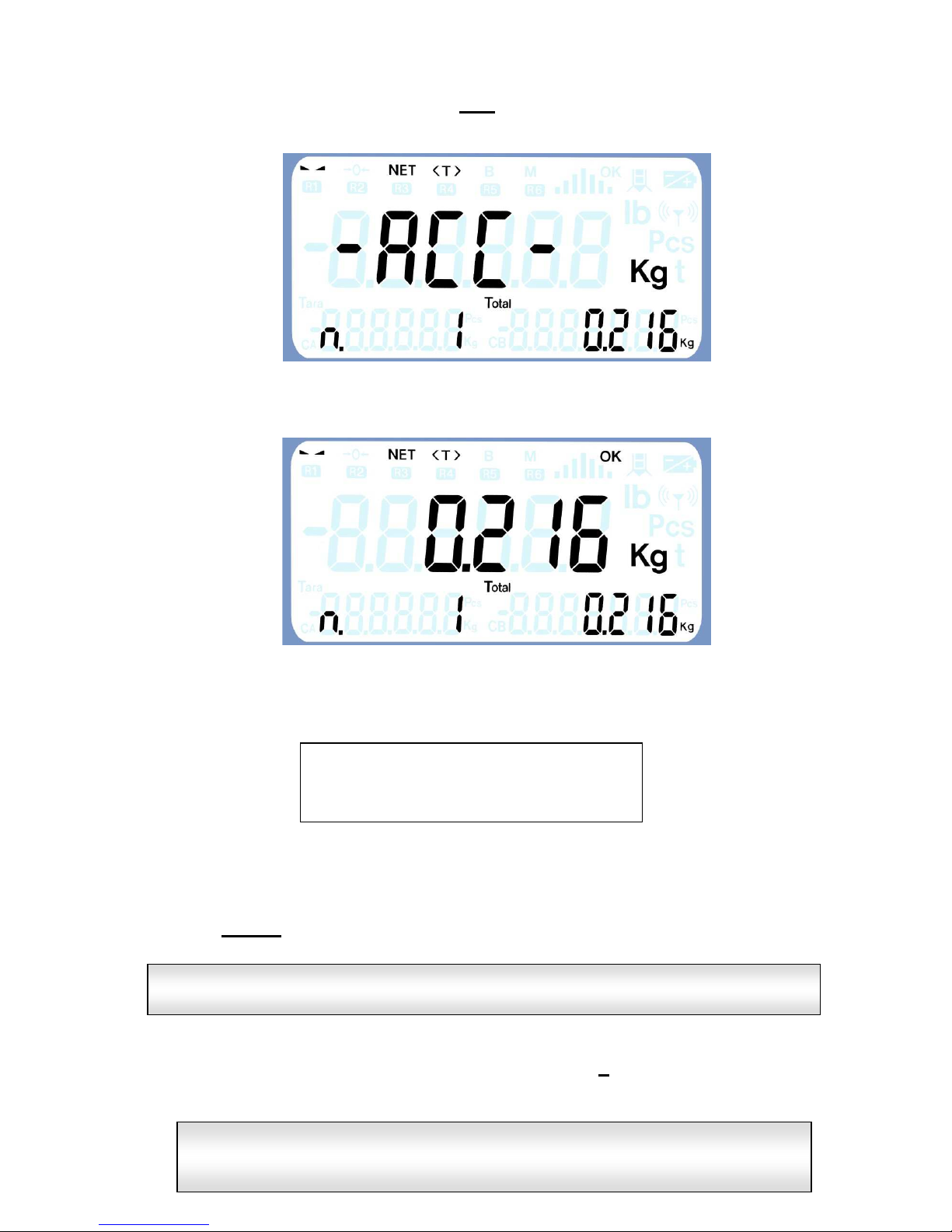
Start manual weighing by pressing the ENT key until the message
-ACC- is shown in the
display:
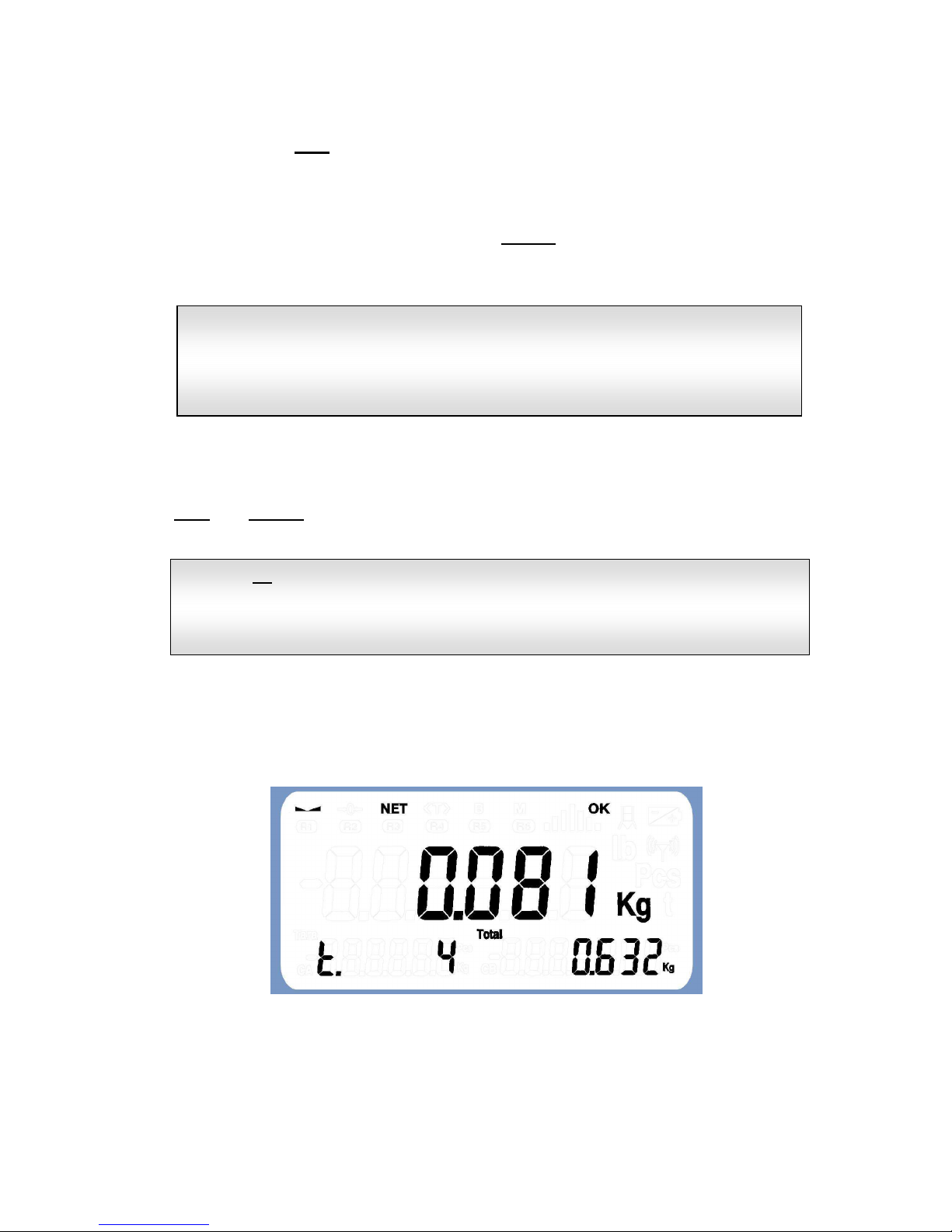
In the display auxiliary 2 is shown the number of weight performed, in the display auxiliary
3 the subtotal of weight accumulated so far.
If the unit is connected to a printer, and, for example, the code "100350" has been entered
(using the -CODE- option in the functions menu), the following ticket will have been
printed:
To perform a new weighing and continue to accumulate, we remove the weight on the
platform and place on it the new weight to accumulate, we wait until it is stable and again
press the ENTER key.
At the same time, if a PC connection has been configured in any of the serial
communication PORTS with MANUAL send, pressing the T key causes a frame to be sent
with the weight on the platform at this moment.
========================================
N.WEIGH. CODE TARE kg NET kg
========================================
1 100350 * 1.538 0.216
If the code
introduced
is 0 (default value when starting up the unit
), nothing
appears in the CODE field of the ticket.
All the unit's serial communication PORTS can be configured (from the
-COM-programming submenu) to connect to a printer, a labeller, a repeater
or a PC in order to send weights.
Page 19
- 19 -
In order to carry out a new weighing and continue accumulating, remove the weight from
the platform and place the new weight to accumulate on it; wait for the weight to be stable
and then press the ENT key again.
4.4.2 Automatic accumulation
Automatic accumulations do not require the INTRO key to be pressed for weighing; the
unit simply has to detect a stable weight value greater than the value defined as minimum
weighing (*) after the last weighing has been discharged.
4.4.3 Totalise
To finish and totalise all the weights in process, it is necessary to press the F1(*) key or
the FUN and INTRO keys simultaneously.
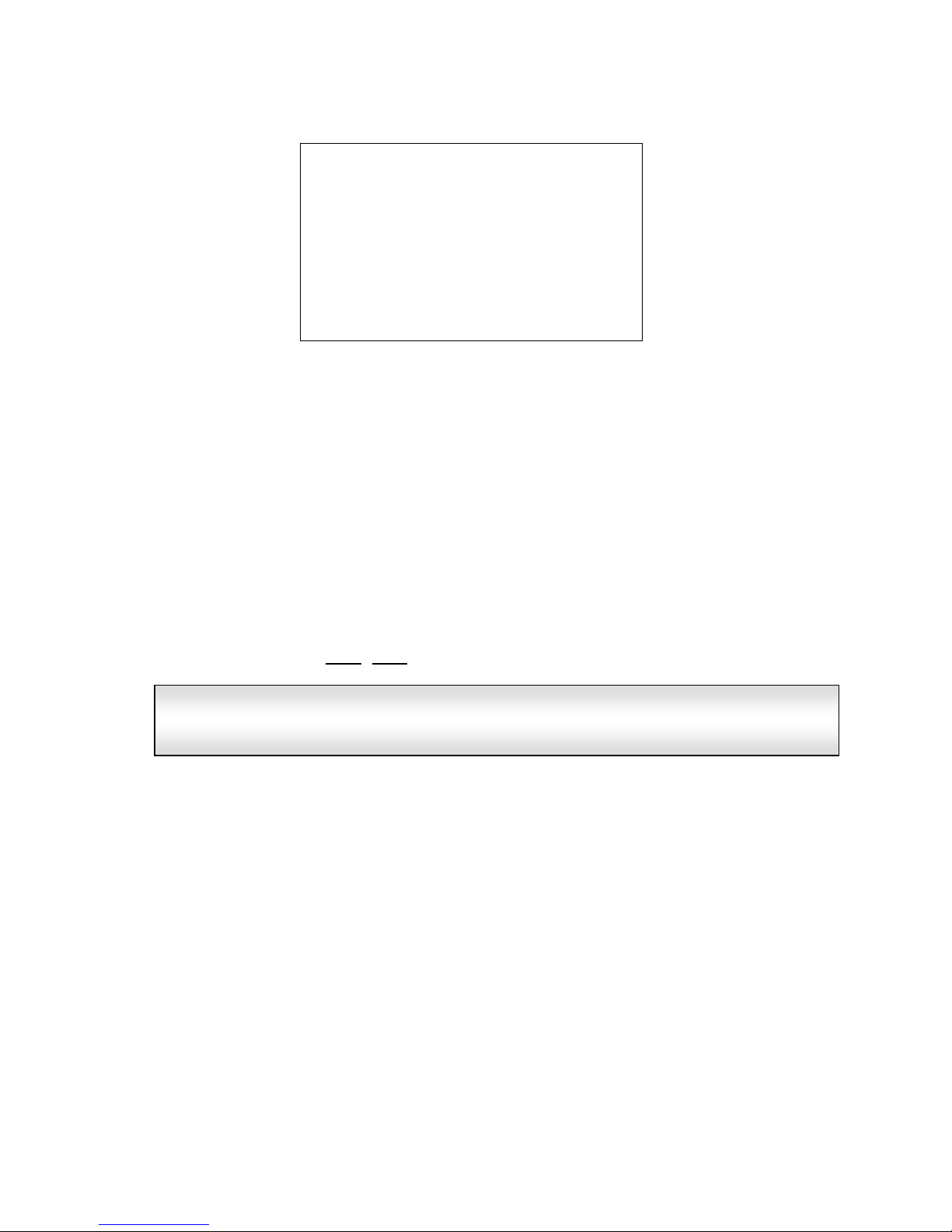
In the case, for example, there have been made 4 weighings with a total weight of 0.632
Kg, the equipment shows the number of weighings and the total accumulated in the
auxiliary displays 2 and 3 respectively.
Automatic weighing mode is selected using the AUTOAC option in the
Functions menu.
(*) The minimum weight value for a weighing is determined using the
WEI.MIN option in the unit's WE.CTR. programming submenu.
(*) The
F1 function key to
totalise and
complete weighing
is NOT available
if are activated any of the following options: limits, semaphore or any
dosage (options available via the submenu APLICA of the programming
menu)
Page 20
- 20 -
If the unit is connected to a printer, the ticket will finish, as in the following example:
In this example, the following operations have been carried out in the ticket:
- Code HIERRO has been entered.
- A container of 1.538 kg has been tared.
- A weight of 0.216 kg has been entered and accumulated.
- The weight and the container have been removed.
- A weight of 0.252 kg has been entered and accumulated.
- The weight of the platform has been removed.
- The code COBRE has been selected.
- A weight of 0.083 kg has been entered and accumulated.
- The weight of the platform has been removed.
- The code PLATA has been selected.
- A weight of 0.333 kg has been introduced.
- A memorized tare of 0.252 kg has been selected.
- An accumulation has been performed.
- Totalised by pressing FUN+ENT.
The unit can carry out and memorise up to
255 weighings
before totalising, and
can accumulate a weight total of over 18 trillion weight units (kg, lb) and a
Grand Total of over 60,000 weighings.
========================================
N.WEIGH. CODE TARE kg NET kg
========================================
1 HIERRO 1.538 0.216
2 HIERRO 0.000 0.252
3 COBRE 0.000 0.083
4 PLATA 0.252 0.081
========================================
TOTAL WEIGHINGS TOTAL WEIGHT kg
========================================
4 0.632
========================================
Page 21
- 21 -
4.5 Piece counter
The piece counting mode can be enabled entering in the option "PIECES" in the functions
menu of the device. When the equipment is running in piece counting mode, the value
displayed is the result of the division between the measured weight and unit weight of each
piece.
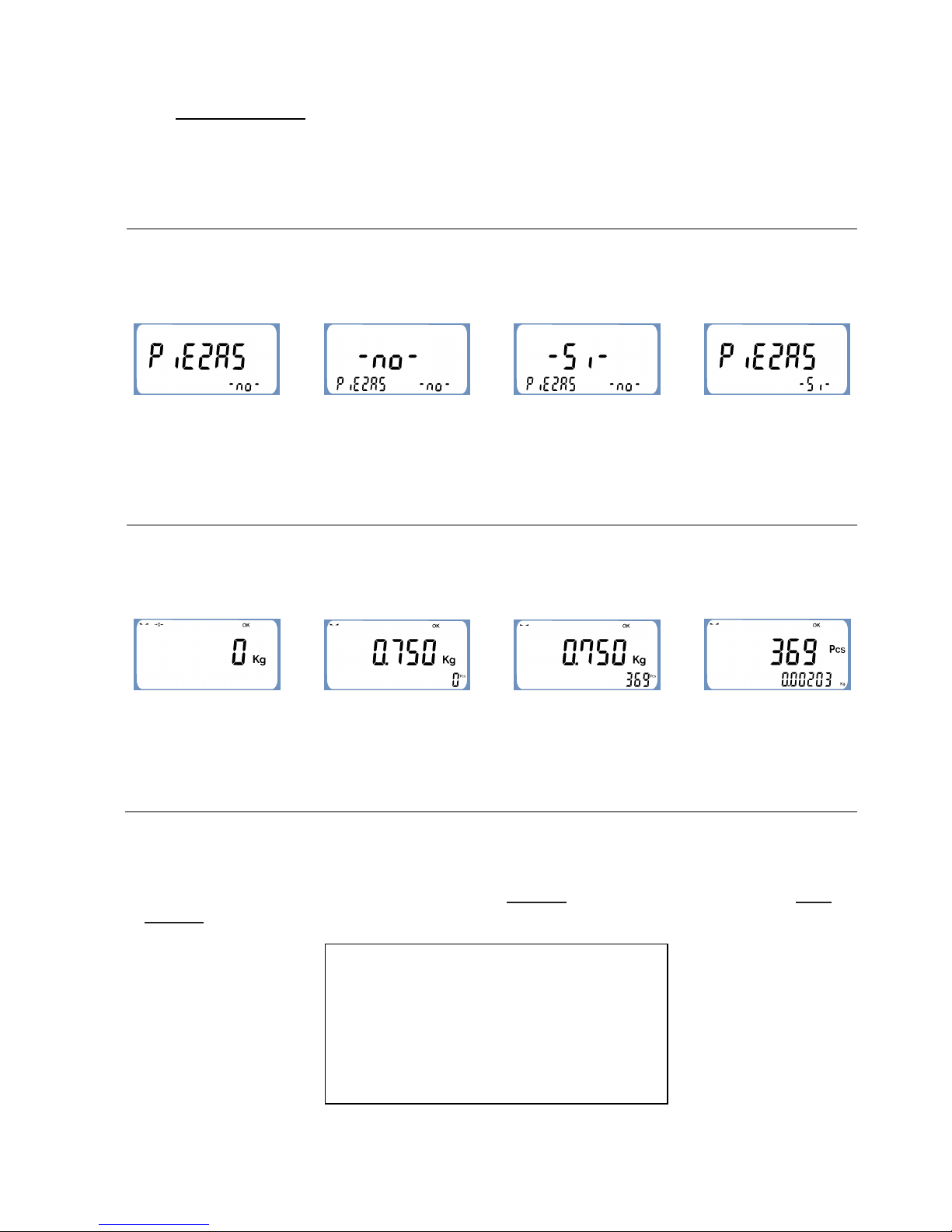
In user menu choose
“PIECE” option and press
[ ] button to change the
selection entered.
Once in option “PIECES”
use [ ] or [ ] to
change the value of the
option.
Pressing the button [ F ]
the new value of the option
is validated.
Then the equipment will
show the main menú option
with the updated selection.
The auxiliary display 3
shows the current value of
the selected option. In this
case the option “PIECES”
is disabled.
The auxiliary display 2
shows the menú option
where we can find
“PIECES”
The equipment will show
dashes for a moment
indicating that we have
saved the new option.
Pressing [ ⊳ ] we will leave
the main menú and return
to weight mode.
When we leave function
menú the equipment
returns to weight mode
showing average weight.
Press [ F2 ] to introduce
number of pieces that the
equipment is weighing
Introduce the number of
pieces using numeric
keyboard and then press
[ F ] to validate this option.
In counting mode the
equipment shows on the
screen the following
information.
The auxiliary display 3
shows a blinking “0”
The equipment will
calculate the unit weight. If
calculated value is within
correct operating ranges,
the counting mode will be
activated.
At this moment the
equipment allows switching
between weight modes and
counting modes by
pressing [ F3 ] button.
4.5.1 Accumulation and totalisation
Accumulation and aggregation in piece counting mode is performed in the same way as in
ordinary weighing; accumulate pressing the [ ENTER ] key and we totalise with [ FUN +
ENTER ]. The resulting ticket from operations with pieces has the following format:
========================================
P.Unit: 0.0013
========================================
N.PES. CODIGO NETO kg PIEZAS kg
========================================
1 0.251 195
2 0.123 95
========================================
T. PESADAS PIEZAS
==================
======================
Page 22
- 22 -
In it this ticket is indicated the unit weight of the pieces, the weight and number of pieces of
each weighing and total of pieces totalised.
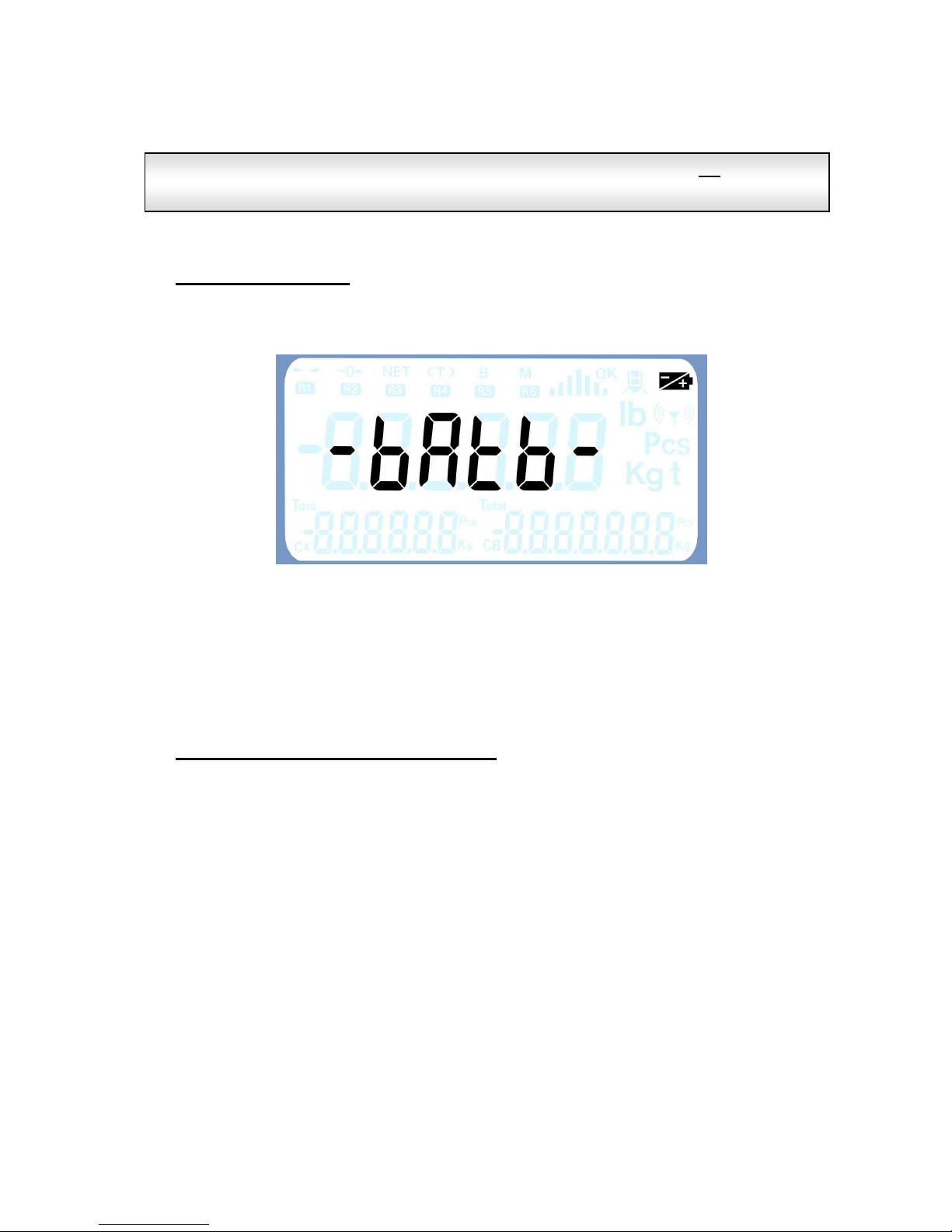
4.6 Units with Battery
Whenever the unit is battery-operated and this is below the correct threshold value, the
corresponding indicator will come on and the screen will show the following message:
Automatically, the display illumination will be reduced to the minimum and configured to go
off after 5 minutes of non-activity.
As a precaution, if low battery is detected when starting up, the display will not come on,
showing first the aforementioned literals.
4.7 Equipos con memoria DSD (Aliby)
Equipments with DSD memory record all weighings made in the equipment.
This memory cannot be erased and in case the memory is fully occupied, the equipment
rewrites the information of the oldest weighings.
The information of the memory is organized depending on the number of Ticket to which the
weighing belongs to.
Every ticket is made up with the weighings made from the Ticket opening until its finishing.
In the equipments with DSD memory (Aliby), the number of Ticket is auto-increased with
each new finalized ticket, not being able to be modified by the user.
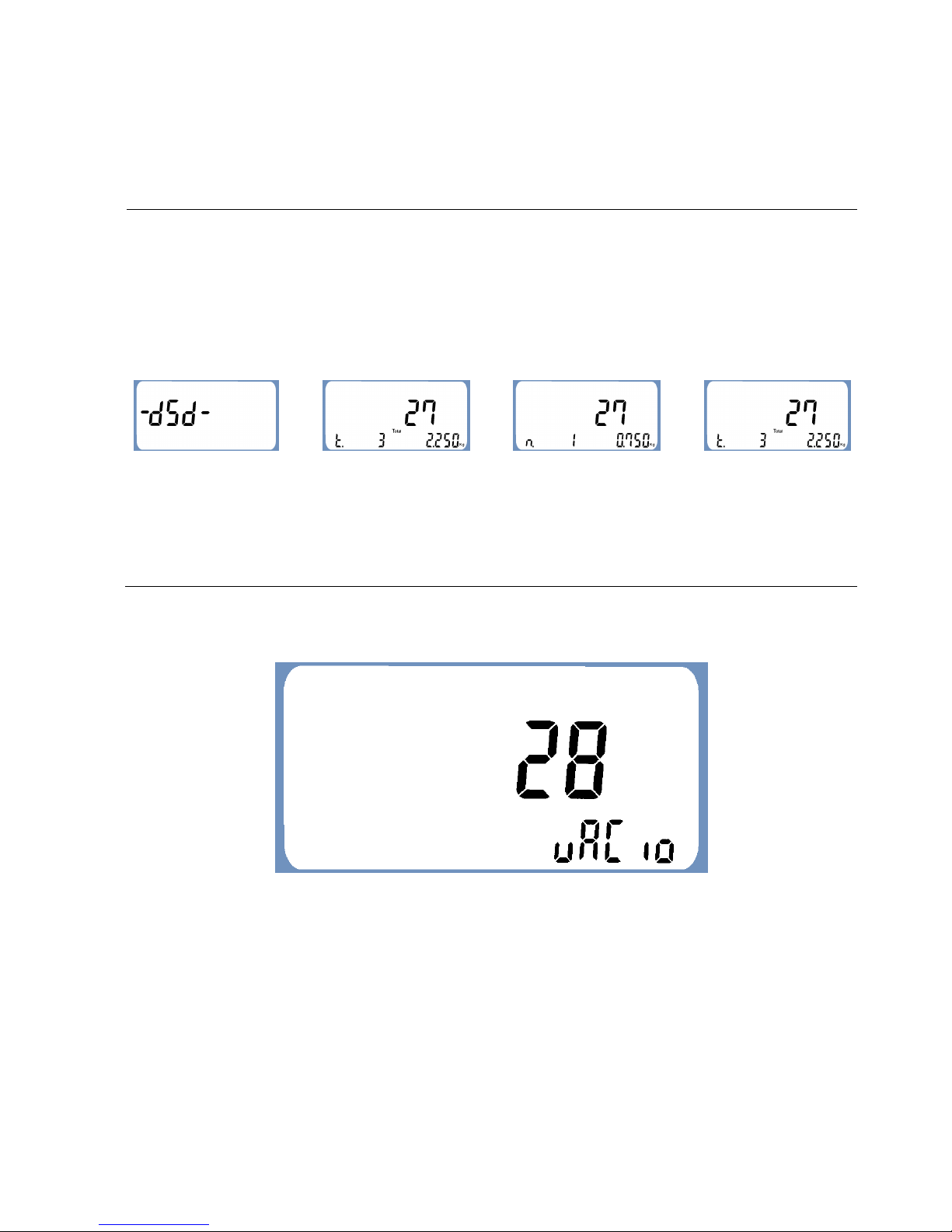
The -DSD- option from the functions menu allows consulting and printing a copy of each
ticket made on the equipment. It displays the number of weighings, the total accumulated
weight and the net weight of any of the ticket weighings.
Each time you change between weight / pieces (by pressing the
F3 key), the
corresponding ticket will automatically close.
Page 23
- 23 -
When accessing the -DSD- option from the functions menu, the equipment requests the
number of ticket displaying by default the last finished ticket, for example:
We can access to the
menú –DSD- choosing this
option in the function menú
and pressing [ ] button.
Once inside the option –
DSD- use [ ] or [ ] to
choose what ticket we want
to visualize.
When we press [ F2 ]
button, we can access to
the ticket where we can
also print it pressing
[ PRINT ] button or
visualize result of weighing
pressing [ ] or [ ]
button.
If we want return to ticket
option, we will press [ F2 ]
or [ ⊳ ] button.
The main display shows
the last ticket saved with
bliking signal on first digit.
The auxiliary display 2
shows total weight result of
the ticket. Auxiliary display
3 shows accumulated total
of visualized ticket.
When pressing [ F2 ] to
access the ticket, the
weighing number or the
accumulated total is shown
in display 2 in flashing
mode
To exit the menú press
[ ⊳ ] button
In case it does not find any associated weighing, the following message is displayed:
Page 24
- 24 -
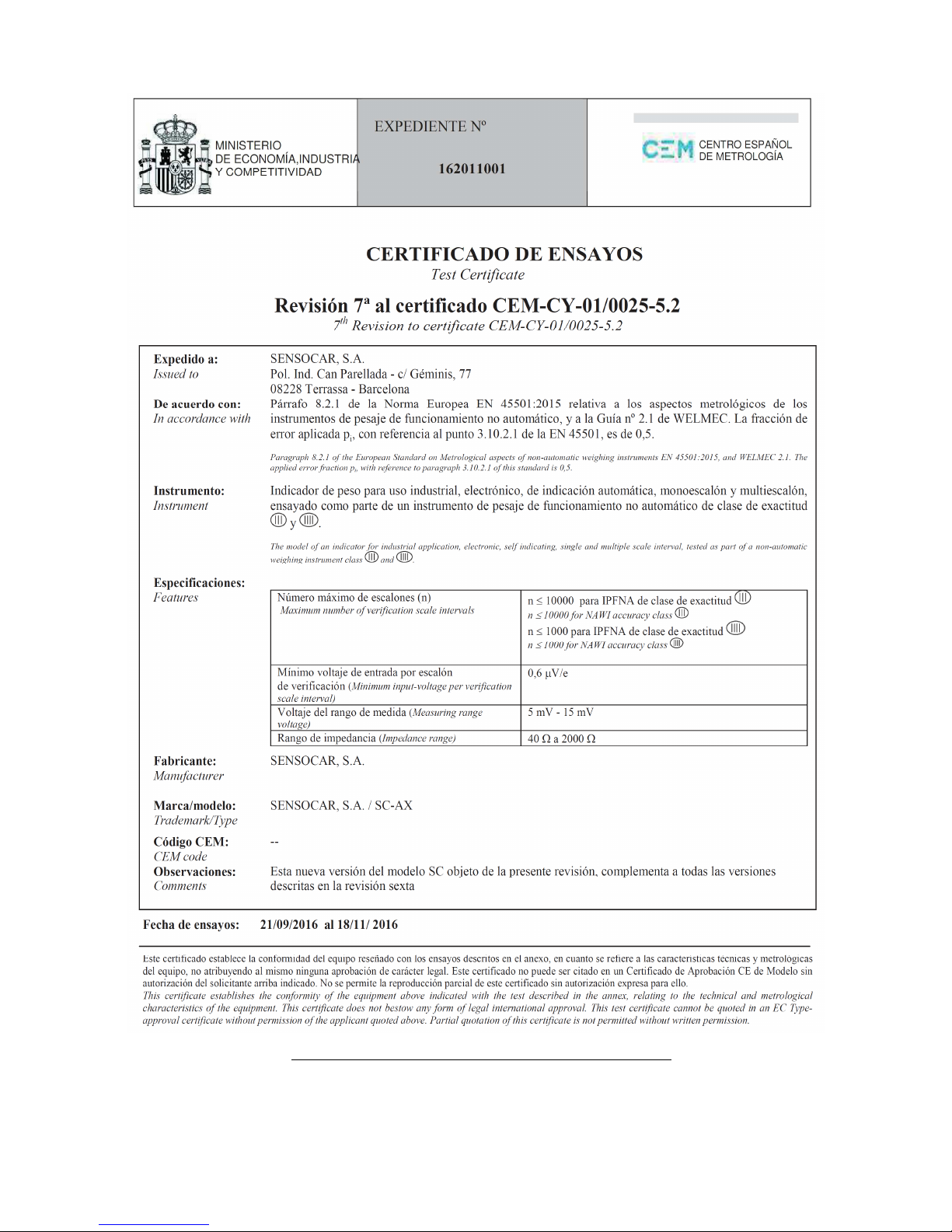
*Electromagnetic susceptibility has been certified in tests conducted with field strength of 10 V/m,
in accordance with new regulations.
 Loading...