

Page 1
Quick Start Guide
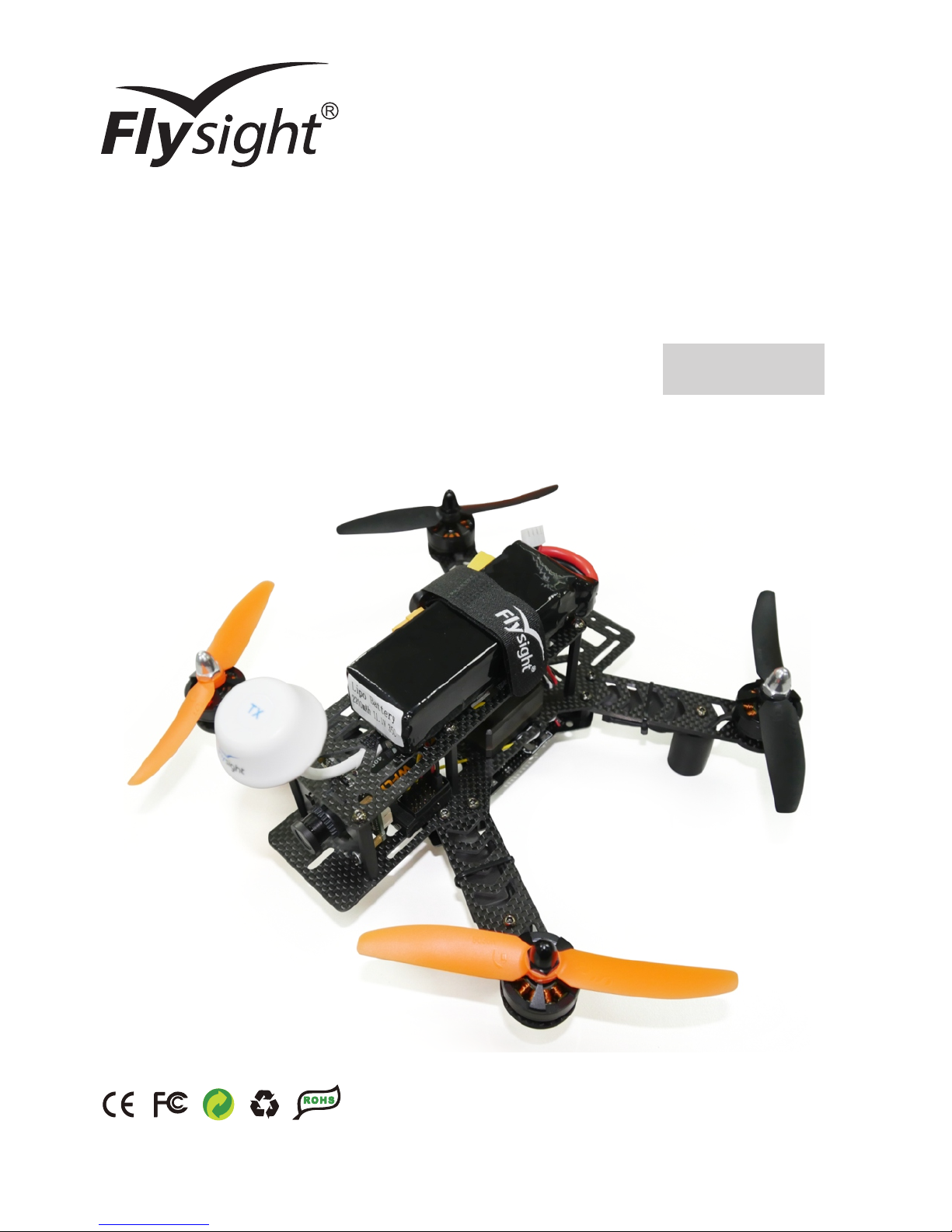
Speedy F250
CC3D
Page 2
Flight Environment Requirements
Flight Safety Tips
Strongly recommend the user to enjoy the pleasure of flight in a safe and reasonable environment . The necessary
flight safety is very important to you, the people around you and the environment.
1. Fly in the open space: please stay away from buildings, trees, high pressure lines and other obstacles, and
keep away from the water, the crowd and the animals.
1. Do not fly in bad weather, such as strong winds (10 m / s), snow, rain, foggy weather, etc..
2. Please keep small accessories and electronic products in the place where children can not reach.
3. Please do not put any part of the model into the mouth, otherwise it will cause serious damage, and even death.
4. Do not touch the rotating parts.
5. Fly in the visual range: please keep the aircraft in sight, avoid flying to tall buildings and other objects that
might stop the line of sight.
6. Control flight height: in order to ensure the flight safety of aircraft and civil aviation, the aircraft's height control
in 120 meters. If you are in the area of a flight height limit of 120 meters or less, please follow the rules.
2. Do not fly in a high voltage line, communication base station, transmission tower or Wi-Fi hot spots, etc., in
order to make the remote control avoid interference.
3. Fly at an altitude of above 6000 meters, due to environmental factors leading to the decline in the performance
of the aircraft battery and power system, flight performance will be affected, please be cautious.
About Speedy F250
Speedy F250 with automatic return and protection function out of control,when Speedy F250 loses the signal ,it
can start the protection function out of control and return automatically to takeoff point.
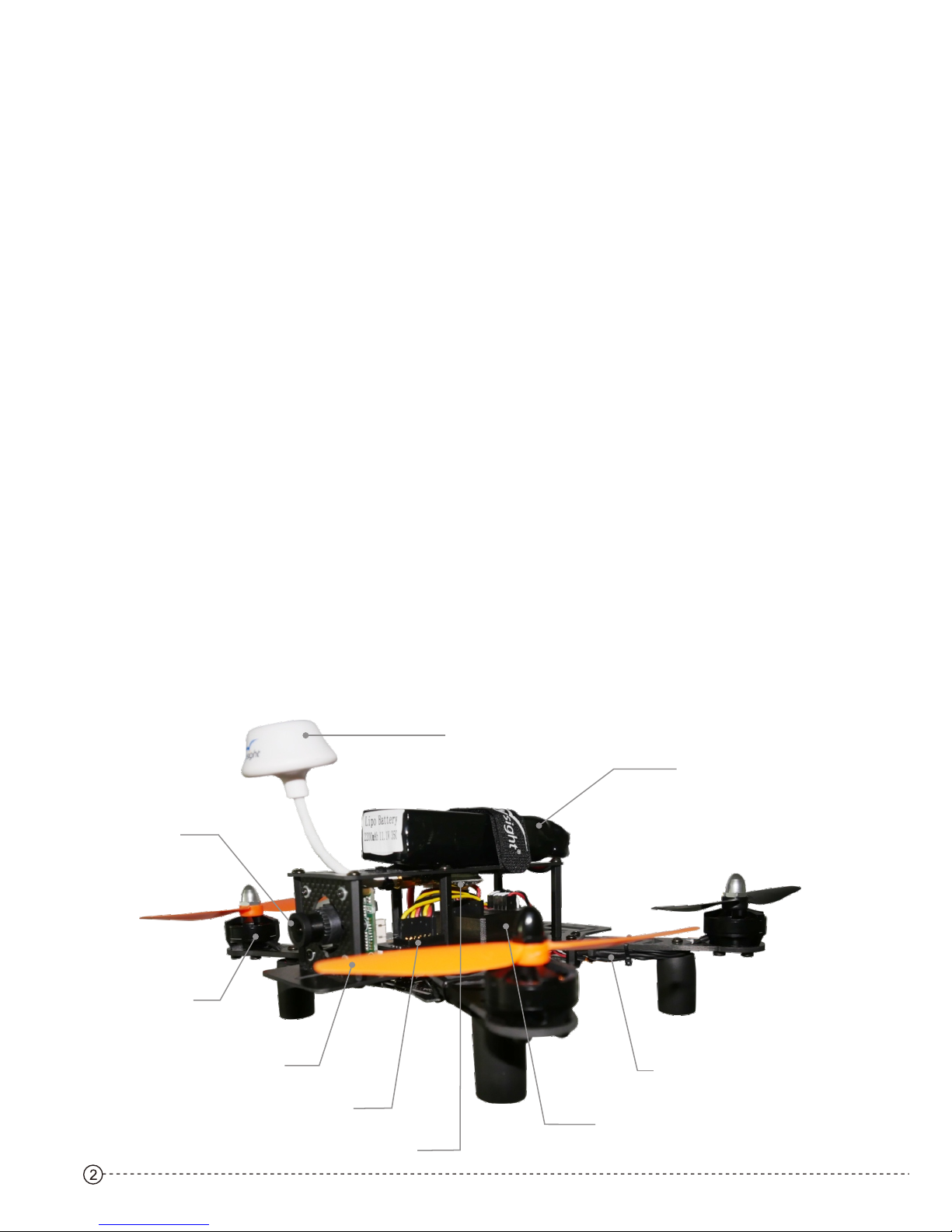
F250 Fuselage Structure:
Camera
RC Receiver
Flight Control
Propeller
Li-Po Battery
Circular Polarized Antenna
Motor
Electronic Speed Regulator
A/V Transmitter
Page 3
3
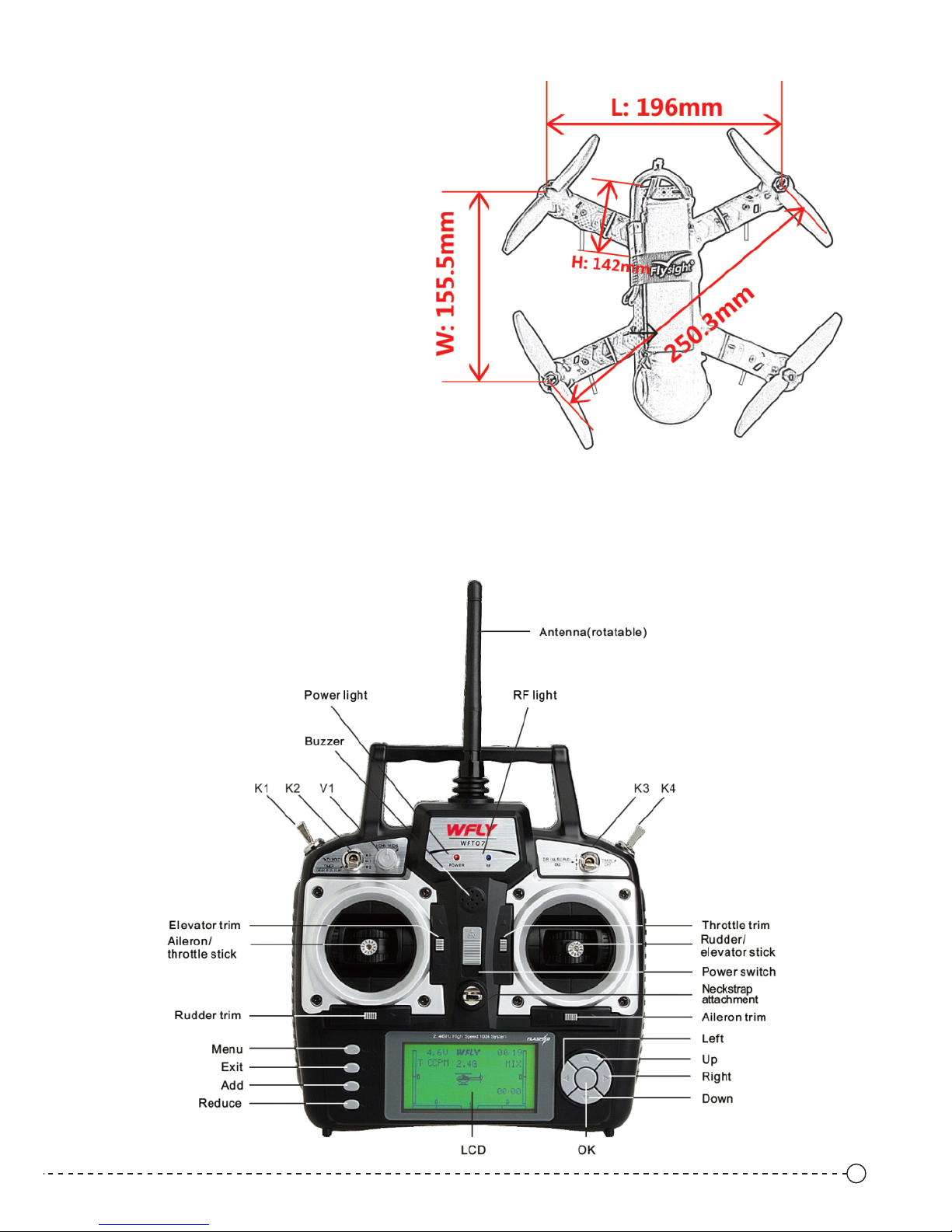
F250 Fuselage Specification:
About the RC Transmitter
Flysight Speedy F25 0,its s tandard RC transmitter i s WFLY-07 as below, its max distance is 1000 m.
Remote control has fo ur cust om channels, users can ins tall th e channel function accor ding to t heir own
habits and flight requ ireme nts.
MODE2
Size(LXWXH): 196x155.5x142mm
(with cloverleaf antenna)
Flight Weight: 500±10 g
Flight Time: 11-13mins
Flight Control: CC3D
Transmitter: WFT07
RC Receiver: WFR07 5V input
Working Tem.: -10℃ - +40℃
Lipo Battery:11.1V/2200mAH/35C
Camera: Sony CCD 700TVL/2.8mm/12V in
Brushless Motor: 2204/2300KV
Brushless ESC: 15A continuous current
(peak current 20A)
FPV Transmitter: 5.8G 200MW 32CH 12V in
Page 4
4
MODE1
P.S.
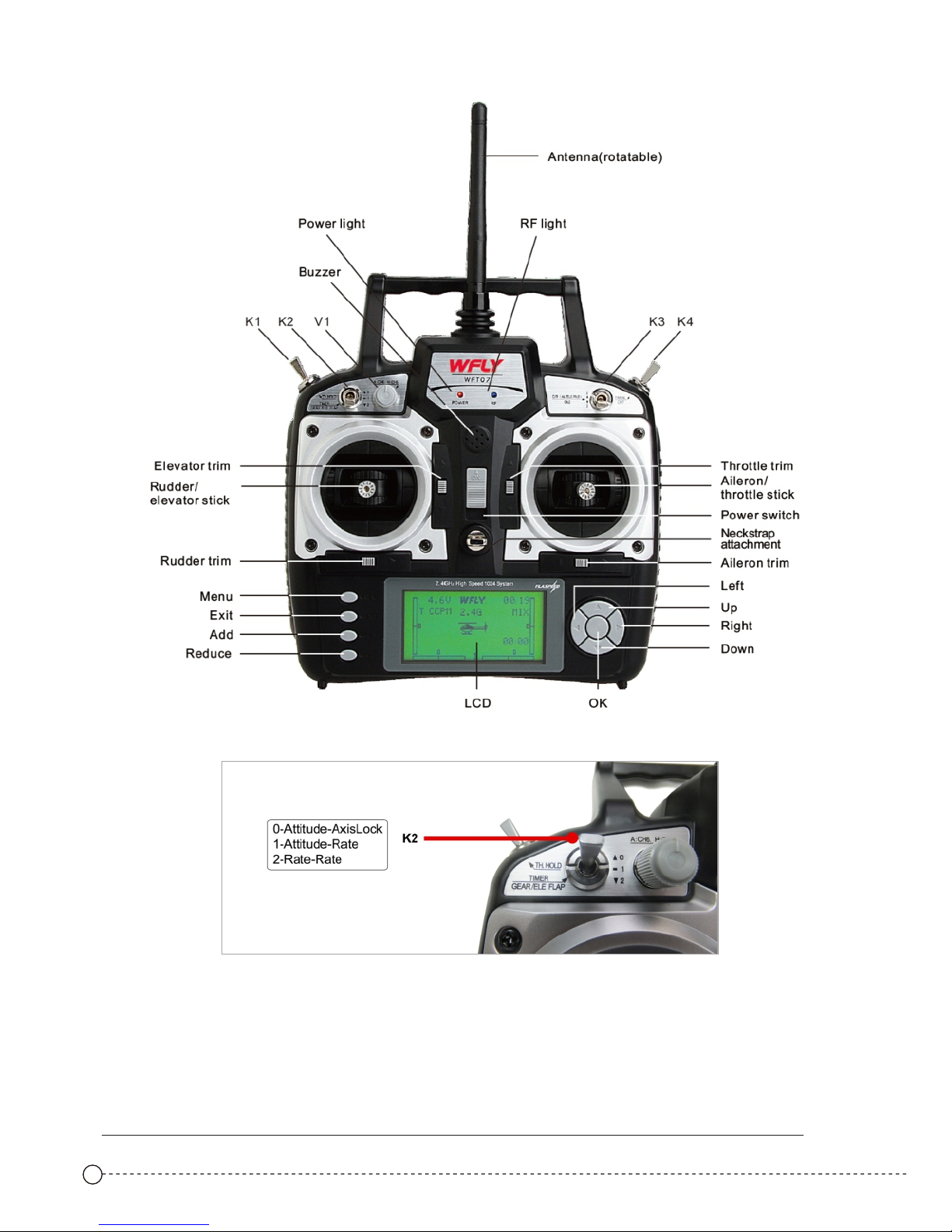
2. Flight Mode Switch : K2,3m odes as below:
1. Custom Switch: K1、V1、K 3、K4
0-Attitude-Axis Lock
1-Attitude-Rate
2-Rate-Rate
More instruction on the RC tra nsmitter WFLY-07,please go to the link to learn more:
http://en.wflysz.com/include/upload/kind/file/20141121/20141121094208_4759.pdf
Page 5
5
Flight Preparation
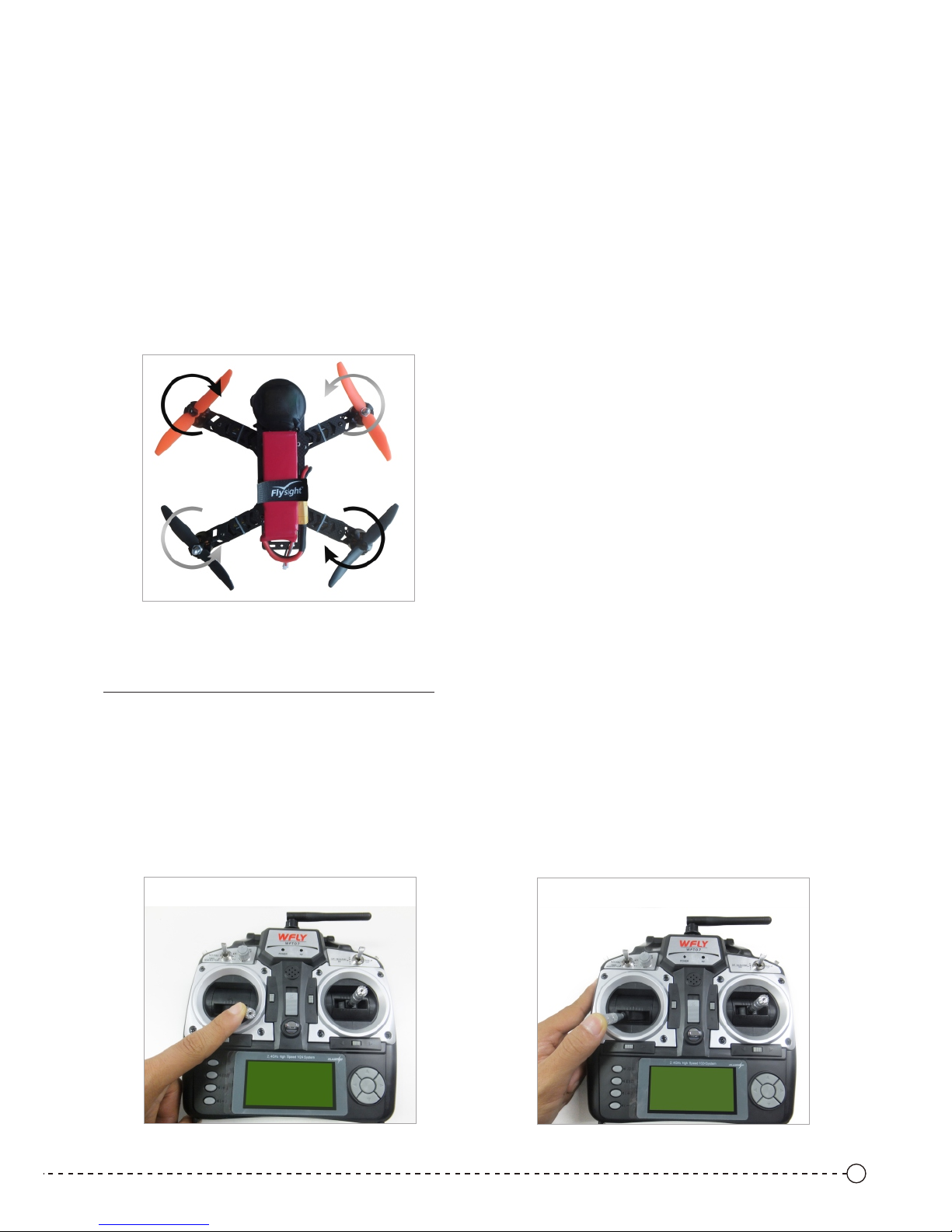
Motor Rotation Direction Check
Diagram 1
1. Turn on the RC transmitter.
2. Connected the power of the aircraft, wait for self check(at self check completion, the green indicated light
of the flight control is on; the blue light flickers from fastly to slowly that means self check finished), Do Not
move the aircraft during this process.
3. Please make sure the normal connection between the RC transmitter and the aircraft (RC receive and RC
transmit connection fails, the "STATUS" red indicator light on the receiver is on; otherwise, it is off).
4. Unlock the aircraft, check the motor rotation direction (Diagram 1). Please make sure that the motor
rotation direction is correct before installing the propellers, otherwise it will cause the aircraft to crash,
causing damage.
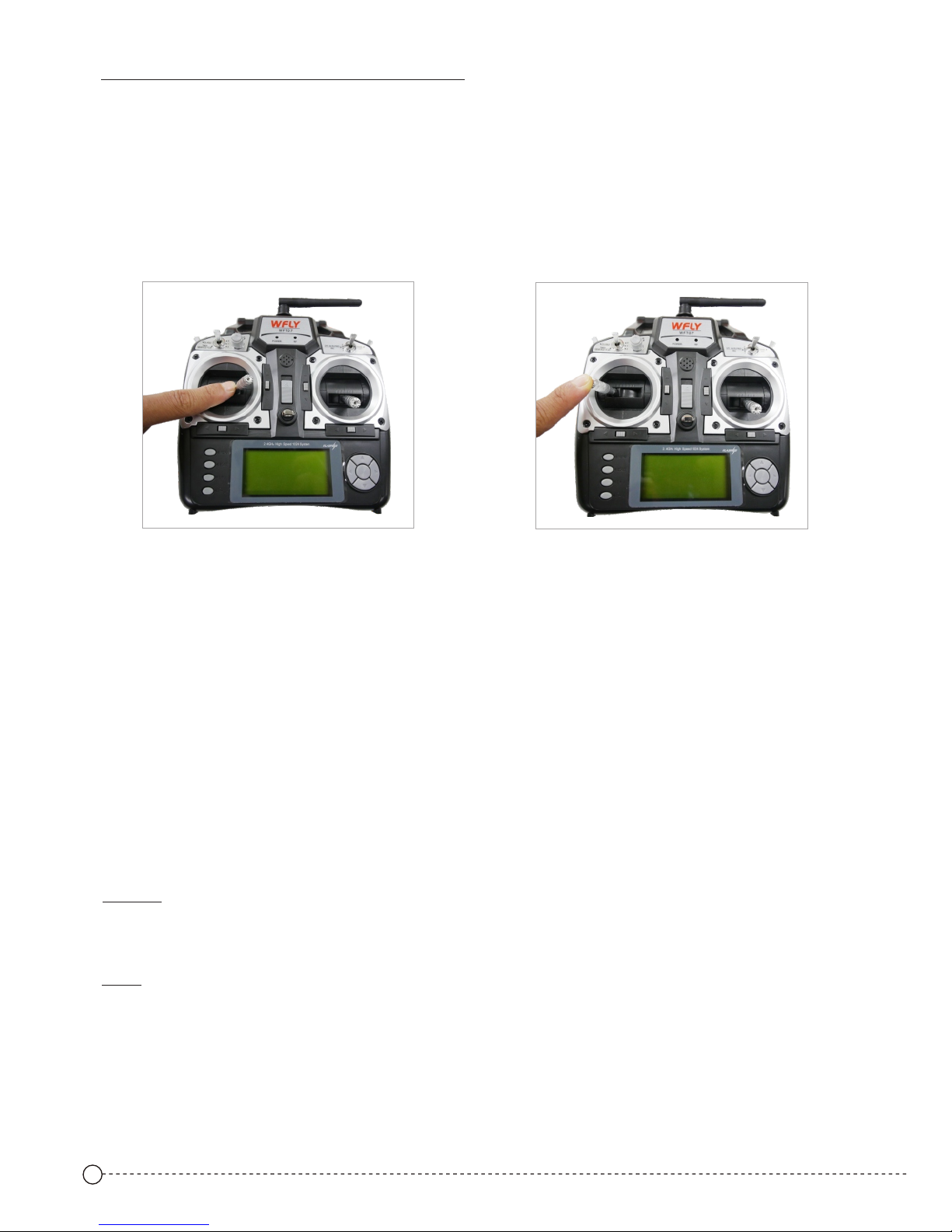
Diagram 2
Diagram 3
Aircraft unlock and lock
Mode 2--Unlock (Diagram2) and Lock (Diagram3)
1. Unlock: pull the left stick to the bottom on the right corner for 2 seconds, the blue light of the flight control
system flickers from slowly to fastly,that means unlock successfully, lightly push the throttle, the motor
starts to rotate. (Diagram2)
2. Automatic lock: the aircraft has automatic lock function, keep the lowest throttle for 5 seconds, the aircraft
will automatically lock.
3. Manual locking: pull the left stick to the bottom on the left corner for 2 seconds, the blue light of the flight
control system is on for 2 seconds, then flickers slowly ,that means lock successfully. (Diagram3)
Page 6
6
1. Unlock: pull the right stick to the bottom, meanwhile pull the left stick to the bottom on the right corner for 2
seconds, the blue light of the flight control system flickers from slowly to fastly ,that means unlock successfully,
lightly push the throttle, the motor starts to rotate. (Diagram4)
Mode 1--Unlock(Diag ram4) a nd Lock(Diagram5)
Diagram 4
Diagram 5
2. Automatic lock: the aircraft has automatic lock function, keep the lowest throttle for 5 seconds, the aircraft will
automatically lock.
3. Manual locking: pull the right stick to the bottom, meanwhile pull the left stick to the bottom on the left corner for
2 seconds, the blue light of the flight control system is on for 2 seconds, then flickers slowly ,that means lock
successfully. (Diagram5)
Flight Operation Instruction
Note: Wrong installation of the p ropel lers will lead to the flight cr ash.
Please confirm the cor rect mo tor rotation direction , then in stall the propellers pro perly o n the aircraft; when
you install the prope llers , please attention to the po sitiv e and negative direction o f the pro pellers, one hand
hold the motor, and the ot her han d tighten the screw.
Be sure to tighten the sc rew man ually to ensure that the pro pelle r is installed correctly a nd prop erly.
Take off/ Land
Take off:
After the aircraft is u nlock ed successfully, the motor star ts and re lease the rocker, slowly push the th rottle
lever upward(defa ult lef t sticker,Mode2), the air craft t akes off.
Install the propellers
Land:
Pull the throttle lev er down ward slowly, and the aircraft reduce th e flight h eight until it lands on the gr ound.
Pull the throttle lev er to the l owest position to stop the m otor, an d lock the aircraft manual ly or wai t for it to
lock automaticall y .
During the flight, do no t stop th e motor, or the aircraft will c rash. U nless special circumst ances o ccur (such
as an aircraft may cras h into th e crowd), you need stop moto r perem ptorily to minimize the da mage.
Please turn off the aircraft, and t hen the R C transmitter.
 Loading...