

Page 1
Flyron Technology Co., Ltd. FN-A502 MP3 Horn Speaker
www.flyrontech.com E-mail: [email protected]
1
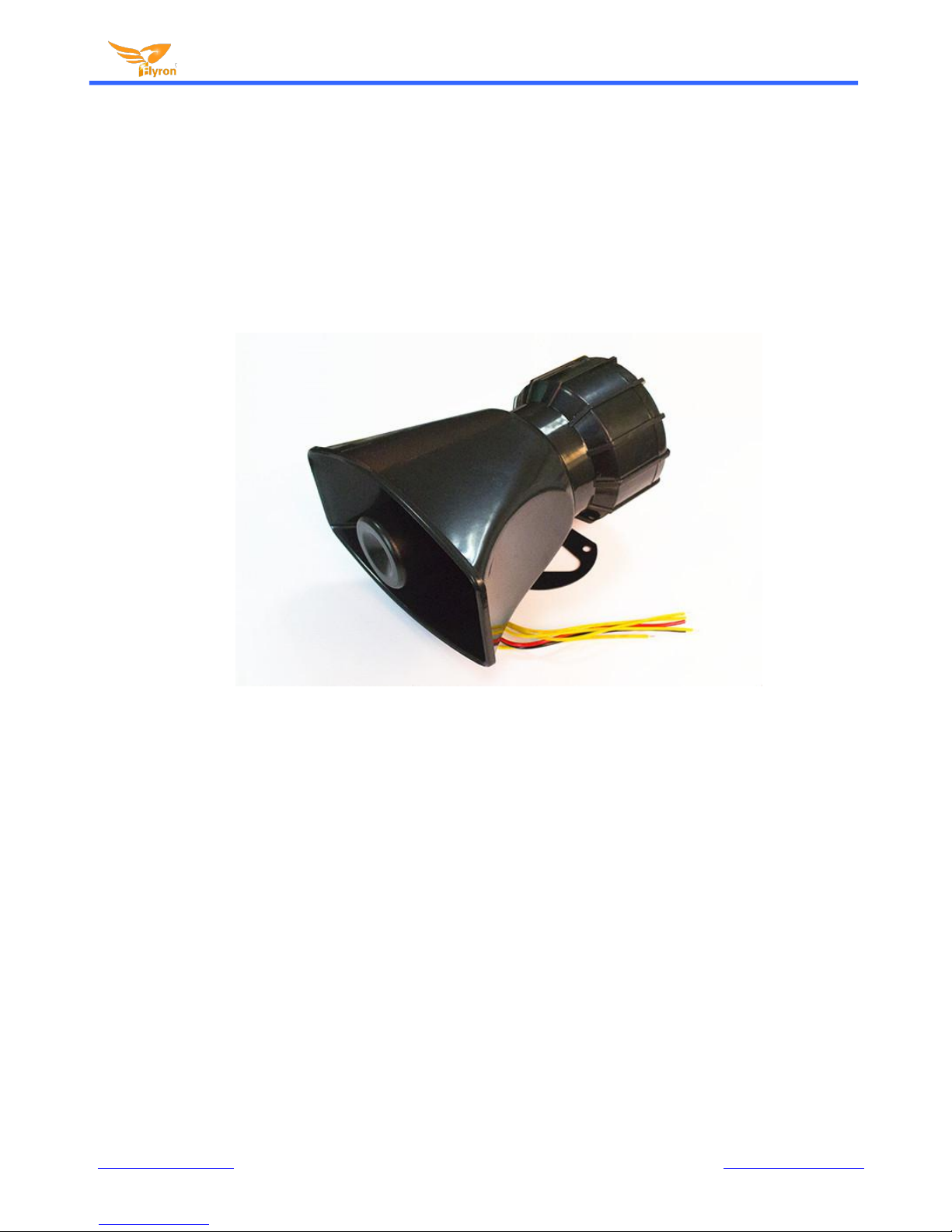
FN-A502 MP3 Alarm Speaker
User’s Manual
V1.0
1. Features
Built-in a high quality MP3 player with great sound quality.
Incorporated with a 4MB flash memory and a micro SD slot on board.
Upload MP3 files to the flash memory easily through the mini USB port based on PC like using a USB flash.
Supports a micro SD card as the storage device as well.
Play back 4 sounds one-on-one by negative trigger.
Equipped with a class D 20 watts amplifier for a loud sound output.
Adjustable sound volume and wide range power input.
Size: 170mm x 90mm(L x W)
Page 2
Flyron Technology Co., Ltd. FN-A502 MP3 Horn Speaker
www.flyrontech.com E-mail: [email protected]
2
2. Electrical parameters
Working voltage: DC 9V-24V
Working current: ≤600mA (Input: DC12V)
Power Consumption: ≤20W
Flash memory size: 4MB
Audio format: MP3 format 32Kbps-320Kbps
3. Operation Guide for Sound Files Uploading
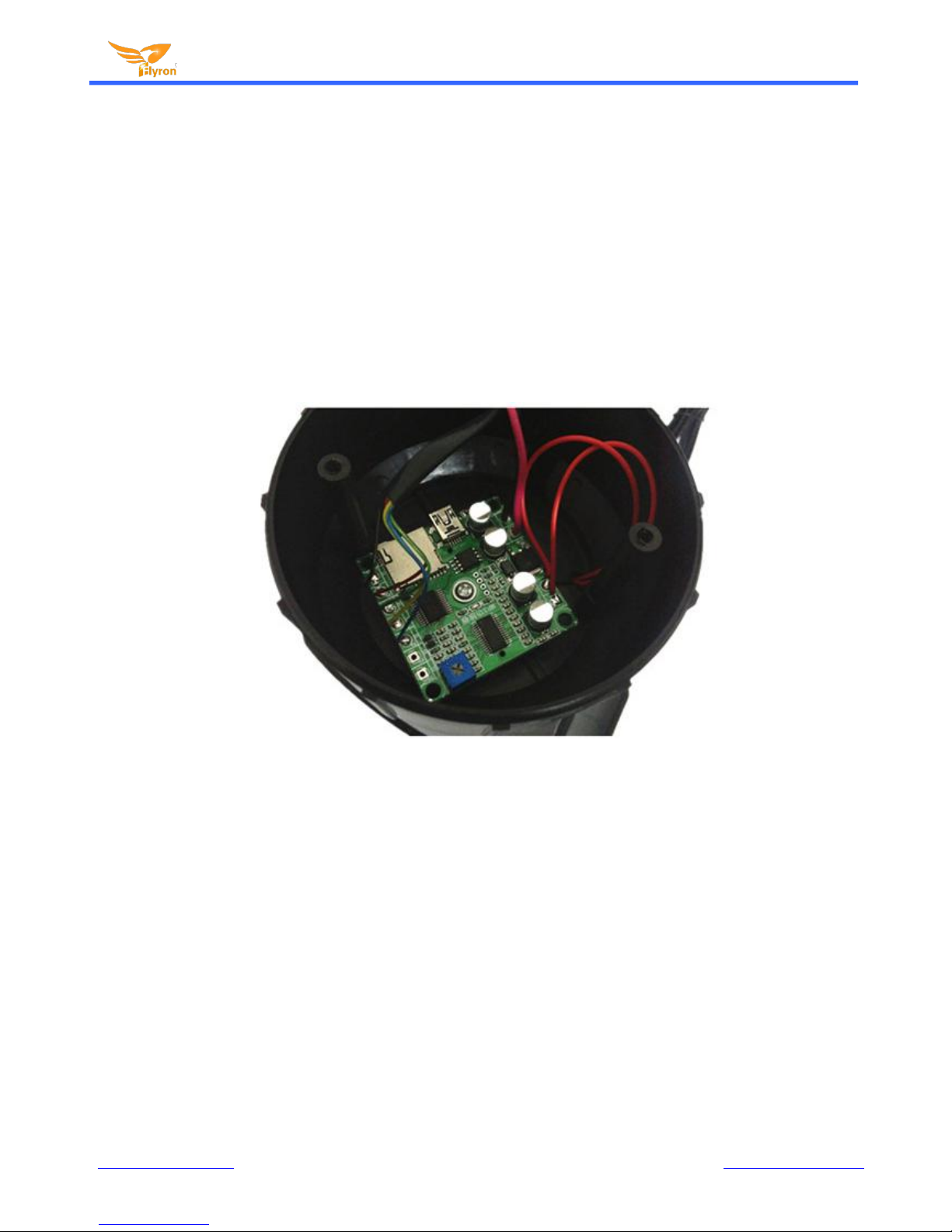
1). Before upload sound files to the speaker, you need to use a screwdriver to take it apart as picture shown
below.
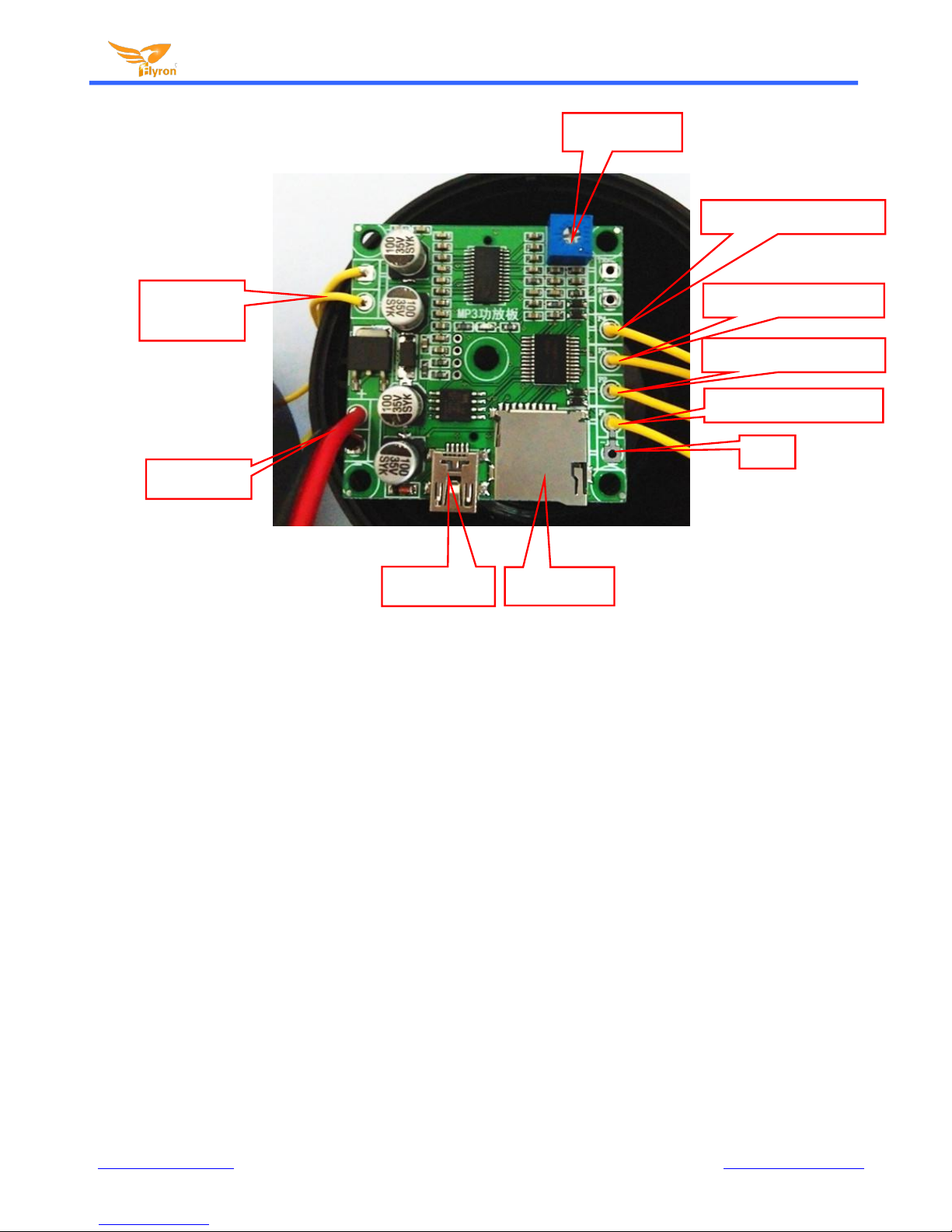
2). See the illustration below on the MP3 player board.
Page 3
Flyron Technology Co., Ltd. FN-A502 MP3 Horn Speaker
www.flyrontech.com E-mail: [email protected]
3
3). Now choose a storage device between the on-board flash memory and micro SD card to upload your MP3 sound
files. If the total capacity of your 4 MP3 sound files is smaller than 4MB, you can choose to use the flash memory
directly, and if it is larger than 4MB, then choose to use a micro SD card instead. The mini USB port as you see above
is used for connecting the on-board flash memory to PC though a USB cable. Just like using a USB flash drive, you
can load and delete sound files easily. Note: If there is a micro SD card detected, it always work with the micro SD card
and never do with the flash memory unless the micro SD card is taken out.
4). The player automatically matches which sound file associates with which trigger among of 4 based on the physical
index sequence. In another word, the sound file that is the first to be put in the memory is going to work with trigger 1,
and the sound file that is last one to be put in the memory is going to work with trigger 4. Before the sound files are put
in the memory, you can also rename the MP3 sound files as 001.mp3, 002.mp3, 003.mp3, and 004.mp3, and make
sure they are ranked one by one by physical sequence.
5). After everything above is done, assemble the parts back carefully. When it is powered on, it works normally.
Volume control
Trigger to play 1stsound
GND
Trigger to play 2ndsound
Trigger to play 3rdsound
Trigger to play 4th sound
Micro SD slot
Mini USB port
Power input
Audio output
to speaker
 Loading...