

Page 1
2:
2(
8:
8(
Page 2
3.FAQ
a) The indicator of the controller is not on:
Check to see if the controller is switched on. If so, please charge the battery.
b) Blue light keeps flashing slowly
Slow flashing blue light indicates that the controller is searching for device which was
paired before. If this continues for too long, please hold and press the Logo button
for 3 seconds until the light goes off, then start pairing process again by holding the
Logo key.
c) Joystick does not work properly
Joystick data calibration: Press START+SELECT simultaneously for 2 seconds until the
blue light flashes twice.
4.Specifications
Supported Platform Android
Wireless Frequency 2.4GHz-2.4GHz (Bluetooth 4.0 BLE)
Power Consumption Working Mode<4mA, Standby Mode<4uA
Transmission Distance >10m, disregard of any obstacle,
Battery Capacity 300mAh lithium battery
Working Hours 80 hours
Rated Voltage 4.2V
Rated Output 5V-100mA
Charging Time 3-4 hours
Cellphones or tablets with OS of
Android 4.4 or above and Bluetooth 4.0
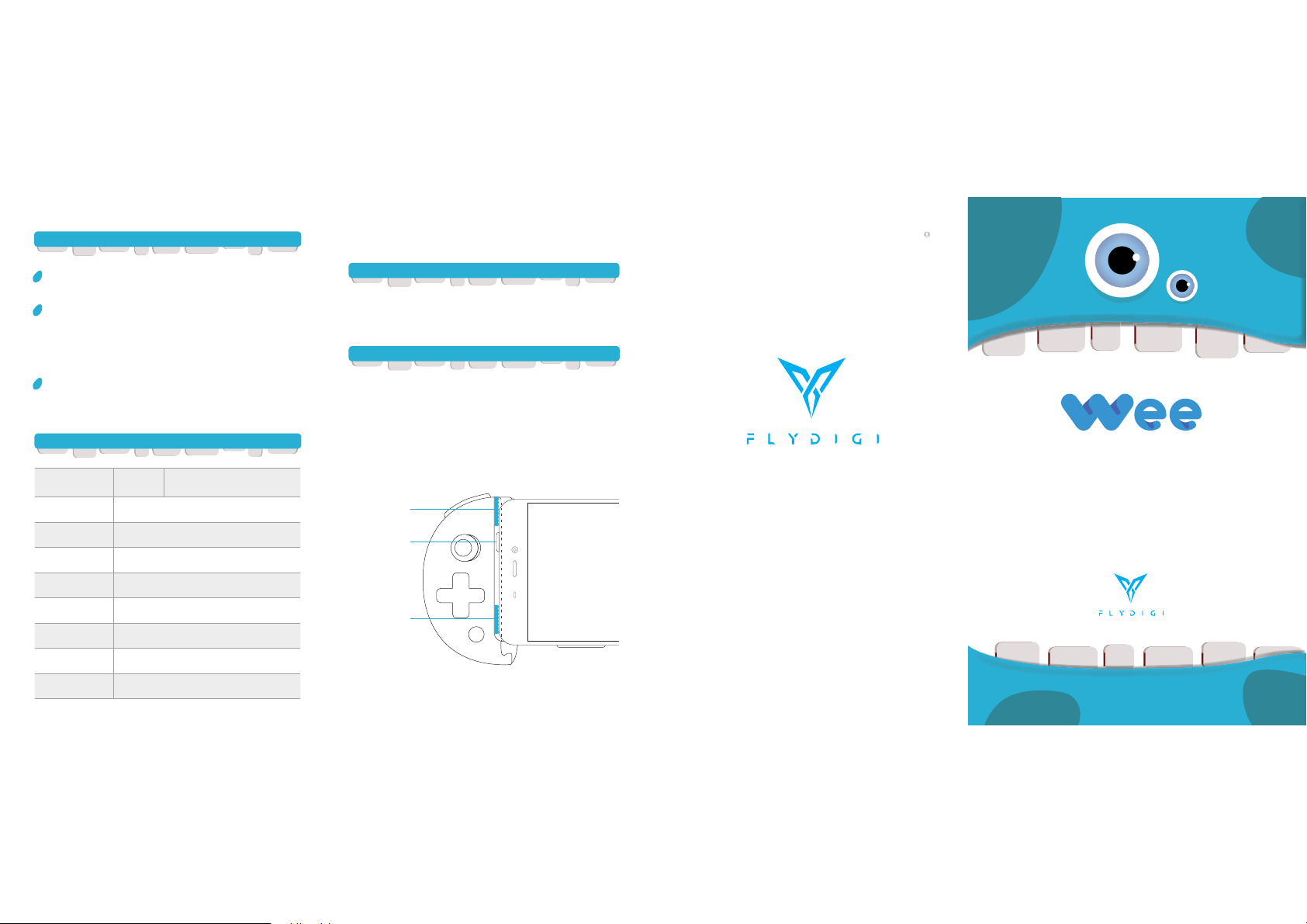
Use of silicone pads
What does the silicone pads do
Some On/Off on the cellphone is above the screen, landscape mode can cause
the slot touching the ON/OFF button, which can lead to items not normally used.
However, those ON/OFF button on the side will not need this pad.
How to use silicone pads to avoid the ON/OFF button getting stuck
As shown below, it has glue on the two pads,you can tear and glue them on the
corresponding area which can avoid ON/OFF button.
The thickness of the silicone pad can keep the ON/OFF button away from the
slot and can play a good non-skid effect.
Silicone pad 1
ON/OFF button
Silicone pad 2
?
UM6009
?
Wee Mobile Game Controller
User Manual
Model No.: Wee
FCC ID: 2AORE-WEE
Shanghai Flydigi Electronics Technology Co.,Ltd.
www.flydigi.com/en
Page 3
 Loading...