

Page 1
User Manual [EN]
1
SERAPHIM 1.0 USER MANUAL | © FLUIDSHELL DESIGN 2023
Page 2

Thank you for purchasing SERAPHIM!
Genesis
The idea behind SERAPHIM came from a discussion with a STIGMATA user. The concept
was to create an instrument whose synthesis would give particular prominence to resonance
and saturation.
While STIGMATA proposed combining numerous filters separately to interweave the
sources, SERAPHIM does not follow the same architecture. It's based on an in-house
prototype, with three identical sources (Atari Punk Console) mixed with various filters and
saturation stages picked up from all over the place: guitar pedal kits, cheap effects, etc...
SERAPHIM features four identical sources instead of three, and allows you to go much
further with continuously variable wave oscillators.
To spice things up, each source has variable tuning over a range of -3 to +3 octaves, a PWM
driven by an LFO and panning.
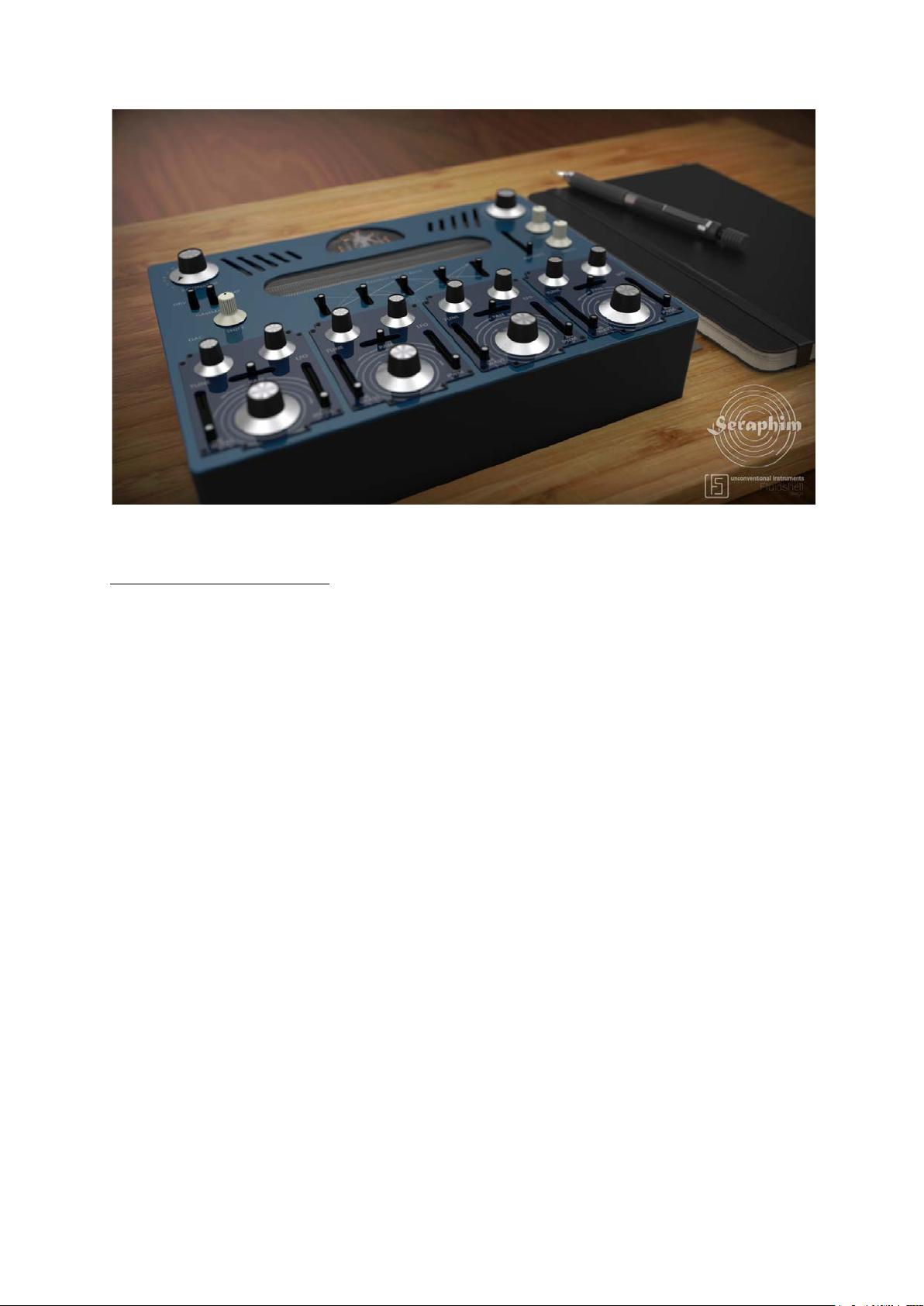
Since the prototype was built around a spring reverb tank and a tube preamplifier circuit, it
was only natural that SERAPHIM should be entitled to one too.
It's impossible to imagine using resonances without those produced by spring reverbs!
Note:
On the subject of the prototype: by purchasing the SERAPHIM for Kontakt, you are helping to
fund the development of the hardware version of the instrument, for which we thank you. You
can contact us to suggest functions, modifications or corrections to be made to the
instrument, using the following e-mail address: [email protected]
Your feedback can help us to improve the instrument and to target more precisely the features
you would also like to have in the hardware version.
2
SERAPHIM 1.0 USER MANUAL | © FLUIDSHELL DESIGN 2023
Page 3
Structure
1/ The SOURCES
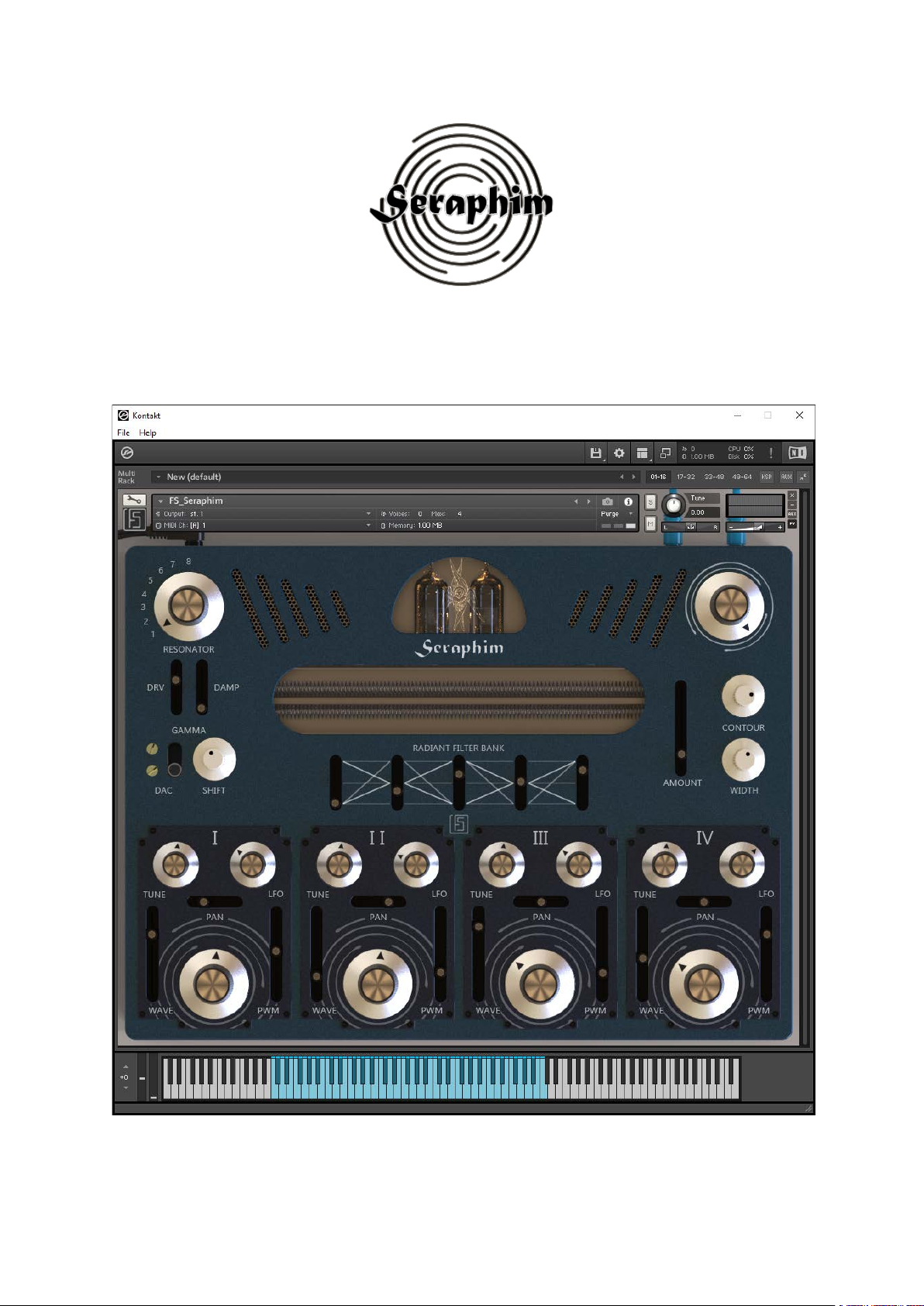
Each Seraphim "Oscillator" has identical settings:
- Volume (max 0dB)
- Panning
- Tune (tuning from -3 to +3 Octaves)
- Progressive and non-linear wave generator
- PWM with dedicated LFO modulation
The 4 sources are independent of each other and have separate but simultaneously
adjustable filtering.
3
SERAPHIM 1.0 USER MANUAL | © FLUIDSHELL DESIGN 2023
Page 4

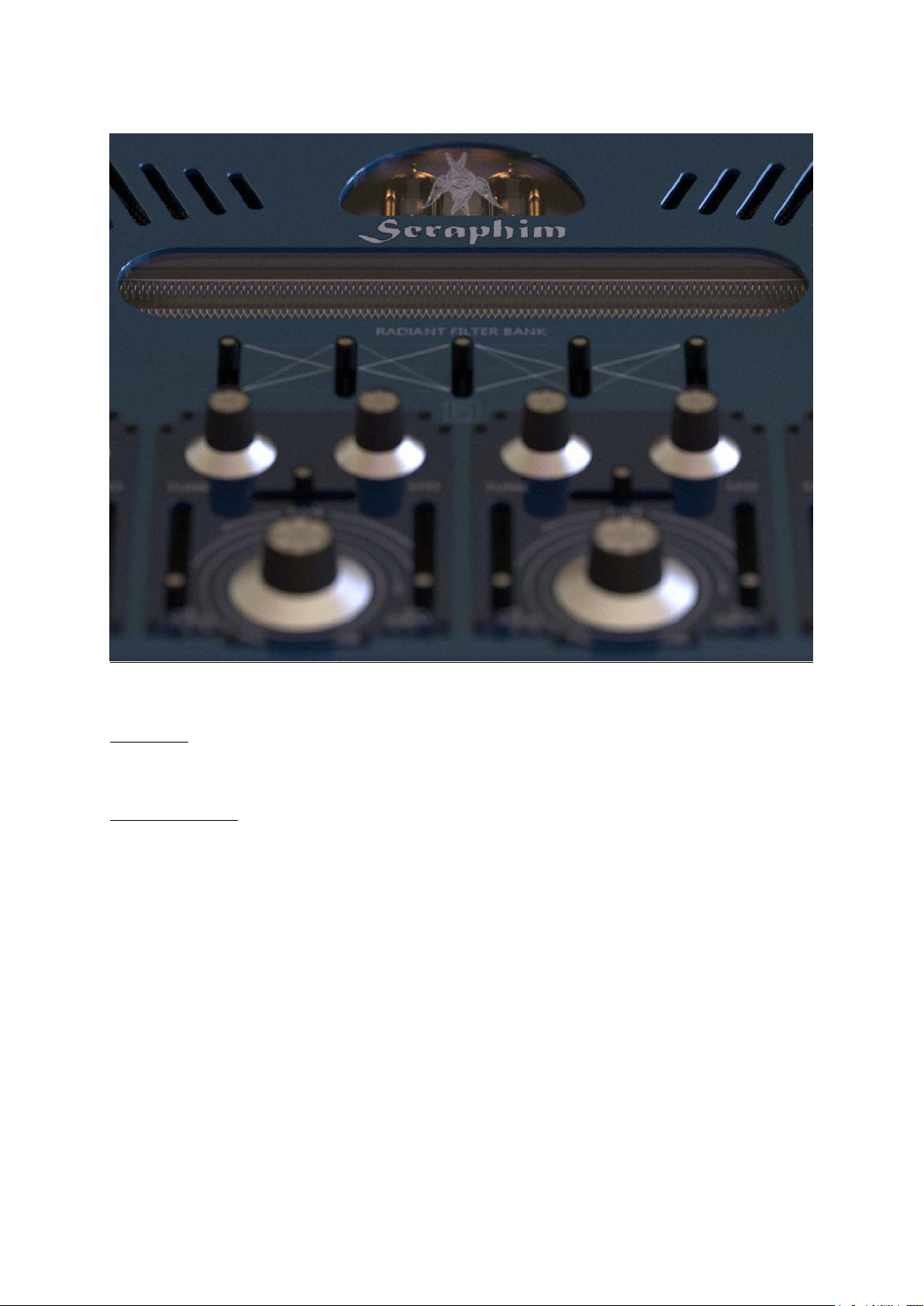
2/ Radiant FilterBank
The Radiant FilterBank is a set of filters whose role is to excite the resonator.
This filter bank offers 5 different topologies, all active synchronously on all the oscillators at
the same time.
All 4 sources are set using the 5 vertical sliders.
The principle is easy to understand: each filter can attenuate a range of frequencies, amplify
it, or do both. Moving a filter's vertical slider controls the frequency range processed by the
filter. You might think of it as a kind of equalizer. In truth, it's a bit more complicated than
that, but the idea is quite similar.
The Radiant FilterBank creates peaks or valleys in the sound, modifying the behavior of the
next stage: the Resonator.
3/ The Resonator
Simply explaining a resonator is no easy task.
Let's take an example: a plastic pipe.
When sound travels through the pipe, it undergoes alterations, mainly due to bouncing off the
walls. There are two main factors that affect these changes: the diameter of the pipe and its
length (in reality there are more than two). The Seraphim has 8 resonator models that are
much more elaborate than a simple pipe. They have different widths and lengths, a complex
cross-sectional profile, and so on, all designed to react to peaks and valleys in the
frequencies received from the Radiant FilterBank.
The Resonator is not just a sound-reflecting module; it has three elements that work in
synergy:
- the Shift function, responsible for a kind of frequency-shifting
- the DAC, which adjusts signal quality (bit reducer)
- the Drive and its damping
This combination creates clean, almost neutral, distorted, aggressive, metallic resonances,
etc.
4
SERAPHIM 1.0 USER MANUAL | © FLUIDSHELL DESIGN 2023
Page 5

4/ The Reverb Module
It's hard not to notice it, as it occupies an important place on the SERAPHIM interface, as it is
a determining element in the character of the instrument.
Most of the time, a reverb's primary function is to position a sound in space. It's used for
post-processing sounds. Here it's different: the reverb is an intrinsic part of the instrument's
identity.
Just imagine Surf Music without spring reverb...
SERAPHIM offers three shades of reverb:
- a fairly short spring reverb, present but not intrusive when set to a low intensity (Amount).
- a long spring reverb with a wider spread, typical but in the spirit of a resonant instrument.
- a 'steampunk' reverb, combining several cascading spring reverbs, with specially-adjusted
filters to enhance the sound's shimmering effect, totally unrealistic.
The reverb module has just two settings (Type and Quantity), to emphasize the sensation of
a reverb that merges directly with the rest of the instrument.
5/ The Output Stage
This is the instrument's last module, and by no means the least.
There are three elements operating at the end of the sound chain:
- Width, defining the stereophonic width of the sound (at 0 the sound is mono, in the center it
is of normal width, on the right it is widened)
- Contour, an output filter (non-resonant low-pass filter that removes high frequencies), which
softens the sound (towards the left) or lets it pass through in its entirety (towards the right).
- Master, represents the output volume of the instrument. Positioned at the center, the
instrument will deliver its maximum output level before saturation. After this central point
and as you turn the knob to the right, the sound will gradually become more saturated and
thicker, undergoing a kind of compression (clipping).
5
SERAPHIM 1.0 USER MANUAL | © FLUIDSHELL DESIGN 2023
Page 6
How the instrument works
SERAPHIM is an instrument designed with experimentation in mind.
The parameters usually found on common synthesizers are not highlighted here. You'll find
the typical sections: Oscillator, Envelopes, VCA, LPF and HPF filters, LFOs, etc.
SERAPHIM was designed with a different goal in mind: to offer an experience in which sound
manipulation is based on acoustic rather than electronic parameters.
The absence of scales on the controls is not a detail: the relative positions of the controls are
enough to give you an idea of where you are, without encouraging you to look for precision.
Sound is made by ear...
... and your fingers. This is one of the special features of SERAPHIM, made possible by a
clear initial choice: keyboard velocity determines the speed of the attack. If you want a soft,
ethereal sound, all you have to do is play gently, without exerting too much force on your
keyboard or pads, just as if you were playing an acoustic instrument.
Another decisive choice made in order to define the very essence of SERAPHIM: the modules
are in direct line. This means that the Resonator, the Reverb, (...), are always active and can
interact. Exactly like a physical instrument, but with a few subtleties. The most important
being that the production of harmonics is at the core of SERAPHIM. Those who are familiar
with synthesis will recognize a 'West Coast' approach in SERAPHIM, but will probably be
surprised by the number of filters present in the instrument. SERAPHIM is a hybrid of the two
worlds.
6
SERAPHIM 1.0 USER MANUAL | © FLUIDSHELL DESIGN 2023
Page 7
It's also important to discuss duophony, the instrument's ability to play two notes at once.
Obviously, the first question that comes to mind is: "Why this limitation?
It's quite simple: SERAPHIM has 4 Sources that are always active, so a note played will
represent 4 "notes" generated by the instrument. In reality, the instrument is therefore 2x4voice polyphonic. In practice, however, this is not exactly the case, since it is not possible to
play each Source separately at a different pitch via the MIDI keyboard.
Well, not quite... Each Source has a tuning setting (Pitch/Tune) and it's perfectly possible to
prefabricate intervals and play chords with a single note on the keyboard.
Duophony also makes it possible to pass from one note to another without “killing” the first.
It can be used to play a two-note "chord".
Duophony is also a choice of sound placement. The sound produced by the SERAPHIM can
be extremely powerful, thick and wide. Using it in parallel with other instruments could make
mixing complicated if it were polyphonic with 4, 6, 8, (...) voices.
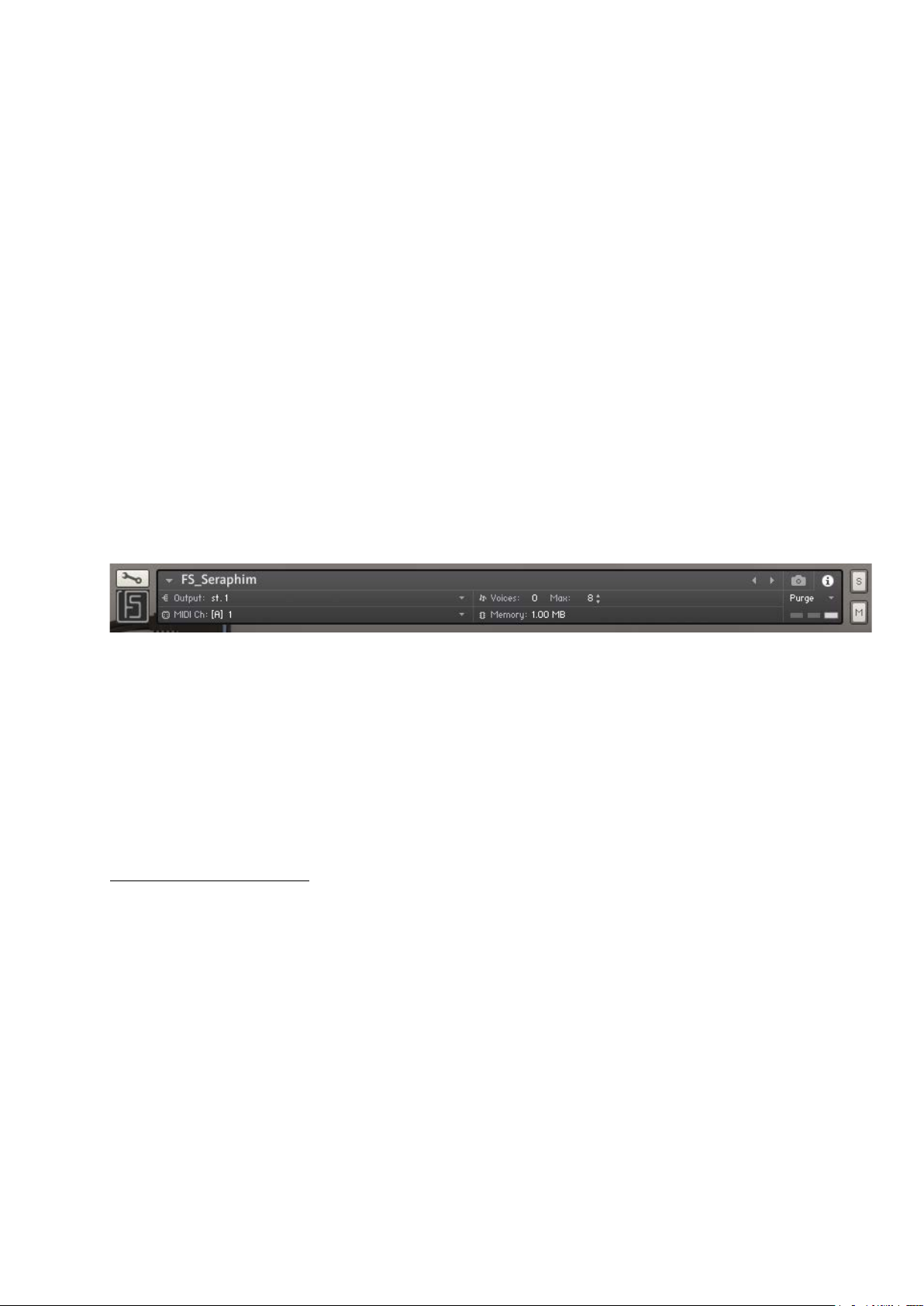
However, it is possible to authorize a higher number of voices by modifying the setting in the
top banner of the Kontakt interface.
The value limiting polyphony to duophonic mode is specified in the banner above: next to
Voices is Max, currently capped at 8. 2 voices of 4 Sources.
If you want SERAPHIM to be able to play 4 notes simultaneously (this is an example), you
need to change Max: 8 to Max: 16.
Note also that with this principle, you can also make SERAPHIM monophonic by specifying
Max: 4.
Making your own sound
This is a good time to talk about a choice that, this time, is up to you: the number of sources
used.
When creating a sound, we recommend that you activate just one source by silencing the
others (via the volume control of each source). This is useful because it allows you to hear
the waveform you select via the appropriate vertical slider. It also allows you to choose the
right balance with the PWM intensity. Then turn down the volume of this source and turn up
the volume of another source, make your settings and listen to how the two sources coexist
by turning up the volume of the first.
7
SERAPHIM 1.0 USER MANUAL | © FLUIDSHELL DESIGN 2023
Page 8

In some cases there may be oscillations, a kind of beat, between the two sources.
This is completely normal and intentional. You can remove this beat by applying the same
LFO settings to each source. The result will be less vibrant and much flatter.
Once you've adjusted your Sources, it's time to play around with the filters in the Radiant
Filter Bank. But first, you have to start again from scratch. Not. Just kidding
The SERAPHIM's built-in filter bank has two roles: to give the sound a direction (more of a
lead, more of a bass, etc.) and to excite the resonator. The more peaks and valleys the filters
create, the more the resonator will amplify them in resonance. If you add to that a little
distortion/overdrive (DRV), you'll very quickly feel the wild potential of the instrument! The
best advice we can give you is this: take it easy. Each setting on the SERAPHIM can amplify
the previous ones.
But it can also attenuate them. And it's important to understand this in order to fully
understand how the instrument works.
Setting boundaries
Or, more precisely, to lay the foundations for the creation of a sound.
As you saw earlier, SERAPHIM has a filter bank. The two sliders at the ends will be your first
milestones, the first safeguards in the creation of your sounds. The slider on the left is used
to adjust the cut-off frequency of a High-Pass filter (attenuates the bass), while the slider on
the right is a Low-Pass filter (attenuates the treble). In both cases, there is no search for
resonance.
These filters are very effective for quickly cutting through the raw sound. With the right
settings, you'll gain in clarity and ease of mixing. However, it is not advisable to overuse
them, so proceed with caution.
Another attenuation filter is the DAMP in the Drive section of the resonator. It's a sort of lowpass filter that shaves off the excess treble at the overdrive output. Fine-tuning is really
necessary, otherwise the harmonic content will be completely destroyed before it goes
through the resonator module.
The last possibility for attenuation before the End of the World: CONTOUR.
Once again, this is a form of Low Pass filter. It acts at the very end of the sound chain and is
probably the one you'll use most to vary your sound during play. Its role is to channel the
excessive brightness induced by the filter bank, resonator and reverb.
8
SERAPHIM 1.0 USER MANUAL | © FLUIDSHELL DESIGN 2023
Page 9

If we were to advise you to assign a few functions to your MIDI controller, we wouldn't
hesitate to suggest two straight away: SHIFT and CONTOUR.
Next, the 4 PWM settings seem to us to be worthy of frequent use. The 5 sliders in the filter
bank would probably be next on your list. Once you've created your sound, it's up to you to
choose the best way to play it. Here's an essential piece of advice: think 'acoustic'. Try to
think of the SERAPHIM as a violin* rather than a synthesizer, and you'll soon realize the logic
behind it.
* A violin or any other instrument that generates sound other than through electronic circuits.
Particular considerations
The many modulations available, the random ones, the treatments chosen - all of this makes
it possible to obtain sounds ranging from complex layers to special noises. In some cases,
it's possible for 'glitches' and noises to appear: this is completely normal and deliberate.
Modulation cycles can create clicks, as can envelopes and LFO variations.
Despite extensive testing on several computers with different configurations, it is not
possible to certify that SERAPHIM works smoothly on all existing machines, PC and MAC.
Enjoy your music!
9
SERAPHIM 1.0 USER MANUAL | © FLUIDSHELL DESIGN 2023
Page 10

A little background information...
The development of SERAPHIM for Kontakt was the result of two worlds coming together.
On the one hand there was a hardware prototype, and on the other a discussion with users
and beta-testers of our software instruments.
Nothing suggested that an assembly of bits of circuitry and salvaged parts could become the
basis of a fully-fledged software instrument. Nothing except a certain convergence in the
discussions around the desire to approach electronic instruments from a much more
'acoustic' angle.
The prototype that gave rise to the SERAPHIM for Kontakt wasn't very practical, let alone
aesthetically appealing. But it wasn't the first time that our usual process led us to pleasant
surprises. For every instrument we offer you, there are dozens that remain on the sidelines
and will probably never come out.
You don't choose to be atypical; it's a way of thinking that either is or isn't. By experimenting
a lot and in all directions, from time to time directions emerge that are worth following. To
the delight of a very small number of users, but that's the game.
To keep us moving forward in sometimes very strange directions, we have some good
supporters. It would be unfair to forget to thank them, so thank you to them.
- Serge GORA, musician and experienced Kontakt user
- Thomas GRAND, musician and beta-tester of our instruments
- Samuel NARBONI, composer and client-user/beta-tester of our instruments
- Hamish MACKINTOSH, musician, image and sound poet, beta-tester of our instruments
And you, of course, for whom our instruments will (we hope) be a source of pleasure and
inspiration.
We thank you all.
10
SERAPHIM 1.0 USER MANUAL | © FLUIDSHELL DESIGN 2023
 Loading...