

Page 1
Quick Start Guide
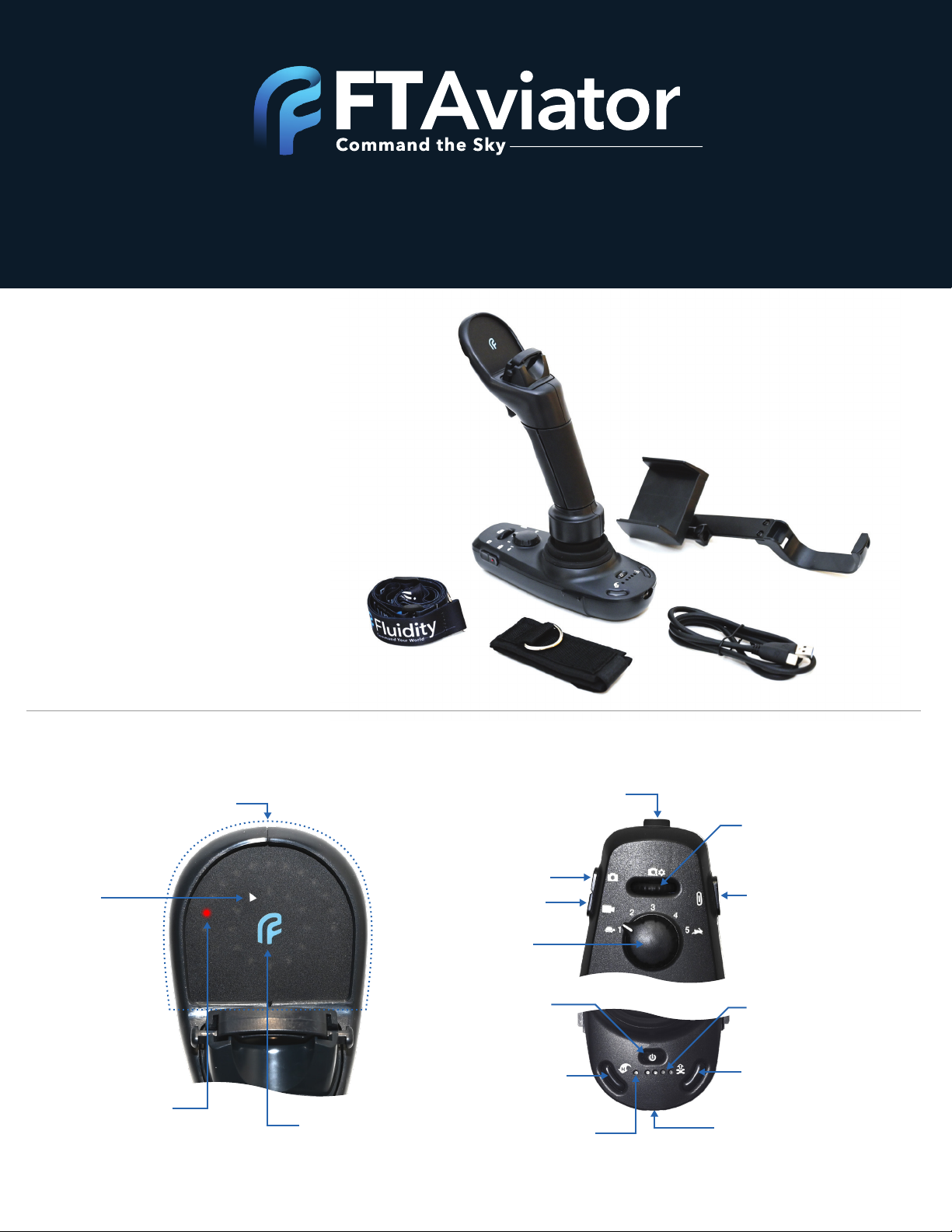
What’s in the Box?
• Quick Start Guide
• FT Aviator
• Smartphone Holder
• USB-C Cable
• Radio Strap
• Fluidity Lanyard
Product Features
Situational Awareness
Display
Drone
Relative Yaw
Drone Relative
Position
Connectivity
Status Light
Shutter Release
Video Record
Flight Control
Sensitivity Dial
Return to Home
www.fluidity.tech
Camera Tilt
Power
Bluetooth
Connectivity Status
Camera Controls Rotary
(Scroll/Click)
Programmable – Multi
Function Button
Battery Indicator
Take Off (Launch)
Charging Port
Page 2
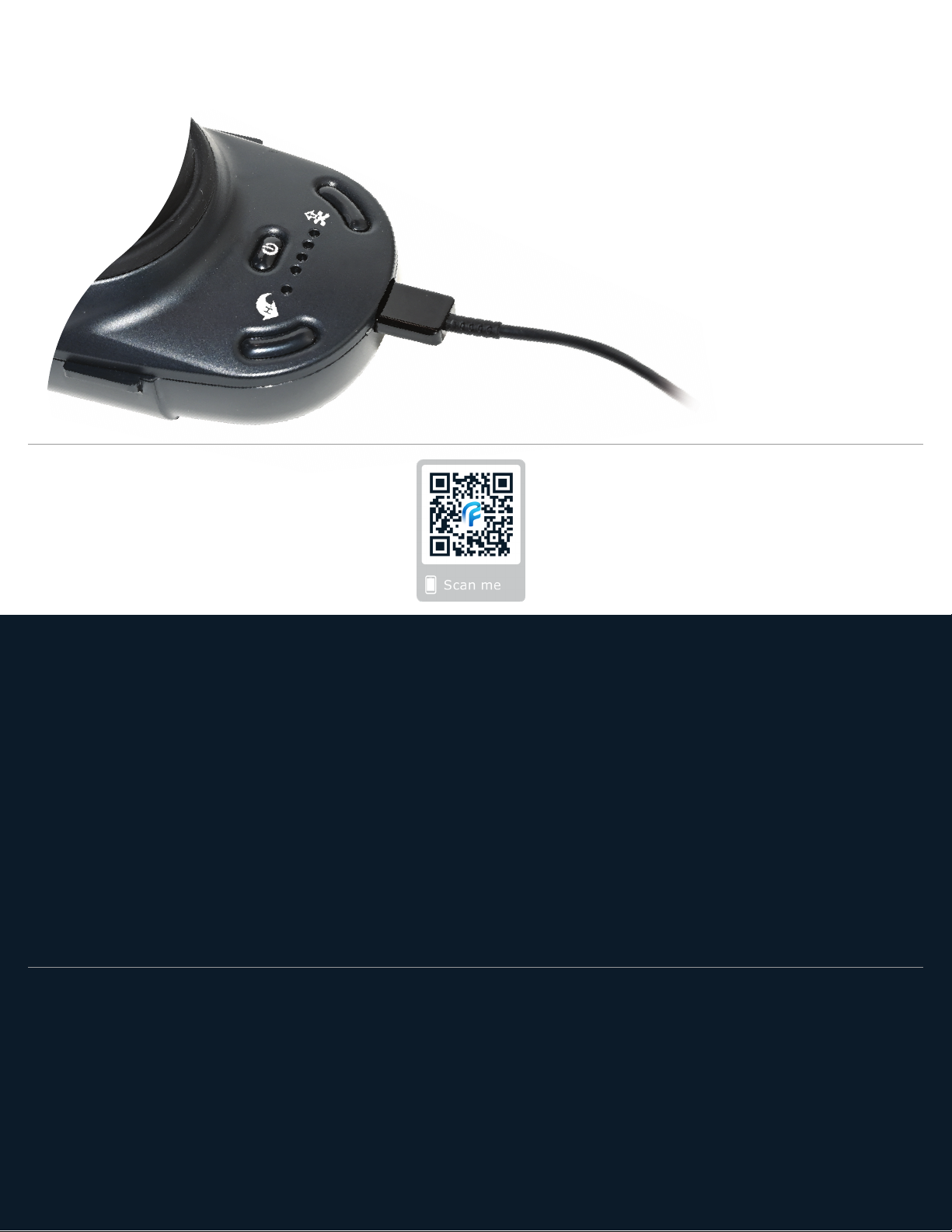
1. Charge the FT Aviator
2. Download the App
• Connect FT Aviator to AC adapter with the
included USB-C cable to the charging port
• Charge until 4 LEDs illuminate, indicative
of a full charge
www.fluidity.tech/download-app
3. Set-up the FT Aviator
• Attach the FT Aviator smartphone holder to the base
• Insert the smartphone into the FT Aviator phone holder; adjust angle
• Connect the Fluidity lanyard to the DJI remote - for Mavic, attach the radio strap to
the Mavic remote, for Phantom and larger, attach lanyard directly to the DJI remote
• Connect the DJI remote to your smartphone via USB cable
– For Android, use the included USB-C cable
– For iOS, an iPhone USB cable is needed (not included)
4. Prepare the Drone
• Power up drone and its remote; place the drone in a clear spot
• Push the power button on the FT Aviator, then press and hold again until the LEDs
illuminate on the situational awareness display
For more detailed set-up information, please see www.fluidity.tech/quick-start
Page 3
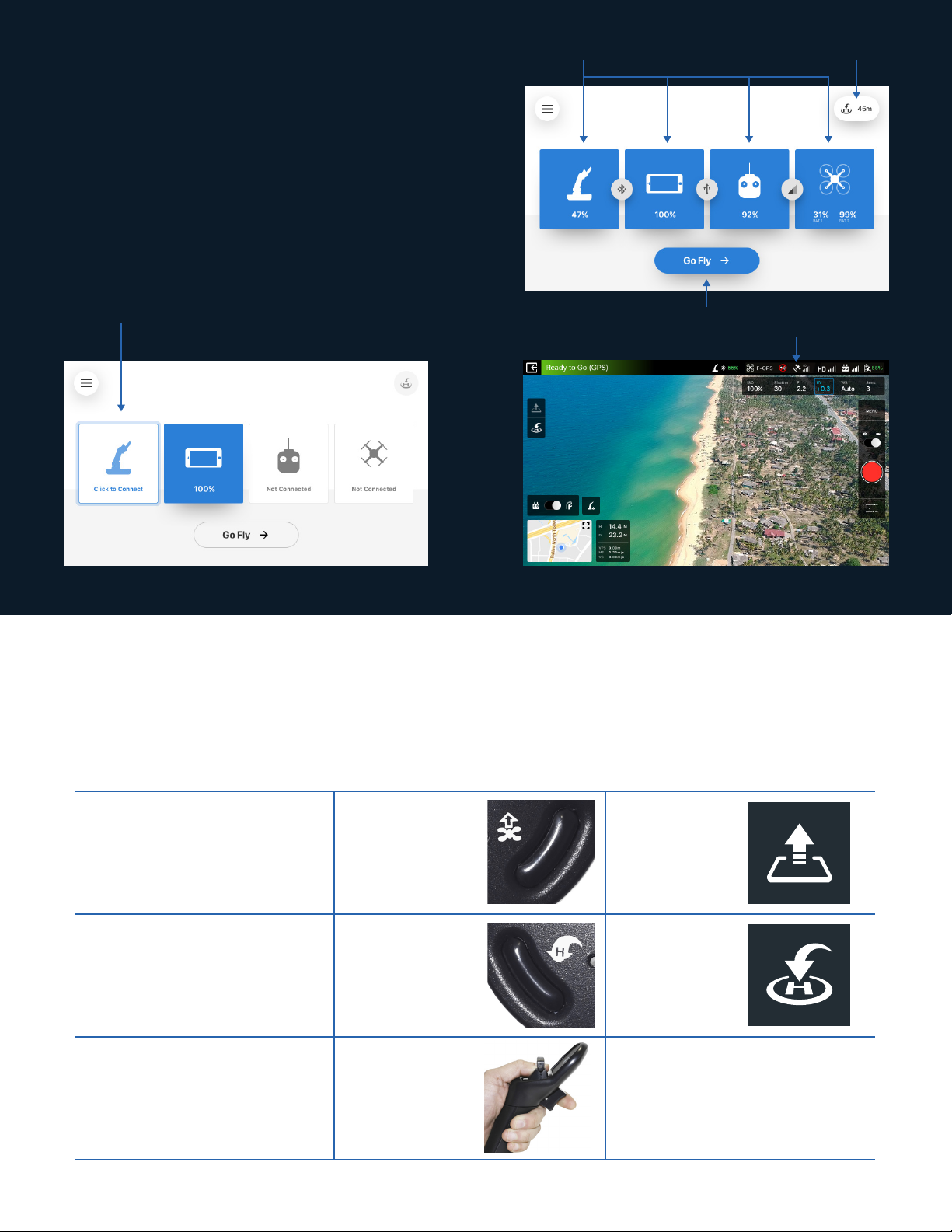
5. Connect the FT Aviator
• Open the Fluidity App
• Follow the prompts to
register your FT Aviator
a. Tap the “Click to Connect” icon to select
and connect to the FT Aviator
b. Verify all 4 icons
have turned blue
d. Tap “Go Fly” to open the FT Aviator flight page
c. Tap “RTH” to set the
Return to Home altitude
For more detailed app information, please see www.fluidity.tech/app-setup
6. Launch, Return Home and Land the Drone
FT Aviator Fluidity App
Launch
Return
push launch
button
push return
home button
tap launch
icon
tap return
home icon
Land
thumb down,
trigger out
N/A
Page 4
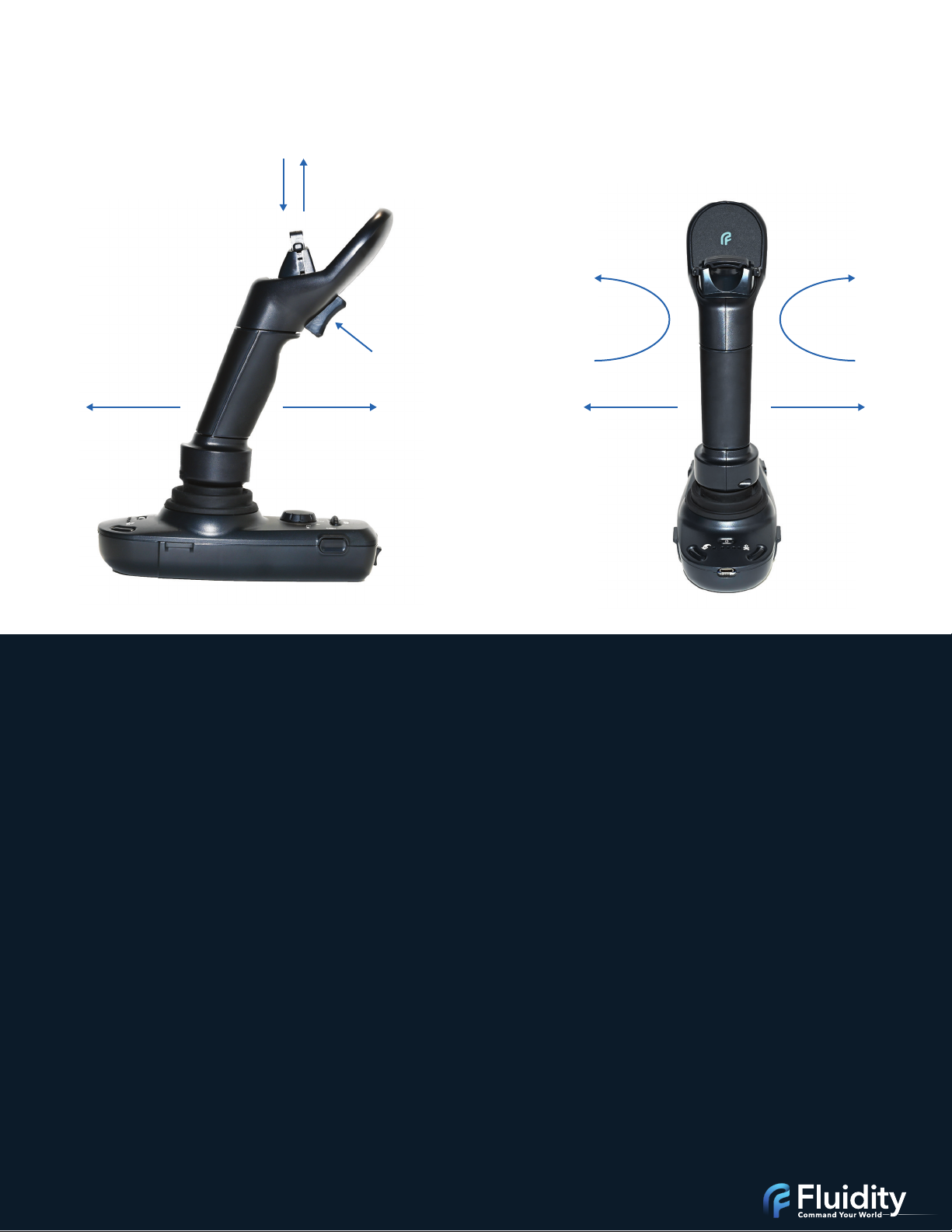
Flight Control
black type is action, red type is result
Pitch Back,
Go Back
Push Down,
Go Down
Pull Up,
Go Up
Pitch Forward,
Go Forward
Squeeze,
Go Up
Twist Left,
Yaw Left
Roll Left,
Go Left
Twist Right,
Yaw Right
Roll Right,
Go Right
Warranty and Safety
For Information on product warranty, terms, and conditions go to: http://www.fluidity.tech/warranty
Product Health and Safety Information (Read before using your device):
Caution! To avoid electric shock and damage to your device, do not charge the device while it is wet or in an area where it could get wet, or in any
form of precipitation. Do not handle the device, charger or cords with wet hands while charging. It is recommended that you use a properly
certified power supply when charging your device. Warning! Do not dispose of batteries in a fire because they may explode.
FCC Part 15 Information and Notices:
This device complies with Part 15 of the FCC Rules. Operation is subject to the following two conditions: (1) This device may not cause harmful
interference and (2) this device must accept any interference received, including interference that may cause undesired operation.
Operating Environment:
Remember to follow any special regulations in force in any area, and always switch your device off where posted notices require you to do so or
when it may cause interference or danger. When connecting the device or any accessory to another device read the accessory’s user guide for
detailed safety instructions. Do not connect incompatible products.
Recycling:
Disposal of any Fluidity Technologies device, or accessory, should be done in accordance with local regulations. For information on proper
disposal go to call2recycle.org or call 1-800-822-8837.
Cautions and Other Important Safety Information:
Any changes or modifications to your device not expressly approved by Fluidity Technologies could void the warranty for this equipment and void
your authority to operate this equipment. The use of unauthorized accessories may be dangerous and void the device warranty if said accessories
cause damage or a defect to the device. Although your device is quite sturdy, avoid dropping, hitting, bending, or sitting on it. Physical damage
resulting from excessive input forces during use will also void the warranty. Only qualified personnel are authorized to service this device,
unauthorized service will void the product warranty.
VTDCA1D02-A
Copyright © 2019. Fluidity Technologies Inc
 Loading...