

Page 1
Page 2
Page 3
1
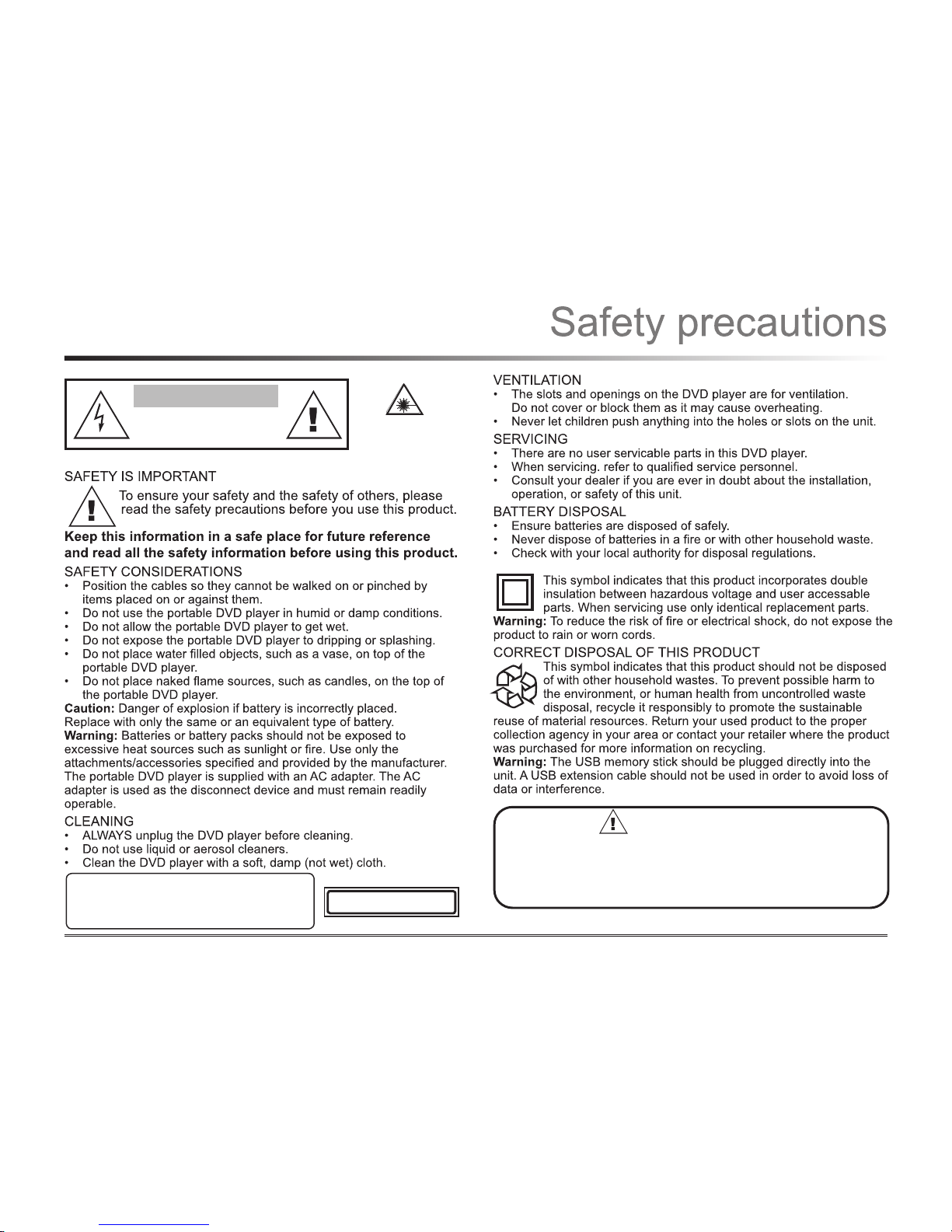
CAUTION
RISK OF ELECTRIC SHOCK
DO NOT OPEN
SPECIAL NOTICE
A few highlights or dark spots may occur on the LCD screen. It is a very
common phenomenon of the active matrix display technology, and does
not indicate any defects or faults. Never try to repair this machine by
yourself. In case of any faults please turn off the unit at once and contact
your local store. The display is made up of many precision electronic
components. Any disassembly or modication may lead to further damage.
CLASS 1 LASER PRODUCT
CAUTION
INVISIBLE LASER RADIATION WHEN UNIT IS OPENED
AND INTERLOCKS ARE DEFEATED. AVOID EXPOSURE
TO LASER BEAM.
This product contains
a low power laser
device.
Page 4
2
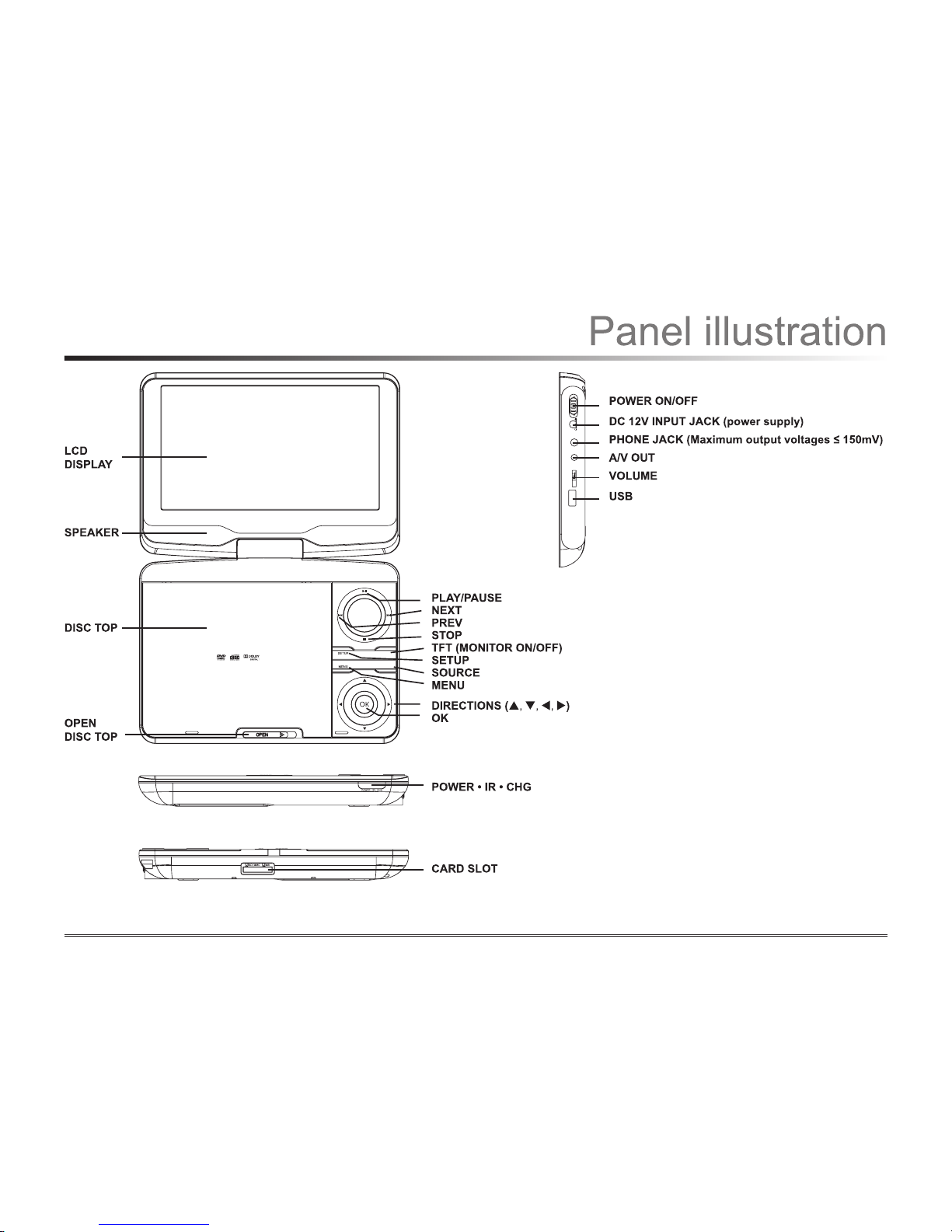
SOURCE
TFT
VO
L
ON
O
F
F
A
V
OU TP HO
NEUS
B
DC IN 12V
Page 5

3
1
2
CR2025
7
9
10
11
12
1
2
3
4
5
6
13
14
15
16
17
8
18
Page 6

USB IN
VO L
ON OFF
AV OUTP HO NEUS B
DC IN 12V
VO L
ON OFF
AV OUTP HO NEUS B
DC IN 12V
VIDEO IN
AUDIO IN
Yellow
Green
CVBS
Red
L
R
Page 7

5
AVI
Mp3
Mp4
Photo
WMA
XVI D
Repeat off
Mode Norma l
Filter
JPEG Preview
Audi o
1/7
1
2
101
102
103
104
105
00:00:1 5
Repeat off
Mode Normal
Filter
Music Playing
Page 8

6
1/7
1
2
100
102
103
104
105
Phot o
Filter
Repeat off
Mode Normal
JPEG Preview
Language
Video
Rating
Misc
OSD Language
Subtitle
MPEG4 Subtitle
Audio
DVD Menu
Page 9

7
Language
Video
Rating
Misc
Language
Video
Rating
Misc
Language
Video
Rating
Misc
Page 10

8
PROBLEM POSSIBLE CAUSE REMEDY
THE DVD
PLAYER
DOES NOT
WORK
Disc cover not closed Close the disc cover
No disc inserted Insert disc
Disc inserted the wrong way Insert disc with label facing up
Disc dirty or deformed Clean disc or insert another disc
Regional code of the player
does not match the regional
code of the DVD player
Purchase DVD with corresponding
regional code
Moisture on the lens Remove disc and turn off DVD player for
at least 2 hours
NO AUDIO Device not properly
connected
Check the connections and reconnect
properly
Headphones connected
(loudspeaker off)
Pull the headphone jack out of the unit
DVD sound setting incorrect Check the settings and reconnect
correctly
Disc dirty or deformed Clean disc or insert another disc
PROBLEM POSSIBLE CAUSE REMEDY
NO VIDEO TV screen is off or in the
incorrect video mode
Turn on the LCD screen and reset to the
correct video mode
Device not properly
connected
Check the connections and reconnect
properly
POOR
VIDEO AND/
OR AUDIO
QUALITY
Disc dirty or deformed Clean disc or insert another disc
REPEATED
PLAYBACK
OF A SECTION
Loop mode is switched on Exit the Loop mode
Disc dirty or deformed Clean disc or insert another disc
REMOTE
CONTROL
DOES NOT
WORK
Obstacle between remote
control and DVD player
Remove obstacle
Remote control not pointed
at DVD player
Point remote at DVD player within a 30
degree anle
Remote control battery
inserted the wrong way
Check battery polarity and if necessary,
insert correctly
Battery too low or completetly
drained
Insert a new battery
Page 11

9
OUTPUT CHARACTERISTIC
DISPLAY DEVICE Colour TFT - LCD
SCREEN SIZE 7 inches
VIDEO OUTPUT 1Vp-p (75Ω)
AUDIO OUTPUT 2 channel
POWER VOLTAGE DC IN 12 volt
POWER CONSUMPTION ≥ 15W
DIMENSIONS 206 x 160 x 40 mm
WEICHT 0.8 kg
SPECIFICATIONS ARE SUBJECT TO CHANGE WITHOUT NOTICE.
PLAY MODE NTSC/PAL
DISC MODE DVD, VCD, CD, MP3, CD-R, CD-RW, JPEG,
DVD+ -R/W, MPEG4
VIDEO CHARACTERISTIC
VIDEO S/N RATIO ≥ 65dB
RESOLUTION ≥ 500 lines
AUDIO CHARACTERISTIC
FREQUENCY RESPONSE fs 96kHz: 20Hz ~ 200kHz +/_ 1dB
AUDIO S/N RATIO ≥ 90dB
DYNAMIC RANGE ≥ 80dB
DISTORTION < 0.01%
D/A CONVERTER 96kHz / 24 bit
Page 12

10
Page 13

11
Limited Warranty
© 2011 The Source.
All Rights Reserved.
Imported by:
The Source,
Barrie, Ontario, Canada, L4M 4W5
Manufactured in China
For product support please contact
www.thesource.ca
Please Recycle
 Loading...