

Page 1

ICT PRT-KLCS Keypad
Manual
By
Page 2

Table of Contents
Keypad Layout ........................................................................................................................................... - 1 -
Arming via the Keypad .............................................................................................................................. - 2 -
Disarming via the Keypad ......................................................................................................................... - 4 -
User Notes ................................................................................................................................................ - 5 -
Support ..................................................................................................................................................... - 6 -
Page 3
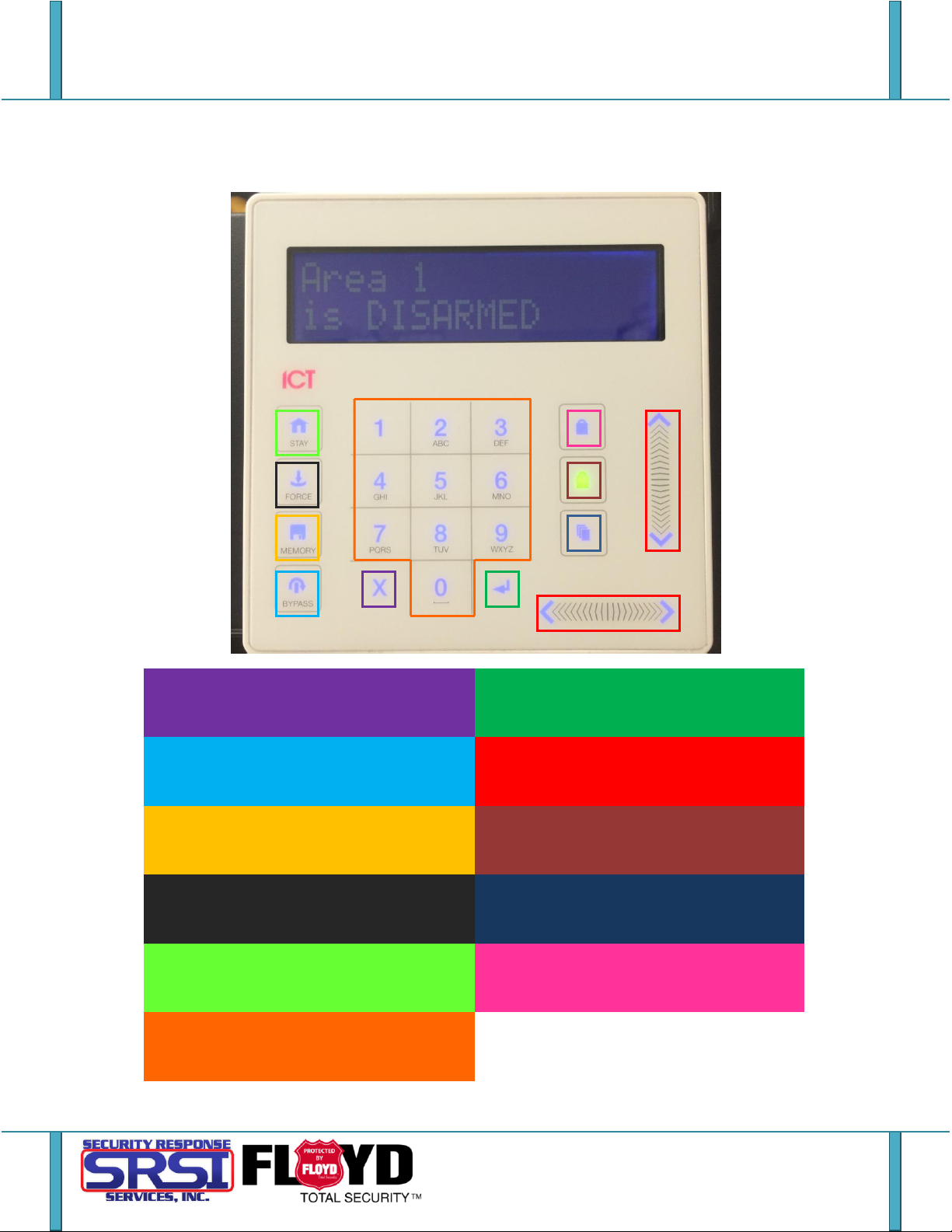
CLEAR – Logs user off of the keypad or will
refresh the DISPLAY.
ENTER – Acknowledge action, clear alarm
memory or move to the next screen.
SCROLL PADS – Use for browsing options in
the keypad.
BYPASS – Ignores a particular zone when
arming for this instance.
MEMORY – Will display alarm history to the
user.
DISARM – Will disarm the system and
indicates if the system is disarmed.
MENU – Shortcut to access the MENU
display.
FORCE – Will arm a system regardless of the
status it’s in.
ARM – Will begin the arming process or
indicate the system is armed.
STAY – Begins the stay arming process on
specified zones.
NUMPAD – Used for entering PIN codes and
commands.
Keypad Layout
Page - 1 -
Page 4
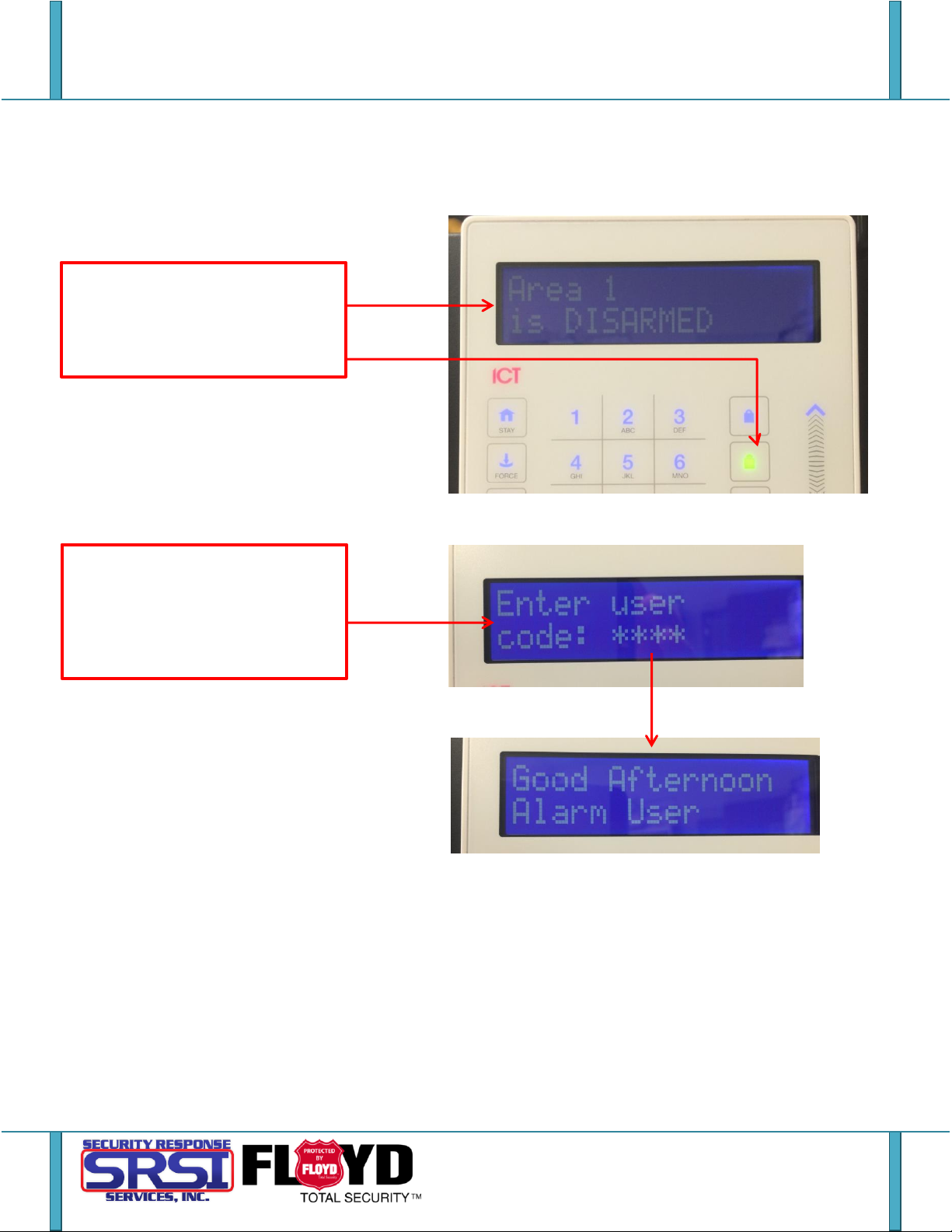
1. If the system/area you are in is
disarmed, the DISPLAY will state
[Area Name] is DISARMED and the
disarm icon will be green.
2. Use the NUMPAD to enter in your
PIN code then press ENTER. If the
login is accepted a greeting will be
displayed before it returns to the
main menu.
Arming via the Keypad
Page - 2 -
Page 5
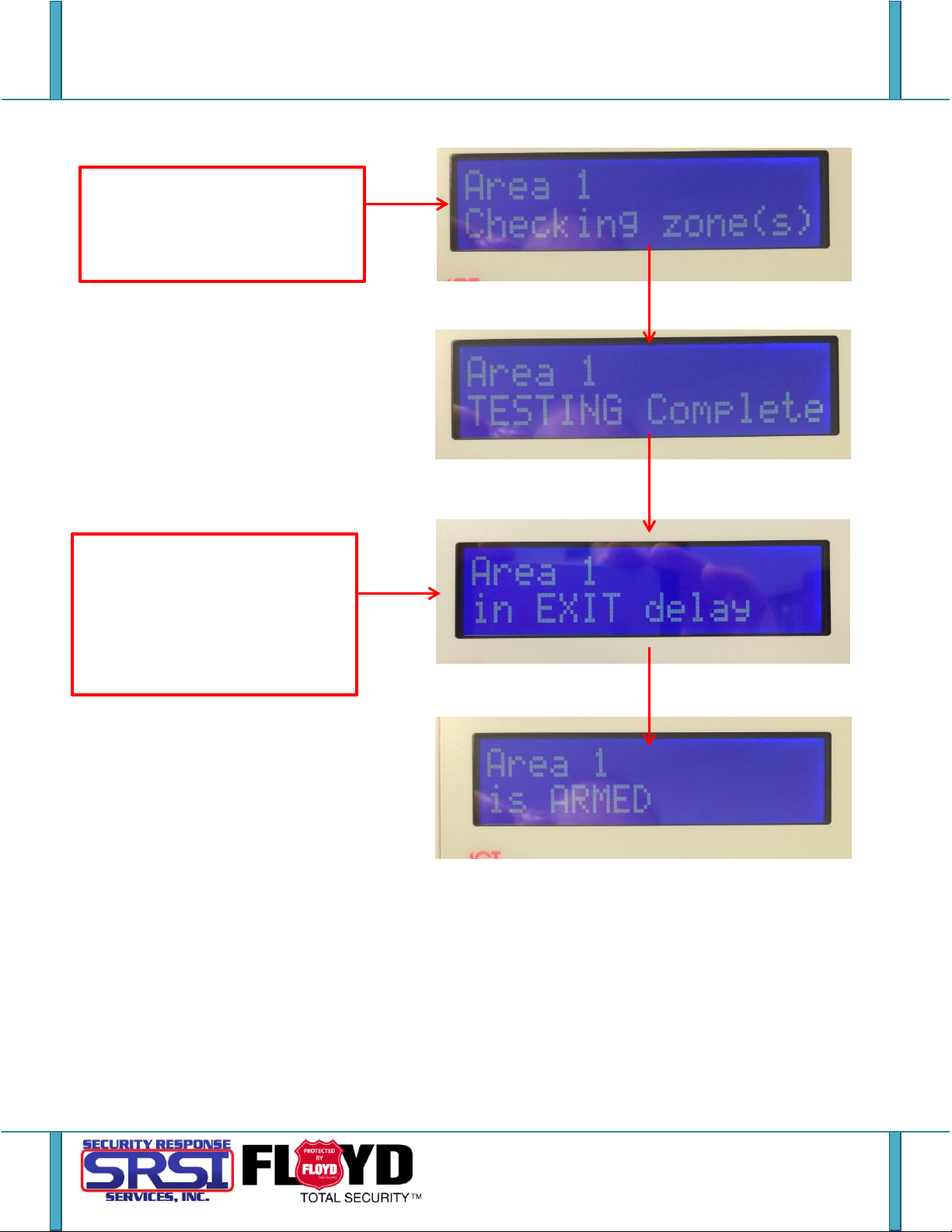
3. Press the ARM key to begin the
arming process. It will be checking
the zones for faults or if any are
tripped.
4. Once the check is complete it will
begin the Exit Delay. You’ll then have
a limited time to exit the area. The
default sending is 45 seconds but
this can be changed to your
preference.
Page - 3 -
Page 6
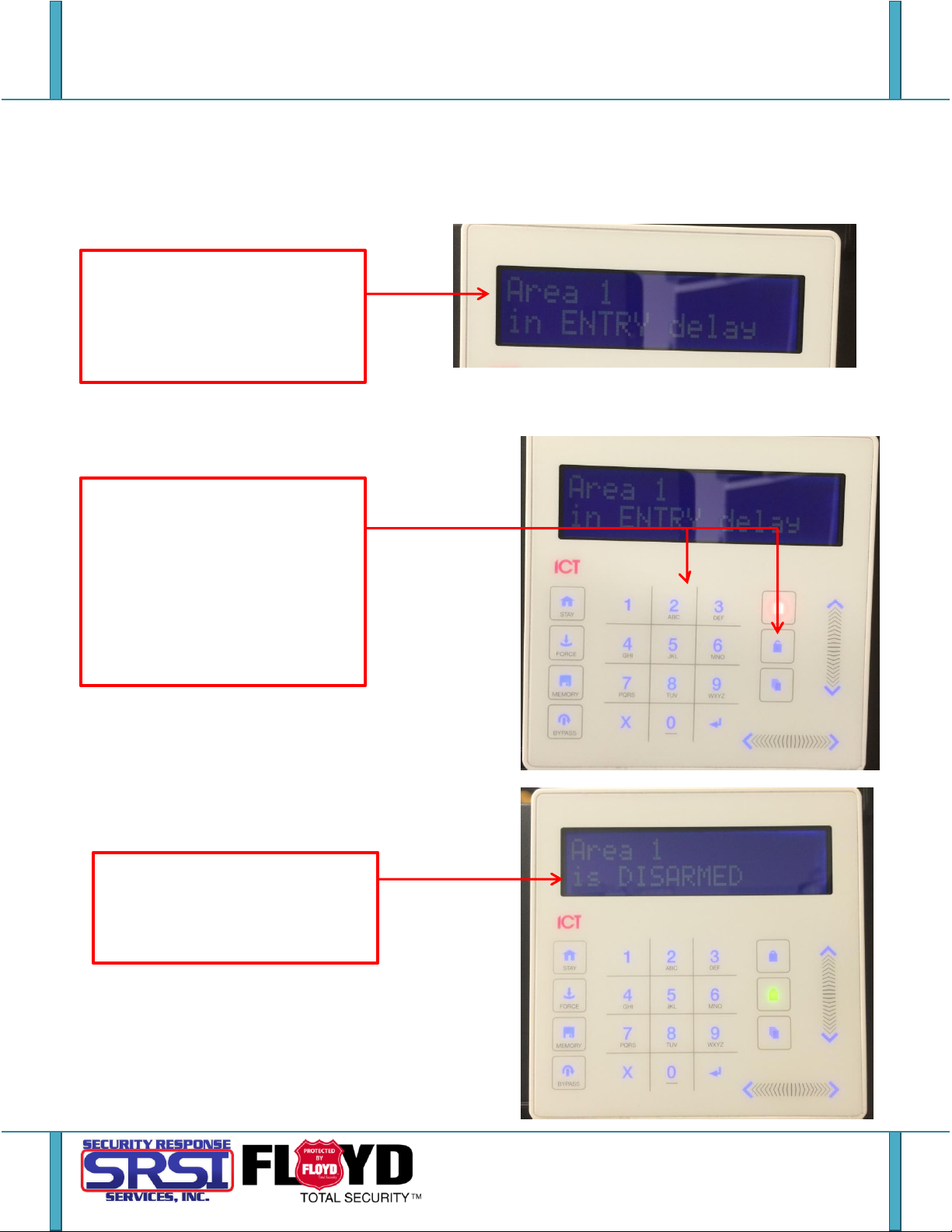
1. When you trip a zone (opening a
monitored door, walking in front of a
monitored motion, etc.) Will go into
the Entry Delay by default you have
30 seconds to disarm the system.
2. To disarm the system, enter your
PIN and press ENTER. Once it
confirms that you are logged in,
press the DISARM. Depending on
your setup, you might only need to
login. It can be configured to autodisarm upon a valid user login at the
keypad.
3. Once disarmed, it will display
[Area Name] is DISARMED as will be
at the main menu. Another indicator
is the disarm LED will be green.
Disarming via the Keypad
Page - 4 -
Page 7

User Notes
_____________________________________________________________________________________
_____________________________________________________________________________________
_____________________________________________________________________________________
_____________________________________________________________________________________
_____________________________________________________________________________________
_____________________________________________________________________________________
_____________________________________________________________________________________
_____________________________________________________________________________________
_____________________________________________________________________________________
_____________________________________________________________________________________
_____________________________________________________________________________________
_____________________________________________________________________________________
_____________________________________________________________________________________
_____________________________________________________________________________________
_____________________________________________________________________________________
_____________________________________________________________________________________
_____________________________________________________________________________________
_____________________________________________________________________________________
_____________________________________________________________________________________
_____________________________________________________________________________________
_____________________________________________________________________________________
_____________________________________________________________________________________
_____________________________________________________________________________________
_____________________________________________________________________________________
_____________________________________________________________________________________
_____________________________________________________________________________________
_____________________________________________________________________________________
_____________________________________________________________________________________
_____________________________________________________________________________________
_____________________________________________________________________________________
_____________________________________________________________________________________
_____________________________________________________________________________________
_____________________________________________________________________________________
_____________________________________________________________________________________
_____________________________________________________________________________________
Page - 5 -
Page 8

 Loading...