

Page 1

ECT
Better . Connected
TM
Flip Connect
Splicecom PCS
Quick User Guide
Flip Solutions Ltd t/a Flip Connect
The Maltings, Bridge Street, Hitchin
Hertfordshire, SG5 2DE
01462 417 999
0870 421 5411
support@flipconnect.co.uk
www.flipconnect.co.uk
Page 2
Splicecom PCS
User Guide
Page 2 of 4 Flip Connect Hosted VoIP – SpliceCom PCS Quick User Guide www.flipconnect.co.uk/support/userguides
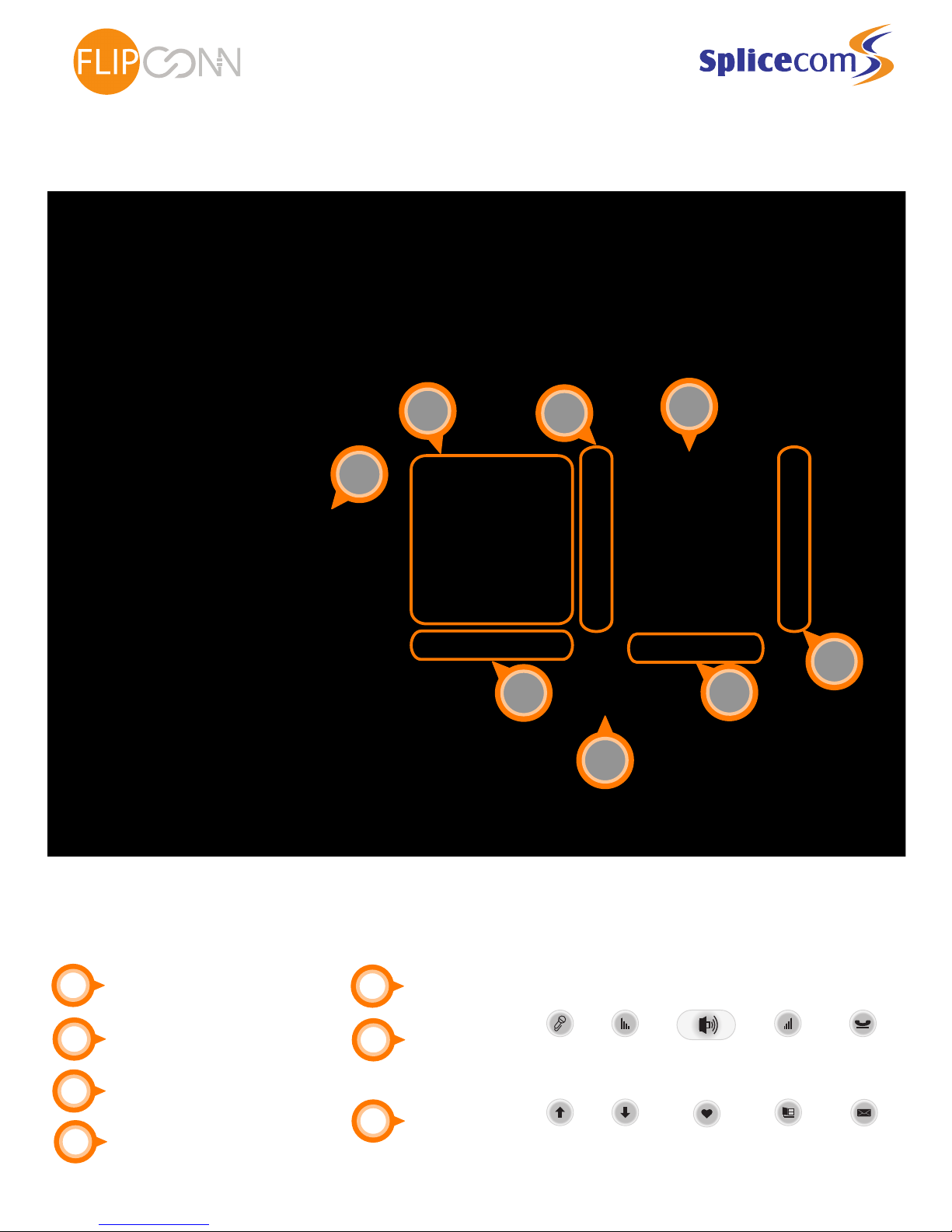
1
2
3
4
Indicator Light
Monitor (Loudspeaker)
Display
Softkeys
5
6
7
Audio Buttons:
Menu Buttons:
Dial Pad
Mute Loudspeaker Transfer
2
3
4
4
6
7
5
1
ECT
Better . Connected
TM
Increase
Volume
Decrease
Volume
Page
Up
Favorites MessagesPage
Down
Directory
Page 3
Phone Basics
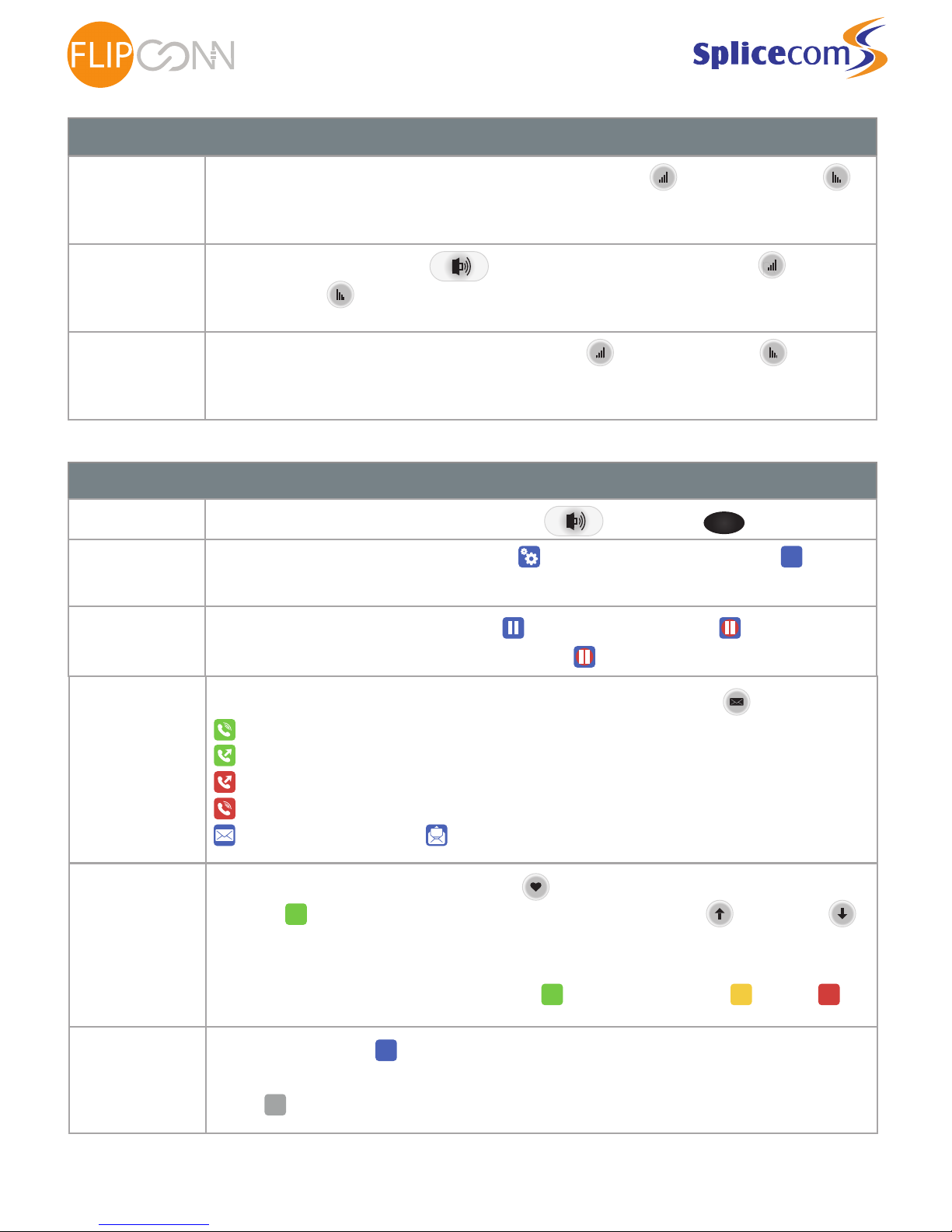
Setting the
ring volume
With the handset in its cradle, press the volume buttons, up( ) to increase, down( ) to
decrease, this will automaticly save.
Setting the
speaker volume
Press the loudspeaker button ( ) then press the volume buttons, up( ) to
increase, down( ) to decrease, this will automaticly save.
Setting the
earpiece volume
Lift the handset then press the volume buttons, up( ) to increase, down( ) to
decrease, this will automaticly save.
Call Control
Group pickup
Lift hand piece or press Loudspeaker button ( ), followed by twice.
Place a call on
hold
When on a call press the pause button ( ) which will then turn red ( ).
To retrieve the call press the pause button again ( ).
Transferring
Calls
When on a call press the favorities button ( ), locate and press the softkey speed dial of
the user ( ) you wish to transfer to, please note you can page up ( ) and down ( ),
if the list of contacts fall over more than one page. Once they answer you can announce the
call and then hang up to complete the transfer. The colour of the speed dial indicates the
status of the user, as such: extension is free ( ), extension is ringing ( ) , busy ( ).
-
+
To enable DND press the settings button ( ) and then the DND Softkey ( ).
The Indicator Light will then flash to show you’re in DND. Repeat step to disable DND.
DND
Call List
To view a list of recent call and messages, press the messages softkey ( ), the icons are:
Splicecom PCS
User Guide
ECT
Better . Connected
TM
Page 3 of 4 Flip Connect Hosted VoIP – SpliceCom PCS Quick User Guide www.flipconnect.co.uk/support/userguides
DND
Parking a
Call
When on a call press ( ) and then hang up. This will put the call on hold and you can
then advise someone else to pick up the call. To pickup the call from another phone simply
press ( ) and then lift the hand piece.
P
Park 1
Park 1
P
*
- Inbound Answered
- Outbound Answered
- Outbound unanswered
- Inbound unanswered
- Unread Voicemail - Read Voicemail
Page 4
Call Control cont.
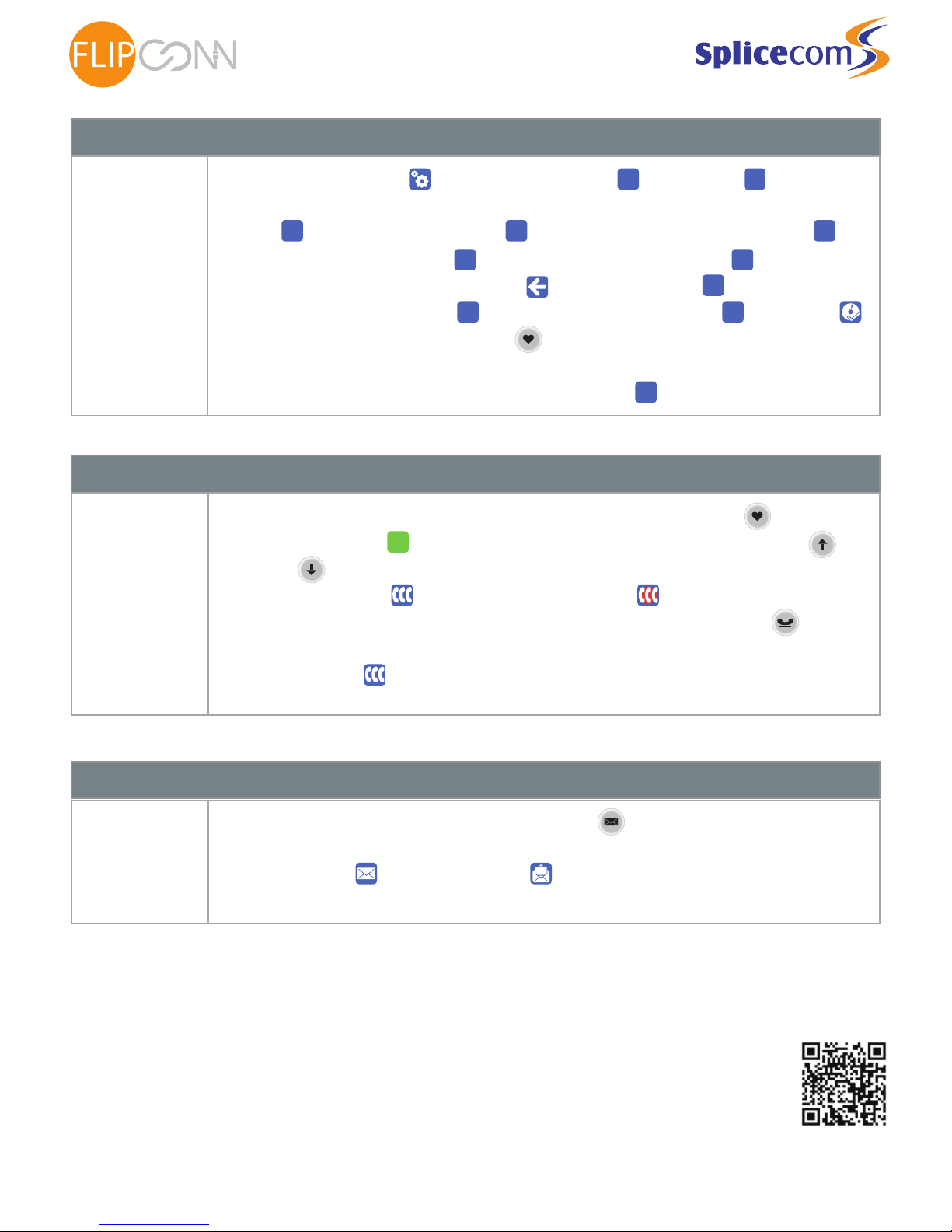
Call Forwarding
Press the settings button ( ) then the divert softkey ( ) >
and select your divert mode from the following:
Off ( ), Just your DDI calls ( ) , Personal with simultaneous ring ( ),
Your DDI plus any group calls ( ). All with simultaneous ring ( ).
To set the forward to number, press back ( ) then ( ) and select either:
Your saved mobile number( ) or enter a new number ( ) then save ( ).
You can then press the favorities button ( ) again to go back to the home screen and you
will see that you phone is now forwarded.
To remove a divert, repeat the steps above selecting ( ) as the divert mode.
Call Conferencing
Ad-Hoc
Conferencing
To conference another user on the system in press the favorities button ( ), then press
button of the the user ( ) you wish to transfer to, please note you can page up ( )
and down ( ), if the list of contacts fall over more than one page. Once they answer press
the conference button ( ), the button will then change ( ).
To conference a mobile or landline while on a call press the new call button ( ) > dial
mobile or landline number > once they answer you can the press the
conference button ( ), to complete the conference.
Voicemail
Listening to your
voicemails
To check your voicemail press the messages softkey ( ) . This will then show all messages
you have available to listen to. To listen simply press the button next to the
Unread Voicemail ( ) or Read Voicemail ( ) icon of the relevant message once and wait
for it to play.
Splicecom PCS
User Guide
ECT
Better . Connected
TM
Page 4 of 4 Flip Connect Hosted VoIP – SpliceCom PCS Quick User Guide www.flipconnect.co.uk/support/userguides
Further Support:
If you require further assistance our support pages have lots of ways to help you:
• There is an FAQs - click here - you can then ask questions and have them answered by community members.
• You can raise a support ticket here.
• Our User Guides, here you will find PDFs and interactive video tutorials.
Alternatively you can ring the support helpline on 01462 417 147.
Copyright © 2015 Flip Connect. All Rights Reserved. No part of this publication may be reproduced, transmitted,transcribed, stored in a
retrieval system, or translated into any language in any form or by any means without the written permission of Flip Connect.
P Divert (None).. P Divert Mode (None)..
Dual All
None Personal Dual
All
Divert To (None)..
Mobile Number -
None
 Loading...