

Page 1
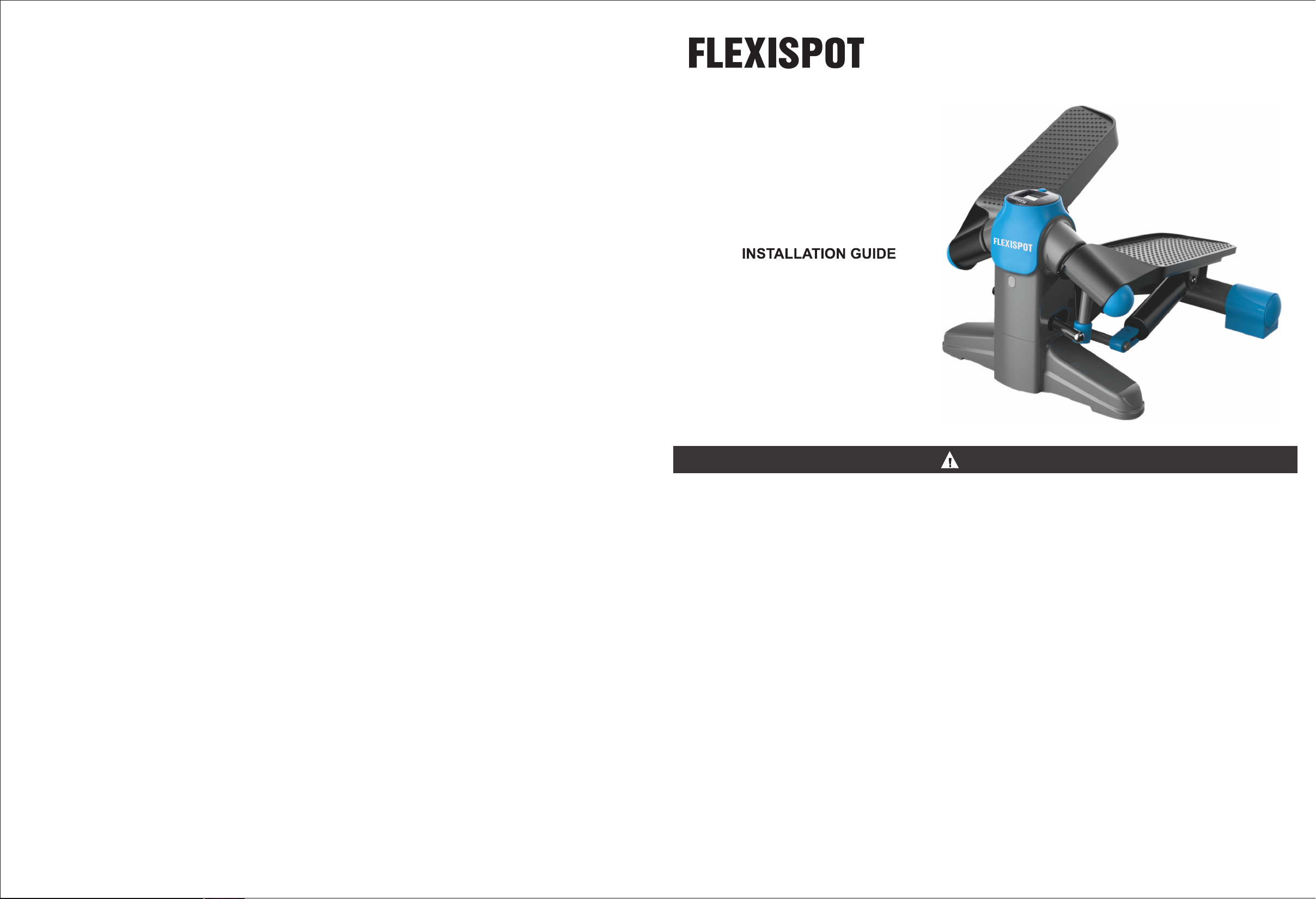
STEPPER
Item No. FP1
CAUTION
Please read all instructions carefully before using this product.Retain this manual for future
reference. The specifications of this product may vary slightly from the illustrations and are
subject to change without notice.
Consult with your doctor before you begin an exercise program with our stepper.
Incorrect or excessive exercise maybe damaging to your health. If you feel uncomfortable, dizzy or short of
breath, stop exercising and consult a doctor.
Before using this equipment, check that the nuts and bolts are securely tightened. Always use the
equipment as indicated. If you find any defective components while assembling or checking the equipment,
or if you hear any unusual noises coming from the equipment during use, stop immediately. Do not use the
equipment until the problem has been rectified.
Check screws and nuts on a regular basis. We recommend that you lubricate your stepper regularly to keep
it in good repair.
Make sure you are wearing suitable clothing while using this equipment. Do not wear loose clothing that
could get caught in the equipment.
Maximum weight capacity: 220 lbs.
Our stepper is designed for indoor use only and is not intended for commercial use.
Please save this manual and assembly tools as well.
Website: www.flexispot.com
Tel: 1-855-421-2808
ADDRESS: 6475 Las Positas Rd. Livermore, CA 94551
Ignoring the warnings in this manual could lead to hazardous situations that might result in
serious injury or death.
-01-
Page 2
PRODUCT ACCESSORY
PACKAGE INCLUDED
OPERATING INSTRUCTIONS
Please note:
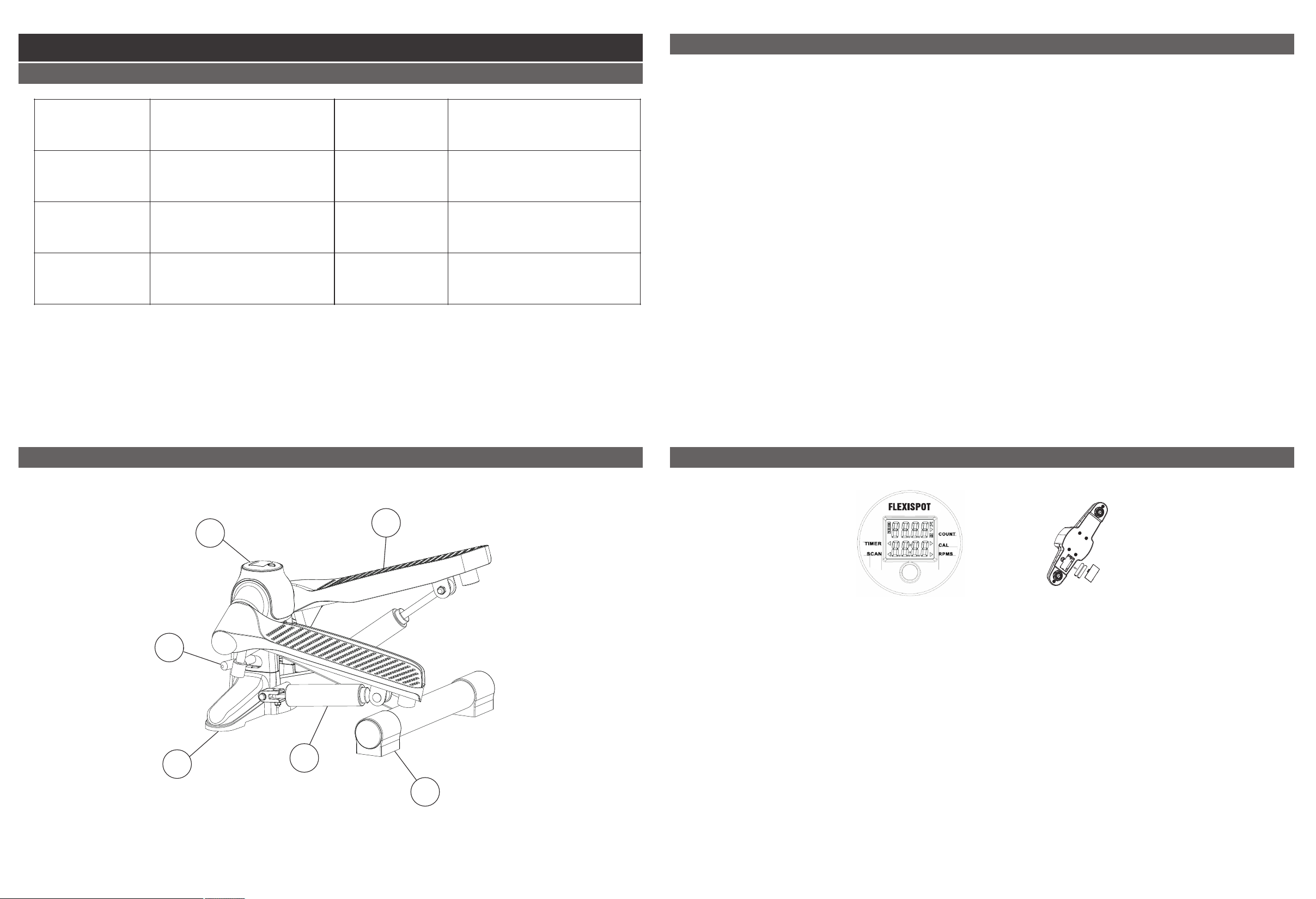
NO
1
3
5
Description
Stepper
Sleeve
Damper
NO
2
4
6
Description
LCD monitor
Front stepper base
Rear stepper base
This equipment is designed for adults only. Please keep children and pets away from your
stepper.
You should not exercise immediately after a meal.
Before you begin exercising, make sure the equipment is on a flat, level surface and has plenty
of free space around it.
Place the FP1 directly in front of you.
Put one foot on the pedal in front of it, then push down on the pedal until it will not go down any
more.
Place your other foot on the empty pedal and begin moving your legs slowly and steadily.
Once you get familiar with the FP1, you can speed up your rate of stepping and add some upper
limb movements to get a complete workout.
Always select an intensity that is appropriate for your current health condition.
PRODUCT DETAIL
DIGITAL DISPLAY OPERATION INSTRUCTION
2
3
4
5
1
The digital LCD display monitor lets you keep track of your workout. Its data features include:
counter, calories burned, timer, RPMS and scan mode. To get started, press the display button
to see the timer, cal and RPMS.
If you stop exercising for more than four seconds, the LCD monitor will enter sleep mode until
you start exercising again. If you do not use the equipment for more than four minutes, the LCD
monitor will automatically shut off. You will need to press the button or start exercising again to
activate it.
Press and hold the button for two seconds to clear out all of the data from the display.
If the stepper screeches during exercise, stop immediately and examine it carefully. You may
6
need to lubricate the shock absorber to ease movement.
Use a dry cloth to wipe down after use. Store in a cool, dry place.
Uses two AA batteries. If you experience an inaccurate reading on the monitor, it may be time to
replace the batteries.
-03--02-
Page 3

FlexiSpot Limited Warranty
FlexiSpot Limited Warranty
This limited warranty offered by FlexiSpot covers defects in material or workmanship in new
FlexiSpot products. This warranty extends to the original purchaser only and is non-transferable.
Only consumers purchasing FlexiSpot products from authorized FlexiSpot retailers or resellers
may benefit from our limited warranty.
What is Covered?
The FlexiSpot limited warranty covers our products against defects in material or workmanship
as follows:
·FlexiSpot Height Adjustable Desk Frames
All height-adjustable desks purchased on or after October 5, 2016 include a 5-year warranty for
the frame, and a 3-year warranty for the motor, controller and switch, electronics and other
mechanisms.
·FlexiSpot Sit-Stand Desktop Workstations
All standing desks purchased on or after October 5, 2016 include a 5-year warranty for the frame,
medium-fiber desktop and mechanisms.
What are your Remedies?
FlexiSpot will replace at no charge to the consumer the defective parts only or, at FlexiSpot's
option, replace any product or part of the product that is defective because of improper
workmanship and/or material, under normal installation, use, service and maintenance. If
FlexiSpot is unable to provide a replacement and repair is not practical or cannot be completed in
a timely fashion, FlexiSpot may elect to refund the purchase price in exchange for the return of
the product. In the rare event that your FlexiSpot product is defective, we will provide you with a
replacement item shipped at no cost to you within the continental United States. The shipping
method for replacement products is FedEx Ground, but expedited shipping is available if you
choose to pay the additional expense. In addition, you will need to pay the shipping costs if any
products need to be shipped to you at an address outside the continental United States.
REPAIR OR REPLACEMENT (OR, IN LIMITED CIRCUMSTANCES, REFUND OF THE
PURCHASE PRICE) AS PROVIDED UNDER THIS WARRANTY IS THE EXCLUSIVE REMEDY
OF THE PURCHASER. NEITHER ASSUMES NOR AUTHORIZES ANY PERSON FLEXISPOT
TO CREATE FOR IT ANY OTHER OBLIGATION OR LIABILITY IN CONNECTION WITH THIS
PRODUCT.
·FlexiSpot Desk Bikes
All desk bikes purchased on or after October 5, 2016 include a 3-year warranty for the frame, and
a 1-year warranty for the electronics and other mechanisms.
·FlexiSpot Mini Steppers
All desk bikes purchased on or after October 5, 2016 include a 1-year warranty for the frame, and
other mechanisms.
·Accessories
All monitor mounts purchased on or after October 5, 2016 include a 5-year warranty for the arms,
3-year warranty for gas spring system and mechanisms.
-05--04-
Page 4

FlexiSpot Limited Warranty
FlexiSpot Limited Warranty
What is Not Covered?
Our limited warranty does not cover any problem that is caused by:
1. Conditions, malfunctions or damage not resulting from defects in material or workmanship.
2. Conditions, malfunctions or damage resulting from normal wear and tear, improper
installation, improper maintenance, misuse, abuse, negligence, accident or alteration.
3. Accessories, connected materials and products, or related products not manufactured by
FlexiSpot.
4. Conditions, malfunctions or damage resulting from failure to follow the instructions and
guidelines relating to the product's intended use.
Our limited warranty is void if a product is returned with removed, damaged or tampered labels
or any alterations (including removal of any component or external cover).
How to File a Claim?
In order to receive the benefit of our limited warranty, you need to process your claim in
compliance with the terms of this limited warranty and follow proper return procedure. To
request warranty service, please contact customer service via email at [email protected]
or toll free at 855-421-2808. You will need to provide the sales receipt or other evidence of the
date and place of purchase for your FlexiSpot product.
Implied Warranties and Limitation of Damages
EXCEPT TO THE EXTENT PROHIBITED BY APPLICABLE LAW, ALL IMPLIED WARRANTIES
(INCLUDING WARRANTIES OF MERCHANTABILITY AND FITNESS FOR A PARTICULAR
PURPOSE) SHALL BE LIMITED IN DURATION TO THE DURATION OF THIS WARRANTY,
AND SHALL NOT BE LIABLE FOR ANY INCIDENTAL, INDIRECT, SPECIAL, OR FLEXISPOT
CONSEQUENTIAL DAMAGES, INCLUDING BUT NOT LIMITED TO LOSS OF PROFITS OR
REVENUE, RESULTING FROM ANY BREACH OF EXPRESS OR IMPLIED WARRANTY OR
CONDITION, OR UNDER ANY OTHER LEGAL THEORY, EVEN IF HAS BEEN FLEXISPOT
ADVISED OF THE POSSIBILITY OF SUCH DAMAGES. Some jurisdictions do not allow
limitations on the duration of an implied warranty or the exclusion or limitation of special,
indirect, incidental or consequential damages, so the above limitations or exclusions may not
apply to you.
Governing Law
This Warranty shall be governed by the laws of the State of California, USA, without giving
effect to any conflict of laws principles that may provide the application of the law of another
jurisdiction.
How State Law Applies
This Warranty gives you specific legal rights, and you may also have other rights which vary
from state to state.
.
-07--06-
 Loading...