

Page 1

FF16-0067 rev 2 EXTERNAL
Active Pen Reference User Manual CONFIDENTIAL
Thank you for purchasing the FlatFrog E-APEN-D2-M3 active pen
evaluation kit
http://www.flatfrog.com/
Intellectual Property Rights Notice
Copyright © 2017 FlatFrog Laboratories AB (”FlatFrog”). All rights reserved.
This documentation is protected by copyright. No part of this documentation may be reproduced without the
written permission of FlatFrog.
The words “FlatFrog” and “InGlass”, and the FlatFrog logotype (together referred to as “FlatFrog Trademarks”),
are trademarks, company names and/or trade symbols that are owned, and/or applied for registered trademark
protection for, by FlatFrog Laboratories AB.
All other trademarks that are, or may be, used or displayed adjacent to, or in combination with, the active pen
evaluation kit or FlatFrog Trademarks, are the property of their respective owners. The product described in this
document is based on FlatFrog touch- and pen technology, which is covered by intellectual property rights,
such as, but not limited to, patents.
This product is designed for use with touch screens based on the FlatFrog InGlassTM technology. Please read
this document carefully before unpacking or using. The information contained herein is subject to change
without notice.
The Source Code (software and/or firmware) contained herein is owned by FlatFrog or its licensors and may be
protected by or otherwise subject to intellectual property protection, such as, but not limited to, patent protection
(in e.g. the United States, Sweden or other regions of the European Union (EU) or European Economic Area
(EEA)), Swedish and United States copyright laws and international treaty provisions.
FlatFrog does not assume any liability arising out of the application or use of any product or module described
herein. FlatFrog products are not warranted nor intended to be used for medical, life support, lifesaving, critical
control or safety applications, unless pursuant to an express written agreement with FlatFrog. Furthermore,
FlatFrog does not authorize its products for use as critical components in life-support systems where a
malfunction or failure may reasonably be expected to result in significant injury to the user. The inclusion of
FlatFrog products in life-support systems application implies that the manufacturer assumes all risk of such use
and in doing so indemnifies FlatFrog against all charges.
Disclaimer: FlatFrog MAKES NO WARRANTY OF ANY KIND, EXPRESS OR IMPLIED, WITH REGARD TO
THIS MATERIAL AND PRODUCTS SUPPLIED UNDER THIS AGREEMENT, INCLUDING, BUT NOT LIMITED
TO, THE IMPLIED WARRANTIES OF MERCHANTABILITY AND FITNESS FOR A PARTICULAR PURPOSE
OR NON-INFRINGEMENT OF THIRD PARTY INTELLECTUAL PROPERTY RIGHTS.
Page 2

FF16-0067 rev 2 EXTERNAL
Active Pen Reference User Manual CONFIDENTIAL
Safety instructions
READ THESE SAFETY INSTRUCTIONS CAREFULLY. FAILURE TO FOLLOW THESE SAFETY
INSTRUCTIONS COULD RESULT IN FIRE, ELECTRIC SHOCK, PERSONAL INJURY OR PROPERTY
DAMAGE. AFTER READING, STORE THEM IN A SAFE PLACE FOR FUTURE REFERENCE.
• Keep the pen away from hot places. Do not
leave it near a fire, in the sun, etc.
• Keep away from small children.
• Do not expose the battery to water or other
liquids; expose it to open flames, short-circuit,
or disassemble it.
Doing so may cause burns or injury.
• Do not replace the battery with an incorrect
type.
Doing so may cause risk of explosion.
• Do not insert foreign objects into the product
enclosure.
• Do not attempt to make any repairs except
replacement of the battery.
• The digital pen may interfere with some
hearing aids or other personal medical
devices. If it does, consult the supplier for
alternatives or remedies.
• Do the following to avoid injury or
contamination of the surrounding area through
generation of heat, rupture, or leaking of the
battery.
o Dispose of used batteries per the
instructions.
o Remove the battery when it is depleted, or
when not using the pen for extended times.
o Make sure to follow the precautions
indicated on the battery.
o Use batteries within the recommended use
date.
Page 3
FF16-0067 rev 2 EXTERNAL
Active Pen Reference User Manual CONFIDENTIAL
Package contents
1 Active pen
1 Spare pen tip (evaluation kit only)
1 AAAA battery
1 Operating instructions (this document)
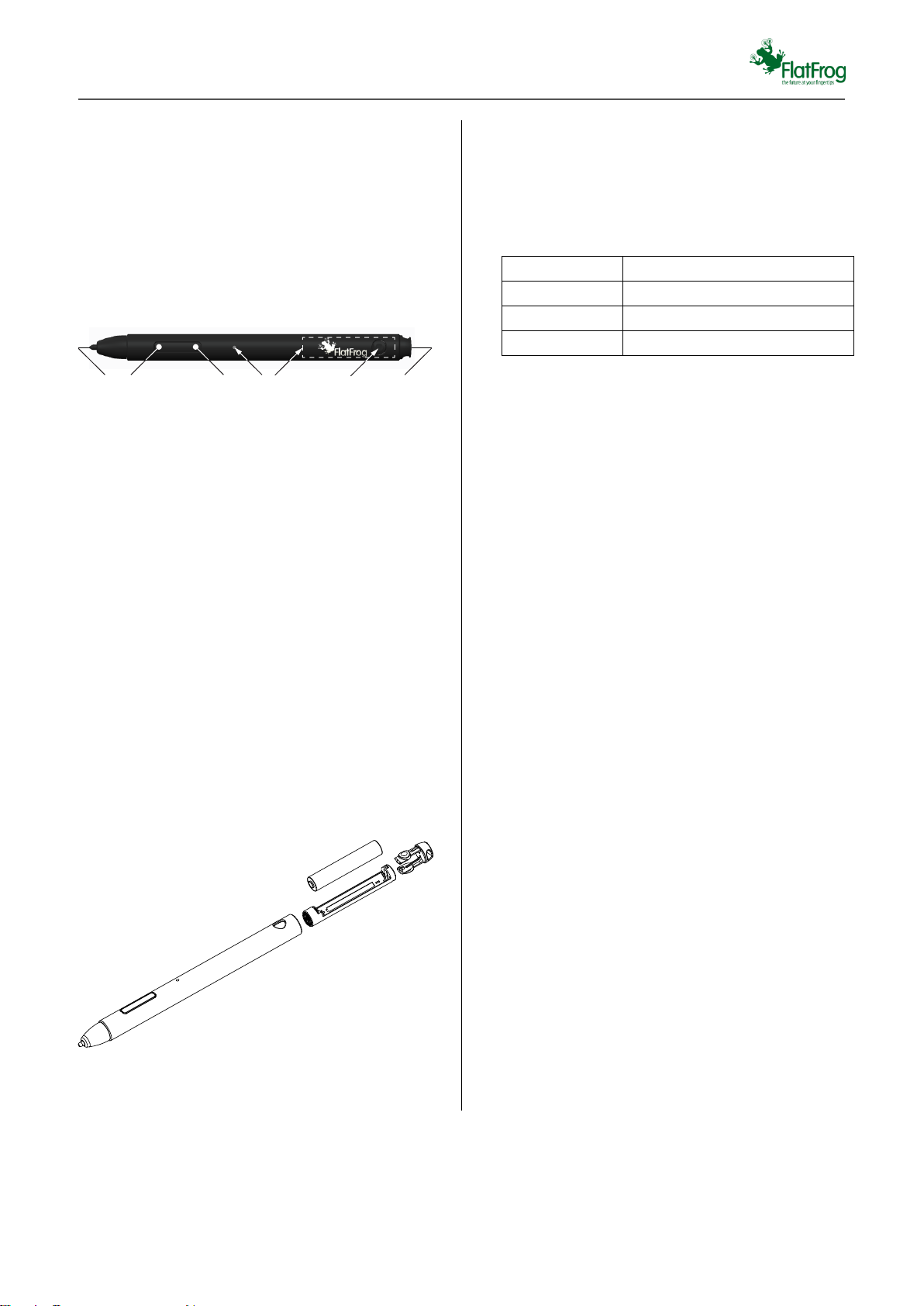
Pen parts
1. Tip
Write by placing the tip on the touch
screen.
2. Eraser button
Activates eraser functionality
3. Select button
4. Indicator LED
5. Battery holder
6. Battery release
Press to release end cap and battery
holder
7. End cap
Preparing for use
Insert the battery. To insert or extract battery,
remove and replace the end cap by pressing the
two knobs on the side.
Make sure to place the battery with the poles in the
direction indicated on the holder.
The pen starts automatically when the battery is
inserted and there is no need to switch it on or off.
Connecting
Hold the pen within 30 cm from the touch screen
antenna and press both buttons at the same time
for 20 seconds. Wait a few seconds for the
connection to be confirmed.
Using the pen
Hold the pen by the shaft, not too close to the tip.
Keep the tilt within 45 degrees from perpendicular
to the writing surface. For best performance, avoid
touching the screen with fingers or clothing, near
the pen tip.
Power save mode
When not used for 30 minutes, the pen enters a
power save mode. In this case, before using the
pen, press either of the two buttons to activate it.
Select button
The function of this button depends on application.
In many cases it is handled similar to a right mouse
button click.
Using multiple pens
Refer to the touch screen manual for how many
pens can be used simultaneously on the touch
screen.
Battery replacement
The pen uses alkaline batteries of AAAA type.,
Batteries cannot be charged in the pen.
Tip replacement
If the tip gets worn, replace it. Spare tips are
available for purchase at your point of sale.
1. Pull the tip straight out.
2. Push the new tip straight into the hole until
it stops
Status
LED indication
Connecting
Slow blink
Connected
Fast blink during 5 s
Connect failed
LED on during 5 s
1
2 3 4 5 7
6
Page 4
FF16-0067 rev 2 EXTERNAL
Active Pen Reference User Manual CONFIDENTIAL
Firmware upgrade
If a firmware upgrade is needed, press both buttons
at the same time for 20 seconds to initiate
download. Refer to the manual of the touch screen
for details.
Handling and maintenance
• Obey the following to ensure proper use and
operation of this product.
• Pay attention to the ambient temperature.
o Do not use the pen where it is extremely
hot or cold.
o Do not leave the pen in a closed car,
exposed to sunlight, etc. for a long period
of time.
• Handle the pen with care. Do not expose to
liquids, humidity, steam, sand, soot or
excessive amounts of dust.
Doing so may cause deformation or
malfunction.
• Clean the pen and screen if any of them gets
dirty. If needed, use a damp cloth to remove
stains.
• The product is not waterproof or dustproof. If
the writing surface is wet, remove the water by
draining it and wiping it off, and thoroughly dry
the unit.
• Extended exposure to gasoline or diesel fumes
may corrode pen electronics causing
malfunction.
• Do not drop, throw, bend or subject the
product to impacts. Doing so may cause
malfunctions or damage.
• The Active Pen cannot operate correctly if
foreign particles are attached to the screen or
pen tip. Clean the screen and pen tip prior to
operation.
• Use the Active Pen only for screen operations.
Using it for any other purpose may damage
the pen and scratch the screen.
• Do not apply excessive force to the pen tip.
The pen tip is equipped with a sensor.
Continuing to apply excessive pressure may
result in malfunction or damage. Make sure
excessive pressure is not applied to the pen tip
when storing the pen.
• Routinely check the digital pen and
accessories for proper and safe condition. Do
not continue to use the product if there is any
damage or broken parts.
• Do not dispose of this product in the trash. As
with any electronic product, check with your
local waste or recycling company to determine
the correct disposal method and location in
your area.
Troubleshooting
If issues occur during use of the pen, please refer
to the following table and perform the listed
mitigation options, checking after each one if the
issue is solved.
Technical data
Product
E-APEN-D2-M3
Weight
19 g (incl battery)
Dimensions
141 × Ø11 mm
Data communication
2.4 GHz radio
Operating temperature
0 to 45°C
Storage temperature
-30 to 70 °C
Battery
AAAA type 1.5 V
alkaline battery
Status
LED indication
Downloading
Slow blink
Completed
Fast blink during 5 s
Download failed
LED on during 5 s
Issue
Mitigation options
Pen
unresponsive
Connect to touch screen.
Remove the battery and
insert again.
Replace battery.
Replace tip if worn.
Check application settings.
Poor pen
performance, or
pen detected as
finger
Use pen with less tilt/angle.
Keep fingers away from pen
tip.
Replace tip if worn.
Refer to touch screen
manual for further options.
Not able to
connect to touch
screen
Minimize distance to
antenna.
Replace battery.
Page 5
FF16-0067 rev 2 EXTERNAL
Active Pen Reference User Manual CONFIDENTIAL
Warranty, Service and Support
This product is provided to its end users through a
network of distributors and resellers. You should
contact your point of purchase for warranty claims
and to obtain service and support related to the
product.
Other information
CAUTION
Risk of explosion if battery is replaced by an
incorrect type. Dispose of used batteries according
to the instructions.
Federal Communications Commission
Radio Frequency Interference
Statement Note:
This equipment has been tested and found to
comply with the limits for a Class B digital device,
pursuant to Part 15 of the FCC Rules. These limits
are designed to provide reasonable protection
against harmful interference in a residential
installation. This equipment generates, uses and
can radiate radio frequency energy and, if not
installed and used in accordance with the
instructions, may cause harmful interference to
radio communications. However, there is no
guarantee that interference will not occur in a
particular installation. If this equipment does cause
harmful interference to radio or television reception,
which can be determined by turning the equipment
off and on, the user is encouraged to try to correct
the interference by one or more of the following
measures:
• Reorient or relocate the receiving antenna.
• Increase the separation between the
equipment and receiver.
• Connect the equipment into an outlet on a
circuit different from that to which the receiver
is connected
• Consult the dealer or an experienced radio/TV
technician for help.
Warning:
Any changes or modifications not expressly
approved by the party responsible for compliance
could void the user’s authority to operate this
equipment.
This device complies with Part 15 of the FCC
Rules. Operation is subject to the following two
conditions:
1. This device may not cause harmful
interference, and
2. This device must accept any interference
received, including interference that may
cause undesired operation
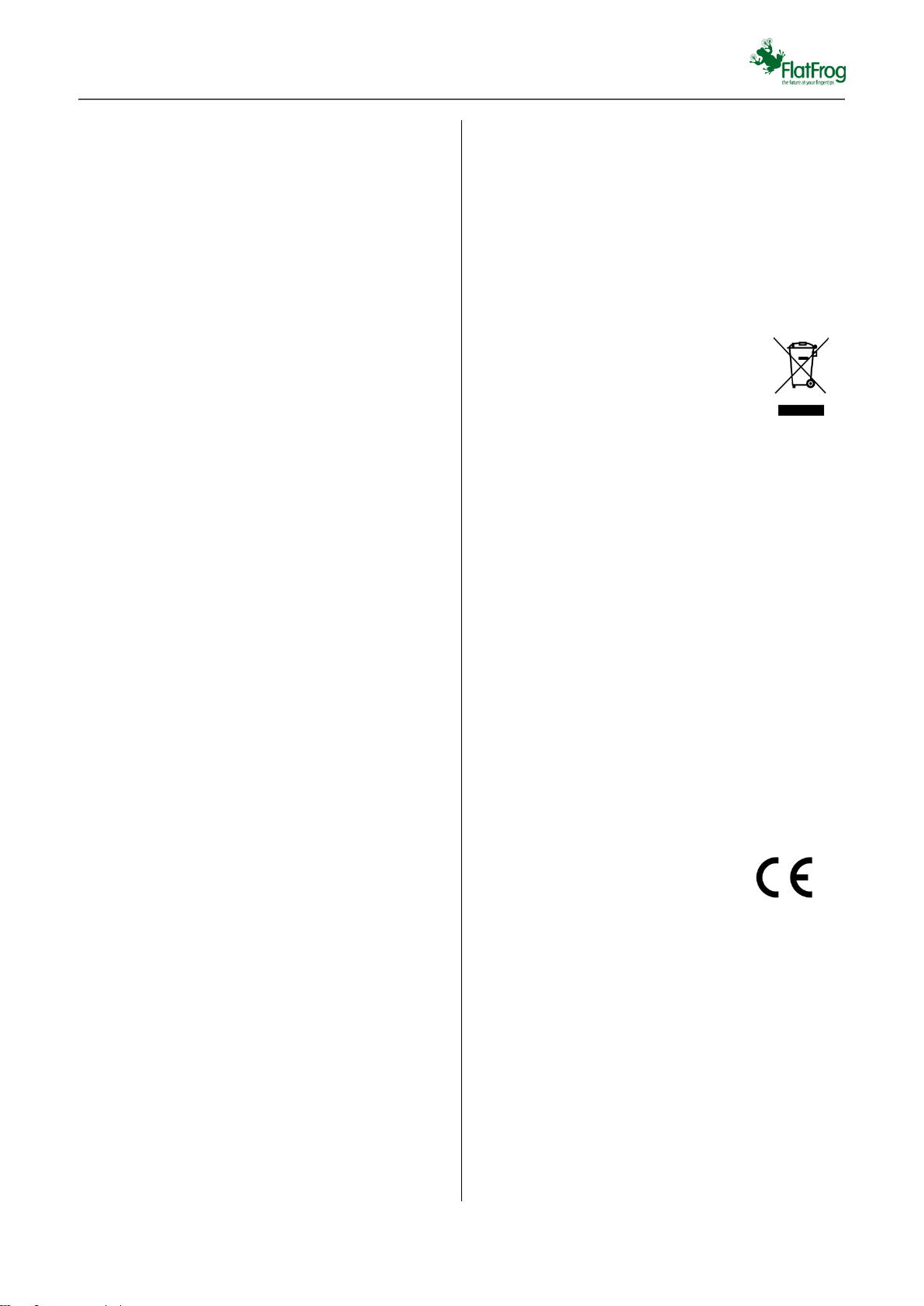
Disposal of Old Equipment
Only for European Union and countries
with recycling systems
This symbol on the products, packaging, and/or
accompanying documents means that used
electrical and electronic products must not be
mixed with general household waste.
For proper treatment, recovery and recycling of old
products, please take them to applicable collection
points in accordance with your national legislation.
By disposing of them correctly, you will help to save
valuable resources and prevent any potential
negative effects on human health and the
environment. For more information about collection
and recycling, please contact your local
municipality.
Penalties may be applicable for incorrect disposal
of this waste, in accordance with national
legislation.
Declaration of Conformity
This device complies with the essential
requirements of the Radio Equipment directive:
2014 / 53 / EU. The following test methods have
been applied in order to prove presumption of
conformity with the essential requirements of the
Radio Equipment directive:
EN 300 328 v2.1.1
EN 301 489-1 V2.1.1
EN 301 489-17 V3.1.1
EN 62479:2010
IEC 60950-1: 2005 (2nd Edition) + Am 1:2009 +
Am 2:2013; EN 60950-1:2006 +A11:2009
+A1:2010 +A12:2011 +A2:2013
 Loading...