

Page 1

MODEL 300 MANUAL
www.FlameBossVideos.com
Page 2
REMOTE CONTROL
WARNING: Important safety instructions
It is important for the safety of persons to follow these instructions. Save these instructions.
Follow all instructions, as incorrect installation and use can lead to injury or property damage.
Flame Boss
®
300 is intended for use only in dry, outdoor locations. Store the unit indoors in a
dry location. If you know or suspect that the Flame Boss
®
controller or power adapter has been
exposed to excessive moisture or rain or was submerged in water, do not use the unit.
The 12 Vdc power to the unit shall be supplied by a properly certified power adapter with SELV
/ LPS output.
Use only the power adapter provided with the unit.
Do not allow children to play with a Flame Boss
®
3000. Keep away from children.
Flame Boss
®
300 is not to be used by persons with reduced physical, sensory, or mental
capabilities, or lack of experience and knowledge.
Do not place or mount a Flame Boss
®
300 where it is exposed to excessive heat from the grill
or smoker.
Page 3

2
Model 300 Manual
• Flame Boss® smoker controller
• 110-240 volt AC power adapter
• Pit temperature probe
• Meat temperature probe
• Blower
• 3 blower adapters for your grill/smoker (Kamado kit only)
• Blower manifold with fasteners (Universal kit only)
In the Package
Cruise control for your smoker
Page 4
3
www.FlameBossVideos.com
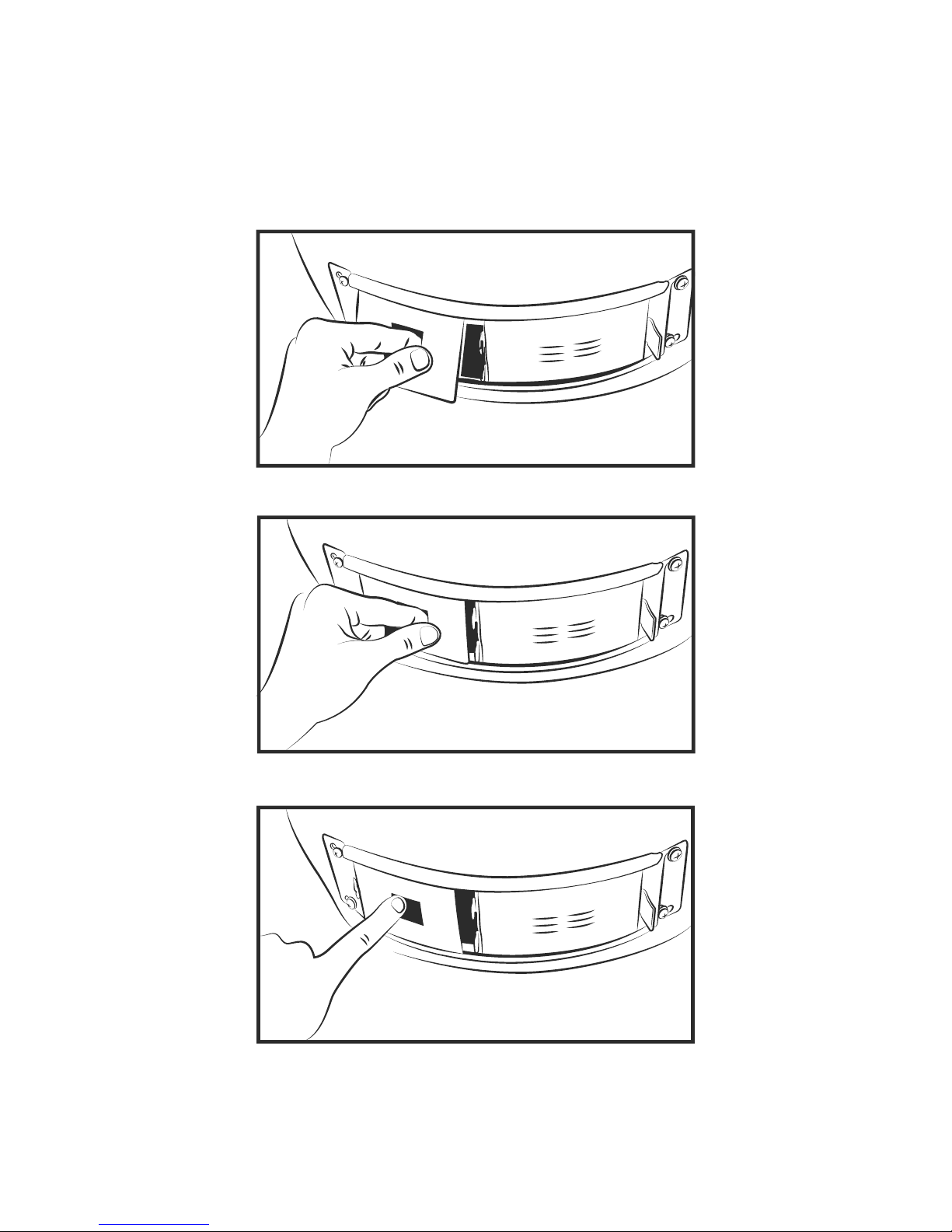
Kamado - Blower Installation
1
2
3
Page 5
4
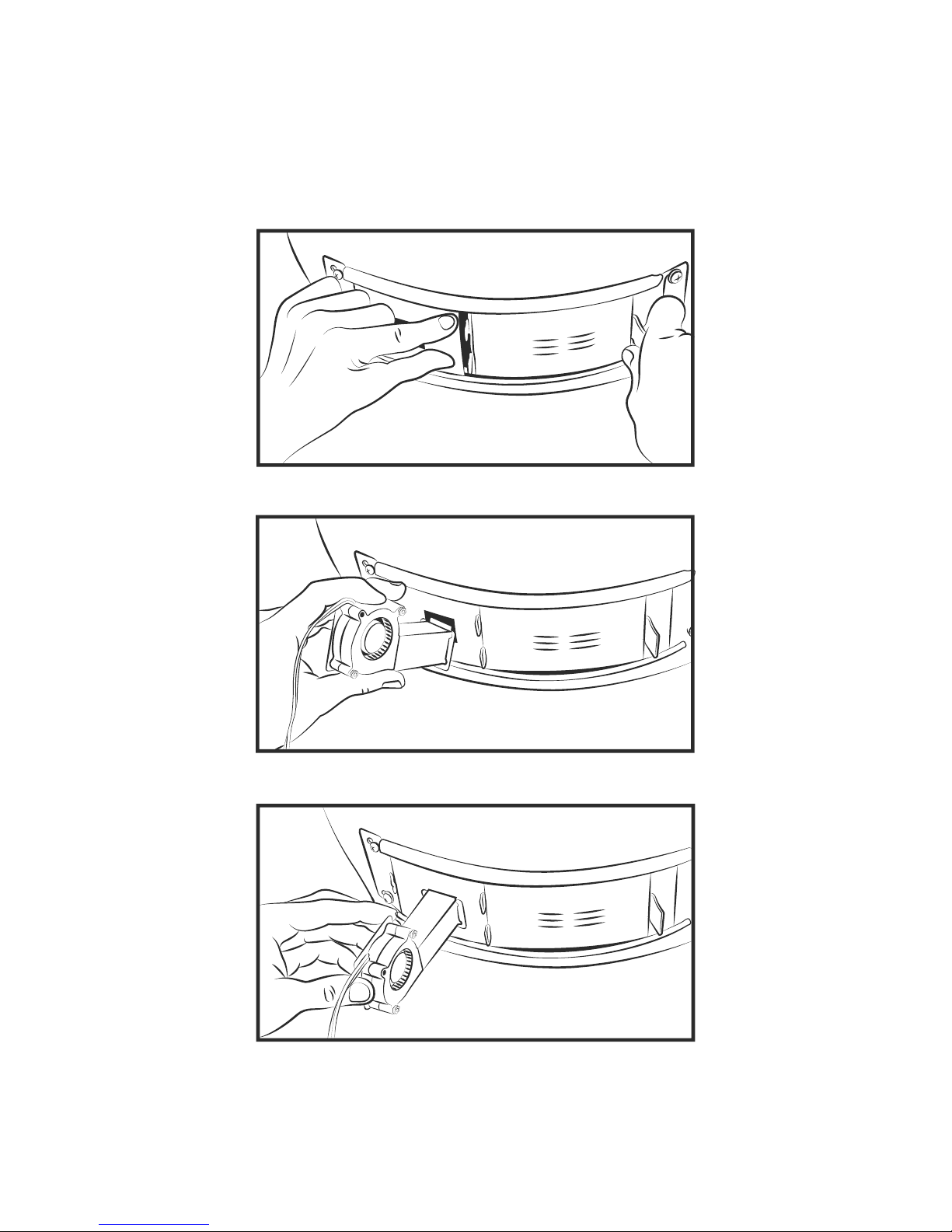
Kamado - Blower Installation
4
5
6
Page 6
1
2
3
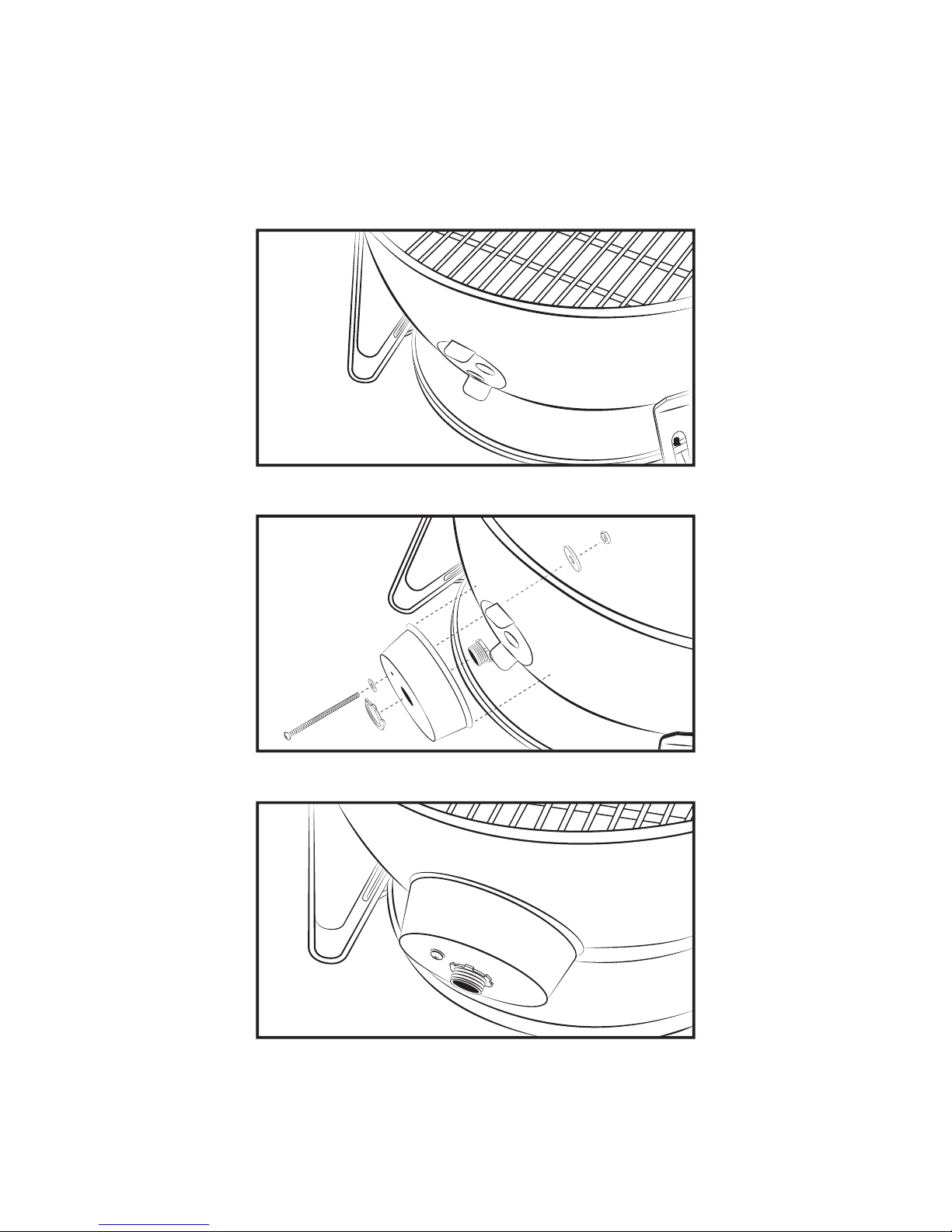
Weber Smokey Mountain - Blower Installation
5
www.FlameBossVideos.com
Page 7
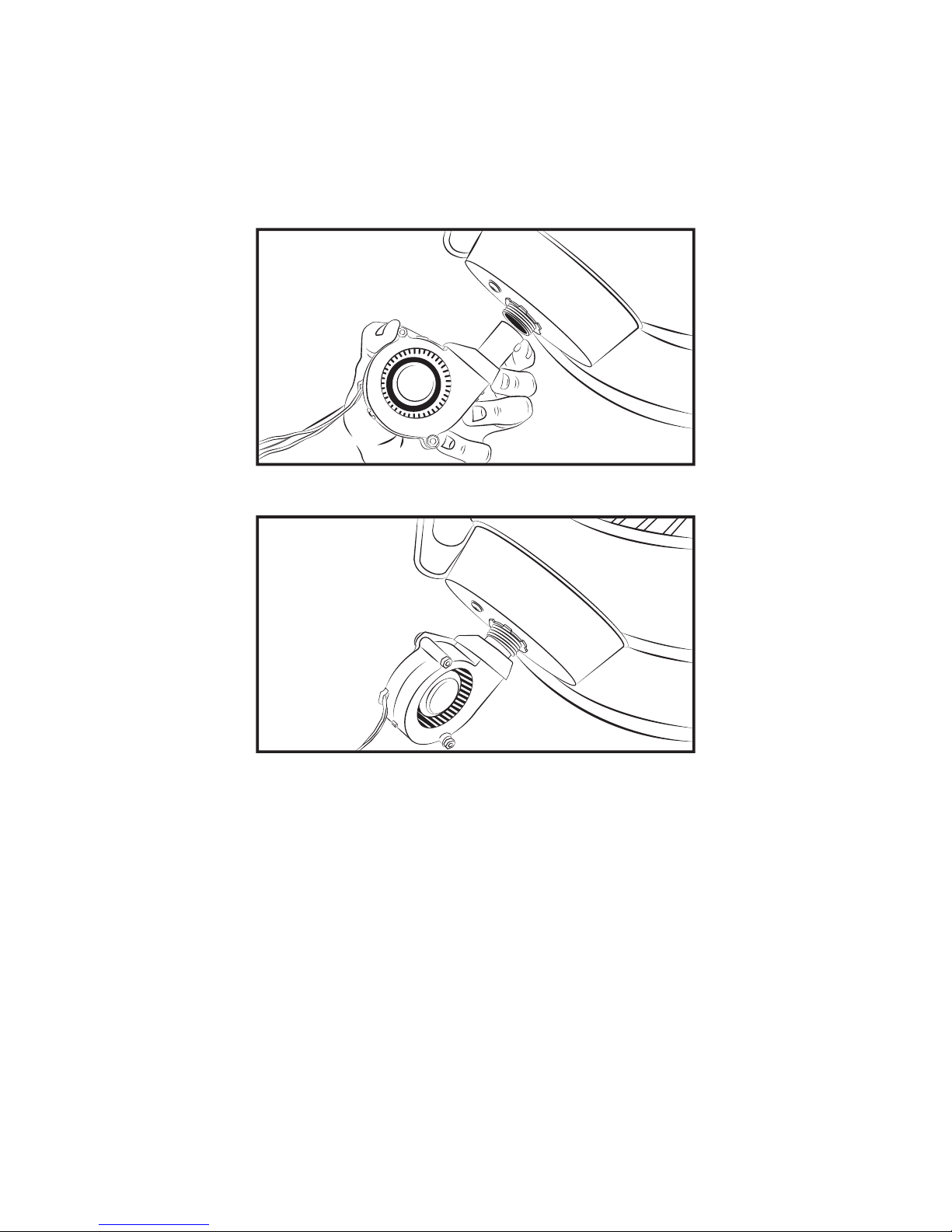
4
5
Weber Smokey Mountain - Blower Installation
6
Page 8
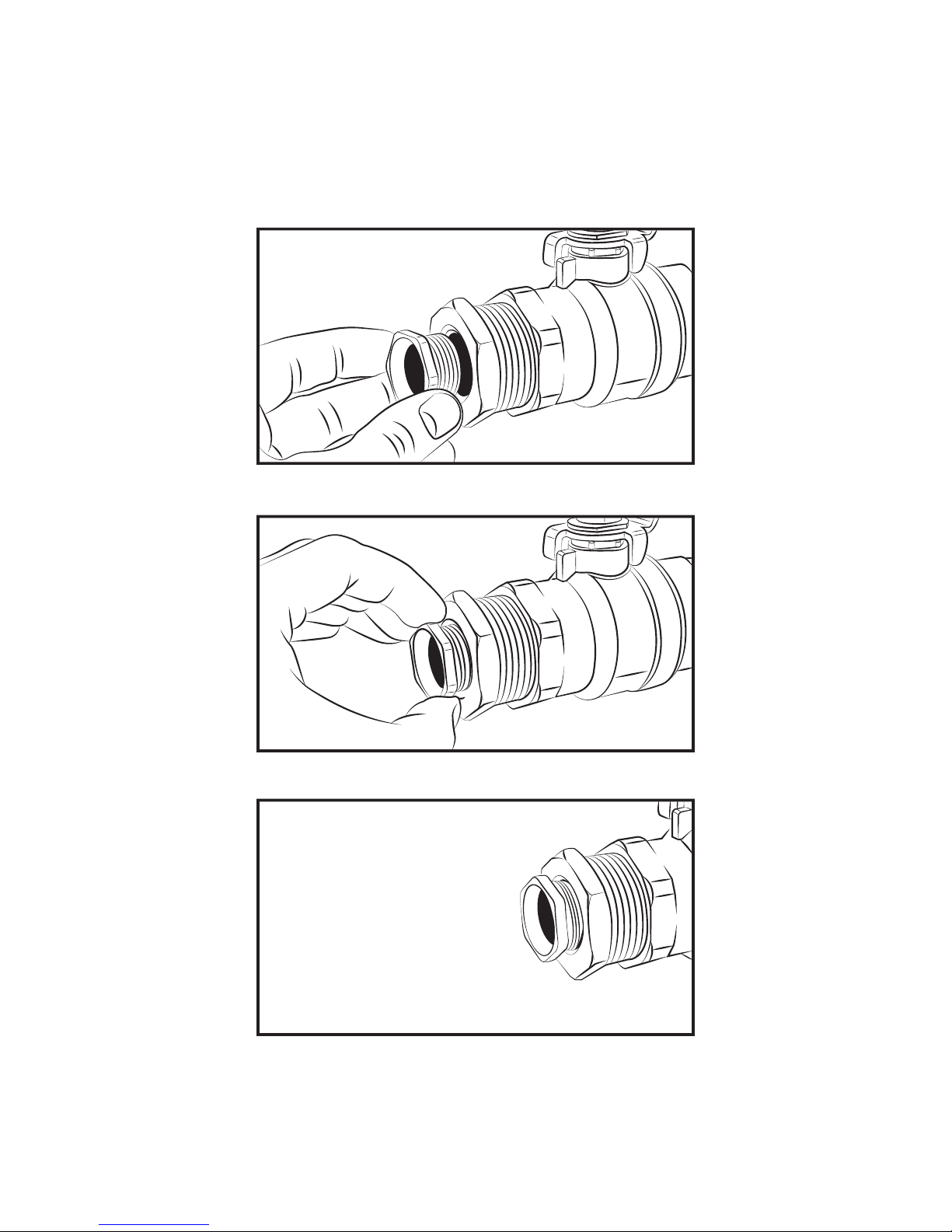
1
2
3
7
www.FlameBossVideos.com
Pipe Thread Universal Blower Installation Using 3/4" Bushing (not included)
Page 9
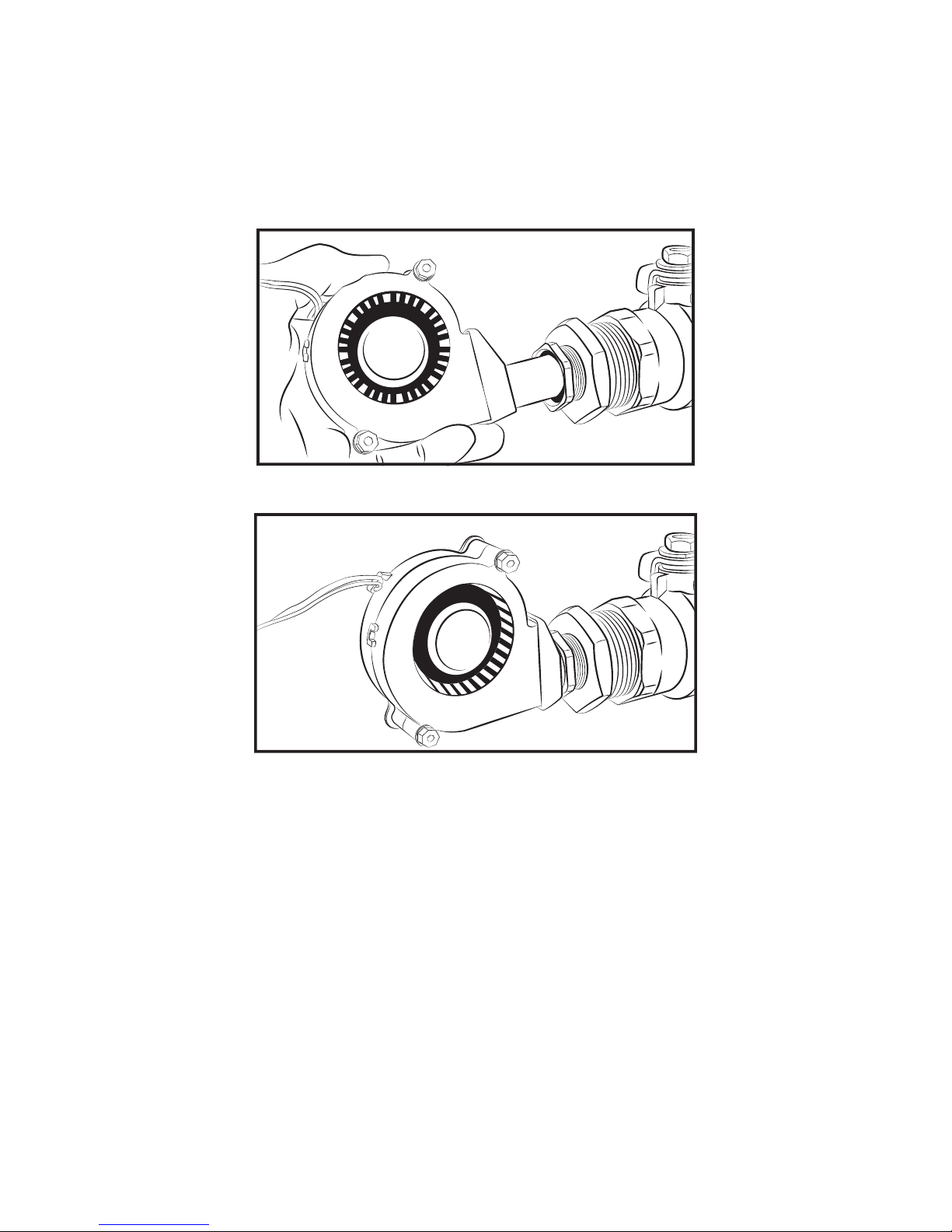
8
4
5
Pipe Thread Universal Blower Installation Using 3/4" Bushing (not included)
Page 10
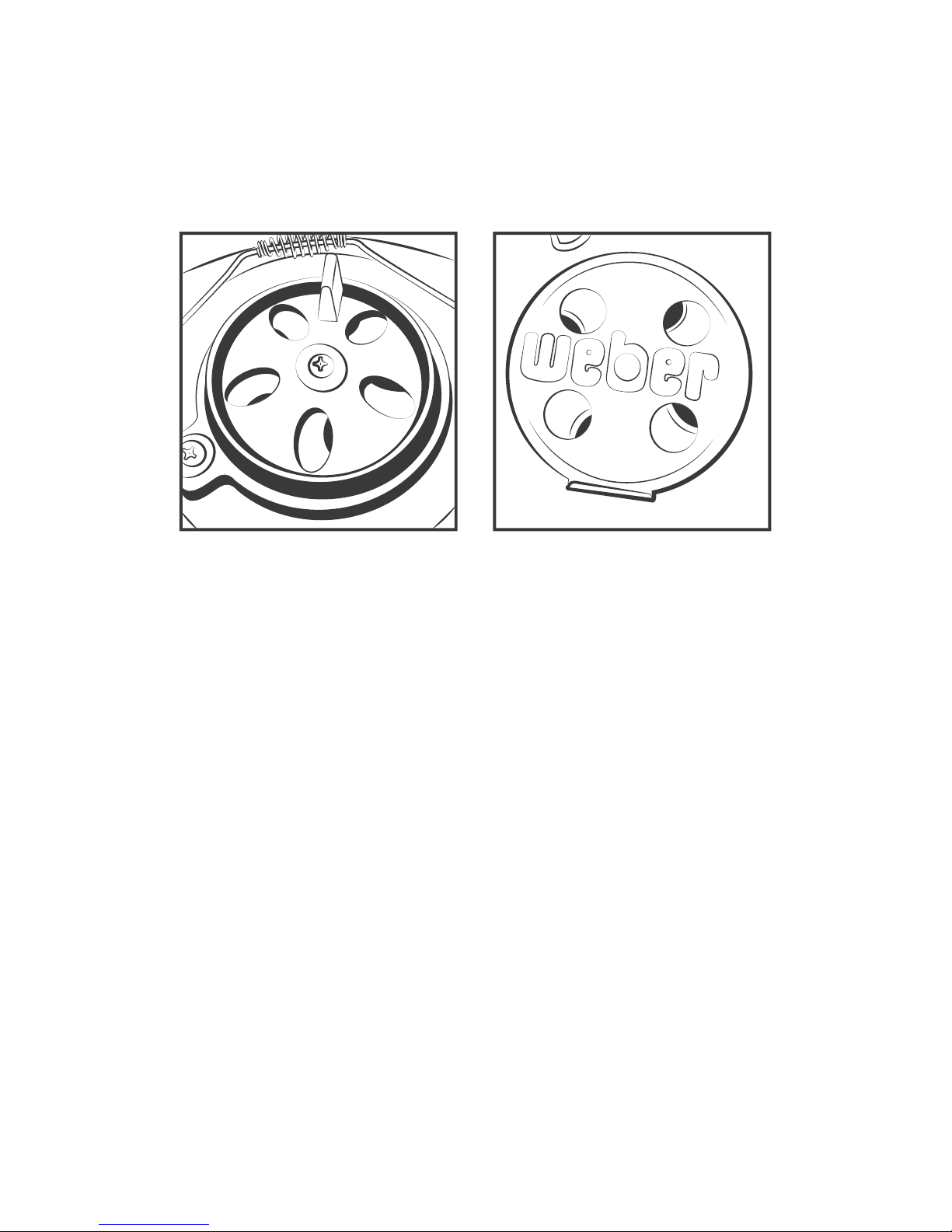
www.FlameBossVideos.com
9
Top vent almost closed
Page 11
10
1
2
3
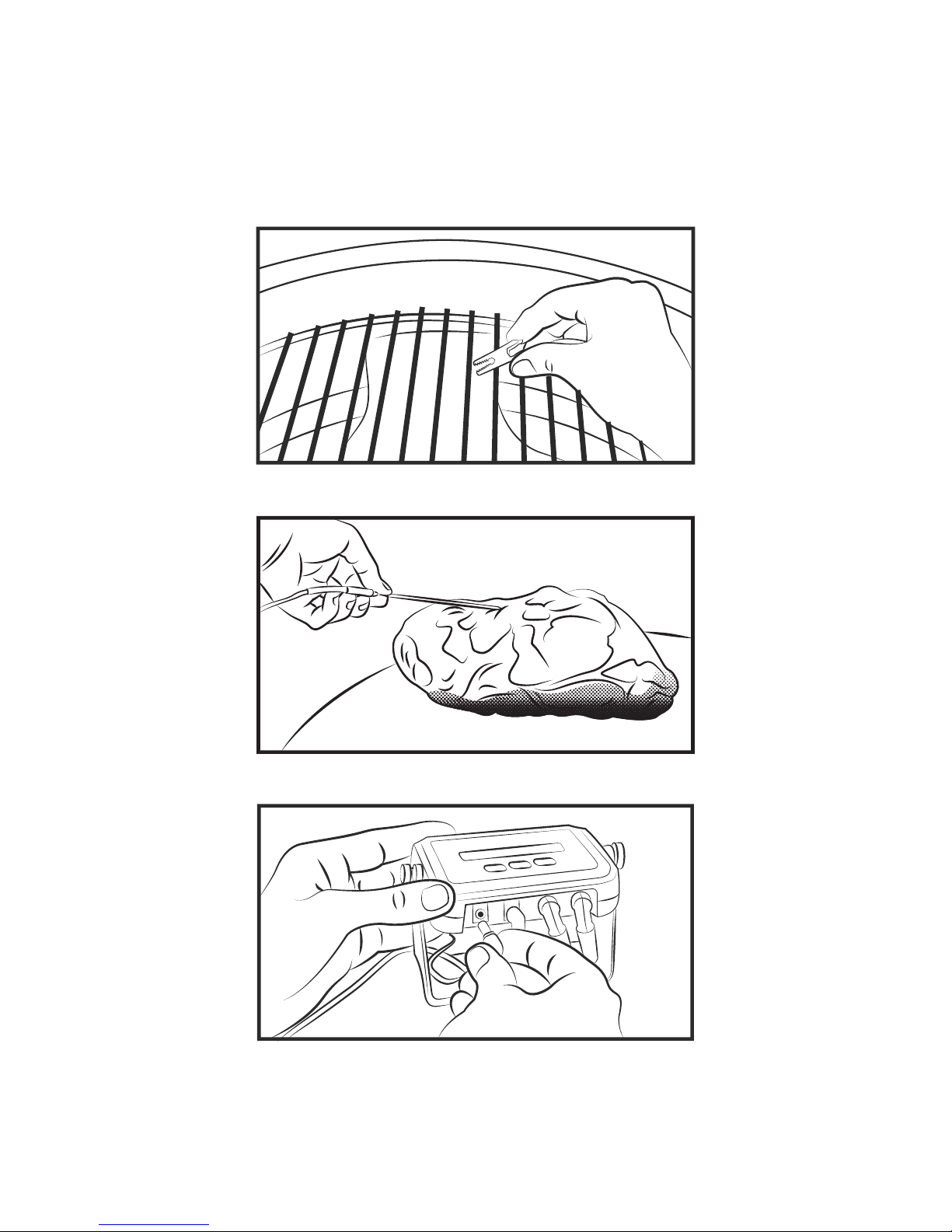
Probe Installation and Connecting Smoker Controller
Page 12

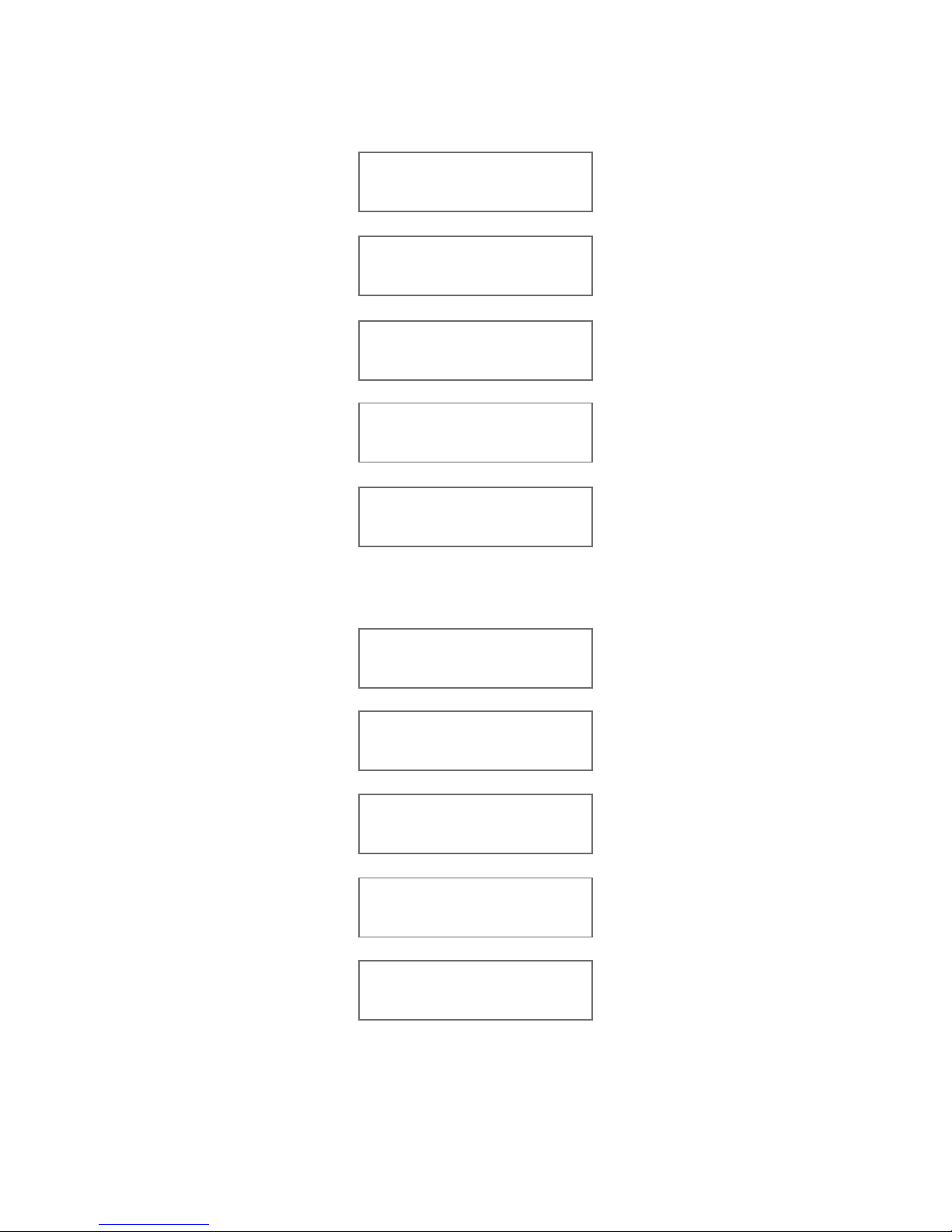
The main screen shows the SET temperature, PIT temperature, FAN speed, and MEAT
temperature. With optional Y-cables and additional meat probes, you can monitor up to
three different foods with your 300. If you are using multiple meat probes with
temperature probe Y-cable(s), all of your meat temperatures will be shown in a rotating
display and be identified by numbers 1 through 3.
Using Flame Boss
®
Flame Boss® User Manual
11
www.FlameBossVideos.com
SET temperature is the desired cooking temperature for your smoker or grill.
To change the SET temperature press Up or Down button.
Press Menu to see other screens.
Pressing Menu enough times will bring you back to the main screen. You can also just wait
15 seconds to go back to the main screen automatically.
SET 225 PIT 224
FAN 99% MEAT 110
Timer Set
[ 0:05:00] Off
Timer Start/Stop
[ 0:05:00] [Off]
Meat Alarm
Off
Screens
Flame Boss WiFi enabled devices will automatically install updated firmware if available
when connected to the Internet. To find updated an updated manual that might include
new features, go to www.FlameBoss.com/manuals
The following screens are available by pressing the MENU button:
Page 13
12
Pit Temp Alarm
[Off] 20 F
Sound
Chirps & Alarm
Myflameboss.com
1234-5678
Wifi Status
Online
Wifi On/Off
On
or
or
LCD Contrast
35
Temp Scale
Fahrenheit
Open Pit Pause
1:00
Factory Reset
Push Up 3 Times
Version
1.##.001
•WiFi Configuration Screens (see Setting up WiFi)
On each screen just press the Up or Down button. buttons to change the setting,
or press Menu to save your setting and go to the next screen.
Page 14
www.FlameBossVideos.com
13
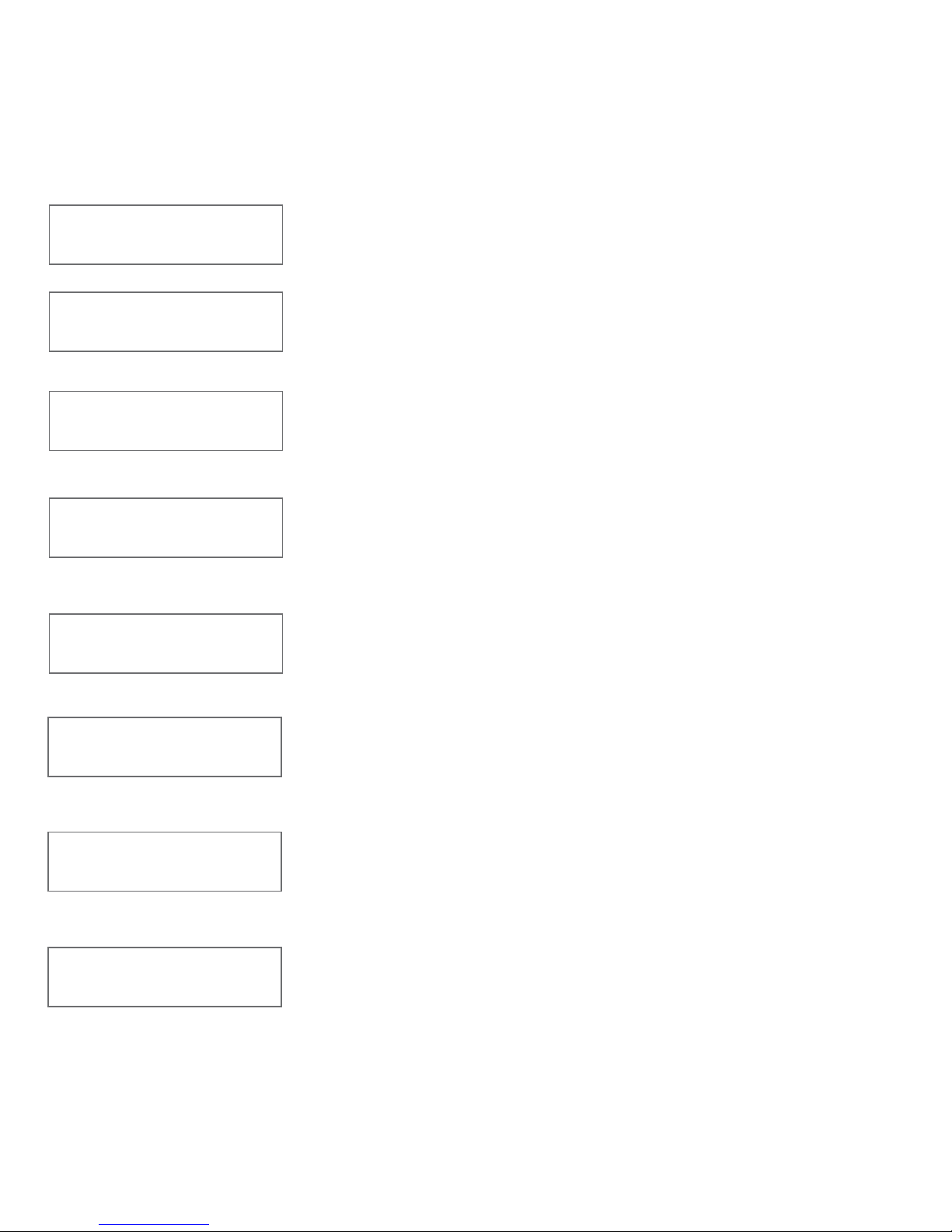
Screen Details
Timer Set
[ 0:05:00] Off
Timer Start/Stop
[ 0:05:00] [Off]
Meat Alarm
Off
Meat Done Temp
200
Up or Down changes the timer value
(Only shown when Meat Alarm is on)
Up or Down changes the Meat Done temperature
Keep Warm Temp
180
(Only shown when Meat Alarm is On + Keep Warm)
Up or Down changes the Keep Warm Temp
Up or Down starts and stops the timer
Up or Down cycles through these options:
Off - No Alarm
On - Alarm when meat reaches the Meat Done Temp
Pit Temp Alarm
Off
Up or Down cycles through these options:
Off - No Alarm
On - Alarm when pit temperature is out of range
Pit Temp Alarm
On
When Up or Down and MENU is pressed to turn Pit Temp
Alarm
Meat Alarm
On + Keep Warm
Alarm when meat reaches the MEAT Done temperature then
changes the SET temperature to the Keep Warm temperature
setting
Page 15

WiFi Screens are covered in the next section.
Pit Temp Alarm
[ On] 20 F
Press Up or Down buttons to change temp setting
between 15º F - 46º F (11º C - 25º C)
LCD contrast
35
Up or Down changes the LCD contrast
Version
2.##.001
Shows the current version of the firmware installed
Temp Scale
Fahrenheit
Up or Down changes the temperature scale between
Celsius and Fahrenheit
Open Pit Pause
1:00
Up or Down changes the amount of time the controller will
keep the blower off after detecting an open pit condition
Factory Reset
Push Up 3 Times
Up three times will erase and restore all settings to their
factory defaults. Note: This will erase your WiFi settings and
require you to enter them again
14
Page 16

Configure WiFi?
Yes
Wifi Name(SSID)
fb
1. Plug in the power and wait for the controller to show this on the
display:
2. Press the Menu button to answer Yes. The display will show:
Alternatively, if this notice screen in step 1 has already shown and you
selected No, then you can simply press Menu until you see the WiFi
Name (SSID) screen.
3. Press the Up or Down buttons to cycle through the available
WiFi Names (SSID) detected by the controller and press the MENU
button to select your WiFi Name (SSID). Then the display will show:
If your WiFi network is using WEP security, you will enter the key in hex
and the display will show:
www.FlameBossVideos.com
15
Setting up Wifi (Flame Boss
®
300)
Flame Boss® 300 has a WiFi interface that allows you to monitor and control your cooks
from any device on the Internet with a web browser. Here is how to configure the
controller for WiFi.
Android and iOS apps will be available in spring of 2017. Check Apple
®
App Store and
Google
®
Play for your mobile devices. The native apps will have easier configuration
instructions. Refer to app instructions if you have the Flame Boss app installed on your
mobile device.
Wifi Password
Wifi Password(HEX)
Page 17

16
myflameboss.com
1111-2222
4. Enter your password as follows:
• Press Up or Down buttons to select a character
Note:
Up button character display sequence:
then a, A - z, A; then 0-9; then characters ! - }
then Space, then
Backspace, then Enter
Down button character display sequence:
, then Backspace, then Space, then characters
} - !, then 9-0, then Z,z - A,a, then
Enter
• Press MENU to enter a character and move to the next position
• If you make an error select the
(back arrow) and press MENU
to remove the incorrect entry(s). Note: Backspace will also show
in the screen when
is displayed
• Repeat until all characters of your password are entered
• To enter your password select the
(forward arrow) and press
MENU. Note: Enter will also show in the screen when
is
displayed.
Wait for the controller to connect. When connected the display will
show:
The numbers displayed before the dash is your Device ID and the
numbers displayed after the dash is the Device PIN. Note: Share your
Device ID to let others view your device online, but share your Device
PIN only with those allowed to change settings on your controller.
Page 18
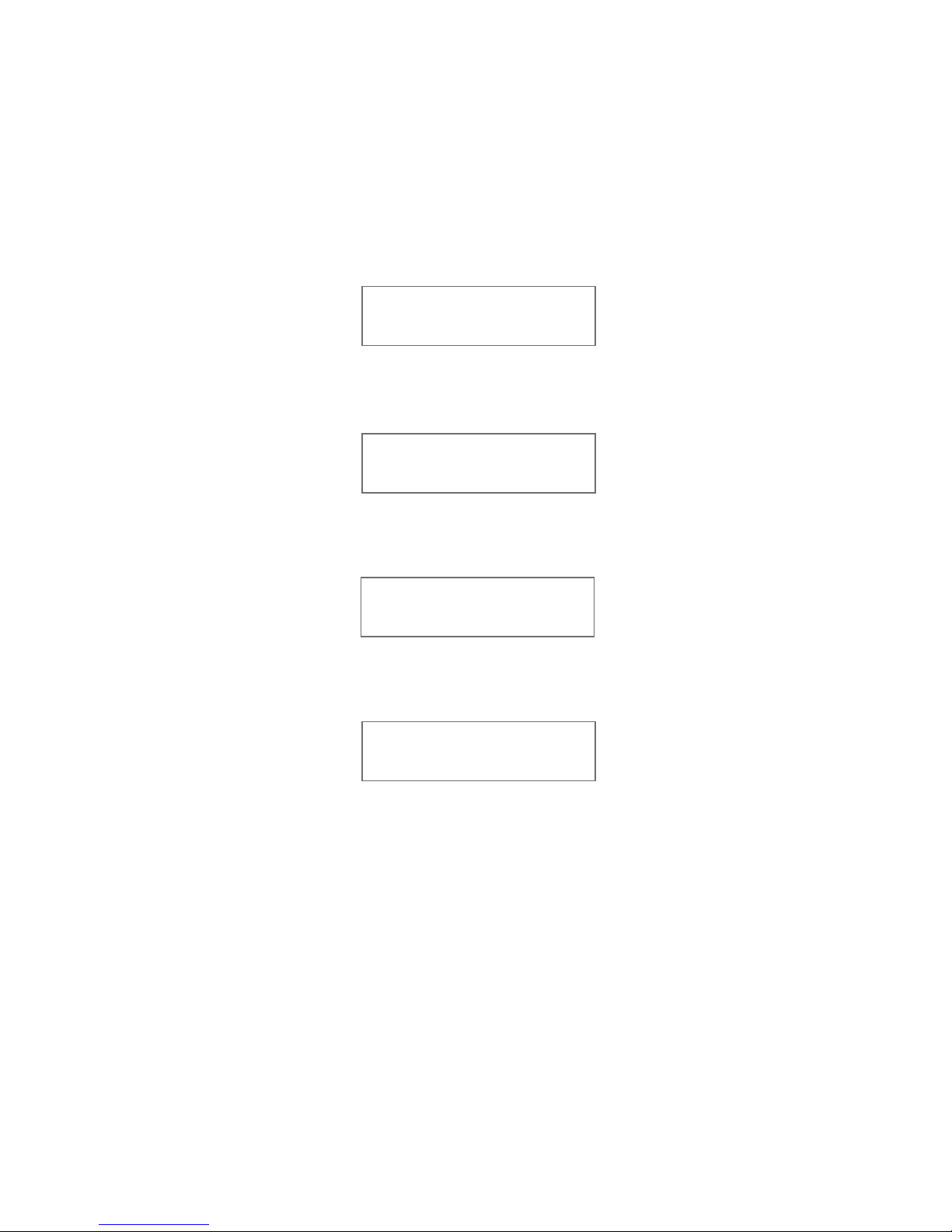
Hint: If the latest firmware is not installed, the controller will
automatically download and install the most current version when
connected. The screen will display the following notifications when an
update occurs:
Then
Then
Then
www.FlameBossVideos.com
17
For More Information
Please visit FlameBoss.com for more information and support.
Downloading 0%
fb 02.##.001
Verifying 0%
fb 02.##.001
Installed
fb 02.##.001
Installing 0%
||...|
Congratulations, your controller is online! Now visit myflameboss.com with the browser on
your mobile phone, tablet, or computer to monitor and control your Flame Boss
®
controller
remotely.
Page 19

Cruise control for your smoker
325 S McGee Avenue, Apopka FL 32703
www.FlameBossVideos.com
Copyright © 2017 Flame Boss™
This product contains ee_printf which includes the following notice:
Copyright (C) 2002 Michael Ringgaard. All rights reserved.
Redistribution and use in source and binary forms, with or without modification, are
permitted provided that the following conditions are met:
1. Redistributions of source code must retain the above copyright notice, this list of
conditions and the following disclaimer.
2. Redistributions in binary form must reproduce the above copyright notice, this list of
conditions and the following disclaimer in the documentation and/or other materials
provided with the distribution.
3. Neither the name of the project nor the names of its contributors may be used to endorse
or promote products derived from this software without specific prior written permission.
THIS SOFTWARE IS PROVIDED BY THE COPYRIGHT HOLDERS AND CONTRIBUTORS "AS IS"
AND ANY EXPRESS OR IMPLIED WARRANTIES, INCLUDING, BUT NOT LIMITED TO, THE
IMPLIED WARRANTIES OF MERCHANTABILITY AND FITNESS FOR A PARTICULAR PURPOSE ARE
DISCLAIMED. IN NO EVENT SHALL THE COPYRIGHT OWNER OR CONTRIBUTORS BE LIABLE
FOR ANY DIRECT, INDIRECT, INCIDENTAL, SPECIAL, EXEMPLARY, OR CONSEQUENTIAL
DAMAGES (INCLUDING, BUT NOT LIMITED TO, PROCUREMENT OF SUBSTITUTE GOODS OR
SERVICES; LOSS OF USE, DATA, OR PROFITS; OR BUSINESS INTERRUPTION) HOWEVER CAUSED
AND ON ANY THEORY OF LIABILITY, WHETHER IN CONTRACT, STRICT LIABILITY, OR TORT
(INCLUDING NEGLIGENCE OR OTHERWISE) ARISING IN ANY WAY OUT OF THE USE OF THIS
SOFTWARE, EVEN IF ADVISED OF THE POSSIBILITY OF SUCH DAMAGE.
Page 20
 Loading...