

Page 1
Model Numbers: 77806, 77807, 77808
COMMAND
MANUAL
ROCKET™ THE WONDER DOG
COMMAND
MANUAL
Page 2

Out of thisWorld
Page 3

1
TABLE OF CONTENTS
From out of this world...and into your home. . . . . . . .2-3
Rocket
™
The Wonder Dog . . . . . . . . . . . . . . . . . . . .4-5
Trainer in Training (3+ Years) . . . . . . . . . . . . . . . . . .6-7
Expert Trainer (6+ Years) . . . . . . . . . . . . . . . . . . . .8- 15
Just for Fun! . . . . . . . . . . . . . . . . . . . . . . . . . . . .16-17
Alkaline Batteries . . . . . . . . . . . . . . . . . . . . . . . . .18-19
Caring for Rocket
™
. . . . . . . . . . . . . . . . . . . . . . . . . .20
Before You Call Us . . . . . . . . . . . . . . . . . . . . . . . . . .21
Consumer Information . . . . . . . . . . . . . . . . . . . . . . . .24
FCC Note (United States Only) . . . . . . . . . . . . . . . .25
ICES Statement (Canada Only) . . . . . . . . . . . . . . . . .25
Warranties . . . . . . . . . . . . . . . . . . . . . . . . . . . . .26-27
Certificate of Pedigree . . . . . . . . . . . . . . . . . . .29 & 31
JUST CAN’T WAIT ???
Follow these simple instructions to try out
Rocket
™
The Wonder Dog!
1. Install alkaline batteries in the P.P.T. and the dog.
Refer to pages 18-19.
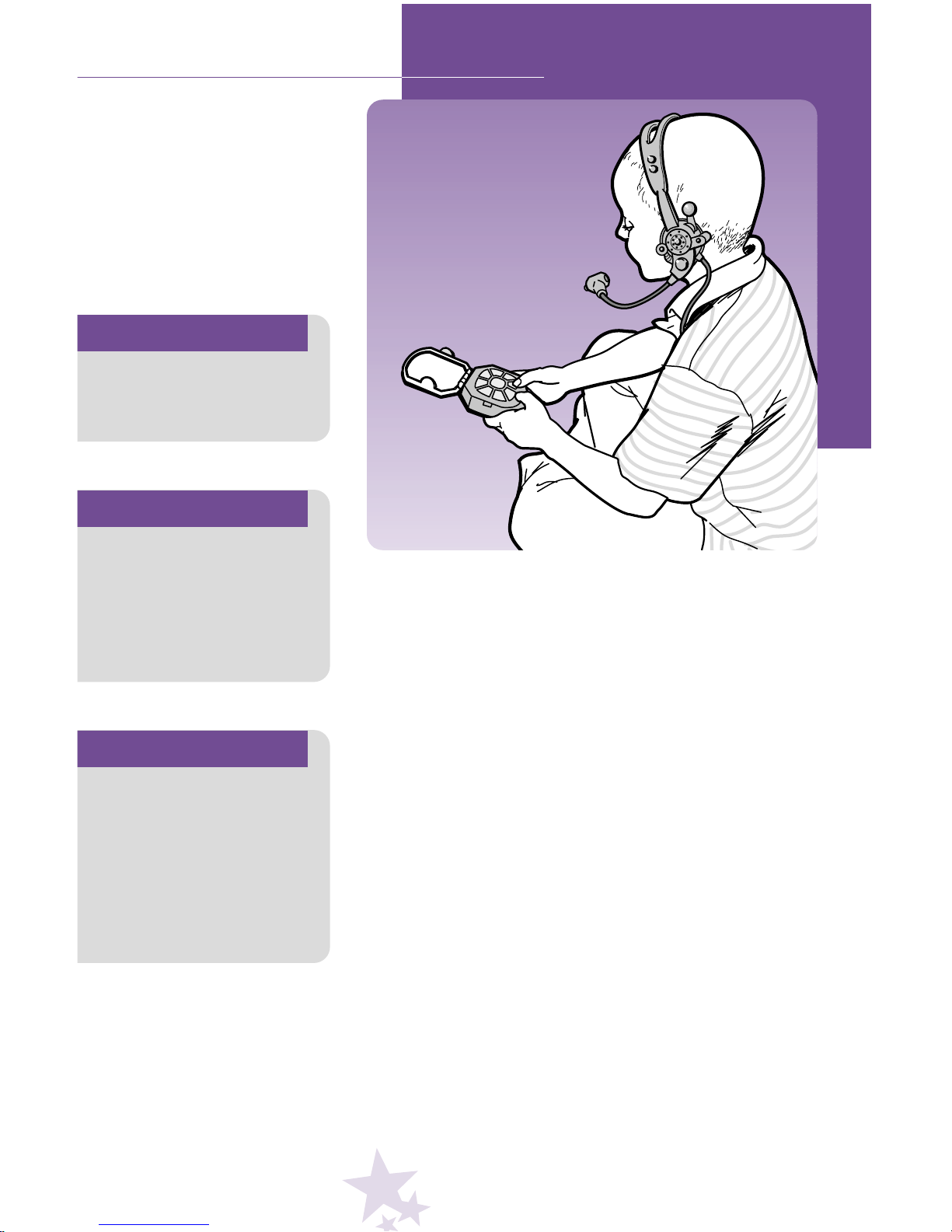
2. Fit the remote headset on your child’s head, with the
microphone toward your child’s mouth.
3. Open the large cover on the P.P.T.
4. Slide the dog’s Power Switch (on his belly) to the
ON
●
position.
5. With the glowing L.E.D. on the dog’s head lit, press a
Command Button on the P.P.T.
6. Then, have your child speak the command into the
remote headset microphone and watch Rocket
™
go
into action!
To learn how to properly use Rocket™The Wonder
Dog, please read through this entire manual carefully.
Page 4

Y
2
Y
FROM OUT OF THIS WORLD...
Way, way out in the Milky-Bone Galaxy, beyond
the Canine Comets and the famous Dog Star and
even Pluto, there’s a world of friendly creatures
known as the Planet Rrruff. Here, everyone romps
and runs, sits up and begs, curls up
and sleeps, and of course, wags
their tails. They do a lot of licking.
But mostly they like to play. Everyone’s favorite friend was RocketTM.
Each day, other Rrruffians would
come over and beg him to play. RocketTMwould roll
his eyes patiently, scratch a little, shake and wag his
tail. Then he would trot along to join his friends in
a game of Tag or Rrred Rrrover or Who’s Got the
Biscuit? But RocketTMthought there must be more to
life. When night came, he would gaze out at the
stars and wonder.”I wonder what else is out there?”
“I wonder why stars sparkle?” “I wonder what it’s
like to have someone love you?” Then Rocket
TM
would walk around in a circle three times, lie down
and sleep soundly until morning.
One day, just as the sun came up, Rocket
TM
perked up his ears and sniffed all around. Something
was different. Strange. New and wonderful. Rocket
TM
followed his nose to see where it would lead. His
nose led him uphill and down, over the Slow Rrriver,
through the Rrredwood Forest and right to the edge
of the Rrred Sea. Sitting there, sparkling in the sun,
was the strangest contraption RocketTMhad
ever seen!
Page 5
3
2
...AND INTO YOUR HOME.
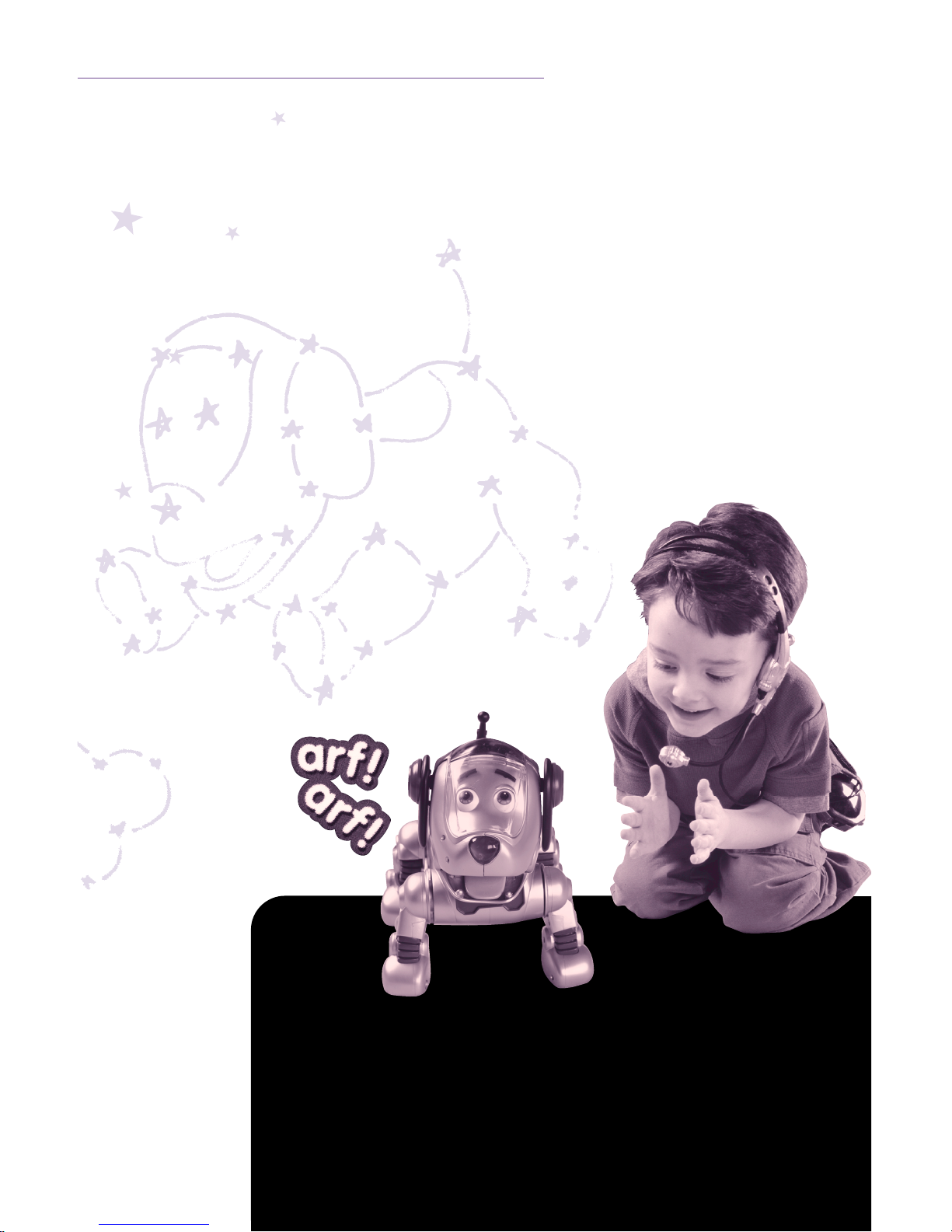
“Bow-WOW!” RocketTMbarked in wonder as he
bounded through the opening of the shiny machine.
“It looks like a dog house made of silvery stars! And
look at all the neat buttons.” Being the wondering
dog he was, RocketTMstarted pushing those buttons
with his left paw. He was so curious about the
flashing lights and whirring sounds, he didn’t even
notice the door sliding closed behind him. But he
did notice when the contraption started to move.
Up it flew, soaring into the sky, carrying
RocketTMaway from the Planet Rrruff and through
the Milky-Bone Galaxy, past the Dog Star and the
Canine Comets and even Pluto, rocketing him
toward a new world full of exciting new adventures.
“I wonder what it will be like...”
wondered RocketTM.
Page 6
YOUR OWN WONDER DOG
4
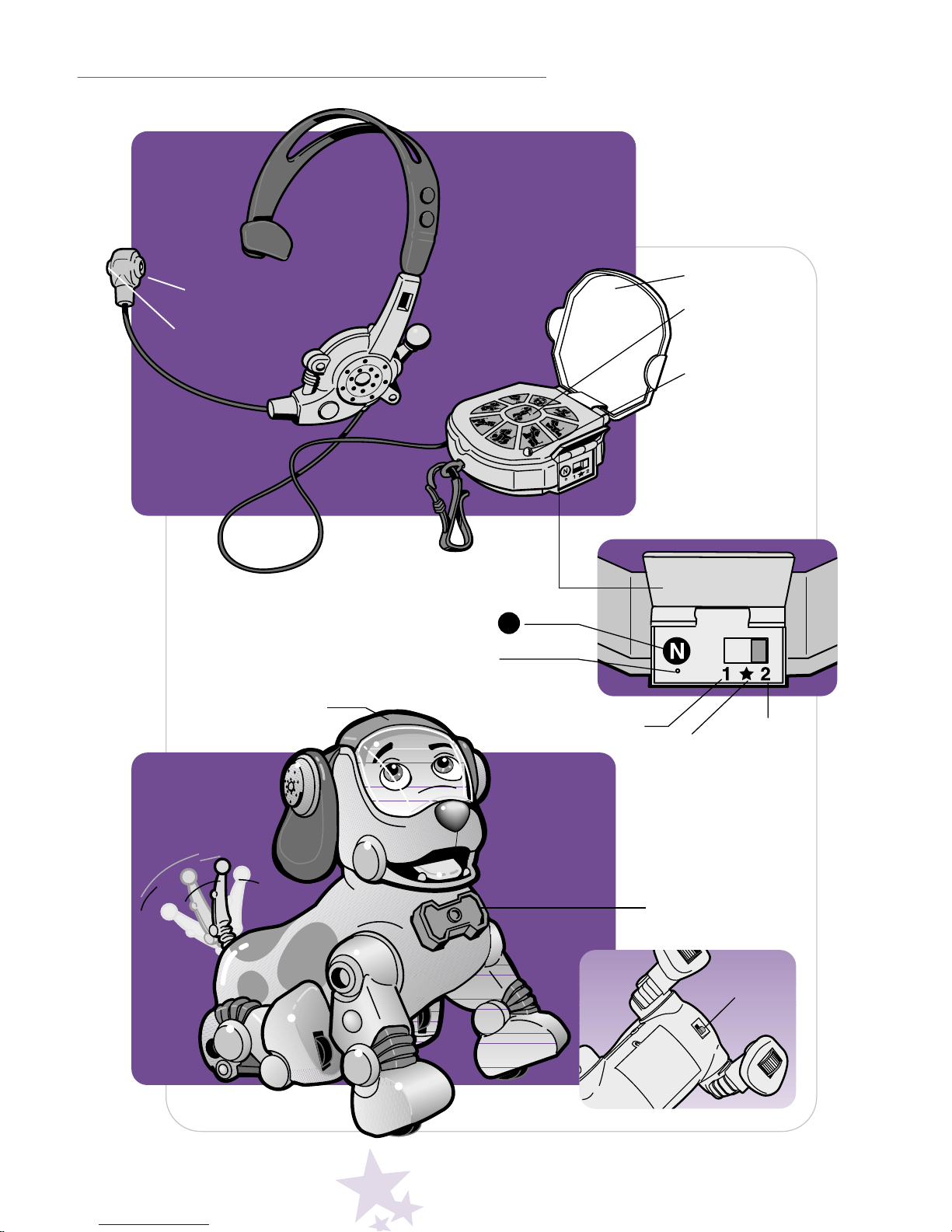
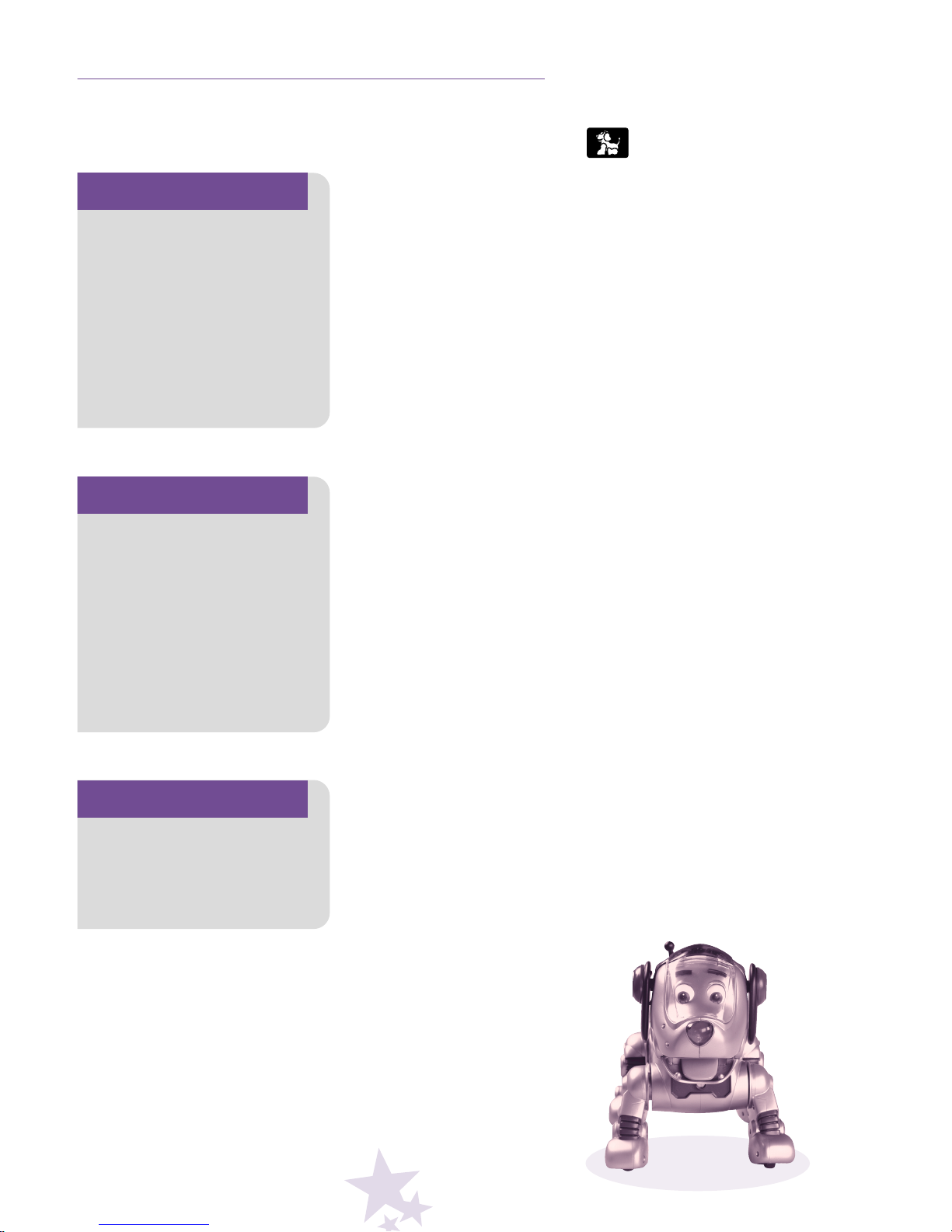
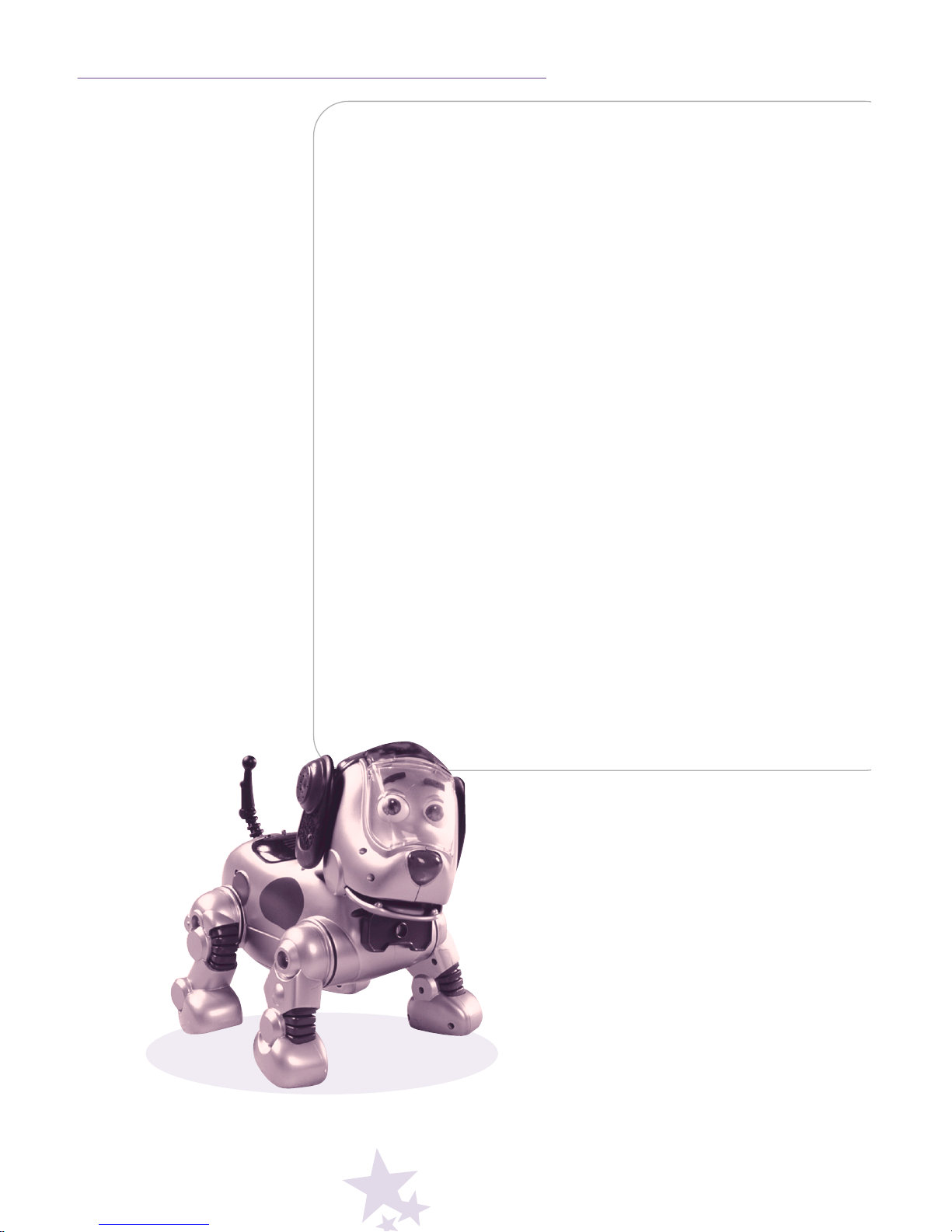
Remote
Headset
Dog
Personal
Puppy Trainer
(P.P.T.)
Command L.E.D.
(Glows)
Large Cover
Power L.E.D.
(Glows)
Program Switch Door
Trainer 1
Play
★
Trainer 2
Name Button N
Erase All Hole
Command
Buttons
(See page 5)
Power
Switch
Treat
Microphone
L.E.D.
Page 7
5
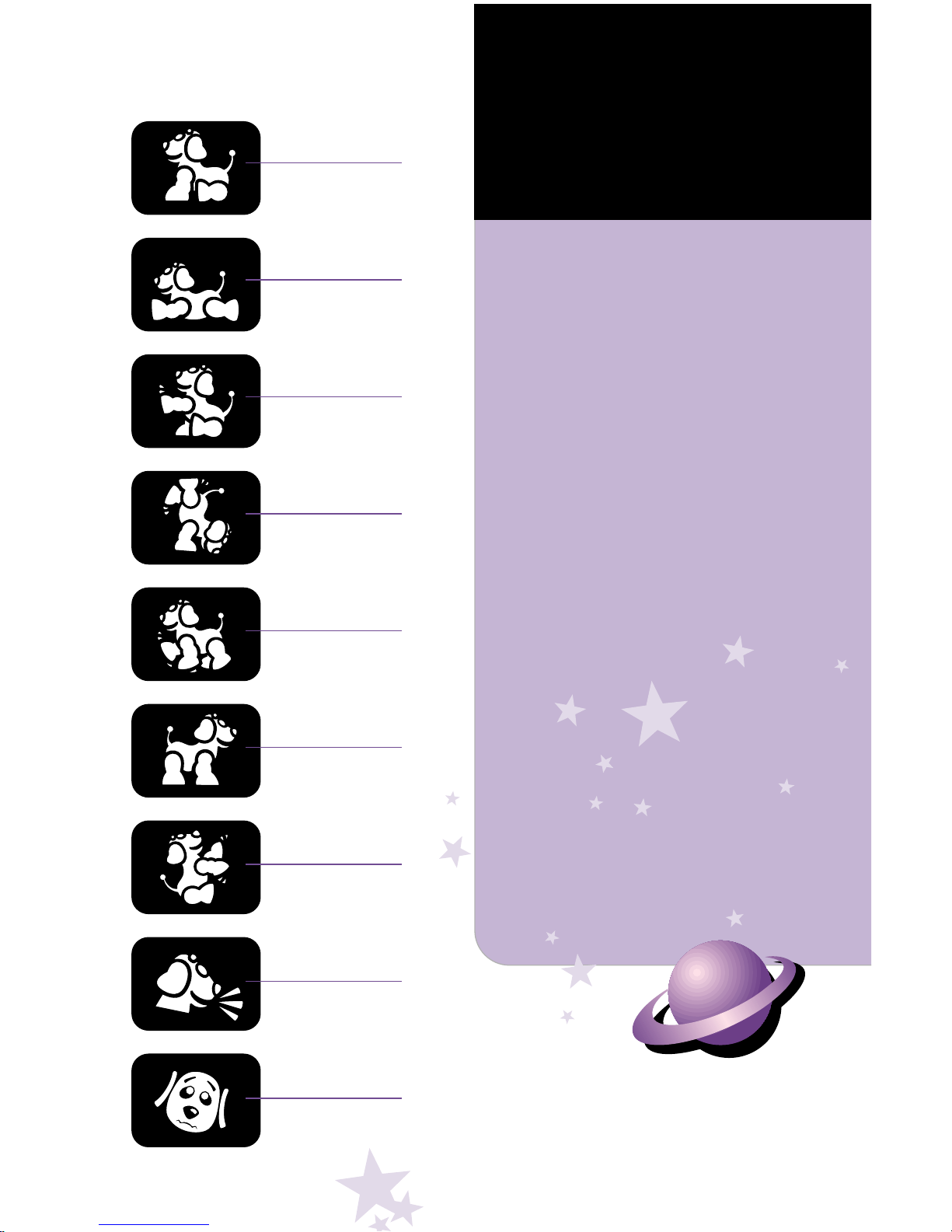
Sit
Lie Down
Shake Hands
Do Trick
Let’s Go
Stand Up
Beg
Speak
Bad Puppy
START
Your child or children can
interact with the dog in two
different modes, depending
on their age: Trainer in
Training (3+ years) or Expert
Trainer (6+ years). Choose
which mode you’d like to start!
Trainer in Training (3+ Years)
Open the P.P.T. Large Cover for this
mode.Your child wears the remote
headset and uses the P.P.T. with the
Large Cover open. Your child simply
presses the desired Command
Button on the P.P.T., speaks into
the headset and your dog goes
into action!
Expert Trainer (6+ Years)
Close the P.P.T. Large Cover for this
mode. Your child wears the remote
headset and programs (records) a
new name and voice commands into
the P.P.T. There’s no need to use the
Command Buttons on the P.P.T. (after
programming it) in this advanced
mode, so keep the Large Cover
closed! Your child speaks the programmed name and voice commands
into the headset. Watch your dog
perform the desired command!
The P.P.T. can recognize up
to two master’s voices – so no
one’s left out. Simply slide the
Program Switch to Trainer 1
to program one child’s voice.
Then, slide the Program
Switch to Trainer 2 to program
another child’s voice.
Page 8
6
Power
Switch
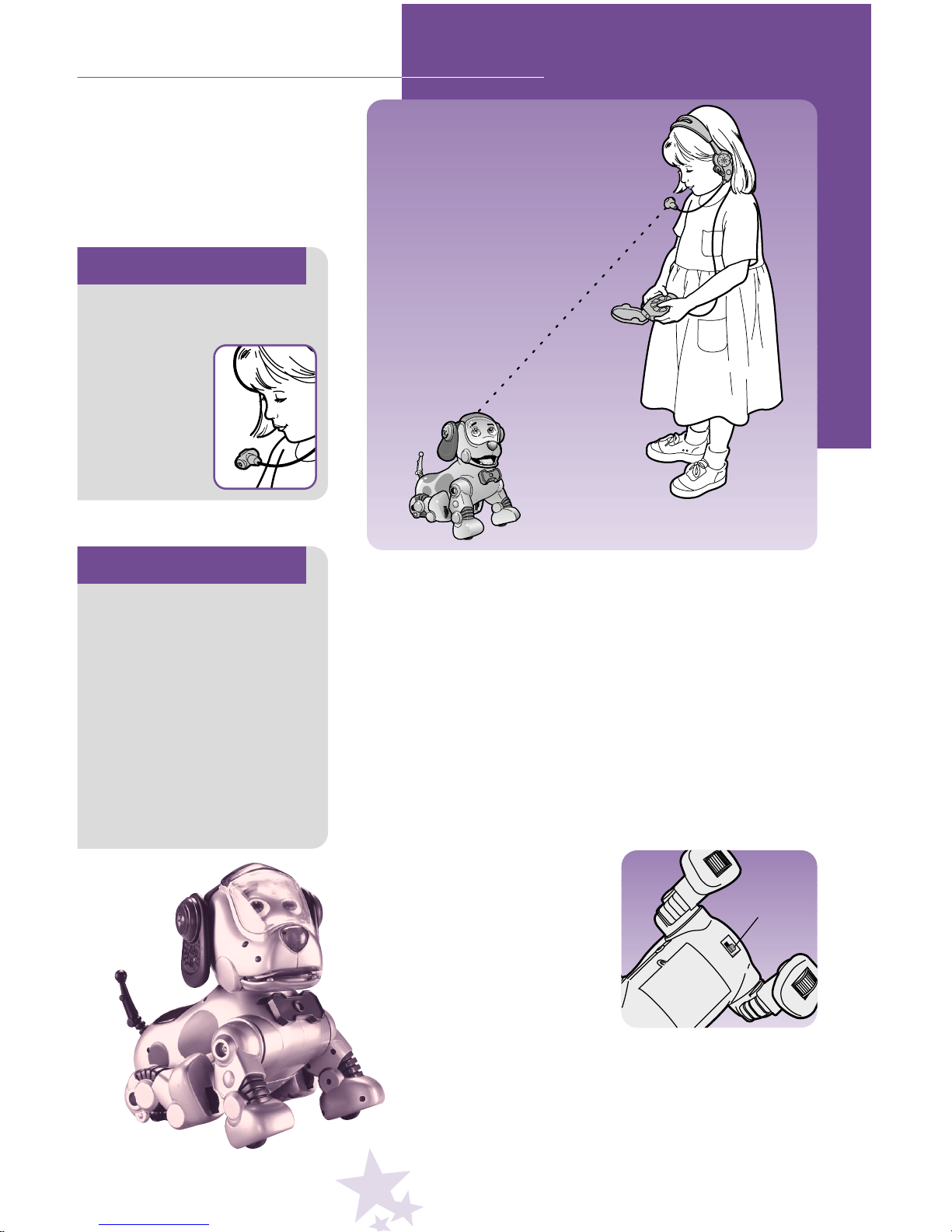
Important!
Make sure the L.E.D. on
the microphone points
away from
your child’s
mouth and
toward the
glowing
L.E.D. on the
dog’s head.
TRAINER IN TRAINING (3+ YEARS)
• Fit the remote headset on your child’s head. Be sure
to place the microphone (on the mouthpiece) about
1
1
/2"- 2" from your child’s mouth (not too close or far
away). Make sure the L.E.D. on the mouthpiece points
toward the glowing L.E.D. on the dog’s head.
• Hook the P.P.T. to your child using the convenient
belt clip.
• Open the Program Switch Door on the P.P.T. and select
Play
★
. Close the Program Switch Door. You’re in
Trainer in Training Mode.
• Slide the dog’s Power Switch
(on his belly) to the ON
●
position. The dog needs to
wake up (about 15 seconds).
Important!
To conserve battery life,
we recommend that you
slide the dog's Power
Switch to the OFF
O
position when your child
is not playing with the dog.
To turn off power on the
P.P.T., press and hold the
Large Cover closed for five
seconds. The power L.E.D.
will shut off.
Page 9
7
TRAINER IN TRAINING (3+ YEARS)
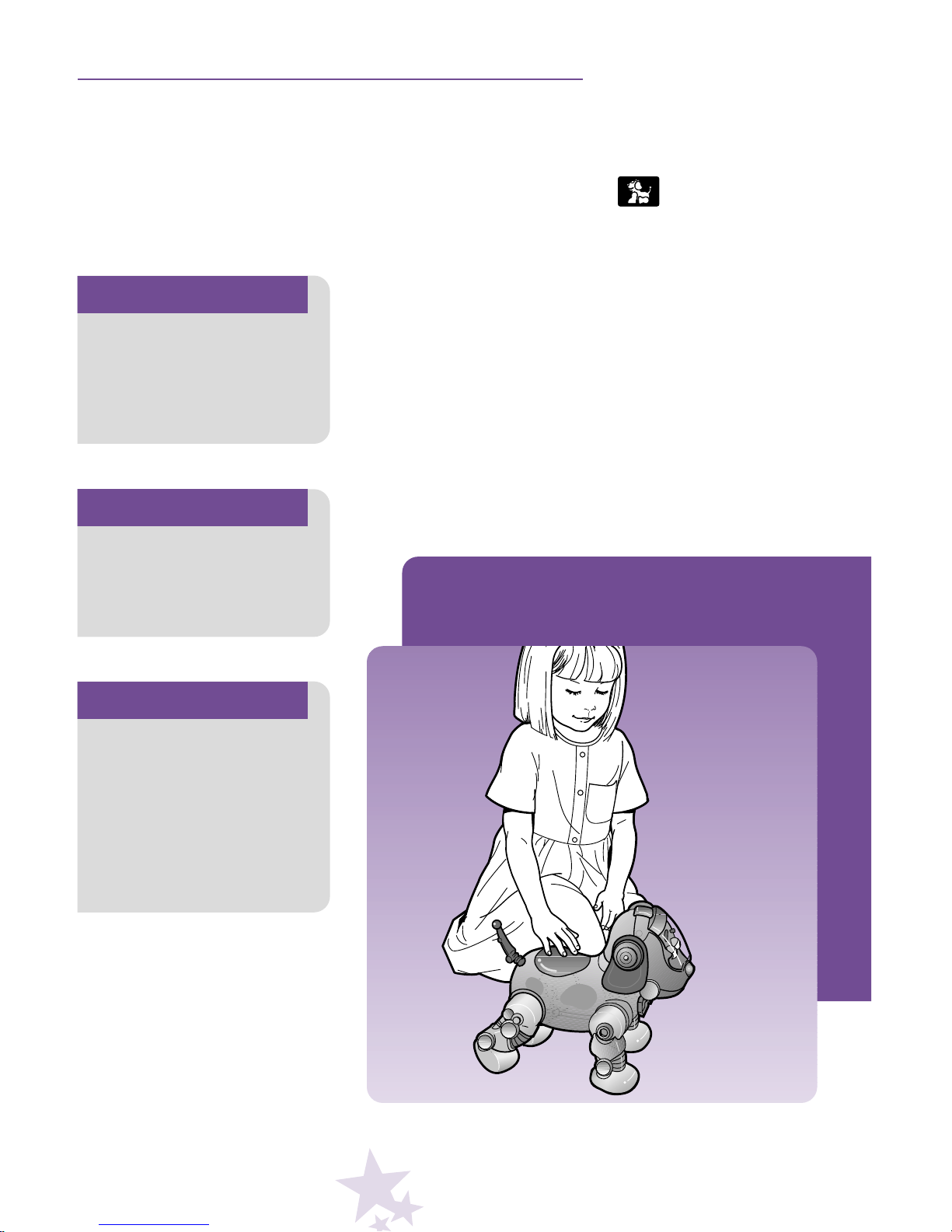
• Open the Large Cover on the P.P.T.
• Make sure the glowing L.E.D. on the dog’s head is lit.
• Press a Command Button (try ) on the P.P.T.
• Your child must speak into the microphone.
Your child says: “Sit.”
• Make sure your child waits until the glowing L.E.D. on
the dog’s head is lit before pressing another Command
Button. If your child presses a Command Button on
the P.P.T. before the glowing L.E.D. lights, the dog
ignores the command and may do something different.
Hint
If the dog does not
receive another command
after approximately two
minutes, the dog will
automatically go to sleep
(shut-off). To turn back
on, simply pat the
dog’s back.
Hint
If the dog ignores
the command, he may
surprise you with his
response!
Hint
Your child must speak into
the microphone within
three seconds of pressing
a Command Button. Also,
any word will do!
Page 10
8
Programming a New Name
• Have your child choose a new name for the dog. Practice
saying the dog’s new name – speaking clearly and in a
normal voice (not too loud or soft). When playing with the
dog, your child needs to say the dog’s new name the
same way it is programmed (recorded).
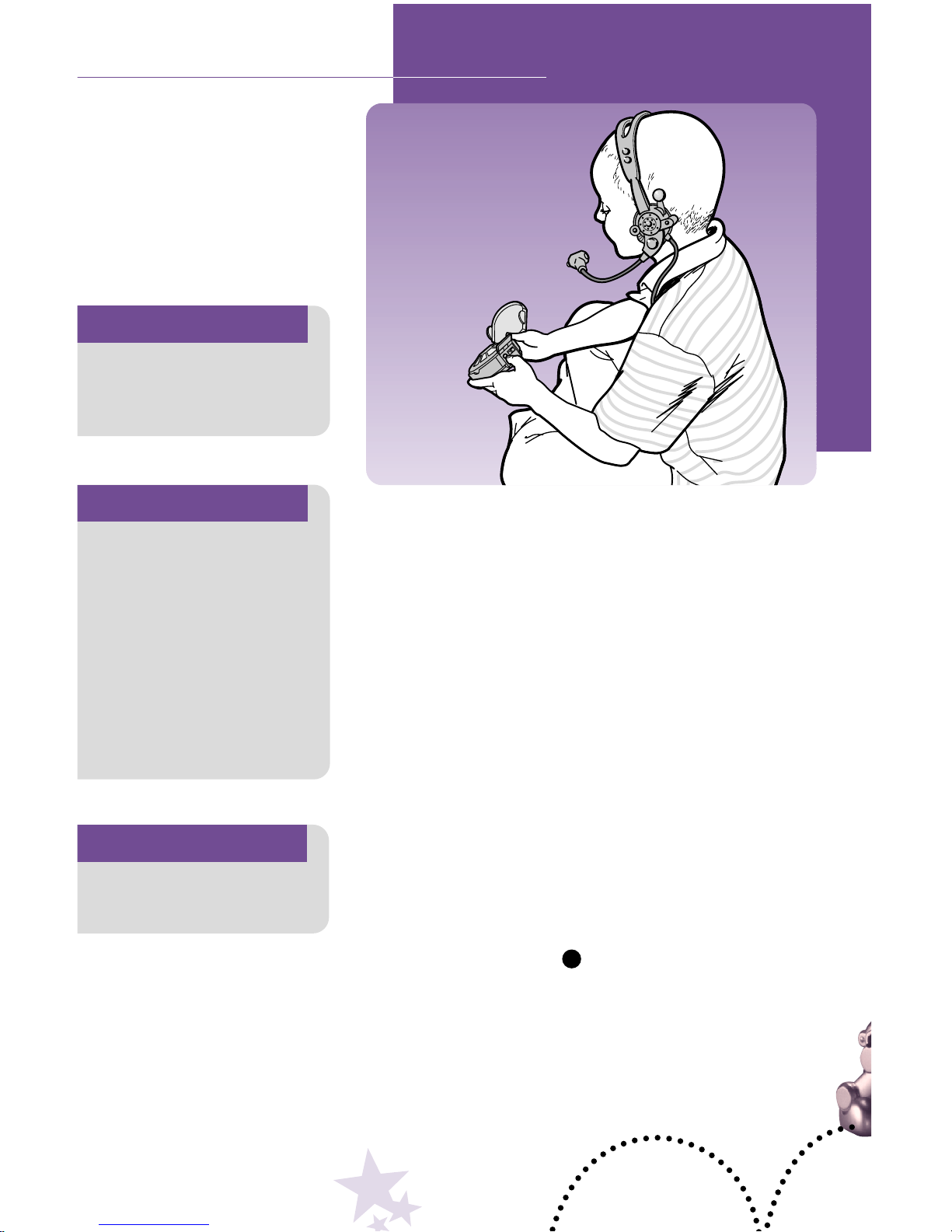
• Fit the remote headset on your child’s head. Be sure to
place the microphone (on the mouthpiece) about 1
1
/2
"- 2"
from your child’s mouth (not too close or far away).
• Slide the dog’s Power Switch (on his belly) to the
OFF
O
position. The dog is not needed for programming.
• Open the Program Switch Door. Slide the Program
Switch to Trainer 1 or Trainer 2. Make sure you take
note of which master’s voice is programmed on
Trainer 1 and on Trainer 2.
• Press the Name Button .
• Listen for the voice prompt through remote headset.
“Please say your dog’s name.”
• Now, it’s your child’s turn to say the dog’s name.
Your child says: “Rocket.”
Important!
Your child must choose
a quiet room to program
(record a voice) the P.P.T.
Hint
Your child can choose a
new name...be creative!
Hint
The dog can have two
masters (and two names)
simply by sliding the Program Switch to Trainer 1
for the first child and then
Trainer 2 for a second child.
Make sure the second
child (Trainer 2) picks a
different name for the
dog than the first child,
Trainer 1.
N
EXPERT TRAINER (6+ YEARS)
Page 11
9
• If your child speaks too loud, too soft, too soon, or the
chosen name is unclear, the voice prompt may say:
“Too loud. Please try again.”; or “Too soft. Please try
again.”; or “Too soon. Please try again.”; or “What did
you say?”
Again, your child says: “Rocket.”
• If the P.P.T. does not recognize the name after three
tries, the voice prompt says: “Training - your dog’s
name failed.” If this happens, please press the Name
Button again and start the new name programming
process again.
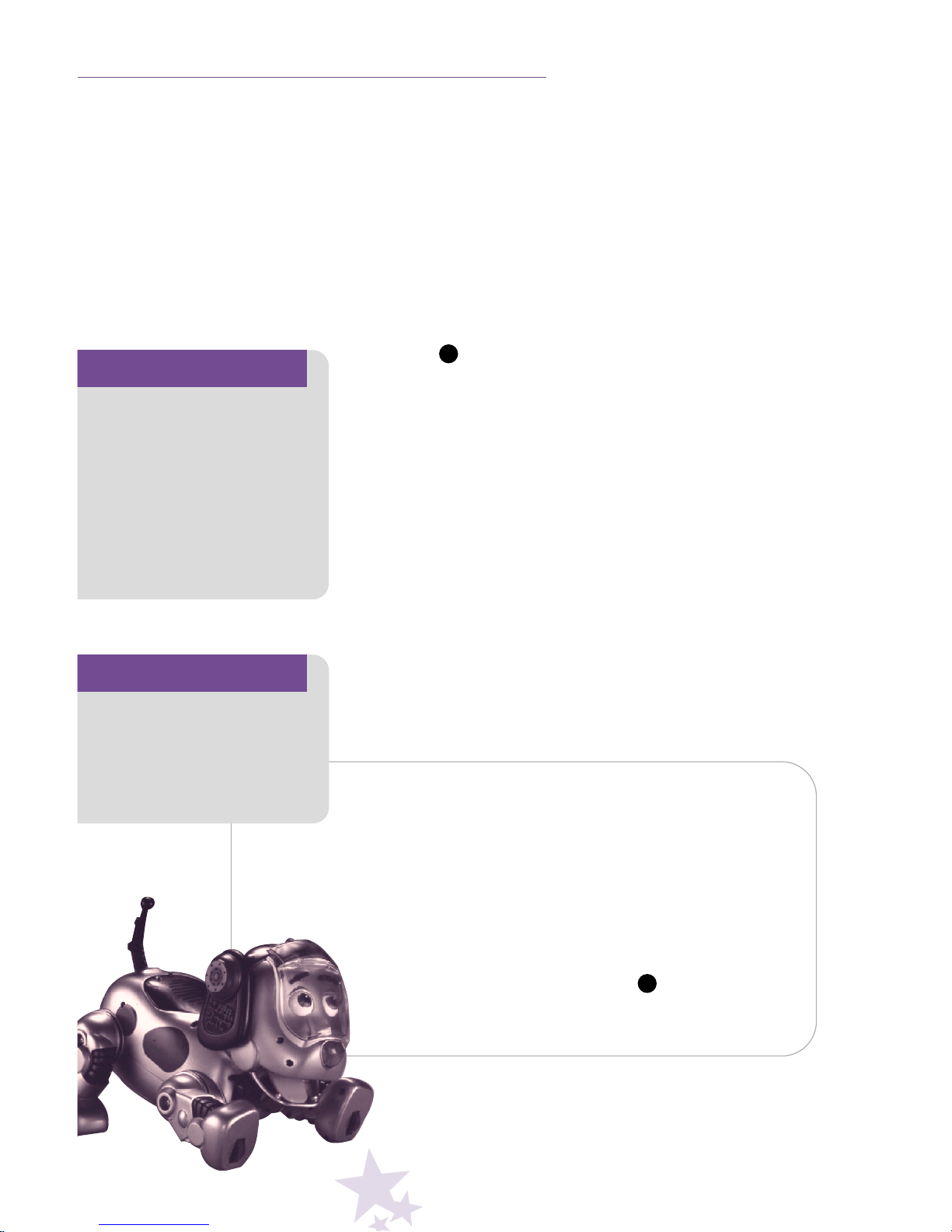
• When new name programming is successful, the voice
prompt will ask your child to repeat the name a second
time. “Please repeat your dog’s name.”
• Your child now needs to repeat the dog’s new name
again in a clear, normal voice.
Your child says: “Rocket.”
• If the repeated name is not recognized, the voice
prompt will repeat the request.
• When new name programming is complete, the voice
prompt will tell you that training is complete, and you will
hear the name of the dog in your child’s voice. “Training
Rocket complete.”
Oops, if you make a mistake…
To erase a programmed name:
• Open the Program Switch Door. Make sure the
Program Switch is on Trainer 1 or Trainer 2 –
depending on which programmed name you’d
like to erase.
• Press and hold the Name Button for five seconds,
until the voice prompt says, “Command erased.”
N
N
EXPERT TRAINER (6+ YEARS)
Congratulations!
Naming your dog is now
complete! Now, fill in
the chart on page 13
with your child(ren)’s
programmed new name.
Hint
If your child is having
trouble programming a
new name, try programming a name with multiple
syllables. For example,
instead of programming
the name “Spot”, try
programming the name
“Buddy”.
Page 12
10
Important!
Your child must choose
a quiet room to program
(record a voice) the P.P.T.
Hint
The dog can have two
masters simply by sliding
the Program Switch to
Trainer 1 for the first child
and then to Trainer 2 for
a second child!
Hint
For best performance,
we recommend that your
child use the following
words to program voice
commands: Sit, Lie Down,
Shake Hands, Do Trick,
Let’s Go, Stand Up, Beg,
Speak, Bad Puppy.
EXPERT TRAINER (6+ YEARS)
Programming Voice Commands
• Have your child practice all the voice commands that
will be programmed in a clear, normal voice (not too
loud or soft). When playing with the dog, your child
needs to say the voice commands the same way they
are programmed (recorded).
• Fit the remote headset on your child’s head. Be sure
to place the microphone (on the mouthpiece) about
1
1
/2" - 2" from your child’s mouth (not too close or
far away).
•
Slide the dog’s power switch (on his belly) to the
OFF
O position. The dog is not needed for programming.
• Open the Program Switch Door. Slide the Program
Switch to Trainer 1 or Trainer 2. Make sure you take
note which master’s voice is programmed on Trainer 1
and on Trainer 2.
Page 13
11
Hint
If your child is having
trouble programming voice
commands, try programming more than one word
or a word with multiple
syllables. For example,
instead of programming
the command “sit”,try
programming“sit down”.
Important!
If programming fails after
several tries, your child
may be too young to
speak clear enough (or
clear enough repetively)
to program the P.P.T.
We recommend that
your child use the dog in
Trainer in Training mode.
Congratulations!
Voice command programming is now complete!
Now, fill in the chart on
page 13.
EXPERT TRAINER (6+ YEARS)
• Open the Large Cover on the P.P.T.
• Press a Command Button on the P.P.T.
• Listen for the voice prompt through the remote
headset. “Please say sit.”
• Now, it’s your child’s turn to say the command.
Your child says: “Sit.”
• If your child speaks too loud, too soft, too soon, or
unclear, the voice prompt may say: “Too loud. Please try
again.”; or “Too soft. Please try again.”; or “Too soon.
Please try again.”; or “What did you say?”
Again, your child says: “Sit.”
• If the P.P.T. does not recognize the voice command
after three tries, the voice prompt says: “Training
failed.” If this happens, please press a Command
Button again and start the voice command programming
process again.
• When programming a voice command is successful, the
voice prompt will ask your child to repeat the command
a second time. “Please repeat sit.”
• Your child now needs to repeat the command again
in a clear, normal voice.
Your child says: “Sit.”
• If the repeated voice command is not recognized, the
voice prompt will repeat the request.
• When programming a voice command is complete, the
voice prompt will tell you that programming is complete,
and you will hear the command in your child’s voice.
“Training Sit complete.”
• Repeat this sequence
to program all nine
commands. Then, slide
the Program Switch to
Play
★
, and close the
Program Switch Door.
Page 14
12
EXPERT TRAINER (6+ YEARS)
Oops, if you make a mistake….
To erase a programmed voice command:
• Open the Program Switch Door. Make sure the Program
Switch is on Trainer 1 or Trainer 2 – depending on which
programmed voice command(s) you’d like to erase.
• Press and hold the desired Command Button
for five seconds, until the voice prompt says,
“Command erased.”
To erase all programmed name(s)
and voice commands:
• Open the Program Switch Door. Make sure the Program
Switch is on Trainer 1 or Trainer 2 – depending on which
programmed name and voice commands you’d like
to erase.
• Insert and hold a blunt, thin object (do not use a pin)
in the Erase All Hole for five seconds, until the voice
prompt says, “Erased all.”
Page 15
13
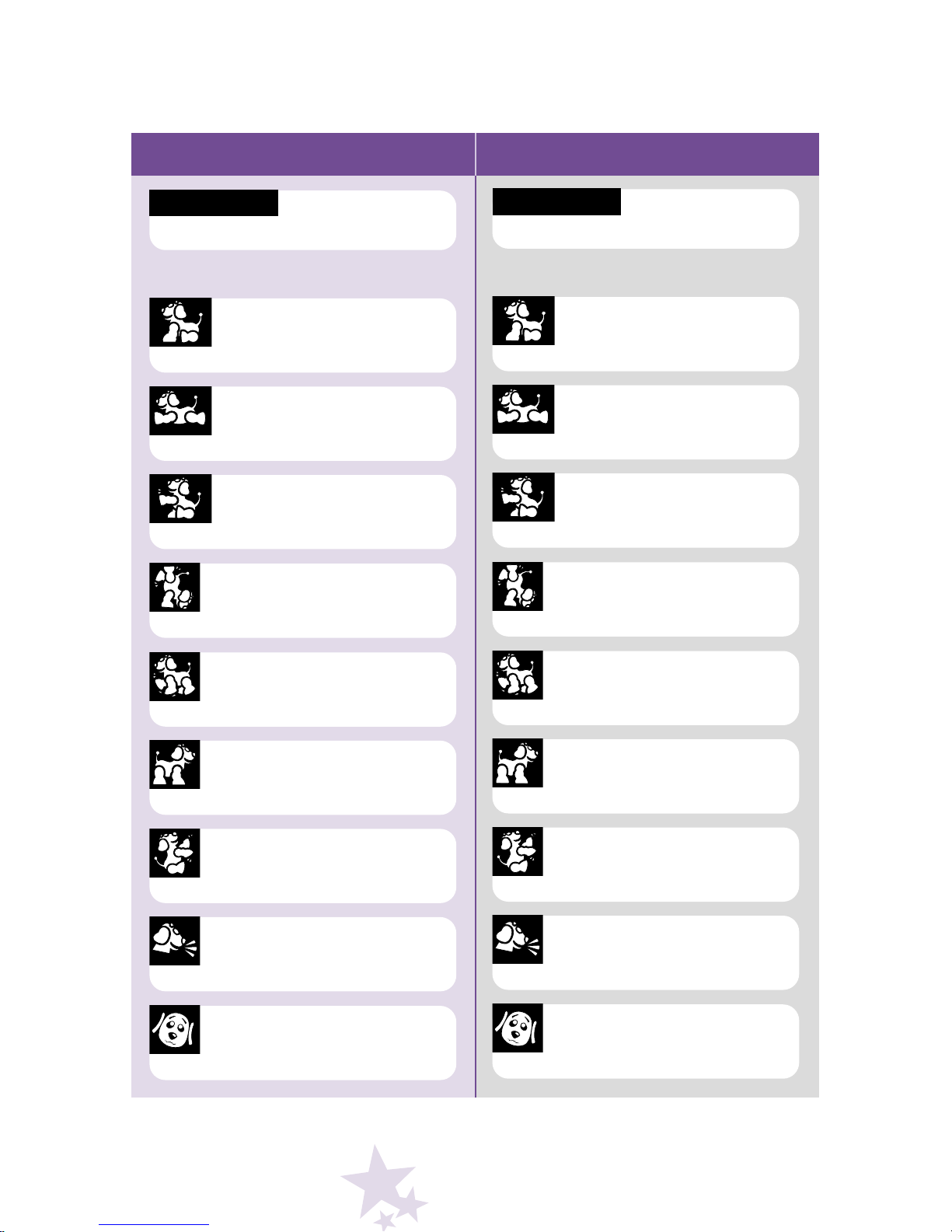
PROGRAM CHART
Use this chart to keep track of what has been programmed into the P.P.T.
Trainer 1 Trainer 2
Dog’s Name
Yes No
Sit
Commands
Yes No
Lie Down
Yes No
Shake Hands
Yes No
Do Trick
Yes No
Let’s Go
Yes No
Stand Up
Yes No
Beg
Yes No
Speak
Yes No
Bad Puppy
Dog’s Name
Yes No
Sit
Commands
Yes No
Lie Down
Yes No
Shake Hands
Yes No
Do Trick
Yes No
Let’s Go
Yes No
Stand Up
Yes No
Beg
Yes No
Speak
Yes No
Bad Puppy
Page 16
14
Hint
After saying the dog’s
name, your child must
first wait for a “beep”
sound and then say the
desired command within
three seconds.
Hint
Make sure your child
waits until the glowing
L.E.D. on the dog’s head
is lit before giving another
command. If your child
gives another command
before the glowing L.E.D.
lights, the dog ignores it,
but may surprise you with
his response!
EXPERT TRAINER (6+ YEARS)
Using your Puppy’s Name
and Voice Commands
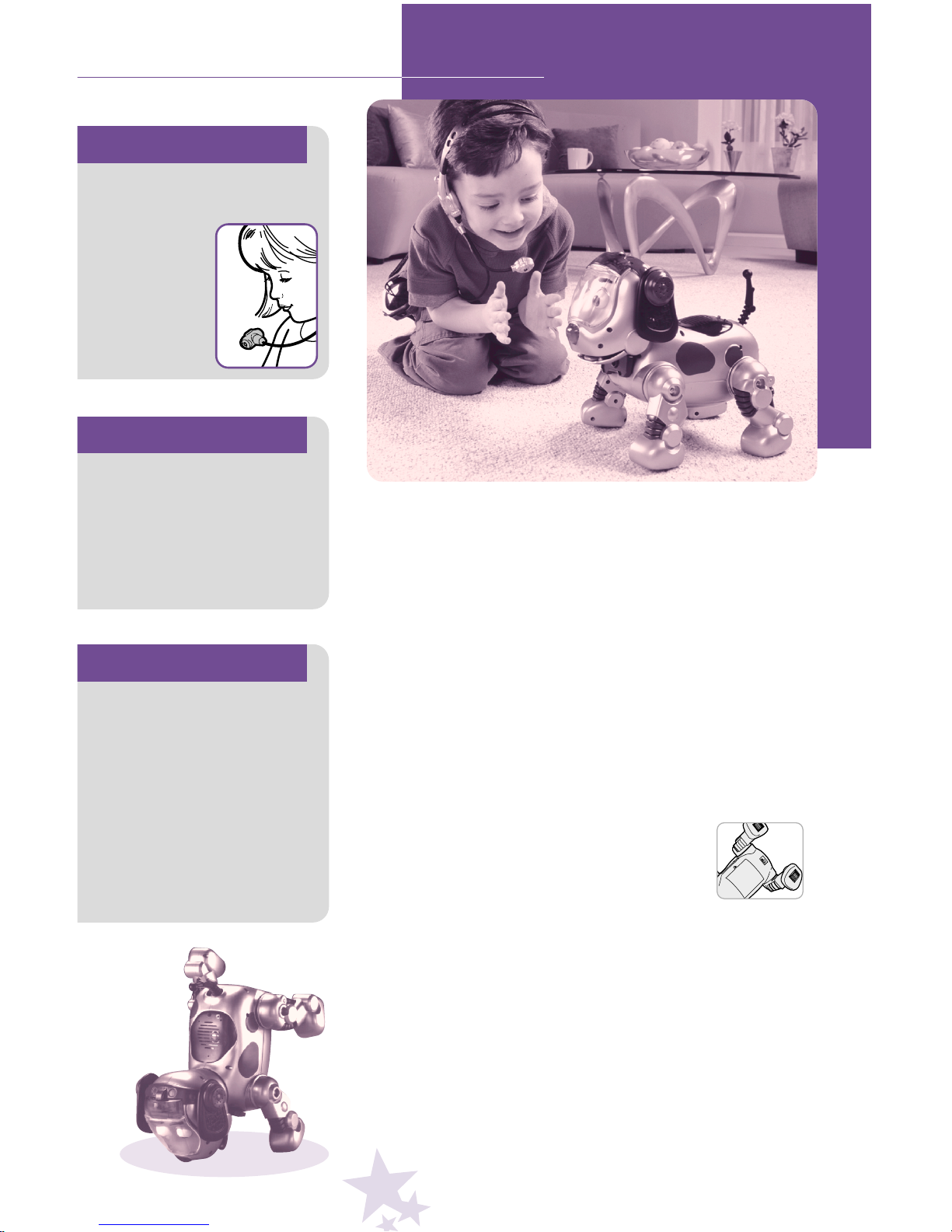
• Fit the remote headset on your child’s head. Be sure
to place the microphone (on the mouthpiece) about
1
1
/2
" - 2" from your child’s mouth (not too close or far
away). Make sure the L.E.D. on the mouthpiece points
toward the glowing L.E.D. on the dog’s head.
• Hook the P.P.T. to your child using the convenient
belt clip.
• Open the Program Switch Door on the P.P.T. and select
Play
★
. Close the Program Switch Door.
• Slide the dog’s Power Switch (on his belly)
to the ON
●
position. The dog needs to
wake up (about 15 seconds).
• Close the Large Cover on the P.P.T. You’re in
Expert Mode.
Your child says the dog’s name: “Rocket.”
• Wait for a “beep” sound in the remote headset. That’s
your child’s cue to give the command.
Your child says: “Do trick.”
• After two “beep” sounds in the remote headset, the
dog carries out the command!
Important!
Make sure the L.E.D. on
the microphone points
away from
your child’s
mouth and
toward the
glowing
L.E.D. on the
dog’s head.
Page 17
15
Hint
After pressing the Large
Cover on the P.P.T., your
child must first wait for a
“beep” sound and then
say the desired command
within three seconds.
Important!
To conserve battery life,
we recommend that you
slide the dog's Power
Switch to the OFF
O
position when your child
is not playing with the dog.
To turn off power on the
P.P.T., press and hold the
Large Cover closed for
five seconds. The power
L.E.D. will shut off.
Hint
If the dog does not
receive another command
after approximately two
minutes, the dog will
automatically go to sleep
(shut off). To turn back on,
simply pat the dog’s back.
EXPERT TRAINER (6+ YEARS)
Using Only Voice Commands
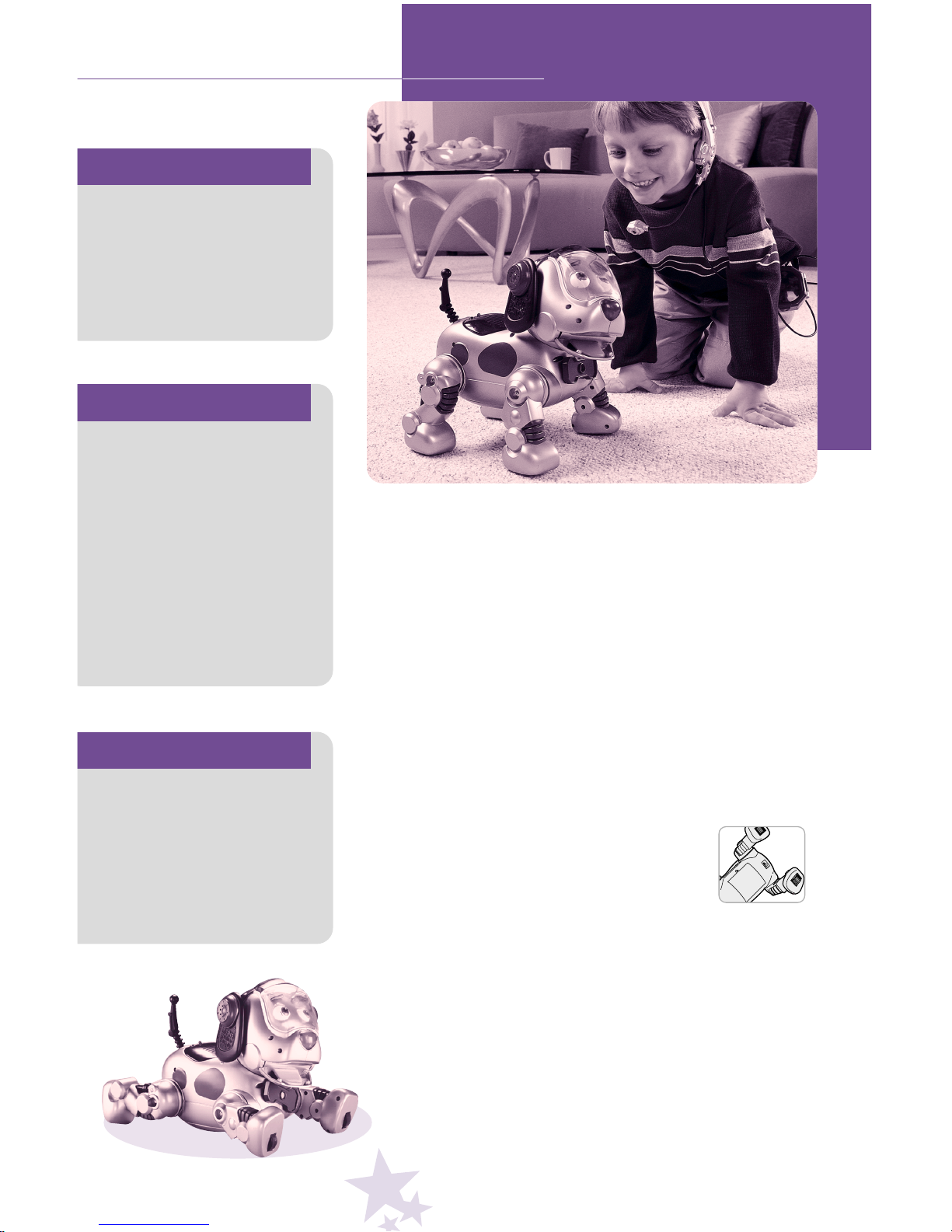
• Fit the remote headset on your child’s head. Be sure
to place the microphone (on the mouthpiece) about
1
1
/
2" - 2" from your child’s mouth (not too close or far
away). Make sure the L.E.D. on the microphone points
toward the glowing L.E.D. on the dog’s head.
• Hook the P.P.T. to your child using the convenient
belt clip.
• Open the Program Switch Door on the P.P.T. and select
Play
★
. Close the Program Switch Door.
• Slide the dog’s Power Switch (on his belly)
to the ON
●
position. The dog needs to
wake up (about 15 seconds). You’re in
Expert Mode.
• Close the Large Cover on the P.P.T.
•
Press the Large Cover on the P.P.T. and wait for a
“beep” sound in the remote headset. That’s your child’s
cue to give the command. Release the Large Cover.
Your child says: “Lie down.”
• After two “beep” sounds in the remote headset, the
dog carries out the command!
Page 18
16
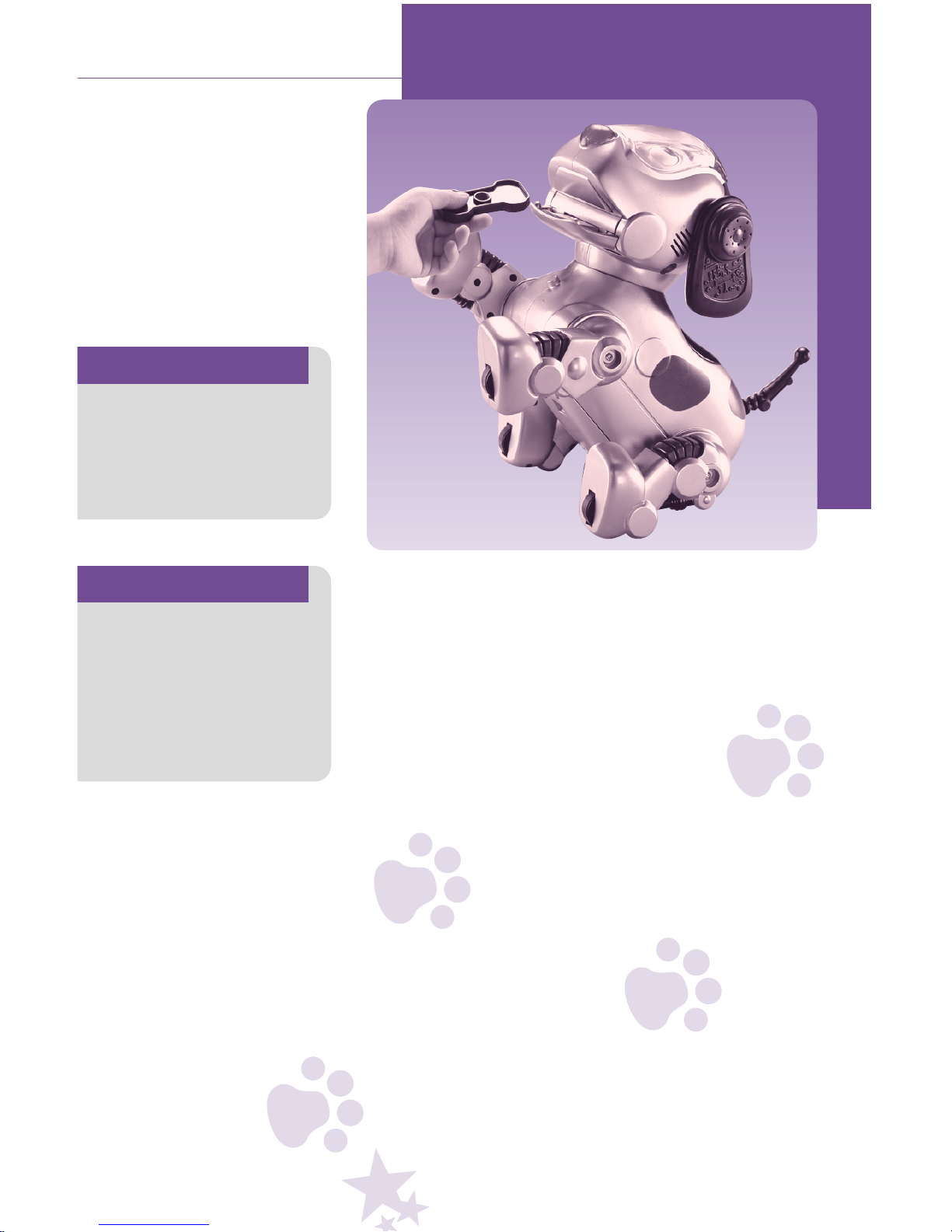
Good Dog!
Give your dog a reward.
Place the treat in his
mouth and be sure to
press down on his tongue.
JUST FOR FUN!
Important!
Place only the dog treat
provided into the dog’s
mouth. To prevent damage,
do not place any other
object in the dog’s mouth.
Hint
Watch what happens if...
you feed your dog too
many times. Or, how your
dog reacts differently
when you give him a treat
after the commands beg
or shake hands.
Page 19
17
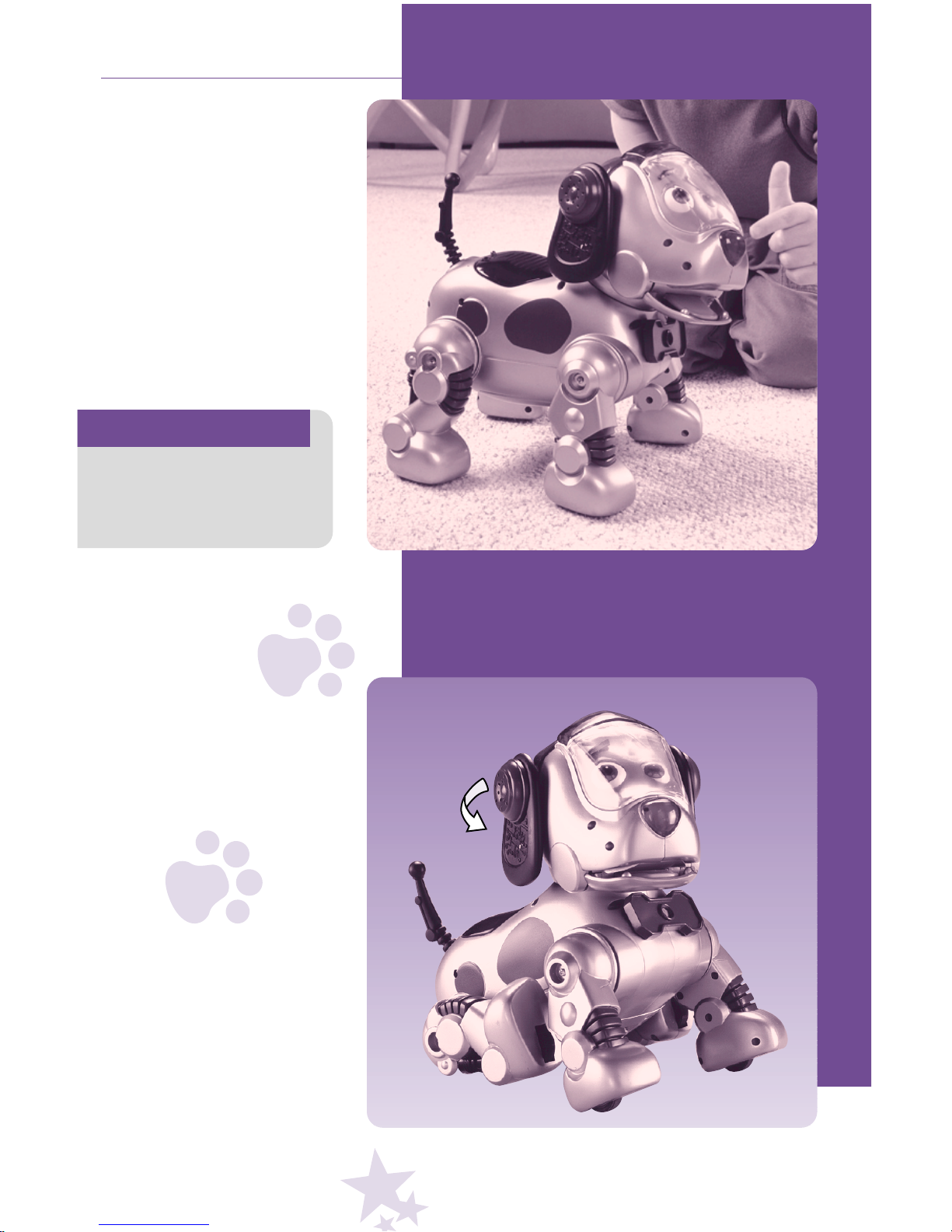
Give ‘em a Pat
What better reward than
a loving pat on his nose
or back.
Help ‘em Out
Turn his right ear and help
him scratch his fleas!
Watch what happens if...
you press his nose while
performing a command.
Hint
Page 20
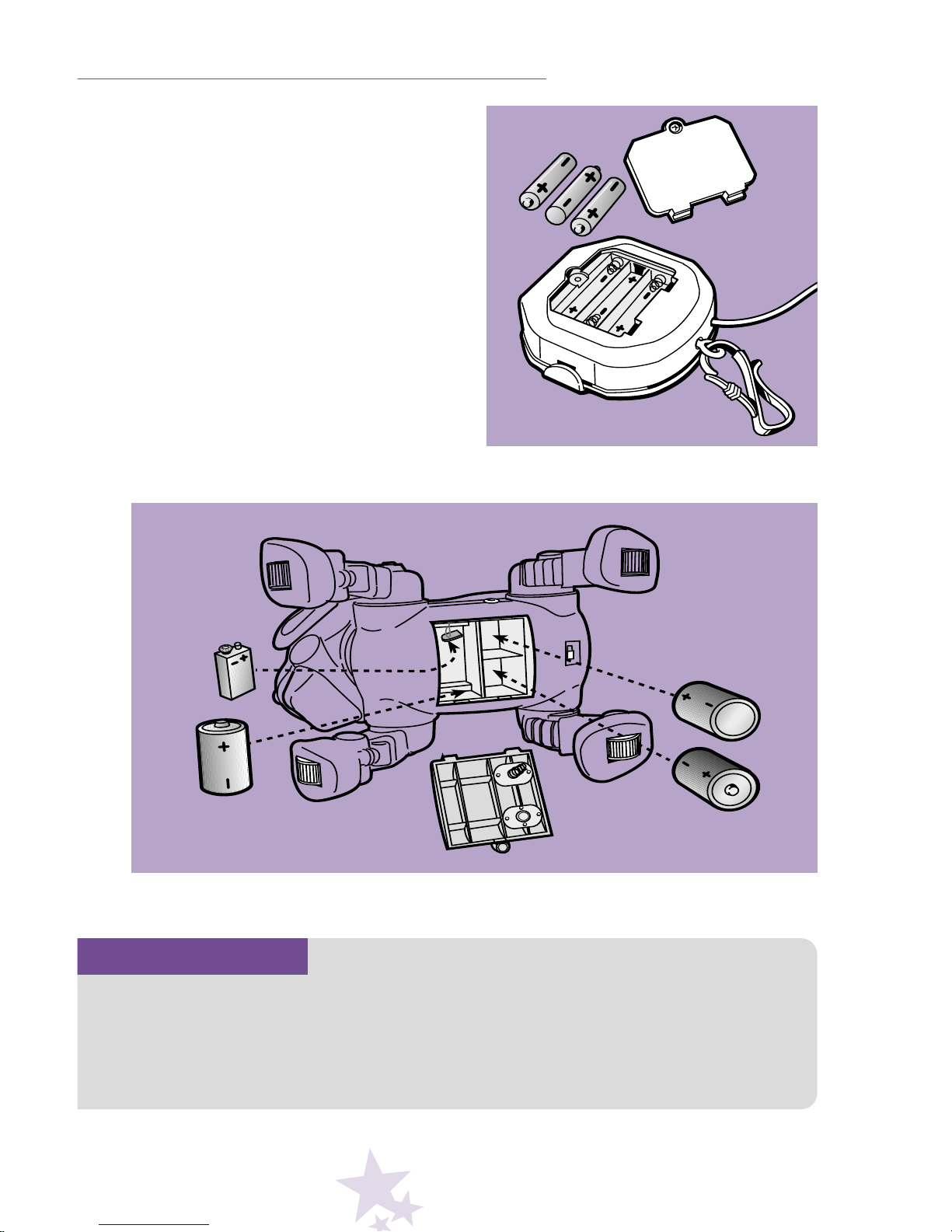
• Locate the battery compartments in the
dog and P.P.T.
• Loosen the screw in each battery compartment door with a Phillips screwdriver
and open the doors.
• Insert one 9 volt and three “D” alkaline
batteries in the dog; and three “AAA”
alkaline batteries in the P.P.T. as indi-
cated in the battery compartments.
• Replace the battery compartment doors
and tighten the screws with a Phillips
screwdriver. Do not over-tighten.
18
BATTERY INSTALLATION
P.P.T. Battery Compartment
Dog Battery Compartment
Important!
For longest battery life, we recommend
the use of alkaline batteries in this
toy. You can expect approximately
6 hours of power with each fresh set
of "D" batteries (in the dog).
We also recommend the use of high
capacity, rechargeable "D" batteries in
the dog. High capacity “D” batteries can
be purchased at most electronics stores.
Page 21
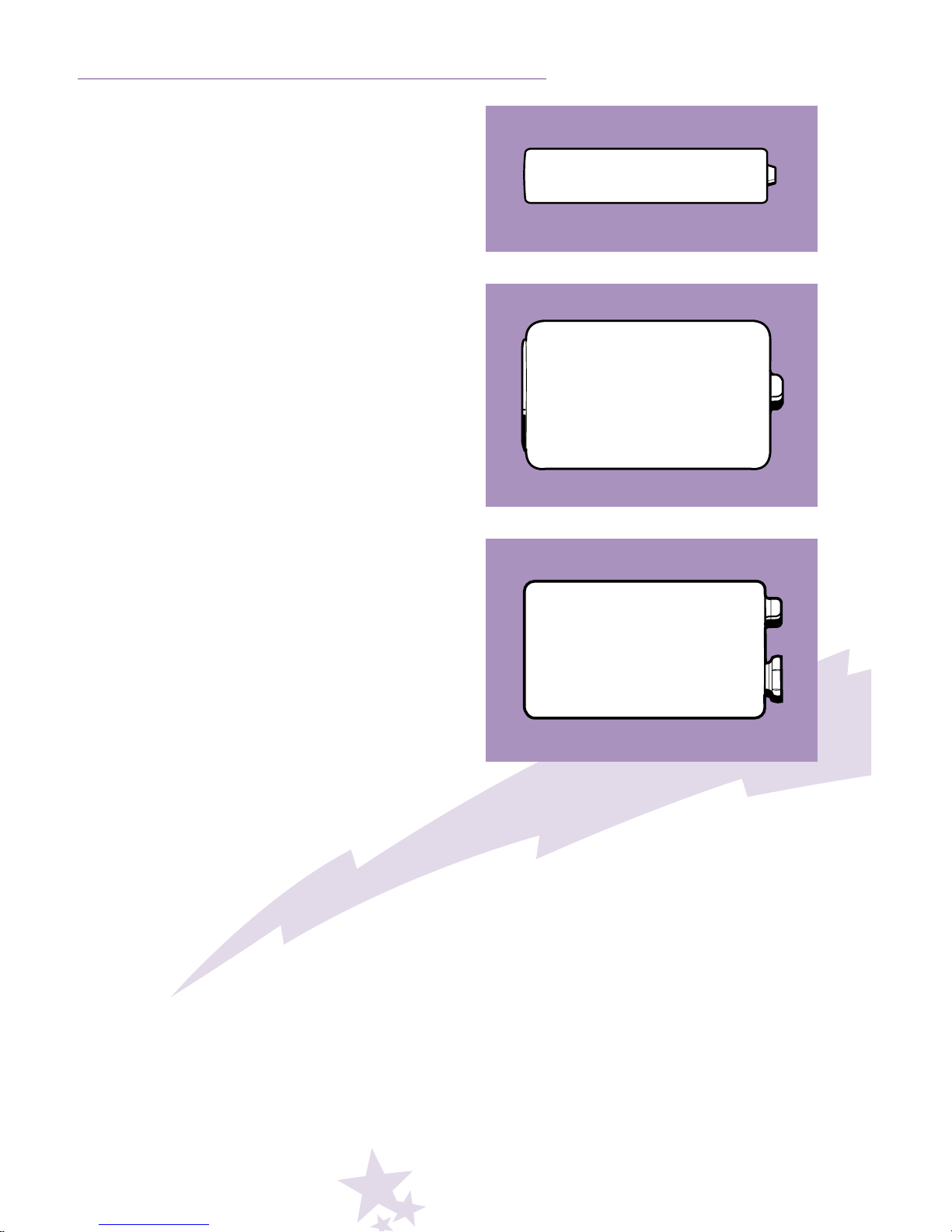
1.5V x 3
“AAA” (LR03)
1.5V x 3
“D” (LR20)
–
+
–
+
BATTERY TIPS
9 Volt (6LR61)
+
–
• Always use alkaline batteries.
• Do not mix old and new batteries.
• Do not mix different types of batteries:
alkaline, standard (carbon-zinc) or
rechargeable (nickel-cadmium).
• Remove the batteries during long
periods of non-use. Always remove
exhausted batteries from the toy. Battery
leakage and corrosion can damage this
toy. Dispose of batteries safely.
• Never short circuit the battery terminals.
• Non-rechargeable batteries are not to
be recharged.
• Only batteries of the same or equivalent
type as recommended in the Battery
Installation instructions are to be used.
• If removable rechargeable batteries are
used, they are only to be charged under
adult supervision.
• Rechargeable batteries are to be
removed from the toy before they
are charged.
• If you use a battery charger, it should
be examined regularly for damage to the
cord, plug, enclosure and other parts.
Do not use a damaged battery charger
until it has been properly repaired.
• If the dog moves sluggishly or does
not move at all, it’s time for an adult
to replace the batteries.
• If the power L.E.D. on the P.P.T. does
not light after pressing a command
button, it's time for an adult to change
the batteries.
Page 22
20
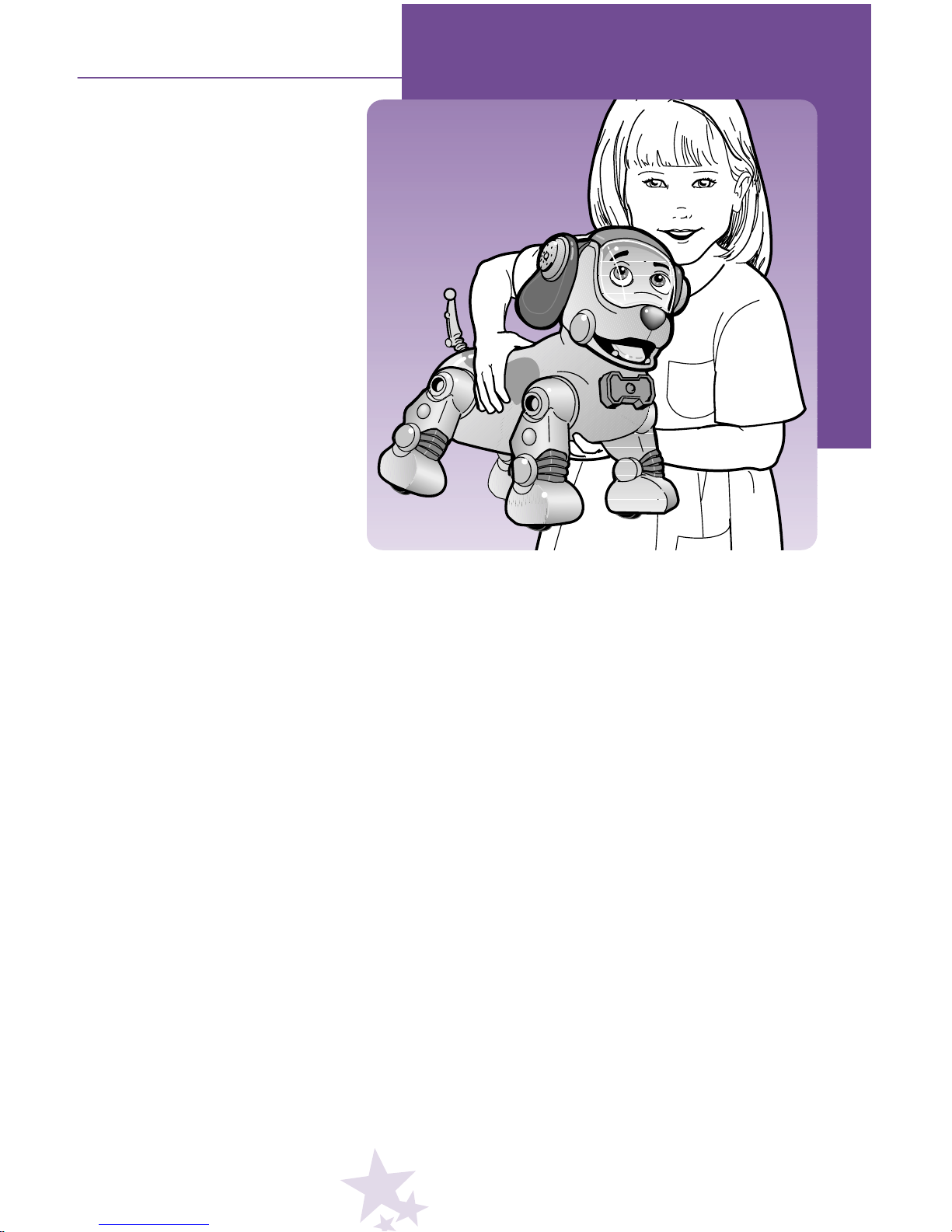
• Do not carry the dog by his tail. Carry the dog with
one hand under his belly.
• Keep water, sand and dirt off of the dog.
• Keep the dog way from direct sunlight and
excessive heat.
• Do not drop the dog on a hard surface.
• Wipe the dog with a clean cloth dampened with a mild
soap and water solution. Do not immerse the dog.
• The dog has no consumer serviceable parts.
Do not take the dog apart.
CARING FOR ROCKET
TM
Page 23

BEFORE CALLING US... Training Errors
21
Symptom Diagnosis
P.P.T. voice prompt
says, “Too soft.”
P.P.T. voice prompt
says, “Too soon.”
P.P.T. voice prompt
says, “Too loud.”
P.P.T. voice prompt
says, “What did you
say?”
P.P.T. voice prompt
says,“Training ‘Name
or Command’ failed.”
You press a button
and it’s already
programmed.
• Move the microphone closer to your child's mouth –
approximately 1
1
/
2"- 2".
• Speak in a normal tone of voice.
• Wait for the P.P.T. voice prompt to stop speaking.
• The room may be too noisy. Program the P.P.T. only in
a quiet room.
• Move the microphone farther from the child's mouth –
up to 2" away.
• Speak in a normal tone of voice.
• What was recorded a second time did not sound the same
as the first time.
– Repeat the name or command exactly as the first time.
– Erase the name or command. Re-program the name
or command, this time try enunciating the word with
harder consonants.
– Erase the name or command. Re-program the name
or command, this time with multiple consonants.
• The P.P.T. was unable to find enough distinct,
repeatable sounds.
– Erase the name or command. Re-program the name
or command, this time try enunciating the word with
harder consonants.
– Erase the name or command. Re-program the name
or command, this time with multiple consonants.
• Open the Program Switch Door and slide the Program
Switch to the other trainer position (Trainer 1 or Trainer 2).
• Press and hold the Name Button or particular Command
Button for 5 seconds to erase the programmed name
or command.
• Open the Program Switch Door and insert a blunt, thin object
(do not use a pin) into the Erase All Hole to erase all programming for either Trainer 1 or Trainer 2.
N
Page 24

22
Voice Recognition Errors (Expert Mode)
Symptom Diagnosis
You do not hear a
“beep” sound after
you say the dog’s
name.
You hear one “beep”
sound after you say
the dog’s name;
but do not hear two
“beep” sounds
after you say the
command.
• P.P.T. power has shut-off and power L.E.D. is not lit. Press any
Command Button or the P.P.T. Large Cover.
• The L.E.D. on the mouthpiece is not pointed toward the
glowing L.E.D. on the dog’s head. Be sure the L.E.D. on the
mouthpiece is not twisted and is in direct line with the L.E.D.
on the dog’s head.
• The P.P.T. did not recognize the voice because it was “too
soft”. Make sure the microphone is approximately 1
1
/2"- 2"
from your child’s mouth.
• Your child did not program the name. Please refer to page 8 to
program a new name.
• Your child is not using the same name programmed. Open the
Program Switch Door on the P.P.T. and slide the Program
Switch to Trainer 1 or Trainer 2. Press the Name Button and
check which name is programmed.
• Your child is not saying the name the same way it was originally programmed. Open the Program Switch Door on the P.P.T.
and slide the Program Switch to Trainer 1 or Trainer 2. Press
the Name Button to hear how the name was programmed.
• Your child does not need to say the dog’s name in this mode.
With the Large Cover on the P.P.T. closed, simply press the
Large Cover, wait for a “beep” sound, release the Large
Cover and then speak the desired command.
• The P.P.T. did not recognize the voice because it was
“too soft”. Make sure the microphone is approximately
1
1
/2"- 2" from your child’s mouth.
• The L.E.D. on the mouthpiece is not pointed toward the
glowing L.E.D. on the dog’s head. Be sure the L.E.D. on the
mouthpiece is not twisted and is in direct line with the L.E.D.
on the dog’s head.
• Your child did not program the command. Please refer to page
10 to program a voice command.
• Your child is not using the same command programmed. Turn
dog power off. Open the Program Switch Door on the P.P.T.
and slide the Program Switch to Trainer 1 or Trainer 2. Press
the desired Command Button and check what has been
programmed.
• Your child is not saying the command the same way it was
programmed. Turn dog power off. Open the Program Switch
Door on the P.P.T. and slide the Program Switch to Trainer 1
or Trainer 2. Press the desired Command Button to hear how
the command was programmed.
• Your child did not wait for the “beep”sound before saying the
command. Be sure to wait for the “beep”sound.
• Your child waited too long (more than three seconds) after the
“beep”sound. Make sure your child says the command within
three seconds after the “beep”sound.
Page 25

Dog Errors
Low Battery Problems
23
Symptom Diagnosis
You hear a snapping
or grinding noise and
some of the legs do
not move.
The dog appears to
have become stuck
in a particular action
or command.
The dog produces
a series of 5 beeps
twice in a row.
• The legs are jammed because there is an object lodged in
them. Turn power off on the dog and remove the object.
• The legs are interferring with each other. Turn power off
on the dog and manually move the legs to the stand position.
• The legs jammed on the head. Turn power off on the dog
and manually move the head to the center position and the
legs to the stand position.
• Turn the dog's power off and back on again.
• Please call Fisher-Price
®
Consumer Relations
at 1-800-432-KIDS (US); 1-800-567-7724 (Canada).
Symptom Diagnosis
After installing fresh
batteries in the P.P.T.
and the dog, the dog
seems to run for only
one or two hours.
After turning power
on the dog ON, the
dog does not do
anything; but the
command L.E.D.
on his head lights
immediately.
Dog moves
sluggishly.
The power L.E.D.
on the P.P.T. does
not light.
• You have probably installed the wrong type of batteries.
Use only alkaline batteries for longest battery life.
• The 9 volt battery in the dog is weak or dead. Replace the
9 volt battery in the dog with a fresh, alkaline 9 volt battery.
• The ”D” batteries in the dog are weak or dead, Replace all
three “D” batteries with fresh, alkaline batteries.
• The “AAA” batteries in the P.P.T. are weak or dead. Replace
all three “AAA” batteries with fresh, alkaline batteries.
Page 26

24
CONSUMER INFORMATION
Questions
Occasionally a consumer may experience a problem
with one of our products. If this should happen, please
call us, toll-free, rather than return this product to
the store. Usually we can solve the problem on the
telephone or by sending you replacement parts.
In the United States, please call Fisher-Price
®
Consumer Relations, toll-free at 1-800-432-KIDS,
8 AM - 6 PM EST Monday through Friday.
Hearing impaired consumers using TTY/TDD
equipment, please call 1-800-382-7470. Or, write to:
Fisher-Price
®
Consumer Relations
636 Girard Avenue
East Aurora, New York 14052
In Canada, please call 1-800-567-7724. Or,write to:
Mattel Canada, Inc.
6155 Freemont Blvd.
Mississauga, Ontario L5R 3W2
Please include your name, address and daytime
telephone number.
Page 27

25
FCC NOTE
(United States Only)
Note: This equipment has been tested and found to comply with the limits for a Class B digital device, pursuant to
Part 15 of the FCC Rules. These limits are designed to
provide reasonable protection against harmful interference
in a residential installation. This equipment generates,
uses and can radiate radio frequency energy and, if not
installed and used in accordance with the instructions,
may cause harmful interference to radio communications.
However, there is no guarantee that interference will not
occur in a particular installation. If this equipment does
cause harmful interference to radio or television reception,
which can be determined by turning the equipment off and
on, the user is encouraged to try to correct the interference by one or more of the following measures:
• Reorient or relocate the receiving antenna.
• Increase the separation between the equipment
and receiver.
• Consult the dealer or an experienced radio/TV
technician for help.
ICES-003
(Canada Only)
This Class B digital apparatus complies with
Canadian ICES-003.
Page 28

26
WARRANTY
One Year (1) Limited Warranty (United States)
Fisher-Price, Inc., 636 Girard Avenue, East Aurora,
New York 14052 warrants that Rocket
TM
The Wonder Dog
is free from all defects in material and workmanship when used
under normal conditions for a period of one (1) year from the
date of purchase.
Should the product fail to perform properly, we will repair
or replace it at our option, free of charge. Purchaser
is responsible for shipping the product to Consumer
Relations at the address indicated above and for all associated freight and insurance cost. Fisher-Price, Inc. will
bear the cost of shipping the repaired or replaced item to
you. This warranty is void if the owner repairs or modifies
the product. This warranty excludes any liability other than
that expressly stated above including but not limited to
any incidentai or consequential damages.
SOME STATES DO NOT ALLOW THE EXCLUSION
OR LIMITATION OF INCIDENTAL OR CONSEQUENTIAL DAMAGES, SO THE ABOVE LIMITATIONS OR EXCLUSION MAY NOT APPLY TO YOU.
THIS WARRANTY GIVES YOU SPECIFIC LEGAL
RIGHTS, AND YOU MAY ALSO HAVE OTHER
RIGHTS WHICH MAY VARY FROM STATE TO STATE.
Page 29

27
WARRANTY
One Year (1) Limited Warranty (Canada)
Mattel Canada Inc., warrants to the original consumer purchaser that this product will be free of defects in material
or workmanship for one (1) year (unless otherwise specified in alternate warranties) from the date of purchase.
If defective, return the product along with proof of the
date of purchase, postage prepaid to Mattel Canada Inc.,
Consumer Service, 6155 Freemont Blvd., Mississauga,
Ontario L5R 3W2 for replacement with an identical toy
or similar toy of equal or greater value according to availability. This warranty gives you specific legal rights and
you may also have other rights which vary from province
to province. This warranty does not cover damage resulting from accident, misuse, or abuse. Valid for products
sold in Canada only.
Page 30

28
Page 31
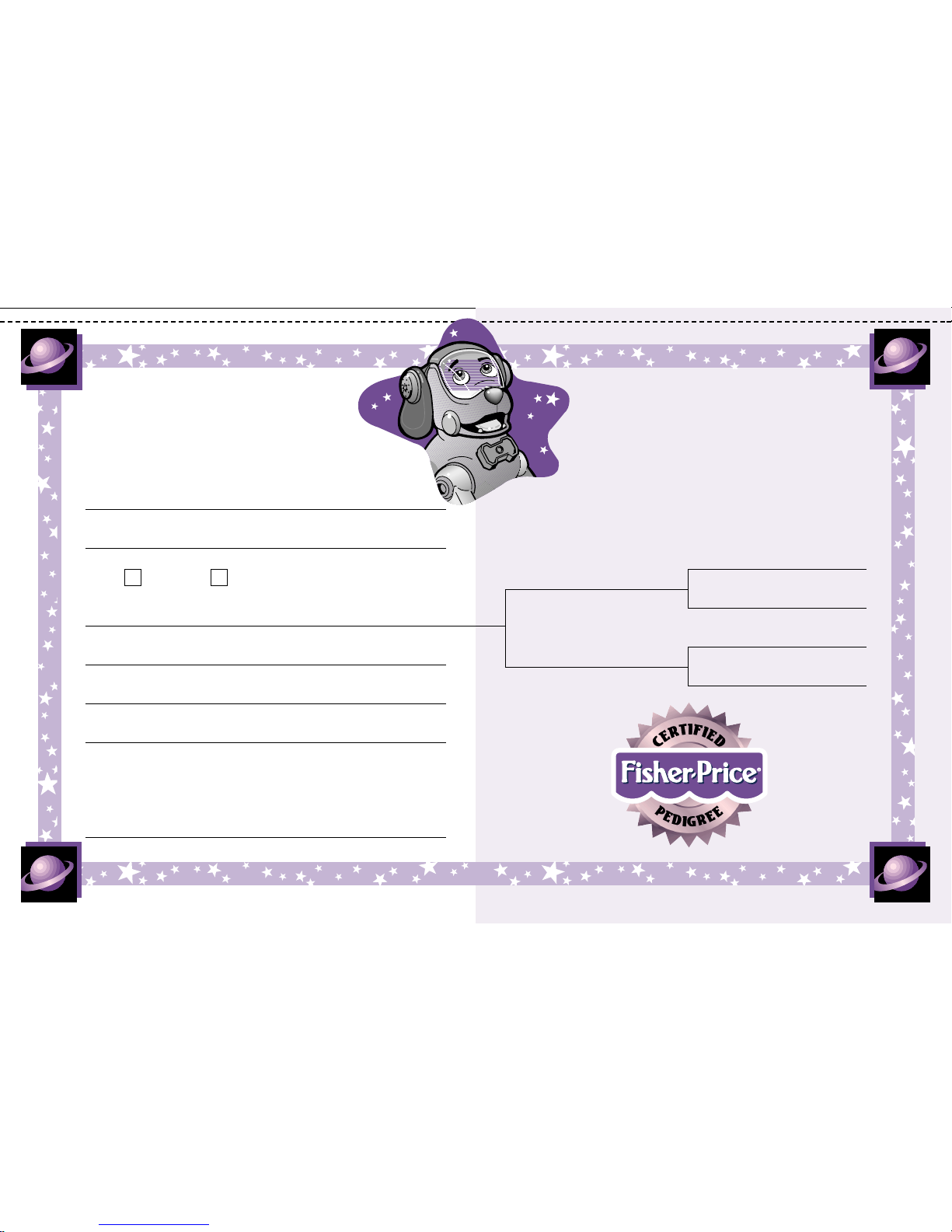
Certificate of Pedigree
Owner
Arrival Date
Male Female
Dog Name
Description of Homeland
I certify that this pedigree is true and correct
to the best of my knowledge and belief.
Signature
Parents
Grandparents
Certificate of Pedigree
✃
Page 32

30
Page 33
Certificate of Pedigree
Owner
Arrival Date
Male Female
Dog Name
Description of Homeland
I certify that this pedigree is true and correct
to the best of my knowledge and belief.
Signature
Parents
Grandparents
Certificate of Pedigree
✃
Page 34

32
Page 35

Into Your Home
Page 36

Come visit us at
www.fisher-price.com
Fisher-Price, Inc., a subsidiary of
Mattel, Inc. East Aurora, NY 14052 U.S.A.
©2000 Mattel, Inc. All Rights Reserved
® and ™ designate U.S. trademarks
of Mattel, Inc.
Questions? We’d like to hear from you.
Call: U.S. Toll Free 1-800 -432 KIDS
Canada 1-800-567-7724
Please save this manual for
future reference.
The dog is not intended for use outdoors.
Batteries must be installed by an adult.
Requires three“D”(LR20) and one 9 volt
(6LR61) alkaline batteries in the dog
for operation (all not included).
Requires three “AAA”(LR03)
alkaline batteries in the P.P.T. for
operation (not included).
For longest battery life, we recommend the
use of alkaline batteries in this toy.
You can expect approximately 6 hours
of power with each fresh set of “D” (LR20)
batteries (in the dog). We also recommend
the use of high capacity, rechargeable
“D”batteries in the dog. High capacity
“D”batteries can be purchased at most
electronics stores.
Tool required for battery installation:
Phillips Screwdriver (not included).
77806pr-0920
Printed in China
 Loading...