

Page 1
BHpinpointer(printer).qx6 4/8/14 2:55 PM Page 1
First Texas Products, L.L.C.
1-YR LIMITED
WARRANTY
This product is warranted against defects in
materials and workmanship under normal use
for one year from the date of purchase to the
original owner. Liability in all events is limited to
the purchase price paid. Liability under this
Warranty is limited to replacement or repair, at
our option, of the product returned, shipping cost
prepaid, to First T exas Products, L.L.C. Damage
due to neglect, accidental damage or misuse of
this product is not covered by the warranty.
According to FCC part 15.21 Changes or Modifications made to this
device not expressly approved by the party responsible for
compliance could void the users authority to operate this equipment.
Proof of purchase is required to make a claim under this warranty.
NOTE TO CUSTOMERS OUTSIDE THE U.S.A.
This warranty may vary in other countries; check with
your distributor for details.
Warranty does not cover shipping costs.
First Texas Products, L.L.C.
1465 Henry Brennan
El Paso, TX 79936
800-413-4131
MPP Rev.4 040814
OWNER’S
MANUAL
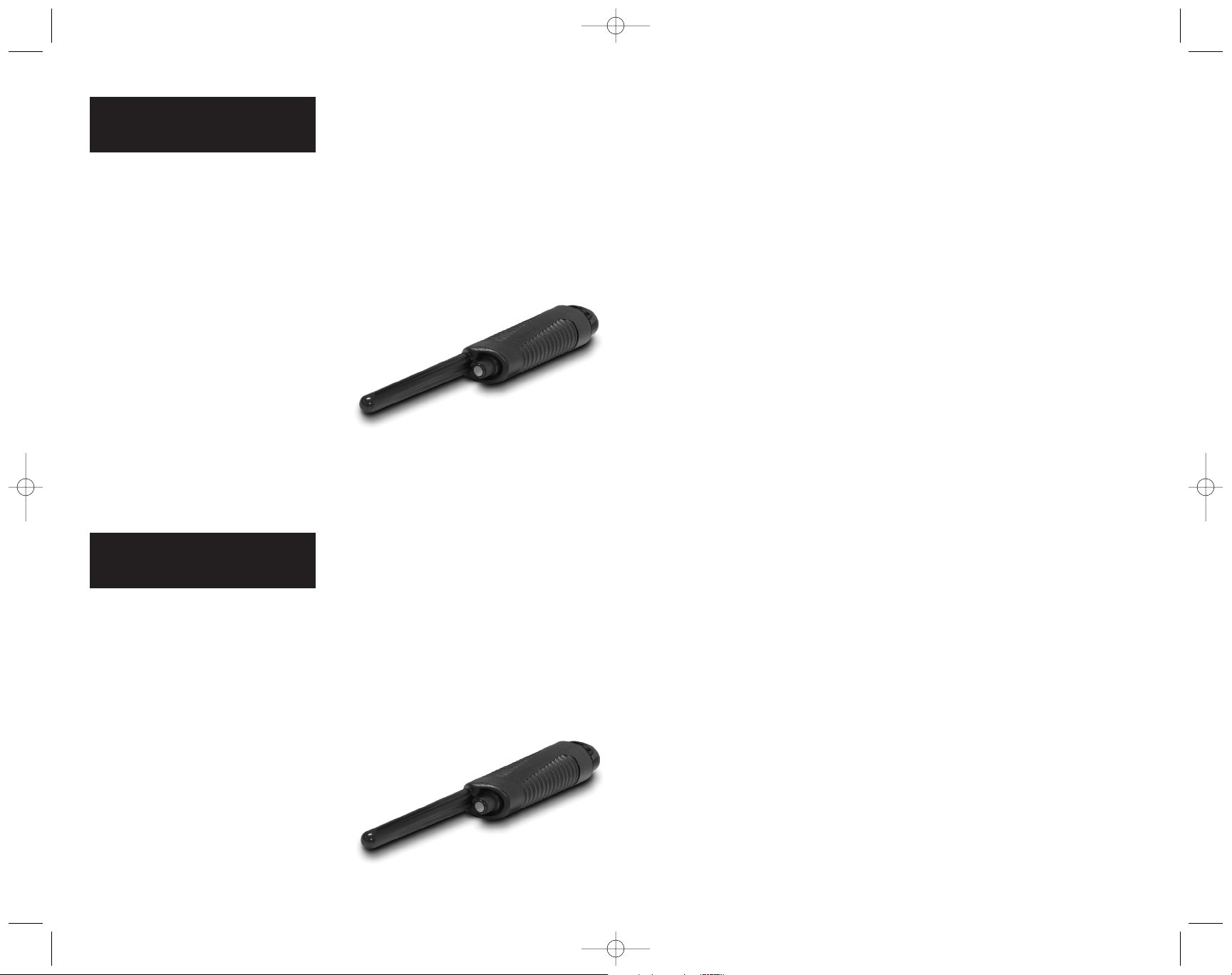
PINPOINTER
PinPointer
For Treasure Hunting
and unearthing small
objects
After identifying the presence of a
metal object in the ground with a
metal detector, pinpointing its exact
location, and separating it from the
earth, can be difficult and time
consuming.
With the PinPointer, retrieving
coins and other small metal objects
is easy.
Unearthing
Small Objects
A buried object, especially after
the passage of time, can be
indistinguishable from the soil it is
buried in. In addition, historical
objects will lose value if damaged in
the unearthing process.
It is therefore recommended to
use the PinPointer in a probing or
sifting process. The tip of the
PinPointer will detect a coin-sized
metal object approximately 3/4”
away from the tip of the probe. Probe
the tip of the PinPointer directly into
the ground; poke around directly on
the surface in different areas until the
internal buzzer activates. If the earth
is loose enough, lift handfuls of soil
out of the ground and probe in the
palm of your hand with the
PinPointer.
First Texas Products, L.L.C.
1-YR LIMITED
WARRANTY
This product is warranted against defects in
materials and workmanship under normal use
for one year from the date of purchase to the
original owner. Liability in all events is limited to
the purchase price paid. Liability under this
Warranty is limited to replacement or repair, at
our option, of the product returned, shipping cost
prepaid, to First T exas Products, L.L.C. Damage
due to neglect, accidental damage or misuse of
this product is not covered by the warranty.
According to FCC part 15.21 Changes or Modifications made to this
device not expressly approved by the party responsible for
compliance could void the users authority to operate this equipment.
Proof of purchase is required to make a claim under this warranty.
NOTE TO CUSTOMERS OUTSIDE THE U.S.A.
This warranty may vary in other countries;check with
your distributor for details.
Warranty does not cover shipping costs.
First Texas Products, L.L.C.
1465-H Henry Brennan
El Paso, TX 79936
800-413-4131
MPP Rev.4 040814
OWNER’S
MANUAL
PINPOINTER
PinPointer
For Treasure Hunting
and unearthing small
objects
After identifying the presence of a
metal object in the ground with a
metal detector, pinpointing its exact
location, and separating it from the
earth, can be difficult and time
consuming.
With the PinPointer, retrieving
coins and other small metal objects
is easy.
Unearthing
Small Objects
A buried object, especially after
the passage of time, can be
indistinguishable from the soil it is
buried in. In addition, historical
objects will lose value if damaged in
the unearthing process.
It is therefore recommended to
use the PinPointer in a probing or
sifting process. The tip of the
PinPointer will detect a coin-sized
metal object approximately 3/4”
away from the tip of the probe. Probe
the tip of the PinPointer directly into
the ground; poke around directly on
the surface in different areas until the
internal buzzer activates. If the earth
is loose enough, lift handfuls of soil
out of the ground and probe in the
palm of your hand with the
PinPointer.
Page 2
U
N
T
I
L
“
J
U
S
T
S
I
L
E
N
T
”
R
O
T
A
T
E
K
N
O
B
S
-
L
-
O
-
W
-
L
-
Y
“JUST
SILENT”
TOO FAR INTO
SILENT-ZONE
BUZZING
U
N
T
I
L
“
J
U
S
T
S
I
L
E
N
T
”
R
O
T
A
T
E
K
N
O
B
S
-
L
-
O
-
W
-
L
-
Y
“JUST
SILENT”
TOO FAR INTO
SILENT-ZONE
BUZZING
BHpinpointer(printer).qx6 4/8/14 2:55 PM Page 2
Operation
1.
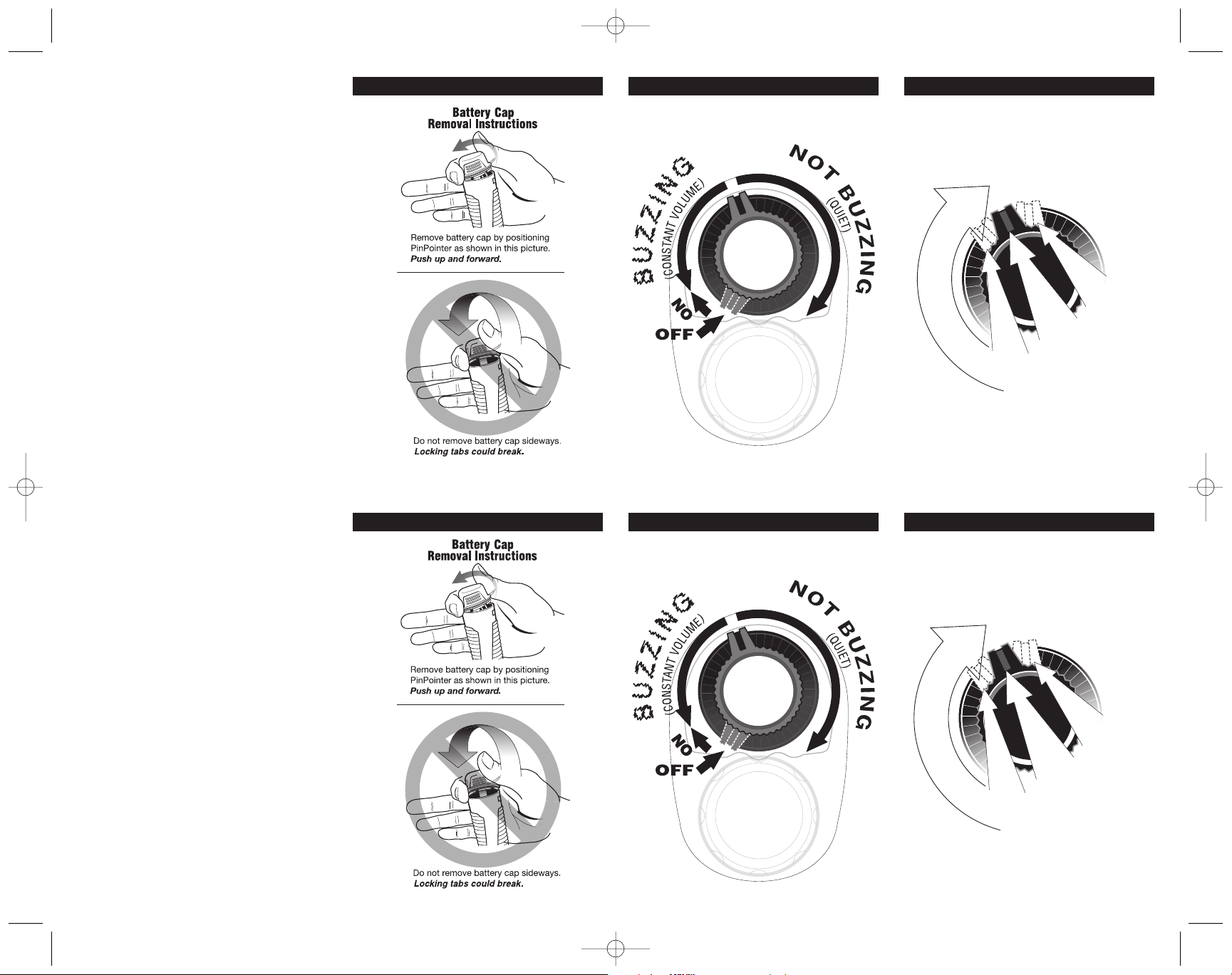
Install Battery (see Figure A)
2.
Click On by rotating the knob clockwise.
3. Battery Check
The PinPointer will buzz immediately,
indicating that the batteries are in good
condition.
If the buzzer does not sound after switching
on, replace the single 9-volt battery.
4. Set the Sensitivity
A.
Starting with the knob in a position where
the buzzer is making sound,
clockwise
is just silent.
B.You want to position the knob in the
most counterclockwise position at
which the buzzer is still silent.
threshold setting provides maximum
sensitivity.
to the point where the device
(Figure B)
(Figure C)
5. During use, periodically re-set the knob
for maximum sensitivity.
rotate knob
This
Figure A Figure B Figure C
Operation
1.
Install Battery (see Figure A)
2.
Click On by rotating the knob clockwise.
Figure A Figure B Figure C
3. Battery Check
The PinPointer will buzz immediately,
indicating that the batteries are in good
condition.
If the buzzer does not sound after switching
on, replace the single 9-volt battery.
4. Set the Sensitivity
A.
Starting with the knob in a position where
the buzzer is making sound,
clockwise
is just silent.
B.You want to position the knob in the
most counterclockwise position at
which the buzzer is still silent.
threshold setting provides maximum
sensitivity.
5. During use, periodically re-set the knob
for maximum sensitivity.
to the point where the device
(Figure B)
(Figure C)
rotate knob
This
 Loading...