

Page 1
Compliance Made Easy
Deafgard
Operating Guide
2019-03-13
Page 2

Compliance Made Easy
Keep this guide for future reference
Contents
Box contents Page 1
Getting started Page 2
Screen & keypad Page 2
Batteries Page 3
The lights - strobe and status Page 4
Setting the time Page 5
Fire alarm test Page 6
Using Deafgard Page 7
Alarm clock function Page 8
Self test Page 9
Sensitivity adjustment Page 10
Troubleshooting Page 11
Display messages Page 12
Manufacturer’s warranty Page 14
Page 3
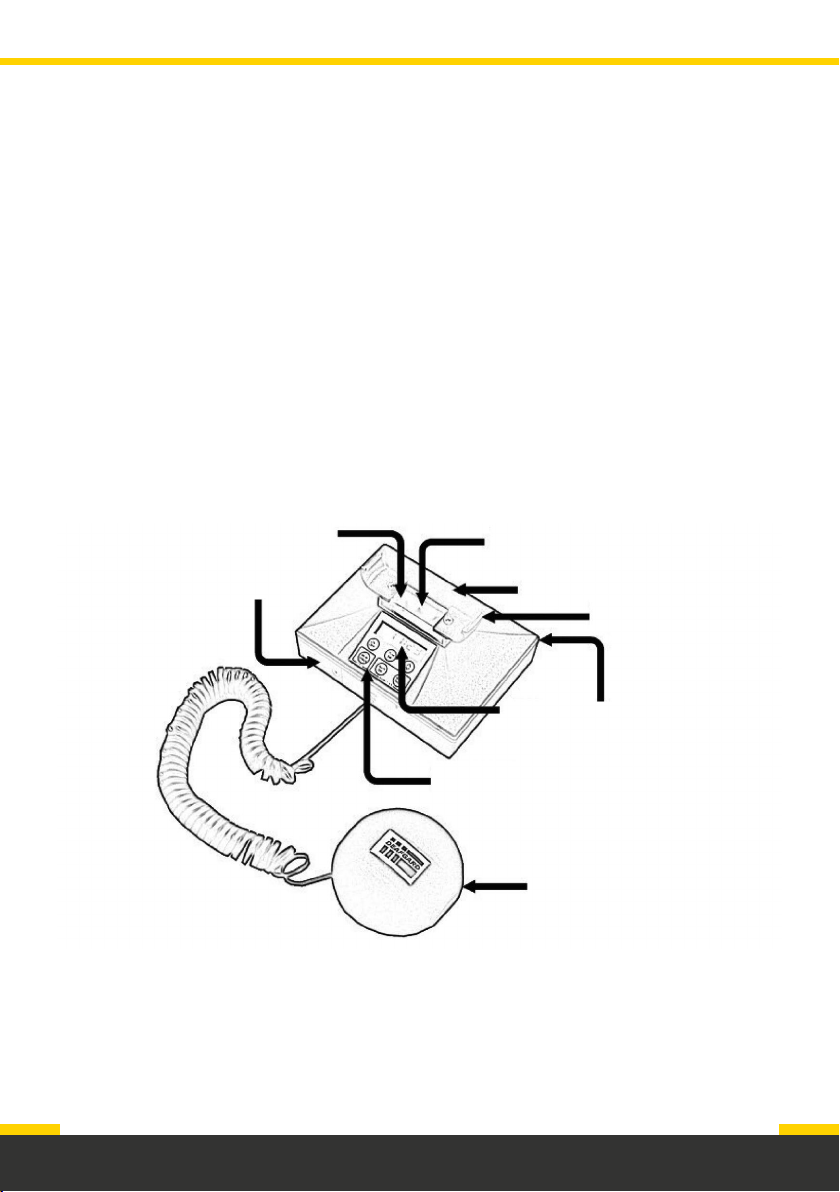
Deafgard is a portable device which alerts people in an emergency. Designed for
the deaf and hard of hearing, Deafgard has a vibration pad and flashing light which
wakes people up on the sound of the alarm.
The box should contain:
1. Deafgard, with pillow pad and connecting cable
2. A storage bag
3. Four ‘C’ size LR14 batteries
4. Deafgard window stickers
Strobe light
Battery cover
front
Status light
6 button
keypad
Base
Display
screen
Pillow pad
Pillow pad
cradle
Battery cover
on back
Page 1
Page 4
Getting started
There are two battery compartments on
the front and back of the unit.
1. Connect the pillow pad to the
Deafgard unit using the cable and then
place the pad in the cradle.
Screen & keypad
2. Unscrew the battery compartments
and insert the batteries.
3. Screw the battery compartments
closed.
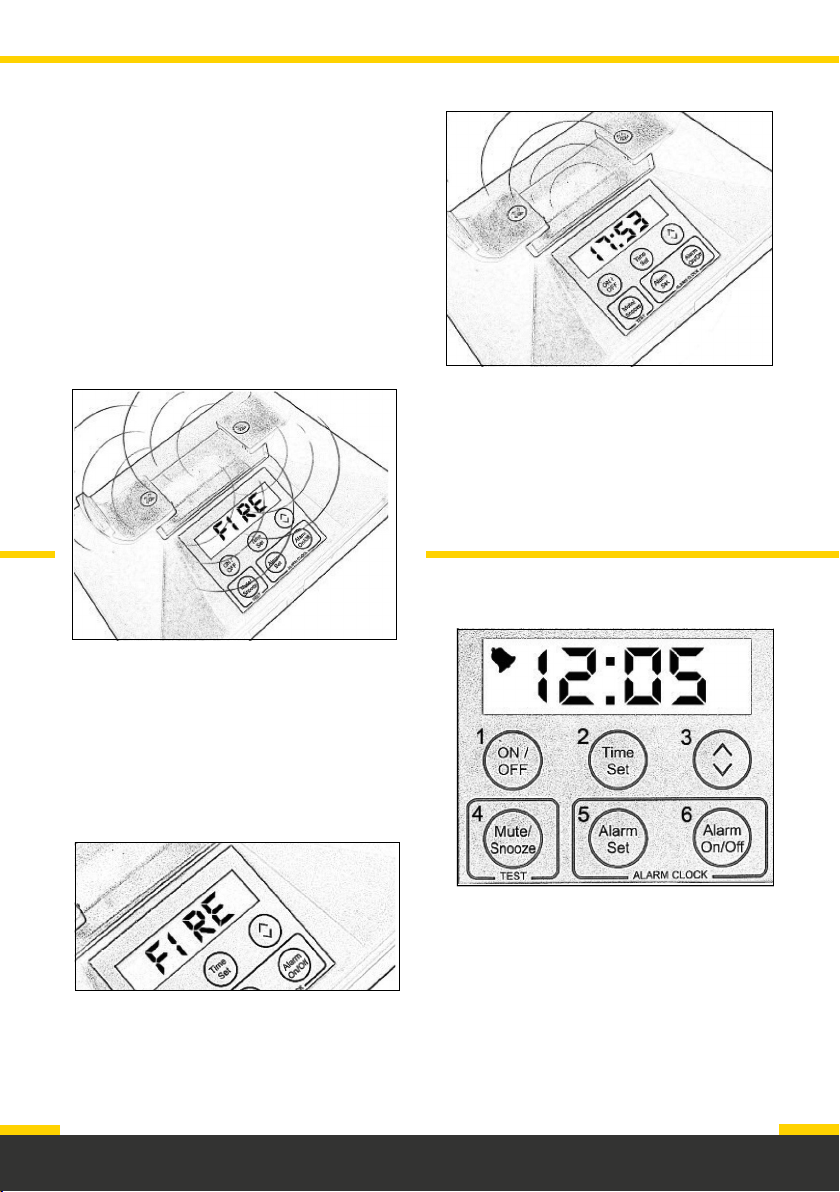
The screen will display: the time, alarm
settings, low battery, faults, error
messages and fire alarm conditions.
If the Deafgard unit is in a fire condition,
the screen will display “FIRE”.
Page 2
Page 5
Batteries
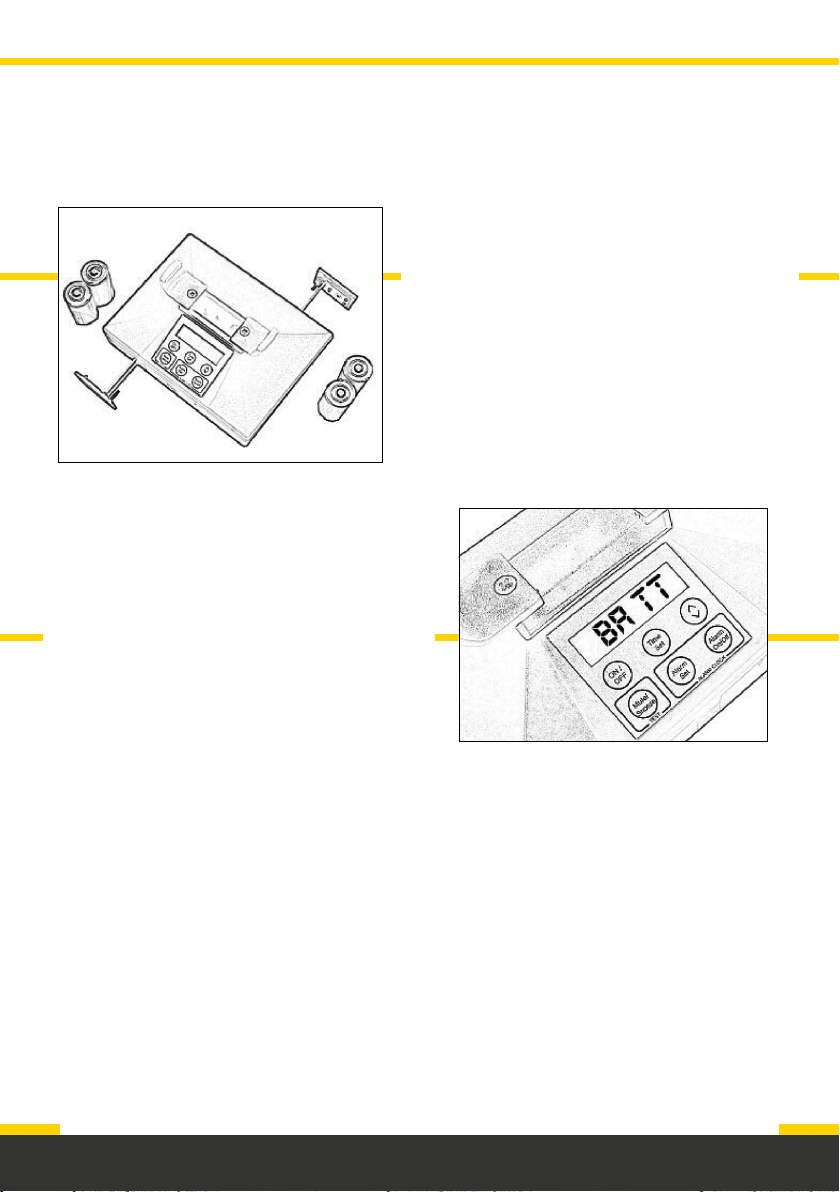
If the screen displays “BATT”, it means
there are approximately 7 days of battery
life. In this case, we recommend to change
the batteries immediately.
Only use alkaline batteries and do not
use re-chargeable batteries.
The batteries supplied should last at
least 12 months. Deafgard regularly checks
the battery life.
Page 3
Page 6
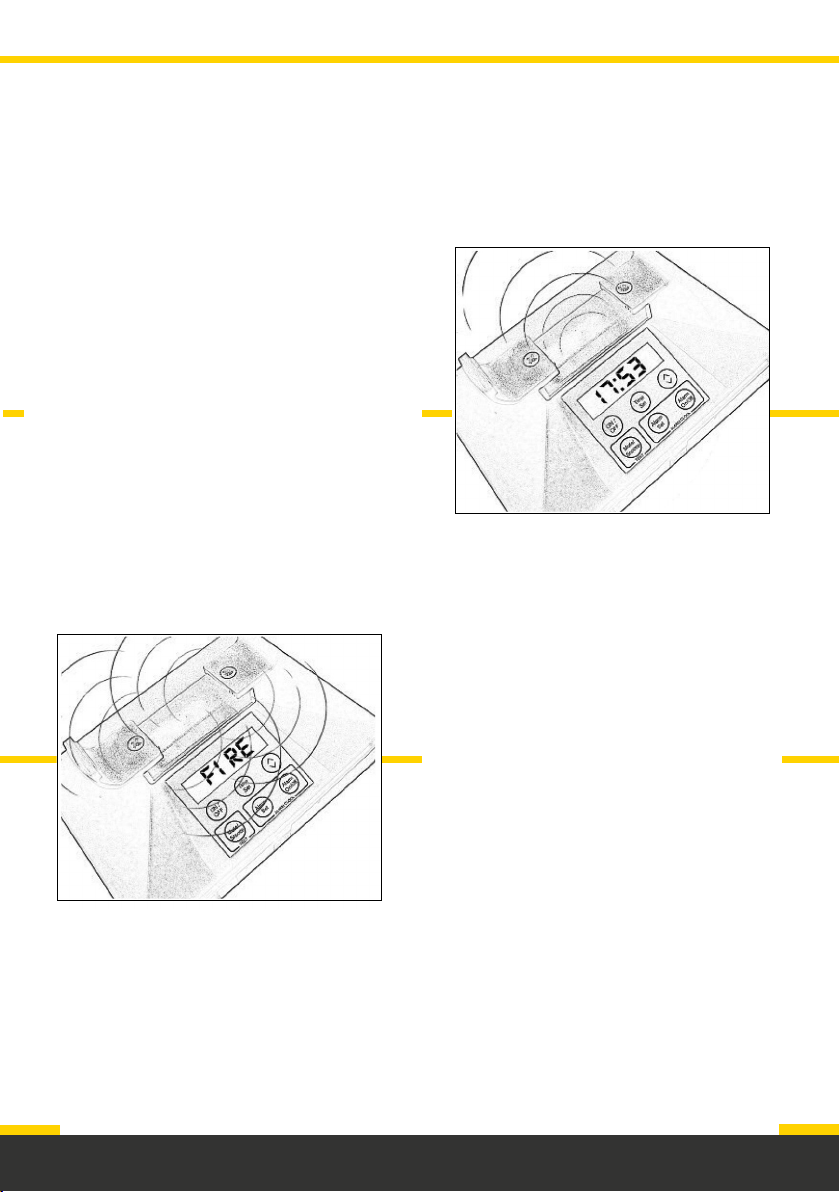
The lights - strobe and status
There are 3 lights on the Deafgard unit.
One status light in the centre which flashes
GREEN or RED, and 2 strobe lights on
each side which flash WHITE.
The strobe lights will flash when there is a
fire, or if there is a major fault.
The status light will flash according to the
status of the Deafgard unit.
Under normal conditions, when the
Deafgard is turned on the status light will
flash GREEN once every 16 seconds.
The status light will flash RED once
every 8 seconds if there is a minor fault.
If a major fault occurs the status light
will flash RED once every 4 seconds.
Page 4
Whilst in a fault condition, every 16
seconds the strobe lights will flash and
pillow pad will vibrate.
The status light will stay RED
throughout a fire alarm condition.
Page 7
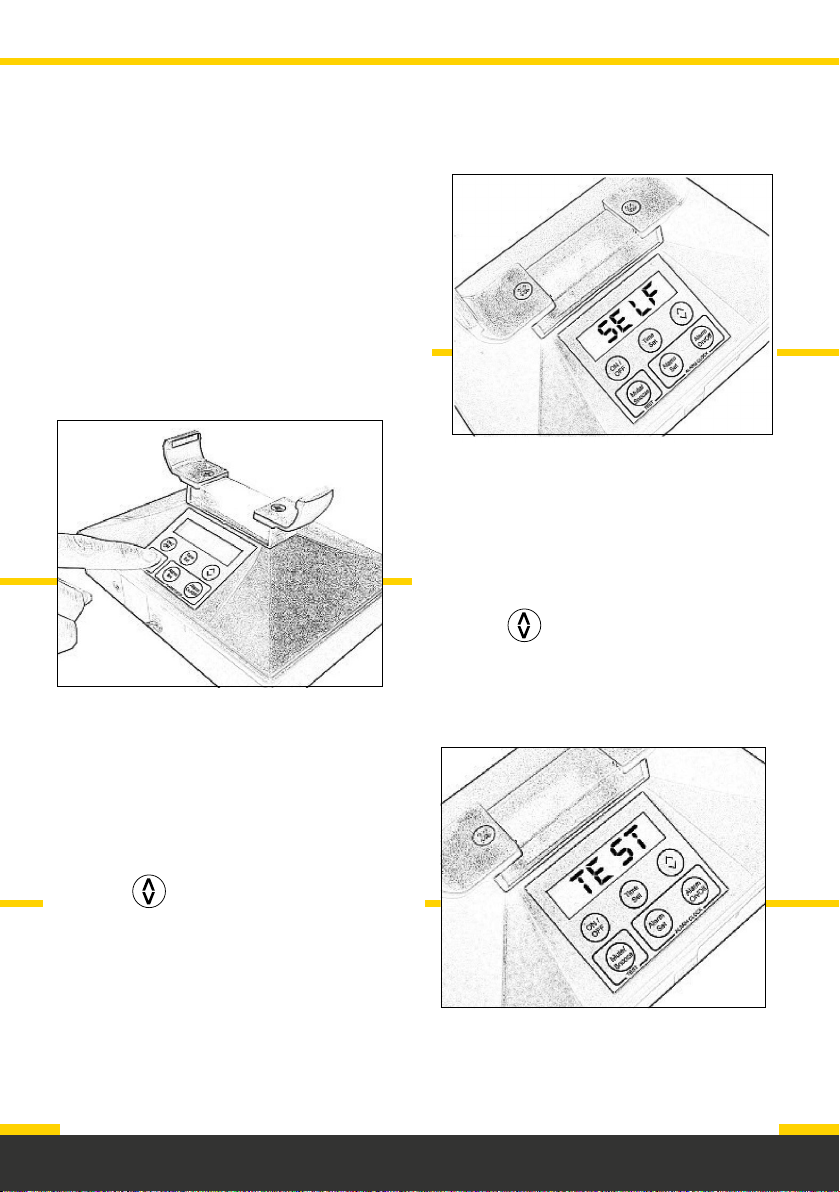
Setting the time
The time can be set with the pillow pad in
or out of the cradle, but the cable must be
connected to the base.
The time will need to be re-set whenever
batteries are replaced, or when daylight
saving time occurs.
To set the time:
a. Press TIME SET and hold it down until
only the hour numeral is shown.
b. Press to adjust the hour.
c. Press TIME SET and hold it down until
only the minute numeral is shown.
d. Press to adjust the minutes.
e. Press TIME SET to finalise the
changes.
Page 5
Page 8
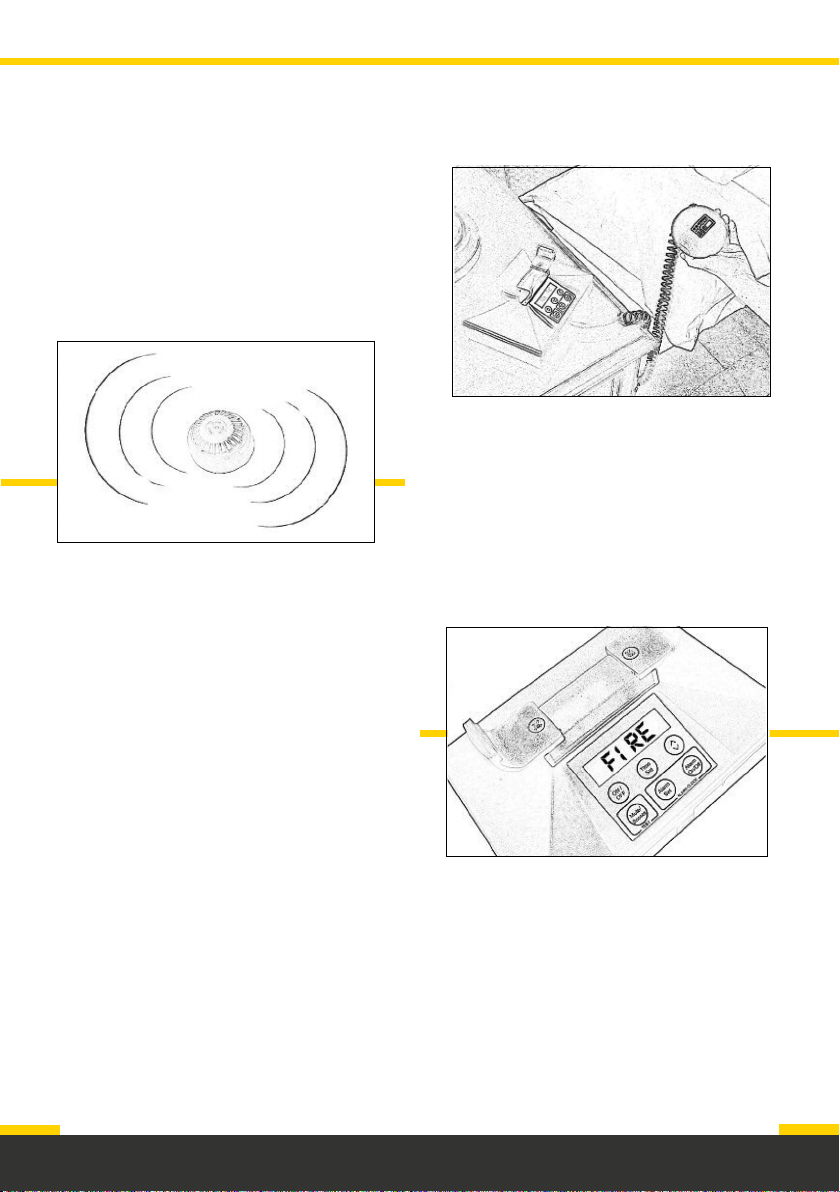
Fire alarm test
1. Place Deafgard where it is to be used,
for example on the bedside table.
Place the pillow pad under the pillow.
4. Deafgard will remain in a fire alarm
condition until the fire alarm stops.
5. If Deafgard does not respond to your
fire alarm, it may be that your alarm
is too quiet. Go to the maintenance
section for sensitivity adjustment
instructions or contact us on
+44 (0)1273 320650 for further
assistance.
2. Sound the fire alarm for a minimum
of 30 seconds.
3. Deafgard will activate within 20
seconds of hearing the fire alarm.
Page 6
Page 9
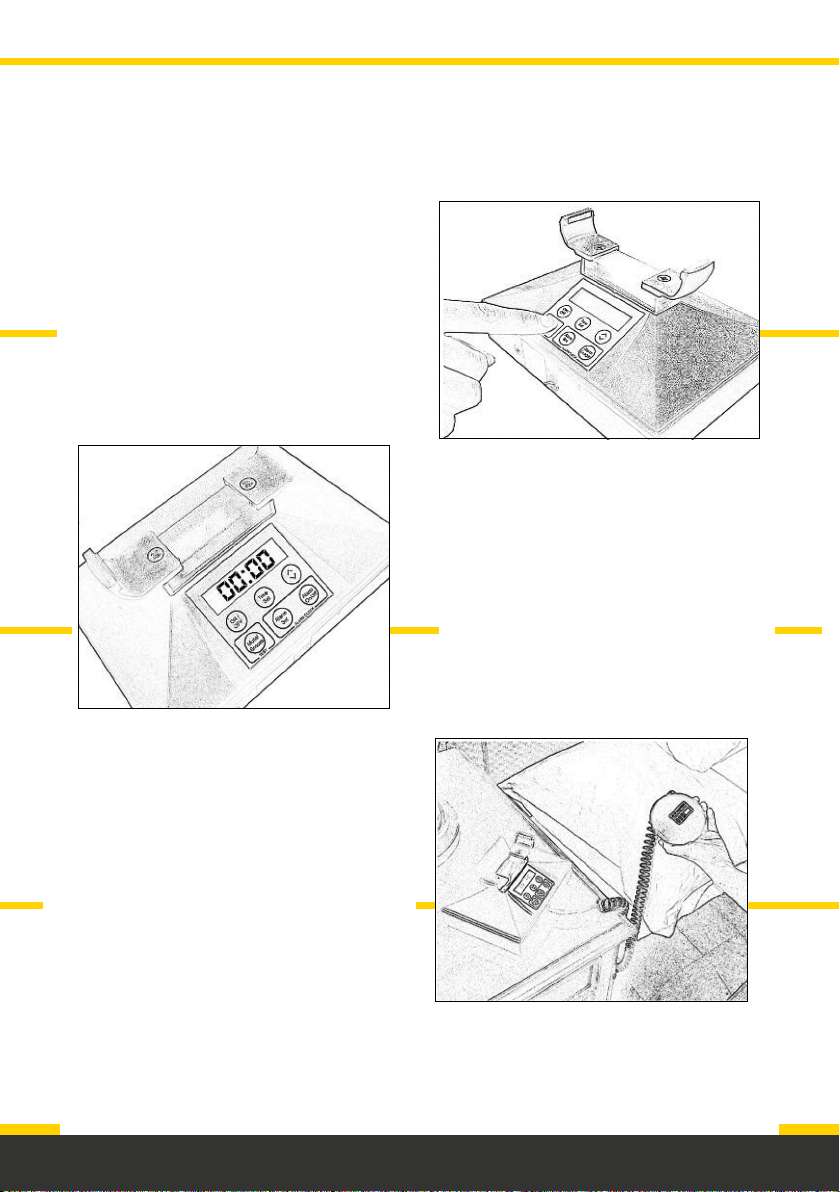
Using Deafgard
1. To turn the unit on, press ON/OFF.
2. The screen will show 00:00 when it is
first turned on or if the batteries have
been removed, otherwise the time will
be displayed.
3. The status light will flash GREEN
every 16 seconds to show the unit
is operational.
4. To turn the unit off hold ON/OFF
for 6 seconds, or until the display
is blank.
Note: Once turned off, Deafgard will
not respond to the fire alarm or work
as an alarm clock, and the status light
will no longer flash.
Page 7
Page 10
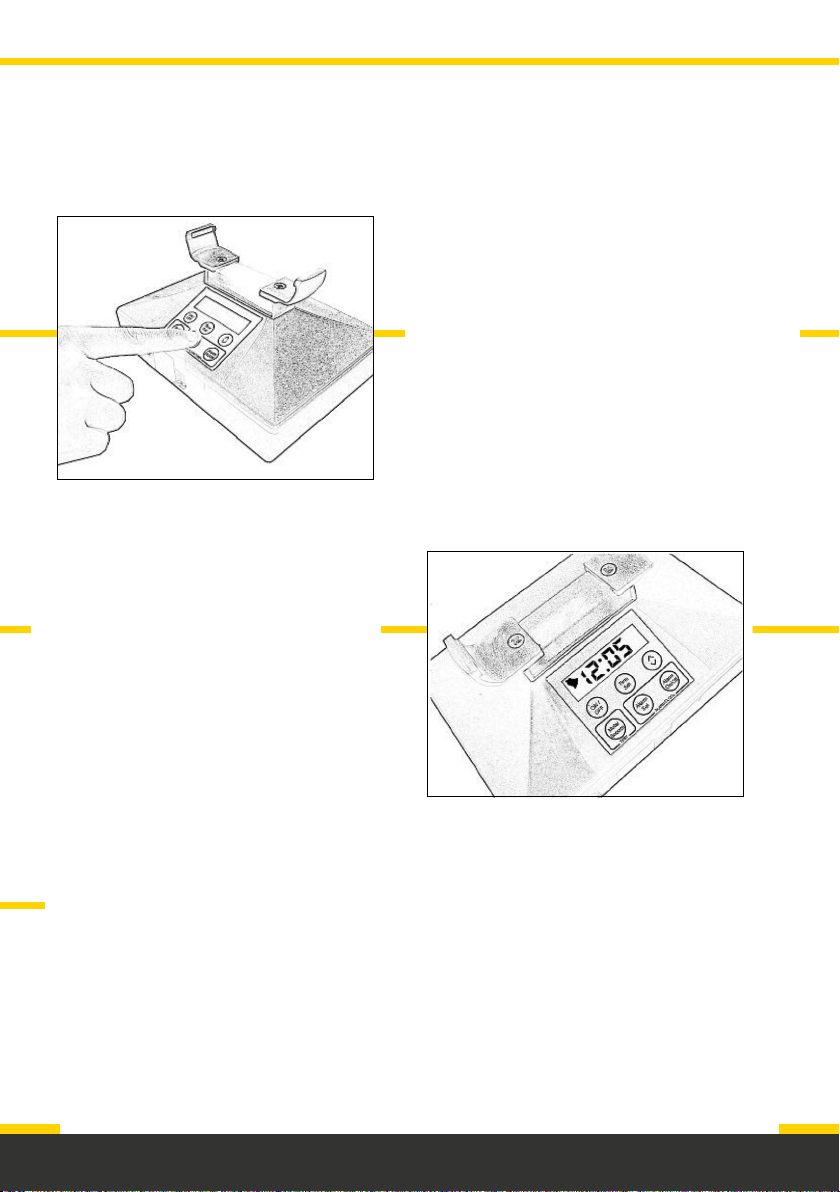
Alarm clock function
Note: Once set, the bell symbol will
be displayed on the screen to show
the alarm clock is set and on.
To turn the alarm clock on and off
press ALARM ON/OFF.
Deafgard can be used as an alarm clock
as well as a fire alarm.
When the alarm clock activates, the
pillow pad will vibrate constantly and the
screen will light up.
To set the alarm: Press ALARM SET
and hold it down until only the hour
numeral is showing on the screen.
By doing this again you can also set
the minutes.
By pressing MUTE/SNOOZE; the alarm
will snooze for 8 minutes on first press,
4 minutes on second and 2 minutes
on third.
Page 8
Page 11
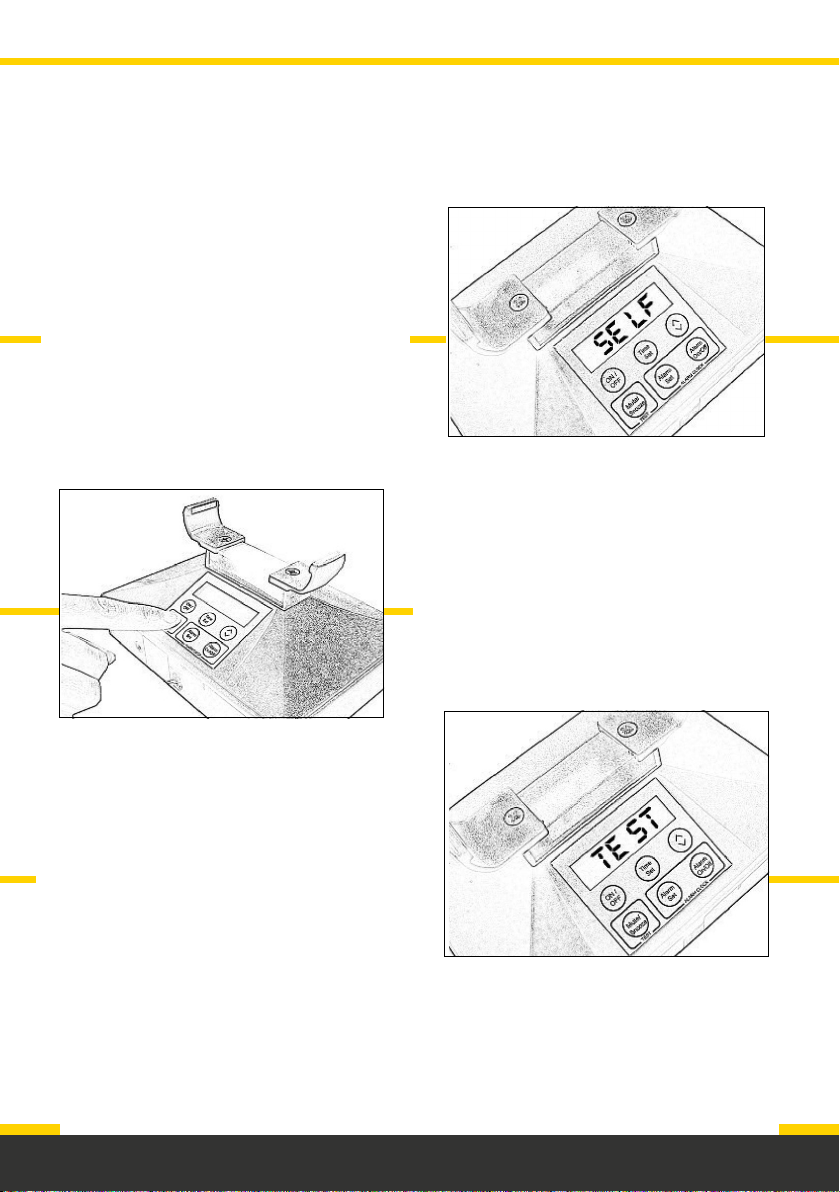
Self test
The Deafgard unit will perform a self test
every time batteries are inserted and then
every 7 days after that. During the self
test, the screen will display ‘SELF’ and the
hardware of the unit will be checked.
If the Deafgard detects that there is a
fault it will: sound a warning tone, the
pillow pad will vibrate, the status light will
flash RED and the screen will display an
error message.
To manually launch a self test, you can
press and hold the MUTE/SNOOZE for
3 seconds.
Note: We recommend a self test
is carried out regularly.
Page 9
Page 12

Sensitivity adjustment
If you need to make a sensitivity
adjustment use a narrow electrical
flat-headed screwdriver.
Note: The adjustment screw is limited
in both directions. Once you can
feel resistance stop turning to avoid
damage to the unit.
How to carry out a sensitivity
adjustment:
1. Carefully insert the screwdriver into
the hole on the back of the unit.
2. Turn clockwise no more than
5 degrees (a small adjustment is
equivalent to a large alteration in
sensitivity).
3. Carry out a fire alarm test.
(See page 5)
Note: Do not over-adjust the
sensitivity as this may stop the unit
from responding to the alarm correctly.
If the Deafgard is too sensitive to sound,
you can follow the same steps, but turn
the screwdriver anti-clockwise.
Do not over-adjust the sensitivity as
this may stop the unit from responding
to the alarm correctly.
Note: Deafgard is factory set to be
triggered by a fire alarm at a sound level
of 75 decibels, which is recommended
in Fire Safety Legislation
(BS5839-1:2017).
Deafgard can be adjusted to respond to
alarms as quiet as 70 decibels.
Only adjust sensitivity as a last resort
if the unit is not working correctly.
Page 10
Page 13
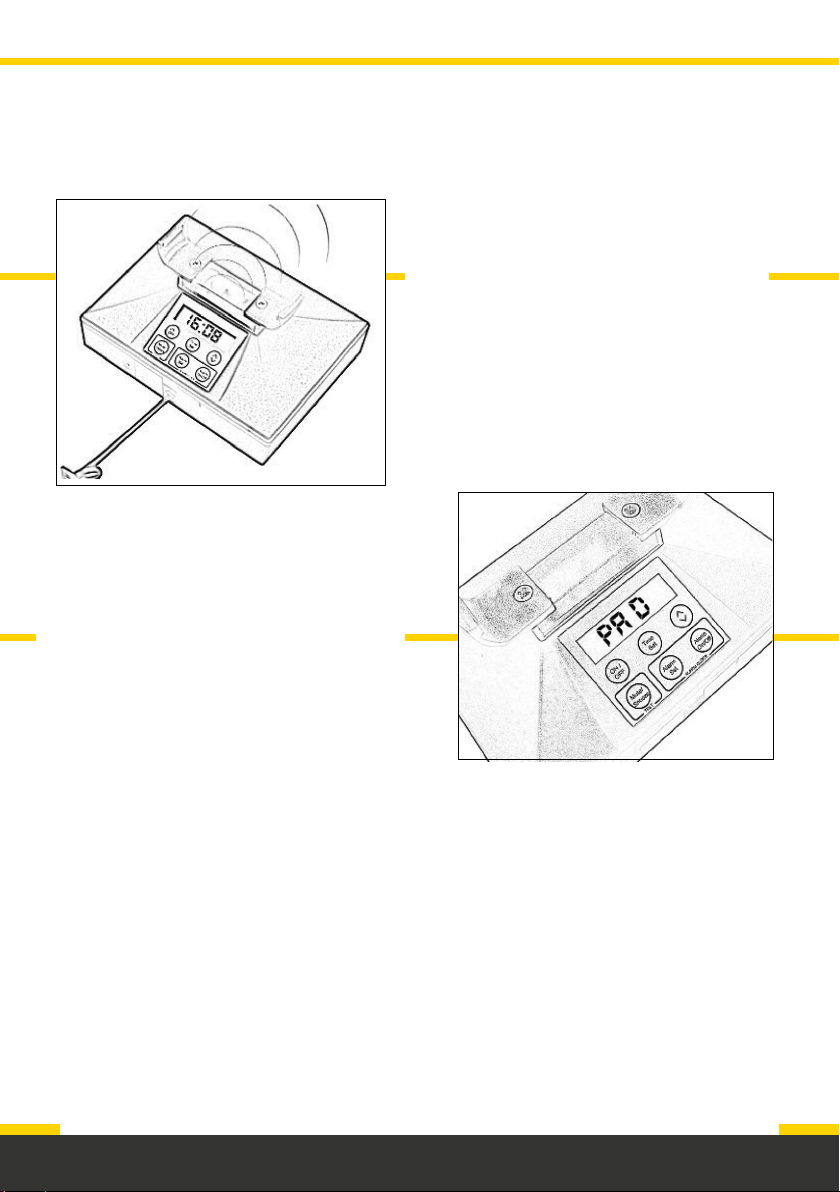
Troubleshooting
2. Why doesn’t the pillow pad
vibrate?
• Check the power is on.
• Check all 4 batteries.
• Check that the cable for the
pillow pad is connected securely
to the Deafgard unit.
• The pillow pad will not vibrate
whilst in the cradle.
1. Why does Deafgard not respond to
the fire alarm?
• Check the fire alarm is louder than
75 decibels.
• Check all 4 batteries.
• Ensure the fire alarm is sounding for
at least 30 seconds.
• Adjust the sensitivity of the Deafgard
unit if it is not responding to a fire
alarm.
3. Why don’t the strobe lights flash?
• Check the power is on.
• Check all 4 batteries.
• Check that the cable for the pillow
pad is connected securely to the
Deafgard unit.
If you need further assistance,
please call our customer service
team on +44 (0)1273 320650.
4. Why is the screen not displaying
anything?
• Check the power is on.
• Check all 4 batteries.
Page 11
Page 14

Display messages
ER01 – PAD, ER08 – Flash error, ER10 – Comms error
Resolution:
a. Remove the pillow pad from the cradle.
b. Remove all 4 batteries from the unit.
c. After 20 seconds re-insert the batteries.
d. Perform a self test by pressing MUTE/SNOOZE.
ER02 – Motor jam
Resolution: Remove the pillow pad from the cradle and hold down MUTE/SNOOZE
until ‘TEST’ is shown in the screen. During the test:
a. ‘TEST’ should be shown on the screen.
b. Both strobes should be flashing.
c. There should be a continuous bleep.
d. The status light should flash GREEN once every 15 seconds.
e. The pillow pad should vibrate.
After 10 seconds, the test should stop and:
a. The screen should show the time.
b. Both strobes should stop.
c. The bleeping should stop.
d. The status light should flash GREEN once every 15 seconds.
Page 12
Page 15

ER04 – Audio error
Resolution:
a. Disconnect the pillow pad cable from the Deafgard unit.
b. Remove the 4 batteries from the unit and wait 20 seconds.
c. Re-connect the pillow pad cable.
d. Re-insert the 4 batteries.
e. Carry out a self test by pressing the “MUTE/SNOOZE” button.
ER20 – Battery pack flat
This may be shown on the screen as ‘ER20’ or ‘BATT’. Whenever the Deafgard
performs a self test routine (every 7 days or on demand) the battery pack voltages
are checked. If the batteries voltage drops to or below 1.87 volts, it is deemed to be
flat, and an error message will be shown on the screen.
Resolution: Replace all 4 batteries with new “C” size batteries.
If you need further assistance, please contact our customer service team
on +44 (0)1273 320650.
Page 13
Page 16

Manufacturer’s warranty
Fireco Limited (“we” and “us”) warrants to the customer (“you” and “your”) that the
product will be free from defects in material and workmanship for a period of 24
months from the date of purchase. If the product is defective whilst under warranty
we will, at our option, repair the product or replace it free of charge.
If the product appears to develop a defect while under warranty please first check
that the product is being correctly used in accordance with this operating guide and
that the batteries are functioning. If this does not resolve the problem please contact
us in writing at the e-mail address shown below or telephone the technical advice
line.
The warranty does not apply to any defect in the product arising from fair wear
and tear, wilful damage, accident, negligence by you or any third party, abnormal
working conditions, failure to follow the instructions in this guide, misuse or alteration
or repair of the product without our prior approval. The warranty does not cover
batteries, which may need to be replaced within the period of the warranty. We will
not be liable to you for any loss of profits, administrative inconvenience or indirect or
consequential loss or damage arising out of any defect in the product.
Where the products are sold under a consumer transaction (as defined by the
Consumer Transactions (Restrictions on Statements) Order 1976) your statutory
rights are not affected by the terms of this warranty.
Page 14
For further assistance contact customer services on:
+44 (0)1273 320650
support@fireco.uk
 Loading...