

Page 1
the world’s smallest
Laptop Charger
User Guide
65W USB-C Charger with 2.1A
USB-A Rapid Charge
Model Number: DCA65US
Page 2

2
INDEX
Introduction ................................................... 3
Safety Information................................ ...........3
Package Contents ....................................... 5
Charging Your Laptop ..................................... 6
Troubleshooting and Support ....................... 9
Product Registration and Warranty ........... 10
Technical Specifications .................................12
Legal Notices ................................................ 13
Page 3

3
Introduction
Thank you for purchasing a FINsix DART-C laptop charger. You can
now bid farewell to the days of anchoring your laptop to a big
brick, and enjoy the world’s smallest and lightest charger.
Your FINsix DART-C charger has an innovative design that uses the
highest quality components to ensure maximum safety and
efficiency.
The DART-C charger includes a DART and a DART USB-C cable, and
is designed to be compliant with the USB Type-C specifications
and as such is capable of supplying 5V at 3A, 9V at 3A, 12V at 3A,
15V at 3A and 20V at 3.25A
The DART USB-C cable has the added convenience of a built-in
fast charge 2.1A USB-A port. You can use this USB-A port to
charge popular USB-A devices like cell phones, tablets, MP3
players, headphones, etc.
Important: Safety Information
To ensure your safety and the continued operation of your DART-C,
please:
Page 4

4
•
Do not expose your DART-C to rain, liquids, or moisture. It
may cause a shock hazard.
•
Only use in well-ventilated areas. The maximum ambient
temperature must not exceed 105˚ F (40˚ C).
•
Do not open the DART-C casing for any reason. Doing so will
void the warranty.
•
Avoid dropping, throwing, smashing, or putting anything on
top of the DART-C.
•
Avoid pulling on the cords and cables. Always grip the DART’s
enclosure firmly when unplugging from the power source.
Never force a power tip into a laptop/device.
•
Avoid electrical hazards. Be sure to unplug the DART from its
external power source before attaching the power tip.
•
Ensure socket/outlet is near and easily accessible to the
DART-C.
WARNING: Using the wrong power tip may damage your laptop.
Stop using the DART-C and contact support at
www.FINsix.com/support if:
•
The DART or the DART-C cable show signs of damage or
deformation.
Page 5
5
•
The DART-C shuts down when it is plugged into the
laptop/device (LED changes from On to Off).
•
The DART-C gets too hot to touch.
Package Contents
•
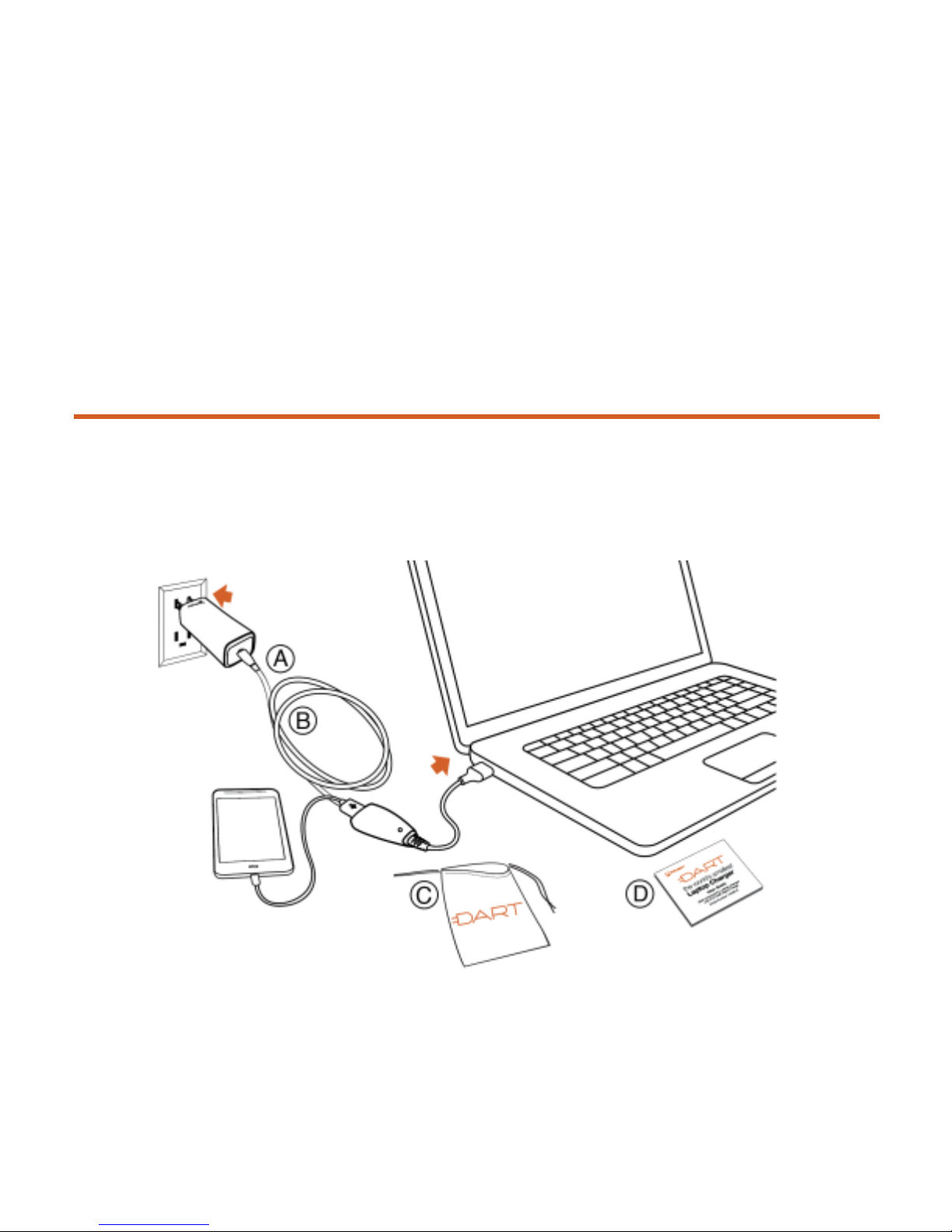
(A) DART laptop charger • (C) Travel pouch
•
(B) Removable 6-ft. USB-C cable • (D) Safety Notice
with inline 2.1A USB-A port
Page 6
6
Charging Your Laptop
It is important that you use the DART-C charger with devices that
are compatible with voltage and current shown in the “Technical
Specifications” section and are compliant with the USB Type-CTM
specifications.
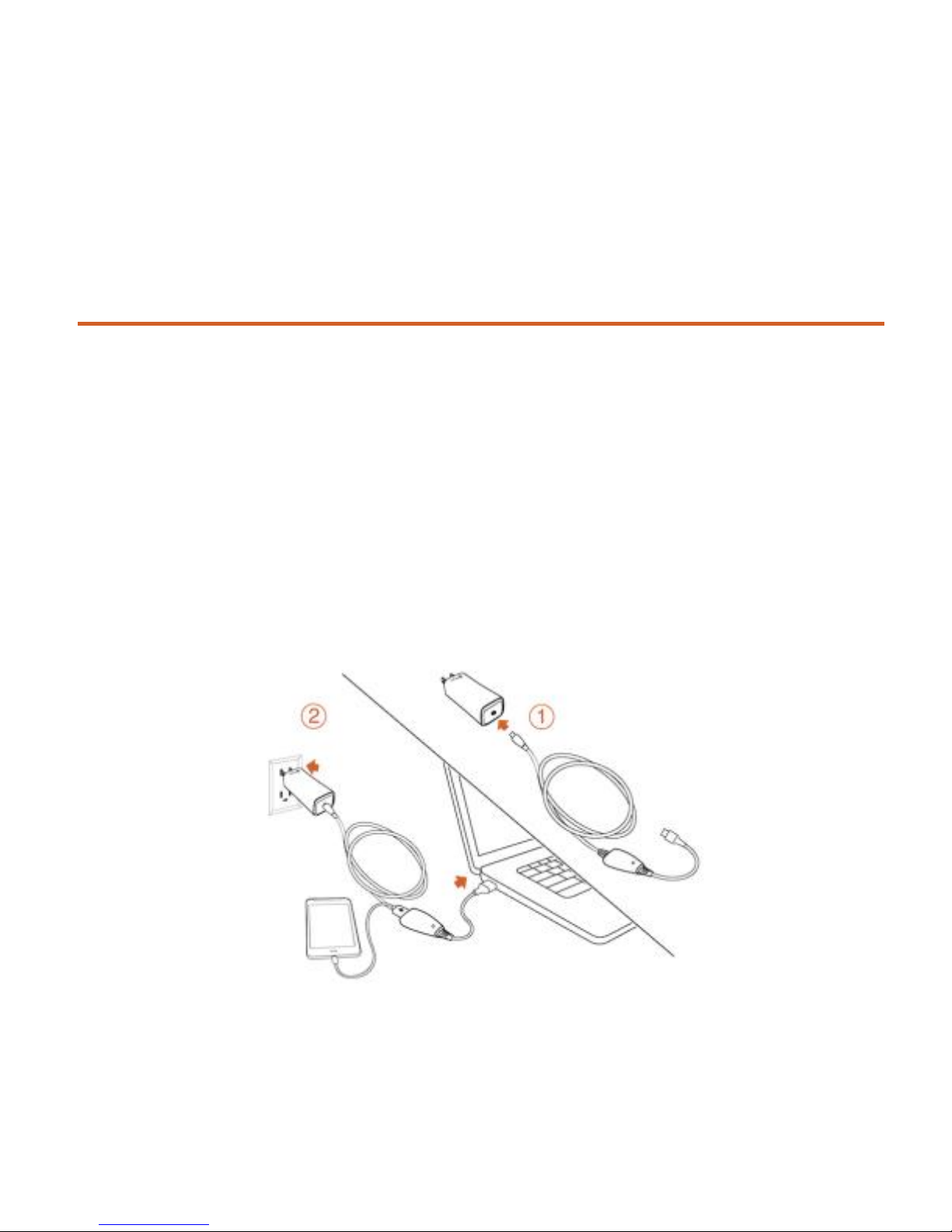
The DART-C comes with a 2.1A USB charger built into its 6-ft. cable.
The orange LED on the USB port will be ON when the DART is
correctly plugged into an AC outlet/socket and is ready to charge.
Page 7

7
1.
Attach non-USB-C end of the cable to the DART properly.
2.
Plug USB-C end of the cable to your laptop power slot and plug
the DART into the socket/outlet.
CONGRATULATIONS! You are now charging your device with the
world’s smallest and most advanced laptop charger.
Troubleshooting & Support
If your device is not charging or operating properly, take the
following steps:
1.
Verify selected outlet/socket is functioning properly.
2.
Verify the orange LED on the DART-C’s cable is lit (On).
3.
Try charging a USB-A device using the USB-A port on the DARTC cable to verify that the DART is functioning correctly.
4.
Disconnect and reconnect the DART-C. Check that all
connections are secure.
5.
Verify the laptop is functioning correctly by using another
compatible charger.
6.
If you are still experiencing problems, contact us at:
FINsix.com/support.
Page 8

8
Warranty
FINsix Limited Warranty
FINsix warrants the DART-C Laptop Charger against defects in
materials and workmanship under normal use, as described in this
User Guide, for a period of TWO (2) years from the date of original
purchase, If a defect arises during the Warranty Period, FINsix at its
option and to the extent permitted by law will (1) repair the product
at no charge, or (2) exchange the product with a functionally
equivalent product that is new or refurbished, or (3) refund the
original purchase price. This warranty excludes any damage to the
DART-C Laptop Charger that results from normal wear and tear,
abuse, accident, misuse, natural disaster, insufficient or excessive
electrical supply, abnormal mechanical or environmental
conditions, or any disassembly, repair or modification. This limited
warranty shall not apply if: (i) the product was not used in accordance
with the User Guide, or (ii) The DART-C was not used for its
intended function. This limited warranty does not apply to any
Page 9

10
DART-C Laptop Charger that results from normal wear and tear,
abuse, accident, misuse, natural disaster, insufficient or excessive
electrical supply, abnormal mechanical or environmental
conditions, or any disassembly, repair or modification. This limited
warranty shall not apply if: (i) the product was not used in accordance
with the User Guide, or (ii) The DART-C was not used for its intended
function. This limited warranty also does not apply to any DART-C
on which the original identification information has been altered,
obliterated or removed, or that has not been handled or packaged
correctly. This warranty is available only to the original purchaser of
the product and is not transferable. This warranty excludes any
DART-C Charger that is found to be counterfeit. Unless otherwise
agreed to by FINsix through its Customer Service Representative,
you will be responsible for all costs, and risk of loss, shipping the
DART-C to FINsix in connection with obtaining warranty service.
TO THE EXTENT PERMITTED BY APPLICABLE LAW FINSIX IS NOT
LIABLE FOR ANY DIRECT, INDIRECT, INCIDENTAL, PUNITIVE OR
CONSEQUENTIAL DAMAGES ARISING OUT OF THE USE OR SERVICE OF
THE PRODUCT. THE WARRANTY AND REMEDIES DESCRIBED ABOVE
ARE EXCLUSIVE AND IN LIEU OF ALL OTHER WARRANTIES, REMEDIES
Page 10

11
AND CONDITIONS, WHETHER ORAL, WRITTEN, EXPRESS, STATUTORY
OR IMPLIED. TO THE EXTENT PERMITTED BY APPLICABLE LAW FINSIX
DISCLAIMS ALL IMPLIED AND STATUTORY WARRANTIES, INCLUDING
WARRANTIES OF MERCHANTABILITY AND FITNESS FOR A PARTICULAR
PURPOSE. IF IMPLIED WARRANTIES CANNOT BE DISCLAIMED,
THEN SUCH WARRANTIES ARE LIMITED TO THE DURATION OF THIS
WARRANTY.
Any recovery is limited to the original purchase price. No other
person is authorized to modify this limited warranty, and your seller
is solely responsible for any other warranties. Some states do not
allow limitations on how long an implied warranty lasts, or allow
exclusion or limitation of incidental or consequential damages, so
the above limitations or exclusions may not apply to you. This
warranty gives you specific legal rights, and you may also have
other rights, which vary from state to state.
How to get warranty service.
Contact FINsix customer support at
www.FINsix.com/support
within 15 days of the problem giving rise
to your claim and follow the instructions for making a warranty claim.
You will need to provide the following information: (a) the model
number and serial number (located between the DART-C’s prongs).
Page 11

12
(b) when and where you purchased the product; (c) an electronic copy
of original receipt; and (d) a daytime phone number at which FINsix
can contact you. Your FINsix Customer Service Representative will
then contact you to obtain details about the problem with your
DART-C and provide you with instructions on how to proceed with
your claim.
Page 12
13
Technical Specifications
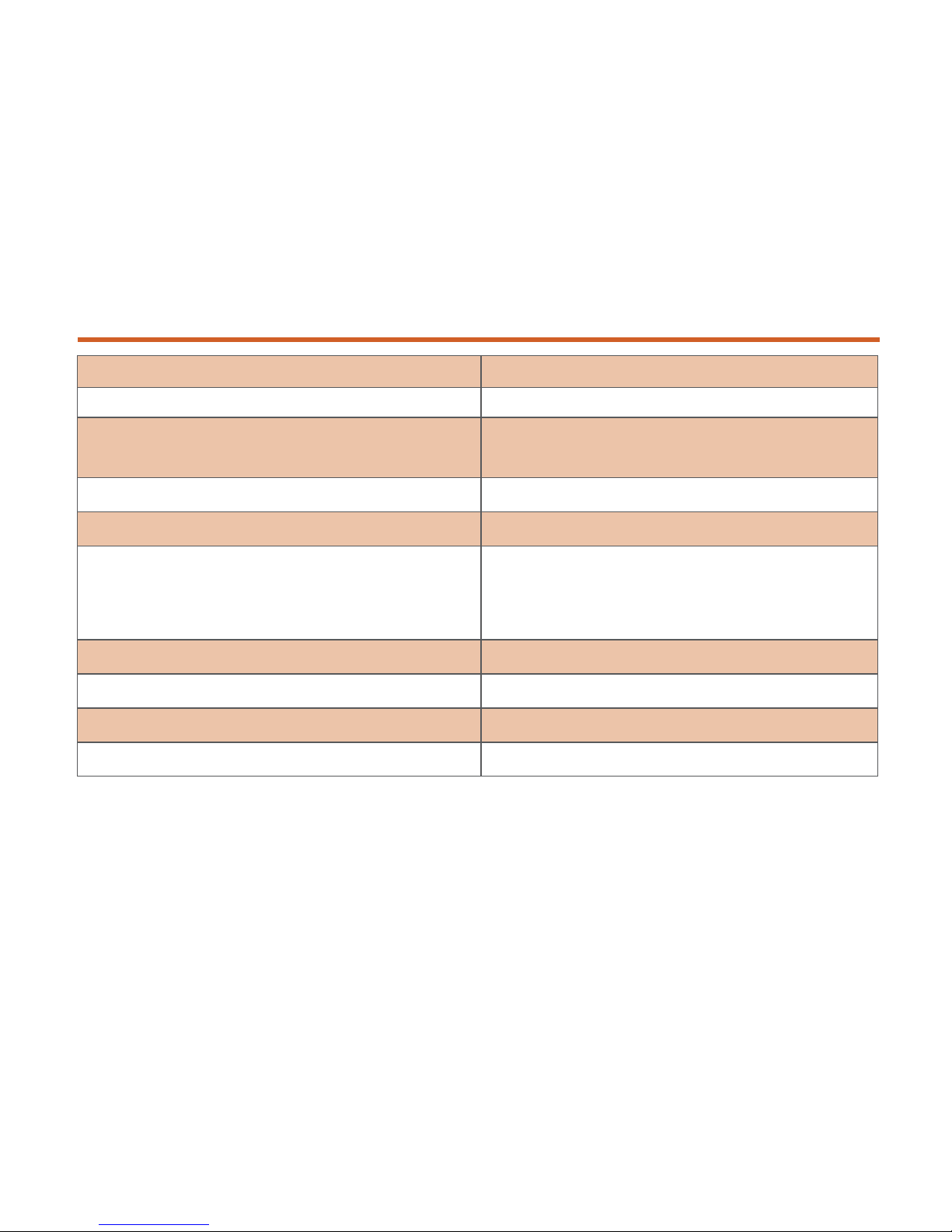
Specification:
Values:
Input
100 – 240VAC; 50-60Hz, 1.5A
Output:
5V at 3A, 9V at 3A, 12V at 3A,
15V at 3A, 20V at 3.25A
Output Power:
65W
USB-A Output Voltage:
5.0V, 2.1A
Unit Dimensions: (DART-C has
sloping design; Top = cable slot;
Bottom = AC power)
L: 70mm
W: 30mm
D: 24.5mm
Weight:
85g
Storage Temperature:
-40⁰ C to 85⁰ C
Operating Temperature:
0⁰ C to 40⁰ C
Operating Relative Humidity:
up to 85%
Page 13

14
Legal Notices
FCC Regulatory Compliance:
This device complies with Part 15 of the
FCC Rules. Operation is subject to the following two conditions: (1)
This device may not cause harmful interference, and (2) This
device must accept any interference received, including
interference that may cause undesired operation.
FCC Statement: Tested to Comply
This equipment has been tested and found to comply with the limits
of a Class B digital device, pursuant to Part 15 of the FCC Rules. These
limits are designed to provide reasonable protection against harmful
interference in a residential installation. This equipment generates,
uses, and can radiate radio frequency energy and if not installed
and used in accordance with the instructions, may cause
harmful interference to radio communications. However, there
is no guarantee that interference will not occur in a particular
installation. If this equipment does cause harmful interference to
radio or television reception, which can be determined by turning
the equipment off and on, the user is encouraged to try to correct
the interference by one or more of the following measures:
•
Reorient or relocate the receiving antenna;
Page 14

15
•
Increase the separation between the equipment and receiver;
•
Connect the equipment into an outlet on a circuit
different from that to which the receiver is connected;
•
Consult the dealer or an experienced radio/TV technician
for help.
Changes or modifications not authorized by the party responsible
for compliance could void the user’s authority to operate the
product.
Industry Canada Statement:
Complies with the Canadian ICES-003
Class B specifications. This device complies with RSS 210 of
Industry Canada.
Page 15
www.FINsix.com
FINsix Corporation
FINsix Customer Support:
www.FINsix.com/support:
- www.facebook.com/FINsix
- www.twitter.com/FINsix
- www.instagram.com/FINsix
©2015-2016 FINsix Corporation.
All Rights Reserved.
All trade names are registered trademarks of
respective manufacturer listed
 Loading...