

Page 1

QUICK
START
GUIDE
FiLIP 2
Page 2

Page 3
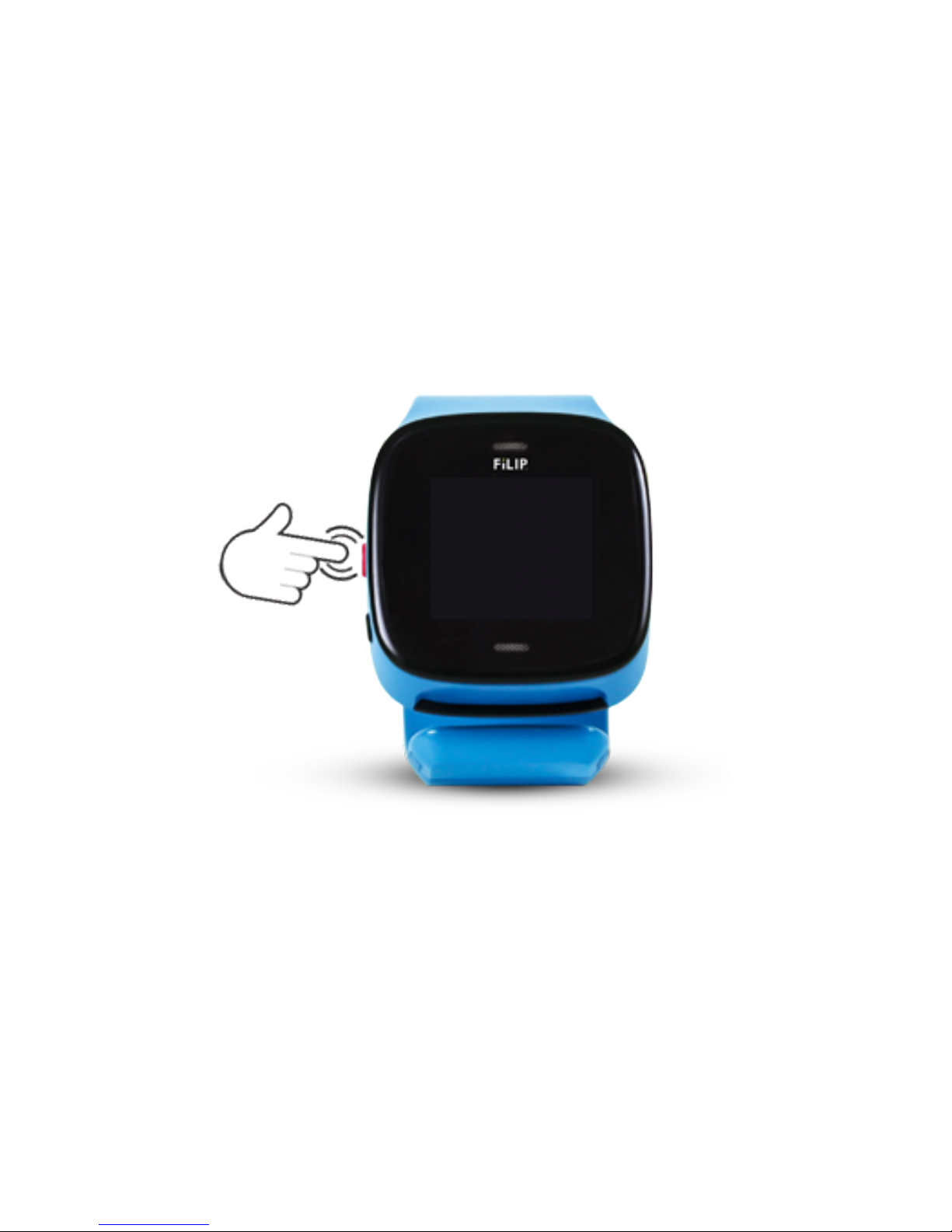
Turn your FiLIP on by pressing the red button firmly for 1 second.
Step 1
Page 4
Download the FiLIP mobile app from the App Store or Google Play to your
iOS or Android device.
When prompted, choose AT&T as the network provider for your FiLIP.
1 –
2 –
Step 2
Page 5
Make sure you have the phone # for your FiLIP in front of you.
It should be located on your receipt.
123-456-7890
Step 3
Page 6
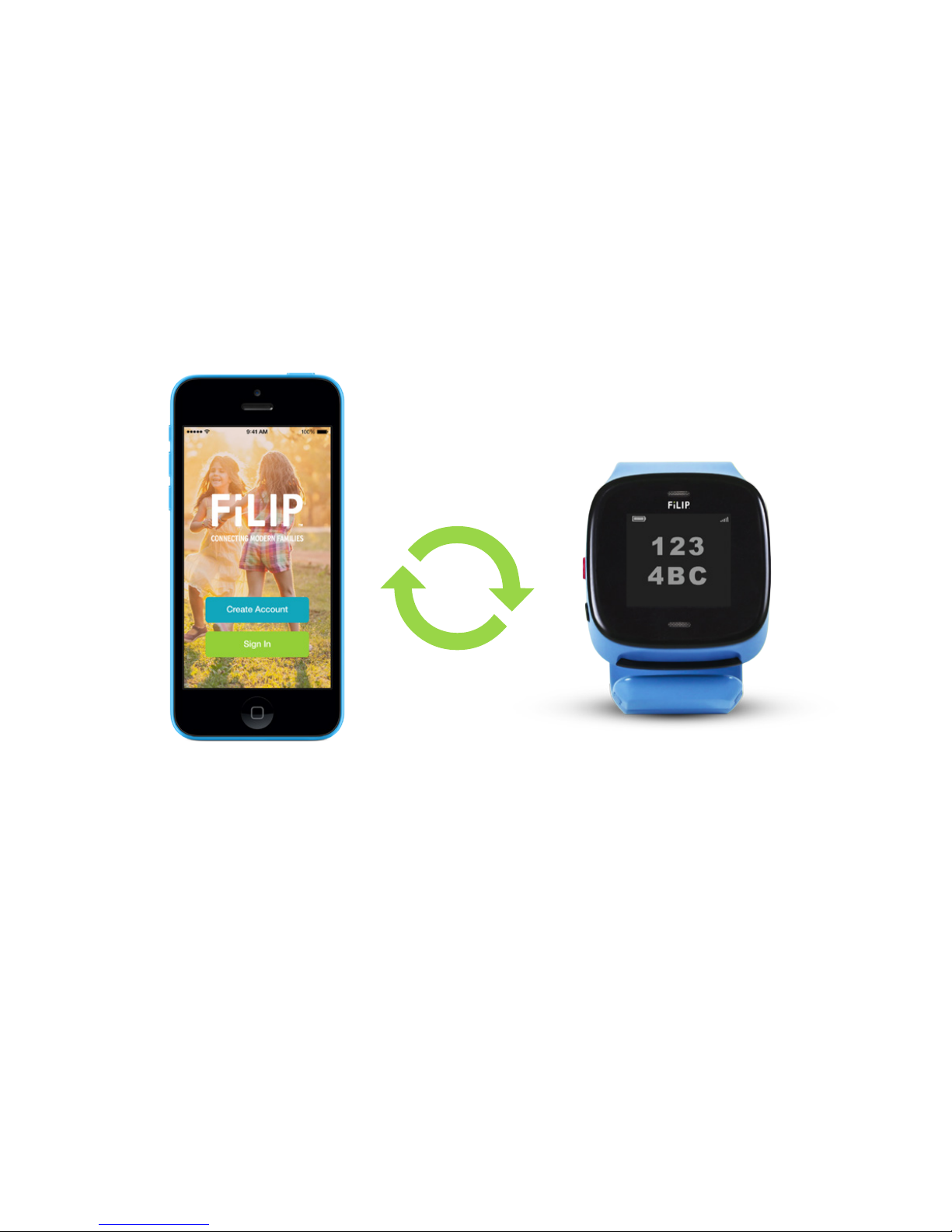
Launch the FiLIP mobile app, create a FiLIP account and then follow
the prompts to sync your FiLIP with the app. Your FiLIP must be on
and next to you during this process so that it can receive the 6-digit
activation code.
Step 4
Page 7

Put the FiLIP on your child’s wrist, kick back and let them have some fun.
Step 5
Page 8
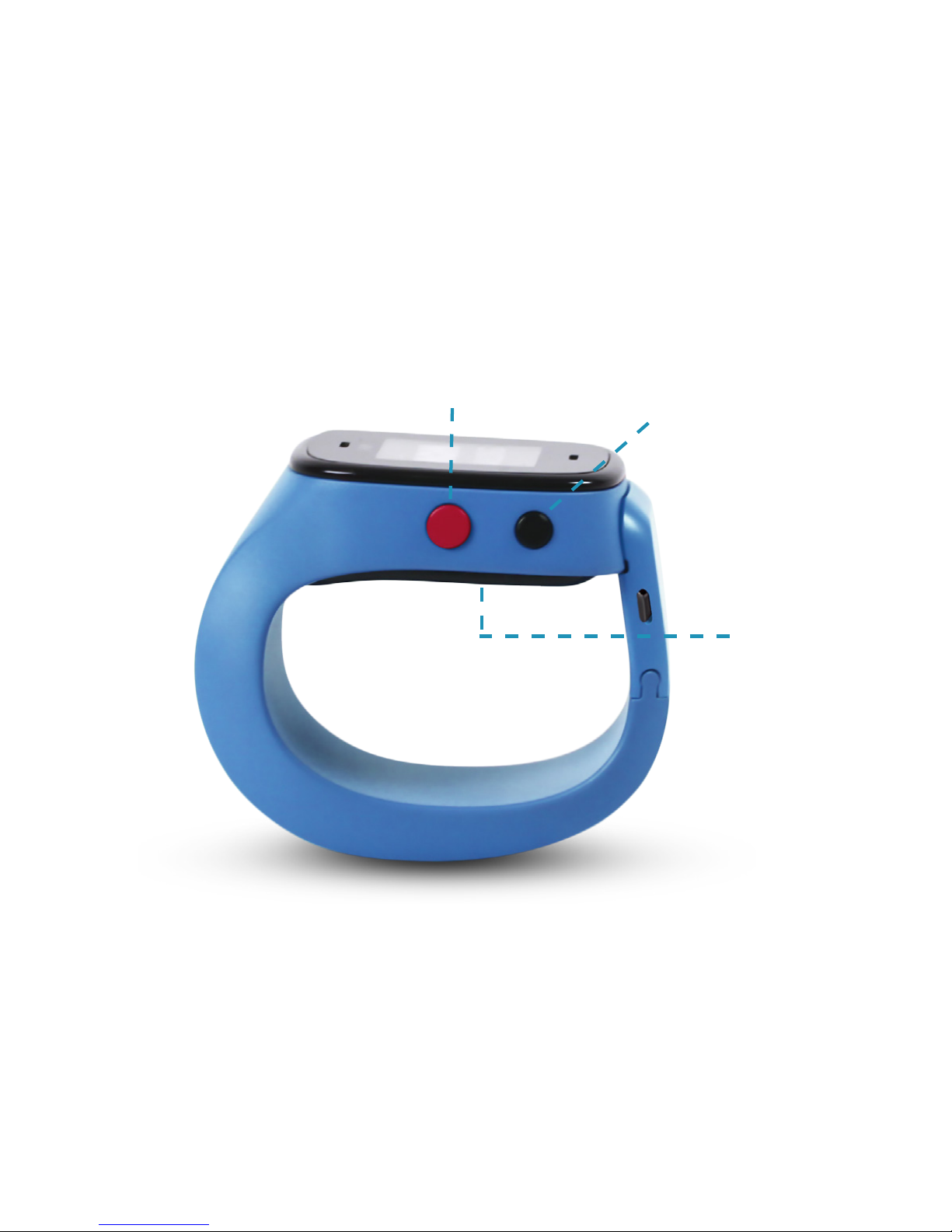
Your FiLIP has 2 simple buttons and a charging port.
GET TO KNOW YOUR FiLIP!
Red Button
Black Button
Charging
Port
Page 9

What does the big red button do?
Press it firmly for 1 second to turn on your FiLIP.
Press it to make a call once you’ve selected a contact.
Press it to hang up when you are done with a call.
Press and hold it for 4 seconds to initiate Emergency Mode.
Press it to switch between displays.
What does the black button do?
Press it to scroll through your contacts.
Press it to scroll through texts.
What do the buttons do together?
Your FiLIP can be turned off through the FiLIP app or by pressing both buttons at the
same time. To turn off your FiLIP using the buttons, press the red and black buttons
at the same time and hold for approximately 30 seconds. When prompted, press
“Shutdown” and follow the prompts. Do NOT press “Factory Reset.”
Page 10
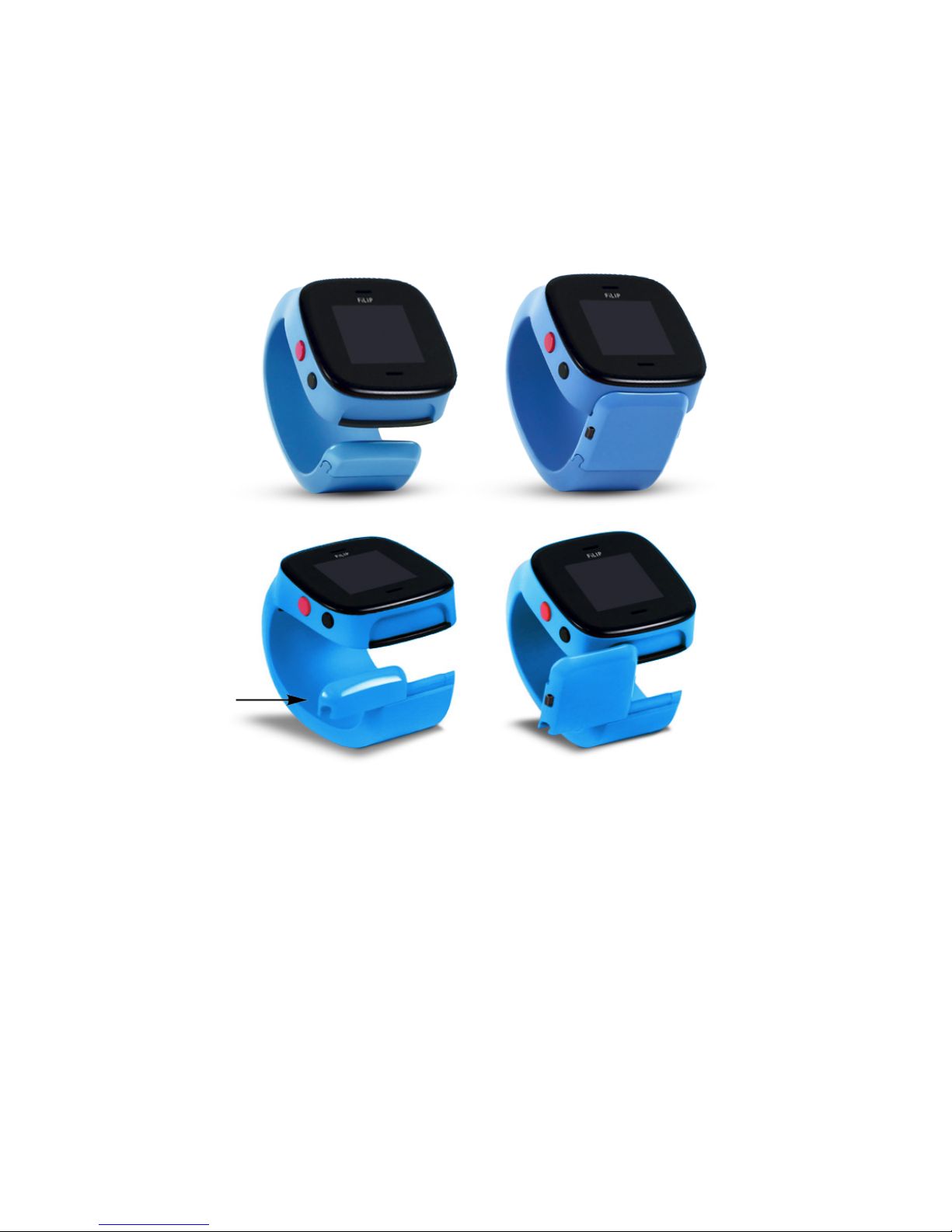
Your FiLIP can be worn open or closed
Your FiLIP wristband comes with an “End Cap” for your child to wear
it open, a “Latch” for your child to wear it closed, and
an “Extender” to adjust the size.
Page 11
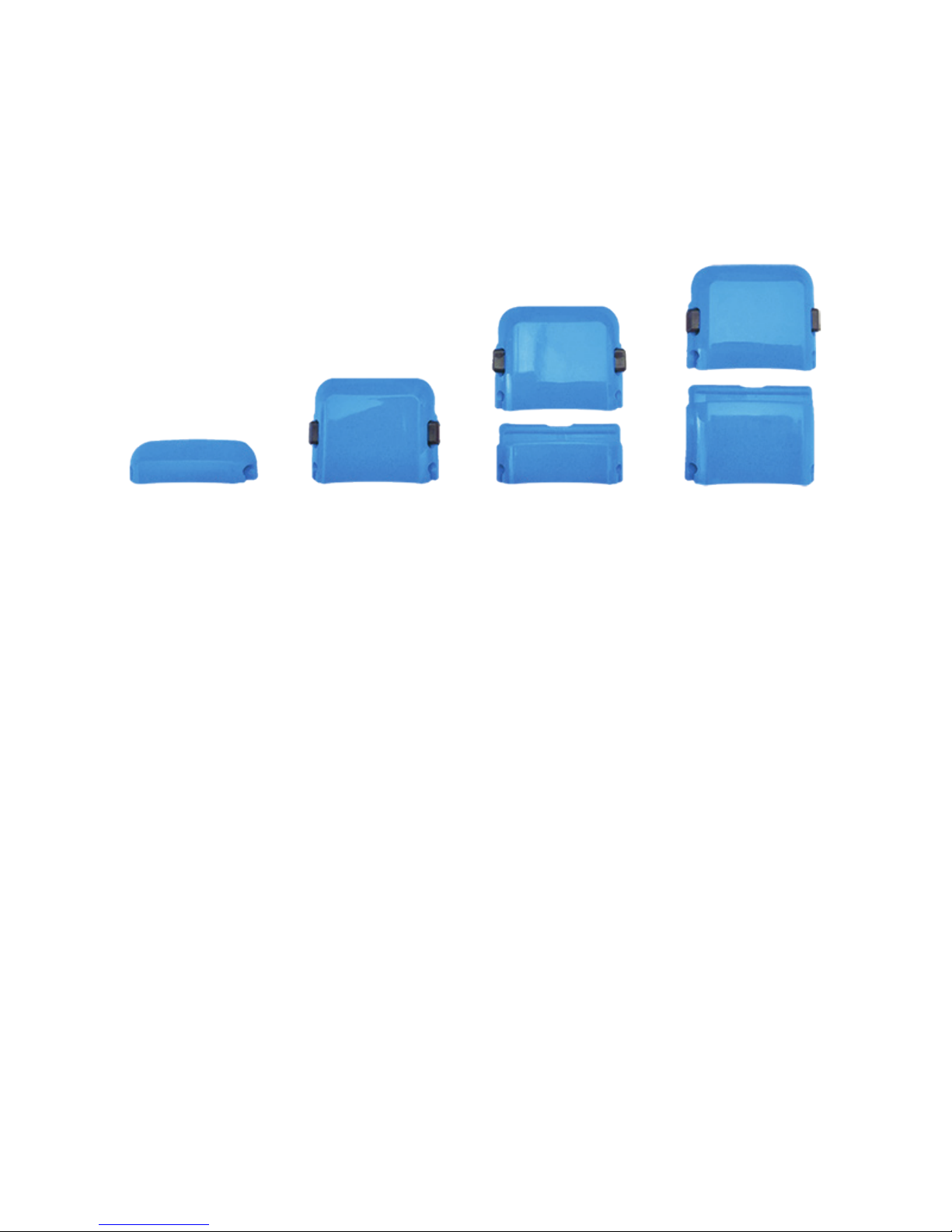
The size of your FiLIP can be adjusted
To wear the FiLIP closed, determine the size of your child’s wrist. If your
child’s wrist is 4.8” or less, they will only need the “Latch Spacer.” If your
child’s wrist is larger, then they will need either the “Latch” + “Medium
Extender” (up to 5.2” wrist) OR the “Latch” + “Large Extender” (up to 5.6”
wrist).
The end cap, latch and extenders are designed to slide on and off of the FiLIP wristband, as shown.
Do NOT try to push or snap them on and off, as that may cause them to break.
End Cap Latch
(up to 4.8” wrist)
Latch
+Medium Extender
(up to 5.2” wrist)
Latch
+Large Extender
(up to 5.6” wrist)
Page 12
© 2015 Filip Technologies, Inc. All Rights Reserved. AT&T and the AT&T logo are trademarks of AT&T Intellectual Property.
*FiLIP watch only capable of connecting to the AT&T network. See att.com/network for coverage details.
TERMS OF SERVICE: A copy of Filip Technologies, Inc. full terms of service are available online at myfilip.com/legal.
Apple and the Apple logo are trademarks of Apple Inc., registered in the U.S. and other countries.
App Store is a service mark of Apple Inc. Google Play is a trademark of Google Inc.
DG3-QG-ENG
NEED TO KNOW MORE?
Visit myfilip.com/support for helpful information on
how to use your FiLIP and FiLIP app.
?
Technical Support
https://www.facebook.com/myfilip
https://twitter.com/myFilipTech
http://www.pinterest.com/myfilip/
http://instagram.com/myfilip
Follow Us!
 Loading...