

Page 1
Page 2

1 2
Health and safety
• Do not use the product in case it is apparently
damaged;
• Do not use the product at a high volume level for an
extended period of time;
• Do not use the product while driving or being
engaged in activities that require full concentration;
• Do not allow children or pets to play with product,
its packaging and accessories, otherwise small parts
may cause choking hazard;
• Keep the product away from medical devices that
may be aected by magnetic eld, such as an
implanted cardiac pacemaker.
Product care
• Keep this product dry and at room temperature, avoid
long time exposure to high temperature or humidity
environments;
• Use accessories only provided by il;
• Excessive signal level may cause damaging overload;
• Clean the product only with dry and soft cloth.
Battery warning!
The product uses lithium polymer battery. Improper
usage may lead to the risk of re or burn. Please use
the charger only supplied by qualied manufacturer
(recommended output: voltage 5V, current>500mA)
or charge the product via PC USB port.
Please read the following safety instructions carefully before
using this product. Please make sure to include these safety instructions
with product when deliver to third party.
Important Safety Instructions
Specication and disclaimer
• The product is designed for portable devices
and high delity systems;
•
Any usage other than those specied in user
manual is deemed as misuse;
•
Please note that il will accept no responsibility
for any loss incurred by inappropriate misuse.
*‘il’/l/ is a registered trademark(TM) of
Fengfan (Beijing) Technology Co., Ltd. “Made
for iPod,”“Made for iPhone,” and “Made for
iPad” mean that an electronic accessory has
been designed to connect specically to iPod,
iPhone, or iPad, respectively, and has been
certied by the developer to meet Apple
performance standards.
Apple is not responsible for the operation of this device
or its compliance with safety and regulator y standards.
Please note that the use of this accessory with iPod,
iPhone, or iPad may aect wireless performance.
iPad, iPhone, iPod, iPod classic, iPod nano, iPod touch,
and Retina are trademarks of Apple Inc., registered in
the U.S. and other countries. iPad Air, and iPad mini are
trademarks of Apple Inc. Made for iPhone 6 plus, iPhone
6, iPhone 5s, iPhone 5c, iPhone 5, iPhone 4s, iPad Air 2,
iPad mini 3, iPad Air, iPad mini 2, iPad mini, iPad (3rd
and 4th generation), iPad 2, iPod touch (5th generation).
Page 3
3 4
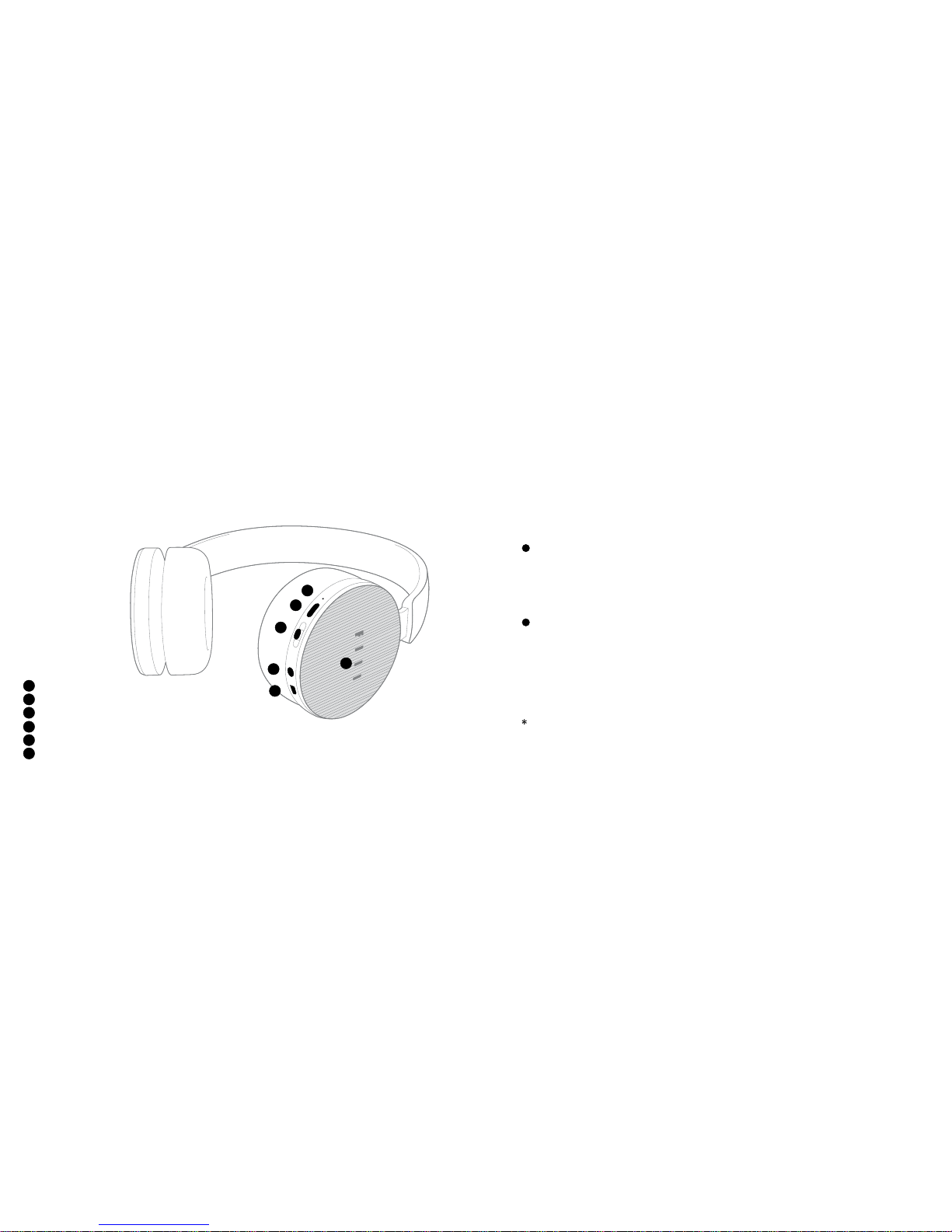
Status/batter y indicator
MFB (Multi function Button)
My AudioFiilter Button (MAF)
Audio jack
Micro USB Connector
Touch control panel
Main User Interfaces
1
2
3
4
5
1
2
4
3
5
6
6
Brand new Fiil Diva headphone automatically goes into Bluetooth pairing mode once switched on
(press and hold the MFB until the battery indicator lights up), the Fiil light will continue to blink. For
paired headphone, press and hold the MFB until the Fiil light blinks when the headphone is o to
force entering pairing mode.
Fiil+ APP Wizard Connection: Please scan the QR code on page 5 to download il+ app and
connect as instructed;
Manual connection: Enter setup menu of audio source devices, select “search device” in
“Bluetooth” then select “Diva” in the device list to connect.
Use the audio cable that comes with the headphone to connect Diva to audio source devices.
Bluetooth Mode
(Please ensure the headphones are put on correctly
otherwise phone call functionalities may beaected!)
(Capable to connect with two Bluetooth devices simultaneously)
STEP1 Pairing
STEP2 Connection
Wired Mode
Page 4
5 6
FIIL+, Make Your Diva Smarter
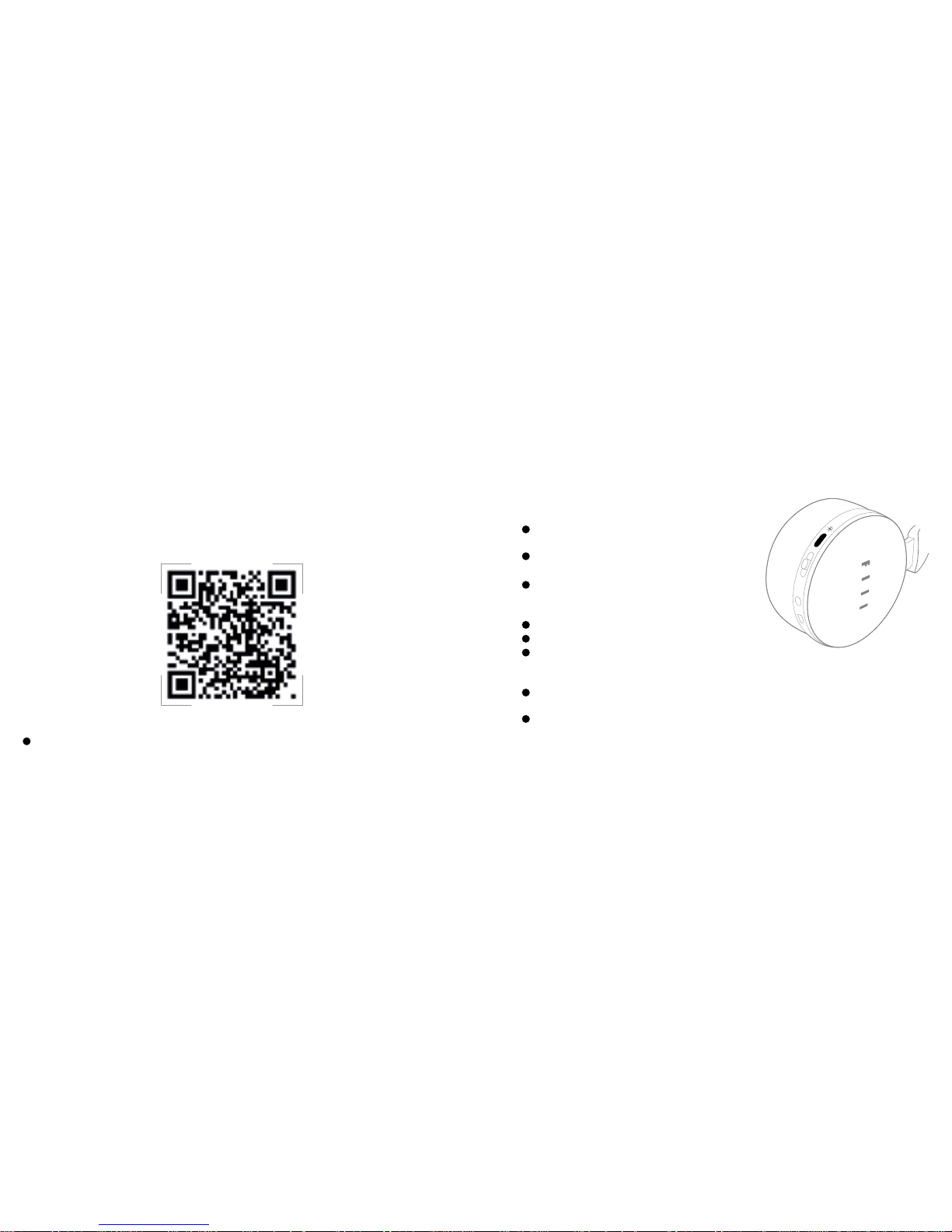
One-key listening: Short Press the MFB to play and
pause (when Bluetooth is connected).
On/O: Long Press MFB until the green/red status light
comes on.
Initial reconnection: When Bluetooth device is paired
but not connected, short press the MFB to send
connection request.
Check Battery Level: Double Press MFB
Switch the Fiil light on/o: Triple Press MFB
Call Siri/voice assistant: When Bluetooth is
connected, Medium Press the MFB (hold 2 seconds
before releasing)
Answer/end call: Short Press the MFB to answer or
hang up(when Bluetooth is connected)
Reject incoming call: Medium press the MFB (when
Bluetooth is connected)
Convenient Multi function Button (MFB)
Features such as Firmware upgrade, Function Deployment and Sound-Eect Setup
are all available in il+. Scan the QR code to install now.
(“Headphone Conguration” is only available in Bluetooth mode)
Page 5
7 8
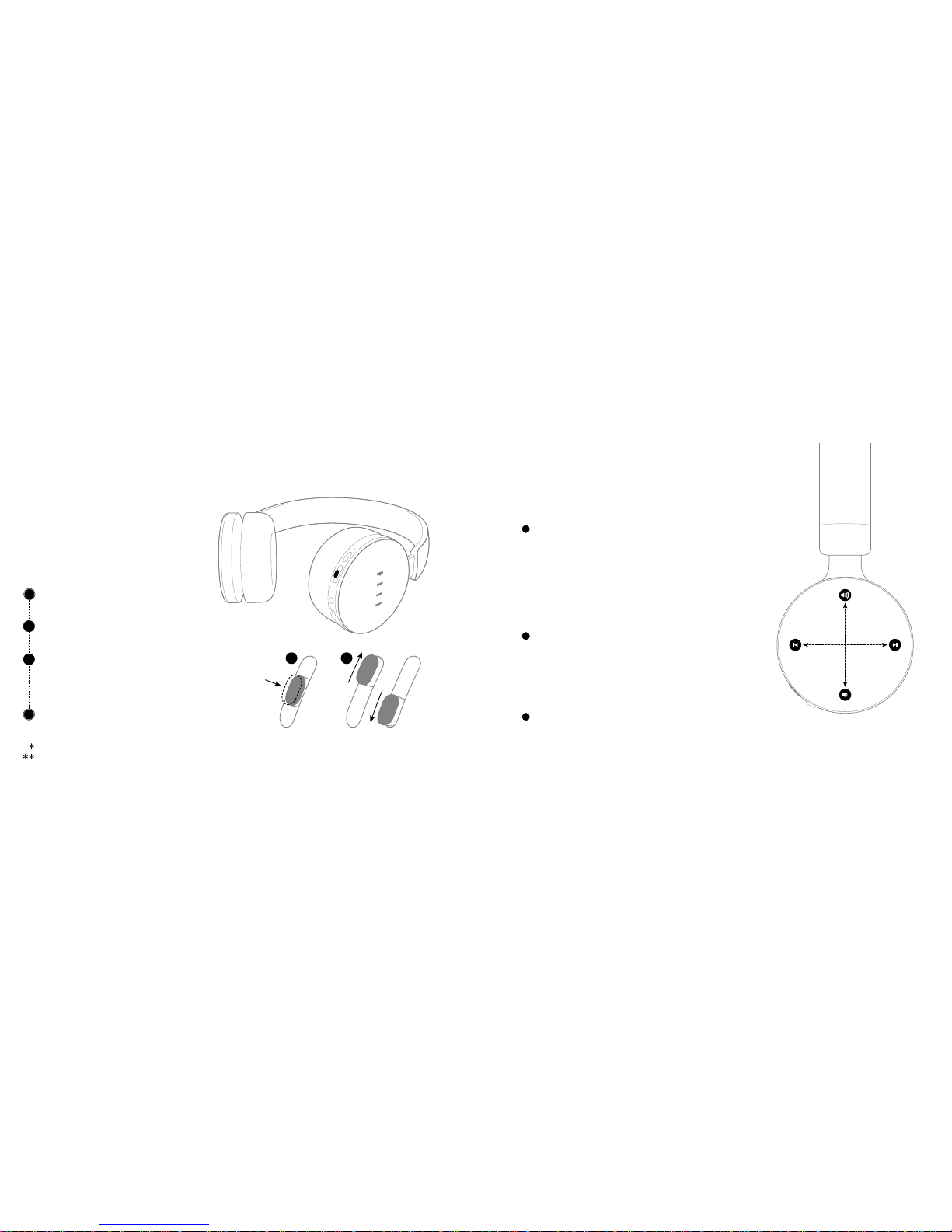
Gesture touch control
Use MAF Button to adjust your perception
of surrounding sounds when power on.
Short Press MAF to switch On/O My
AudioFiilter function, when it’s On:
Toggle Up/Down MAF to adjust hearing of
surrounding sounds:
High: Open Mode; Medium: Monitor Mode
Low: ANC Mode
Double Press MAF to Switch On/O Wind
Noise Mode (Apply to Windy Enviroment)
Headphones will remember last settings when next power on.
My AudioFiilter is the Trade Mark (TM) of Fengfan (Beijing) Technology Co., Ltd.
Swipe control
(swipe from end to end in diameter direction)
Volume up/down: Swipe the touch panel upward/
downward
Next/Previous Track: Swipe the touch panel forward/
backward (only compatible with Bluetooth devices
that support such function)
Stepless adjustment
Volume up/down: Long Touch up/down control pad
Fast forward/backward: Long touch the front/back
control pad (only compatible with Bluetooth devices
that support such function)
Smart Sensor
Diva will detect whether user is wearing headphones
or not to Intelligently adjust its status.
My AudioFiilterTM Button(MAF)
1
2
1 2
Page 6
9
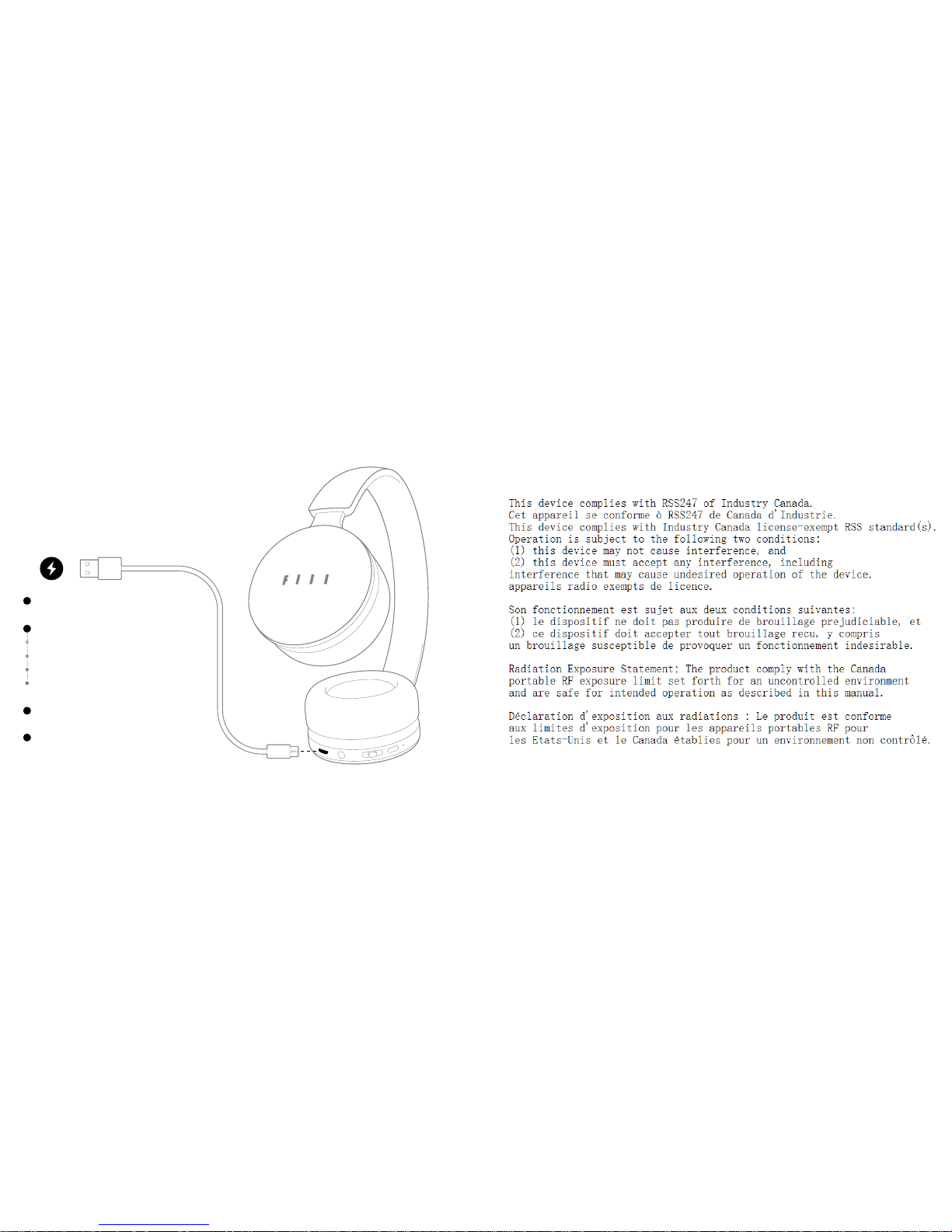
Battery indicator
Plug in Charger to indicate battery le vel
(goes o when fully charged)
Short press the battery button to show
Green Light: >80% battery
Yellow Light: 20%~80% battery
Red Light: 10%~20% battery
Blinking Red: <10%
Use il + app (Bluetooth connected) to
check remaining battery
Diva supports passive wired mode. Enjoy
the music even when the battery runs out!
IC Statement
Page 7

This device must not be collocated or operation in conjunction with any other antenna or transmitter.
This device complies with FCC and IC radiation exposure limits set forth for general population `
(uncontrolled exposure).`
FCC and IC COMPLIANCE STATEMENT
This device complies with Part 15 of the FCC Rules and Industry Canada License-exempt RSS standard(s).
Operation is subject to the following two conditions:
1. This device may not cause harmful interference, and
2. Thisdevice must accept anyinterference received, including interference thatmay cause undesired operation.
This equipment has been tested and found to comply with the limits for a Class B digital device, pursuant to
Part 15 of the FCC Rules / with Canadian ICES-003. These limits are designed to provide reasonable protection
against harmful interference in a residential installation. This equipment generates, uses, and can radiate radio
frequency energy and, if not installed and used in accordance with the instructions, may cause harmful
interference to radio communications.
However, there is no guarantee that interference will not occur in a particular installation. If this equipment
does cause harmful interference to radio or television reception which can be determined by turning the radio
or television off and on, the user is encouraged to try to correct interference by one or more of the following
measures:
1. Reorient or relocate the receiving antenna.
2. Increase the separation between the equipment and receiver.
3. Connect the equipment into an outlet on another circuit.
4. Consult the dealer or an experienced radio/TV technician for help.
CAUTION STATEMENT
Any changes or modifications not expressly approved by the party responsible for compliance could void the
user’s authority to operate the equipment.
Page 8
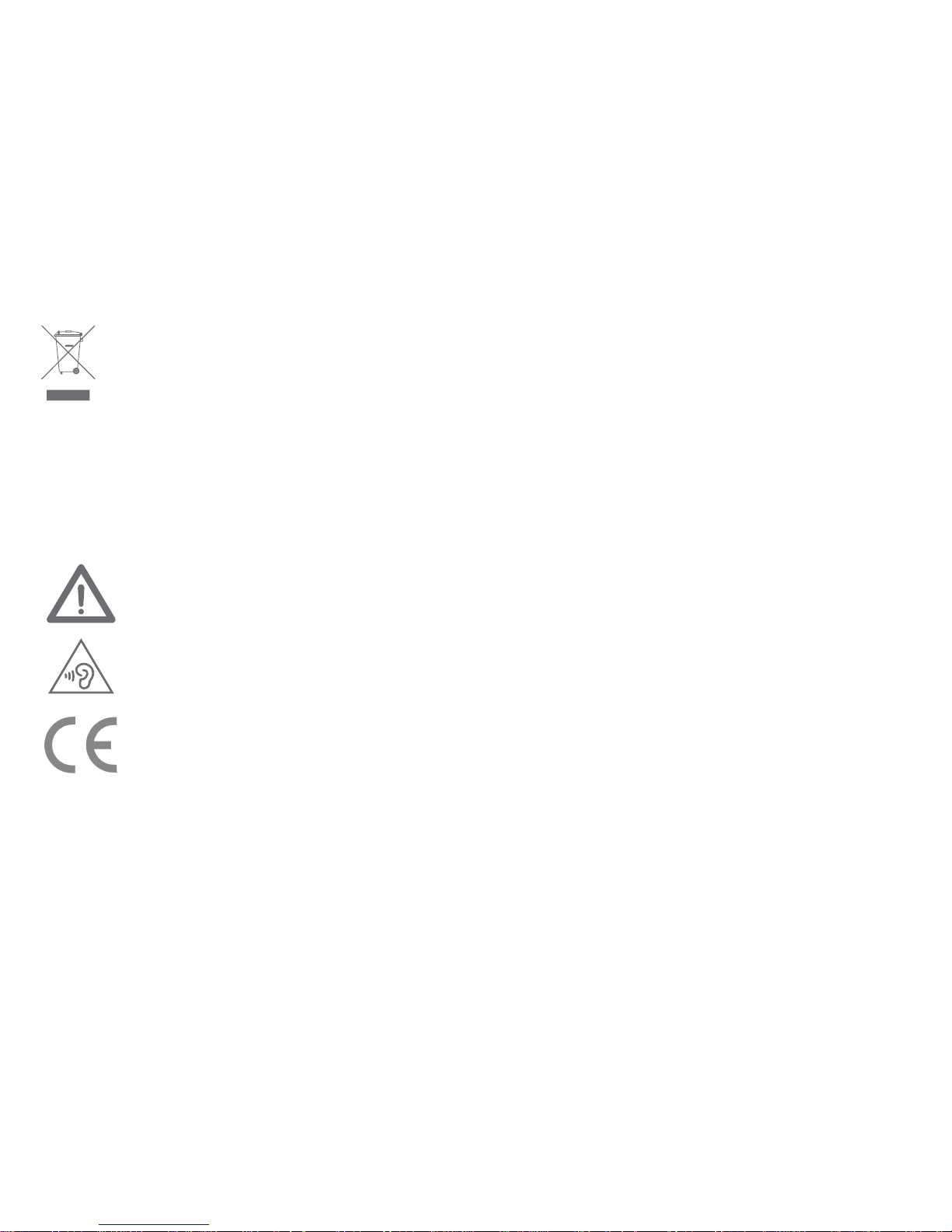
Correct disposal of This Product (Waste Electrical & Electronic Equipment)
(Applicable in the European Union and other European countries with separate collection systems)
This marking shown on the product or its literature indicates that it should not be disposed with
other household wastes at the end of its working life.
To prevent possible harm to the environment or human health from uncontrolled waste disposal, please separate
this from other types of wastes and recycle it responsibly to promote the sustainable reuse of material resources.
Household users should contact either the retailer where they purchased this product, or their local government
office for details of where and how they can take this item for environmentally safe recycling.
Business users should contact their supplier and check the terms and conditions of the purchase contract.
This product should not be mixed with other commercial wastes for disposal.
To prevent possible hearing damage, do not listen at high volume levels for long periods.
CAUTION
Risk of explosion if battery is replaced by an incorrect type.
Dispose of used batteries according to the instructions.
Note: The maximum average emitted power of the device is less than 20mW.
electromagnetic fields by way of health protection.
The device meets the EU requirements (1999/519/EC) on the limitation of exposure of the general public to
CE Mark Warning
RF Exposure Information
Page 9
Certificate of
qualification
Inspector:
Page 10
LISTEN TO YOU INBORN
 Loading...