

Page 1
© PureLink GmbH
Innovation German Enterprises.Know-How. Quality. Design.
PureLink GmbH | Von-Liebig-Straße 10 | 48432 Rheine | Germany | Tel.: 0049 (0)5971-800 299-0 | E-mail: [email protected] | Internet: www.purelink.de
1
1
Thank you for purchasing FX-P220
The optical DisplayPort pigtail extender with DPCP support extends Dis-
playPort signals up to 300m using single strand multi-mode optic ber. It
supports display resolutions up to 2560x1600 (WQXGA).
Package Contents
Please make sure all of the following items are included in the package:
1 FX-P220 Transmitter & Receiver
2 +5V DC Power supply x 1pcs
3 User Guide
If any of the above items are missing, please contact your supplier for support.
Note: Package content may dier if you have placed a special order or placed order from anywhere other than
PureLink GmbH. PureLink GmbH reserves the right to make changes without further notice to a product described herein to improve reliability, design, packaging or function.
Installation
Installation Steps:
1. Connect the Transmitter module to the DisplayPort source device.
2. Connect the Receiver module to the display.
3. Connect a single strand multi-mode SC terminated optic ber (50/125µm)
from the Transmitter to the Receiver module.
4. Connect the included +5V DC power supply into Receiver module.
5. A blue indicator LED will light up after all connections are completed.
Note: The Transmitter module does not need to be externally powered unless the source device does not
supply enough power through the DVI connector.
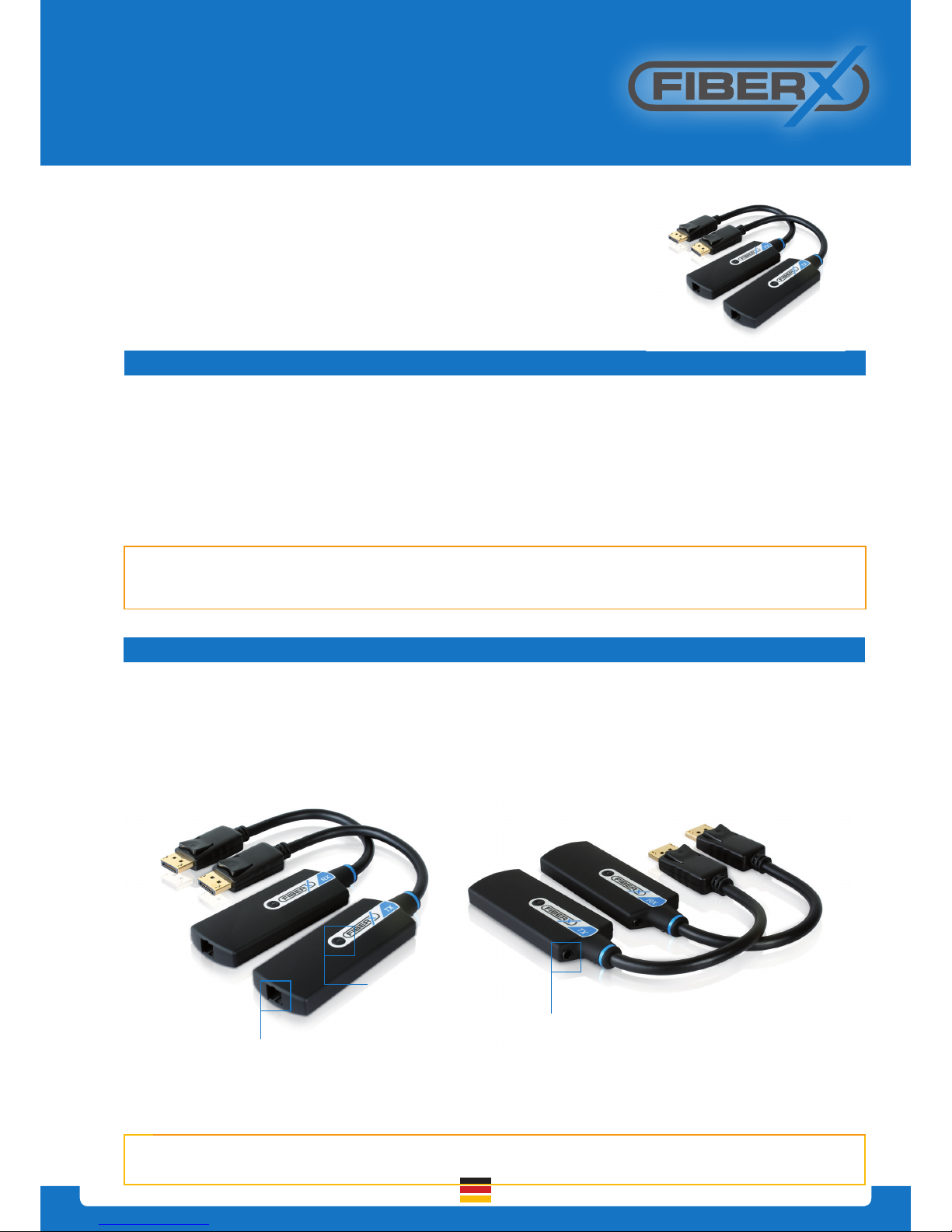
LED indicator
DC +5V
Power jack
SC type optical port
FiberX DisplayPort Fiber Extender Pigtail User Guide
FX-P220
Page 2
© PureLink GmbH
Innovation German Enterprises.Know-How. Quality. Design.
PureLink GmbH | Von-Liebig-Straße 10 | 48432 Rheine | Germany | Tel.: 0049 (0)5971-800 299-0 | E-mail: [email protected] | Internet: www.purelink.de
2
2
We, PureLink GmbH hereby warrant the nal purchase of our product as follows. In case of defect, please contact
the reseller from which you purchased this item.
One year limited warranty
Customers are liable to a free of charge repair or replacemenent, if goods are found to be defective with in
1(one) year of the purchase date, providing the unit has not been mistreated.
Out of warranty services
A product is deemed to be out of warranty and may be liable to customer charges when it is past a year in age or
if the defect is not related to manufacturing, as in the following cases:
- Product defects caused by accident, disaster.
- Damage to product caused by the customer’s carelessness or mistaken application.
- Damage to product caused by the application of parts or products not supplied or sold by our company.
- Damage to product and any related defect caused by unwarranted service personnel or any indication that
chassis covers have been removed or tampered with.
Warranty
Application
Trouble shooting
depending on LED indicator status
No display TX Solid / RX Blink
- Check if monitor is powered on
- Check if DisplayPort source is selected on
monitor input setting
No display TX Blink / RX Solid
- Check if the PC and display are powered
on and properly booted.
- Check if optical ber is connected properly.
No display TX Blink / RX Blink
- Please make sure that power supply is
connected into TX and RX.
- Reset the system by de-plugging and
re-plugging all connection.
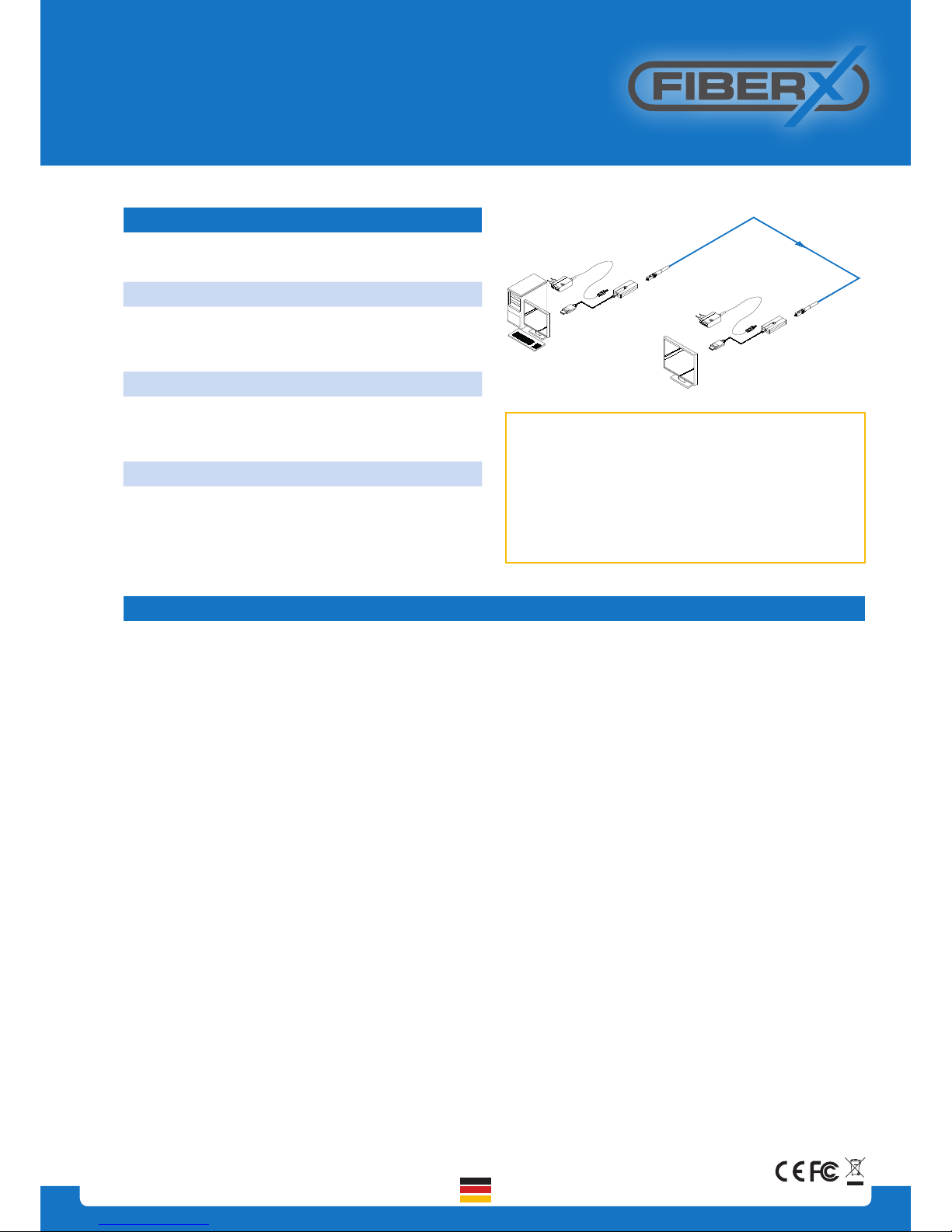
Display
PC
1 ch Multi-mode optic
ber w / SC connecter
Up to 300m
NOTE: If you are still experiencing problems, It may
be neccessary to clean the module connector or SC
ber cable. Around 80% of connection issues with
Fiber optic systems are due to dirty connectors - for
more information see the Purelink ber cleaning
guide on our website: http://www.purelink.de/lead-
min/purelink/media/sonstige/PureLink_Fiber_CleaningInstructions.pdf
FiberX DisplayPort Fiber Extender Pigtail User Guide
FX-P220
 Loading...