

Page 1
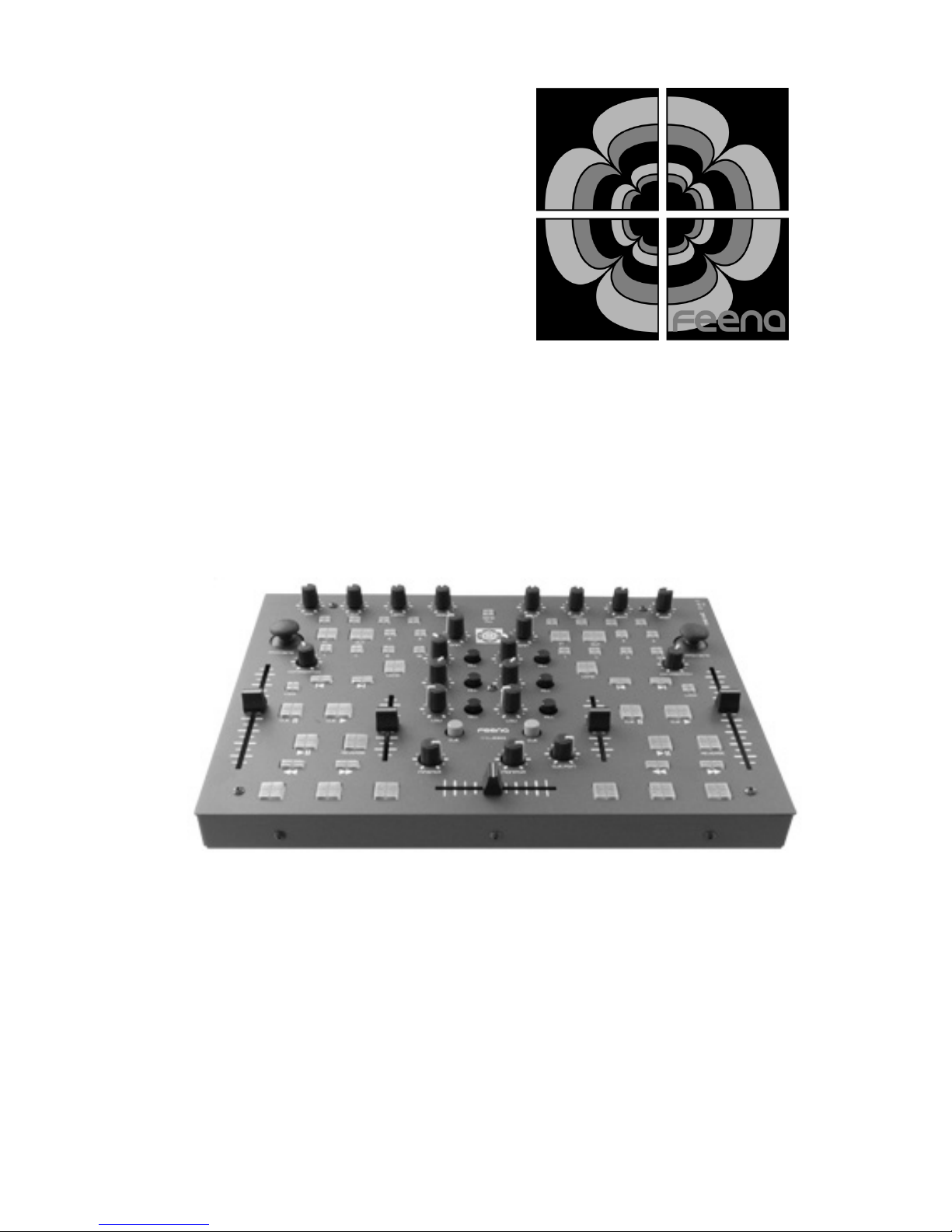
FMDJ9303
MIDI Controller
Users Manual
Page 2
© 2006 Feena Electronics LLC.
The information herein is subject to change without notice. Reproduction, adaptation o r
translation without written prior consent is prohibited.
Apple, the Apple logo, Mac, Mac logo, Macintosh a nd Mac OS, are trademarks of Apple
Computer, Inc., registered in the US and other countries.
Windows®, Windows XP®, are U.S. registered trademarks of the Microsoft Corporation.
Traktor DJ Studio is a trademark of Native Instruments
MixVibes Pro is a trademark of MixVibes
Safety Information
Page 3
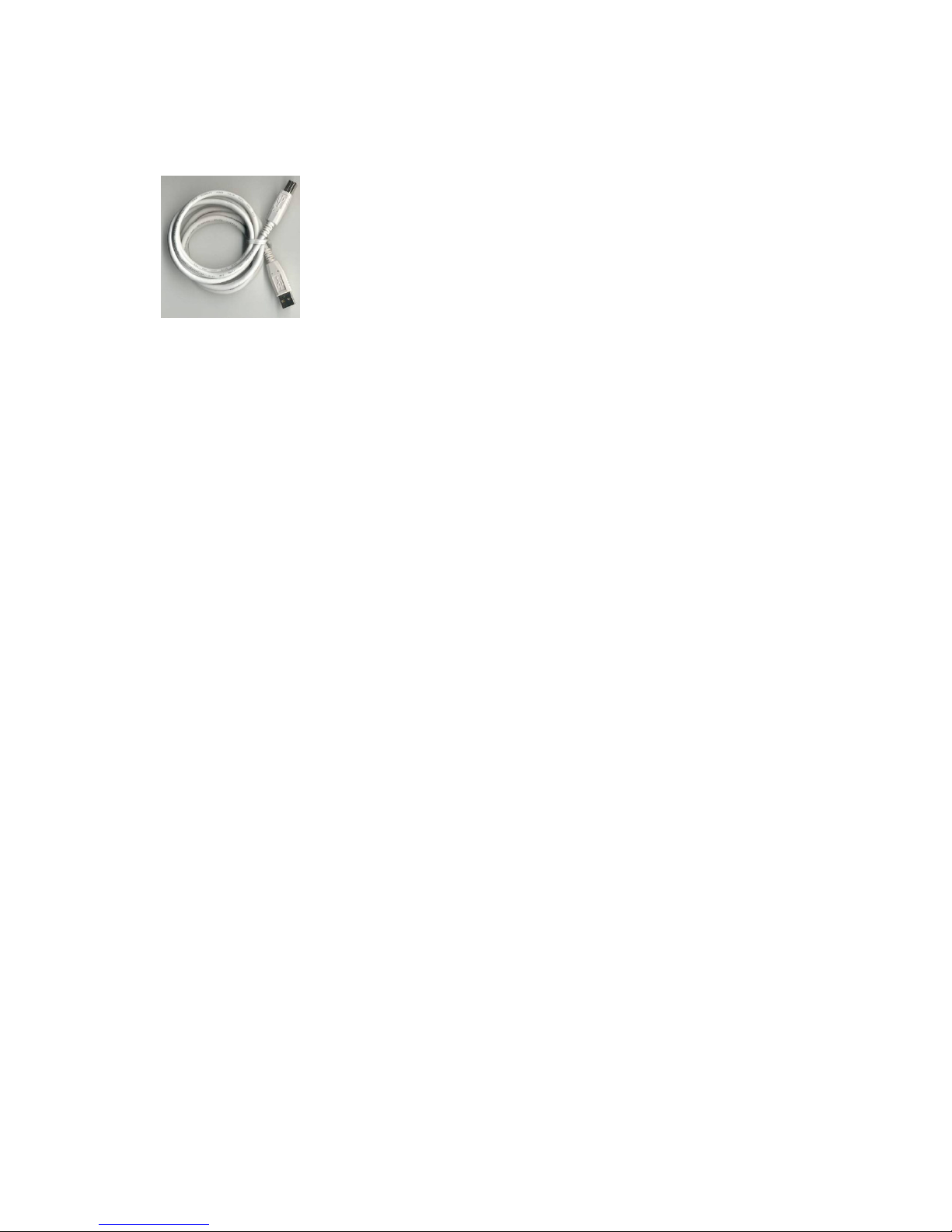
Supplied Accessories
1 6ft. USB Cable
Introduction
The FMDJ9303 is a versatile new MIDI controller compatible with any
DJ software that accepts standard MIDI controls. You can now have
the tactile feel of using hardware, like a mixer, as well as the versatility
of software. Using a MIDI controller such as the FMDJ9303 allows you
as the DJ to be extremely mobile. Instead of dragging around two
turntables, a mixer and a record case, your entire DJ setup consists of
a laptop, soundcard and the FMDJ9303. This is a compact and light
combination that can fit in your backpack, yet has professional quality
features.
Page 4

Features
No Drivers
There are no drivers to install. The FMDJ9303 conforms to the USB-MIDI
standards defined by the USB I.F. Microsoft Windows XP, and Mac OS X come
with drivers packaged in the operating system. This means all you have to do
to get started is just plug it into a free USB port on your computer.
There are Linux drivers available for USB-MIDI compliant devices such as the
9303. We have never verified that the FMDJ9303 will definitely work with Linux
but there is no reason it should not. The question is more regarding the driver
than the 9303.
USB Powered
The 9303 can be powered by the USB bus only, or through an external wall
transformer. The MIDI out jack is functional when the device is powered
through the USB port or the external wall transformer.
Panel Mount Jacks
Mounting the USB and MIDI jacks to the controller enclosure removes any
damaging force from the circuit board. This will ensure a greater life of the
USB, power, and MIDI jacks.
Firmware Upgradeable
The firmware of the 9303 can be upgraded with a convenient application. If
there are any bugs found, or new features to add to the functionality of the 9303
it can be done safely and easily. (No MAC firmware upgrade software currently
available)
Illuminated Buttons
You can be sure you will be able to see all the buttons on the 9303 when you
are in that dark DJ booth.
Rugged Steel Enclosure
We know how rough DJs and musicians can be with their equipment. That is
why the 9303 is built with a tough steel enclosure.
Compact
Including the knobs the 9303 is only 1 ¾” tall, making it easy to throw into your
backpack with your laptop.
Shift Function
The Send All button doubles as a shift button to send a secondary MIDI
assignment for each button, knob, fader and joystick.
Page 5
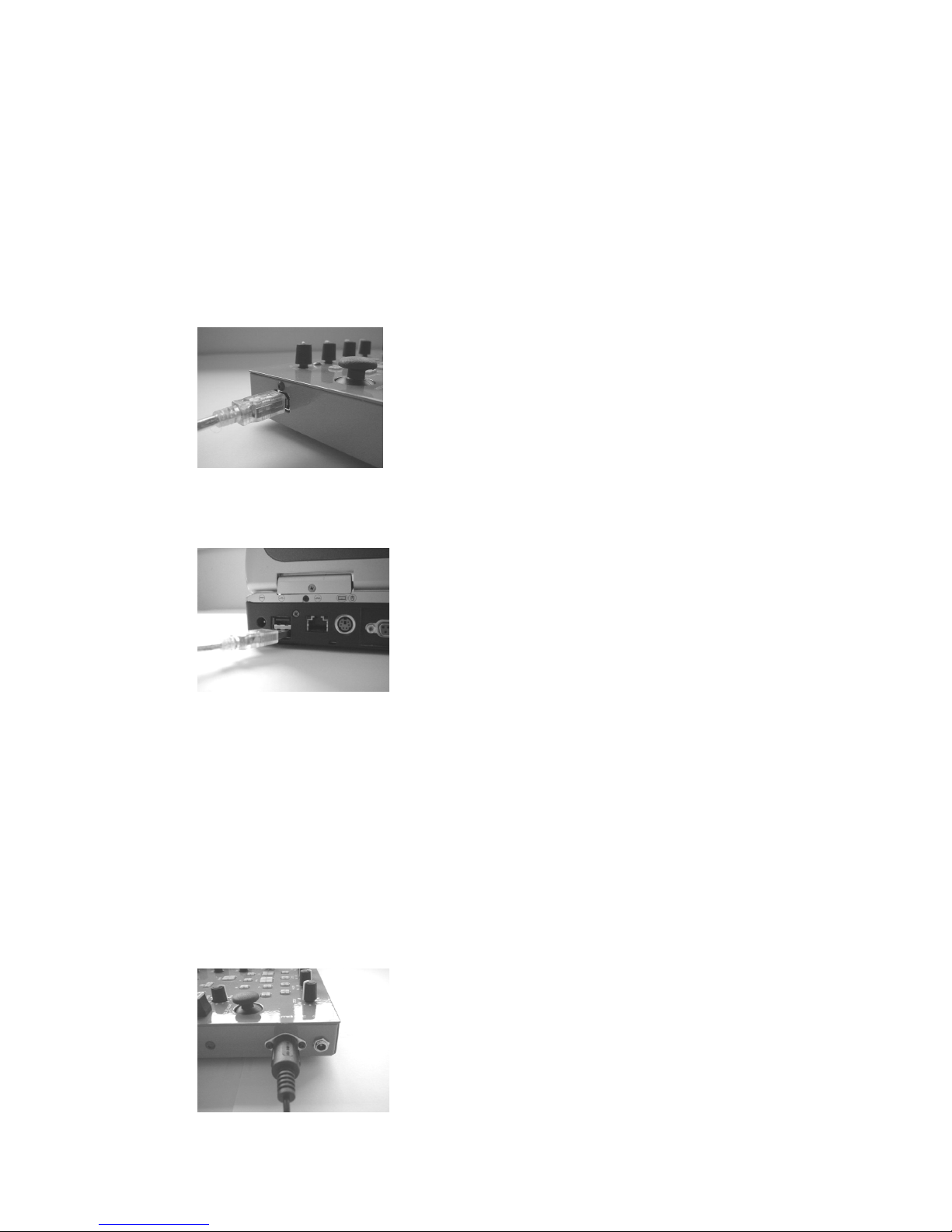
Hardware Installation
USB-MIDI
1. Turn on your computer and wait for the operating system to
finish loading.
2. First plug the supplied USB cable into your FMDJ9303 MIDI
controller.
3. Plug the other end of the USB cable into a Free USB port on
your computer.
4. Your operating system should automatically find and install the
device.
MIDI
1. This assumes you have a MIDI port installed on your computer,
either through your soundcard or through a USB-MIDI
converter.
2. Plug the MIDI “To Midi Out” cable to the MIDI out port on the
FMDJ9303.
Page 6

3. Apply power to the FMDJ9303 though either the USB port or a
5Volt wall transformer.
OR
Power Supply
The FMDJ9303 can be powered through either the USB port or through
a 5Volt wall transformer.
1. USB
Just plug the FMDJ 9303 into a free USB port on your computer or
to a free port on a self powered USB hub. If you are using a USB
hub that does not have its own power supply it probably will not be
able to power the FMDJ9303 alone. This will require the
FMDJ9303 to be powered through an external wall transformer.
You must first apply power to the FMDJ9303 though the wall
transformer BEFORE you plug it into the USB hub.
2. 5Volt Wall transformer
The wall transformer is not included as a standard option. The use
of any wall transformer voltage other than 4.5 or 5Volts will certainly
damage the device. You can purchase one on the Feena website
or from Radio Shack.
Wall transformer Specifications
4.5 or 5Volt, at least 200mA, 2.1mm ID 5.5mm OD, center positive
Acceptable RadioShack Part #
Model: 273-1662 | Catalog #: 273-1662
Model: 273-1757 | Catalog #: 273-1757
Model: 273-1760 | Catalog #: 273-1760
Any of the above parts with RadioShack “Adaptaplug M”
Page 7

Software Installation
MIDI Tweaker
The MIDI Tweaker is an application that allows you to change the
MIDI assignments of each knob, fader, button and joystick on the
9303. Please visit www.feena-electronics.com for the latest
version and manual of the MIDI Tweaker application.
General
After the FMDJ9303 has been found by your operating system the
rest of the setup is reliant on the DJ software you are using.
Somewhere in your DJ software setup utility you should be able to
assign the 9303 as the MIDI device to accept MIDI controls from. It
will be called “USB Audio Device” in Windows XP. Please visit our
website for detailed instructions on how to set up your 9303 with the
most popular DJ software.
Firmware Updates
NOTE: Only a PC version of the firmware update application is
currently available. The MAC version will be available soon.
Feena has made it very convenient to update firmware for the 9303 if
necessary. If you require a firmware update visit our website at
www.feena-electronics.com and click on the support link. Within the
support section select the 9303. Find the link to the latest firmware
release and download the .exe file. Once you have copied the
executable to your local machine follow these steps.
1. Make sure the 9303 is NOT plugged into your computer yet.
2. Double click on the FMDJ9303FirmwareUpdateVX.exe that you
just downloaded. This will install a driver for the 9303 firmware
upgradeable device.
3. Hold down the two headphone CUE buttons on the 9303. and
plug in the 9303 to a free USB port. (The button lights should
not come on.)
4. Press “Start” on the FMDJ9303FirmwareUpdate application.
5. Wait until the application completes.
6. Unplug the 9303 from the USB port then plug it back in again.
7. Your firmware is now updated.
Page 8

Using the FMDJ9303
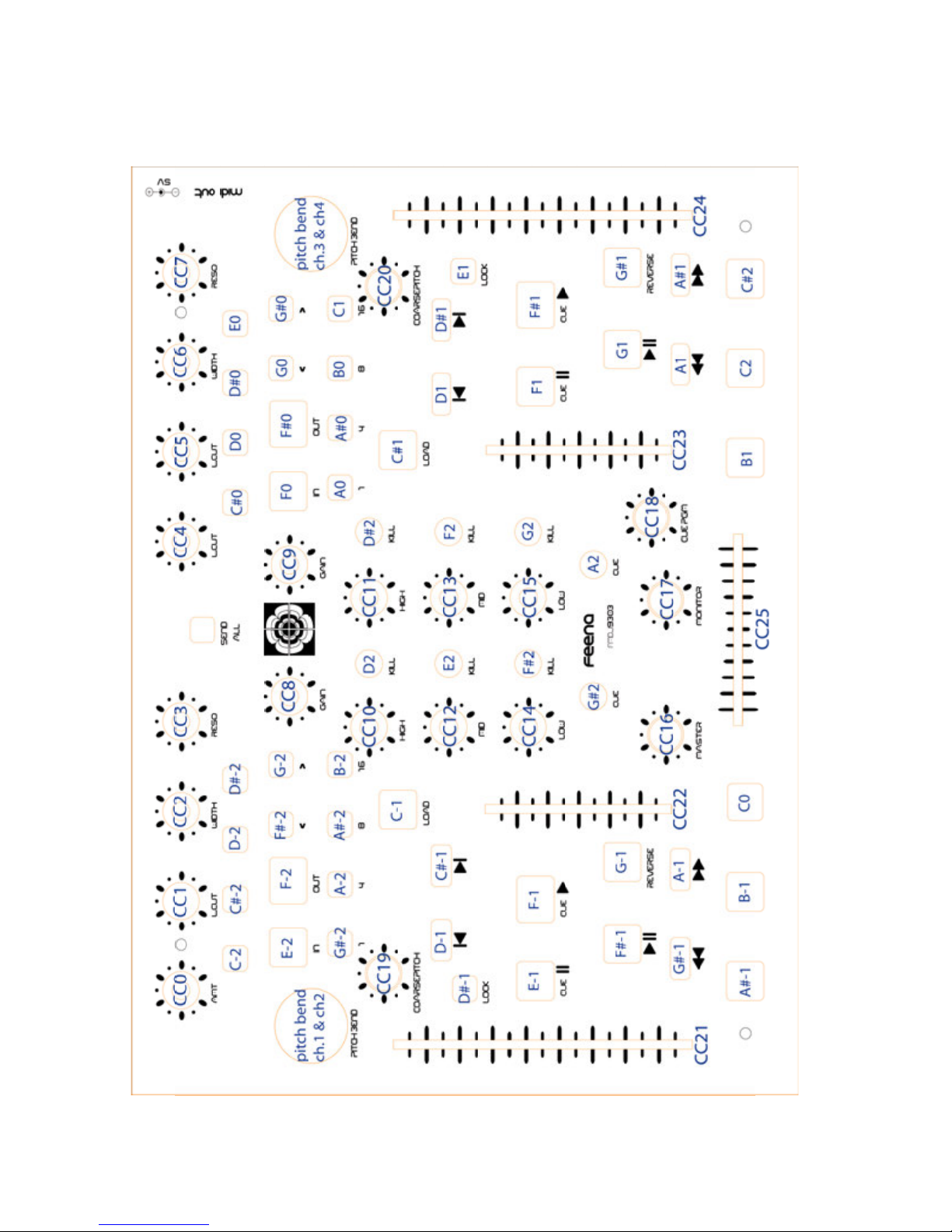
The functionality of the 9303 is mostly self explanatory. Pushing a button sends a MIDI note packet out of the 9303 and into the computer.
The knobs and sliders send a MIDI CC packet out of the 9303 and into
the computer. Moving a joystick along either the x or y axis sends a
MIDI Pitch Bend packet out of the 9303 and into the computer. See the
following page for the default MIDI assignments.
Some notable features:
1. The coarse pitch bend knobs only send values when one of the
joystick buttons are pushed down. In Traktor this protects you from
train wrecking a live mix because an accidental tap on the coarse
pitch bend will cause a drastic change in track pitch.
2. The “Send All” button does not send its own MIDI packet. It forces
the MIDI value of all the buttons and knobs to be sent at once. This
is helpful for syncing the DJ software up with the 9303 on software
startup.
3. The “Send All” button doubles as a shift function. When you have
the Send All button pressed all the 9303 controls will send a different MIDI packet. So it is like having twice the amount of buttons,
knobs sliders and joysticks.
Page 9
Page 10

Map of MIDI Control Values
All buttons are MIDI notes and channel is 0 except pitch bends.
Technical Specifications
Weight: 6.4 lbs
Height: 1.75"
Length: 12.22"
Width: 9.00"
Current usage: 150ma
Input Voltage: 5v
1 MIDI out jack
1 USB MIDI Jack
1 5V Power Jack
Fully USB powered
Soft rubber knobs
50 LED back lit tact buttons
2 XY axis joysticks
8 push buttons
2 100mm sliders
2 60mm sliders
1 60mm cross fader
21 potentiometers
MIDI Resolution: 7bit (firmware upgradeable to 10 bit)
Page 11

ONE YEAR LIMITED WARRANTY
Feena Electronics warrants to the original purchaser that its products are free
from defects in material and workmanship under normal use for a period of one
year from the date of purchase. If the product is determined to be defective
within the warranty period, Feena Electronics will repair or replace the unit at no
charge to the purchaser, upon receipt of the unit, shipped postage prepaid and
insured.
This warranty covers normal consumer use and does not cover damage or failure that results from: negligent mishandling during shipment, acts of nature,
alterations, accident, misuse, abuse or neglect, unusual physical, electrical or
mechanical stress, wear and tear, inadequate maintenance, commercial use,
lightning or other incidence of excess voltage or current, use of product in conjunction with accessories, products or ancillary/peripheral equipment, unreasonable or abnormal use of the unit, or servicing or repairs from any entity other
than Feena Electronics Removal of the top panel voids all warranties. If this
product is received in damaged condition, it is the customer's responsibility to
notify the carrier (before leaving your facility if possible), to contact Feena Electronics immediately, and keep all packaging or claim could be denied. We will
provide assistance as required in filing the claim.
Feena Electronics shall not be liable for any incidental or consequential damages for breach of any express or implied warranty on this product. Except to
the extent prohibited by applicable law, any implied warranty of merchantability
or fitness for a particular purpose on this product is limited in duration to the
duration of this warranty. Some states do not allow limitations on the duration
of implied warranties and do not allow exclusion of incidental or consequential
damages, so the above limitations or exclusions may not apply. This warranty
gives you specific legal rights. You may also have other rights which vary by
jurisdiction.
Technical assistance is provided by our personnel prior to returning equipment
for repair. If you are experiencing problems with this product, the purchaser
should first contact Feena Electronics before attempting to return the product
for servicing. When shipping the unit, be sure that it is carefully packed, preferably in the original box, and send it prepaid, and adequately insured. Include
inside the shipping box: a copy of the receipt, a letter detailing the problem with
the model and serial number, your daytime telephone number, email address,
and return shipping address. Shipping and insurance charges for shipping of
the product back to Feena Electronics will be the responsibility of the purchaser.
Customers are responsible for any loss or damage to equipment shipped back
to Feena Electronics for servicing. If your warranty has expired and you would
like an estimated fee for service, please contact Feena Electronics, specifying
the problem and the model and serial number. Please do not send your unit for
servicing without first contacting Feena Electronics.
Page 12

Feena Electronics LLC.
www.feena-electronics.com
Email [email protected]
 Loading...