

Page 1
Installation, Programming
and User's Manual
FT 105P and FT 208P
PABX
February 2003
Mi 2236 gb
Page 2

ACI Srl FARFISA Intercoms reserves the right to modify the products illustrated at any time.
Page 3

1
Introduction cop.
Safety rules cop.
INSTALLATION 2
- Maintenance 4
- Emergency 4
- Technical data 4
PROGRAMMING 5
- How to return to base programming 5
- Day/Night service 5
- How to enable outgoing calls 6
- How to enable incoming calls 8
- How to assign incoming external lines 9
- How to assign outgoing external lines 11
- FLASH time 12
- How to enable the personal services 13
- How to program the system 14
- How to activate the sequence of enabled
numbers 16
- How to control the area code dialling 17
- How to delete the enabled numbers and the
area codes 17
- How to enable the dialling control and the
enabled numbers 18
OPERATION 19
- Operating instructions 19
- How to recall operating modes 19
- Internal communications 19
- Outgoing external communications 20
- Incoming external communications 20
- How to answer unanswered calls 21
- How to put the exter./internal line in hold-on
22
- Inclusion 22
- How to resume a call 23
- Transfer with offer 24
- Automatic transfer 24
- Answer upon call incoming tone 25
- General call 25
- Three-way conference 26
- Room monitor (environmental control) 26
- Activation of personal services 27
- Do not disturb 27
- Follow me 27
- Timed follow me 28
- Undo the last operation 28
- Extension booking 29
- External line booking 29
- Exclusive parking 30
- Common parking 30
- Access to public exchange services in LD
dialling 31
- Access to public exchange suppl.service 31
- How to enable the direct D.I.S.A. dialling 32
- How to enable automatic fax recognition 32
OTHER SERVICES 33
- Caller ID 33
- PABX directory 34
- How to use PABX directory 34
- Overcoming the selective control 35
- Access to external amplifier 36
- External hold-on music 36
INTERCOMS 37
- Intercom interface 37
- Intercom installation diagram 39
- Intercom programming 40
-
Enabling the intercom interface 40
- Enabling to intercom calls 41
- Intercom operating instructions 42
- Relay activation 43
- Remote activation of auxiliary relays
using a code 44
TABLES 46
- Table of enabled numbers 46
- Control area code dialling table 46
- PABX directory table 47
- Programming table FT105P 48
- Programming table FT208P 49
- Tone and call tables 50
- Code-function table 52
INDEX
Page 4
2
INSTALLATION
For correct operation, make sure that the openings or slots for ventilation and heat
dissipation are not blocked.
Install the PABX away from devices generating strong magnetic fields (such as copying
machines).
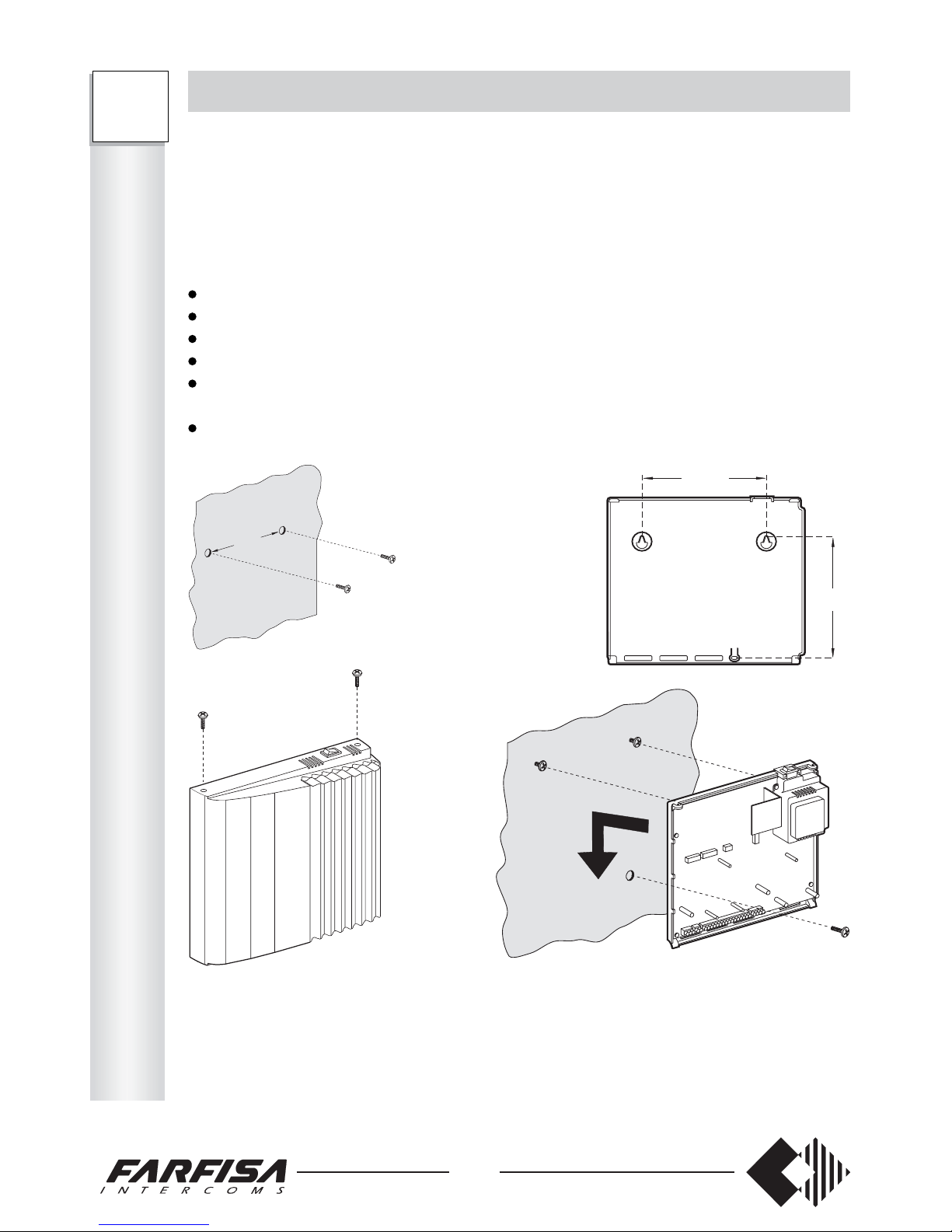
Mechanical installation
To install the PABX:
position two screws on the wall at a distance of 158 mm without tightening them
unscrew the 2 screws to remove the cover
hook the PABX to the screws
mark and drill the bottom hole
place the PABX on the wall in correspondence with the 2 upper screws and move it
downwards
insert the bottom screw to block the PABX.
158
161
Telephone and electrical connections
Use a telephone pair to connect telephones and external lines. The maximum connection
distance between the PABX and the last telephone is 350 m. using a 0.6 mm2 telephone
pair. Do not use multi-pair cables to reduce crosstalk problems.
I
N
S
T
A
L
L
A
T
I
O
N
FT
105P
208P
158
Internal call
General call
External call
Intercom call 1
Intercom call 2
Transfer without authorization; Return from transfer; Return from parking
(return call)
Booking
Page 5
3
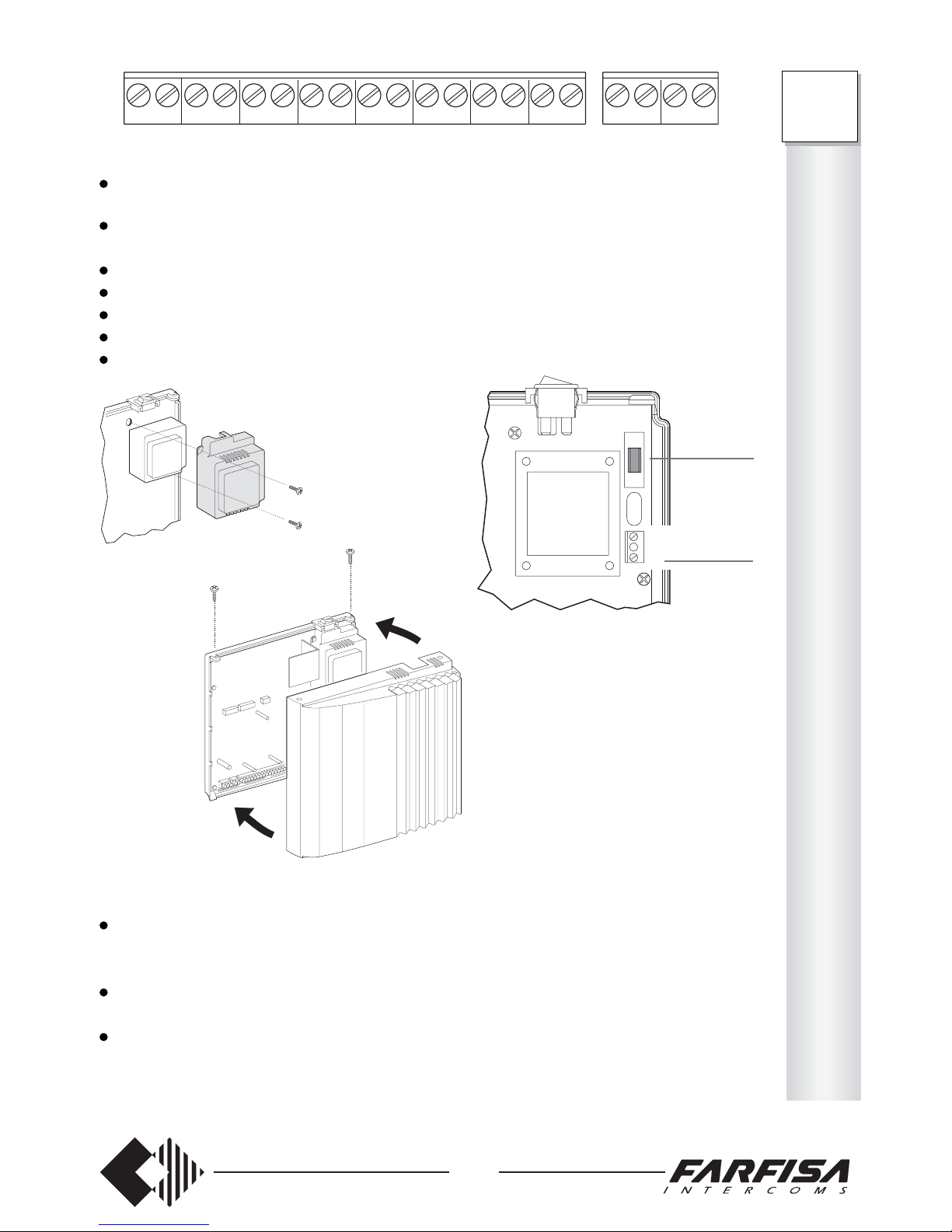
connect the wires of the external lines 1 and 2 to terminals URB1 and URB2 (URB1
for FT105P)
connect the wires of the telephones to DER41, .... DER48 (DER41, ... DER45 for
FT105P)
check that the on/off switch is off
unscrew the 2 screws to remove the protection cover of the power supply
connect the 2 electrical conductors to terminals L and N
replace the protection cover
close the PABX.
Notes
Although already present in the PABX, place external protections against overvoltage
or atmospheric discharge on the external lines, on the electric mains and on the extension
lines, if partially located outside the building.
The correct operation of the telephone installation is guaranteed when using homologated telephones.
If the general call function is required, connect facsimiles, modems and answering
machines to the terminals of the last extension (DER45 for FT105P; DER48 for FT208P)
because they do not receive the call signal.
DER48 DER47 DER46 DER45 DER44 DER43 DER42 DER41 URB 2 URB 1
0.315A
FUSE
L
N
I
N
S
T
A
L
L
A
T
I
O
N
FT
105P
208P
230VAC
Page 6

4
MAINTENANCE
No parts of the PABX can be replaced directly by the user.
In case of failure, contact the nearest Farfisa Service Center or distributor.
In the meantime, the PABX can be operated in emergency mode (see next chapter), by
placing the switch on O.
EMERGENCY
In case of power failure, the following lines can be used to make/receive calls:
for FT105P extension 41
for FT208P extension 41 for external line 1
extension 42 for external line 2
An EEPROM memory guarantees the preservation of the general programming data (or
system data) and restore them when the power is restored.
TECHNICAL DATA
FT105P FT208P
Supply voltage (+6 ÷ -10%): 230V 230V
Maximum power consumption: 16W 18W
Power consumption in stand-by: 10W 10W
Input protection fuse: 0,315A 0,315A
Maximum distance of an extension line
with 0.6 mm
2
telephone pair: 350m 350m
Dimensions: 226x254x66 226x254x66
Weight: 1.3 Kg 1.4 Kg
Operating temperature: 0°÷40°C 0°÷40°C
Maximum humidity permitted: 85%RH 85%RH
Number of external lines: 1 2
Number of extension lines: 5 8
Number of DTMF receivers: 1 2
Simultaneous internal conversations: 2 2
Simultaneous external conversations: 1 2
Paging communication: 1 1
Intercom calls (additional card): 1 o 2 1 o 2
Preservation of data in case of power failure: EEprom EEprom
Extension lines in emergency mode: 41 41 e 42
Extension line for facsimiles, modems, answering machines: 45 * 48 *
Microprocessor control with recorded program
Solid-state switching matrix
2-wire internal telephone network
* The other extension lines can also be used but in this case. The use of the general call
function is not recommended.
I
N
S
T
A
L
L
A
T
I
O
N
FT
105P
208P
Model FT208P
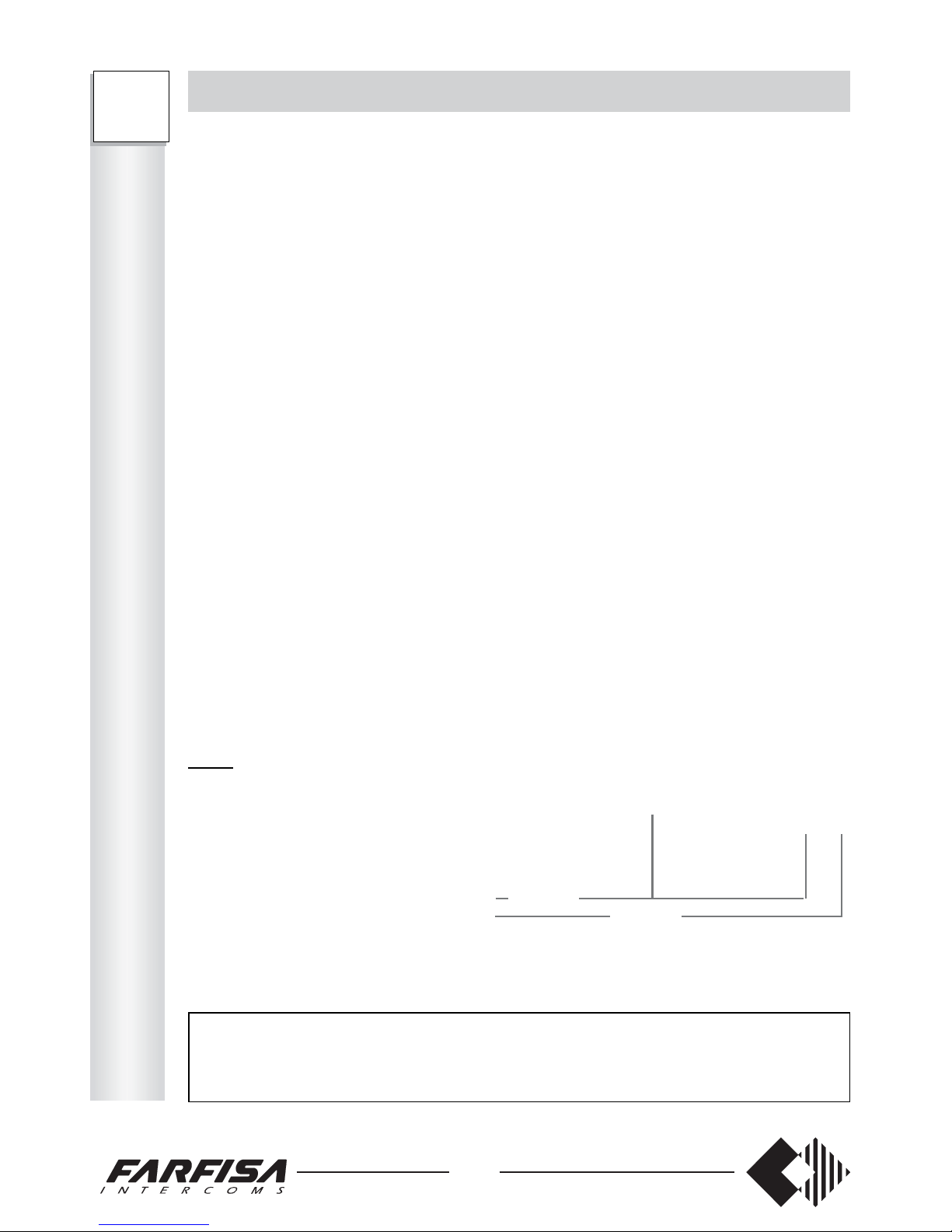
SERVICE code for each extension page
Enables day outgoing phone conversat. 333302 ________ 6
Enables night outgoing phone conversat. 333304 ________ 6
Enables day incoming phone conversat. 333303 ________ 8
Enables night incoming phone conversat. 333305 ________ 8
Enables day outgoing calls 333306 ________ 11
Enables night outgoing calls 333308 ________ 11
Enables day incoming calls 333307 ________ 9
Enables night incoming calls 333309 ________ 9
Enables day intercom access 333310 ________ 40
Enables night intercom access 333312 ________ 40
Enables day intercom calls 333311 ________ 41
Enables night intercom calls 333313 ________ 41
Clearing or FLASH time 333314 ________ 12
Enables extension dialling control 333315 ________ 18
Service enabling 333316 ________ 13
SYSTEM PROGRAMMING Access Number to be stored Se e
DEC/DTMF – DTMF tones – Intercom 333317 ________ 14
D.I.S.A.
Enable Caller ID 333318 ________ 33
Overcoming the selective control 333319 __ 35
External 1 password 333320 ____ 44
External 2 password 333321 ____ 44
1st blocking number for dialling control 333322 ________ 17
8th blocking number for dialling control 333329 ________ 17
1st number enabled 333330 ________ 16
8th number enabled 333337 ________ 16
Returning to the base programming 333399 5
Programming PABX directory 222200,...,39 34
Page 7

5
P
R
O
G
R
A
M
M
I
N
G
PROGRAMMING
Programming allows for personalizing the PABX according to the user’s needs and for
setting the operating mode for the each individual telephone connected to the PABX.
PROGRAMMING CAN ONLY BE CARRIED OUT FROM EXTENSION 41.
When turned on, the PABX is programmed for standard use. This programming is defined
as “base” and indicated in each chapter.
Only reprogram the PABX parts that need to be modified and leave the rest unchanged.
If the PABX is connected to a DTMF external line, use telephones with DTMF dialling
and program the external line in DTMF mode, or use telephones with LD dialling and
program the external line in LD mode. If the external line is LD, mixed telephones can be
used, but the line must always be programmed in LD mode.
When programming or operating the PABX, use number 1 instead of the FLASH in case
of LD telephones without such button.
For easier programming, when necessary, press the FLASH instead of hanging up.
Note
The PABX’s are supplied for operation with DTMF over external line. For LD dialling
programming, see page 14.
HOW TO RETURN TO BASE PROGRAMMING
It is possible to return to base programming at any time, by dialling code 333399 from
telephone 41.
This operation restores the base conditions indicated in the manual.
The symbol # in the field indicates that the last number programmed will not be modified
when returning to the base program, such as personal security codes.
The symbol * in the field indicates that the programmed number will be cancelled.
DAY/NIGHT SERVICE
Two operating modes are available, defined as day and night.
To recall the day service, dial 333301 from telephone 41 (operating mode set in the base
programming). To recall the night service, dial 333300.
FT
105P
208P
Page 8
6
FT
105P
208P
P
R
O
G
R
A
M
M
I
N
G
HOW TO ENABLE OUTGOING CALLS
Select the desired configuration for each telephone and fill-in the table below.
0 the extension can: - make internal calls only
1 the extension can: - make internal calls
- make restricted external calls *
2 the extension can: - make internal calls
- make external calls
3 the extension can: - make internal calls
- make external calls
- make international calls
4 the extension can: - make internal calls
- make restricted external calls *
- include in conversations with other extensions
5 the extension can: - make internal calls
- make external calls
- include in conversations with other extensions
6 the extension can: - make internal calls
- make external calls
- make international calls
- include in conversations with other extensions
* This programming mode only allows for calls to the numbers entered in the “activation
of enabled numbers” chapter on page 16. For your convenience, write down the numbers
in the table on page 46.
Table
Type of service Code Telephones
41 42 43 44 45 46 47 48 Base
Day outgoing calls 3333-02 ________ 66666 666
Night outgoing calls 3333-04 ________ 00000 000
To program:
FT208P
FT105P
Note
‘External calls’ are represented by telephone numbers starting with any number and
‘international calls’ by numbers starting with two 0 (00 - -).
See page 34 for programming. Programming code 2222.
Short Telephone
numbers numbers Name
00 ____________________ __________
01 ____________________ __________
02 ____________________ __________
03 ____________________ __________
04 ____________________ __________
05 ____________________ __________
06 ____________________ __________
07 ____________________ __________
08 ____________________ __________
09 ____________________ __________
10 ____________________ __________
11 ____________________ __________
12 ____________________ __________
13 ____________________ __________
14 ____________________ __________
15 ____________________ __________
16 ____________________ __________
17 ____________________ __________
18 ____________________ __________
19 ____________________ __________
20 ____________________ __________
21 ____________________ __________
22 ____________________ __________
23 ____________________ __________
24 ____________________ __________
25 ____________________ __________
26 ____________________ __________
27 ____________________ __________
28 ____________________ __________
29 ____________________ __________
30 ____________________ __________
31 ____________________ __________
32 ____________________ __________
33 ____________________ __________
34 ____________________ __________
35 ____________________ __________
36 ____________________ __________
37 ____________________ __________
38 ____________________ __________
39 ____________________ __________
Page 9
7
P
R
O
G
R
A
M
M
I
N
G
FT
105P
208P
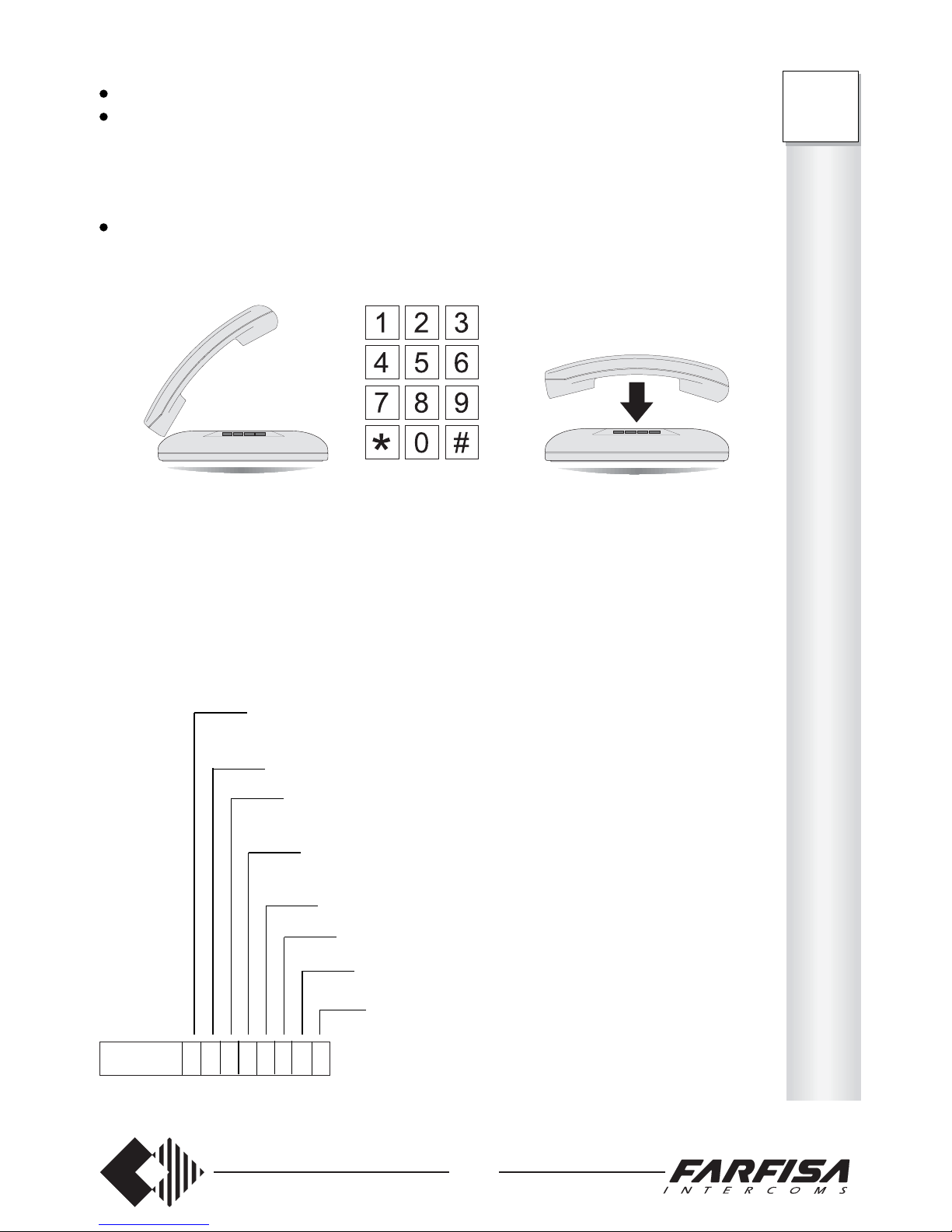
pick up the handset (dialling tone);
dial the access code 333302 (day) or 333304 (night);
- (only FT105P) – dial 5 digits to program 5 extensions (see Table). Always dial a
number of 5 digits even if extensions are less than 5.
- (only FT208P) – dial 8 digits to program 8 extensions (see Table). Always dial a
number of 8 digits even if extensions are less than 8.
wait for the acknowledgement tone and hang up.
3333 02 6 4 2 5 3 1 0 2
extension 41 can make any type of calls and can include in conversations with
other extensions
extension 42 can make internal and restricted external calls and can
include in conversations with other extensions
extension 43 can make internal and external calls
extension 44 can make internal, external calls and can include in
conversations with other extensions
extension 45 can make any type of calls, but can not include in
conversations with other extensions
extension 46 can make internal and restricted external calls
extension 47 can only make internal calls
extension 48 can make internal and external calls
Example: if the code below has been dialled, in day service:
day night
FT105P 333302xxxxx 333304xxxxx
FT208P 333302xxxxxxxx 333304xxxxxxxx
Page 10
8
FT
105P
208P
P
R
O
G
R
A
M
M
I
N
G
HOW TO ENABLE INCOMING CALLS
Select the desired configuration for each telephone and fill-in the table below.
0 the extension can: - receive internal calls
1 the extension can: - receive internal calls
- answer unanswered calls
2 the extension can: - receive internal calls
- receive external calls
3 the extension can: - receive internal calls
- receive external calls
- answer unanswered calls
Table
Type of service Code Telephones
41 42 43 44 45 46 47 48 Base
Day incoming calls 3333-03 ________ 33333 333
Night incoming calls 3333-05 ________ 00000 000
To program:
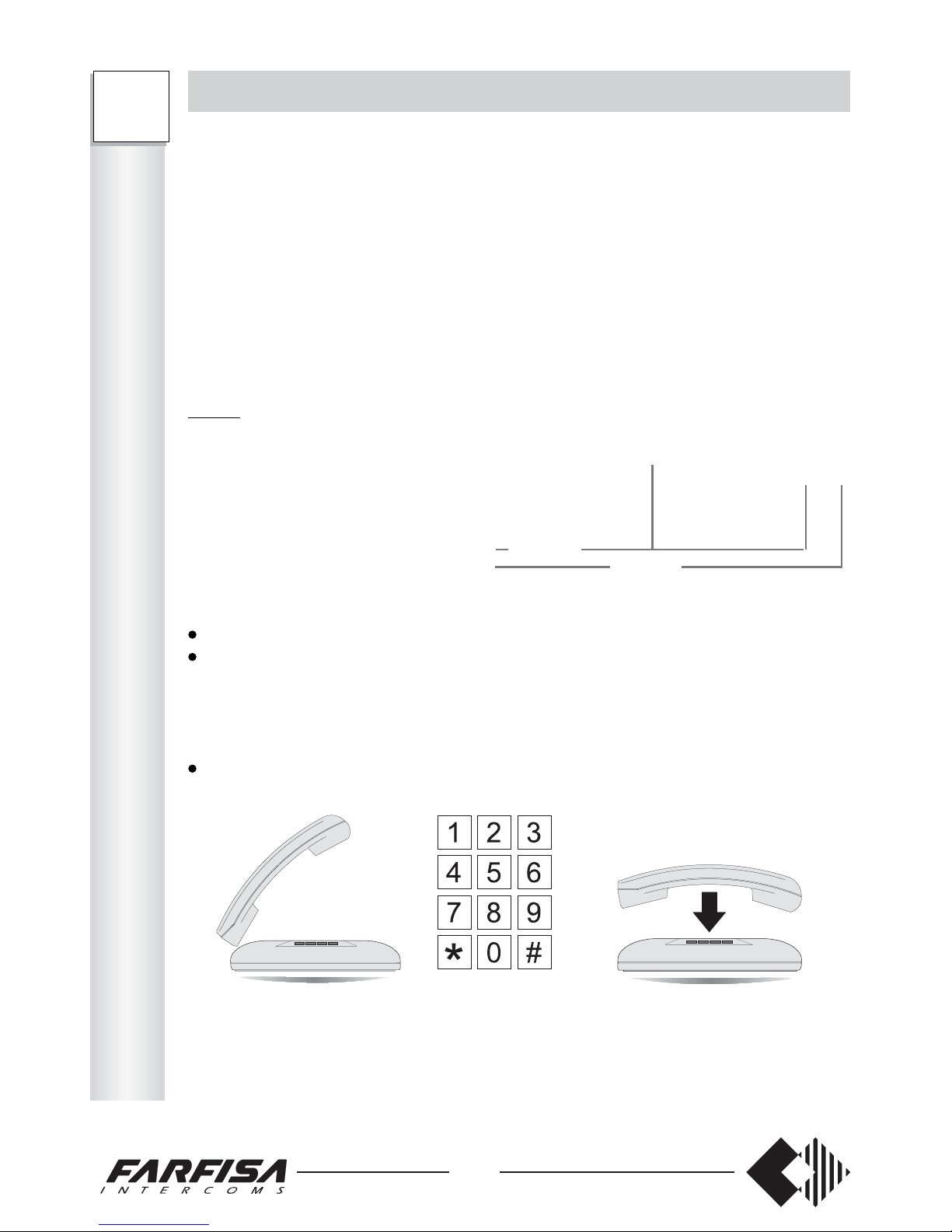
pick up the handset (dialling tone);
dial the access code 333303 (day) or 333305 (night);
- (only FT105P) – dial 5 digits to program 5 extensions (see Table). Always dial a
number of 5 digits even if extensions are less than 5.
- (only FT208P) – dial 8 digits to program 8 extensions (see Table). Always dial a
number of 8 digits even if extensions are less than 8.
wait for the acknowledgement tone and hang up.
FT208P
FT105P
day night
FT105P 333303xxxxx 333305xxxxx
FT208P 333303xxxxxxxx 333305xxxxxxxx
To program:
pick up the handset
- dialling tone
dial the access code 333320 to store password related to external line no.1
dial a chosen 4-digit password (from 0000 to 9999). Always dial a 4-digit number
wait for the acknowledgement tone and hang up.
Repeat the above procedure with a different password and access code for external line 2
(only FT208P).
Example: if the number below has been dialled:
3333200100 the actuator cards installed in the PABX can be activated by making a
call to external line 1 and dialling password 0100.
Operation
select the subscriber number to which the PABX is connected from an external telephone
- Public Exchange call control tone
wait for the D.I.S.A. post-dialling tone
dial 7
dial the password programmed for the specific external line
dial the number of the relay to be activated
1 relay 1
2 relay 2
3 relay 3
4 relay 4
select the relay action
(only for relays 2, 3 and 4.
Relay 1 is activated for 3
seconds)
0 the relay is deactivated
1 the relay is activated
2 the relay is activated for 3 seconds
acknowledgement tone.
Examples: make the connection with the user’s number and dial 7010032: relay 3 is
activated for 3 seconds, being 0100 the password related to external line 1 (see example
above). To enable relay 1, dial 7 + the password code + 1. Relay 1 can only be activated
for about 3 seconds.
Note
In case of incorrect dialling , of wrong password or no password within 5 seconds, the call
is automatically sent to all extensions enabled to receive external calls.
Page 11
9
P
R
O
G
R
A
M
M
I
N
G
FT
105P
208P
HOW TO ASSIGN INCOMING EXTERNAL LINES
Select the incoming lines to be assigned to each telephone and fill-in the table below.
0 the extension: - is not enabled to receive calls from the external lines
1 the extension: - is enabled to receive calls from external line 1
2 the extension: - is enabled to receive calls from external line 2
3 the extension: - is enabled to receive calls from external lines 1 and 2
Note:
The assignment of the incoming calls also allows for answering to D.I.S.A. calls (if
enabled).
For FT105P, only insert number 0 or 1.
Table
Type of service Code Telephones
41 42 43 44 45 46 47 48 Base
Day incoming calls 3333-07 ________ 33333 333
Night incoming calls 3333-09 ________ 00000 000
FT208P
FT105P
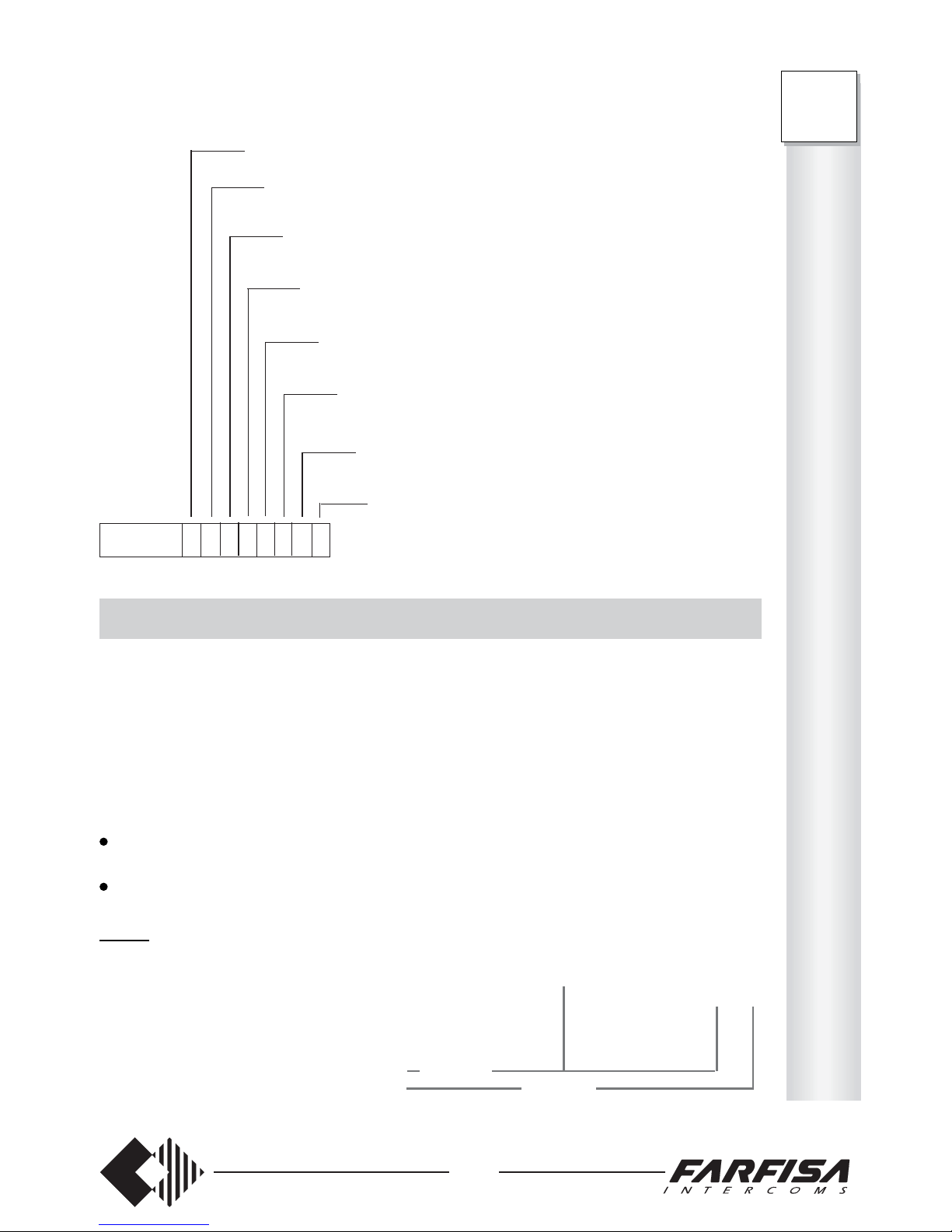
Example: if the code below has been dialled, in day service:
3333 03 3 1 2 2 3 1 0 2
extension 41 can receive any type of calls and answer unanswered calls
extension 42 can receive internal calls and answer unanswered calls
extension 43 can receive any type of calls, but not answer unanswered
calls
extension 44 can receive any type of calls, but not answer unanswered
calls
extension 45 can receive any type of calls and answer unanswered
calls
extension 46 can receive internal calls and answer unanswered
calls
extension 47 can receive internal calls only, but not answer
unanswered calls
extension 48 can receive any type of calls, but not answer
unanswered calls
Page 12
10
FT
105P
208P
P
R
O
G
R
A
M
M
I
N
G
To program:
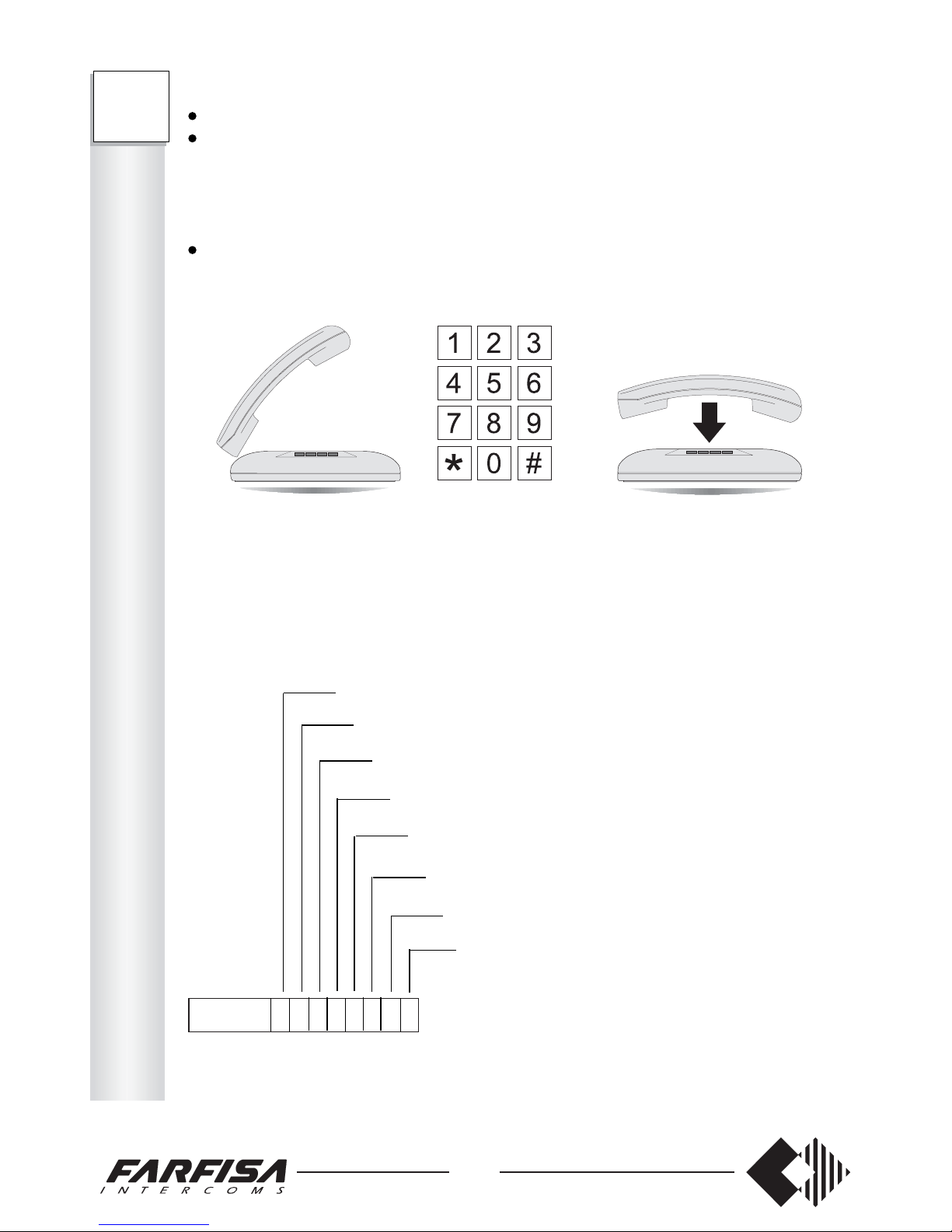
pick up the handset (dialling tone);
dial the access code 333307 (day) or 333309 (night);
- (only FT105P) – dial 5 digits to program 5 extensions (see Table). Always dial a
number of 5 digits even if extensions are less than 5.
- (only FT208P) – dial 8 digits to program 8 extensions (see Table). Always dial a
number of 8 digits even if extensions are less than 8.
wait for the acknowledgement tone and hang up.
day night
FT105P 333307xxxxx 333309xxxxx
FT208P 333307xxxxxxxx 333309xxxxxxxx
3333 07 3 1 2 2 3 1 0 2
extension 41 can receive calls from both external lines
extension 42 can receive calls from external line 1
extension 43 can receive calls from external line 2
extension 44 can receive calls from external line 2
extension 45 can receive calls from both external lines
extension 46 can receive calls from external line 1
extension 47 can only receive internal calls
extension 48 can receive calls from external line 2
Example: if the code below has been dialled, in day service:
This function allows for activating the 4 relays of the intercom card ES60 or ES65 (or
actuator card) for auxiliary services (lights, thermostats, heating and air conditioning
installations, etc.).
Note
Only one card at time can be added in the PABX (either intercom or actuator).
For installing the card and connection terminal block see on pages 37 and 38.
Transfer an intercom call
To transfer an intercom call to an enabled user:
hang up to suspend the intercom conversation
pick up the handset
call the desired extension and hang up after the message
The called user can:
press FLASH
dial 6
- conversation with the external intercom station starts
Relay activation during conversation
This function allows for activating the relays no.1 and 2 of the intercom card ES60 or ES65
in order to operate electrical locks, turn on the staircase lighting, etc.
During the conversation with the external intercom station:
press FLASH
- dialling tone
dial the number of the relay to be activated:
* Relays 1 and 2 are not enabled at the same time, in order not to overcharge the intercom
power supply unit when used to activate electrical locks. Relay 2 is enabled with about 3
sec. delay.
Page 13
11
HOW TO ASSIGN OUTGOING EXTERNAL LINES
Select the outgoing lines to be assigned to each telephone and fill-in the table below.
0 the extension: - is not enabled to make calls on the external lines
1 the extension: - is enabled to make calls on external line 1
2 the extension: - is enabled to make calls on external line 2
3 the extension: - is enabled to receive calls on external lines 1 and 2
Table
Type of service Code Telephones
41 42 43 44 45 46 47 48 Base
Day outgoing calls 3333-06 ________ 33333333
Night outgoing calls 3333-08 ________ 00000000
To program:
pick up the handset (dialling tone);
dial the access code 333306 (day) or 333308 (night);
- (only FT208P) – dial 8 digits to program 8 extensions (see Table). Always dial a
number of 8 digits even if extensions are less than 8.
wait for the acknowledgement tone and hang up.
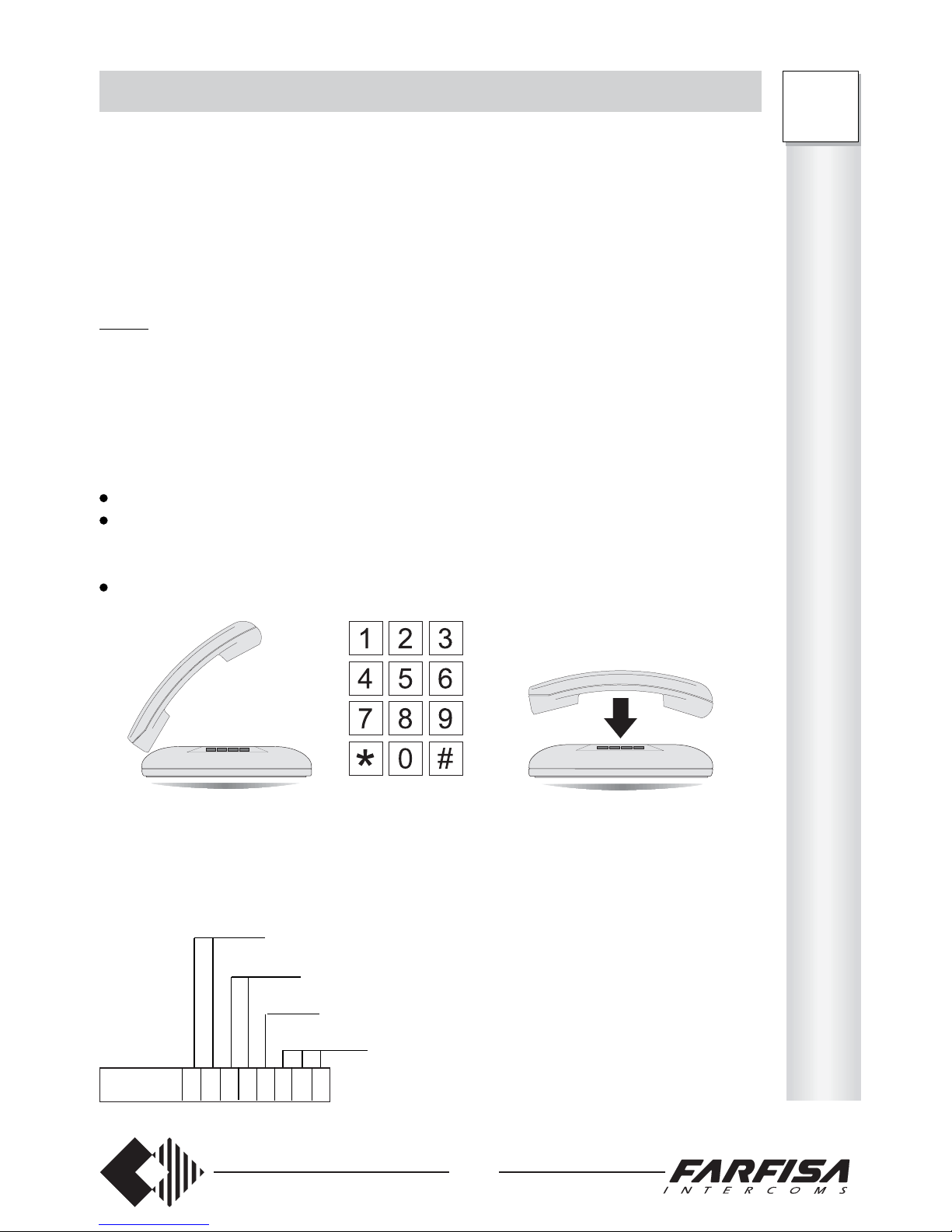
Example: if the code below has been dialled, in day service:
P
R
O
G
R
A
M
M
I
N
G
FT
208P
extensions 41 and 42 can make calls on external line 1
extension 43 and 44 are not enabled to make calls on external lines
extension 45 can make calls on both external lines
extension 46, 47 and 48 can make calls on external line 2
3333 06 1 1 0 0 3 2 2 2
day night
FT208P 333306xxxxxxxx 333308xxxxxxxx
Page 14
12
FLASH TIME
When using Italian homologated DTMF telephones, select number 0 (< 130 msec.). For
other types of telephones, select the value from the options listed below according to the
telephone specifications. Fill-in the table below.
0 Flashing time lower than 130 msec.
1 Flashing time lower than 330 msec.
2 Flashing time lower than 770 msec.
3 Flashing time lower than 970 msec.
Table
Type of service Code Telephones
41 42 43 44 45 46 47 48 Base
Flashing time 3333-14 ________ 00000 000
To program:
pick up the handset (dialling tone);
dial the access code 333314;
- (only FT105P) – dial 5 digits to program 5 extensions (see Table). Always dial a
number of 5 digits even if extensions are less than 5.
- (only FT208P) – dial 8 digits to program 8 extensions (see Table). Always dial a
number of 8 digits even if extensions are less than 8.
wait for the acknowledgement tone and hang up.
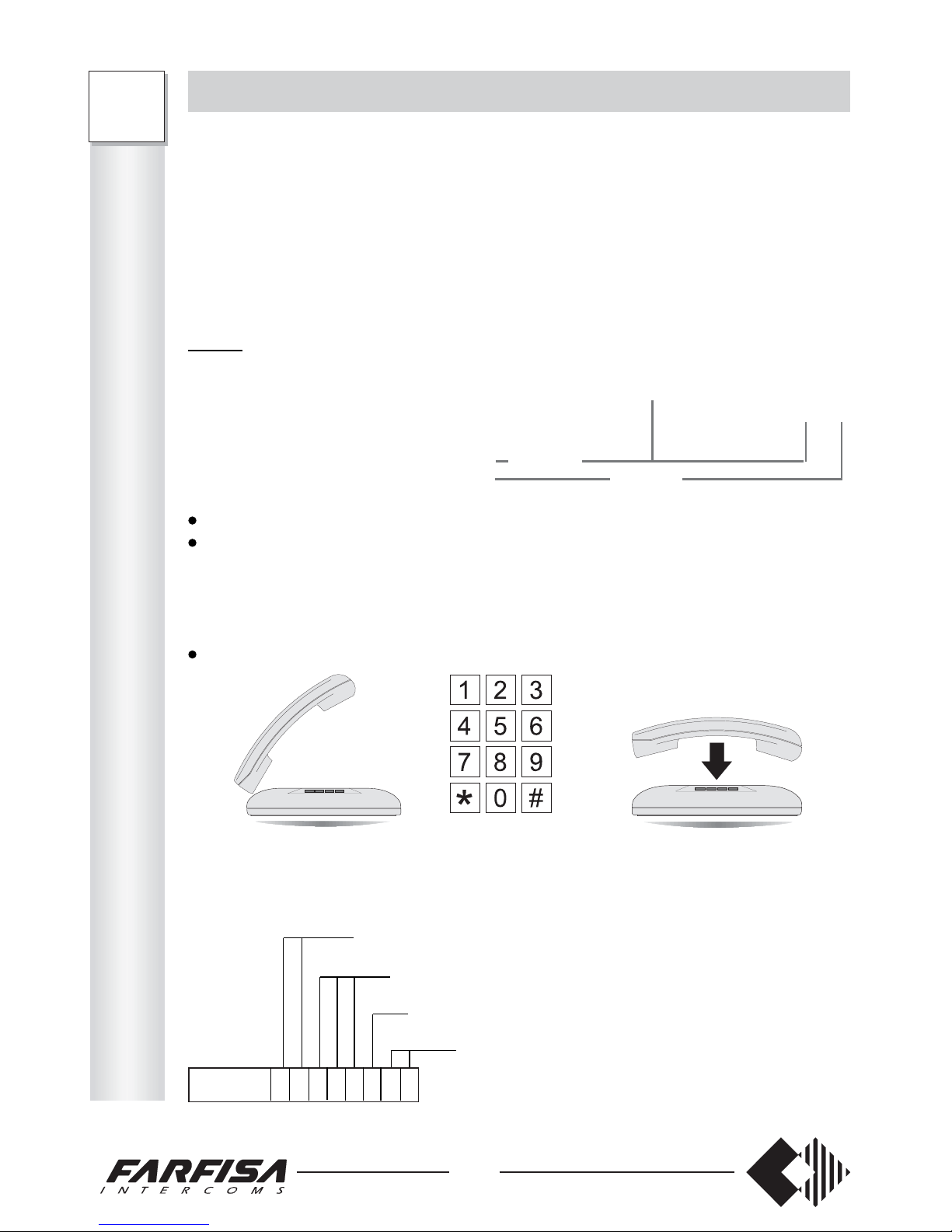
Example: if the code below has been dialled:
FT208P
FT105P
FT105P 333314xxxxx
FT208P 333314xxxxxxxx
extensions 41 and 42 will accept a FLASH time up to 330 msec.
extensions 43, 44 and 45 will accept a FLASH time up to 130 msec.
extension 46 will accept a FLASH time up to 970 msec.
extensions 47 and 48 will accept a FLASH time up to 770msec.
3333 14 1 1 0 0 0 3 2 2
P
R
O
G
R
A
M
M
I
N
G
FT
105P
208P
Select the desired service for each telephone and write the number in the table below.
0 the extension: - is not enabled to receive calls from the external intercom station
1 the extension: - is enabled to receive calls from the external intercom station – button
2 the extension: - is enabled to receive calls from the external intercom station – button
3 the extension: - is enabled to receive calls from both buttons of the external intercom
Table
Type of service Code Telephones
Enabled to receive: 41 42 43 4 4 45 46 47 48 Base
- day intercom calls 3333-11 _ _ _ _ _ _ _ _ 33333 333
- night intercom calls 3333-13 _ _ _ _ _ _ _ _ 00000 000
To program:
pick up the handset (dialling tone);
dial the access code 333311 (day) or 333313 (night);
- (only FT105P) – dial 5 digits to program 5 extensions (see Table). Always dial a number
of 5 digits even if extensions are less than 5.
- (only FT208P) – dial 8 digits to program 8 extensions (see Table). Always dial a number
of 8 digits even if extensions are less than 8.
wait for the acknowledgement tone and hang up.
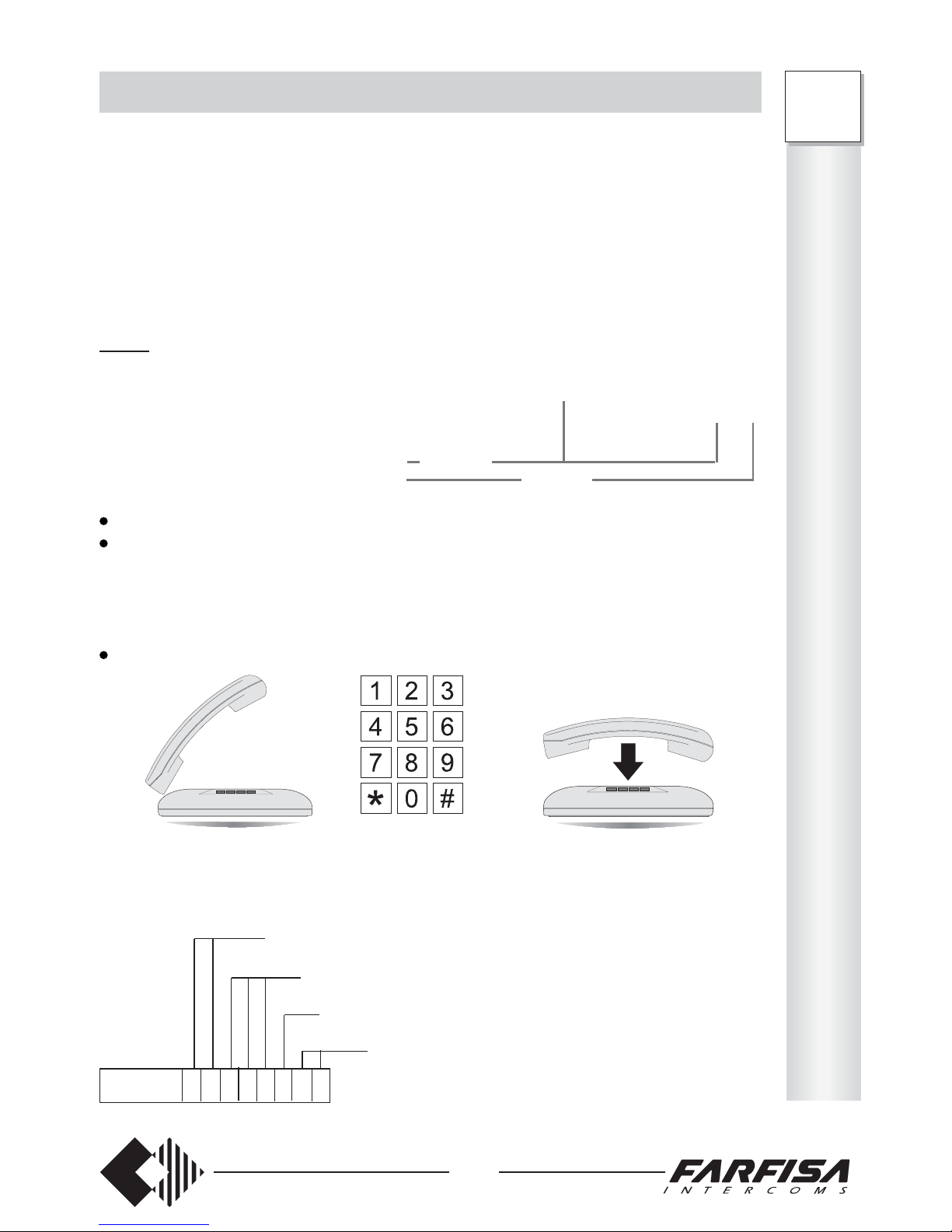
3333 10 3 3 1 1 2 2 0 0
Example: if the code below has been dialled, in day service:
Page 15
13
P
R
O
G
R
A
M
M
I
N
G
FT
105P
208P
HOW TO ENABLE THE PERSONAL SERVICES
This procedure allows for enabling the ‘do not disturb’, ‘follow me’ and ‘timed follow me’
services described on pages 27 and 28.
0 all services are disabled
1 ‘do not disturb’ is enabled
2 ‘follow me’ and ‘time follow me’ are enabled
3 all services are enabled
Table
Type of service Code Telephones
41 42 43 44 45 46 47 48 Base
Enabled services 3333-16 ________ 00000 000
To program:
pick up the handset (dialling tone);
dial the access code 333316;
- (only FT105P) – dial 5 digits to program 5 extensions (see Table). Always dial a
number of 5 digits even if extensions are less than 5.
- (only FT208P) – dial 8 digits to program 8 extensions (see Table). Always dial a
number of 8 digits even if extensions are less than 8.
wait for the acknowledgement tone and hang up.
FT208P
FT105P
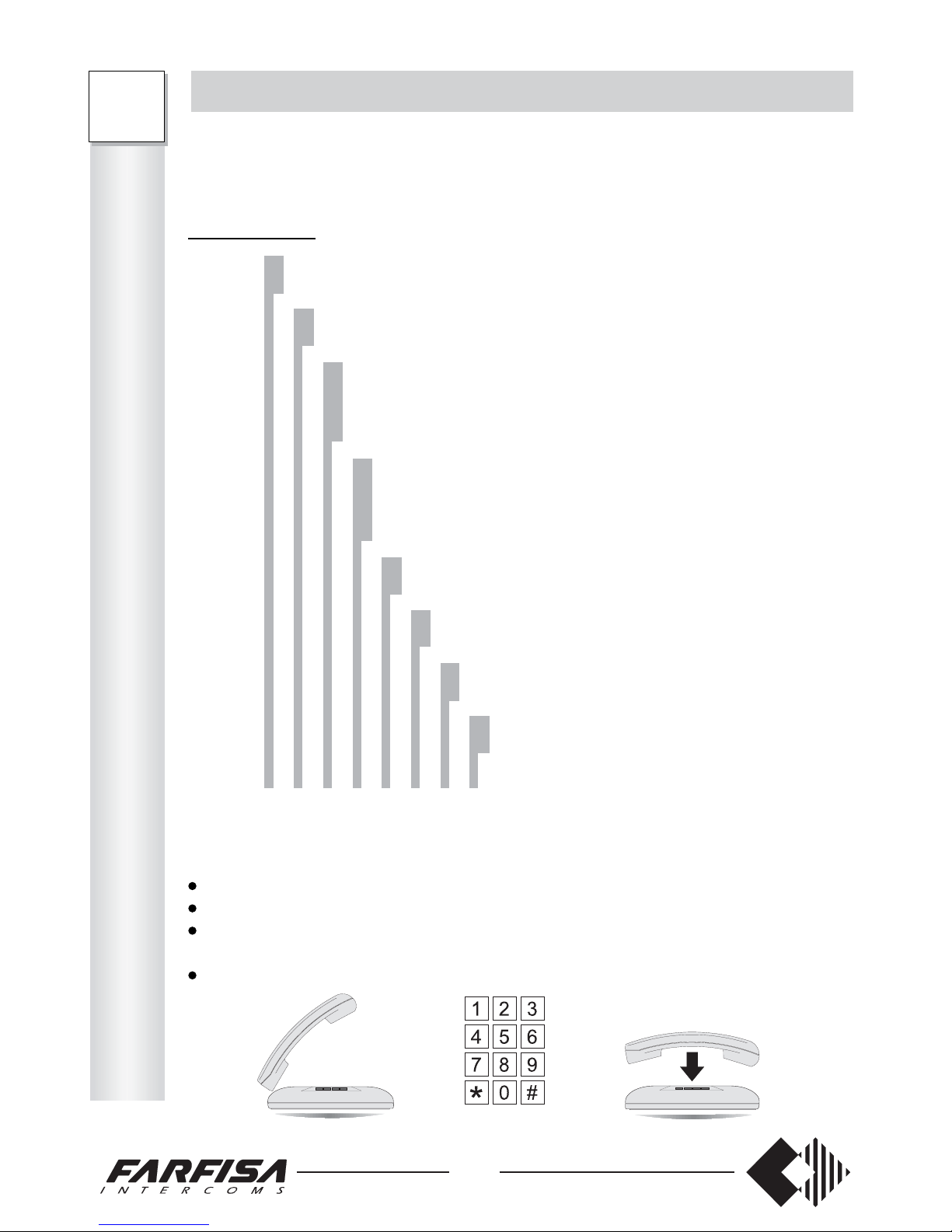
FT105P 333316xxxxx
FT208P 333316xxxxxxxx
only the ‘do not disturb’ service is enabled for extensions 41 and 42
all the services are disabled for extensions 43, 44 and 45
all the services are enabled for extension 46
only the ‘follow me’ and ‘timed follow me’ services are
enabled for extensions 47 and 48
3333 16 1 1 0 0 0 3 2 2
Example: if the code below has been dialled:
Page 16
14
P
R
O
G
R
A
M
M
I
N
G
FT
105P
208P
HOW TO PROGRAM THE SYSTEM
This function allows for characterising the operation mode of the PABX (decadic/
multifrequency operation, impulse tone activation/deactivation, duration of intercom call,
DISA activation/deactivation).
Table FT208P
0 LD dialling of extensions on external line 1
1 DTMF dialling of extensions on external line 1
0 LD dialling of extensions on external line 2
1 DTMF dialling of extensions on external line 2
0 disables warning tone to remind the end of LD dialling time on
external line 1
1 enables warning tone to remind the end of LD dialling time on
external line 1
0 disables warning tone to remind the end of LD dialling time on
external line 2
1 enables warning tone to remind the end of LD dialling time on
external line 2
0 intercom call no. 1 (terminal 6a) lasts 25 sec.
1 intercom call no. 1 (terminal 6a) lasts 5 sec.
0 intercom call no. 2 (terminal 6b) lasts 25 sec.
1 intercom call no. 2 (terminal 6b) lasts 5 sec.
0 disables D.I.S.A. over external line 1
1 enables D.I.S.A. over external line 1
0 disables D.I.S.A. over external line 2
1 enables D.I.S.A. over external line 2
3333-17 ________ 11000000
Code Numbers to be dialled Base
To program:
pick up the handset (dialling tone);
dial the access code 333317;
dial 8 digits to program the requested general services (see Table). Always dial a
number of 8 digits even if some services remain unchanged.
wait for the acknowledgement tone and hang up.
This manual contains an example of how to use the intercom interface. For other
applications, use any diagram contained in the Farfisa technical manuals, since the
terminal numbering and the functions of the intercom card are the same as a Farfisa
intercoms connected in 4+1 intercom (call with buzzer) or traditional video-intercom
systems (7 + coaxial cable).
230V
127V
0
Multi-family intercom installation
The diagram shows the connection of 2
FT105P and/or FT208P PABX with
ES60 or ES65 intercom interface and
with possibility of open the door and
automatic gate.
1) example of single call from the exter-
nal station (one-family)
2) example of double calls from the exter-
nal station (two-family, home-office, etc.)
Conductor cross-section in mm
Distance
(m.)
50
100
200
300
Page 17
15
P
R
O
G
R
A
M
M
I
N
G
FT
105P
208P
Table FT105P
0 LD dialling of extensions on external line
1 DTMF dialling of extensions on external line
0 disables warning tone to remind the end of LD dialling time on
external line
1 enables warning tone to remind the end of LD dialling time on
external line
0 intercom call no. 1 (terminal 6a) lasts 25 sec.
1 intercom call no. 1 (terminal 6a) lasts 5 sec.
0 intercom call no. 2 (terminal 6b) lasts 25 sec.
1 intercom call no. 2 (terminal 6b) lasts 5 sec.
0 disables D.I.S.A. over external line
1 enables D.I.S.A. over external line
3333-17 _ _ _ _ _ 10000
Code Numbers to be dialled Base
To program:
pick up the handset (dialling tone);
dial the access code 333317;
dial 5 digits to program the requested general services (see Table). Always dial a
number of 5 digits even if some services remain unchanged.
wait for the acknowledgement tone and hang up.
Example FT105P: if the following code has been dialled:
33331710101
- external line has DTMF dialling. The warning tone reminding the end of the LD dialling
time is disabled.
- intercom call no. 1 lasts 5 sec, while intercom call no. 2 lasts 25 sec.
- the D.I.S.A. function is enabled
Notes
- If the intercom card (art. ES60 or ES65) is not present, either 0 or 1 can be inserted when
programming the duration of the intercom call.
- In case of DTMF lines, use only DTMF telephones.
Example FT208P: if the following code has been dialled:
33331711001001
- external lines has DTMF dialling. The warning tone reminding the end of the LD dialling
time is disabled.
- intercom call no. 1 lasts 5 sec, while intercom call no. 2 lasts 25 sec.
- the D.I.S.A. function is enabled for external line 2, but not for external line 1.
Page 18
16
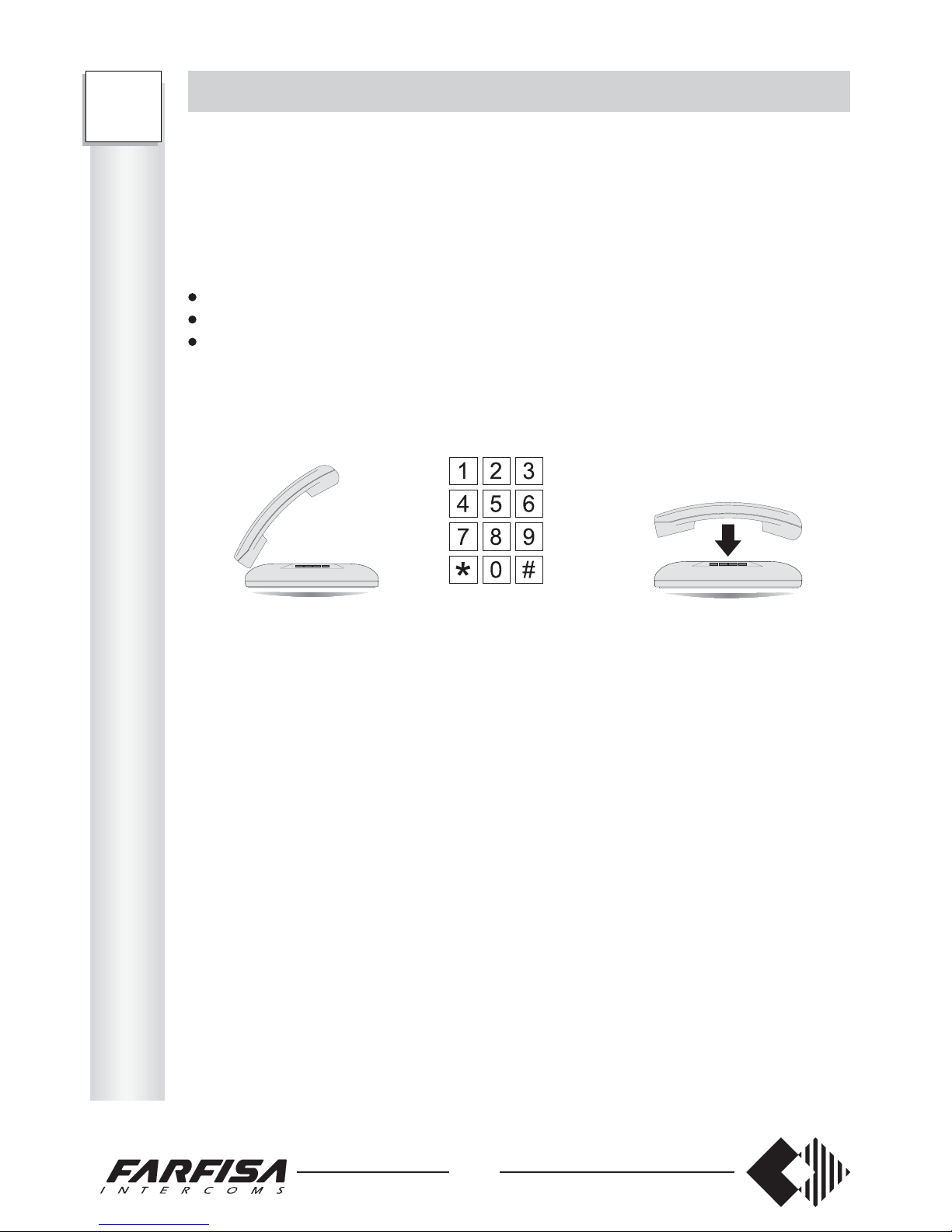
HOW TO ACTIVATE THE SEQUENCE OF ENABLED NUMBERS
This function allows for enabling max. 8 sequences of numbers (from 1 to 8 digits) with
which the telephone number must start in order to overcame the dialling control. Fill-in
with the chosen numbers the table on page 46.
The access codes for this service are:
3333-30, 3333-31, 3333-32, 3333-33, 3333-34, 3333-35, 3333-36 and 3333-37.
To insert the enabled numbers:
pick up the handset (dialling tone);
dial the access code 333330;
dial a number from 1 to 8 digits (fill-in with the number the table on page 46),
- if the number is made up of 8 digits, wait for the acknowledgement tone and hang up.
- if the number has less than 8 digits, hang up after dialling the last digit, without waiting
for the acknowledgement tone.
To insert the other numbers, repeat the same procedure using a different access code.
Example: if the following codes have been dialled:
333330071, 3333310187, 33333206854 the telephones for which the dialling control
function is enabled (see page 18) can only make calls to numbers starting with 071, 0187
and 06854.
FT105P 333330xxxxxxxx 333331xxxxxxxx 333337xxxxxxxx
FT208P 333330xxxxxxxx 333331xxxxxxxx 333337xxxxxxxx
FT
105P
208P
P
R
O
G
R
A
M
M
I
N
G
The intercom card art. ES60 or ES65 can be installed in the PABX in order to connect with
the external intercom station, open the door/automatic gate, turn on the staircase lighting,
etc.
Installing the card
Make sure that the PABX is off
Unscrew the 2 upper screws to remove the cover
Fix the card on the hooks provided
Connect the cable of the intercom card to the J204
connector
Connect the intercom wires to the terminal block (see
diagrams below)
Remember to correctly program the PABX
Connection cable CORRECTLY
inserted into the exchanger
Page 19
17
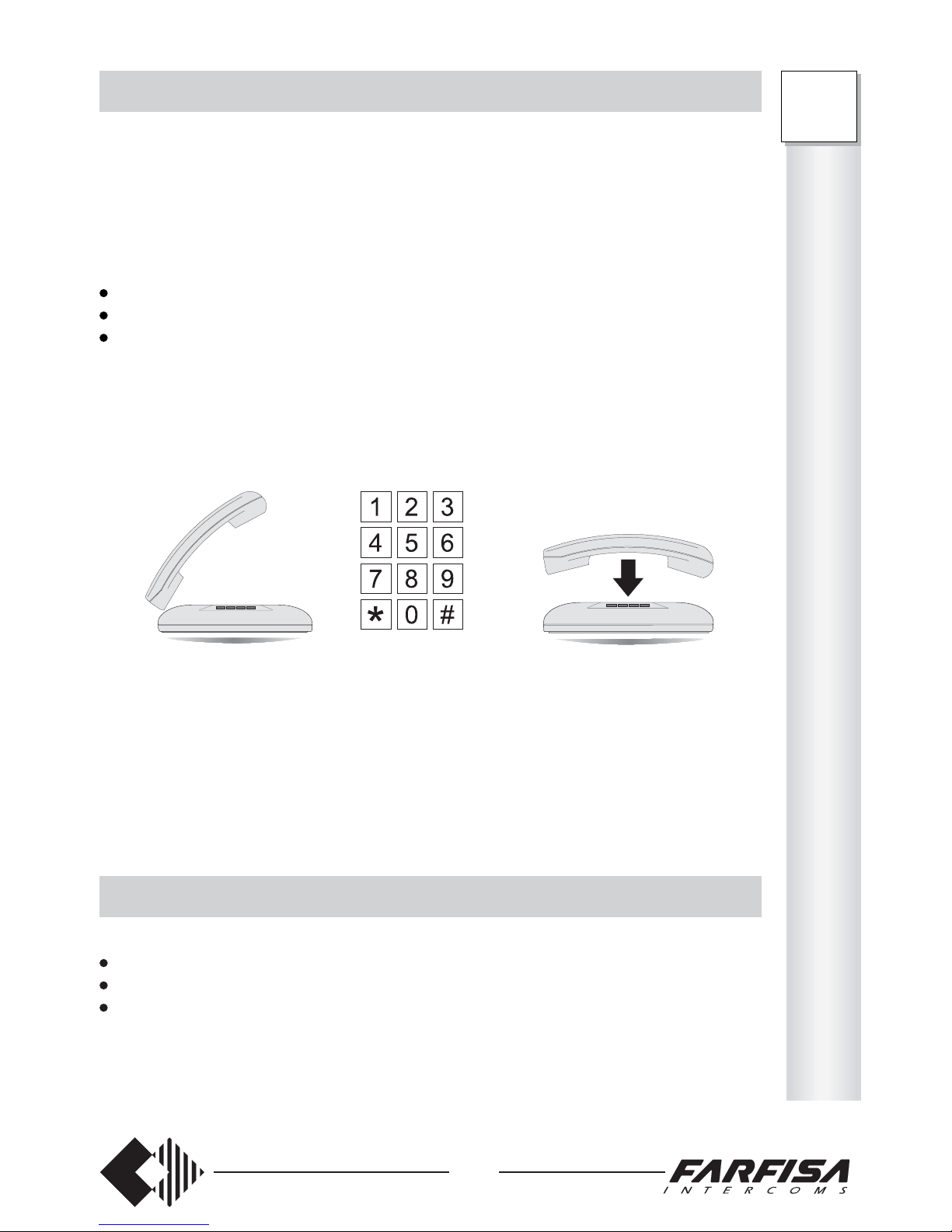
HOW TO CONTROL THE AREA CODE DIALLING
This function allows for blocking max. 8 sequences of numbers (from 1 to 8 digits) dialled
as first digits a telephone number. Fill-in the table of the page 46.
The access codes for this service are: 3333-22, 3333-23, 3333-24, 3333-25, 3333-26,
3333-27, 3333-28 and 3333-29.
To insert the blocking number:
pick up the handset (dialling tone);
dial the access code 333322;
dial a number from 1 to 8 digits (fill-in with the number the table on page 46),
- if the number is made up of 8 digits, wait for the acknowledgement tone and hang up.
- if the number is made up of less than 8 digits, hang up after dialling the last digit,
without waiting for the acknowledgement tone.
To insert the other blocking numbers, repeat the same procedure using a different access
code.
Example: if the codes indicated below have been dialled:
333322166, 333323033, 33332400158661 the telephones for which the area code dialling
control is enabled (see next paragraph) cannot dial numbers starting with 166, 033 and
00158661.
HOW TO DELETE THE ENABLED NUMBERS AND THE AREA CODES
To delete the enabled numbers and the area codes (see pages 16 and 17):
pick up the handset (dialling tone);
dial the access code of the number to be deleted;
hang up.
Example: dial 333335 and hang up to delete the number stored in position 35 of the enabled
numbers.
FT
105P
208P
P
R
O
G
R
A
M
M
I
N
G
FT105P 333322xxxxxxxx 333323xxxxxxxx 333329xxxxxxxx
FT208P 333322xxxxxxxx 333323xxxxxxxx 333329xxxxxxxx
Page 20
18
FT
105P
208P
P
R
O
G
R
A
M
M
I
N
G
HOW TO ENABLE THE DIALLING CONTROL
This function allows for setting the extensions for which the area code dialling are activated
(page 17). Fill-in with the chosen number the table below.
0 extension dialling not controlled
1 extension dialling controlled
Table
Type of service Code Telephones
41 42 43 44 45 46 47 48 Base
Enables extension control 3333-15 ________ 00000 000
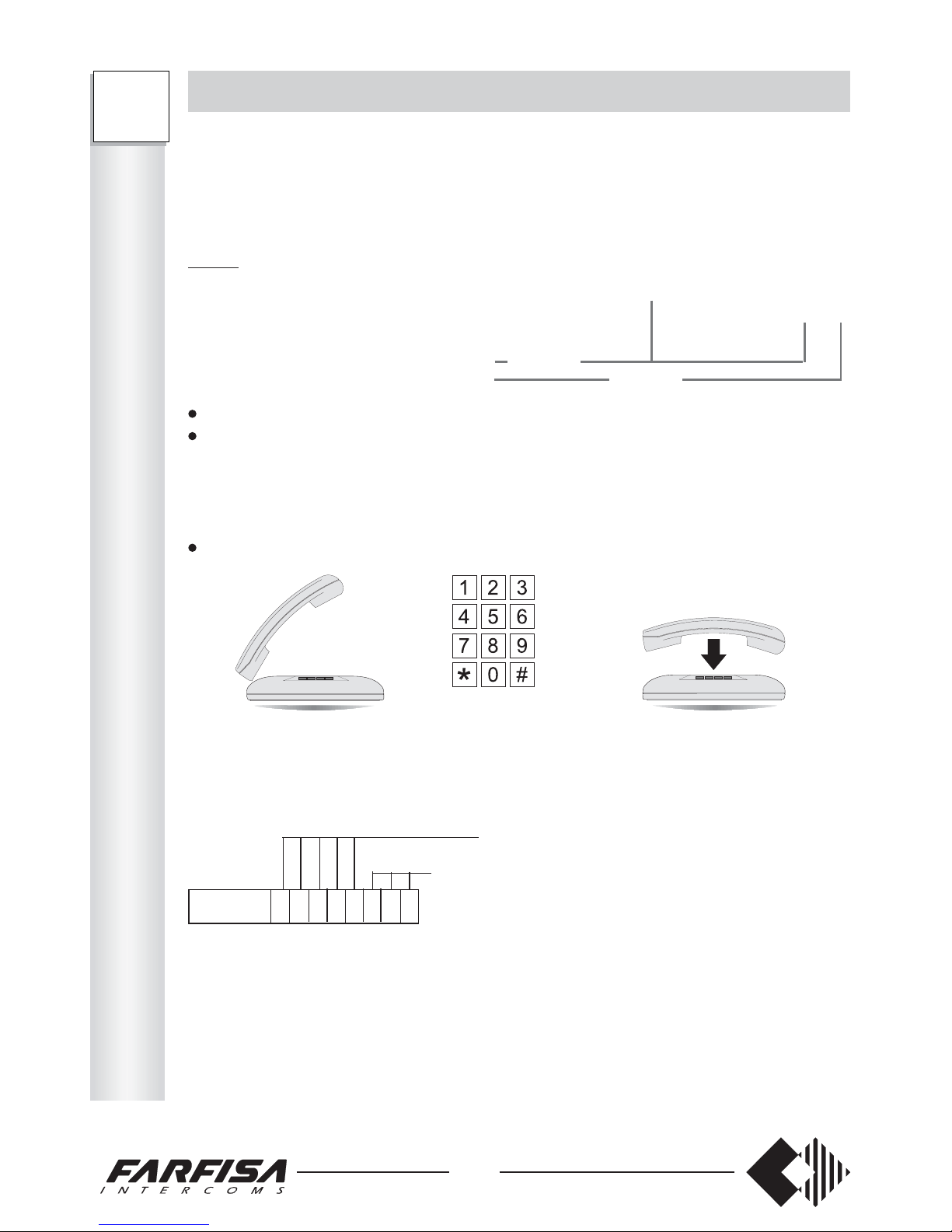
To program:
pick up the handset (dialling tone);
dial the access code 333315;
- only FT105P) – dial 5 digits to program 5 extensions (see Table). Always dial a
number of 5 digits even if extensions are less than 5.
- (only FT208P) – dial 8 digits to program 8 extensions (see Table). Always dial a
number of 8 digits even if extensions are less than 8.
wait for the acknowledgement tone and hang up.
Example: if the code below has been dialled:
FT208P
FT105P
Note
The control of the area code dialling depends on the types of outgoing calls enabled (see
page 6 and next).
Example: if the extension cannot make outgoing calls, this service does not affect operation.
FT105P 333315xxxxx
FT208P 333315xxxxxxxx
for extensions 46, 47 and 48 dialling is controlled. These extensions
can dial numbers starting with the digits contained in
the enabled numbers, except for those starting with the
sequence included in the blocking numbers (see page
17).
3333 15 0 0 0 0 0 1 1 1
for extensions 41, 42, 43, 44 and 45 dialling is not controlled
This function allows for accessing PABX directory even from telephones that are not
enabled to make external calls. Especially recommended for extremely important or
emergency numbers.
When programmed, this function makes the selective control not active on the first location
of PABX directory. Program the service with the location of the directory for which the
selective control must be active.
Insert a number from 00 to 40.
Type of service Code Directory location Base
Overcoming of selective control 3333-19 _ _ 00
To program:
pick up the handset; dialling tone;
dial the access code 333319;
dial the speed number (from 00 to 40);
wait for the acknowledgement tone and hang up.
Example: if the number below has been dialled:
33331909 directory locations from 00 to 08 can be accessed even from extensions that
Note: Insert 00 to access PABX directory only from the telephones enabled to make
outgoing calls. Insert 40 to access PABX directory from any telephone.
Operation
pick up the handset
- dialling tone
dial 71
dial the directory location associated to the desired number
Note
Check the presence of the public network tone after the automatic engagement of the
external line.
Page 21
19
OPERATING INSTRUCTIONS
When programming or operating the PABX, in case of telephones with LD dialling use
number 1 instead of the FLASH.
HOW TO RECALL OPERATING MODES
DAY service recalling 3333-01 (base)
Allows for operating each telephone in day service (according to the specific program-
ming).
NIGHT service recalling 3333-00
Allows for operating each telephone in night service (according to the specific programming).
INTERNAL COMMUNICATIONS
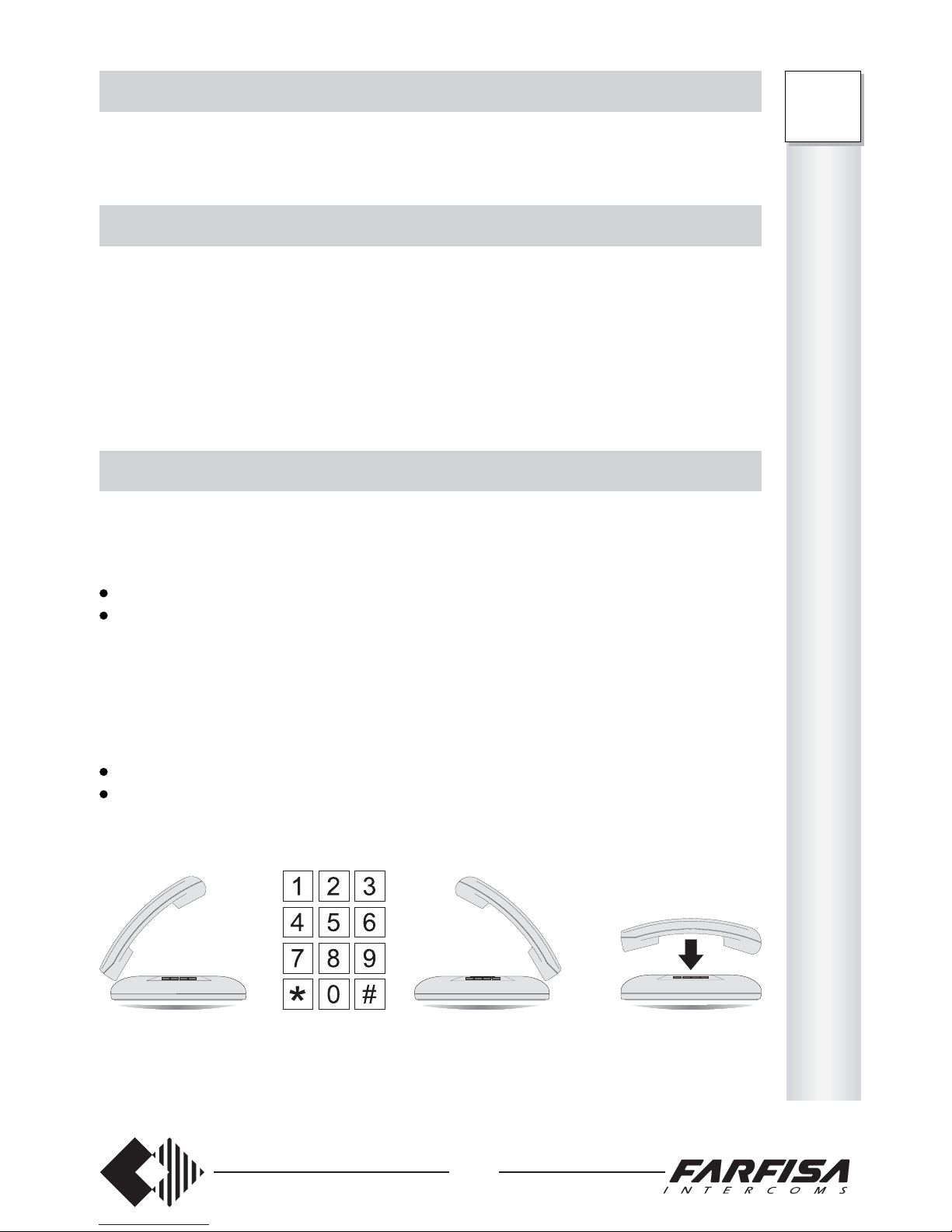
The extensions can install an internal communication.
Operation
pick up the handset (dialling tone);
dial the extension number desired (from 41 to 48 for FT208P; from 41 and 45 for
FT105P);
- call control tone if the extension is free
- busy tone if the extension is busy; after 5 sec. the PABX sends the call incoming tone
to the busy extension and the call control tone to the calling extension. The busy
extension can use the “ANSWER UPON CALL INCOMING TONE” service (or hang
up and wait for the telephone ring).
the extension called picks up the handset to start conversation
at the end of the conversation, hang up
- as soon as one extension hangs up, the other extension receives the dissuasion tone.
O
P
E
R
A
T
I
O
N
FT
105P
208P
Page 22
20
FT
105P
208P
O
P
E
R
A
T
I
O
N
OUTGOING EXTERNAL COMMUNICATIONS
Telephones can make calls over the public network.
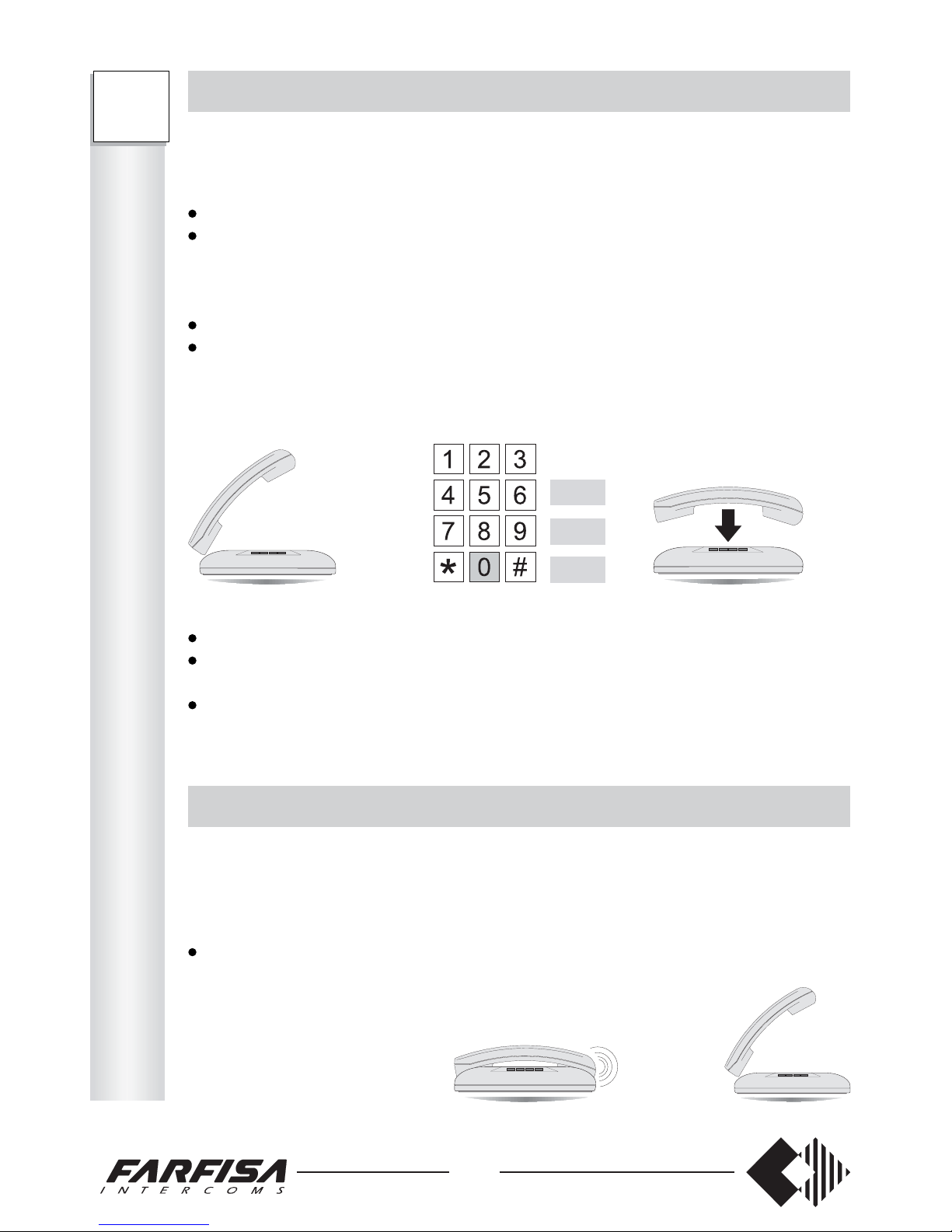
Operation
pick up the handset (dialling tone);
dial:
0 to access the first external line free
81 to access external line 1 (only for FT208P)
82 to access external line 2 (only for FT208P)
wait for the public network tone
dial the number of the desired user
- calling tone if the user is free
- busy tone if the user is busy
INCOMING EXTERNAL COMMUNICATIONS
Telephones can answer calls coming from the public network.
Operation
The telephone rings
pick up the handset and answer
Notes
If no number is dialled within 20 seconds, the extension is encapsulated.
If more than 10 seconds elapse between two digits, the next digits are not sent over the
line (only LD telephones).
If the call is made from an extension that is not enabled to external/long distance calls,
the dissuasion tone is sent.
0
81
82
It allows for displaying the calling telephone number on max. 4 devices. The service is
available only in the presence of the optional board art. ES70, upon request to the
telephone provider. For information on how to insert the board, see the instructions manual
supplied with the product.
0 service disabled
1 service enabled
Table
Type of service Code Telephones
Enabling the Caller ID 3333-18 ________ 00000 000
To program:
pick up the handset (dialling tone);
dial the access code 333316;
- (only FT105P) – dial 5 digits to program 5 extensions (see Table). Always dial a
number of 5 digits even if extensions are less than 5.
- (only FT208P) – dial 8 digits to program 8 extensions (see Table). Always dial a
number of 8 digits even if extensions are less than 8.
wait for the acknowledgement tone and hang up.
Example: if the following code is entered:
33331811010100
- the calling telephone number will only be displayed on extensions 41, 42, 44 and 46.
Notes
The caller ID service will not work if the external lines are programmed for direct
dialling (DISA) (see page 14 for DISA programming).
The maximum number of extensions with the caller ID function is 4. If a higher number
of telephones is enabled during programming, the exchanger will automatically recognise
only the first 4 telephones and exclude the others from the service.
Page 23
21
HOW TO ANSWER UNANSWERED CALLS
This function allows for answering external calls from an extension with disabled ring.
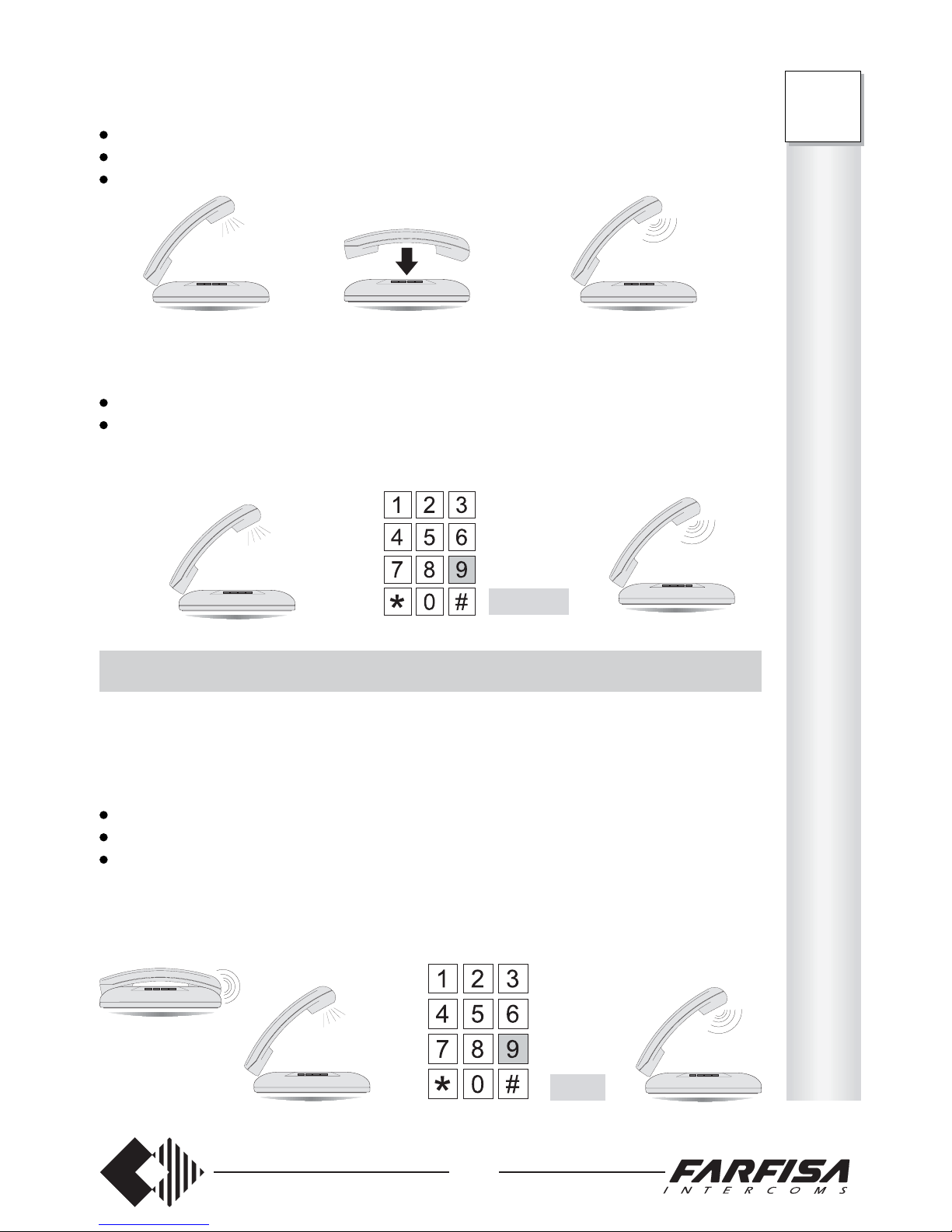
Operation
Another extension rings
pick up the handset (dialling tone)
dial 9
dial the extension number which is ringing
- start conversation
or during an internal/external conversation
call incoming tone
hang up
wait for the telephone ring
pick up the handset and answer
or during an internal/external conversation
call incoming tone
press FLASH to put the other user in hold-on mode; dialling tone
dial 9
- conversation with the calling user starts
9 +
Flash+9
41 ÷ 48
O
P
E
R
A
T
I
O
N
FT
105P
208P
Page 24
22
FT
105P
208P
O
P
E
R
A
T
I
O
N
HOW TO PUT THE EXTERNAL/INTERNAL LINE IN HOLD-ON
This function allows for putting the external/internal user in hold-on during the conversation.
Operation
During the conversation
press FLASH (dialling tone)
- the line is put in hold-on and the user hears:
- music in case of external conversation
- hold-on tone in case of internal conversation
press FLASH to resume the user in hold-on.
Notes
In case of external outgoing calls, the line can be put in hold-on only after 10 seconds
from the last digit dialled.
Put the call in hold-on and hang up. If no call is received and no conversation is in
progress, the telephone rings for 25 seconds to remind the operator of the hold-on call.
After that, the call is cleared.
INCLUSION
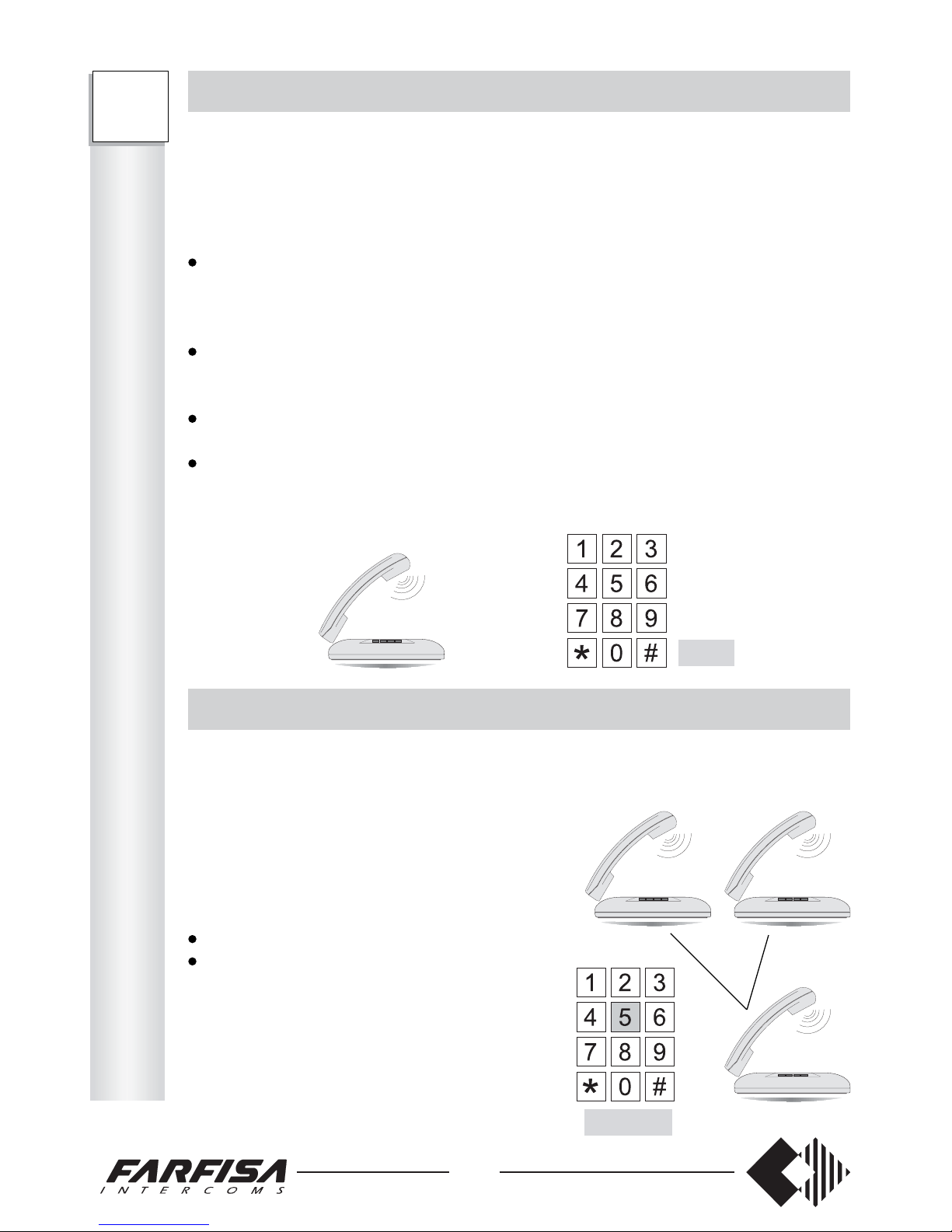
This function allows for an extension to overlap during a conversations between an
extension and the external line (or between 2 extensions).
Operation
The called user is busy because of an
external/internal call.
After the busy tone:
press FLASH
dial 5
- the user overlaps the conversation
- all users hear the inclusion tone
The three users can start the conversation.
Note: this service must be previously
programmed (see page 6)
Flash
Flash+5
This function allows for accessing to Public Exchange Services from only telephones with
LD dialling (such as failure report, telegram dictation, automatic alarm, etc.). Dialling is
permitted on the external line with 10 second interval max. between digits.
Operation
During the connection with the external line, to send numbers (if programmed, time-out
is indicated by the warning tone to remind the end of LD dialling time):
dial 7
- 10 seconds are available to dial the next digit.
Notes
This is required only for telephones with LD dialling.
Signals are always sent from DTMF telephones.
This function allows for sending a flash pulse in DTMF over the external line to access
Public Exchange supplementary services (such as call waiting, conference, answering
machine, etc.) (only from telephones with DTMF dialling).
During the external call:
press FLASH to put the external call in hold-on
dial 77 to send a flash pulse over the external line and resume the line
dial the number of the Public service desired.
The outgoing Flash is a line disconnection timed 64msec.
Page 25
23
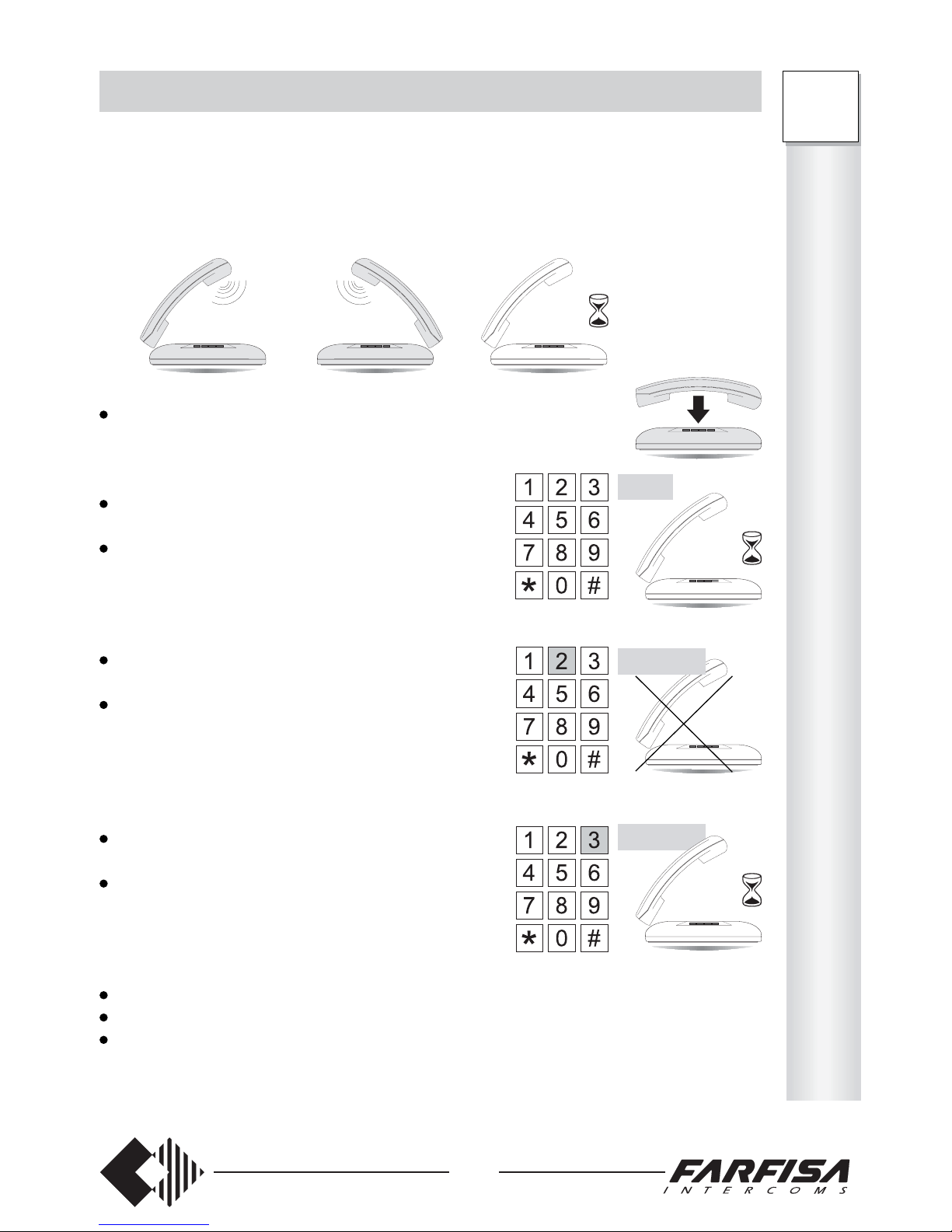
HOW TO RESUME A CALL
This function allows for resuming the call in hold-on.
Operation
Extension A is having a conversation with extension B (or external line), while extension
C (or external line) is in hold-on. To resume the call in hold-on:
wait until B hangs up (if it is an extension)
- call C in hold-on is automatically resumed
or
press FLASH (dialling tone)
- call B is put in hold-on
press FLASH again
- call B is resumed
or
press FLASH (dialling tone)
- call B is put in hold-on
dial 2
- call B is ended
- call C is resumed
or
press FLASH (dialling tone)
- call B is put in hold-on
dial 3
- call B is put in hold-on
- call C is resumed
In summary:
press FLASH twice to put call B in hold-on and resume it
press FLASH + 2 to resume call C and end call B
press FLASH + 3 to resume call C and put call B in hold-on
AB C
B
B
Flash
Flash+2
B
Flash+3
B
O
P
E
R
A
T
I
O
N
FT
105P
208P
Page 26
24
FT
105P
208P
O
P
E
R
A
T
I
O
N
TRANSFER WITH OFFER
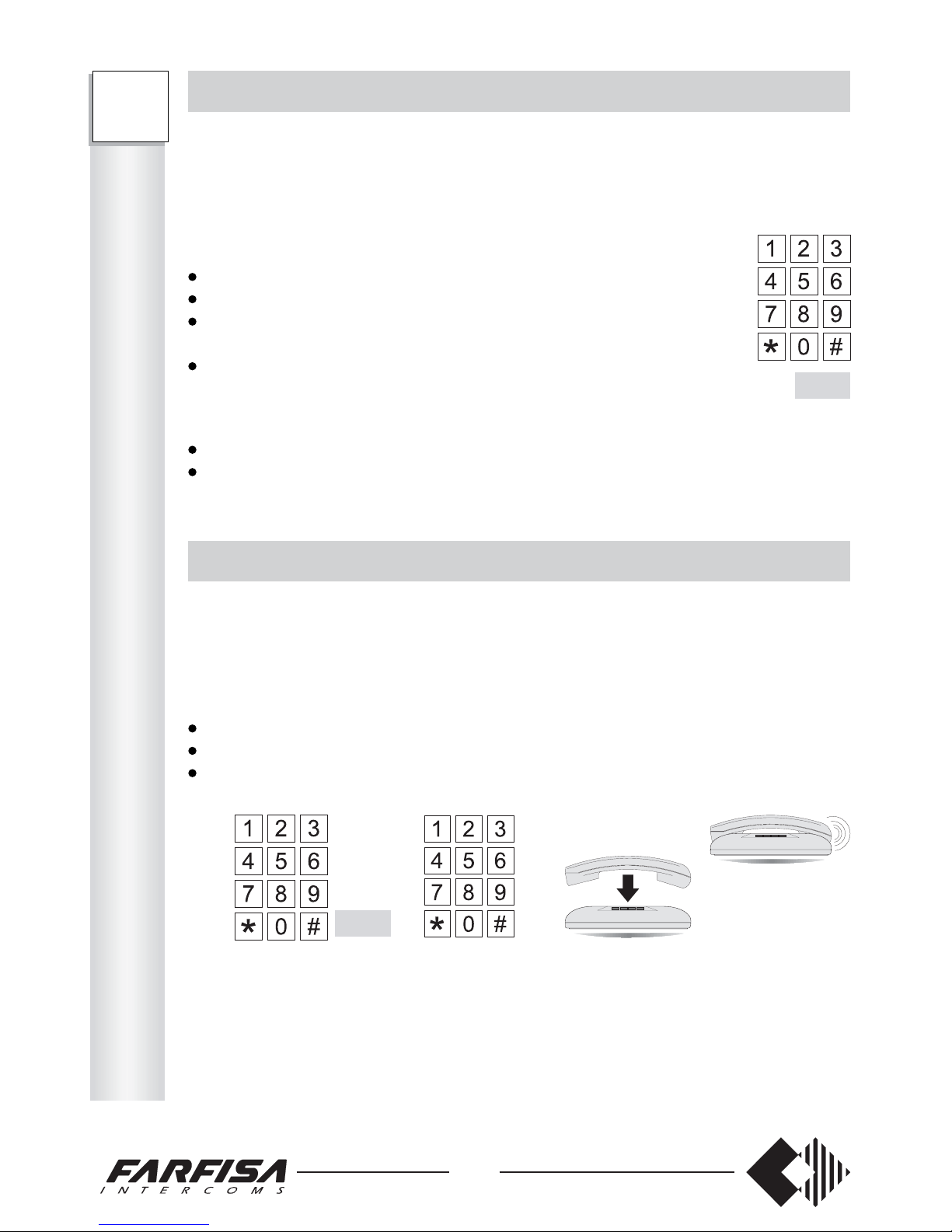
This function allows for transferring an external call to an extension with the extension’s
approval.
Operation
During the external call:
press FLASH to put the external call in hold-on
dial the desired extension number
make the internal connection and inform the extension of
the transfer
hang up
- the external call is transferred to the extension
Notes
If the extension is busy, follow the “INCLUSION” procedure (see page 22).
If the extension rejects the call, follow the “HOW TO RESUME A CALL” procedure
(see page 23).
AUTOMATIC TRANSFER
This function allows for transferring an external call to an extension automatically, without
the extension’s approval.
Operation
During the external call:
press FLASH to put the external call in hold-on
dial the desired extension number
hang up without waiting for an answer from the extension
The extension picks up the handset to receive the external call directly.
Notes
The external user hears the call control tone.
If the extension does not answer within 25 seconds, the call is returned to the transferring
user.
If the extension is busy, the extension hears the call waiting tone for about 50 seconds and
then the call is returned to the transferring user.
If the external line remains in hold-on, without completing the transfer, the PABX keeps
calling for 50 seconds and then clears the external call.
Flash
Flash
This function allows for booking a busy extension.
Operation
While the busy tone is received:
press FLASH
- dialling tone
dial 74
- acknowledgement tone
hang up.
Note
When the busy extension hangs up, the two telephones receive a call with differentiated
ring (booking call).
This function allows for booking a busy external line.
Operation
While the busy tone is received:
press FLASH
- dialling tone
dial 74
- acknowledgement tone
hang up.
When the external line becomes free, the telephone receive a call with differentiated ring
(booking call).
The user can:
pick up the handset
wait for the public network tone
dial the desired number.
Note for FT208P
If a specific external line (81 or 82) was requested, only that line is booked.
Page 27
25
ANSWER UPON CALL INCOMING TONE
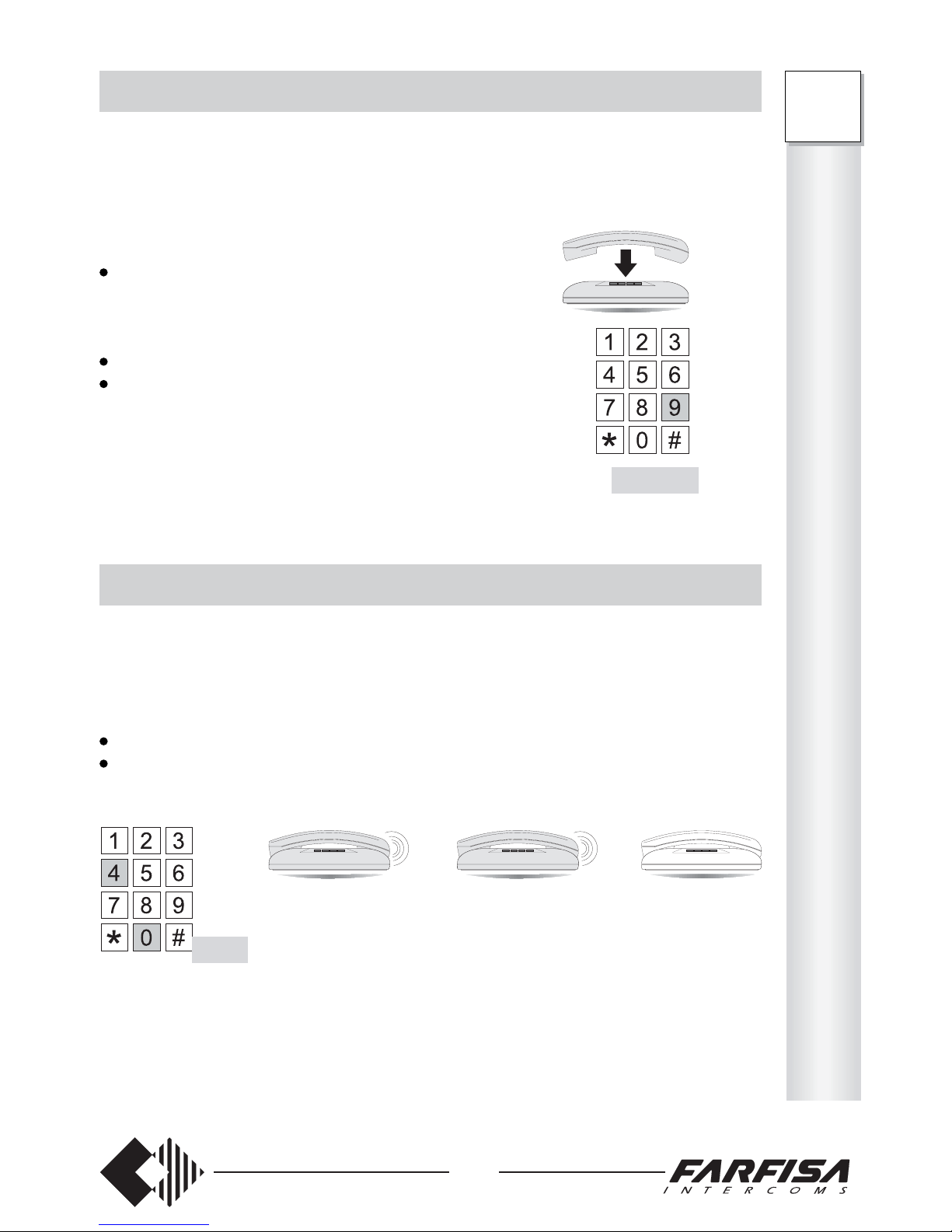
This function allows for answering an incoming call during the conversation.
Operation
In case of call incoming tone during the conversation,
to answer the incoming call:
hang up
- the telephone rings
or
press FLASH to put the other user in hold-on (dialling tone)
dial 9 to start conversation with the calling user
Note
If the calling user is talking with another extension
when dialling 9, hang up and wait for the ring to
resume the previous conversation.
GENERAL CALL
It allows making a call to all extensions – except for extension 48 (FT208P) or 45
(FT105P).
Operation
pick up the handset (dialling tone)
dial 40 (call control tone)
- the call is sent to all extensions, except for extension 48 (FT208P) or 45 (FT105P).
The first extension that picks up the handset starts conversation. The other extensions stop
ringing.
Note
Extension no. 8 for FT208P (or no. 5 for FT105P) does not ring in case of general call, since
it is dedicated to the operation of facsimiles, modems or answering machines.
FT105P 41 ÷ 44 45
FT208P 41 ÷ 47 48
40
Flash+9
O
P
E
R
A
T
I
O
N
FT
105P
208P
Page 28
26
FT
105P
208P
O
P
E
R
A
T
I
O
N
THREE-WAY CONFERENCE
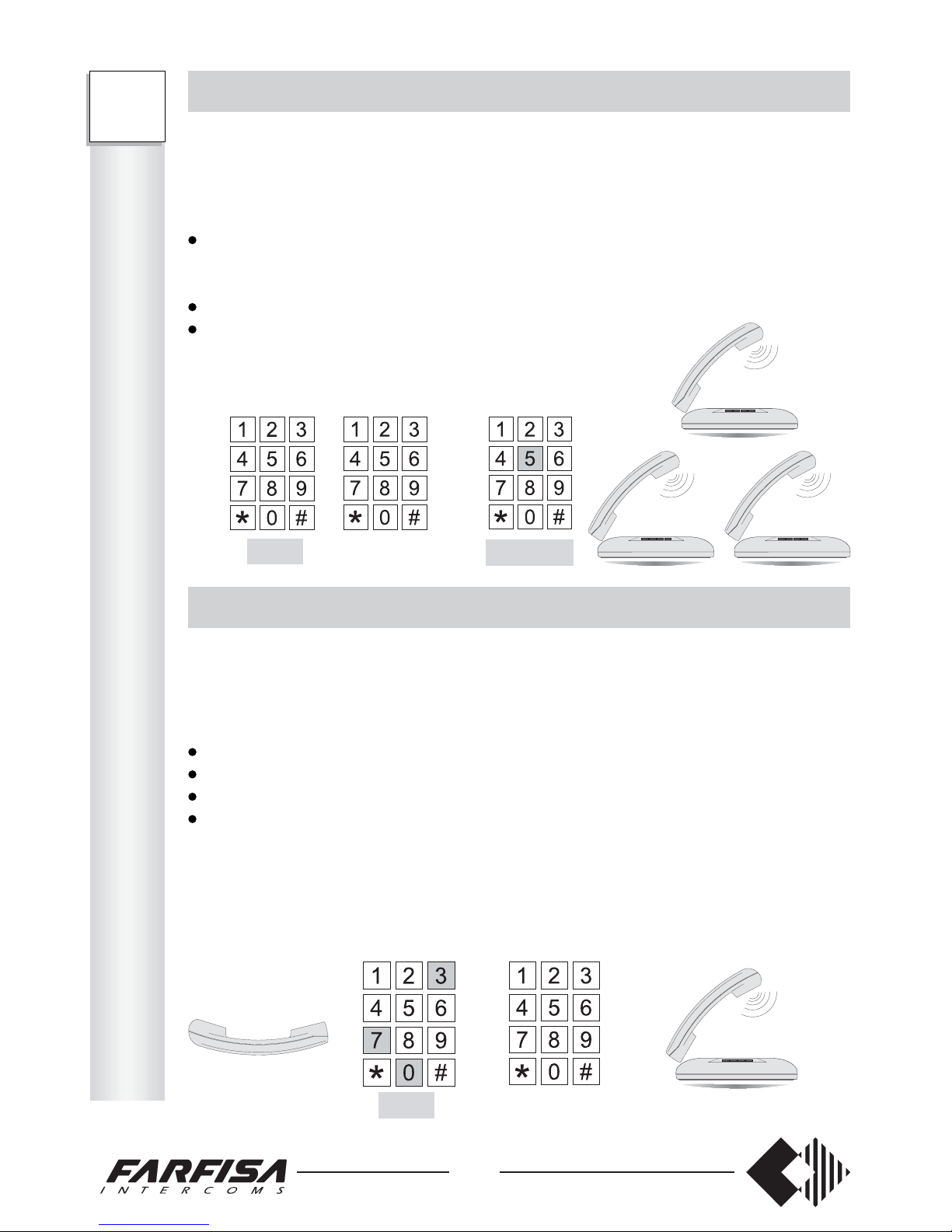
This function allows for conversation with three internal users or two internal and one
external user.
Operation
During the external/internal conversation:
press FLASH
- dialling tone
- hold-on tone for the external/internal user
dial the desired extension number
dial FLASH + 5 when the extension answers
Conference tone and the three-way conference starts.
ROOM MONITOR (environmental control)
This function allows for listening to voices and noises from other rooms (i.e. the baby’s
room).
Operation
pick up the handset of the room to be monitored; dissuasion tone after 10 seconds.
pick up the handset of any other extension
dial 730
dial the extension number to be monitored
Voices and noises coming from the extension can be heard. The extension stops receiving
the dissuasion tone.
To end the service, hang up the handset of the monitored extension.
41 ÷ 48
41 ÷ 48
Flash
730
Flash+5
The “do not disturb”, “follow me” and “timed follow me” services can be activated one at
a time, dialling the proper code. Activation/deactivation must be carried out from the
telephone requesting the services. For information about enabling personal services
see page 13.
This function allows for disabling the ring function for all incoming calls and sending the
dissuasion tone to the calling users (if programmed).
To enable the service:
pick up the handset (dialling tone)
dial 72 (acknowledgement tone)
hang up.
To resume the ring function:
pick up the handset (dialling tone)
dial 70 (acknowledgement tone)
hang up.
This function allows to switch all incoming calls directed to a specific user to another
extension (if programmed).
To enable the service:
pick up the handset (dialling tone)
dial 731
dial the extension number to switch the
calls (acknowledgement tone)
hang up.
To resume the ring function:
pick up the handset (dialling tone)
dial 70 (acknowledgement tone)
hang up.
Page 29
27
PERSONAL SERVICES
The “do not disturb”, “follow me” and “timed follow me” services can be activated one at
a time, dialling the proper code. Activation/deactivation must be carried out from the
telephone requesting the services. For information about enabling personal services
see page 13.
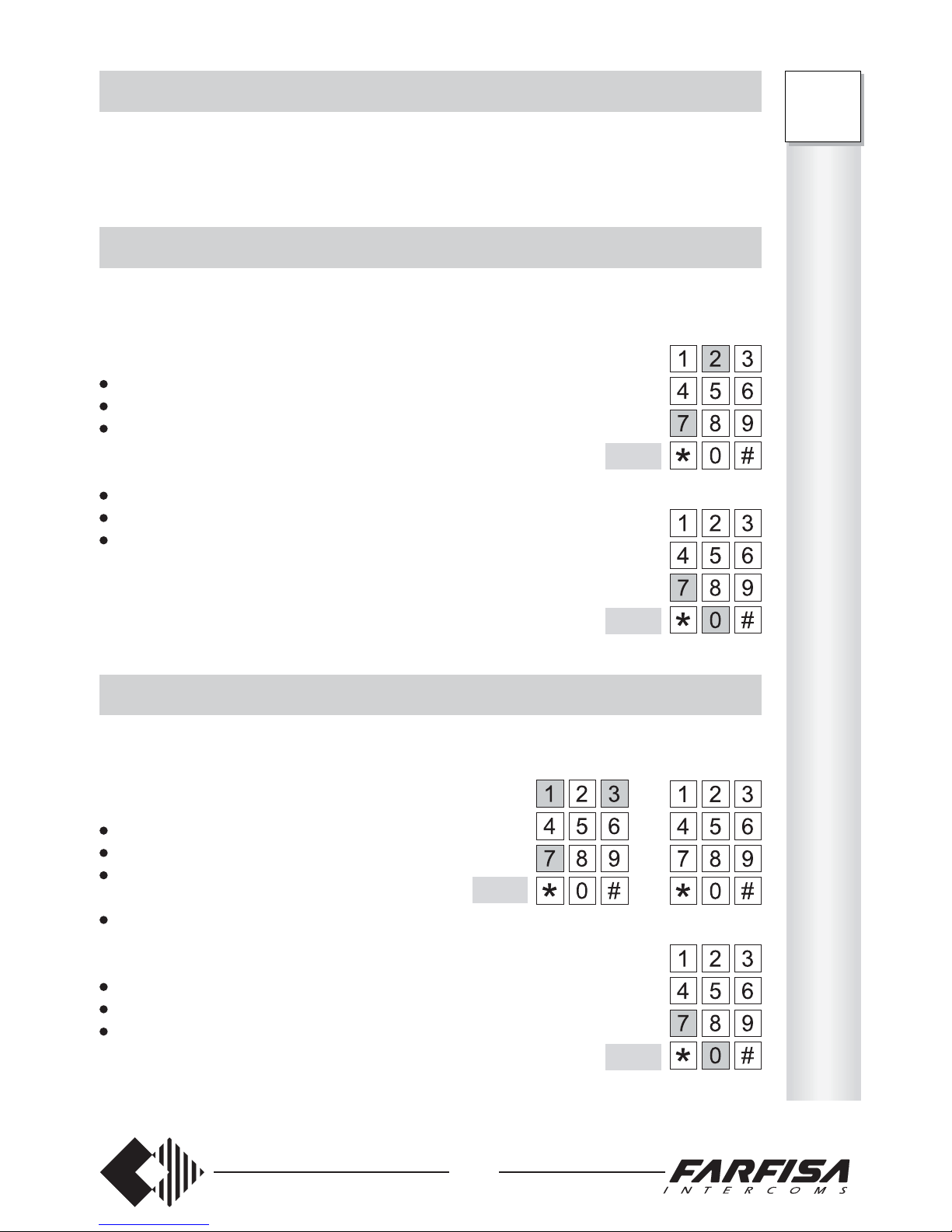
DO NOT DISTURB
This function allows for disabling the ring function for all incoming calls and sending the
dissuasion tone to the calling users (if programmed).
To enable the service:
pick up the handset (dialling tone)
dial 72 (acknowledgement tone)
hang up.
To resume the ring function:
pick up the handset (dialling tone)
dial 70 (acknowledgement tone)
hang up.
FOLLOW ME
This function allows to switch all incoming calls directed to a specific user to another
extension (if programmed).
To enable the service:
pick up the handset (dialling tone)
dial 731
dial the extension number to switch the
calls (acknowledgement tone)
hang up.
To resume the ring function:
pick up the handset (dialling tone)
dial 70 (acknowledgement tone)
hang up.
72
70
70
731
O
P
E
R
A
T
I
O
N
FT
105P
208P
Page 30
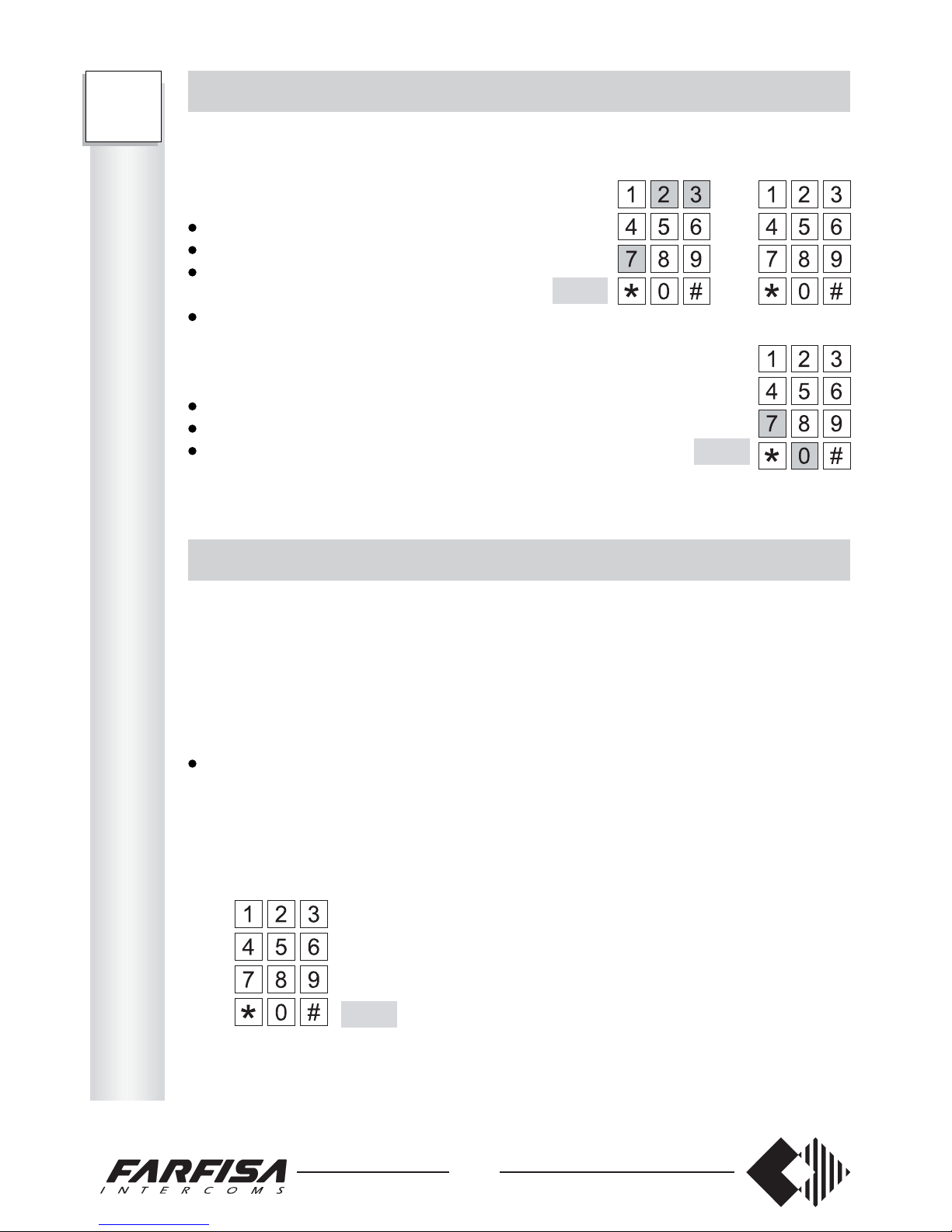
This function allows for answering an incoming call during the conversation.
Operation
In case of call incoming tone during the conversation,
to answer the incoming call:
hang up
- the telephone rings
or
press FLASH to put the other user in hold-on (dialling tone)
dial 9 to start conversation with the calling user
Note
If the calling user is talking with another extension
when dialling 9, hang up and wait for the ring to
resume the previous conversation.
It allows making a call to all extensions – except for extension 48 (FT208P) or 45
(FT105P).
Operation
pick up the handset (dialling tone)
dial 40 (call control tone)
- the call is sent to all extensions, except for extension 48 (FT208P) or 45 (FT105P).
The first extension that picks up the handset starts conversation. The other extensions stop
ringing.
Note
Extension no. 8 for FT208P (or no. 5 for FT105P) does not ring in case of general call, since
it is dedicated to the operation of facsimiles, modems or answering machines.
28
FT
105P
208P
O
P
E
R
A
T
I
O
N
TIMED FOLLOW ME
This function allows to switch all incoming calls directed to a specific user to another
extension after 3 rings (if programmed).
To enable the service:
pick up the handset (dialling tone)
dial 732
dial the extension number to divert
the calls (acknowledgement tone)
hang up.
To resume the ring function:
pick up the handset (dialling tone)
dial 70 (acknowledgement tone)
hang up.
UNDO THE LAST OPERATION
This function allows for receiving the dialling tone without hanging up.
Operation
In case of dissuasion, acknowledgement, congestion, call control and busy tone, to
make another call without hanging up:
press FLASH (or dial 1 if in LD mode)
- dialling tone; the last operation is cancelled
Flash
732
70
Page 31
29
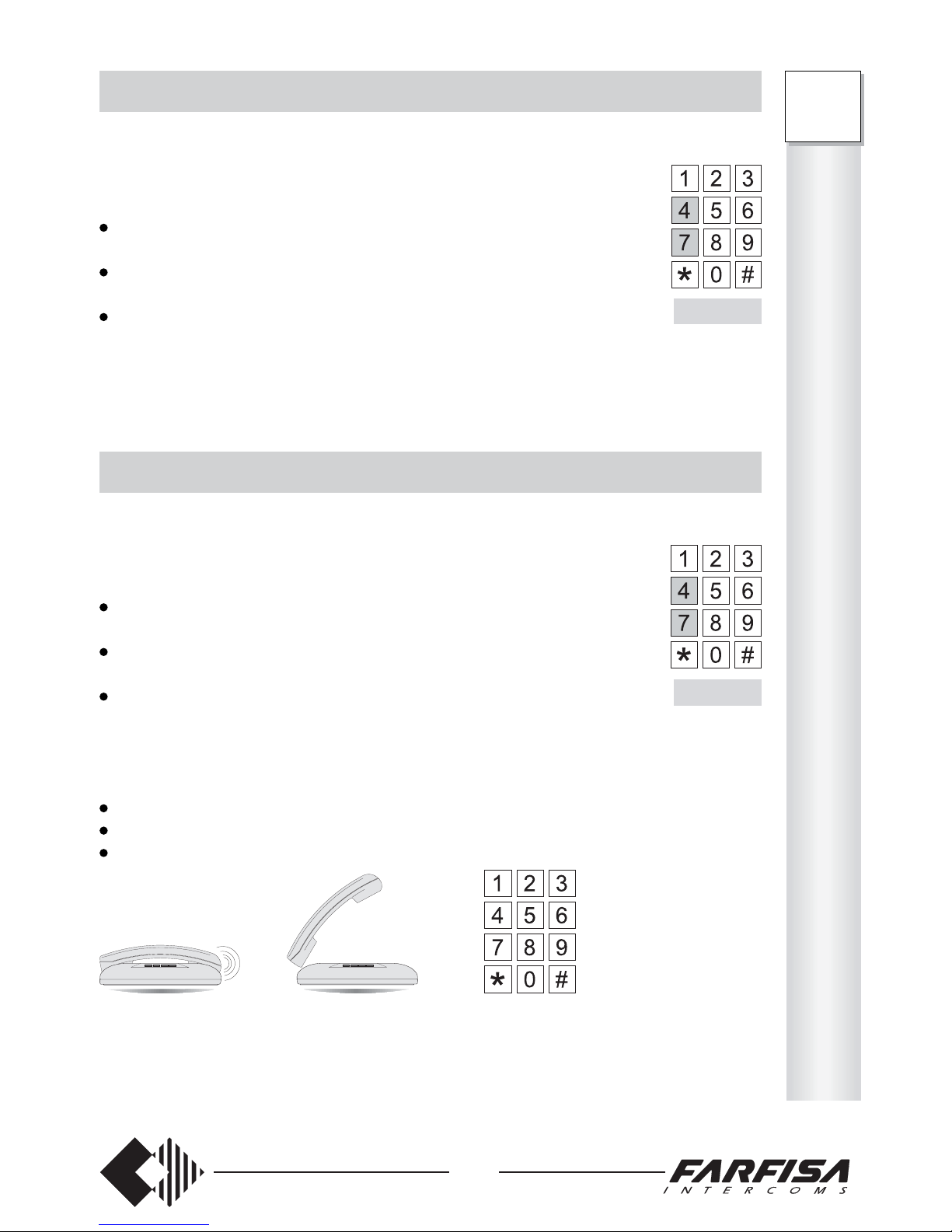
EXTENSION BOOKING
This function allows for booking a busy extension.
Operation
While the busy tone is received:
press FLASH
- dialling tone
dial 74
- acknowledgement tone
hang up.
Note
When the busy extension hangs up, the two telephones receive a call with differentiated
ring (booking call).
EXTERNAL LINE BOOKING
This function allows for booking a busy external line.
Operation
While the busy tone is received:
press FLASH
- dialling tone
dial 74
- acknowledgement tone
hang up.
When the external line becomes free, the telephone receive a call with differentiated ring
(booking call).
The user can:
pick up the handset
wait for the public network tone
dial the desired number.
Note for FT208P
If a specific external line (81 or 82) was requested, only that line is booked.
Flash+74
Flash+74
O
P
E
R
A
T
I
O
N
FT
105P
208P
Page 32
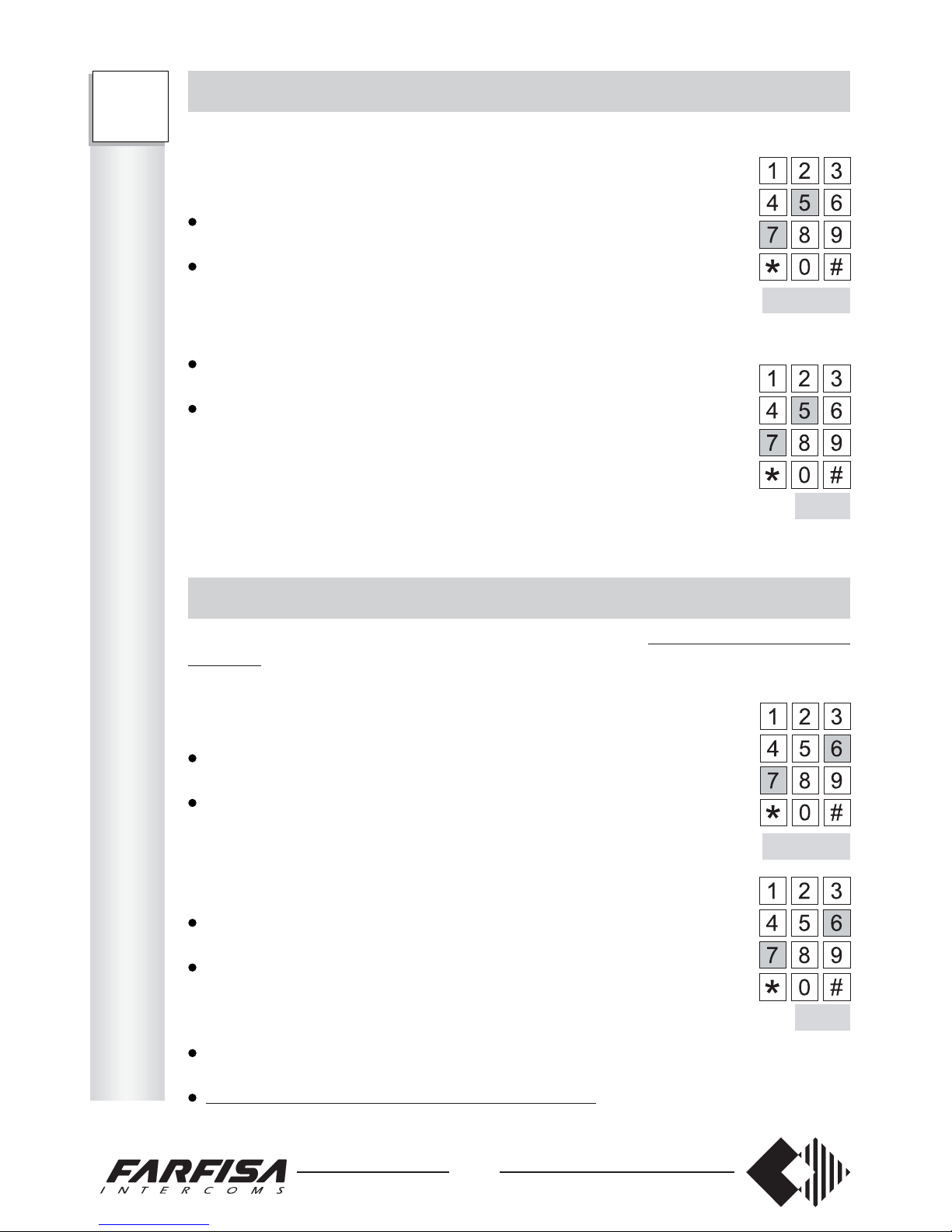
This function allows for resuming the call in hold-on.
Operation
Extension A is having a conversation with extension B (or external line), while extension
C (or external line) is in hold-on. To resume the call in hold-on:
wait until B hangs up (if it is an extension)
- call C in hold-on is automatically resumed
or
press FLASH (dialling tone)
- call B is put in hold-on
press FLASH again
- call B is resumed
or
press FLASH (dialling tone)
- call B is put in hold-on
dial 2
- call B is ended
- call C is resumed
or
press FLASH (dialling tone)
- call B is put in hold-on
dial 3
- call B is put in hold-on
- call C is resumed
In summary:
press FLASH twice to put call B in hold-on and resume it
press FLASH + 2 to resume call C and end call B
press FLASH + 3 to resume call C and put call B in hold-on
30
FT
105P
208P
O
P
E
R
A
T
I
O
N
EXCLUSIVE PARKING
This function allows for parking the external line in hold-on.
Operation
To park the external call in hold-on:
press FLASH
- dialling tone; the call is put in hold-on
dial 75
- acknowledgement tone; the external call is put in exclusive
parking and other operations can be carried out.
To resume the parked call:
pick the handset of the extension which has parked the call
- dialling tone
dial 75
- the parked call is resumed.
Note
If the external call is parked for more than 50 seconds, the PABX
generates a return call to the extension that carried out the operation.
COMMON PARKING
This function allows for parking the external line in hold-on,
making it available for any
telephone:
Operation
To park the external call in hold-on:
press FLASH
- dialling tone; the call is put in hold-on
dial 76
- acknowledgement tone; the external call is put in common
parking and other operations can be carried out.
To resume the parked call:
pick the handset of any extension
- dialling tone
dial 76
- the parked call is resumed.
Notes
If the external call is parked for more than 50 seconds, the PABX generates a return call
to the extension which carried out the operation.
The parked call can be resumed from any extension.
75
76
Flash+75
Flash+76
Page 33
31
ACCESS TO PUBLIC EXCHANGE SERVICES IN LD DIALLING
This function allows for accessing to Public Exchange Services from only telephones with
LD dialling (such as failure report, telegram dictation, automatic alarm, etc.). Dialling is
permitted on the external line with 10 second interval max. between digits.
Operation
During the connection with the external line, to send numbers (if programmed, time-out
is indicated by the warning tone to remind the end of LD dialling time):
dial 7
- 10 seconds are available to dial the next digit.
Notes
This is required only for telephones with LD dialling.
Signals are always sent from DTMF telephones.
ACCESS TO PUBLIC EXCHANGE SUPPLEMENTARY SERVICES
This function allows for sending a flash pulse in DTMF over the external line to access
Public Exchange supplementary services (such as call waiting, conference, answering
machine, etc.) (only from telephones with DTMF dialling).
During the external call:
press FLASH to put the external call in hold-on
dial 77 to send a flash pulse over the external line and resume the line
dial the number of the Public service desired.
The outgoing Flash is a line disconnection timed 64msec.
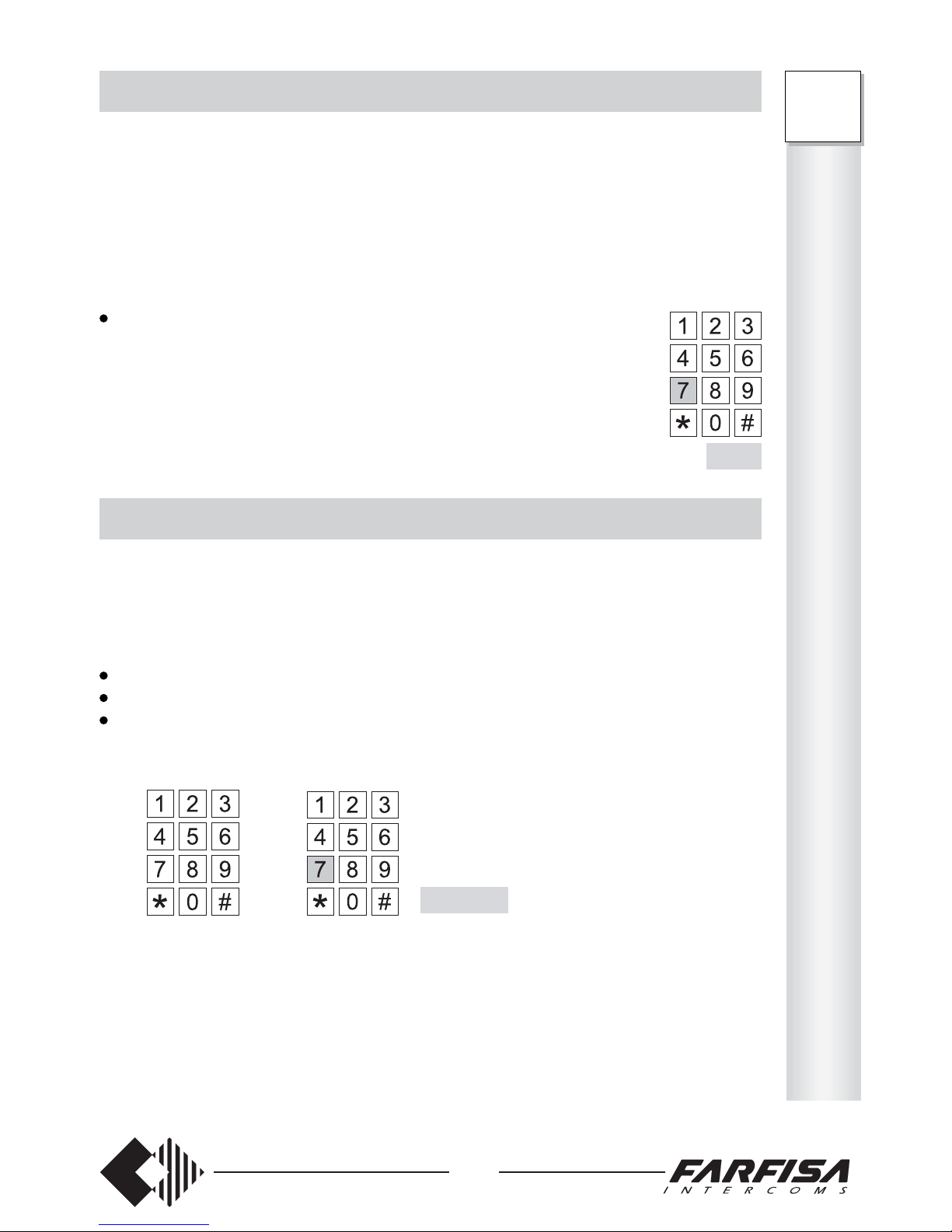
7
Flash+77
O
P
E
R
A
T
I
O
N
FT
105P
208P
Page 34

This function allows for answering external calls from an extension with disabled ring.
Operation
Another extension rings
pick up the handset (dialling tone)
dial 9
dial the extension number which is ringing
- start conversation
or during an internal/external conversation
call incoming tone
hang up
wait for the telephone ring
pick up the handset and answer
or during an internal/external conversation
call incoming tone
press FLASH to put the other user in hold-on mode; dialling tone
dial 9
- conversation with the calling user starts
32
FT
105P
208P
O
P
E
R
A
T
I
O
N
HOW TO ENABLE THE DIRECT D.I.S.A DIALLING
This function allows an external user to call the desired extension directly (if the extension
number is known). The service only works if the call is made over the public line from
a DTMF telephone.
Note
D.I.S.A. calls can also be received by a user enabled to incoming lines (see pages 8 and 9
– “ How to Assign Incoming External Lines”), but not enabled to receive calls.
Programming
For information on the service activation, see chapter “System programming” on page 14.
Operation
Select the external line enabled to the D.I.S.A. function from an external telephone. Postdialling user's number after a D.I.S.A. post-dialling tone.
Select the desired extension number within 5 seconds (41 ÷ 48 for FT208P; 41 ÷ 45 for
FT105P). The call control tone is sent, while the called extension rings. The call is ended
if the extension does not answer within 50 seconds.
Note
In case of: 1) incorrect dialling , 2) no code sent within 5 seconds, 3) extension not
enabled to receive D.I.S.A. calls or 4) busy extension, the call is automatically sent to
all extensions enabled to receive external calls from the specific external line.
AUTOMATIC FAX RECOGNITION
It allows for automatically activating the fax extension.
The service is available only if the DISA function is enabled in the exchanger.
The fax must be connected to extension 45 for model FT105P or extension 48 for model
FT208P.
Programming
For information on the service activation, see chapter “System programming” on page 14.
For information on how to make or receive calls, see programming from page 6 to page 11.
Operation
Upon receipt of an external call, the exchanger will automatically enable the extension
connected to the fax.
Page 35
33
O
T
H
E
R
S
E
R
V
I
C
E
S
FT
105P
208P
CALLER ID
It allows for displaying the calling telephone number on max. 4 devices. The service is
available only in the presence of the optional board art. ES70, upon request to the
telephone provider. For information on how to insert the board, see the instructions manual
supplied with the product.
0 service disabled
1 service enabled
Table
Type of service Code Telephones
41 42 43 44 45 46 47 48 Base
Enabling the Caller ID 3333-18 ________ 00000 000
To program:
pick up the handset (dialling tone);
dial the access code 333316;
- (only FT105P) – dial 5 digits to program 5 extensions (see Table). Always dial a
number of 5 digits even if extensions are less than 5.
- (only FT208P) – dial 8 digits to program 8 extensions (see Table). Always dial a
number of 8 digits even if extensions are less than 8.
wait for the acknowledgement tone and hang up.
Example: if the following code is entered:
33331811010100
- the calling telephone number will only be displayed on extensions 41, 42, 44 and 46.
Notes
The caller ID service will not work if the external lines are programmed for direct
dialling (DISA) (see page 14 for DISA programming).
The maximum number of extensions with the caller ID function is 4. If a higher number
of telephones is enabled during programming, the exchanger will automatically recognise
only the first 4 telephones and exclude the others from the service.
FT208P
FT105P
FT105P333318xxxxx
FT208P333318xxxxxxxx
Page 36
When programming or operating the PABX, in case of telephones with LD dialling use
number 1 instead of the FLASH.
DAY service recalling 3333-01 (base)
Allows for operating each telephone in day service (according to the specific program-
ming).
NIGHT service recalling 3333-00
Allows for operating each telephone in night service (according to the specific program-
ming).
The extensions can install an internal communication.
Operation
pick up the handset (dialling tone);
dial the extension number desired (from 41 to 48 for FT208P; from 41 and 45 for
FT105P);
- call control tone if the extension is free
- busy tone if the extension is busy; after 5 sec. the PABX sends the call incoming tone
to the busy extension and the call control tone to the calling extension. The busy
extension can use the “ANSWER UPON CALL INCOMING TONE” service (or hang
up and wait for the telephone ring).
the extension called picks up the handset to start conversation
at the end of the conversation, hang up
- as soon as one extension hangs up, the other extension receives the dissuasion tone.
34
PABX DIRECTORY
This function allows for storing and calling 40 telephone numbers by only dialling 4 digits.
Write the chosen numbers (max. 20 digits) in the table on page 47.
The access code for this service is 2222.
To program (from extension 41):
pick up the handset; dialling tone;
dial the access code 2222;
dial 2 digits from 00 to 39 (directory locations);
dial the telephone number to be memorized in the above selected directory location;
hang up.
Notes
In case of international calls, insert a pause after each area code. The pause takes up the
place of one digit.
To insert a pause, wait for 5 seconds before dialling the next digit.
The dissuasion tone is sent if no digits are dialled within 10 seconds. The number is not
memorized.
Hang up without dialling to delete the last stored number (i.e. dial 222214 and hang up
to cancel directory location 14).
Example: to memorize 0058-875-987138 and associate it with directory location 18, dial
2222-18-0058-pause-875-pause-987138.
HOW TO USE PABX DIRECTORY
Pick up the handset; dialling tone
dial 71
dial the two digits of the directory associated with the desired user (from 00 to 39)
The memorized number is automatically dialled always in LD mode. Line tone for a few
seconds to check that the line is free and control tone.
Note
Check the presence of the public network tone after the
automatic engagement of the external line.
Example: select 7118 from any enabled telephone to automatically dial 0058-875-987138
(number of the example above).
Note. The dissuasion tone is sent if the PABX directory is dialled from a telephone that is
not enabled to make external calls.
FT
105P
208P
O
T
H
E
R
S
E
R
V
I
C
E
S
71
Page 37
35
O
T
H
E
R
S
E
R
V
I
C
E
S
FT
105P
208P
OVERCOMING THE SELECTIVE CONTROL
This function allows for accessing PABX directory even from telephones that are not
enabled to make external calls. Especially recommended for extremely important or
emergency numbers.
When programmed, this function makes the selective control not active on the first location
of PABX directory. Program the service with the location of the directory for which the
selective control must be active.
Insert a number from 00 to 40.
Type of service Code Directory location Base
Overcoming of selective control 3333-19 _ _ 00
To program:
pick up the handset; dialling tone;
dial the access code 333319;
dial the speed number (from 00 to 40);
wait for the acknowledgement tone and hang up.
Example: if the number below has been dialled:
33331909 directory locations from 00 to 08 can be accessed even from extensions that
are not enabled to make external calls.
Note: Insert 00 to access PABX directory only from the telephones enabled to make
outgoing calls. Insert 40 to access PABX directory from any telephone.
Operation
pick up the handset
- dialling tone
dial 71
dial the directory location associated to the desired number
Note
Check the presence of the public network tone after the automatic engagement of the
external line.
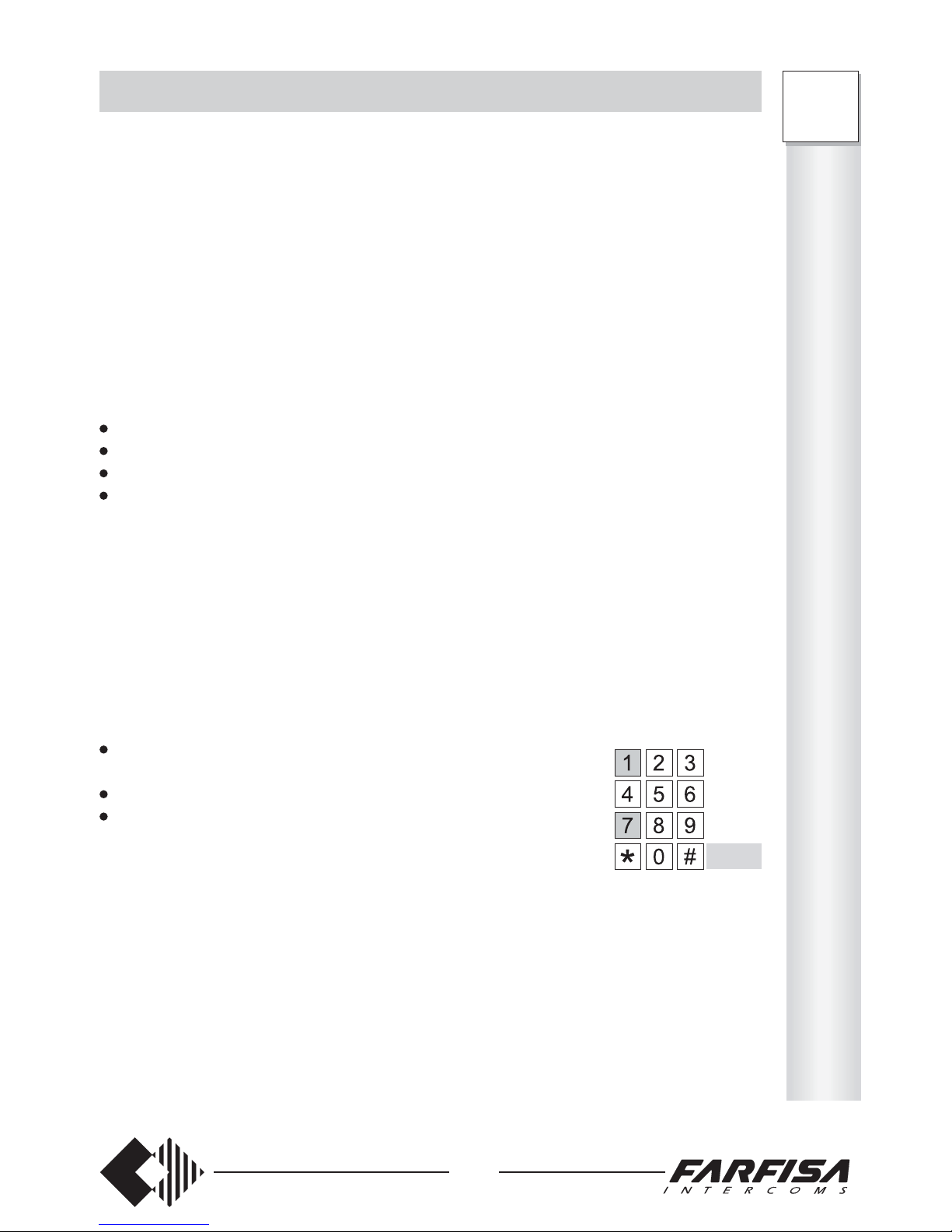
71
Page 38
This function allows for blocking max. 8 sequences of numbers (from 1 to 8 digits) dialled
as first digits a telephone number. Fill-in the table of the page 46.
The access codes for this service are: 3333-22, 3333-23, 3333-24, 3333-25, 3333-26,
To insert the blocking number:
pick up the handset (dialling tone);
dial the access code 333322;
dial a number from 1 to 8 digits (fill-in with the number the table on page 46),
To insert the other blocking numbers, repeat the same procedure using a different access
code.
Example: if the codes indicated below have been dialled:
333322166, 333323033, 33332400158661 the telephones for which the area code dialling
control is enabled (see next paragraph) cannot dial numbers starting with 166, 033 and
00158661.
HOW TO DELETE THE ENABLED NUMBERS AND THE AREA CODES
To delete the enabled numbers and the area codes (see pages 16 and 17):
pick up the handset (dialling tone);
dial the access code of the number to be deleted;
hang up.
Example: dial 333335 and hang up to delete the number stored in position 35 of the enabled
numbers.
36
O
T
H
E
R
S
E
R
V
I
C
E
S
FT
105P
208P
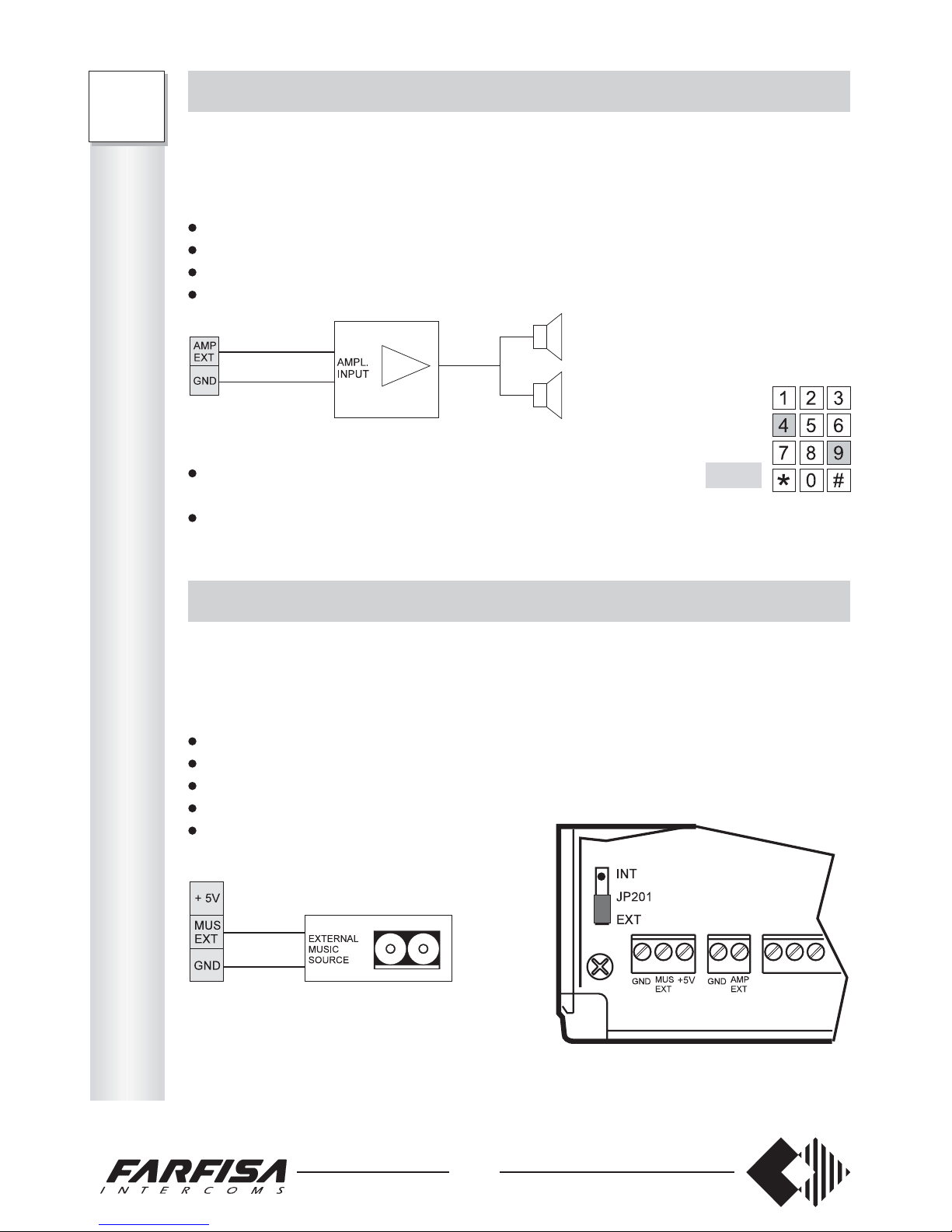
ACCESS TO THE EXTERNAL AMPLIFIER
This function allows for connection to an external amplifier for the paging service. The use
of an amplifier with input impedance ranging from 300 to 1000 Ohm is recommended.
Installation
turn off the PABX
unscrew the 2 upper screws to remove the cover
connect the amplifier input to terminals AMP EXT and GND
replace the cover.
Operation
pick up the handset
-dialling tone
dial 49
- access tone; connection with the external amplifier is made.
EXTERNAL HOLD-ON MUSIC
The PABX generates its own hold-on music, but can also be connected to an external music
source.
Installation
turn off the PABX
unscrew the 2 upper screws to remove the cover
connect the external music source to terminals MUS EXT and GND
move the jumper JP201 located next to the terminal block from INT to EXT
replace the cover.
Note
+5V voltage (0,1A maximum current) is also available to power music sources operating
at this voltage.
49
Page 39
37
INTERCOM INTERFACE
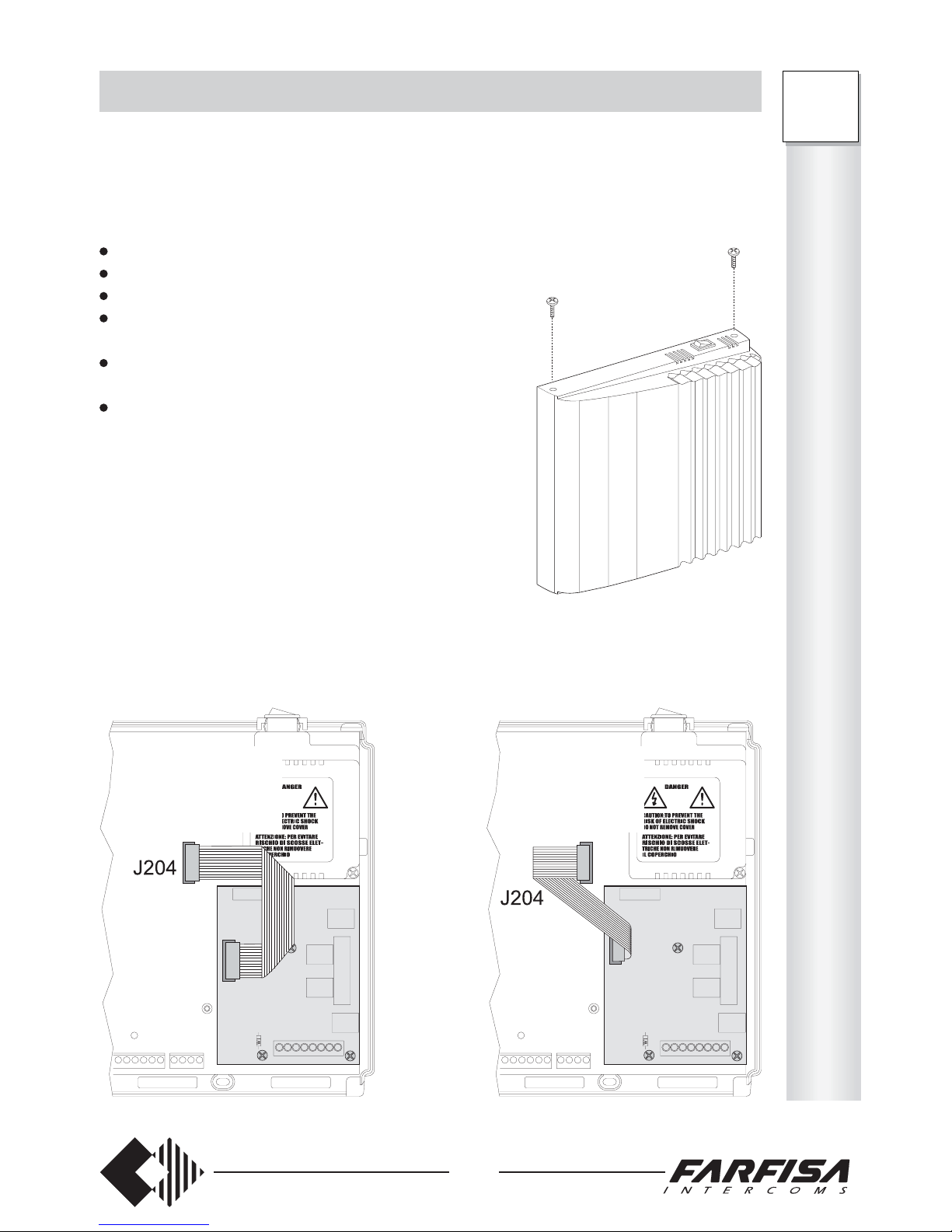
The intercom card art. ES60 or ES65 can be installed in the PABX in order to connect with
the external intercom station, open the door/automatic gate, turn on the staircase lighting,
etc.
Installing the card
Make sure that the PABX is off
Unscrew the 2 upper screws to remove the cover
Fix the card on the hooks provided
Connect the cable of the intercom card to the J204
connector
Connect the intercom wires to the terminal block (see
diagrams below)
Remember to correctly program the PABX
I
N
T
E
R
C
O
M
S
FT
105P
208P
Connection cable CORRECTLY
inserted into the exchanger
Connection cable INCORRECTLY
inserted into the exchanger
YES NO
Page 40
Table FT105P
3333-17 _ _ _ _ _ 10000
Code Numbers to be dialled Base
To program:
pick up the handset (dialling tone);
dial the access code 333317;
dial 5 digits to program the requested general services (see Table). Always dial a
number of 5 digits even if some services remain unchanged.
wait for the acknowledgement tone and hang up.
Example FT105P: if the following code has been dialled:
33331710101
- external line has DTMF dialling. The warning tone reminding the end of the LD dialling
time is disabled.
- intercom call no. 1 lasts 5 sec, while intercom call no. 2 lasts 25 sec.
- the D.I.S.A. function is enabled
Notes
- If the intercom card (art. ES60 or ES65) is not present, either 0 or 1 can be inserted when
programming the duration of the intercom call.
- In case of DTMF lines, use only DTMF telephones.
Example FT208P: if the following code has been dialled:
33331711001001
- external lines has DTMF dialling. The warning tone reminding the end of the LD dialling
time is disabled.
- intercom call no. 1 lasts 5 sec, while intercom call no. 2 lasts 25 sec.
- the D.I.S.A. function is enabled for external line 2, but not for external line 1.
38
FT
105P
208P
I
N
T
E
R
C
O
M
S
1 audio to external station (transmission)
2 audio from external station (reception)
3 ground
4 common conductor for relay 1 exchange. The terminal is grounded;
to disconnect it, cut the jumper W1
5 relay 1 exchange normally open (max 1A)
6a intercom call no. 1 (12 Vac – 150 mA)
6b intercom call no. 2 (12 Vac – 150 mA)
C2 common for relay 2
NA2 relay 2 exchange normally open (max 1A)
NC2 relay 2 exchange normally closed (max 1A)
C3 common for relay 3
NA3 relay 3 exchange normally open (max 1A)
NC3 relay 3 exchange normally closed (max 1A)
C4 common for relay 4
NA4 relay 4 exchange normally open (max 1A)
NC4 relay exchange 4 normally closed (max 1A)
Terminals only
available on the
ES65 intercom
card.
TERMINAL SPECIFICATIONS OF THE INTERCOM CARDS
Page 41
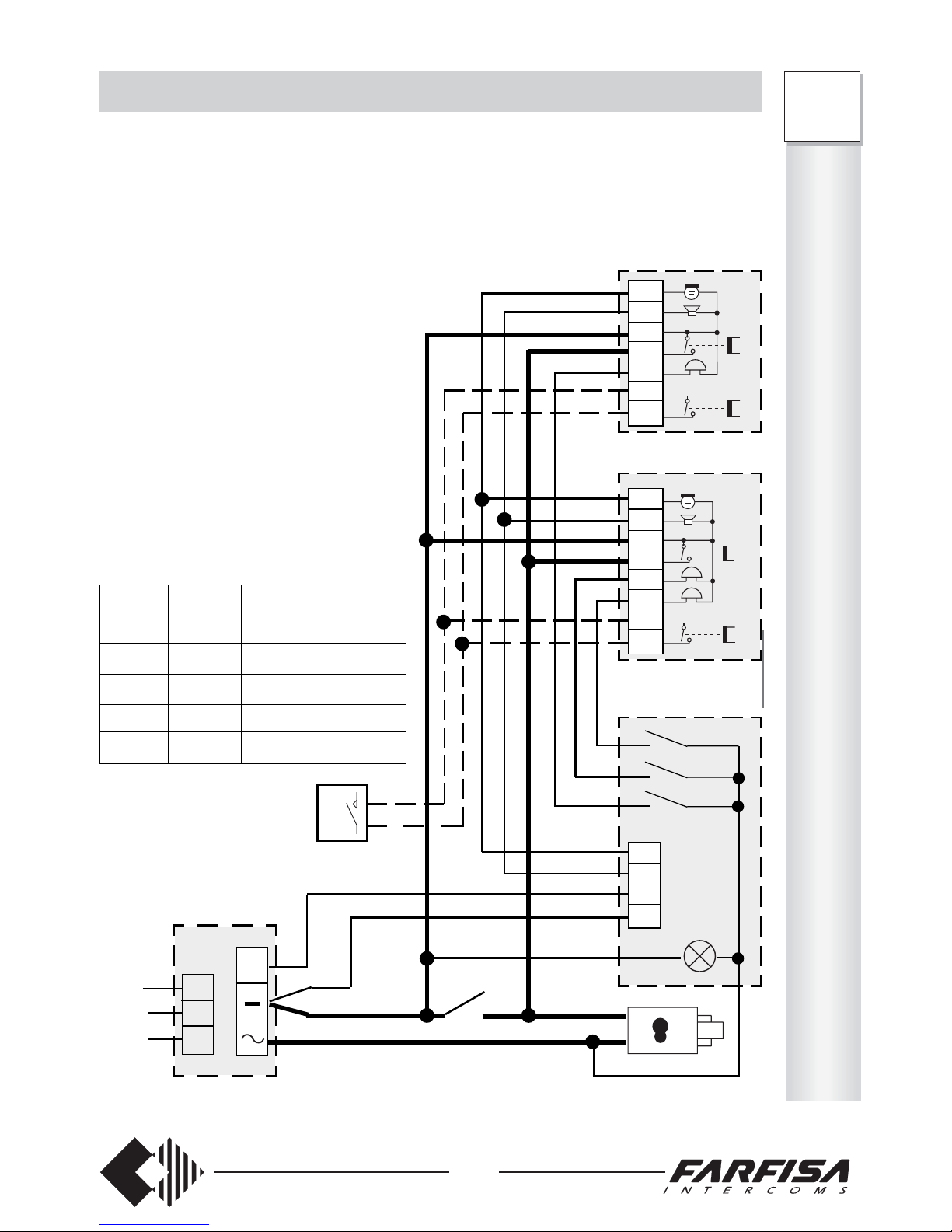
39
I
N
T
E
R
C
O
M
S
FT
105P
208P
INTERCOM INSTALLATION DIAGRAM
This manual contains an example of how to use the intercom interface. For other
applications, use any diagram contained in the Farfisa technical manuals, since the
terminal numbering and the functions of the intercom card are the same as a Farfisa
intercoms connected in 4+1 intercom (call with buzzer) or traditional video-intercom
systems (7 + coaxial cable).
+
230V
127V
0
PRS 220
MODY
MD30
ES60 - ES65
Multi-family intercom installation
The diagram shows the connection of 2
FT105P and/or FT208P PABX with
ES60 or ES65 intercom interface and
with possibility of open the door and
automatic gate.
1) example of single call from the external station (one-family)
2) example of double calls from the external station (two-family, home-office, etc.)
Conductor cross-section in mm
2
Audio
and calls
0.25
0.35
0.5
0.75
Distance
(m.)
50
100
200
300
Lock and ground
(conductors in bold)
0.75
1
2
2.5
(1)
(2)
Electrical lock
(12Vac-1A max)
Door-opener
(optional)
ES60 - ES65
1
2
3
5
6a
7
NA2
1
2
3
5
6a
6b
7
NA2
1
2
3
4
Automatic
gate
Page 42
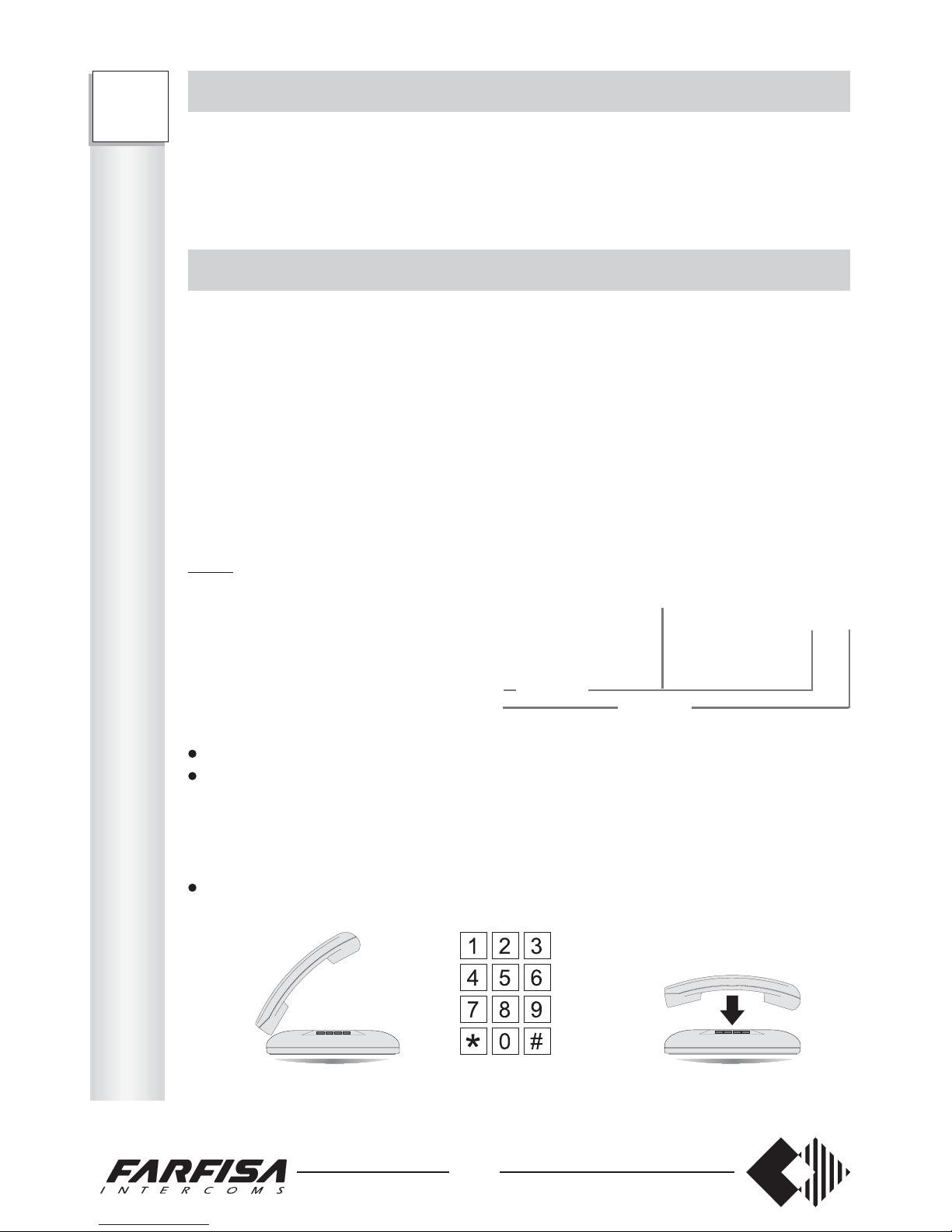
This procedure allows for enabling the ‘do not disturb’, ‘follow me’ and ‘timed follow me’
services described on pages 27 and 28.
0 all services are disabled
1 ‘do not disturb’ is enabled
2 ‘follow me’ and ‘time follow me’ are enabled
3 all services are enabled
Table
Type of service Code Telephones
Enabled services 3333-16 ________ 00000 000
To program:
pick up the handset (dialling tone);
dial the access code 333316;
- (only FT105P) – dial 5 digits to program 5 extensions (see Table). Always dial a
number of 5 digits even if extensions are less than 5.
- (only FT208P) – dial 8 digits to program 8 extensions (see Table). Always dial a
number of 8 digits even if extensions are less than 8.
wait for the acknowledgement tone and hang up.
3333 16 1 1 0 0 0 3 2 2
Example: if the code below has been dialled:
40
INTERCOM PROGRAMMING
The PABX must be correctly programmed for the intercom card to work.
Part of the intercom programming is described in the chapter “How to program the
system” on page 14.
ENABLING THE INTERCOM INTERFACE
Select the desired service for each telephone and write the number in the table below.
0 the extension: - is not enabled to have conversations with the external intercom station
- is not enabled to activate relays (door-opener, staircase lighting, etc.)
1 the extension: - is enabled to have conversations with the external intercom station
- is not enabled to activate relays (door-opener, staircase lighting, etc.)
2 the extension: - is not enabled to have conversations with the external intercom station
- is enabled to activate relays (door-opener, staircase lighting, etc.)
3 the extension: - is enabled to have conversations with the external intercom station
- is enabled to activate relays (door-opener, staircase lighting, etc.)
Table
Type of service Code Telephones
41 42 43 44 45 46 47 48 Base
Day intercom enabling 3333-10 ________ 33333 333
Night intercom enabling 3333-12 ________ 00000 000
To program:
pick up the handset (dialling tone);
dial the access code 333310 (day) or 333312 (night);
- (only FT105P) – dial 5 digits to program 5 extensions (see Table). Always dial a number
of 5 digits even if extensions are less than 5.
- (only FT208P) – dial 8 digits to program 8 extensions (see Table). Always dial a number
of 8 digits even if extensions are less than 8.
wait for the acknowledgement tone and hang up.
FT208P
FT105P
day night
FT105P 333310xxxxx 333312xxxxx
FT208P 333310xxxxxxxx 333312xxxxxxxx
FT
105P
208P
I
N
T
E
R
C
O
M
S
Page 43
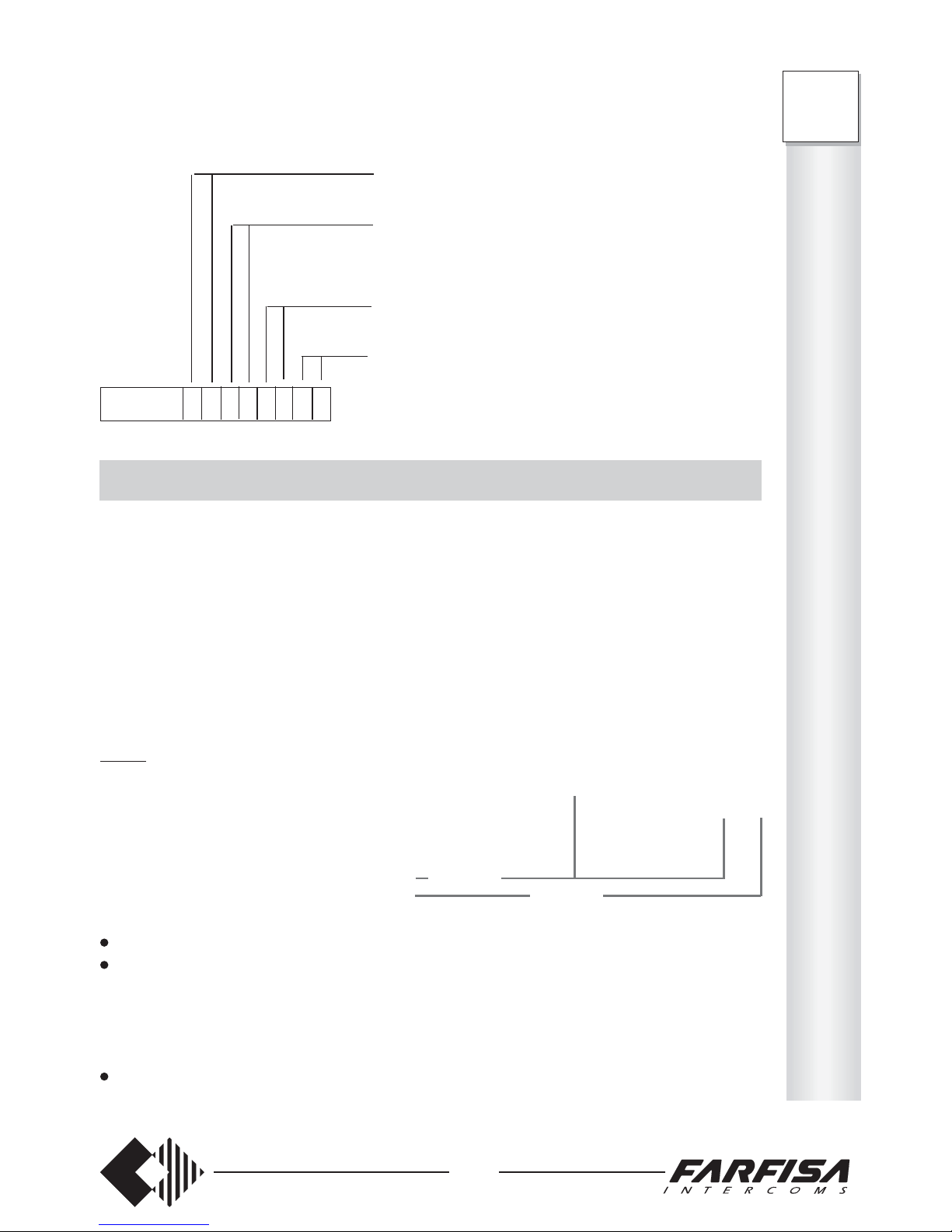
41
I
N
T
E
R
C
O
M
S
FT
105P
208P
ENABLING TO INTERCOM CALLS
Select the desired service for each telephone and write the number in the table below.
0 the extension: - is not enabled to receive calls from the external intercom station
1 the extension: - is enabled to receive calls from the external intercom station – button
no. 1 (terminal 6a of card ES60 or ES65)
2 the extension: - is enabled to receive calls from the external intercom station – button
no. 2 (terminal 6b of card ES60 or ES65)
3 the extension: - is enabled to receive calls from both buttons of the external intercom
station (terminals 6a and 6b of card ES60 or ES65)
Table
Type of service Code Telephones
Enabled to receive: 41 42 43 4 4 45 46 47 48 Base
- day intercom calls 3333-11 _ _ _ _ _ _ _ _ 33333 333
- night intercom calls 3333-13 _ _ _ _ _ _ _ _ 00000 000
To program:
pick up the handset (dialling tone);
dial the access code 333311 (day) or 333313 (night);
- (only FT105P) – dial 5 digits to program 5 extensions (see Table). Always dial a number
of 5 digits even if extensions are less than 5.
- (only FT208P) – dial 8 digits to program 8 extensions (see Table). Always dial a number
of 8 digits even if extensions are less than 8.
wait for the acknowledgement tone and hang up.
extensions 41 and 42 can have conversations with the external intercom
station, open the door and/or activate other services
extensions 43 and 44 can have conversations with the external intercom
station, but not open the door and/or activate other services
3333 10 3 3 1 1 2 2 0 0
Example: if the code below has been dialled, in day service:
extensions 45 and 46 ca open the door of the intercom entrance and/
or activate other services, but not have a conversation with the
external intercom
extensions 47 and 48 cannot have conversations with the
external intercom station, cannot open the door and/or acti-
vate other services
FT208P
FT105P
Page 44
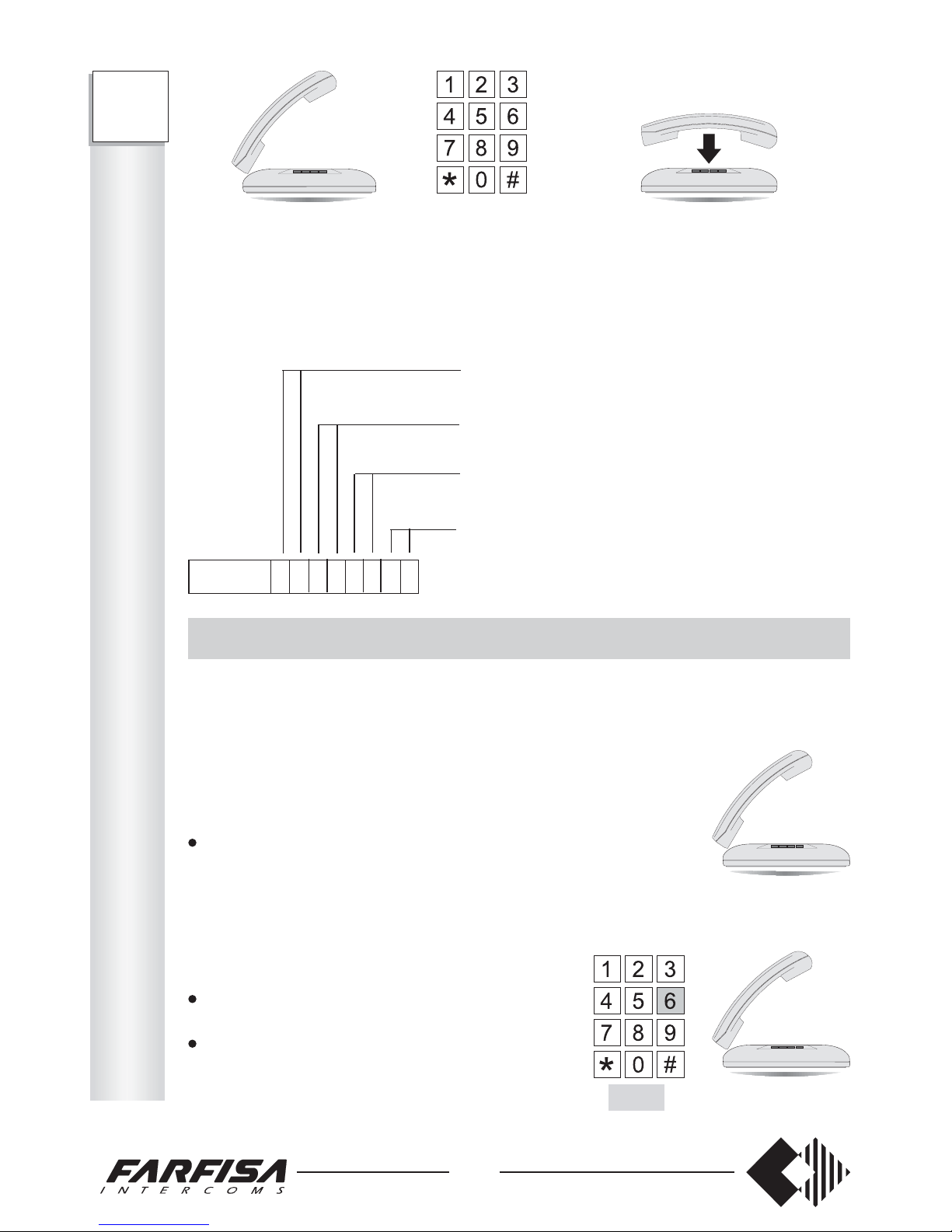
Select the outgoing lines to be assigned to each telephone and fill-in the table below.
0 the extension: - is not enabled to make calls on the external lines
1 the extension: - is enabled to make calls on external line 1
2 the extension: - is enabled to make calls on external line 2
3 the extension: - is enabled to receive calls on external lines 1 and 2
Table
Type of service Code Telephones
Day outgoing calls 3333-06 ________ 33333333
Night outgoing calls 3333-08 ________ 00000000
To program:
pick up the handset (dialling tone);
dial the access code 333306 (day) or 333308 (night);
- (only FT208P) – dial 8 digits to program 8 extensions (see Table). Always dial a
number of 8 digits even if extensions are less than 8.
wait for the acknowledgement tone and hang up.
Example: if the code below has been dialled, in day service:
3333 06 1 1 0 0 3 2 2 2
42
INTERCOM OPERATING INSTRUCTIONS
Intercom communication with call
This function allows for answering calls coming from one or more external intercom
stations (if properly programmed in both the sections "enabling the intercom interface" and
"enabling to intercom calls").
When the call from the external station is received:
pick up the handset and answer
Intercom communication without call
This function allows for having a conversation without receiving a call from one or more
external intercom stations (if properly programmed in the section "enabling the intercom
section").
pick up the handset
- dialling tone
dial 6
- conversation with the external intercom
station starts
extensions 41 and 42 can receive both calls from the external intercom station
extensions 43 and 44 can receive calls only from button no. 1 of the
external intercom station
3333 11 3 3 1 1 2 2 0 0
Example: if the code below has been dialled, in day service:
extensions 45 and 46 can receive calls only from button no. 2 of the
external intercom station
extensions 47 and 48 cannot receive calls from the external
intercom station.
Day Night
FT105P 333311xxxxx 333313xxxxx
FT208P 333311xxxxxxxx 333313xxxxxxxx
6
FT
105P
208P
I
N
T
E
R
C
O
M
S
Page 45
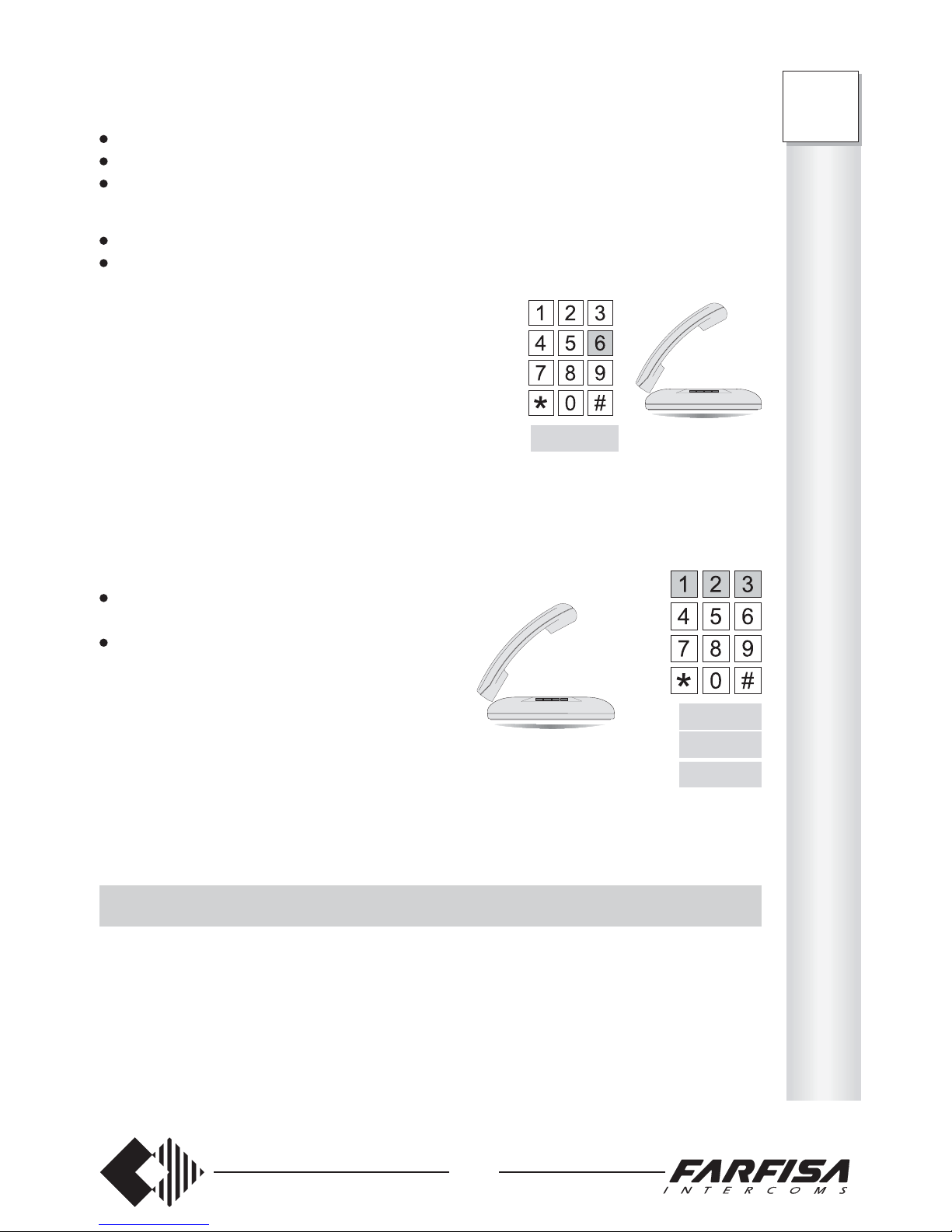
43
I
N
T
E
R
C
O
M
S
FT
105P
208P
RELAY ACTIVATION
This function allows for activating the 4 relays of the intercom card ES60 or ES65 (or
actuator card) for auxiliary services (lights, thermostats, heating and air conditioning
installations, etc.).
Note
Only one card at time can be added in the PABX (either intercom or actuator).
For installing the card and connection terminal block see on pages 37 and 38.
Transfer an intercom call
To transfer an intercom call to an enabled user:
hang up to suspend the intercom conversation
pick up the handset
call the desired extension and hang up after the message
The called user can:
press FLASH
dial 6
- conversation with the external intercom station starts
Relay activation during conversation
This function allows for activating the relays no.1 and 2 of the intercom card ES60 or ES65
in order to operate electrical locks, turn on the staircase lighting, etc.
During the conversation with the external intercom station:
press FLASH
- dialling tone
dial the number of the relay to be activated:
1immediate enabling of relay 1
for about 3 seconds
2immediate enabling of relay 2
for about 3 seconds
3enabling of relays 1 and 2 in sequence.*
* Relays 1 and 2 are not enabled at the same time, in order not to overcharge the intercom
power supply unit when used to activate electrical locks. Relay 2 is enabled with about 3
sec. delay.
Flash+1
Flash+6
Flash+2
Flash+3
Page 46
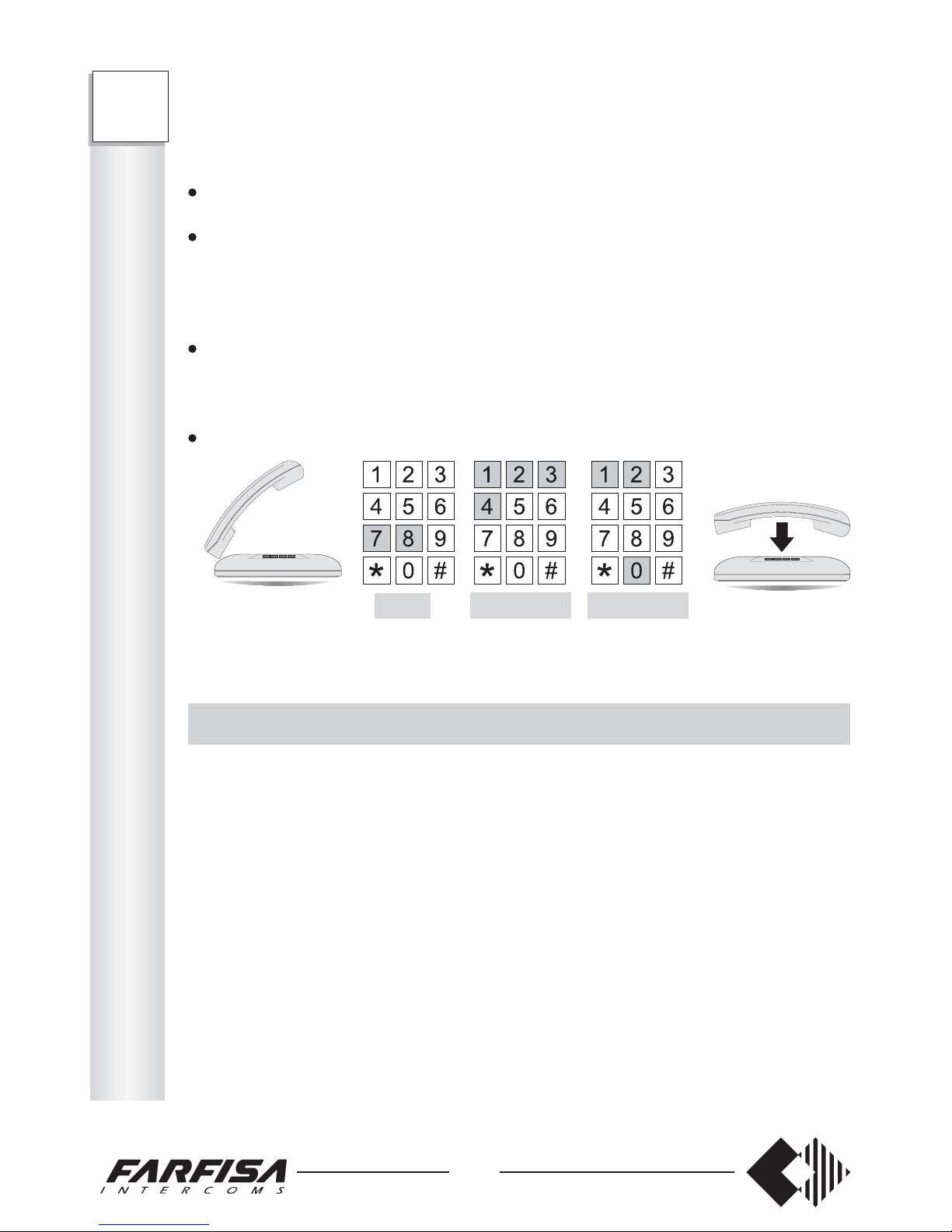
Select the incoming lines to be assigned to each telephone and fill-in the table below.
0 the extension: - is not enabled to receive calls from the external lines
1 the extension: - is enabled to receive calls from external line 1
2 the extension: - is enabled to receive calls from external line 2
3 the extension: - is enabled to receive calls from external lines 1 and 2
Note:
The assignment of the incoming calls also allows for answering to D.I.S.A. calls (if
enabled).
For FT105P, only insert number 0 or 1.
Table
Type of service Code Telephones
Day incoming calls 3333-07 ________ 33333 333
Night incoming calls 3333-09 ________ 00000 000
Example: if the code below has been dialled, in day service:
3333 03 3 1 2 2 3 1 0 2
44
Operation
If the actuator card is included in the intercom card, also refer to the previous chapter for
programming and operation.
pick up the handset
- call waiting tone
dial 78 followed by the number of the relay to be activated
1 relay 1
2 relay 2
3 relay 3
4 relay 4
select the relay action (only for relays 2, 3 and 4)
0 the relay is deactivated
1 the relay is activated permanently
2 the relay is activated for 3 seconds
hang up after the acknowledgement tone.
Example: - dial 7821 to activate permanently relay 2. To deactivate it, dial 7820.
- dial 7832 to activate only for 3 seconds relay 3.
REMOTE ACTIVATION OF AUXILIARY RELAYS USING A CODE
This service only works when calling over the public line with a DTMF telephone.
It allows the user with password to activate from long distance the 4 actuator relays for
auxiliary services (lights, thermostats, heating and air conditioning installations, etc.) by
making a call to the user’s number.
Storing the passwords for external line 1 and 2
Chose a 4-digit password for line no. 1 and no.2 (i.e. 0190, 3233, 0010, etc.) and write them
in the table below.
Programming Code Password to be stored Base
External line 1 password 3333-20 _ _ _ _ ****
External line 2 password (only FT208P) 3333-21 _ _ _ _ ****
* not factory-set. If programmed, these codes will be blanked when restoring the base
programming (see page 5).
0, 1 or 21, 2, 3 or 4
78
FT
105P
208P
I
N
T
E
R
C
O
M
S
Page 47
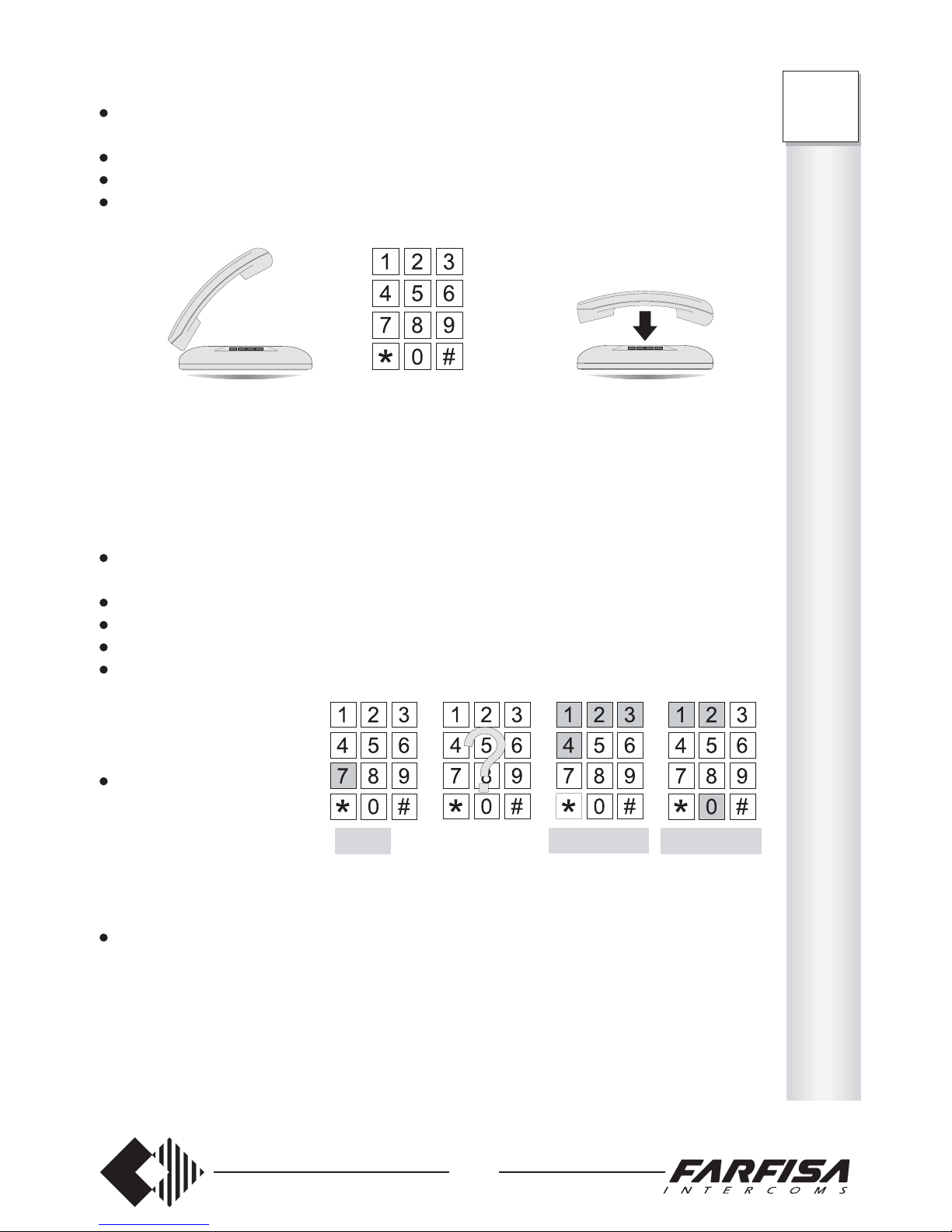
45
I
N
T
E
R
C
O
M
S
FT
105P
208P
To program:
pick up the handset
- dialling tone
dial the access code 333320 to store password related to external line no.1
dial a chosen 4-digit password (from 0000 to 9999). Always dial a 4-digit number
wait for the acknowledgement tone and hang up.
Repeat the above procedure with a different password and access code for external line 2
(only FT208P).
Example: if the number below has been dialled:
3333200100 the actuator cards installed in the PABX can be activated by making a
call to external line 1 and dialling password 0100.
Operation
select the subscriber number to which the PABX is connected from an external telephone
- Public Exchange call control tone
wait for the D.I.S.A. post-dialling tone
dial 7
dial the password programmed for the specific external line
dial the number of the relay to be activated
1 relay 1
2 relay 2
3 relay 3
4 relay 4
select the relay action
(only for relays 2, 3 and 4.
Relay 1 is activated for 3
seconds)
0 the relay is deactivated
1 the relay is activated
2 the relay is activated for 3 seconds
acknowledgement tone.
Examples: make the connection with the user’s number and dial 7010032: relay 3 is
activated for 3 seconds, being 0100 the password related to external line 1 (see example
above). To enable relay 1, dial 7 + the password code + 1. Relay 1 can only be activated
for about 3 seconds.
Note
In case of incorrect dialling , of wrong password or no password within 5 seconds, the call
is automatically sent to all extensions enabled to receive external calls.
Password
7 1, 2, 3 or 4
FT105P 333320xxxx
FT208P 333320xxxx 333321xxxx
0, 1 or 2
Page 48

pick up the handset (dialling tone);
dial the access code 333302 (day) or 333304 (night);
- (only FT105P) – dial 5 digits to program 5 extensions (see Table). Always dial a
number of 5 digits even if extensions are less than 5.
- (only FT208P) – dial 8 digits to program 8 extensions (see Table). Always dial a
number of 8 digits even if extensions are less than 8.
wait for the acknowledgement tone and hang up.
3333 02 6 4 2 5 3 1 0 2
Example: if the code below has been dialled, in day service:
46
TABLE OF ENABLED NUMBERS
See page 16 for programming.
Service Code Numbers to be inserted Base
Insert 1
st
number 3333-30 _ _ _ _ _ _ _ _ ########
Insert 2nd number 3333-31 _ _ _ _ _ _ _ _ ########
Insert 3rd number 3333-32 _ _ _ _ _ _ _ _ ########
Insert 4th number 3333-33 _ _ _ _ _ _ _ _ ########
Insert 5th number 3333-34 _ _ _ _ _ _ _ _ ########
Insert 6th number 3333-35 _ _ _ _ _ _ _ _ ########
Insert 7th number 3333-36 _ _ _ _ _ _ _ _ ########
Insert 8th number 3333-37 _ _ _ _ _ _ _ _ ########
CONTROL AREA CODE DIALLING TABLE
See page 17 for programming.
Insert 1st blocking number 3333-22 _ _ _ _ _ _ _ _ ########
Insert 2nd blocking number 3333-23 _ _ _ _ _ _ _ _ ########
Insert 3rd blocking number 3333-24 _ _ _ _ _ _ _ _ ########
Insert 4th blocking number 3333-25 _ _ _ _ _ _ _ _ ########
Insert 5th blocking number 3333-26 _ _ _ _ _ _ _ _ ########
Insert 6th blocking number 3333-27 _ _ _ _ _ _ _ _ ########
Insert 7th blocking number 3333-28 _ _ _ _ _ _ _ _ ########
Insert 8th blocking number 3333-29 _ _ _ _ _ _ _ _ ########
# not factory-set. If programmed, these codes will remain unchanged when the base
programming is restored (see page 5).
FT
105P
208P
T
A
B
L
E
S
Page 49

47
PABX DIRECTORY
See page 34 for programming. Programming code 2222.
Short Telephone
numbers numbers Name
00 ____________________ __________
01 ____________________ __________
02 ____________________ __________
03 ____________________ __________
04 ____________________ __________
05 ____________________ __________
06 ____________________ __________
07 ____________________ __________
08 ____________________ __________
09 ____________________ __________
10 ____________________ __________
11 ____________________ __________
12 ____________________ __________
13 ____________________ __________
14 ____________________ __________
15 ____________________ __________
16 ____________________ __________
17 ____________________ __________
18 ____________________ __________
19 ____________________ __________
20 ____________________ __________
21 ____________________ __________
22 ____________________ __________
23 ____________________ __________
24 ____________________ __________
25 ____________________ __________
26 ____________________ __________
27 ____________________ __________
28 ____________________ __________
29 ____________________ __________
30 ____________________ __________
31 ____________________ __________
32 ____________________ __________
33 ____________________ __________
34 ____________________ __________
35 ____________________ __________
36 ____________________ __________
37 ____________________ __________
38 ____________________ __________
39 ____________________ __________
FT
105P
208P
T
A
B
L
E
S
Page 50
Programming allows for personalizing the PABX according to the user’s needs and for
setting the operating mode for the each individual telephone connected to the PABX.
PROGRAMMING CAN ONLY BE CARRIED OUT FROM EXTENSION 41.
When turned on, the PABX is programmed for standard use. This programming is defined
as “base” and indicated in each chapter.
Only reprogram the PABX parts that need to be modified and leave the rest unchanged.
If the PABX is connected to a DTMF external line, use telephones with DTMF dialling
and program the external line in DTMF mode, or use telephones with LD dialling and
program the external line in LD mode. If the external line is LD, mixed telephones can be
used, but the line must always be programmed in LD mode.
When programming or operating the PABX, use number 1 instead of the FLASH in case
of LD telephones without such button.
For easier programming, when necessary, press the FLASH instead of hanging up.
Note
The PABX’s are supplied for operation with DTMF over external line. For LD dialling
programming, see page 14.
It is possible to return to base programming at any time, by dialling code 333399 from
telephone 41.
This operation restores the base conditions indicated in the manual.
The symbol # in the field indicates that the last number programmed will not be modified
when returning to the base program, such as personal security codes.
The symbol * in the field indicates that the programmed number will be cancelled.
Two operating modes are available, defined as day and night.
To recall the day service, dial 333301 from telephone 41 (operating mode set in the base
programming). To recall the night service, dial 333300.
48
PROGRAMMING TABLE
Model FT105P
Access Number to be stored See
SERVICE code for each extension page
41 42 43 44 45
Enables day outgoing phone conversat. 333302 _____ 6
Enables night outgoing phone conversat. 333304 _____ 6
Enables day incoming phone conversat. 333303 _____ 8
Enables night incoming phone conversat. 333305 _____ 8
Enables day incoming calls 333307 _____ 9
Enables night incoming calls 333309 _____ 9
Enables day intercom access 333310 _____ 40
Enables night intercom access 333312 _____ 40
Enables day intercom calls 333311 _____ 41
Enables night intercom calls 333313 _____ 41
Clearing or FLASH time 333314 _____ 12
Enables extension dialling control 333315 _____ 18
Service enabling 333316 _____ 13
SYSTEM PROGRAMMING Access Number to be stored See
code page
LD/DTMF – DTMF tones – Intercom 333317 _____ 14
D.I.S.A.
Enable Caller ID 333318 _____ 33
Overcoming the selective control 333319 __ 35
External password 333320 ____ 44
1st blocking number for dialling control 333322 ________ 17
8th blocking number for dialling control 333329 ________ 17
1st number enabled 333330 ________ 16
8th number enabled 333337 ________ 16
Returning to the base programming 333399 5
Programming PABX directory 222200,...,39 34
FT
105P
T
A
B
L
E
S
Page 51
49
T
A
B
L
E
S
FT
208P
PROGRAMMING TABLE
Model FT208P
Access Number to be stored See
SERVICE code for each extension page
41 42 43 44 45 46 47 48
Enables day outgoing phone conversat. 333302 ________ 6
Enables night outgoing phone conversat. 333304 ________ 6
Enables day incoming phone conversat. 333303 ________ 8
Enables night incoming phone conversat. 333305 ________ 8
Enables day outgoing calls 333306 ________ 11
Enables night outgoing calls 333308 ________ 11
Enables day incoming calls 333307 ________ 9
Enables night incoming calls 333309 ________ 9
Enables day intercom access 333310 ________ 40
Enables night intercom access 333312 ________ 40
Enables day intercom calls 333311 ________ 41
Enables night intercom calls 333313 ________ 41
Clearing or FLASH time 333314 ________ 12
Enables extension dialling control 333315 ________ 18
Service enabling 333316 ________ 13
SYSTEM PROGRAMMING Access Number to be stored Se e
code page
DEC/DTMF – DTMF tones – Intercom 333317 ________ 14
D.I.S.A.
Enable Caller ID 333318 ________ 33
Overcoming the selective control 333319 __ 35
External 1 password 333320 ____ 44
External 2 password 333321 ____ 44
1st blocking number for dialling control 333322 ________ 17
8th blocking number for dialling control 333329 ________ 17
1st number enabled 333330 ________ 16
8th number enabled 333337 ________ 16
Returning to the base programming 333399 5
Programming PABX directory 222200,...,39 34
Page 52
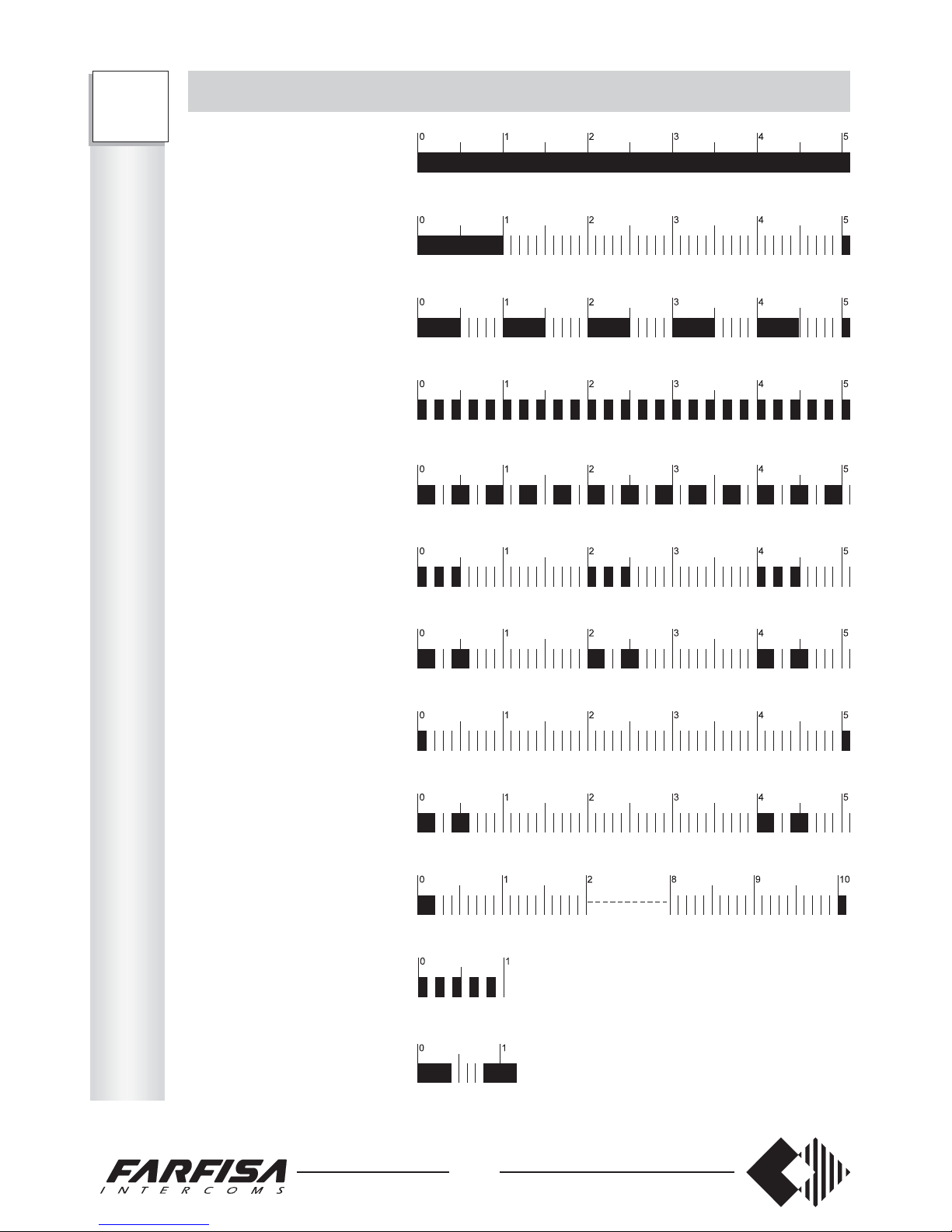
connect the wires of the external lines 1 and 2 to terminals URB1 and URB2 (URB1
for FT105P)
connect the wires of the telephones to DER41, .... DER48 (DER41, ... DER45 for
FT105P)
check that the on/off switch is off
unscrew the 2 screws to remove the protection cover of the power supply
connect the 2 electrical conductors to terminals L and N
replace the protection cover
close the PABX.
Notes
Although already present in the PABX, place external protections against overvoltage
or atmospheric discharge on the external lines, on the electric mains and on the extension
lines, if partially located outside the building.
The correct operation of the telephone installation is guaranteed when using homolo-
gated telephones.
If the general call function is required, connect facsimiles, modems and answering
machines to the terminals of the last extension (DER45 for FT105P; DER48 for FT208P)
because they do not receive the call signal.
50
FT
105P
208P
T
A
B
L
E
S
TONE TABLE
Dialling
(bitonal 425 Hz + 350 Hz)
indicates that the PABX is ready for dialling
Call control
indicates that the call is sent over the selected line
Busy
indicates that the internal/external/intercom line is busy
Dissuasion
indicates that: -there is a delay in dialling, -the called user
has hung up, -an unauthorized access has been attempted
Congestion
indicates that no connections are available
Acknowledgement
indicates that the requested service has been accepted
Inclusion
indicates that an extension has intervened in the conversation
Call incoming
indicates an incoming call during the conversation
Internal hold-on
indicates that the internal user is in hold-on
Conference
indicates that the extensions are having a conference
Incorrect operation
indicates that an unauthorized access has been attempted
during an intercom conversation
D.I.S.A.
it indicates the possibility of calling the desired extension
only.
Page 53
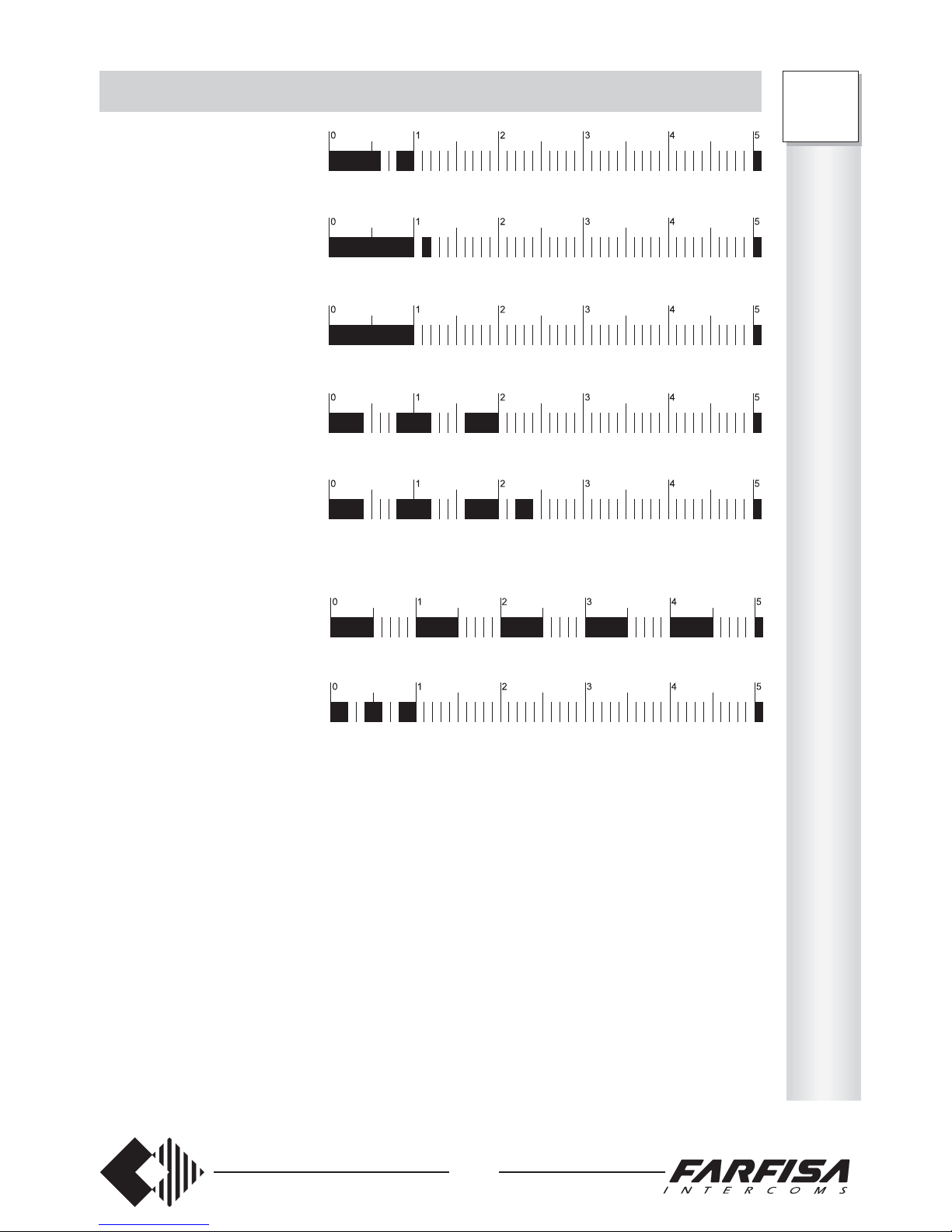
51
FT
105P
208P
Internal call
indicates an incoming call from another extension
CALL TABLE
General call
indicates an internal incoming call for all extensions
External call
indicates an incoming external call
Intercom call 1
indicates an incoming intercom call – call 1
Intercom call 2
indicates an incoming intercom call – call 2
Transfer without authorization; Return from transfer; Return from parking
(return call)
Booking
indicates that the booked external line/ extension is now
free
T
A
B
L
E
S
Page 54
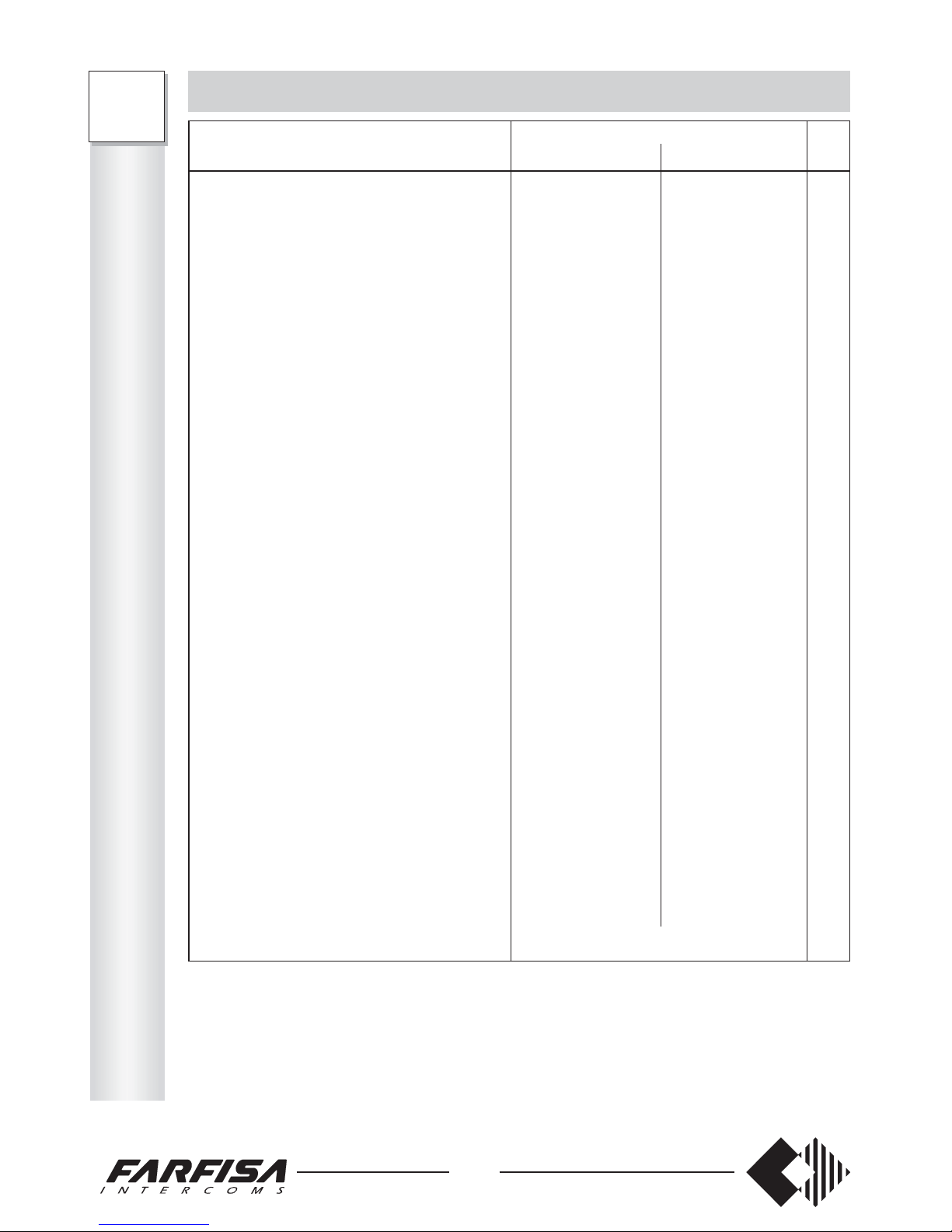
Introduction cop.
Safety rules cop.
INSTALLATION 2
- Maintenance 4
- Emergency 4
- Technical data 4
PROGRAMMING 5
- How to return to base programming 5
- Day/Night service 5
- How to enable outgoing calls 6
- How to enable incoming calls 8
- How to assign incoming external lines 9
- How to assign outgoing external lines 11
- FLASH time 12
- How to enable the personal services 13
- How to program the system 14
- How to activate the sequence of enabled
numbers 16
- How to control the area code dialling 17
- How to delete the enabled numbers and the
area codes 17
- How to enable the dialling control and the
enabled numbers 18
OPERATION 19
- Operating instructions 19
- How to recall operating modes 19
- Internal communications 19
- Outgoing external communications 20
- Incoming external communications 20
- How to answer unanswered calls 21
- How to put the exter./internal line in hold-on
- Inclusion 22
- How to resume a call 23
- Transfer with offer 24
- Automatic transfer 24
- Answer upon call incoming tone 25
- General call 25
- Three-way conference 26
- Room monitor (environmental control) 26
52
T
A
B
L
E
S
FT
105P
208P
Note
In case of telephones with LD dialling, use number 1 instead of the Flash button.
CODE-FUNCTION TABLE
Service Code See
FT105P FT208P page
Day service recalling 333301 333301 19
Night service recalling 333300 333300 19
Internal communications 41÷45 41÷48 19
External communications 0 0, 81, 82 20
Answer unanswered calls 9+user number 9+user number 21
Line in hold-on RR22
Inclusion R+5 R+5 22
Resume a call R; R+2; R+3 R; R+2; R+3 23
Transfer RR24
Answer upon call incoming tone R+9 R+9 25
General call 40 40 25
3 way conference R+(41÷45)+R+5 R+(41÷48)+R+5 26
Room monitor 730+(41÷45) 730+(41÷48) 26
Do not disturb 72+(41÷45) 72+(41÷48) 27
Follow me 731+(41÷45) 731+(41÷48) 27
Timed follow me 732+(41÷45) 732+(41÷48) 28
Cancelling "do not disturb", "follow me"
and "timed follow me" 70 70 27
Booking R+74 R+74 29
Exclusive parking R+75 R+75 30
Common parking R+76 R+76 30
Access to Public Exchange services 7731
Access to Public Exchange suppl. services R+77 R+77 31
Use PABX directory 71+(00÷39) 71+(00÷39) 34
Access to external amplifier 49 49 36
Intercom communication without call 6642
Relay activation during conversation R+ (1, 2, 3) R+ (1, 2, 3) 43
Relay activation without conversation 78+ (1÷4)+(0÷2) 78+ (1÷4)+(0÷2) 44
Remote relay activation 7+ (Password)+(1÷4)+(0÷2) 45
R = FLASH button
Page 55

ACI Srl FARFISA Intercoms reserves the right to modify the products illustrated at any time.
Page 56
February 2003
Mi 2236 gb
CERTIFICATO DI GARANZIA
(condizioni valide solo per il Territorio Italiano)
La garanzia ha la durata di dodici mesi dalla data di acquisto, accertata o
accertabile, e viene esercitata dalla Ditta rivenditrice e, tramite questa, dai
Centri Assistenza Tecnica Autorizzati ACI Srl Farfisa Intercoms.
La garanzia deve essere esercitata, pena la decadenza, entro otto giorni
dalla scoperta del difetto.
LA GARANZIA NON E’ VALIDA SE NON DATATA E VIDIMATA CON
TIMBRO E FIRMA DEL RIVENDITORE ALL’ATTO DELL’ACQUISTO. CERTI-
FICATO UNICO ED INSOSTITUIBILE.
DATA DI ACQUISTO - DATE OF PURCHASE - DATE D’ACHAT -
FECHA DE COMPRA - DATA DE COMPRA - EINKAUFSDATUM
TIMBRO E FIRMA DEL RIVENDITORE
DEALER’S NAME AND ADDRESS
NOM ET ADRESSE DU REVENDEUR
NOMBRE Y DIRECCION DEL DISTRIBUIDOR
CARIMBO E ASSINATURA DO REVENDEDOR
STÄMPEL DES HÄNDLERS
ACI Srl Farfisa Intercoms
Via E. Vanoni, 3 • 60027 Osimo (AN) • Italy • Tel: +39 071 7202038 (r.a.) • Fax: +39 071 7202037 • e-mail: [email protected] • www.acifarfisa.it
FT105P
FT208P
MATRICOLA - SET NUMBER - MATRICULE APPAREIL -
N° MATRICULA - N° DE MATRICULA - SERIENNUMMER
 Loading...