

Page 1
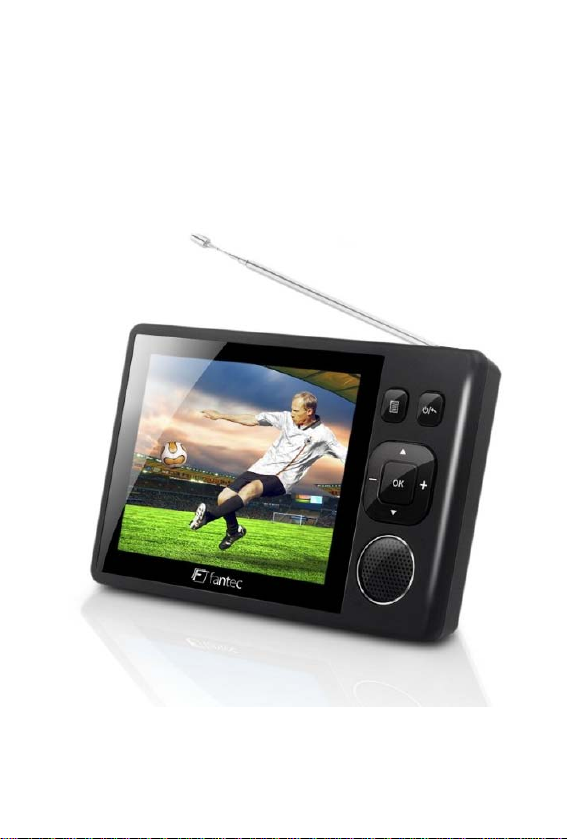
3.5” Portable DVB-T TV
Model: FANTEC DTV-35
User Manual
Page 2

Table of contents
1 About the Portable TV .......................................... 2
2 Introduction ........................................................... 3
2.1 Power On/Off ............................................ 3
2.2 Channel switch .......................................... 3
2.3 Volume Control ......................................... 3
2.4 Program list ............................................... 3
2.5 Sub-menu .................................................. 3
2.6 Reset .......................................................... 3
3 System Setup ......................................................... 4
3.1 Manual Scan .............................................. 4
3.2 Auto Scan .................................................. 4
3.3 System setting ........................................... 4
3.4 Display setting ........................................... 4
3.5 Factory Default ......................................... 4
3.6 Version ...................................................... 4
4 Use of battery ........................................................ 5
5 Accessories ........................................................... 5
6 Specifications ........................................................ 6
EN 1
Page 3
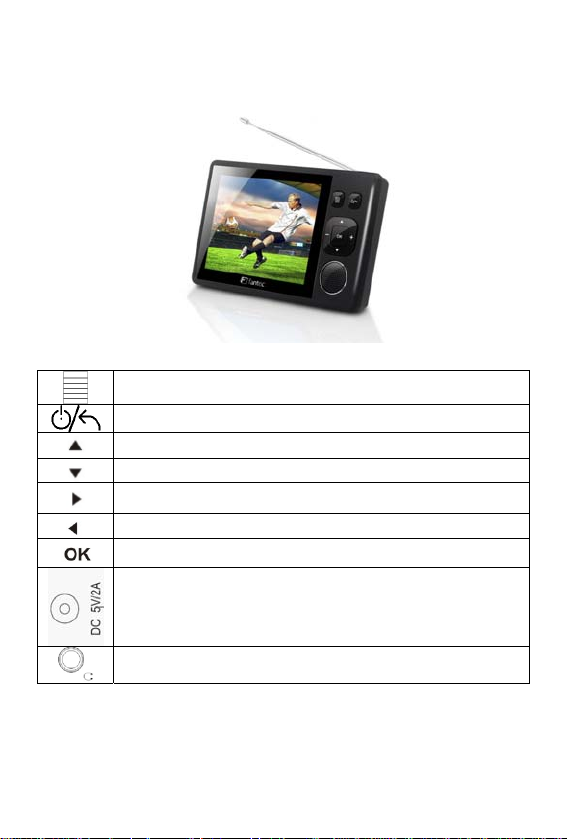
1 About the Portable TV
Menu Button
Power Button / Return Button
Channel +
Channel Vol +
Vol Confirm Button
DC Jack
Earphone Jack
EN 2
Page 4
2 Introduction
2.1 Power On/Off
Power On: Press button and hold for 3 seconds, the system will start
up.
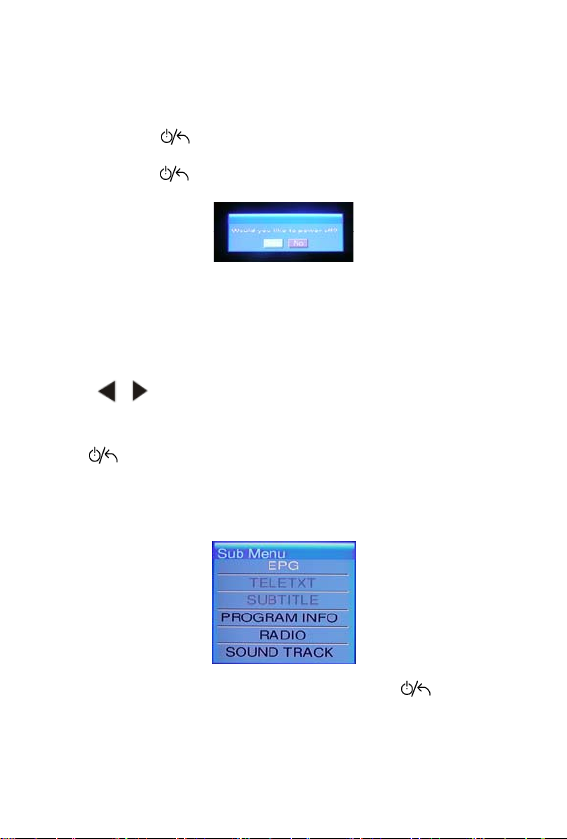
Power Off: Press button and hold for 3 seconds, the system will pop up
a dialog box as follow:
Press OK to power off the player.
2.2 Channel switch
Press ▲▼ to channel +/-.
2.3 Volume Control
Press to increase or decrease the volume.
2.4 Program list
Press under TV/Radio playback mode to show the program list and
press ▲▼ to select the TV/Radio channel, then press OK to confirm.
2.5 Sub-menu
Press OK under TV/Radio playback mode to enter the sub-menu as follow :
Move the cursor and press OK t o enter these functions, and then you can
press the Direction Key to select different option, press to return and
exit this sub-menu.
2.6 Reset
If the player suspend hang ed up, pleas e insert a sh arp stick into the res et hole
and press lightly, the system will clear all setting and power off.
EN 3
Page 5
3 System Setup
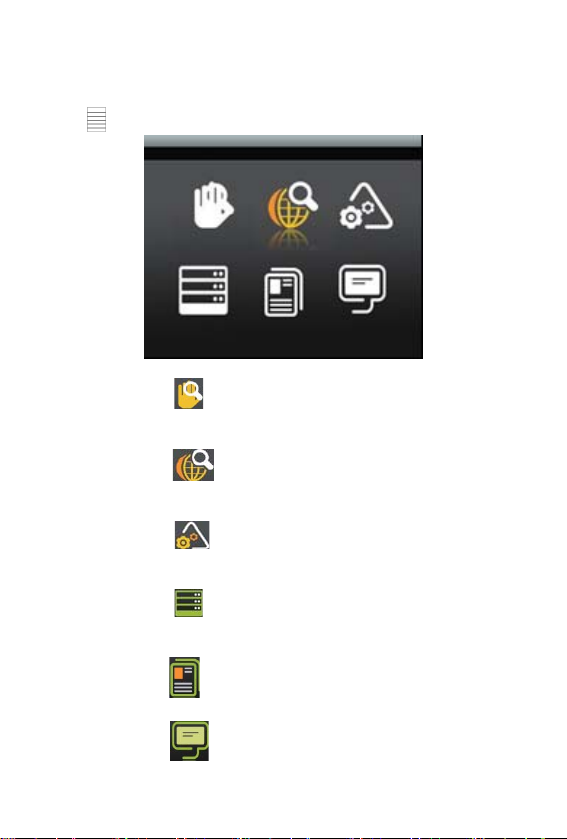
Press to enter the system setup menu as follow:
3.1 Manual Scan
Move the cursor to and press OK to start MANUAL SCAN; you can
set the start frequency, end frequency and band width manually.
3.2 Auto Scan
Move the cursor to and p ress OK to start AUTO SCAN base on the
Country setting.
3.3 System setting
Move the cursor to and press OK to enter system setting menu, you
can set Area, Time Zone, OSD Language.
3.4 Display setting
Move the cursor to and press OK to enter Display Setting menu, you
can set LCD Brightness, Contrast, Hue and Aspec t Ratio option.
3.5 Factory Default
Move the cursor to and press OK to load Factory Default setting.
3.6 Version
Move the cursor to and press OK to show the Hardware and Software
version information.
EN 4
Page 6
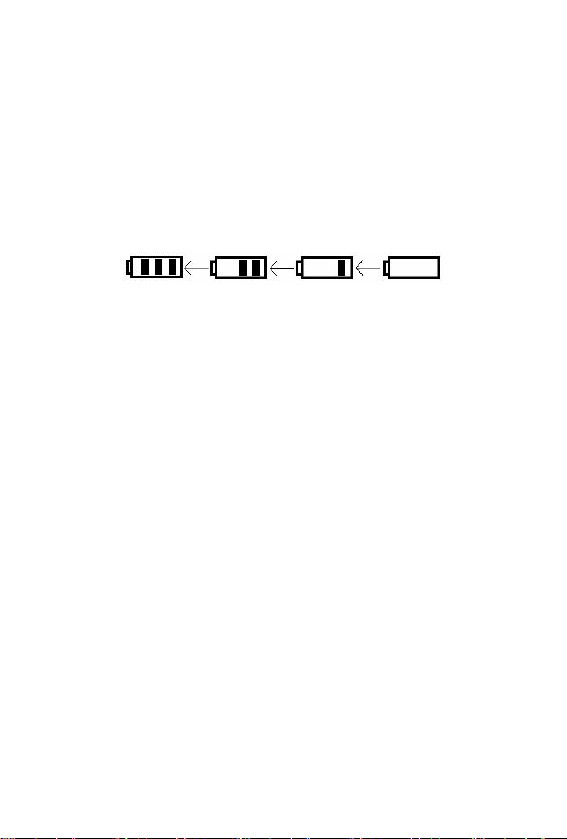
4 Use of battery
Precautions
Please fully charge the battery when you use the unit for the first time.
For the first 3 times the charging takes at least 8 hours to extend th e life
time of the battery. The unit will ge t warm when the unit is in use, t hi s is
normal. Please power off when the unit is not used for a long time. The
unit will be automatically powered off when the battery is too low.
Warning
z Charge the battery with the provided AC/DC adapter.
5 Accessories
Accessories
Please check the accessories accor ding to the following list:
AC/DC adapter
User manual
EN 5 EN 6
Page 7
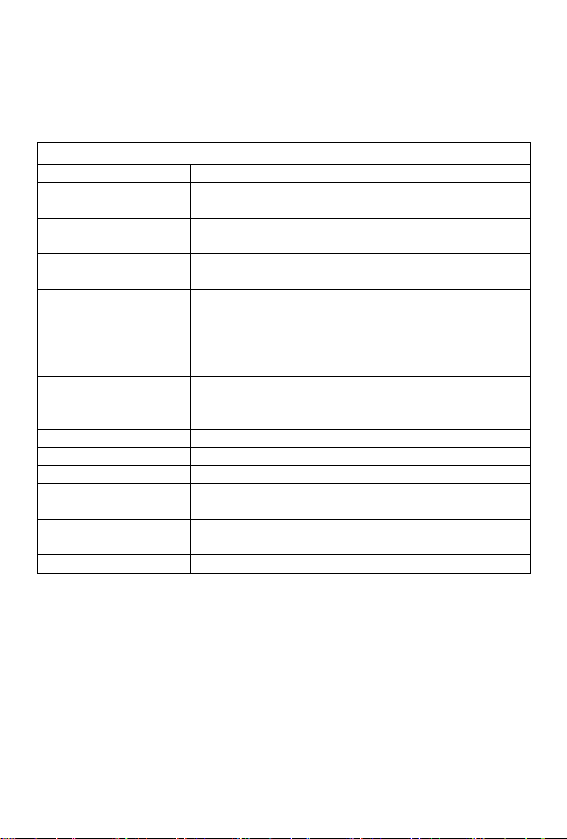
6 Specifications
Specifications
Digital TV tuner DVB-T module
Antenna
Panel
IO
Buttons
Battery
Dimensions 117 x 75 x 16.1 mm
Weight 165g with battery
Regulations CE, RoHS
Watch DVB-T
programs
Language English, German, Spanish, Italian, Dutch,
Channel Scan Auto scan / Manual scan
Built-in telescopic antenna to receive the digita l
terrestrial TV programs
3.5" TFT-LCD Display with the resolution of
320*240 pixel
- Earphone jack
- DC-in Jack
- Reset Hole
- Volume key
- Navigation key
- Menu key
- Esc key /power on/off
Lithium-ion rechargeab le battery
(2400mAh, 3.7V)
Watch DTV up to 4 hours (Earphone Mode)
Support digital teletext, EPG
French, Danish, Finnish, Swedish
 Loading...