

Page 1
Falcon SP100DV2
100W Folding Solar Panel
Quick Start Guide
Setting up the panel:
1. Remove the solar panel kit from the carry case.
2. Unclip the two latches on the side of the unit and fold the two panels outward. Extend the legs to
support the panels.
3. Locate in a clear sunlit area free from over hanging branches or obstructions.
4. Place the solar panel facing the sun. For maximum output we suggest moving the panels
throughout the day to track the suns position.
5. Fully extend the battery lead and connect the battery clips to the battery, red to the battery
positive terminal and black to the battery negative terminal. Ensure that the connections are secure
and do not let the positive and negative connections touch each other.
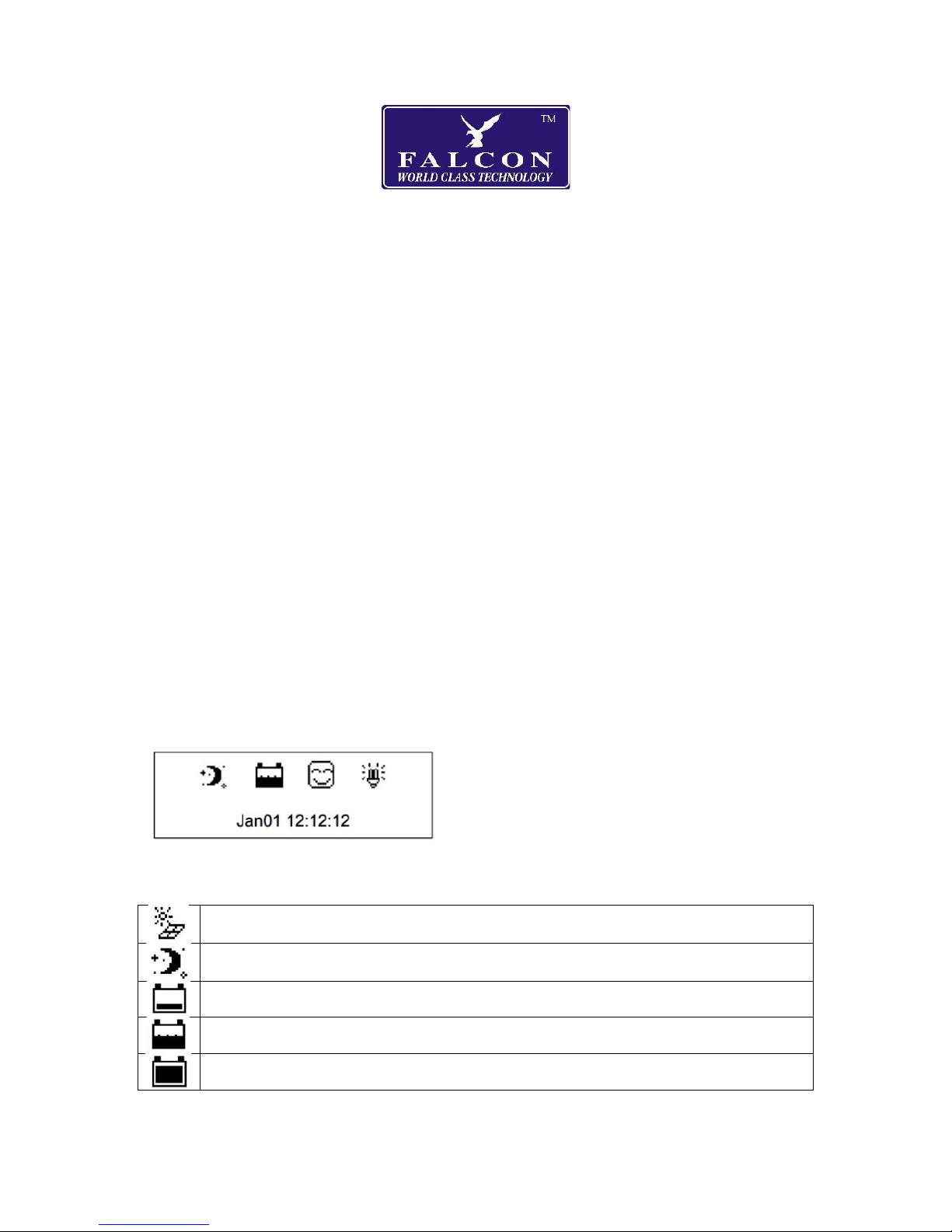
6. After connecting the battery to the solar panel the controller will turn on automatically. You will
see a welcome/initialization screen for a few seconds followed by the Default Screen showing the
status icons:
The icons will show the following states:
Daytime, the panel is receiving sufficient sun and the battery is charging.
Night time, there is insufficient sun and the battery is not charging.
Battery voltage is low
Battery is charging
Battery is full
Page 2
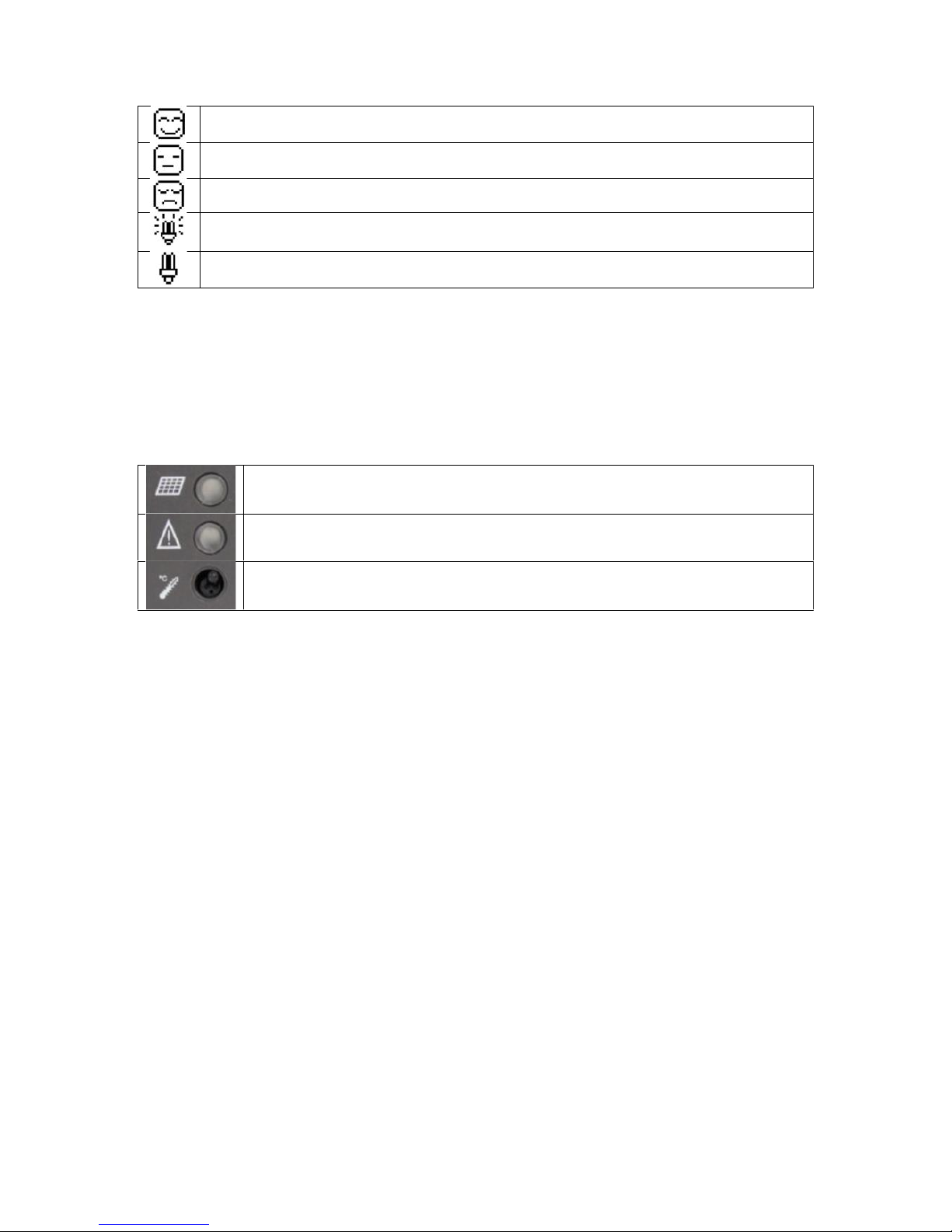
Normal operation
Battery under voltage warning*
Low voltage disconnect (load output is turned off) *
Load output is on*
Load output is off*
*In a standard battery charging setup nothing is connected to the Load output on the controller so
these icons can be ignored.
LED indicators
The three LEDs to the left of the screen will be on or off as follows:
Lights green if there is sufficient daylight and the solar panel is working, otherwise
off.
Lights red if there is an error. Check the battery is connected and there is not a short
on the cables. Try disconnecting and reconnecting the battery.
Lights if the controller is over temperature. Temporarily relocate the panel to a
cooler area, it will automatically reconnect when it has cooled down.
Frequently asked questions
Q: What type of batteries can be used?
A: Any 12V DC battery used for caravans, motorhomes, cars, boats, motorcycles etc.
Q: Can I extend the battery lead?
A: Yes, extensions are ok but the longer the length the less efficient the power will be.
Q: Do I need to clean the solar panel?
A: Yes, dust and dirt should be swept off the panel use a soft bruch and then use a wet cloth to wipe
the panel surface to remove and remaining dirt and grime. It is recommended that any bird
droppings be removed as soon as possible as if left it can cause damage to the surface.
Q: Will water damage the solar panel?
A: The solar panels are very well sealer, water should not affect them at all. The regulator even
though well sealed should not be exposed to excessive amounts of water as it may enter via the wire
connectors.
WARNING: Do NOT connect inverters, battery chargers or high current devices to the load terminals
of the charge controller.
 Loading...