

Page 1
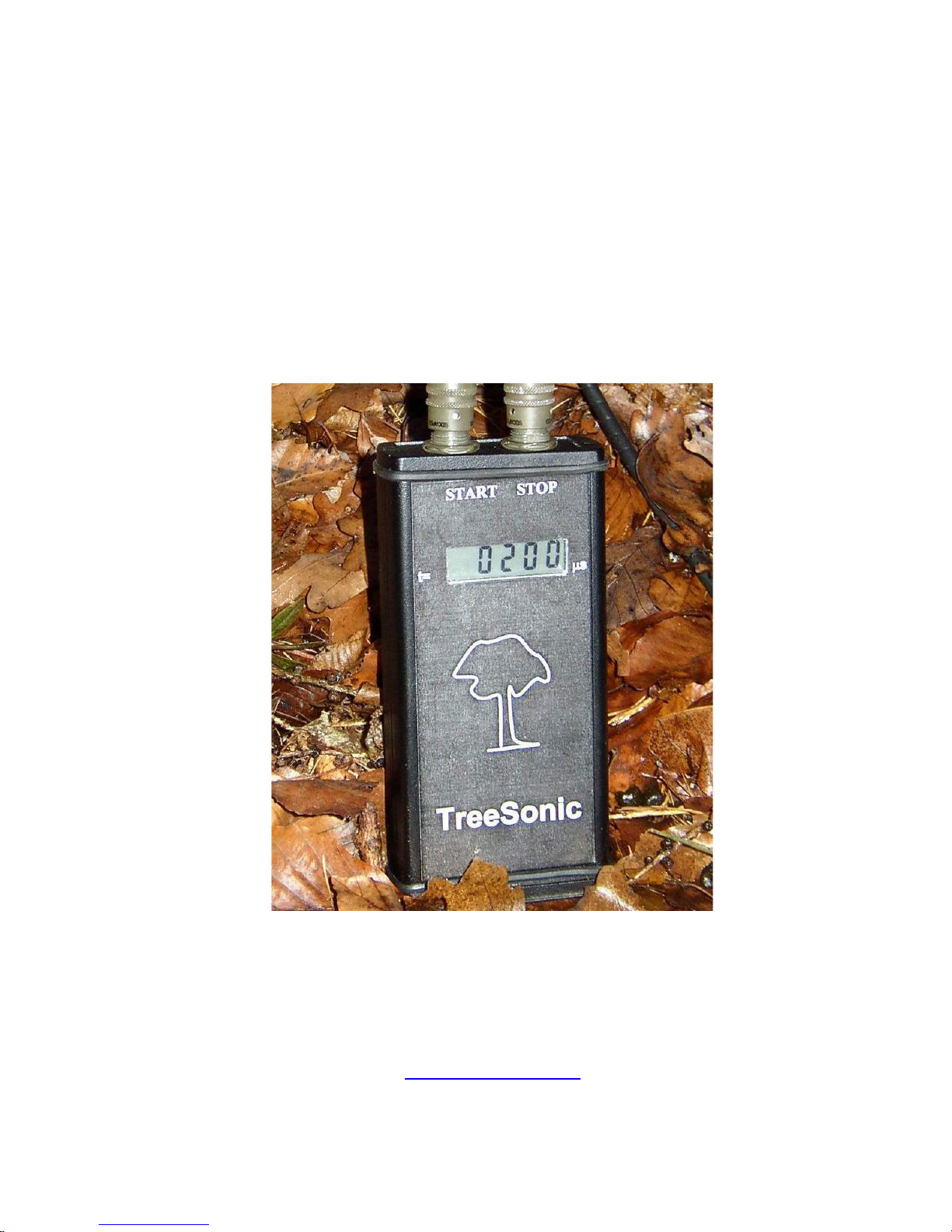
TreeSonic
Microsecond Timer
User’s guide
FAKOPP Enterprise
H-9423 Agfalva, Fenyo u. 26.
HUNGARY
www.fakopp.com
2005
1
Page 2

Introduction
TreeSonic microsecond timer is designed for tree stiffness prediction,
measures the stress wave time between start and stop transducer. The
structure of TreeSonic tool is designed by Weyerhaeuser Co. The
equipment is patent pending. Patent holder is Weyerhaeuser Co.
Preparation for the work
Connect the start sensor to the start connector of the timer. Please see
the male and female connector first and use proper orientation while
pushing the connector. Finally lock the connector by turning the
metal part of the connector clockwise. At this step never touch the
black plastic part of the connector. See figure 1.
Figure 1. While connecting and disconnecting the transducers please
touch the metal part only. This is very IMPORTAN!. NEVER turn
the plastic part of the connector.
The longer and flat shape transducer is the start and the shorter and
cube shape is the stop transducer. Please do not change the
transducers.
2
Page 3
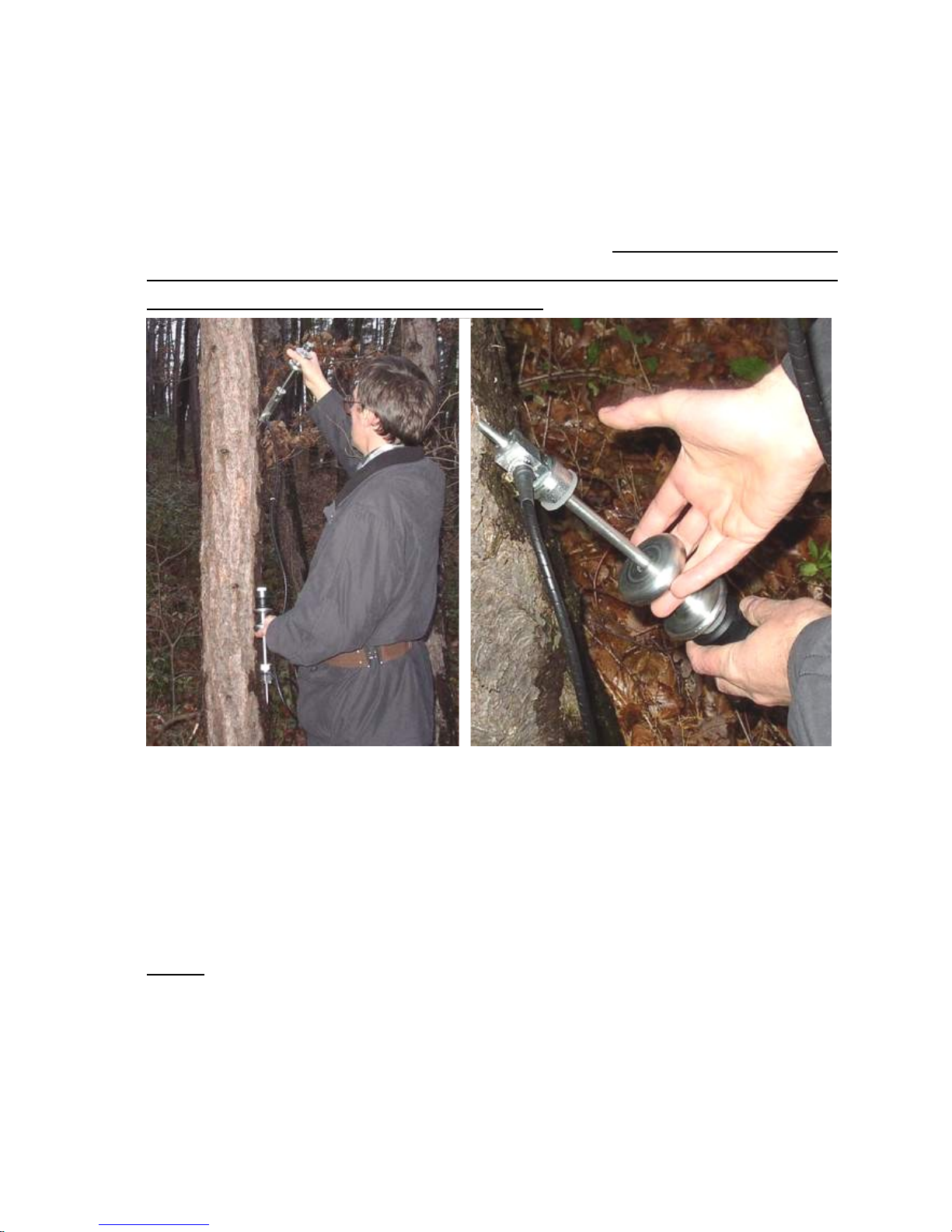
Drive in the spike of the transducers into the tree you want to test
using the sliding hammer. Spike need to penetrate through the bark
and stabilize the transducer in the wood material. Please apply 45
degree as spike and fiber angle. See figure 2. Please do not bend the
tip while inserting (straight in and avoid the knots) and extracting
(straight and completely out) the probes.
Figure 2. Driving the start (left) and stop (right) transducers into the
tree using sliding hammer
Instead of on/off switch
There is no on/off switch on the unit. For switching on please hit the
start transducer, apply a relative strong hit by hammer. Hitting
direction is always the axes of the transducer. The firs reading is
“9999” means that the switching on procedure is successful. The
next hit will show the real transit time in microseconds. The unit
3
Page 4
switches of automatically if no hit on start sensor arrives within 30
seconds. This function saves the battery.
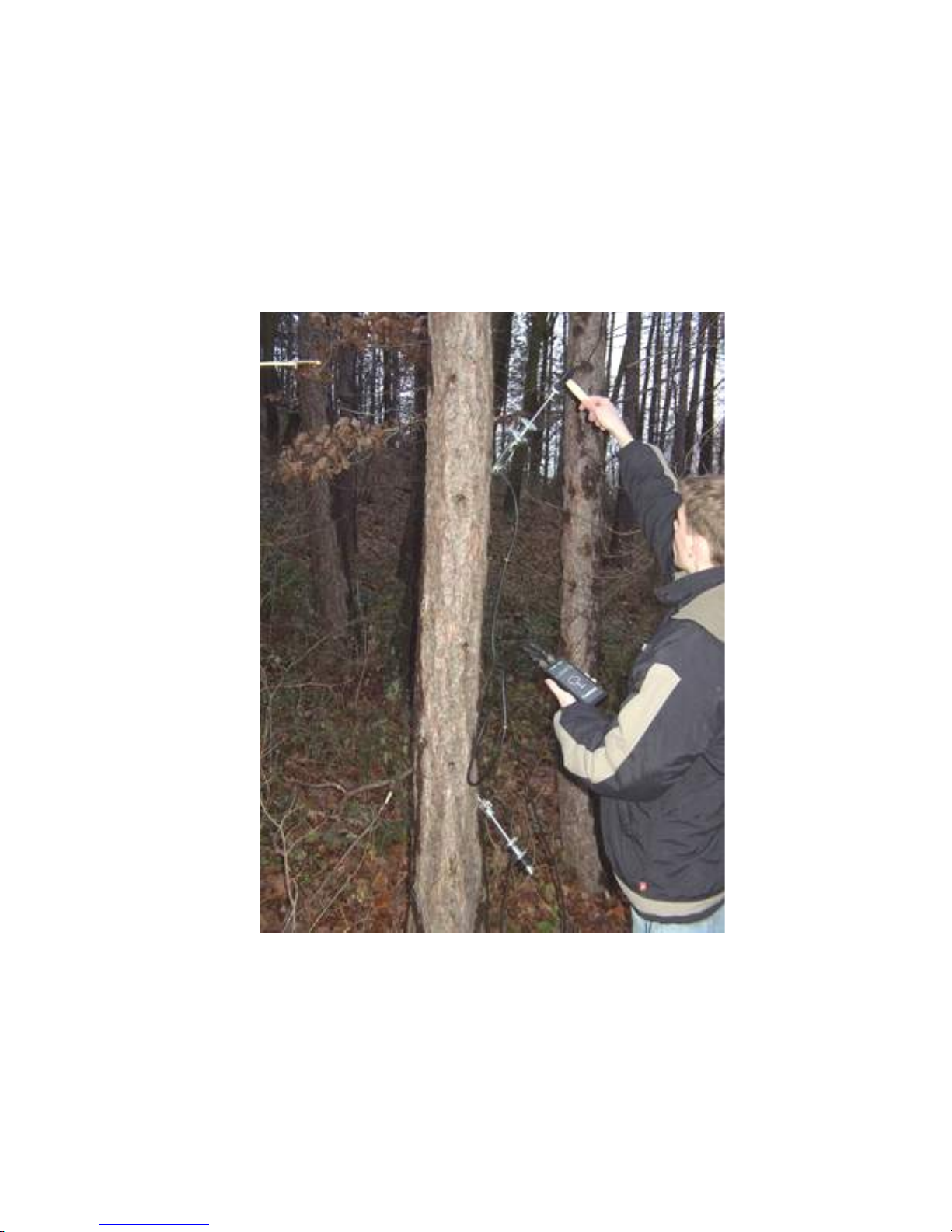
The standard setup is shown on figure 3. The recommended distance
between transducer is 1 meter. There is a 1 m mark on the start
transducer cable.
Figure 3. The recommended setup.
Record the readout. Using the average of 3 readouts is
recommended. The standard deviation of the readout is less than +/-
1.5 microseconds.
4
Page 5
Safety
The transducer has sharp spike. Pleas take care of the spike of the
sensor, may injure yourself or person nearby you. When out of use
please apply protector tube. Wearing safety shoes, safety glass and
gloves is recommended. Fix upper (starter) probe properly, if probe
would fall down, never catch while falling. In this case step back,
and let it fall down.
Maintenance
After 10-12 hours operation time, batter goes down. A “BAT LOW”
message appears on the screen. Your battery is rechargeable, capacity
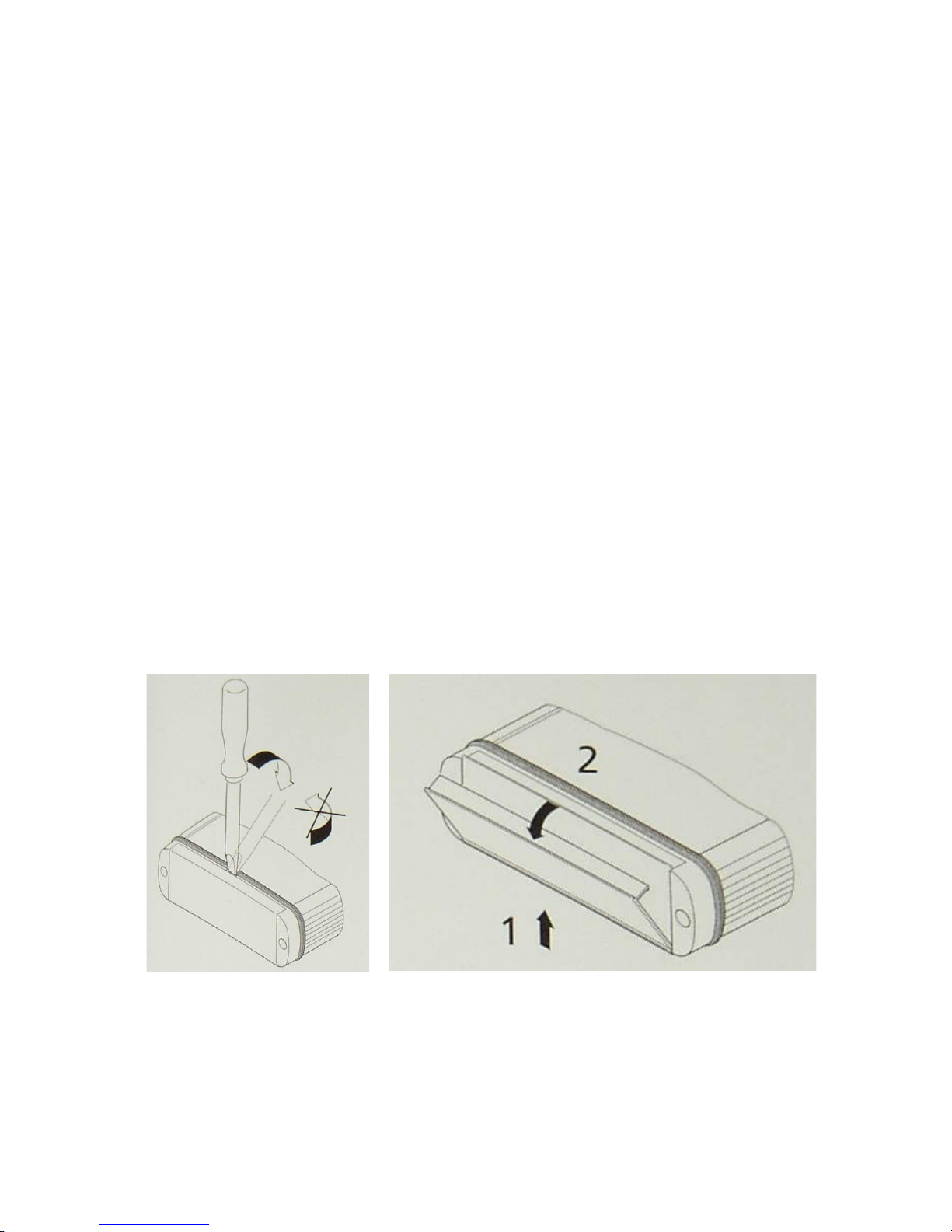
is 100 mAh. Figure 4. shows how to open the battery compartment.
Figure 4. The door of the battery compartment can be open by
screwdriver (left) or press the door in direction “1” while opening
by hand. Change battery when the unit switched off automatically!
Guarantee:
5
Page 6

For the TreeSonic device, including two sensors the guarantee
is one year. The guarantee starts at the date displayed on the invoice
and valid for the following one year. The repair can be asked from
the manufacturer. The guarantee does not concern to the break or
deliberate damage of the machine.
Technical parameters
Dimension of the timer: 36 x 84 x 184 mm
Weight: timer incl. battery: 0,35 kg
hammer incl. handle: 0,25 kg
Start transducer: 1,2 kg
Stop transducer: 1,1 kg
Total: 2,9 kg
Sleeping down time: 30 seconds
Time resolution: 1,2 microsecond
Battery: one piece of 9V block, rechargeable
Capacity: 100 mAh (typical)
Operation time: 10-12 hours
Power requirement: 75 mW
System is water resistant: IP65 protection
6
 Loading...