

Page 1
Installation Manual
For your safety and comfort, read this manual carefully.
FT-VF-TY
Scan this QR code to see
which vehicles are compatible.
REV 260617
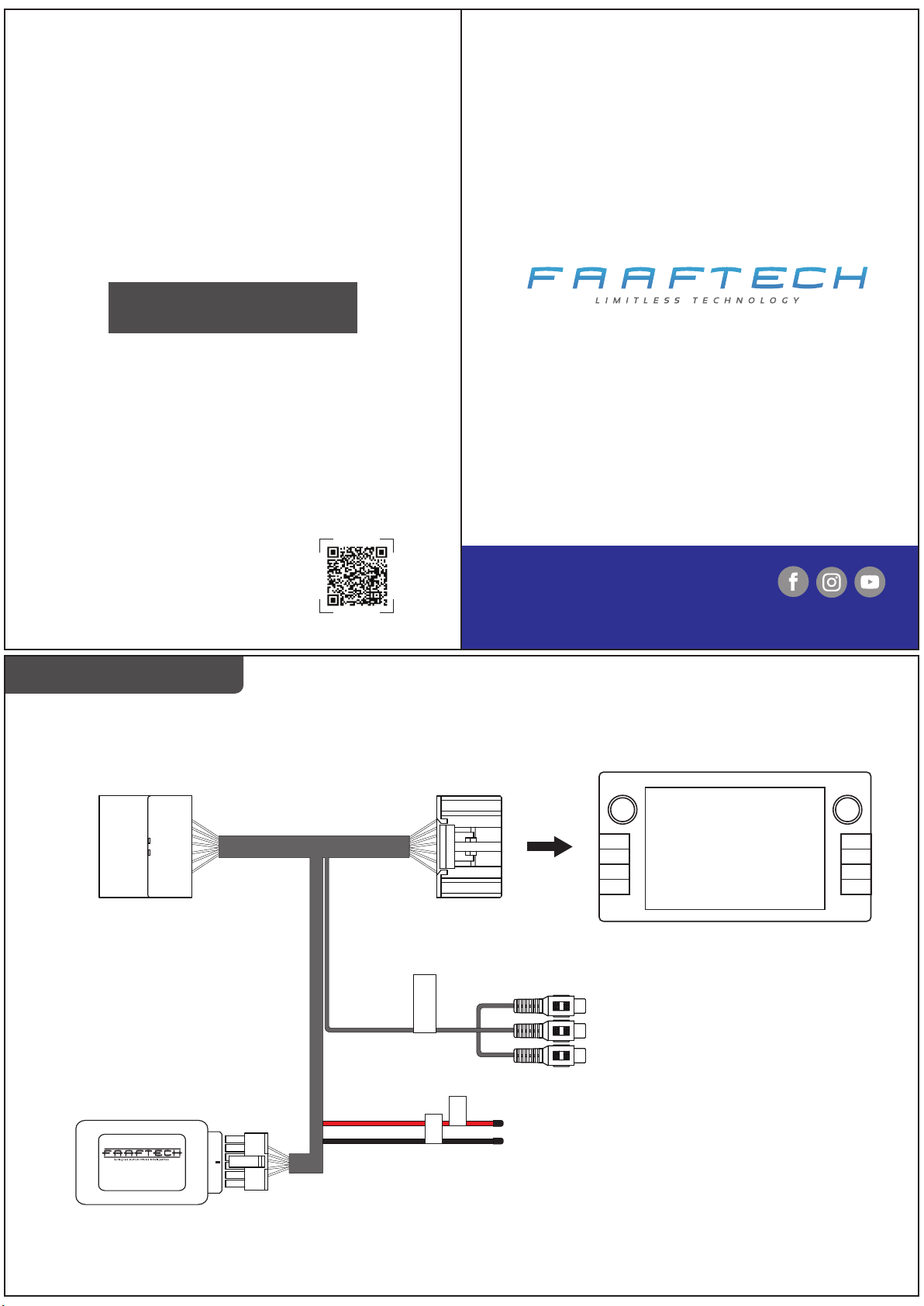
Installation Diagram
Plug in to the original whip
TECHNICAL SUPPORT
+55 0800 603 2330 or +55 62 3241 4600
www.faaftech.com.br
Available from Monday to Friday, from 8 a.m. to 6 p.m. Brasilia time
Plug in to the multimedia
Follow us on social media
ORIGINAL
MULTIMEDIA
FT-VF-TY
Entrada AV
AV input
GND
AV input to install
the mirroring module
ACC
ACC and GND output to power the mirroring module.
Note: ACC output is of a low voltaje.
Use only with the mirroring module.
Do not connect it with any other accessories.
Page 2
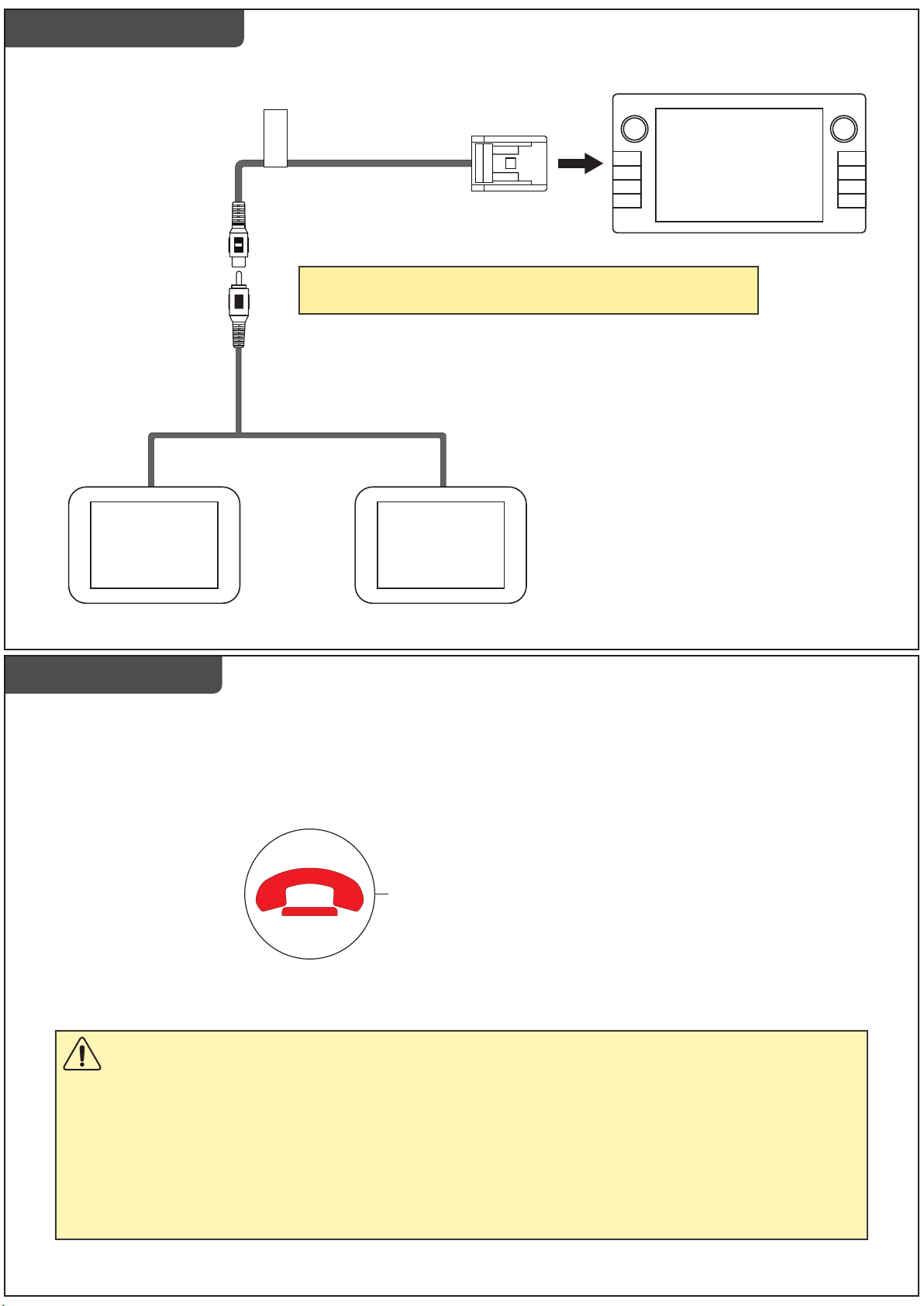
Back Seat Video View
BACK SEAT SCREEN
(Sold separately)
DVD out
Saída DVD
The video output will only play the DVD video. TV or AV
functions will not be played on the back seat screens.
BACK SEAT SCREEN
(Sold separately)
ORIGINAL
MULTIMEDIA
Video While Moving
This device has a function for you to turn on/off the multimedia video while the vehicle is moving.
Press and hold the “Reject Call” button on the steering wheel for three seconds to toggle between the video while moving function on/off.
“Reject Call” button on the steering wheel
Important Notice
The original GPS system does not work properly if the video while moving is unblocked. To use the
GPS, you will need to keep the video while moving function turned off.
If you use the GPS with the video while moving function turned on, the GPS will show the notice
“VELOCITY PULSE DISCONNECTED”. That message will only disappear after you block the video
while moving and keep driving for about one minute.
 Loading...