

Page 1
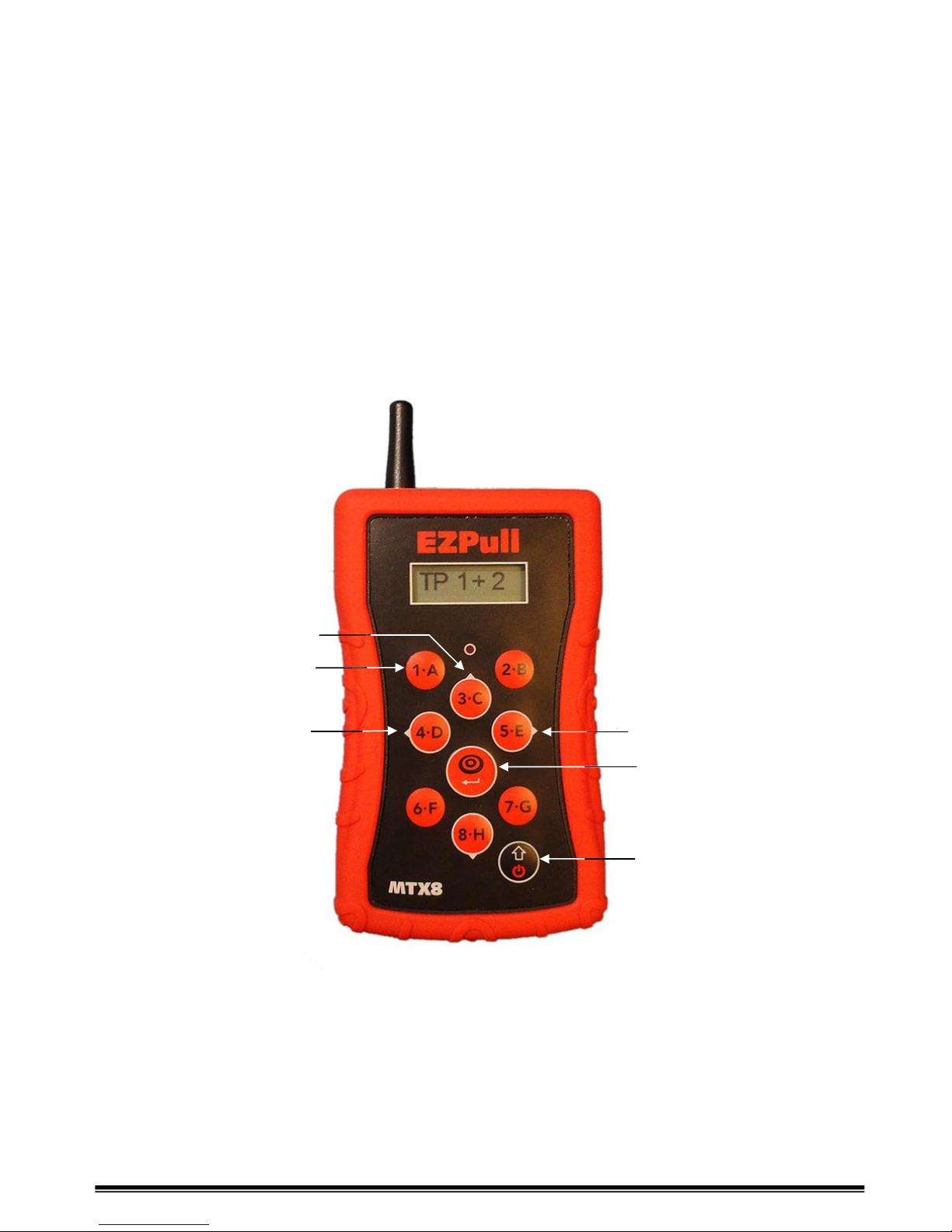
Overview
EZPull MTX-8 is a multi-target controller for use in Five-Stand, FITASC, Super-Sporting and
other clay target sports that require multiple traps. EZPull MTX-8 is designed to control up to 8
traps. The MTX-8 can be used in manual mode for all multiple traps clay target sports. The MTX8 also features automatic sequencing from six programmable 5-Stand menus.
EEZZPPuullllMMTTXX--8
8
UUsseerrMMaannuuaal
l
Target keys 1-8
Auto: Back
Auto: Fire
Manual: True-Pair/Fire
Enter/Select key
On/Off/Exit
Auto: Skip
Auto: to Manual
White circle/arrows on a key means it is also used for
navigation, modification and selection
Page 2
EZP_MTX8_UserGuide.doc For Version 1.1.0
EEZZPPuullllMMTTXX--88UUsseerrMMaannuuaal
l
Page 2
Turn EZPull MTX-8 On
When the EZPull MTX-8 is turned off, the display is blank.
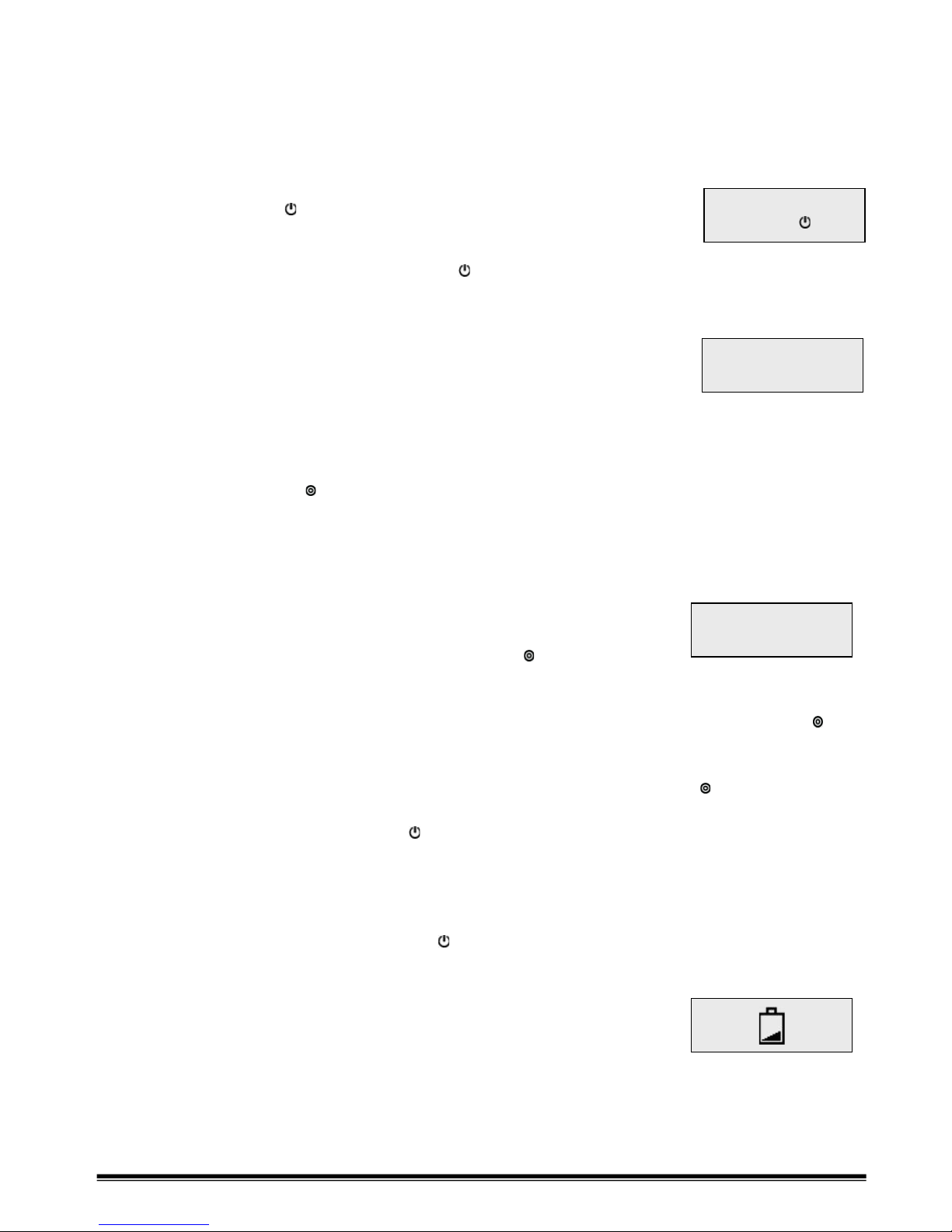
Press the ON/OFF key [ ]. The Main menu will display on the LCD.
Turn EZPull MTX-8 Off
From the Main menu, press the ON/OFF key [ ].
Using the MTX-8 in Manual Mode
1. From the Main menu, press the [1-A] key. The display will show:
2. To release a single target, press and release any of the keys 1 to 8.
The Red LED will glow and the target released will be displayed
for about 2 seconds.
3. To throw a True-Pair using two hands: Simultaneously press any two keys 1 to 8.
The Red LED will glow and the targets released will be displayed for about 2 seconds.
4. To throw a True-Pair using one hand:
4.1. Press the Fire [ ] key. The display will show “TP ?” indicating that you should select
the two traps.
4.2. Select the first trap using any of the keys 1 to 8. For trap #1, the display will show
“TP 1” indicating that the first trap was selected.
4.3. Select the second trap using any of the keys 1 to 8.
Do not select the same trap number used to select the 1st trap!
For trap #2, the display will show “TP 1 + 2” indicating
both traps are selected.
4.4. When the shooter is ready, press the Fire [ ] key again
to throw the pair.
4.5. Notes:
4.5.1. If you selected only one target, you can abort the pair by pressing the Fire [ ]
key
4.5.2. Once a pair is selected it is not possible to throw a single until the pair is released.
4.5.3. Once a pair is selected, as long as you did not press the Fire [ ] key, you can
change the selection by pressing any other keys 1-8.
5. Exit manual mode by pressing the [ ] key.
Automatic Power Down
After a preset idle time (typically, 5 to 15 minutes) with no key presses, the MTX-8 will go into
low power mode and the display will go blank. If this occurs during target release, (manual or
automatic modes), press the ON/OFF key [ ] to return to the last activity prior to power down.
Low Battery
When the batteries are nearly empty, the display will show
the “empty battery” icon. Replace the batteries.
1.MANUAL 2.AUTO
3. SETUP . OFF
MANUAL MODE
.PAIR . EXIT
TP 1 + 3
Page 3
EZP_MTX8_UserGuide.doc For Version 1.1.0
EEZZPPuullllMMTTXX--88UUsseerrMMaannuuaal
l
Page 3
Using the MTX-8 in Auto Sequence Mode
In Auto Sequence mode the 5-Stand target menu is preselected
by the club’s personnel.
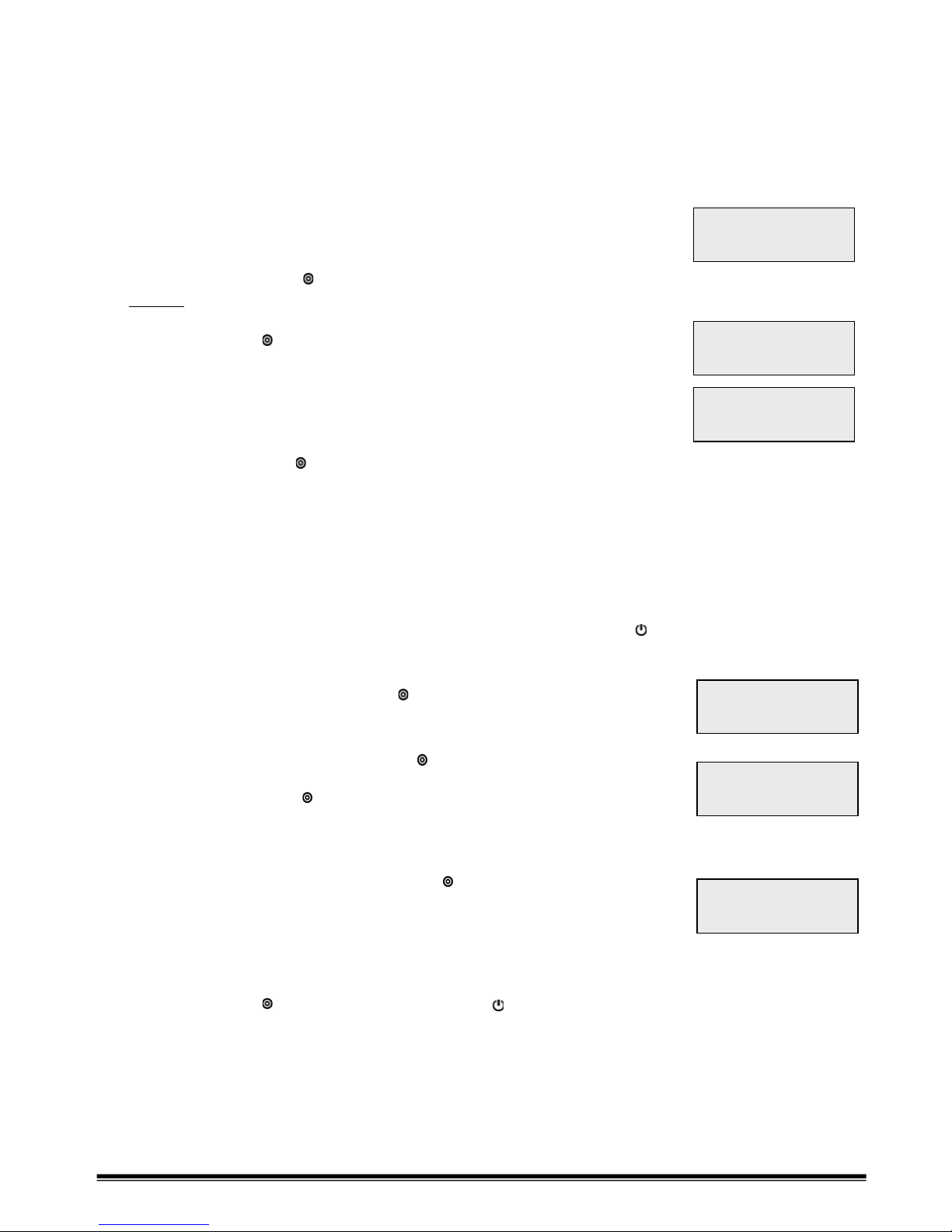
1. From the Main menu, press the [2-B] key. The display will show
the number of shooters selection screen.
2. Use the ▲[3-C] and ▼ [8-H] keys to select the number of shooters
then press the Enter [ ] key to accept and continue.
Notice: The first shooter must always start on the first stand with
the other shooters following the order of stands – no skipping stands!
3. Press the Enter [ ] key to start the game. The display will
momentarily show the key functions used in this mode.
4. The Display will now show the first target in the sequence.
On the left side you will see the Stand number - STD:# and the
Queue number - QUE:# number (In 5-Stand, all shooters shoot
the first queue, then the second queue, etc.)
5. Fire: Press the Fire [ ] key to release the target(s). The display will
now show the next target(s) to be released.
6. Back: If targets are broken or you need to repeat a segment in the sequence, press the
◄ [4-D] key to go back. Note the STD:# and QUE:# to navigate back to the desired
segment.
7. Skip: If you need to skip a segment in the sequence, press the ► [5-E] key to skip to the
next segment. Note the STD:# and QUE:# to navigate to the desired segment.
8. Manual: If you need to momentarily switch to a fully manual mode, press the ▲ [3-C] key.
The MTX-8 will operate in manual mode (see above). Press the [ ] key to return to
automatic sequence mode at the last segment where you left it.
9. Pairs: There are three release modes for pairs:
9.1. True Pair: Press the Fire [ ] key - Two targets
release simultaneously. Indicated by a “+” between
the trap numbers
9.2. Report Pair: Press the Fire [ ] key - First target released.
Red LED ON steady reminding you to act on report.
Press the fire [ ] key again upon shooters
gunshot (report) to throw the second target and
advance to the next segment. Indicated by a “>” between
the trap numbers.
9.3. Following Pair: Press the Fire [ ] key - First target released.
Red LED blinks indicating you should wait the delay.
The second target releases automatically after the number
of seconds shown under the ~ symbol. Indicated by a “~”
between the trap numbers.
10.When the sequence is complete, the display shows “GAME OVER”.
Press the Enter [ ] key to start over or the [ ] key to return to the main menu.
#SHOOTERS
▲▼
04
FIRE ▲ MANL
◄ BACK ►SKIP
STD: 1
QUE:1
2
STD: 2
QUE:2
3>4
STD: 2
QUE:3
3+4
STD: 3
QUE:2
3~4
4
 Loading...