

Page 1
Smart remote controller/TX-RC-1
User Guide/Warranty
Thank you for choosing EZCon® Smart
remote controller TX-RC-1.
This Quick Instruction Manual explains the
basic installation and using procedures. For
the introduction of detailed product installation and troubleshooting, please visit the
official website at www.teamyoung.com.tw
for downloading.
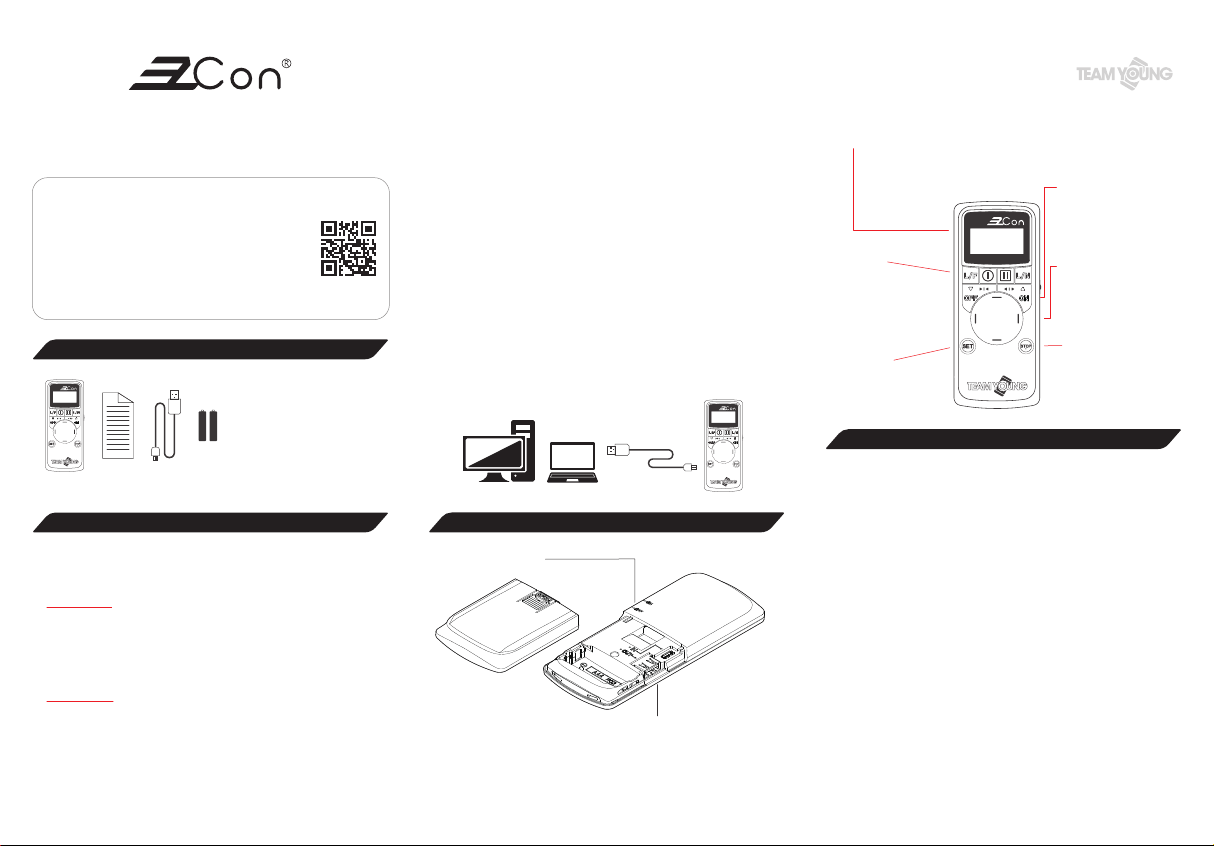
Package contains
Smart remote controller
Quick Instruction Manual
USB Cable
AAA Battery
cations is operated in compliance with the Telecommunications Act. The low power radio-frequency devices
must be susceptible with the interference from legal
communications or ISM radio wave radiated devices.
● To avoid the danger of electric arc to user and damage
of electrical switch contact, please do not plug or
unplug powered-on RX products.
● Please download EZCon_PC-tools file in advance on
Team Young official website at www.teamyoung.com.tw.
For the first time of use, please select File/New, or select
File/Open file that has already been edited. After your
layout of each specified layer is edited, please save the
file.
After file has been edited, please use USB Cable to
connect laptop/PC with Smart remote controller and
press ”SET” button to enter into the transmission
mode. Then write the IP data of terminal points to
TX-RC-1.
● Screen
Battery indicator:Red light indicates insufficient battery level and
suggests changing the battery.
Signal indicator:Blue light indicates that control signal is transmitting.
OFF:Turn off
ON:Turn on
● Button
L/F:Turn off local luminaires
L/N:Turn on local luminaires
I:Pause(roll-up doors/curtains)
II:Lock(roll-up doors)
● SET
Entering setting mode
● Button
Left:Switch to left
Right:Switch to right
Up:Switch upward
Down:Switch downward
STOP:Emergently stop
Functional settings and hotkeys of TX-RC-1
Precautions for safe use
● The product complies with NCC Administrative Regula-
tions on Low Power Radio Waves Radiated Devices:
Article 12:Without permission granted by the NCC,
any company, enterprise, or user is not allowed to
change frequency, enhance transmitting power or alter
original characteristic as well as performance to an
approved low power radio-frequency devices.
Article 14:The low power radio-frequency devices
shall not influence aircraft security and interfere legal
communications; If found, the user shall cease operating
immediately until no interference is achieved.
The said legal communications means radio communi-
Components of TX-RC-1
Power Key
• USB port-Micro-B-female connector
(For receiving)
• USB port-Type-A-female connector
(For transmitting)
● Short press “SET” button to display the version of TX
firmware.
● Long press “SET” button for 5 sec. to enter into setting
mode → select a specific operating mode:
A. Data transmission/importing mode - transmit data to the PC
(Hotkey: SET + Up direction button)
B. RX Burning - Connect to RX & write IP of terminal points to
RX (Hotkey: SET + Down direction button)
C. TX-RC-1 authorizing remoter - Transmit the layout of major
TX-RC-1 to other minor TX-RC-1 (Hotkey: SET +Left
direction button)
D. TX-RC-1 receiver - Receive the layout of major TX-RC-1(Hot-
key: SET +Right direction button)
E. Other mode:For setting sleep time, brightness of screen,
TX control range parameter, RX control range parameter
etc..
Press “ON” button to confirm & execute the command.
Press “STOP” button to return to the menu of layout.
Page 2
Product specications
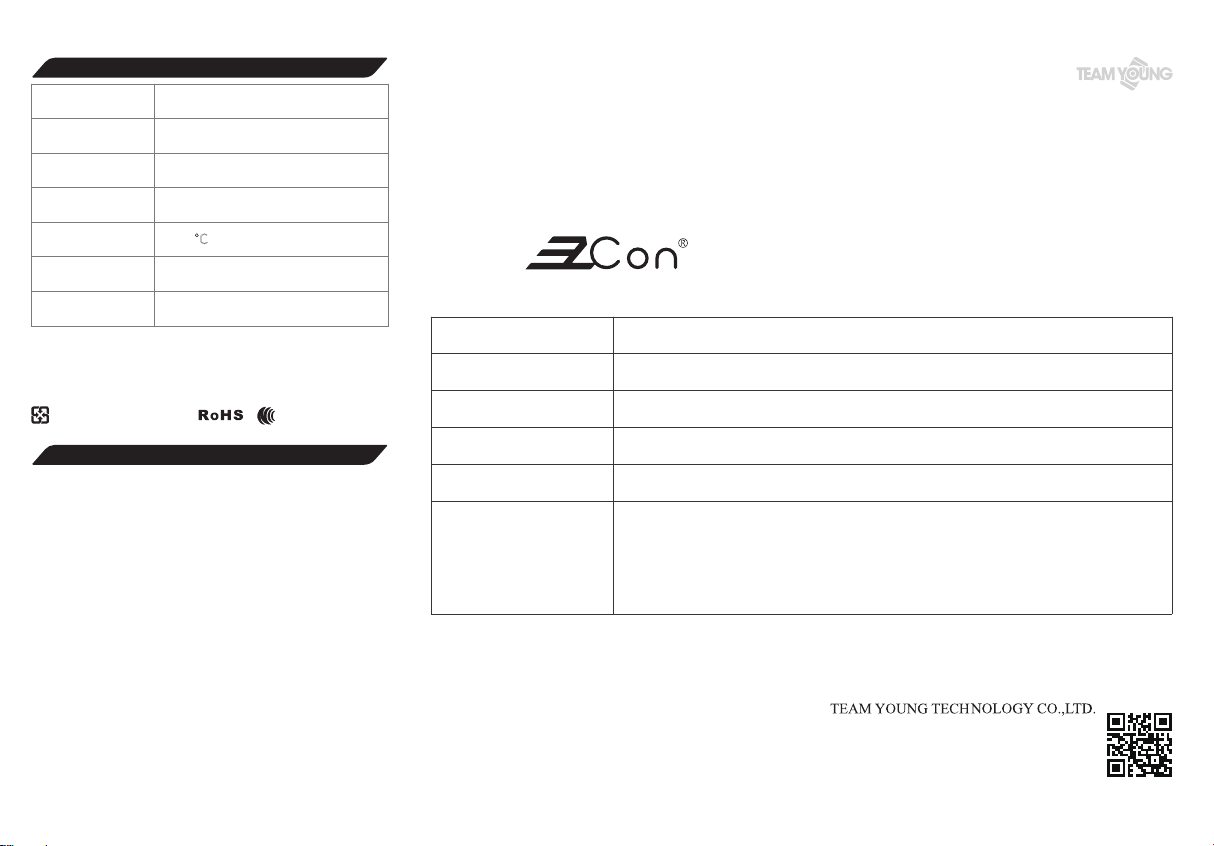
Product
Name/Model
Country of Origin
Rated Voltage
Radio Frequency
Range of working
Temperature
Net Weight
Dimension
If the information of RoHS Compliance Declaration is required, please visit our
*
website at www.teamyoung.com.tw
The Republic of China (R.O.C.) Patent No.I63439
*
The mercury content of this product complies with the regulation of the
*
Environmental Protection Administration Verification No.05129-AR4.
Please recycle used batteries
Smart remote controller / TX-RC-1
Made in Taiwan
DC 3V(AAA Battery*2)
433.92MHz
0~40℃
65g(without battery)
88g(with battery)
H132.5 * W55.5 * D16.5mm
CCAK18LP2440T0
Warranty term & product guarantee certicate
● With this product guarantee certificate, this product is
subject to limited one-year free repair service since the
date of purchase, but the warranty does not include
consumables (e.g. battery).
● Within the warranty period, damage caused by the
following conditions is not included under warranty.
If repairing is required, Team Young Technology Co.,
Ltd. or authorized distributors will charge the material,
inspecting, repairing, and administrative costs:
A. Without following the instruction of this Quick Instruction
Manual to install and operate the product or use unapproved accessories for the product.
B. Damage caused by irresistibly natural disaster, pest, rodent,
and human negligence.
C. Damage caused by misuse, abuse, vandalism, poor
temperature/humidity environment, without following
instructed power supply under rated voltage/current, or
the product exceeding the rated voltage/current.
D. Failure and damage caused by transportation, movement,
dropping, and collision of product after purchasing.
E. Damage resulted from unauthorized disassembling of
®
related products, which is not executed by
EZCon
authorized distributors and technicians of manufacturer.
F. Using product in extreme environment of corrosion is also
excluded from warranty, such as in high temperature and
humidity, in sulfur areas, at the beach, and on the ship etc..
Product Guarantee Certificate
Product Model
Product Batch
(Year of manufacture)
Name of Customer
/Company
Place of Purchase
Date of Purchase
Stamped by Distributor
/ Manufacturer
The 5th~6th code of Product Batch indicates the year of manufacture, e.g. the year of manufacture for 912-18XXXXXXXX is 2018.
*
Smart remote controller / TX-RC-1
912-1800000053
18th Floor, No. 400, Huanbei Road, Zhongli
District, Taoyuan City, Taiwan, R.O.C.
Tel : +886-3-2805160 Fax : +886-3-2805182
www.teamyoung.com
Page 3

FCC ID: 2AUVZ-TX-RC-1
FCC warning
This device complies with part 15 of the FCC Rules.
Operation is subject to the following two conditions:
(1) This device may not cause harmful interference, and
(2) this device must accept any interference received, including interference that may cause
undesired operation.
Notice:
Any changes or modifications not expressly approved by the party responsible for
compliance could void your authority to operate the equipment.
NOTE: This equipment has been tested and found to comply with the limits for a Class
B digital device, pursuant to part 15 of the FCC Rules. These limits are designed to
provide reasonable protection against harmful interference in a residential installation.
This equipment generates, uses and can radiate radio frequency energy and, if not
installed and used in accordance with the instructions, may cause harmful
interference to radio communications. However, there is no guarantee that
interference will not occur in a particular installation. If this equipment does cause
harmful interference to radio or television reception, which can be determined by
turning the equipment off and on, the user is encouraged to try to correct the
interference by one or more of the following measures:
- Reorient or relocate the receiving antenna.
- Increase the separation between the equipment and receiver.
- Connect the equipment into an outlet on a circuit different from that to which the receiver
is connected.
- Consult the dealer or an experienced radio/ TV technician for help.
 Loading...