

Page 1
legalEyesHDi/F quick start
eyeheight
next
prev
info
drop
next dev
prev dev
legalEyesHDi or HDiF
lEy
s
D q
ic
s ar
l
eg
a e
H uk
t
t
h
e
i
t
e
h
e
g
y
n
e
t
x
p
e
v
r
n
o
f
i
d
p
o
r
t
d
n
x
e
v
e
p
e
d
v
r
e
v
e
s
l
E
D
l y
H
e
g
a
g
e
y
h
h
i
e
t
e
l
D
L
y
a
s
H
E
g
e
e
U
M
a
l
s
n
&
ae
r
u
r
c
k a
t
Q
u
s
i
t
F
e
e
t
e
w
r
o
C
d
P
o
r
e
1
o
o
n
C
t
.
x
t s
B
n
hy
h
i
g
e
e
e
t
H
i
.
aD
o
i
l
l
C
o
n
T
s
c
l
g
n
c
2
y
p
a
ey
e
t
s
E
n
e
N
1
I
U
T
O
1
N
2
I
3I
N
UT2
O
S
A
E
-
U
D
BS
-
T
/
G
P
I C
R
EF
B
I
S-
U
-
32
RS
2
V
RT
L
N
E
r
t
M
n
i
o
o
M
a
n
s
i
o
n
c
n
e
D
l
o
t
a H
Al
n
e s D
i
-
v
d
e
r
i
S
I
c
o
eyeheight
legalEyesHDi
User Manual &
Quickstart
Feet
Power Cord
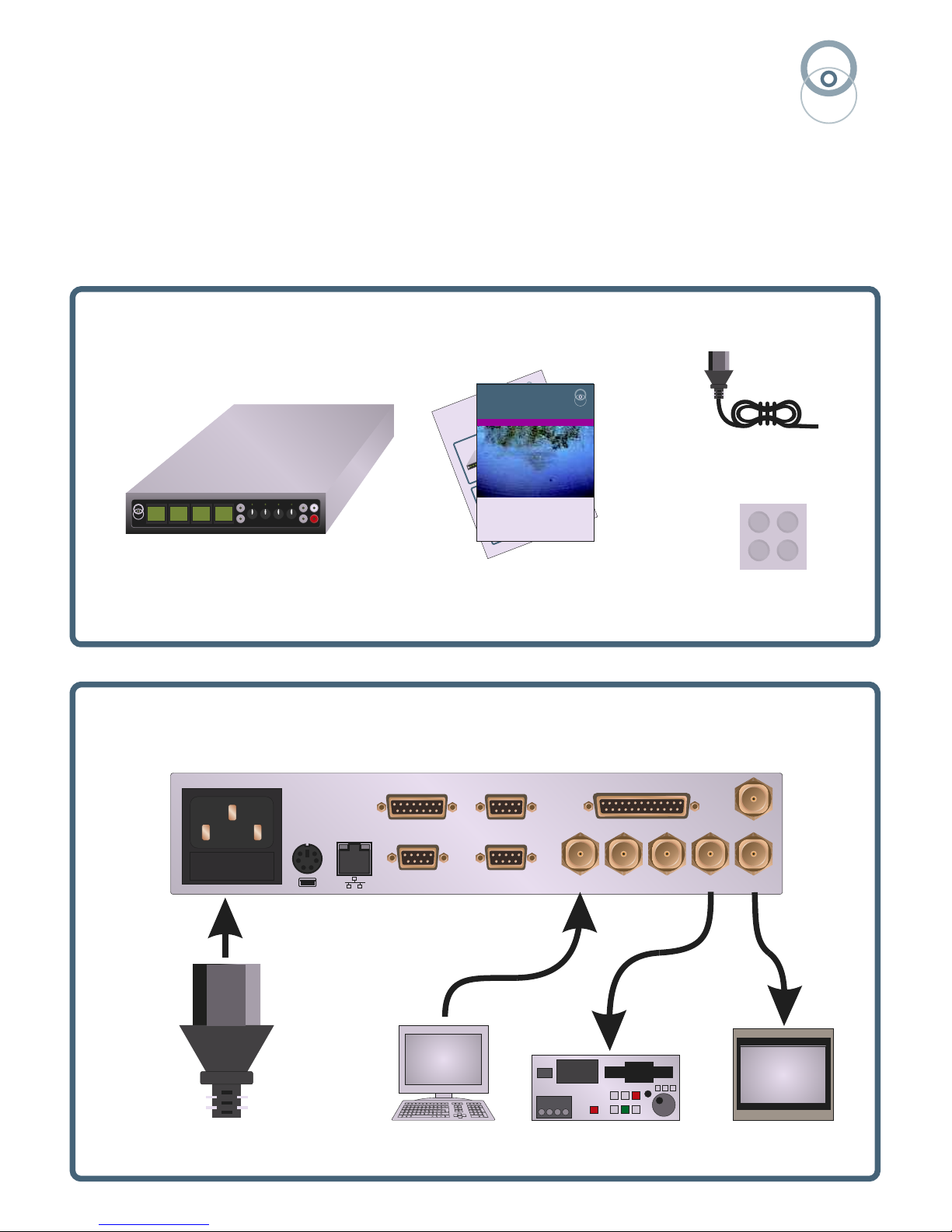
1.Box Contents
eyeheight
2. Typical legalEyesHD Connections
IN 1
OUT 1
IN 2
IN 3
OUT 2
AES D-BUS
GPI - T/C
REF
I-BUSRS-232
VTR
NLE
Monitor
(legalEyesHDiF only)
Mains
All video connections are HD-SDI
Page 2
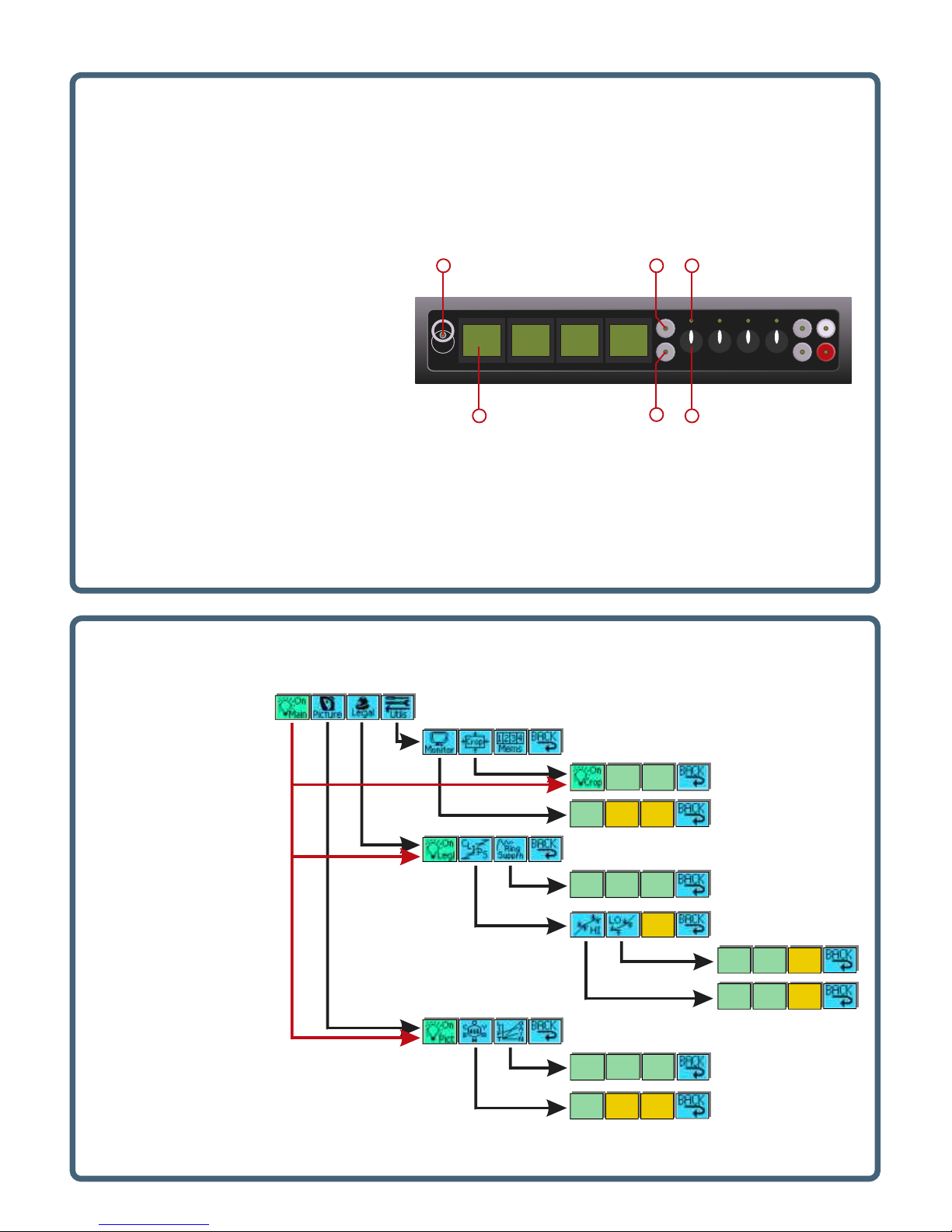
3. Control Panel
Horztl
Pixels
=0
Vertcl
Pixels
=0
Hue
Degree
=+15
Chroma
Gain
=100%
Luma
Gain
=100%
Black
Lift=
+0.0 I
HiRing
Thresh
100.0%
LoRing
Thresh
+0.0%
Ring
Supr’n
=OFF
MonOP=
Show
RGBerr
HiKnee
Level=
100.0%
HiClip
Level=
100.0%
LoKnee
Level=
0.0%
LoClip
Level=
0.0%
Master Override:
Off => indicated menus Off
On => indicated menus to
previous state
See manual for full menu listing
eyeheight
next
prev
info
drop
next dev
prev dev
1 5
2 6
3
4
4. Main Menus
1. Power/Status LED
Green - normal operation
Orange - product is loading
2. Menu Display/Button (1 of 4)
Green menus adjust via push and digipot
Yellow menus are information only
Blue menus navigate the menu hierarchy
Red menus have multiple variables, press the
menu to “open” then adjust with digipots
3. Next Menu Button
Navigates between menu sets in a level
of hierarchy
4. Previous Menu Button
Navigates between menu sets in a level
of hierarchy
5. Digipot Active LED (1 of 4)
6. Digipot (1 of 4)
Adjusts associated menu variable
 Loading...