

Page 1
KEYBOARD PLATFORM ASSEMBLY
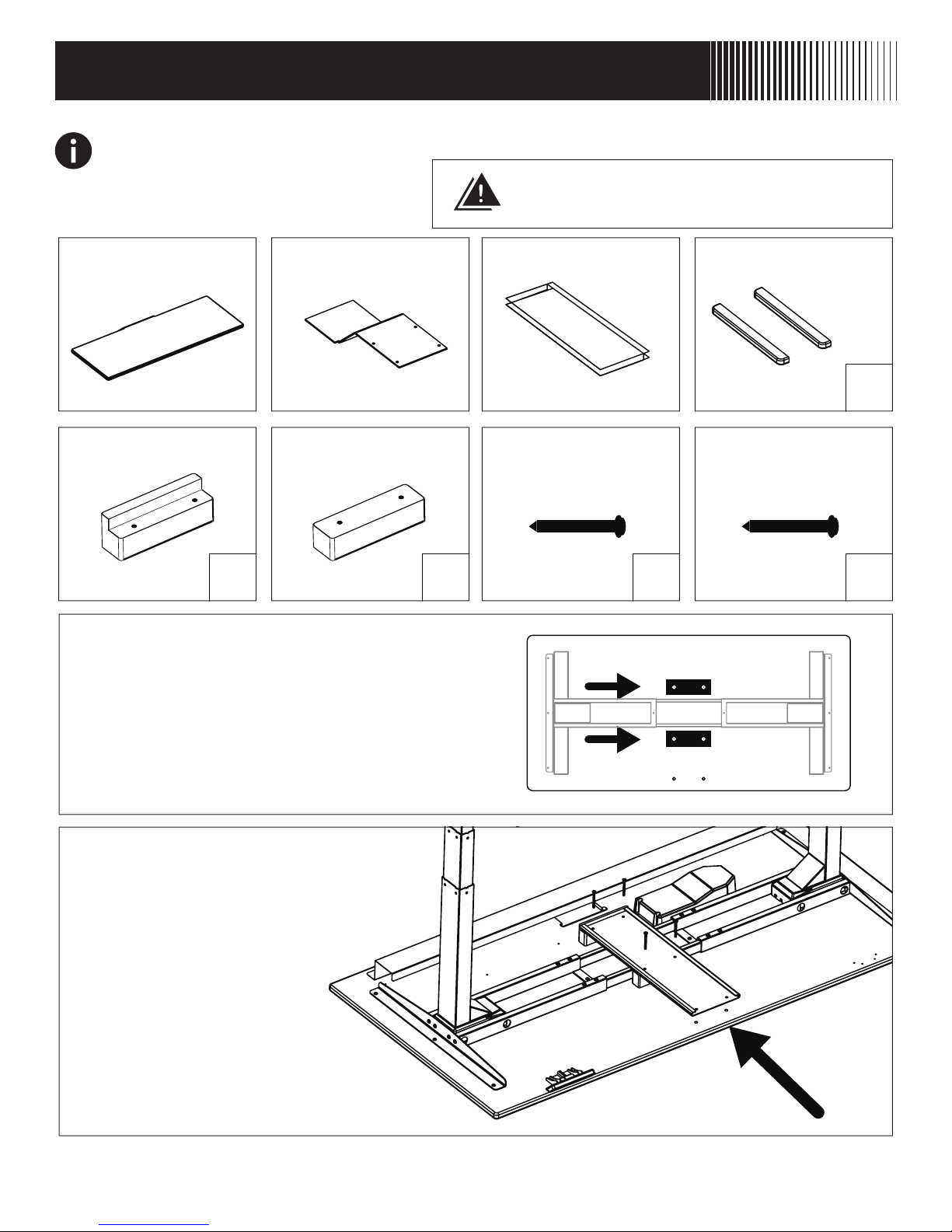
BEFORE YOU BEGIN Failure to properly install safety stops may result in injury from
falling keyboard platform.
CAUTION: Do not use any screw over .5”
long or damage to the assembly may occur.
KEYBOARD COMPONENTS INCLUDED
Platform Arm Rail ABS Sliders
x2
End Riser Block 2” #10-24
Center Riser
Block
Machine Screw
x2 x1 x6
STEP 1
Align the End Riser Block and Center Riser
Block over the four threaded inserts towards
the back of the desktop (side opposite of
the controller).
STEP 2
Align rail unit on spacers, secure in
place with four included 2” #10-24
Machine Screws.
.5” Wood Screw
x4
Keyboard Assembly Instructions - 1
Page 2
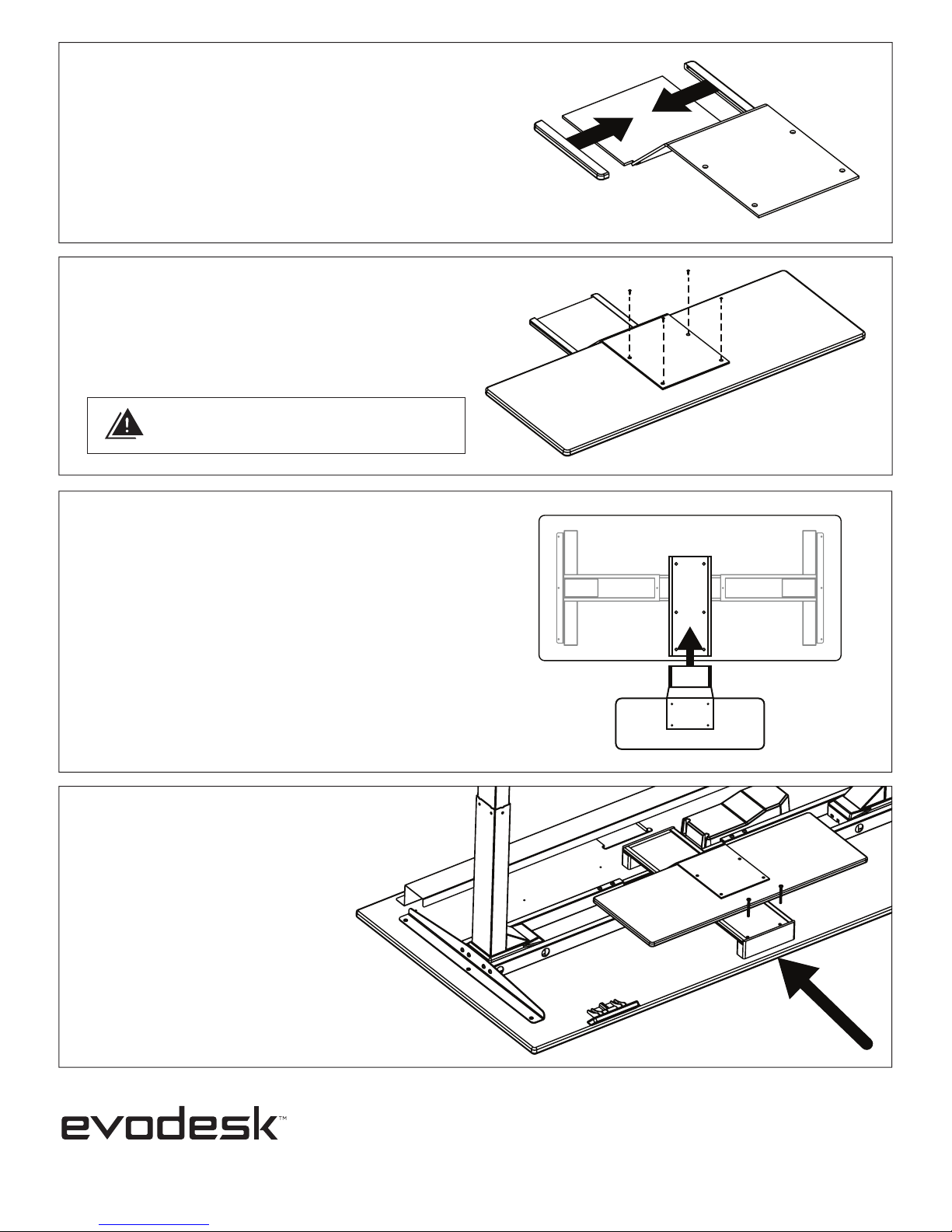
STEP 3
Apply the included ABS Sliders over the
keyboard arm flanges.
STEP 4
Attach the keyboard platform to the
keyboard arm using the four included
.5” Wood Screws.
CAUTION: Do not use any screw over .5”
long or damage to the assembly may occur.
STEP 5
Slide the keyboard arm assembly into the
front of the attached rail unit.
STEP 6
With keyboard platform
pushed to the back of the
assembly, Attach remaining
front spacer with the two
remaining bolts.
For technical support visit evodesk.com/support
Keyboard Assembly Instructions - 2
 Loading...