

Page 1
Page 2
English
1. Signed and sealed
With seca products, you are not only purchasing technology which has been perfected over 100 years, but
also quality with official legal certification confirmed by
institutions. seca products comply with European
directives, standards and national laws. When you buy
seca, you buy the future.
Products bearing this symbol -meet the applicable
regulatory requirements of the European Community,
especially the following:
0123
• Directive 93/42/EEC for medical devices
seca’s professionalism is also recognized by official
testing agencies. TÜV Süd Product Service, the
appointed office for medical devices, confirms with
this certificate that as a medical devices manufacturer,
seca consistently complies with the strict legal requirements. seca’s quality assurance system includes the
areas of design, development, production, sales and
service of medical scales and length measuring
systems as well as software and measuring systems
for assessing state of health and nutrition.
seca helps the environment. Saving natural resources
is very important to us. We therefore make every effort
to save on packaging -materials wherever it makes
sense and whatever is left over can be conveniently
disposed of on site via the recycling system.
2. Safety
Before using the new scale, please take a little time to read the following safety instructions.
•Follow the instructions in the instructions for use.
•Keep the operating instructions and the
declaration of conformity in a safe
place.
•Do not drop the scale or subject it to
violent shocks.
•Use only the type of battery stated (see
“Changing the batteries” on page 19).
•Have scale serviced and re-calibrated
on a regular basis (see chapter entitled
“Maintenance” on page 19).
•Have repairs carried out only by
authorised persons.
12
Page 3
GB
3. Before you start
plug-in
mains unit
scale from
underneath
Unpacking
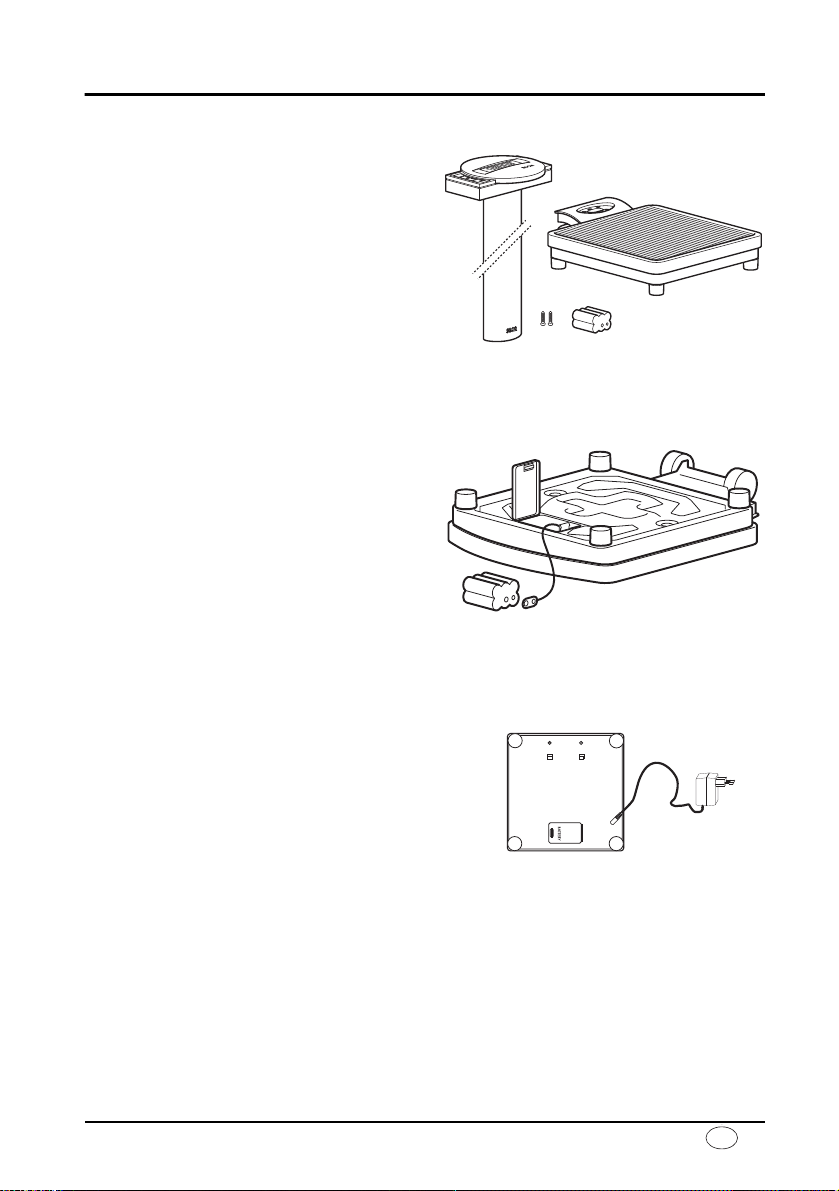
–Remove the packaging and place the
scale on a firm, level surface.
The scope of supply includes:
• Weighing platform
• Column with display head
• 2 mounting screws
• Compartment with batteries
Power supply
The scale is generally powered by batteries.
The LC display has a low power consumption – 10,000 weighing operations can be performed with one set of batteries.
–Carefully turn over the scale so that the
base of the scale is accessible.
–Push the battery compartment closure
towards “Battery” and open the cover.
–Connect the cable to the holder and
batteries.
–Place the holder in the battery compart-
ment.
–Close the cover and then turn the scale
back up the right way.
Note: the scale is prepared for use with a seca mains unit which is available as
an accessory.
The connection socket for the mains unit is
in the base of the scale.
Note: the mains unit can also be used
with the batteries in place without the
scale or batteries being damaged.
Model 769 13
Page 4
Fitting the column
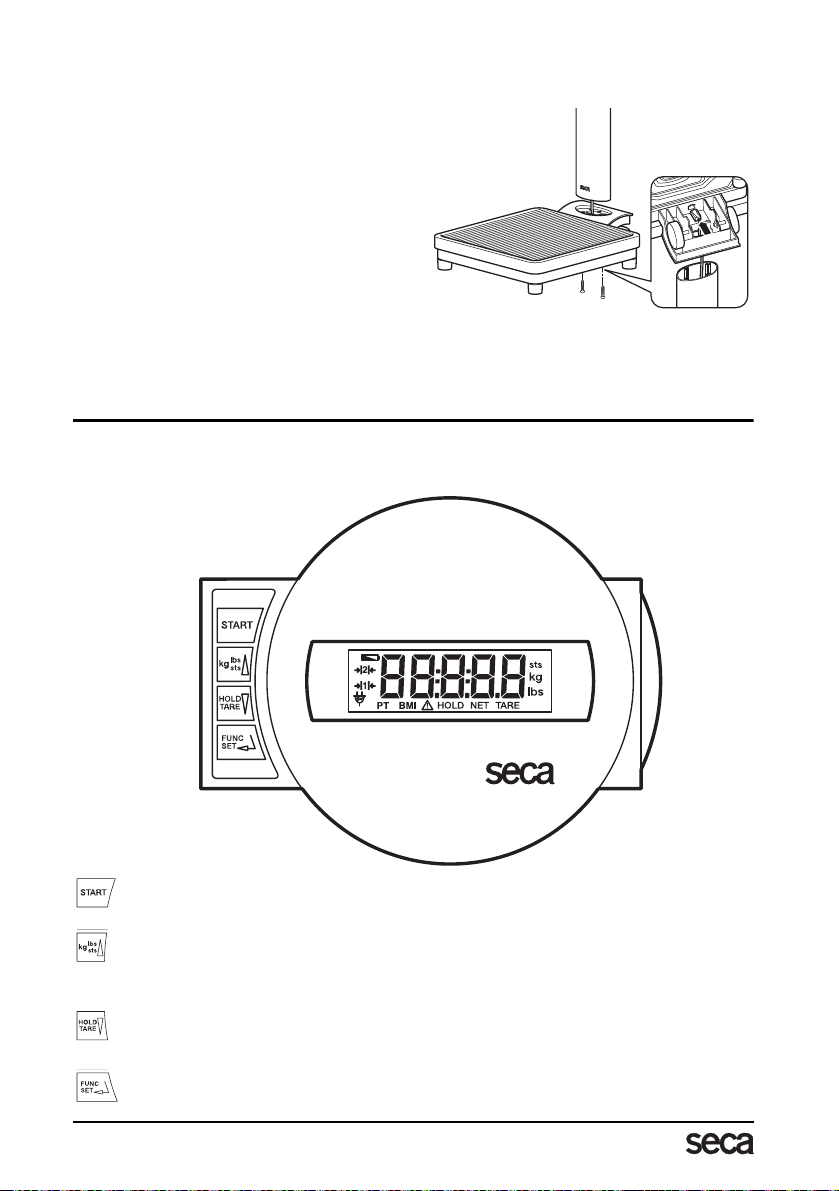
The column and display head are fitted to the weighing platform.
–Guide the connecting cable through the
opening.
–Place the column in the recess. The
display should be legible for people
standing on the scale.
– Screw the column to the weighing plat-
form from underneath.
–If necessary, lay the scale carefully on
its side to tighten up the screws.
–Connect the plug of the connecting
cable to the rear of the scale.
–Then place the scale upright again.
4. Operation
Controls and displays
The controls and the display are on the display head on the column.
Switch scale on and off
press briefly ➞ switch between kg and lbs
hold down ➞ switch between lbs and sts
in function menu ➞ increase value
press briefly ➞ activate/deactivate hold function
hold down ➞ set display to zero, activate/deactivate tare function
in function menu ➞ decrease value
Activation of BMI function and Enter key for input data
14
Page 5
GB
Correct weighing
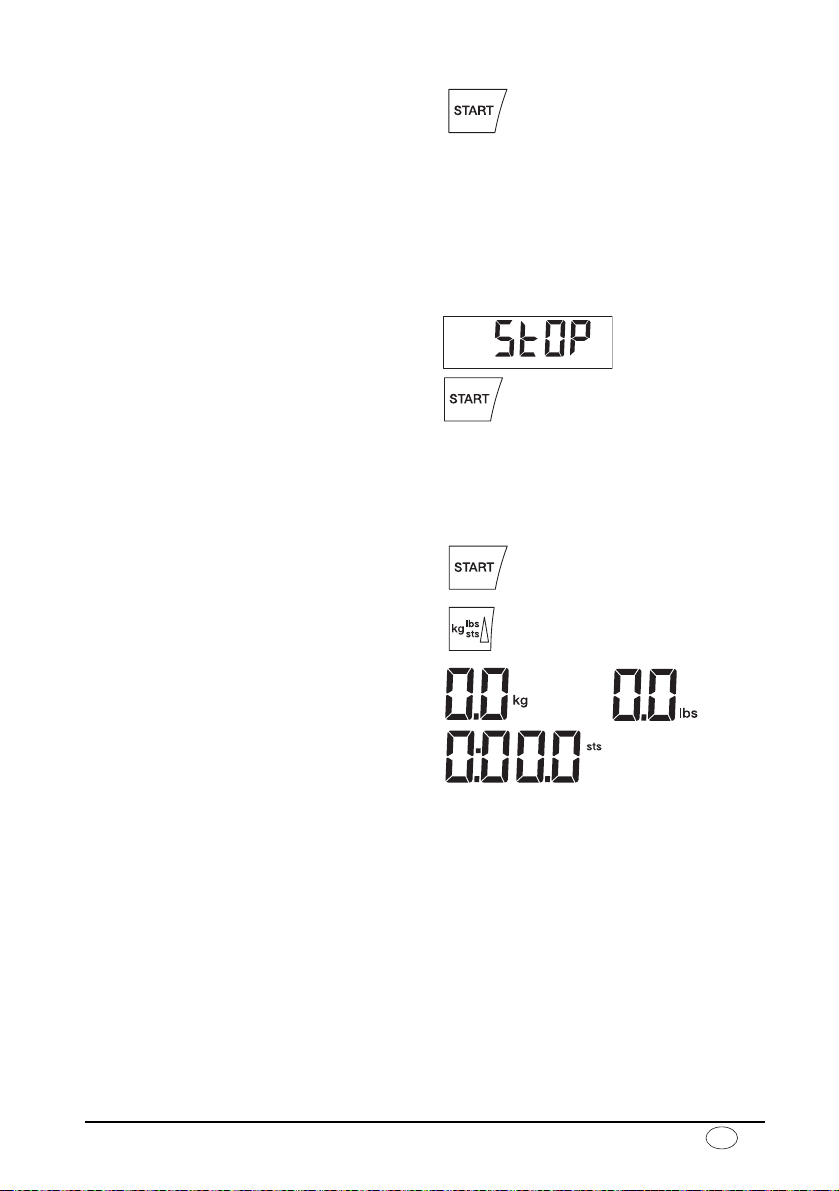
–Press the Start key with no load on the
scale.
se(A, 8.8.8.8.8. and 0.0 appear consec-
utively in the display. The scale is then
automatically set to zero and ready to
use.
–If necessary, switch the weight display
(see page 15).
–Stand on the scale and keep still.
–Read the weighing result off the digital
display.
–If a load greater than 200 kg or 450 lbs
is placed on the scale,
the display.
–To switch off the scale, press the Start
key again.
St0P appears in
Switching the weight display
The weight display can be switched between kilogrammes (kg) and pounds (lbs) or between kilogrammes (kg) and stones (sts).
–Switch on the scale using the green
Start key. Weight is initially displayed in
the last setting selected.
–To switch the weight display between
kilogrammes and pounds, press the kg/
lbs/sts key.
–The kg or lbs display lights up.
–To switch weight display between
pounds and stones, hold down the
kg/lbs/sts key for approx. 2 seconds.
The lbs or sts display lights up.
Automatic switch-off/economy mode
The scale automatically detects whether it is being operated on batteries or whether it is
connected to the mains.
–Operation on batteries: automatic shut-down after 30 seconds.
–With mains operation: shut-down only via keypad.
Model 769 15
Page 6
Taring weight display (TARE)
The tare function is very useful, for example for determining the weight of a child, animal
or other object placed on the scale in addition to yourself.
Proceed as follows:
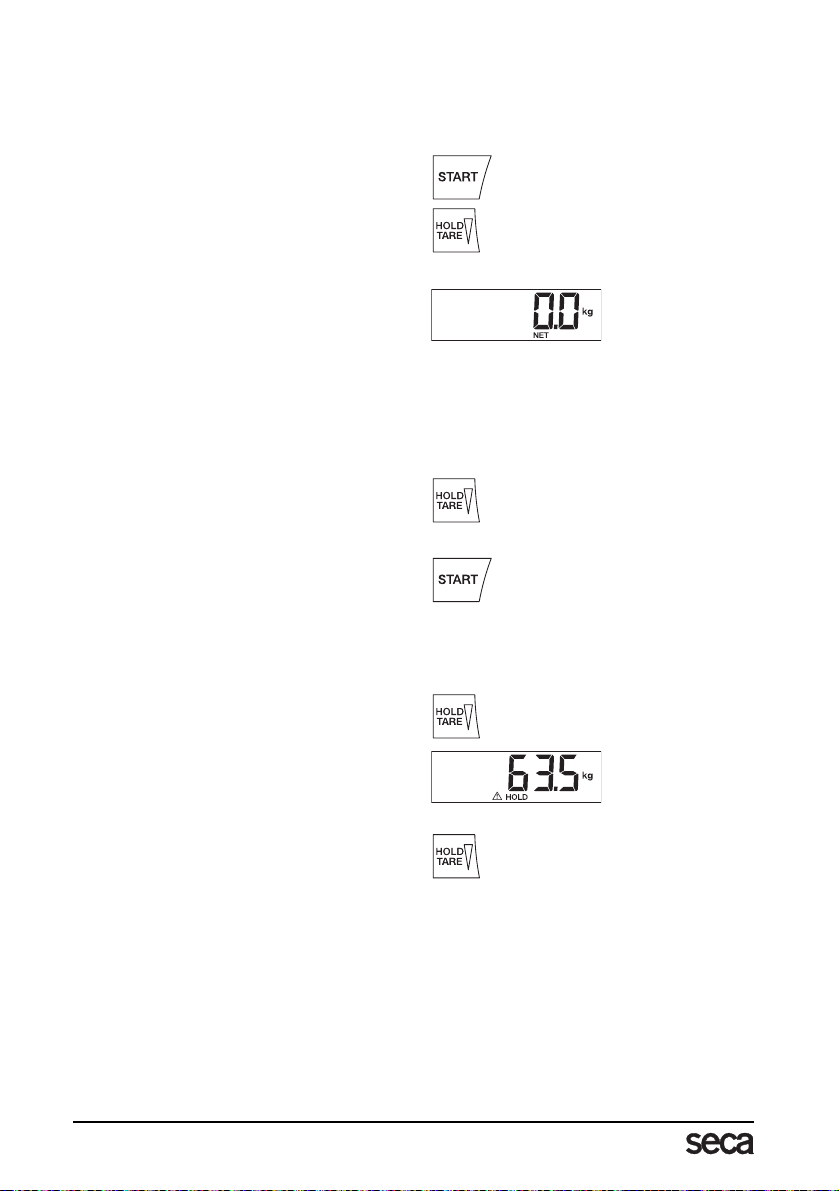
–Press the Start key with no load on the
scale.
–First stand on the scales yourself with-
out the additional weight and activate
the Tare function by depressing and
holding the HOLD/TARE key.
The display is reset to zero.
in the display. The note “NET” appears.
–Now take the additional load onto the
scale. You can leave the scale to do so,
in which case
The scale determines the weight of the
additional load.
You can now perform as many weighing operations as you like.
–Hold the key down again to deactivate
the Tare function; the scale is then back
in normal weighing mode and the tare
value has been erased.
–The tare value is likewise erased by the
scale being switched off.
---- appears.
0.0 appears
Store weight value (HOLD)
You can also continue displaying the weight determined once the load has been removed.
This makes it possible to look after a patient first, before having to note the weight.
–Press the HOLD key whilst the load is
on the scale.
“HOLD“ appears in the digital display.
The value is stored in the display until
the scale switches off automatically after 3 minutes.
–The HOLD function can be switched off
by pressing the HOLD key again.
0.0 appears in the display if the scale
has no load on it, otherwise the current
weight. The “HOLD“ display vanishes.
16
Page 7
GB
Body Mass Index (BMI)
Body Mass Index puts height and weight in relationship to one another, providing more
accurate information than ideal Broca weight, for example. A tolerance range is given
which is considered ideal for health.
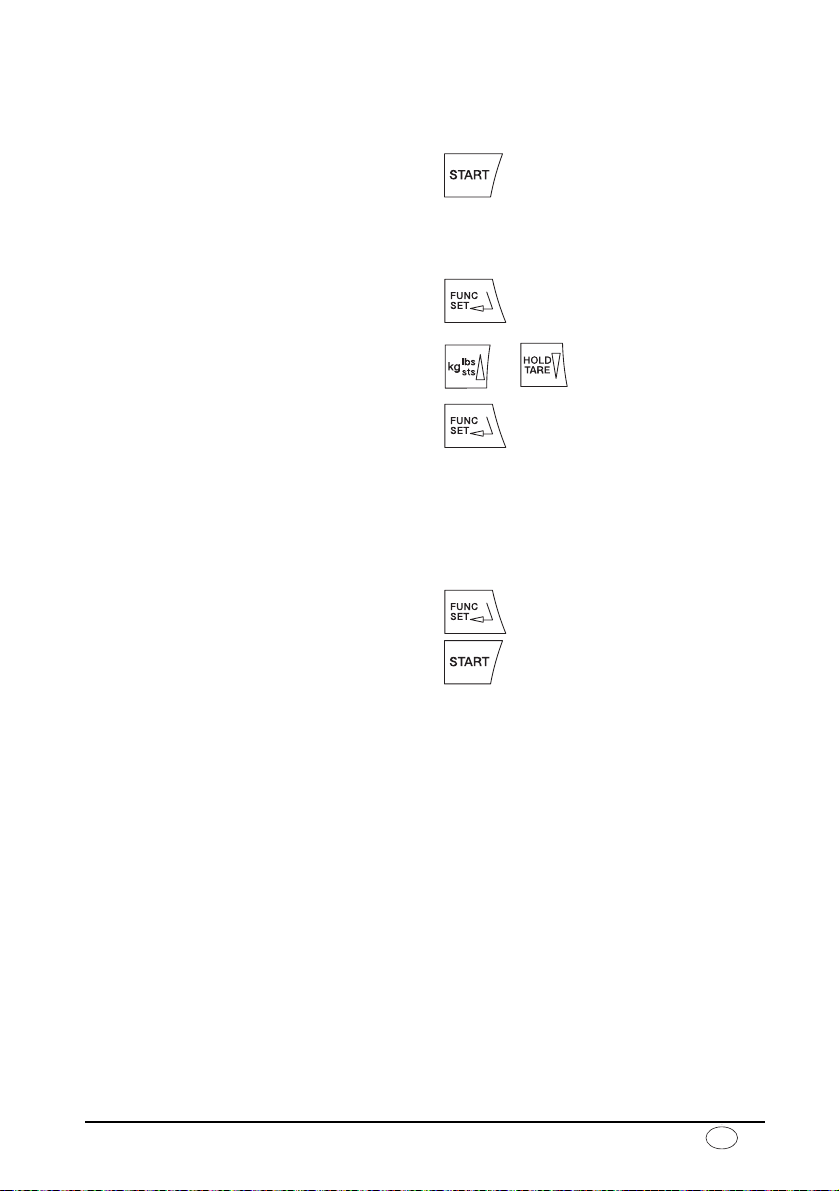
–Press the Start key with no load on the
scale.
se(A, 8.8.8.8.8. and 0.0 appear con-
secutively in the display. The scale is
then automatically set to zero and ready
for operation.
–Press the FUNC key.
On the display, you will see the last
height entered.
–You can change the value in 1 cm incre-
ments using the arrow keys.
–Once the correct value is set, press the
FUNC key again. The BMI function is
now activated.
–Ask the patient to mount the scale.
Once on the scale, the patient should
stand still.
–Read off the BMI on the digital display
and compare it with the categories on
page 17.
–To return to normal weighing mode,
press the FUNC key.
–To switch off the scale, press the Start
key again.
Evaluating Body Mass Index for adults:
Compare the value determined with the categories quoted below which correspond to
those used by WHO, 2000.
•BMI below 18.5:
Warning, this patient weighs too little. There could be a tendency to anorexia. An in-
crease in weight is recommended to improve well-being and performance. If in doubt,
consult a specialist.
•BMI between 18.5 and 24.9:
The patient is of a normal weight. He can stay as he his.
•BMI between 25 and 30 (pre-obese):
The patient is slightly to moderately overweight. He should cut his weight if he is already
ill (e.g. diabetes, hypertension, gout, fat metabolism disorders).
•BMI over 30:
Weight reduction is essential. Metabolism, cardiovascular system and bones are all un-
der strain. A consistent diet, plenty of movement and behavioural training are all rec-
ommended. If in doubt, consult a specialist.
Model 769 17
Page 8
5. Cleaning
Clean the rubber surface and the housing as required using a domestic cleaning agent or
commercially-available disinfectant. Follow the manufacturer’s instructions.
Under no circumstances use abrasive or acid cleaners, white spirit, benzene or the like for
cleaning. Such substances can damage the high-quality surfaces.
6. What do I do if
no weight display comes on?
–Is the scale switched on?
–Check the batteries.
–Is the plug contact on the scale properly connected??
0.0 does not appear before the weighing operation?
–Press the Start key again – there must not be any load on the scale
---- appears instead of 0.0 before weighing?
–Press the Start key again – there must not be any load on the scale.
one segment is illuminated constantly or not at all?
–The relevant segment has a fault. Inform Servicing.
the display shows ?
–Battery voltage is running low. Change the batteries in the next few days.
bAtt appears in the display?
–Batteries are empty. Put in new batteries.
St0p appears in the display?
–Maximum load has been exceeded.
the display flashes?
–If you have just activated the Hold or Tare function, please wait until the scale has de-
tected a steady weight value. The display will then stop flashing.
–If there has been no activation of a function be forehand, remov e th e load f rom the scale
and wait until
the display
–Switch off the scale with the Start key and start the scale again. The scale will then
work normally again.
If this is not the case, disconnect the power supply by briefly removing the batteries. If
this measure is equally unsuccessful, inform the Service department.
0.0 is displayed, then weigh again.
E and XX.XX appear?
18
Page 9
GB
7. Maintenance
Your seca scale leaves the factory with an accuracy greater than ± 0.15 %. To ensure that
this accuracy is maintained, the product must be carefully set up and regularly maintained.
Depending on the frequency of use, we recommend servicing every 3 to 5 years. Please
ensure that a qualified service agent is used. If in doubt, contact seca Customer Service
for further information.
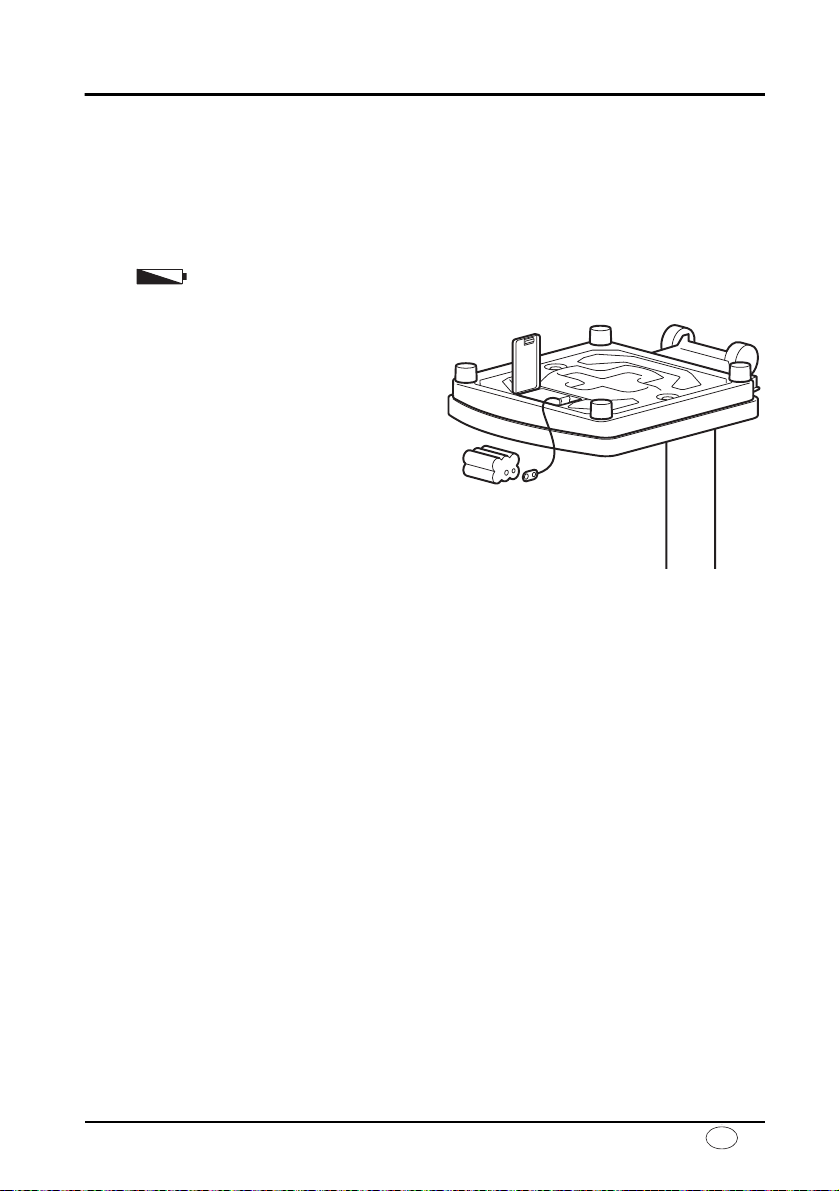
Changing the batteries
When or bAtt appear in the display, you should change the batteries. You need
6 type AA 1.5 V batteries.
–Carefully turn over the scale so that the
base of the scale is accessible.
–Push the battery compartment closure
towards “Battery” and open the cover.
– Take out the holder and batteries.
–Remove the used batteries and insert
new batteries in the holder.
Check that the polarity is correct.
–Place the holder and batteries in the
battery compartment.
–Close the cover.
–Then turn the scale back up the right
way.
Model 769 19
Page 10

8. Technical data
Dimensions
width: 292 mm
height: 830 mm
depth: 390 mm
Height of figures 20 mm
Weight approx. 6.8 kg
Temperature range +10 °C to +40 °C
Power supply Battery/mains unit (option)
Batteries 6 type AA 1.5 V batteries
EN 60 601-1:
Insulated equipment,
Protection Class II:
medical electrical equipment type B:
Maximum load 200 kg/450 lbs/32 sts
Graduations 100 g/0.2 lbs
Accuracy greater than ± 0.15 %
Functions Switch between units, Tare, Hold
Body Mass Index
9. Spare parts and accessories
Power supply
Model dependent mains unit
Plug-in mains unit, Euro: 230V~ / 50Hz / 12V= / 150mA
seca no.: 68-32-10-252
Switchmode power adapter, 100-240V~ / 50-60Hz / 12V= / 0.5A
seca no. 68-32-10-265
Attention!
Use only seca original plug-in mains units with 9 V or controlled 12 V output voltage. Commercially-available mains units may supply a higher voltage than stated and thus lead to
damage to the scale.
20
Page 11
GB
10. Disposal
Disposing of the device
Do not dispose of the device in
domestic waste. The device must
be disposed of properly as electronic waste. Follow the national regulations which apply in your case. For further
information, contact our service department at:
11. Warranty
A two-year warranty from date of delivery
applies to defects attributable to poor materials or workmanship. All moveable parts
- batteries, cables, mains units, rechargeable batteries etc. - are excluded. Defects
which come under warranty will be made
good for the customer at no charge on
production of the receipt. No further
claims can be entertained. The costs of
transport in both directions will be borne
by the customer should the equipment be
located anywhere other than the customer’s premises. In the event of transport
damage, claims under warranty can be
Batteries
Do not throw used batteries away in domestic waste. Dispose of batteries at collection points in the vicinity. When buying
new batteries, select those low in harmful
substances and containing no mercury
(Hg), cadmium (Cd) or lead (Pb).
honoured only if the complete original pakkaging was used for any transport and
the scale secured and attached in that pakkaging just as it was when originally pakked. All the packaging should therefore
be retained.
A claim under warranty will not be honoured if the equipment is opened by persons not expressly authorised by seca to
do so.
We would ask our customers abroad to
contact their local sales agent in the event
of a warranty matter.
Model 769 21
Page 12
 Loading...