

Page 1

EC5-1712CLDNA
版本: A0
Page 2

非常感谢您购买 EVOC 产品
在打开包装盒后请首先依据物件清单检查配件
所损坏
1 块 EC5-1712CLDNA 工业级 CPU 卡
1 本用户手册
1 条 IDE 电缆
1 条配有机箱挡板的 26 针转 25 针打印口电缆
5 条 COM 口电缆
1 条 miniDIN 一分二 PS/2 键盘/鼠标转接电缆
1 套配有机箱挡板的 USB 转接电缆
1 条音频连接线
1 条 2*8 Pin 显示器连接电缆
或是有任何配件短缺的情况 请尽快与您的经销商联络
40 线电缆
1 张 EVOC 5.1 以上版本的光碟(含 Intel 852GM + 82801DB 芯
片组
备用跳线帽
Intel82562ET
AC'97 AUDIO 驱动程序
若发现物件有
)
Page 3

声明
除列明随产品配置的配件外
司的承诺
任何因安装
隐患概不负责
订购产品前
求
本公司保留对此手册更改的权利 且不另行通知 对于
使用不当而导致的直接 间接 有意或无意的损坏及
请向经销商详细了解产品性能是否符合您的需
本手册包含的内容并不代表本公
EVOC 是研祥智能科技股份有限公司的注册商标
涉及到的其他商标
本手册内容受版权保护
电子的或其它任何方式进行复制
其所有权为相应的产品厂家所拥有
版权所有 未经许可 不得以机械的
本手册所
Page 4

安全使用小常识
1. 产品使用前
2. 对未准备安装的板卡
3. 在从防静电保护袋中拿出板卡前
上一会儿
4. 在拿板卡时
部分的习惯
5. 为避免人体被电击或产品被损坏
拔插或重新配置时
座中拔掉
6. 在需对板卡或整机进行搬动前
插座中拔掉
7. 对整机产品
8. 当您需连接或拔除任何设备前
拔掉
9. 为避免频繁开关机
请您务必仔细阅读产品说明书
应将其保存在防静电保护袋中
比如 10 秒钟 以释放身体及手中的静电
需戴静电保护手套 并且应该养成只触及其边缘
先关闭交流电源或将交流电源线从电源插
当需增加 减少板卡时 请务必先拔掉交流电源
关机后 应至少等待 30 秒后再开机
应将手先置于接地金属物体
请在每次对主板 板卡进行
请务必先将交流电源线从电源
请确定所有的电源线事先已被
Page 5

目 录
第一章 产品介绍 .............................. 1
简介 .............................................1
订购信息..........................................1
环境与机械尺寸....................................2
微处理器 CPU ...................................2
芯片组 Chipset .................................2
系统存储器 System Memory .......................2
IDE 功能 ..........................................2
USB 功能 ..........................................2
显示功能..........................................2
网络功能 LAN ...................................3
音频 Audio 功能.................................3
扩展总线..........................................3
CF 卡 .............................................3
BIOS .............................................3
Watchdog 功能 .....................................3
I/O 功能 ..........................................4
省电特性..........................................4
其他特性..........................................4
第二章 安装说明 .............................. 5
产品外形..........................................5
跳线功能设置......................................6
系统内存安装......................................9
USB .............................................10
IDE 接口 .........................................11
Page 6

并口与串口 ...................................... 12
显示接口 ........................................ 14
网络接口 ........................................ 16
键盘与鼠标接口 .................................. 17
IrDA/红外接口 ................................... 18
音频 Audio 功能 ............................... 19
CF 卡............................................ 20
数字 I/O 接口 .................................... 21
电源接口 ........................................ 26
Mini-PCI ........................................27
状态指示接口 .................................... 28
第三章 BIOS 功能简介 ........................ 29
BIOS 简介........................................ 29
进入 BIOS 参数设定 ............................... 30
BIOS 基本功能介绍 ................................ 30
3.1 Main ......................................31
3.2 Advanced ..................................33
3.3 PCIPnP ....................................45
3.4 Boot ......................................47
3.5 Security ..................................51
3.6 Chipset ...................................52
3.7 Power .....................................56
3.8 Exit ......................................59
附录........................................ 61
驱动程序的安装 .................................. 61
Intel 852GM 芯片组驱动程序的安装 ............... 62
VGA 驱动程序的安装 ............................. 62
网络驱动程序的安装 ............................ 63
Page 7

声卡驱动程序的安装.............................63
USB2.0 驱动程序安装 ............................63
NM9845 驱动程序的安装 ..........................64
I/O 口地址映射表 .................................65
IRQ 中断分配表 ...................................66
看门狗定时器配置.................................67
Page 8

第一章 产品介绍
第一章
产品介绍
简介
EC5-1712CLDNA 是一款采用 Intel 最新笔记本电脑芯片组
852GM 在 203mm×146mm 尺寸上开发的全功能
嵌入式 ULV Celeron-M 单板电脑
成了讯驰核心的超低功耗 Celoron-M 处理器(用户可选主频)
一条 184 DDR266 的内存条
Intel 100Mbps 网络接口
接口
口
高速接口
口
WirelessLAN 无线模组将你的系统升级为 Intel 讯驰移动系统
Mini-PCI 也可以提供客户自定义的加密卡等 PCI 设备的扩展
提供一个标准 PICMG 的 PCI 扩展总线给客户扩展标准 PCI 设备
户无需增加任何部件即可使用
仪器仪表 军事 多媒体查询 智能产品各种嵌入式领域
一个 40 针标准 ATA-100 IDE 接口
六串口 其中一个支持 422 或 485 串口 一个并口 四个 USB2.0
使嵌入式单板的海量移动存储成为可能
看门狗定时器 提供一个 Mini-PCI 接口 可以扩展 Intel
EC5-1712CLDNA 以其高性能
AC 97 Audio 接口
在 5.25 太小的嵌入式单板上集
支持 CRT+LVDS 的 双显示 一个
CompactFlash 电子盘接
低功耗和丰富的扩展接口使用
可广泛应用于网络安全 信息家电
高性能 低功耗
支持
一个 PS/2 键盘鼠标
IrDA 红外接
该
还
订购信息
EC5-1712CLDNA
嵌入式 CPU 单板
CPU/CRT/LVDS/LAN/CF/Audio
EC5-1712CLDNA 产品说明书
带
-1-
Page 9

环境与机械尺寸
第一章 产品介绍
尺寸
温度
湿度
微处理器 CPU
讯驰核心的 ULV Celoron-M 系列超低功耗 CPU
8"x5.75" (203mm x 146mm)
0°C to 60°C
5% to 90%
芯片组 Chipset
Intel 852GM + 82801DB 芯片组
系统存储器 System Memory
提供一条 184 pin DDR266 DIMM 内存插槽 最大内存容量达
512MB
IDE 功能
一个 40Pin ATA100 通道 支持 2 个 EIDE 设备
USB 功能
提供四个 USB2.0 高速接口
为可能
使嵌入式单板的海量移动存储成
显示功能
Intel 852GM 显示芯片 支持 CRT+LVDS 的 双显示 支持最
大 64MB 的动态显示内存共享
-2-
EC5-1712CLDNA 产品说明书
Page 10

第一章 产品介绍
网络功能 LAN
本 CPU 卡集成了一个 Intel82562ET 100Mb 以太网控制器 为
您提供高速稳定的网络平台选择
音频 Audio 功能
板上集成一个标准的 AC’97 音效芯片
提供优质的声音效果
扩展总线
一个 124Pin Mini-PCI 扩展总线,外加一个标准 PICMG 的 PCI
扩展总线
CF 卡
支持标准的 TYPE I 和 TYPE II 型 CF 卡 满足用户更多的扩展
需求
BIOS
Watchdog 功能
1~255 级
I/O 口 0443H
I/O 口 0441H
超时事件复位系统
另增看门狗定时器
AMI 新内核的 PnP BIOS
可编程
看门狗有效
看门狗无效
1
可编程时间到中断
超时事件复位系统
秒/分 分辨率的 8 位向下计数器
EC5-1712CLDNA 产品说明书
-3-
Page 11

第一章 产品介绍
I/O 功能
一个高速并口,SPP/EPP/ECP 方式
板载 NetMOS 通讯芯片可最多支持到 6 个 RS-232 COM 口,COM2
4 进 4 出可编程的数字 I/O
标准 miniDIN 插座
一个 115kbps IrDA 接口
支持 422
的通讯
RS232 或 485 串口,更多的串口以满足用户越来越多
经一转二转接电缆连接 PS/2 键盘和鼠标
省电特性
通过 BIOS 可将电源开关信号定义为 AT X 电源开关功能或系
统睡眠/工作状态转换功能
其他特性
温度监测: CPU 内带一个传感器
全面支持 AT
符合 Windows98 规格的增强型 ACPI
ATX 电源供电 板上的电源连接器使您可以使用
现有的电源供应器
12V 电源供应器
支持更多的电源管理功能
准
用以监测 CPU 的温度
而不需为了 P4 主板再去购买特别的 AT X
高级配置和电源接口标
-4-
EC5-1712CLDNA 产品说明书
Page 12
第二章
安装说明
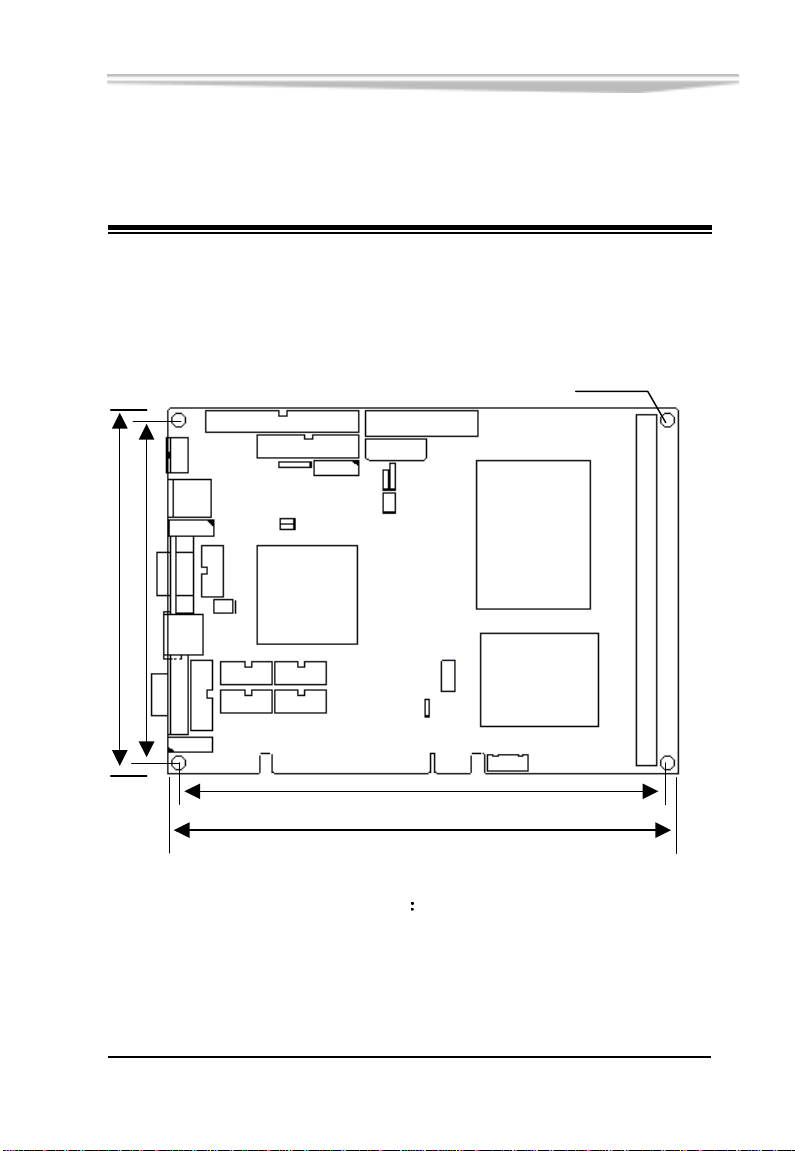
产品外形
136.02
145.92
第二章 安装说明
ф4.0x4
193.17
203.07
单位
mm
EC5-1712CLDNA 产品说明书
-5-
Page 13
第二章 安装说明
跳线功能设置
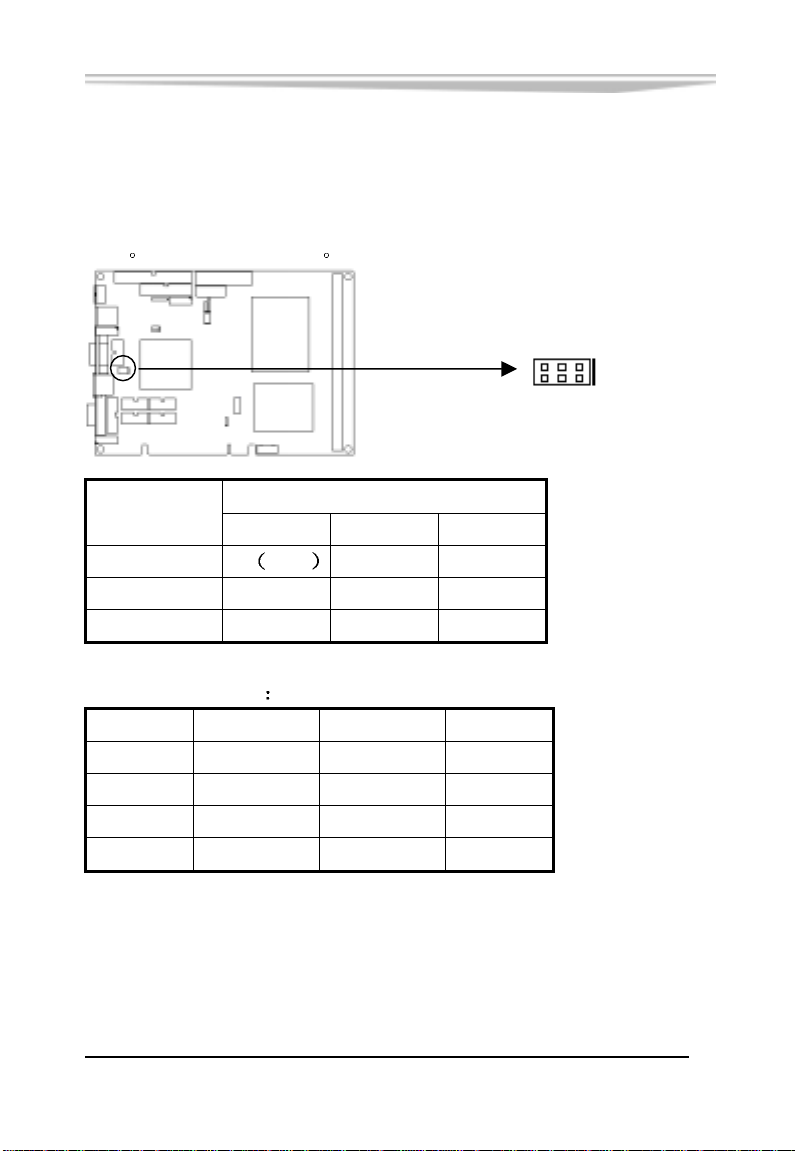
(1) JP1:COM2 口 RS-232/422/485 模式选择
通过设置 JP3 可使 COM2 口工作在 RS-232 或是 RS-422/RS-485
模式
缺省设值是 RS-232
JP1
5 1
6 2
JP1 选择
管 脚
1-2 3-4 5-6
RS-232 ON 默认 OFF OFF
RS-422 OFF ON OFF
RS-485 OFF OFF ON
此时 COM2 管脚定义
管 脚 RS-232 RS-422 RS-485
1 DCD TX- RTX2 RXD TX+ RTX+
8 CTS RX+ X
9 RI RX- X
-6-
EC5-1712CLDNA 产品说明书
Page 14
第二章 安装说明
(2) CMOS:CMOS 内容清除/保持设置
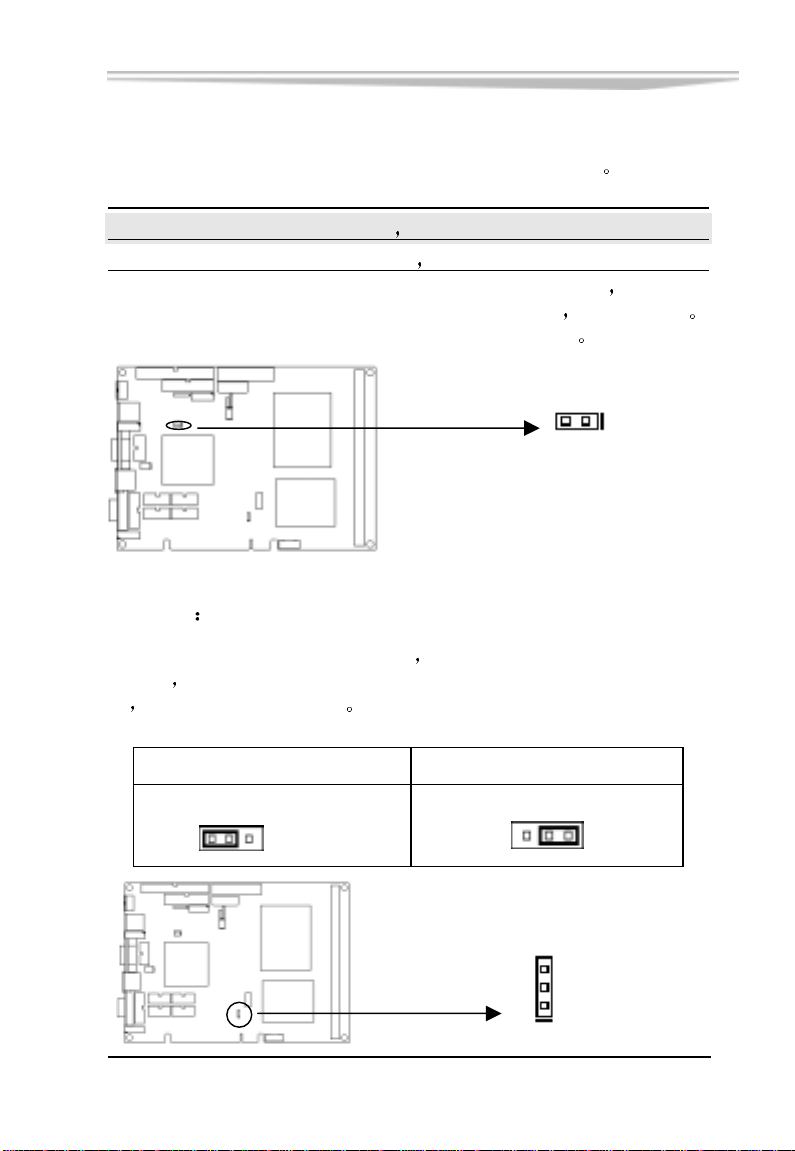
通过改变 CMOS 的短接帽所处状态来实现此项功能
设置 CMOS
开路 [ 1-2 ] (正常工作状态 默认设置)
短路 [1-2 ] (清除 CMOS 内容
如果由于 BIOS 设置不当而引起系统不能正常启动
清除 CMOS 内容以便恢复所有系统参数的默认值
所有 BIOS 设置恢复成出厂值)
则可尝试
再启动系统
通过改变 CMOS 的短接帽所处状态来实现此项功能
2 1
CMOS
(3) LCDV
不同的 LVDS 屏电压可能不同
压选择
LVDS 屏才能正常显示
时
LVDS 电压选择
本板提供了 3.3V 和 5V 两种电
当所选择的 LVDS 电压与所使用的 LVDS 屏的工作电压一致
3.3V 设置 5V 设置
LCDV
1 3
(缺省值)
EC5-1712CLDNA 产品说明书
LCDV
1 3
3
2
1
LCDV
-7-
Page 15
(4) LCDB
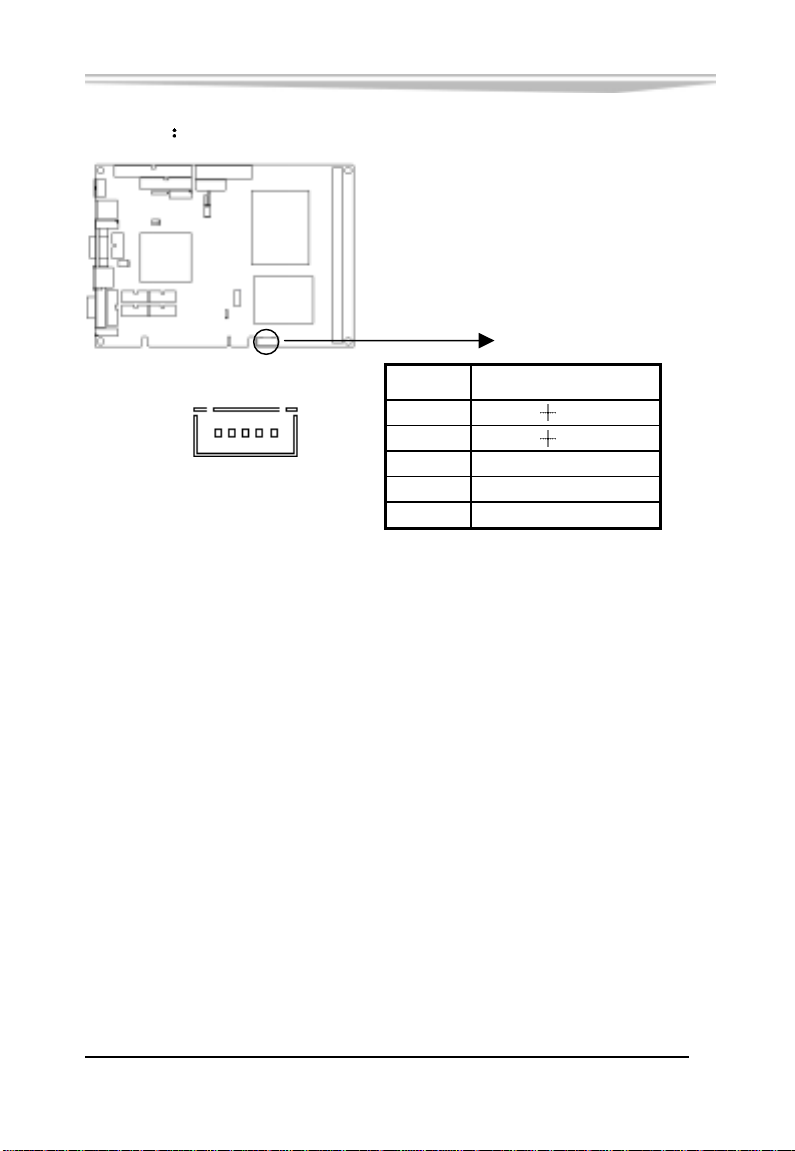
第二章 安装说明
LVDS 平板背光电压
1
LCDB
LCDB
管脚 信号名称
1 12V
5
2 12V
3 BackLightCtl
4 BackLightEnable
5 GND
-8-
EC5-1712CLDNA 产品说明书
Page 16
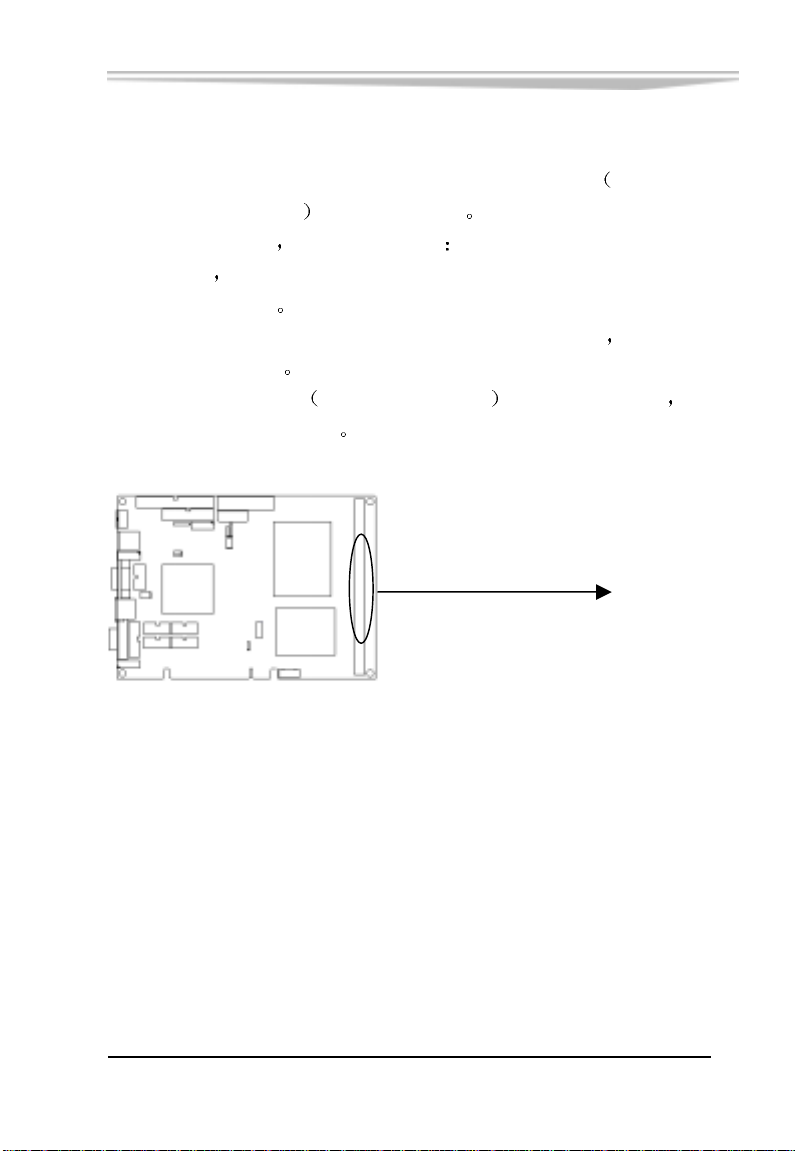
系统内存安装
第二章 安装说明
本CPU卡配有一条DDR (Double Data Rate) DIMM
Memory Modules
安装内存条时 要注意以下几点
安装时
先对准内存 DIMM 条的缺口和 DIMM 插槽的缺口后
再用力插到位
可使用符合 Intel 2.5V DDR266 规格的 DDR 内存 最大内存
容量达 512MB
最好选择带 SPD
保证内存条工作稳定
184pin内存插槽
内存自动识别功能 的 DIMM 内存条 以
Dual Inline
DDR
EC5-1712CLDNA 产品说明书
-9-
Page 17
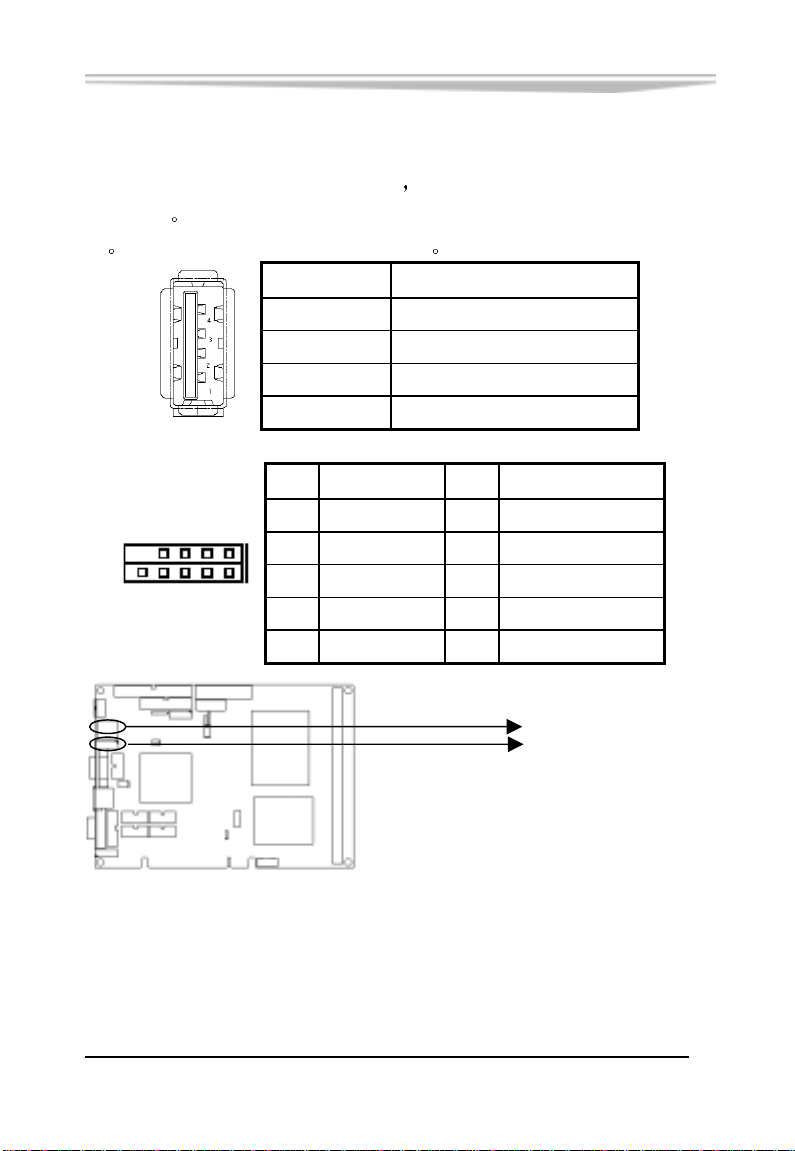
USB
第二章 安装说明
USB12 提供两个 USB 标准插座
设备接针
座
下表给出了 USB 接口的管脚定义
USB34 需使用转换电缆将 USB 接口信号接到标准 USB 插
USB12 信号名称
1 +5V
2 USB Data-
3 USB Data+
4 GND
9
USB3 信号名称 USB4 信号名称
1
1 +5V 2 +5V
3 USB Data- 4 USB Data-
10
2
5 USB Data+ 6 USB Data+
7 GND 8 GND
9 空 10 Shielded GND
USB34 为一组 2*5Pin 的 USB
USB12
USB34
-10-
EC5-1712CLDNA 产品说明书
Page 18
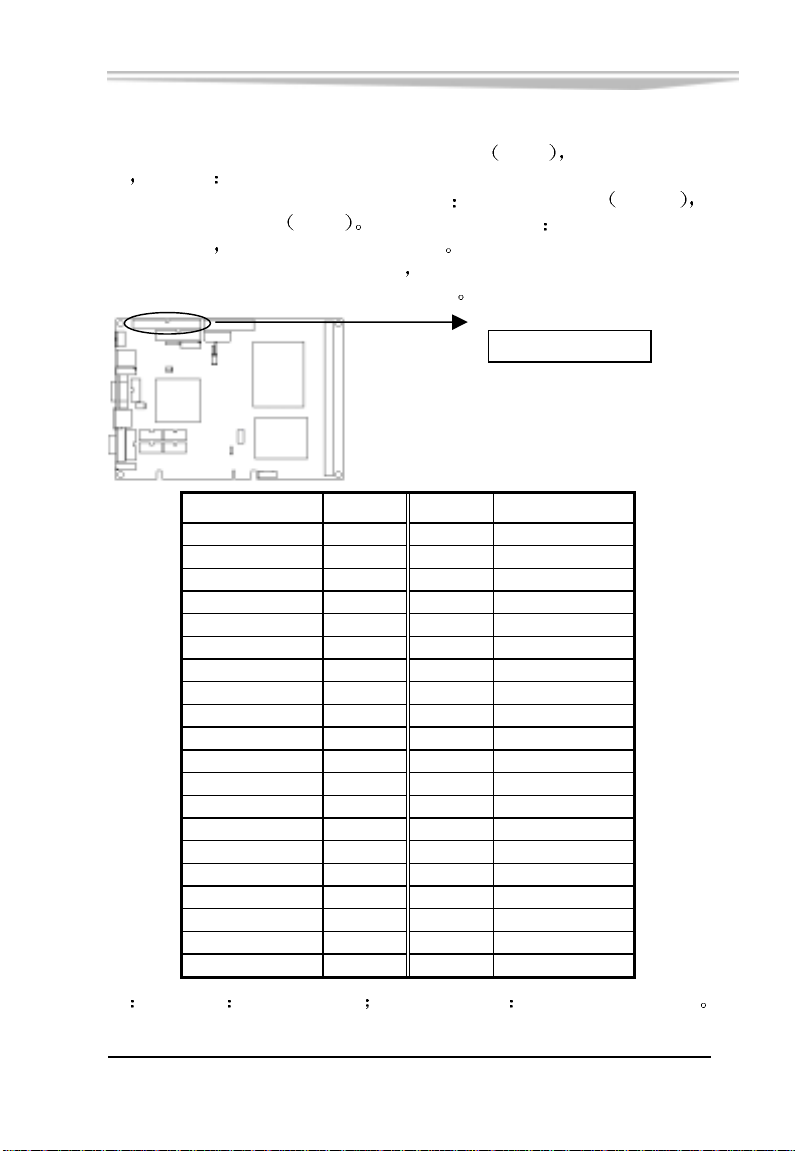
第二章 安装说明
信
管脚
管脚 信
IDE 接口
本单板电脑提供一组 40 针 IDE 接口
需注意
时
IDE 接口可以连接两台 IDE 设备
一个为从设备
的末端
连接使用 Ultra100 的硬盘时
(IDE 电缆有红色标示的为第一脚)
Slave
设备的连接方法是 主设备接在电缆
从设备接在电缆的中间
建议使用 80 线的专用扁平电缆
IDE1
一个为主设备
39
安装 IDE 设备
Master
1
40
IDE1
号名称
Reset IDE 1 2 Ground
Data 7 3 4 Data 8
Data 6 5 6 Data 9
Data 5 7 8 Data 10
Data 4 9 10 Data 11
Data 3 11 12 Data 12
Data 2 13 14 Data 13
Data 1 15 16 Data 14
Data 0 17 18 Data 15
Ground 19 20 Key
DRQ0 21 22 Ground
IOW 23 24 Ground
IOR 25 26 Ground
IOCHRDY 27 28 Host ALE
DACK0 29 30 Ground
IRQ14 31 32 No connect
Address 1 33 34 No connect
Address 0 35 36 Address 2
Chip select 0 37 38 Chip select 1
Activity 39 40 Ground
号名称
2
注 中断请求 IDE1 用 IRQ14 DMA请求/响应 IDE1 用 DRQ0/DACK0
EC5-1712CLDNA 产品说明书
-11-
Page 19
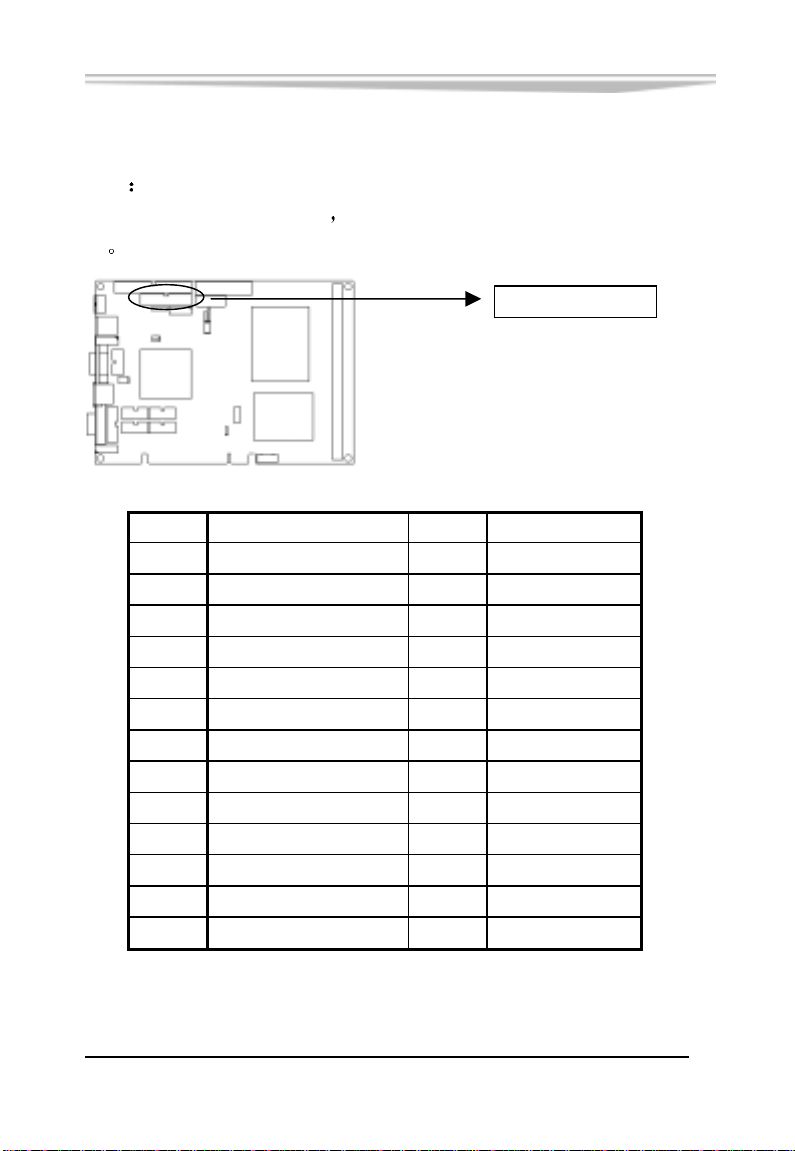
第二章 安装说明
管脚 信
管脚 信
并口与串口
并口
标准的 26 针并行接口
设
1 Line printer strobe 14 AutoFeed
2 PD0, parallel data 0 15 Error
3 PD1, parallel data 1 16 Initialize
4 PD2, parallel data 2 17 Select
5 PD3, parallel data 3 18 Ground
6 PD4, parallel data 4 19 Ground
7 PD5, parallel data 5 20 Ground
8 PD6, parallel data 6 21 Ground
9 PD7, parallel data 7 22 Ground
10 ACK, acknowledge 23 Ground
11 Busy 24 Ground
12 Paper empty 25 Ground
13 Select 26 NC
号名称
可依据您的需求用来连接并行接口外
13
26
LPT
1
14
号名称
-12-
EC5-1712CLDNA 产品说明书
Page 20
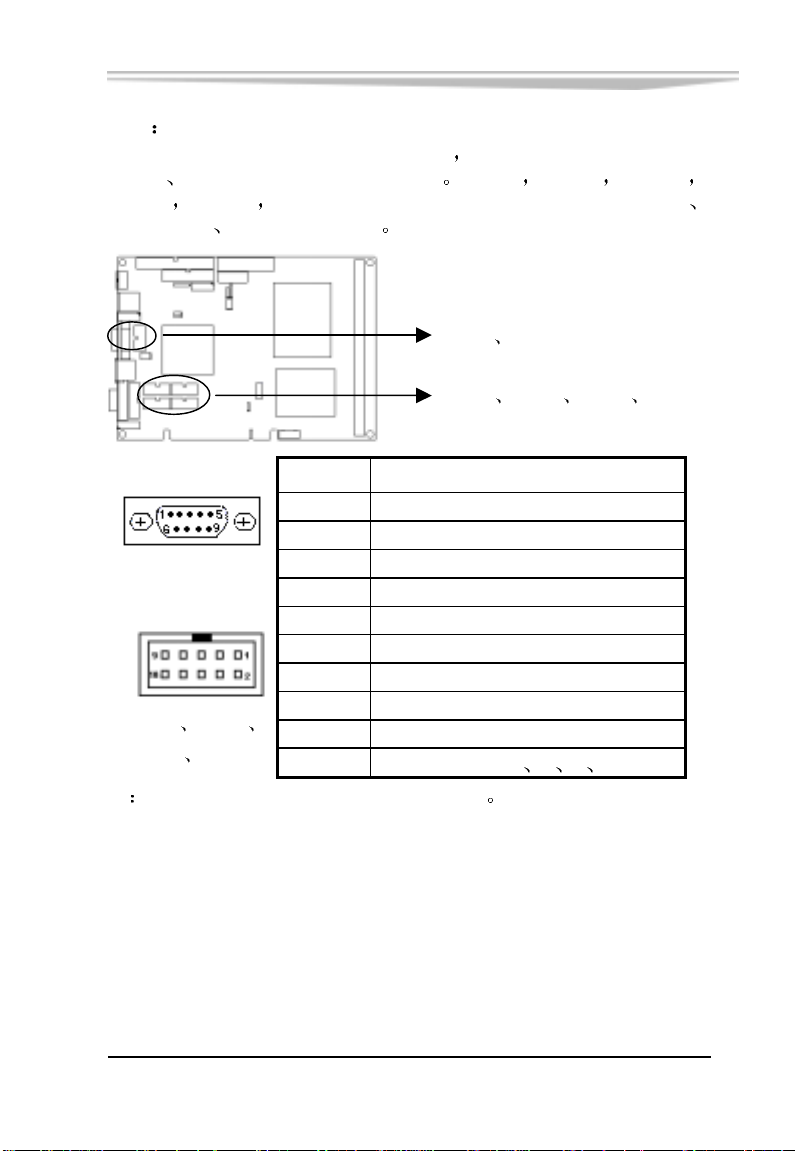
第二章 安装说明
,接收
,传输
串口
RS422
COM1 是一个 9 芯 D-SUB 接口
COM2 通过跳线可以选择
RS232 或 RS485 工作模式 COM1 COM2 COM3
COM4 COM5 COM6 可以连接具有 RS-232 标准接口的鼠标
调制解调器 数码相机等设备
COM1 COM2
COM3 COM4 COM5 COM6
管脚 信号名称
1 DCD,数据运载检测
2 RXD
COM1
3 TXD
4 DTR,数据终端准备好
5 GND,地
6 DSR,数据设置准备好
7 RTS,请求发送
COM3 COM4
COM5 COM6
注
COM2 管脚定义见前面 JP1 中的介绍
8 CTS,清发送
9 RI, 响铃指示
10 N.C.(COM3 4 5 6)
数据
数据
EC5-1712CLDNA 产品说明书
-13-
Page 21
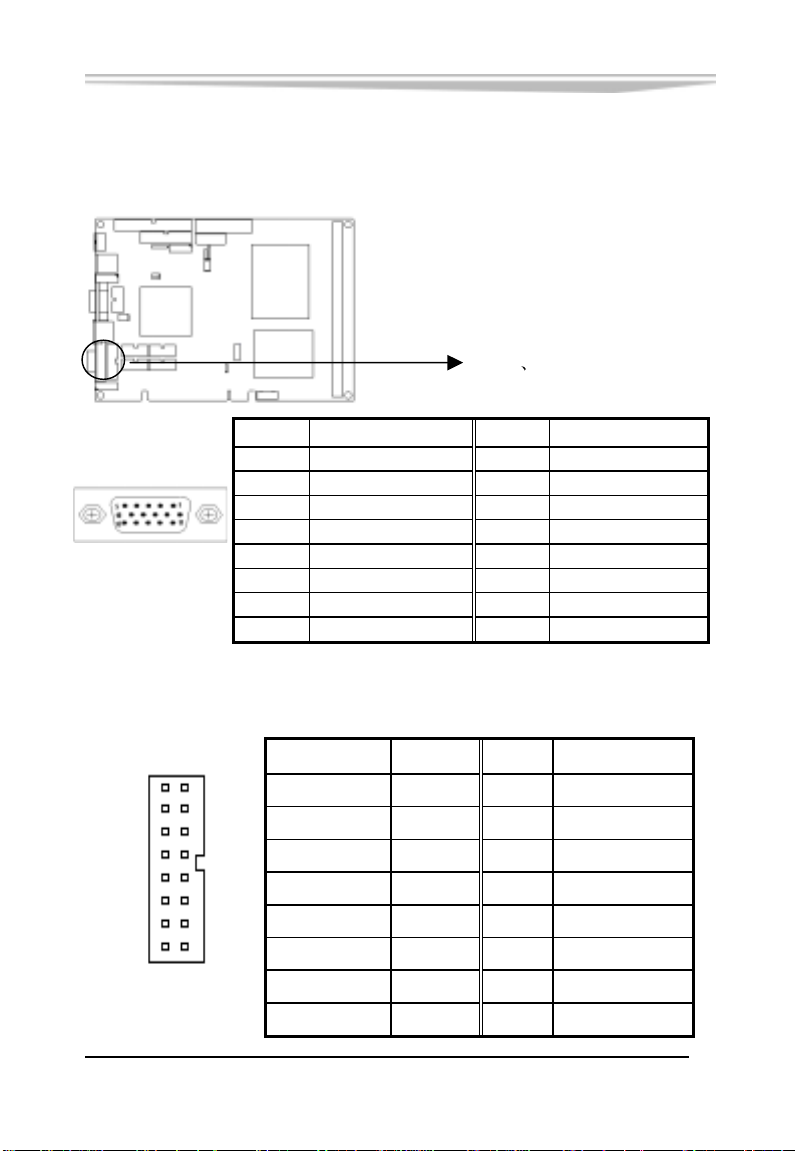
第二章 安装说明
显示接口
(1) 15 芯 D 型 VGA 显示器插座
VGA1
(2) 16 芯 VGA 显示器插座
管脚 信号名称 管脚
1 Red 2 Green
3 Blue 4 N.C.
5 GND 6 GND
7 GND 8 GND
9 +5V 10 GND
11 N.C. 12 DDCDATA
13 HSYNC 14 VSYNC
15 DDCCLK
VGA1 VGA2
信号名称
16 15
2 1
VGA2
-14-
信号名称 管脚 管脚
信号名称
红 1 2 地
空 3 4 绿
地 5 6
DDCSDA
蓝 7 8 地
HSYNC 9 10 空
+5V 11 12 VSYNC
地 13 14 地
DDCSCL 15 16 空
EC5-1712CLDNA 产品说明书
Page 22
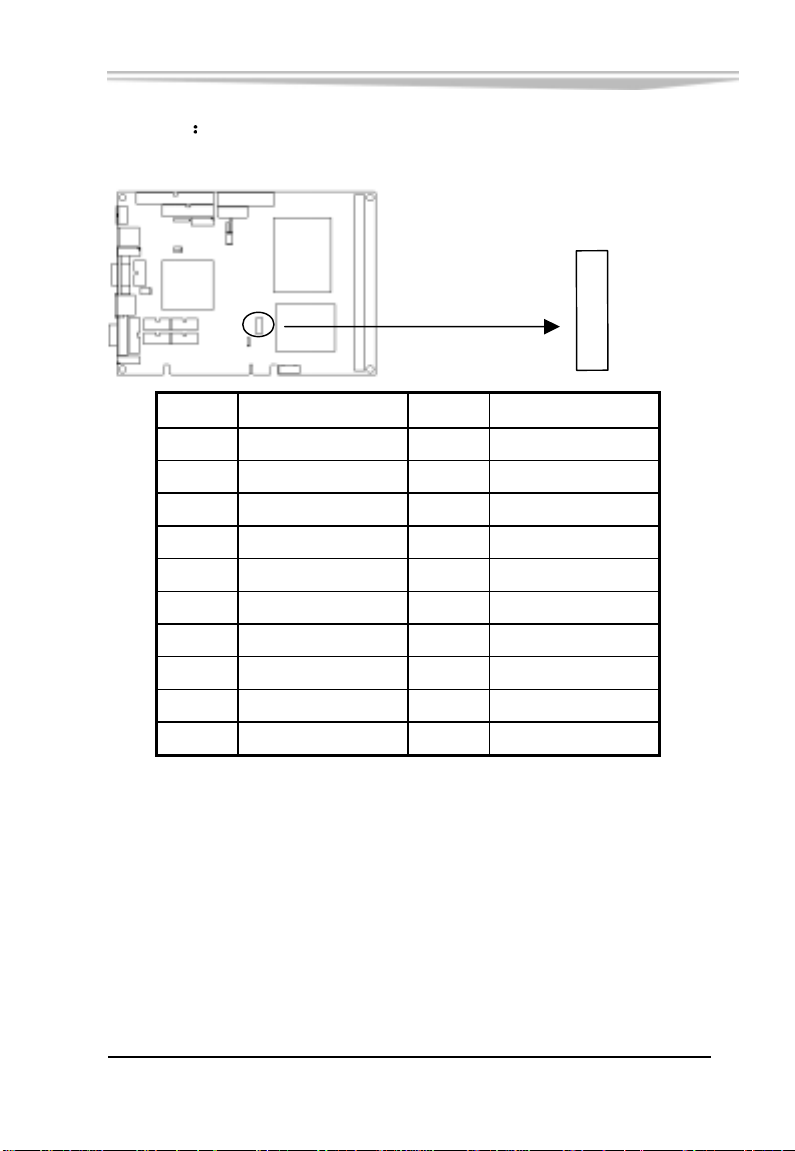
(3) LVDS
第二章 安装说明
LVDS 输出接口
1
2
LVDS
19
20
管脚 信号名称 管脚 信号名称
1 LVDSD0+ 2 LVDSD03 GND 4 GND
5 LVDSD1+ 6 LVDSD17 GND 8 GND
9 LVDSD2+ 10 LVDSD211 GND 12 GND
13 LVDSCLK+ 14 LVDSCLK15 GND 16 GND
17 LVDSD3+ 18 LVDSD319 VDD 20 VDD
EC5-1712CLDNA 产品说明书
-15-
Page 23
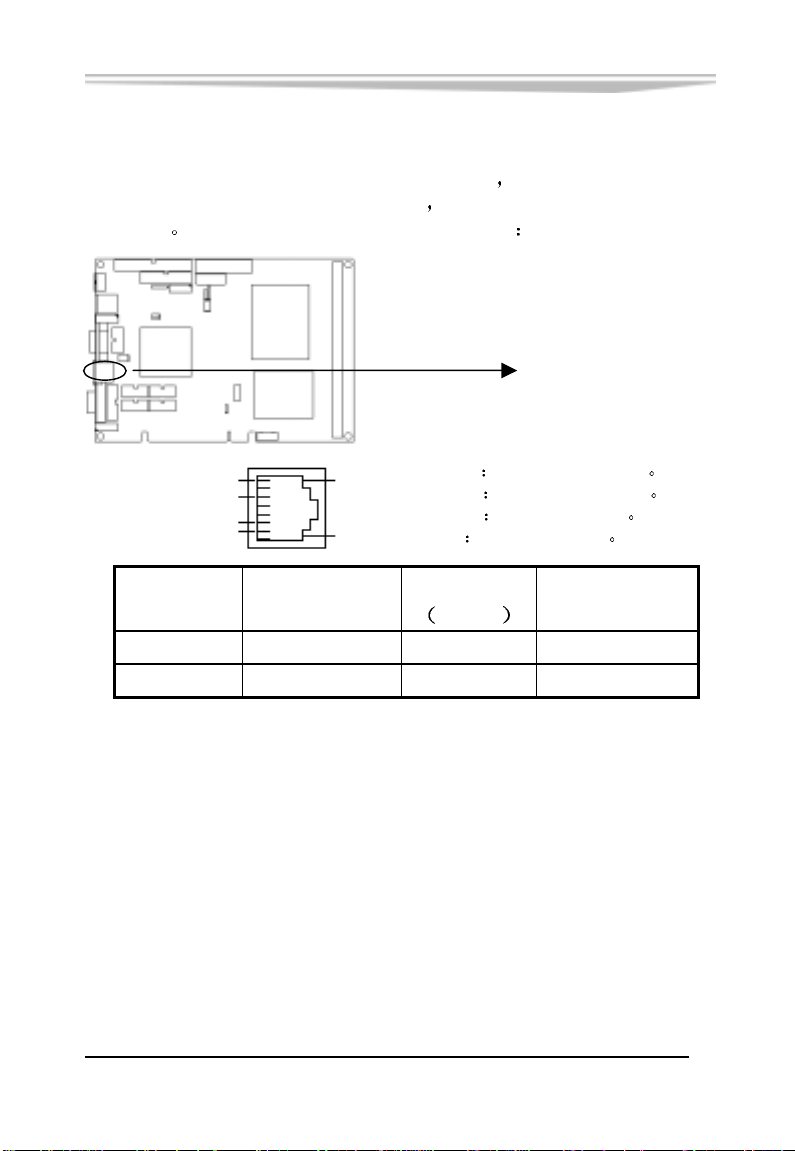
网络接口
第二章 安装说明
此接口是主板上 10/100Mbps 以太网接口
是以太网接口两边的绿色和黄色 LED
传输状态
请参考以下每一个 LED 的状态描述
TD+(pin#1)
TD-(pin#2)
RD+(pin#3)
RD-(pin#6)
LILED
(绿色灯)
TD+,TD-
ACTLED
LILED
指示状态
亮 网络链路有效 亮 正在收发数据
灭 网络链路无效 灭 没有数据要收发
LILED 和 ACTLED
它们显示着 LAN 的活动和
LAN
正/负发送数据信号
RD+,RDACTLED 网络活动状态灯
LILED
正/负接收数据信号
网络链路状态灯
ACTLED
黄色灯
指示状态
-16-
EC5-1712CLDNA 产品说明书
Page 24
键盘与鼠标接口
第二章 安装说明
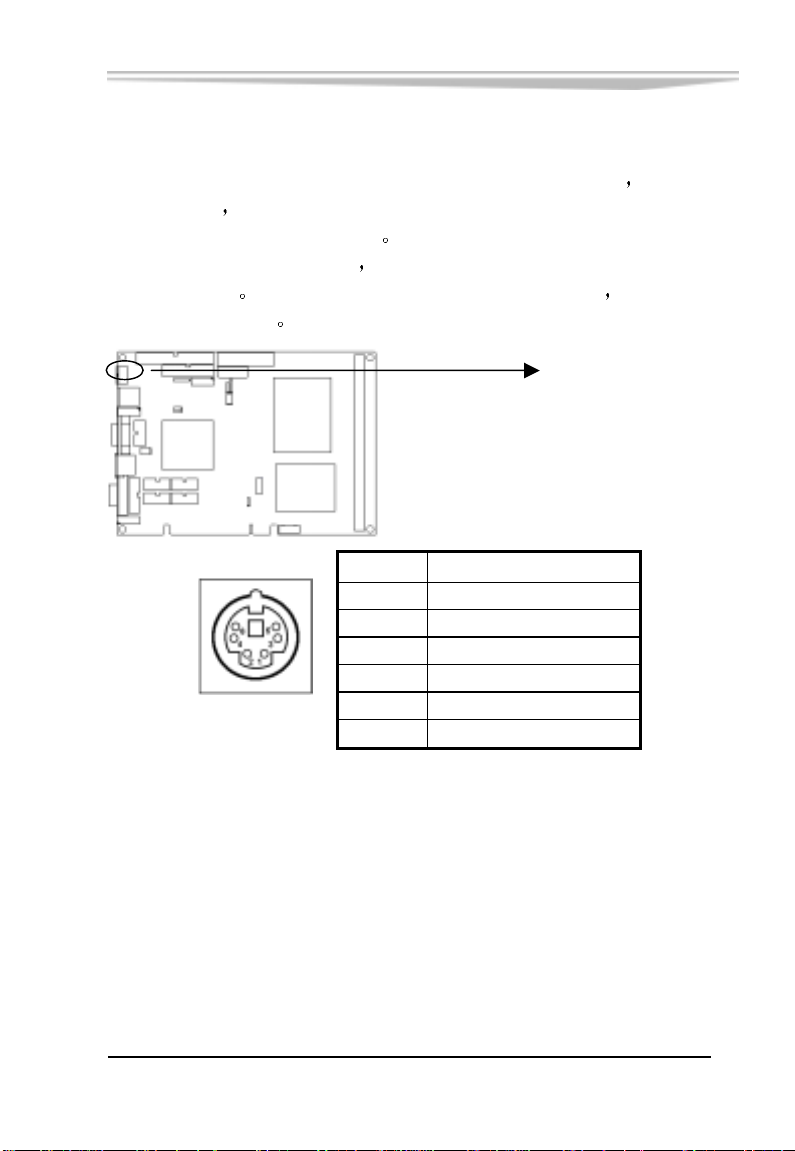
KBMS 是一个键盘和鼠标合用的 6 脚 mini DIN 插座
插 PS/2 键盘
电缆才能同时连接键盘和鼠标
如果您使用 PS/2 鼠标
PS/2 鼠标使用
可以给扩展卡使用
但需要使用随单板电脑配置的 1 转 2 PS/2 键盘鼠标
系统会自动检测并且分配 IRQ12 给
如果系统并无检测到 PS/2 鼠标的使用 则 IRQ12
管脚 信号名称
1 Keyboard data
2 Mouse data
3 GND
4 +5V
KBMS
5 Keyboard clock
6 Mouse clock
可直接
KBMS
EC5-1712CLDNA 产品说明书
-17-
Page 25
IrDA/红外接口
第二章 安装说明
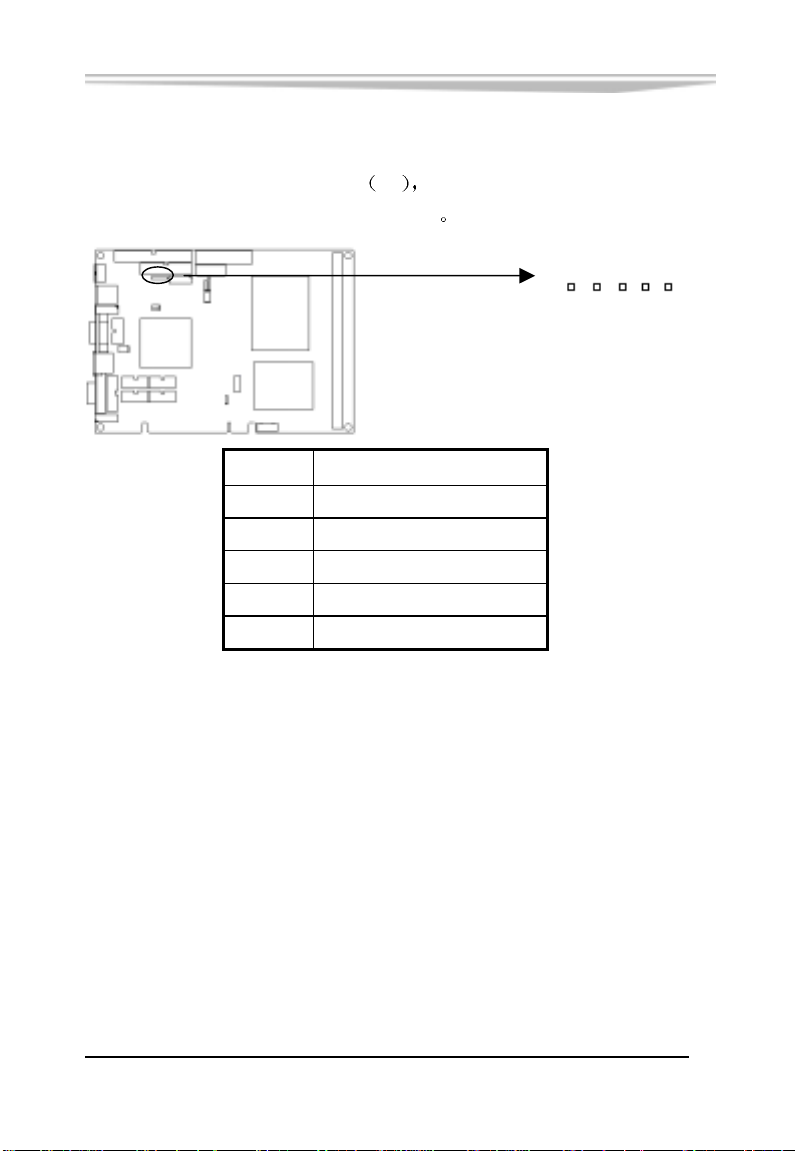
提供一组红外线模组插针
IR
夏普 ASK-IR 协议红外线数据传输功能
管脚 信号名称
1 +5V
2 N.C.
3 IrRx
4 GND
5 IrTx
支持 IrDA 1.0 版 SIR 协议或
IR
5 1
-18-
EC5-1712CLDNA 产品说明书
Page 26
第二章 安装说明
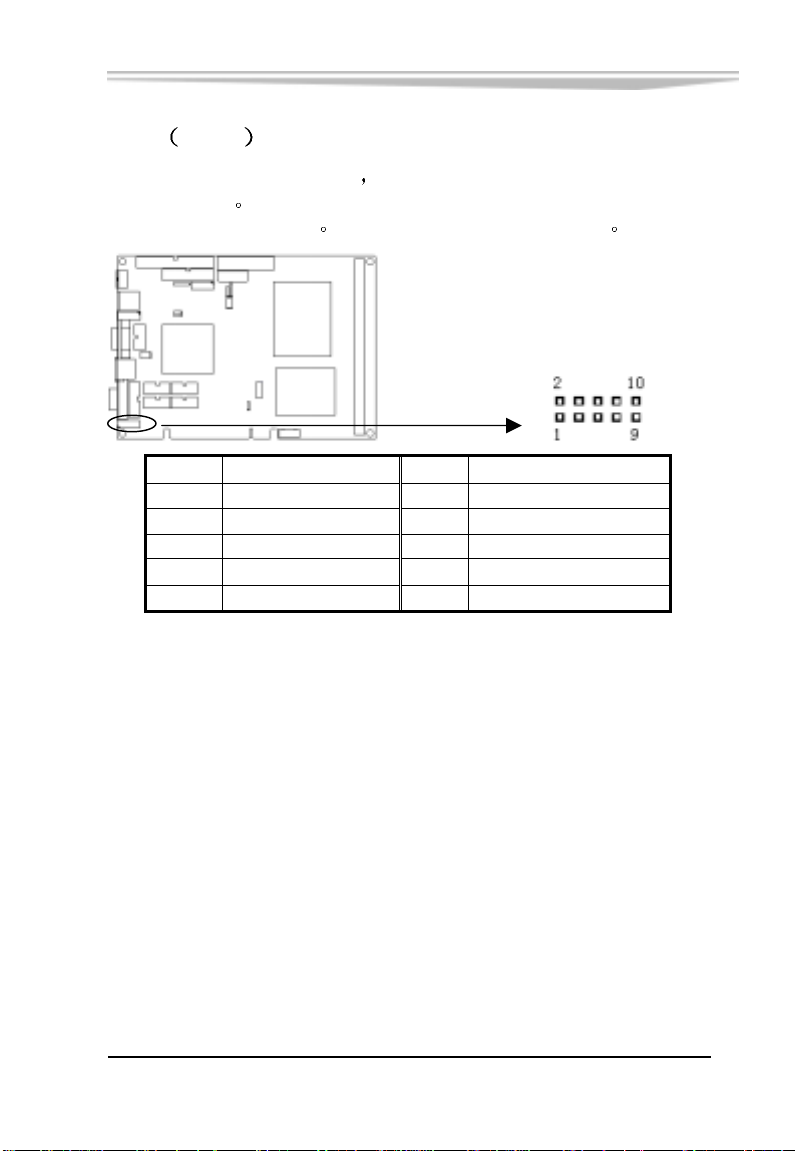
音频 Audio 功能
利用附在主板上的电缆
的功率扬声器
或通过 Audio_Out 播放
管脚 信号名称
1 Audio_Out Right 2 Audio_Out Left
3 GND 4 GND
5 Line_in Right 6 Line_in Left
7 GND 8 GND
9 Mic Phone in 10 Mic Phone P
Line In 用于计算机对磁带机或其他声频源的录音
Audio_Out 可以连接到耳机或更适合
Mic 用于连接麦克风输入声音
AUDIO
管脚
信号名称
EC5-1712CLDNA 产品说明书
-19-
Page 27
CF 卡
第二章 安装说明
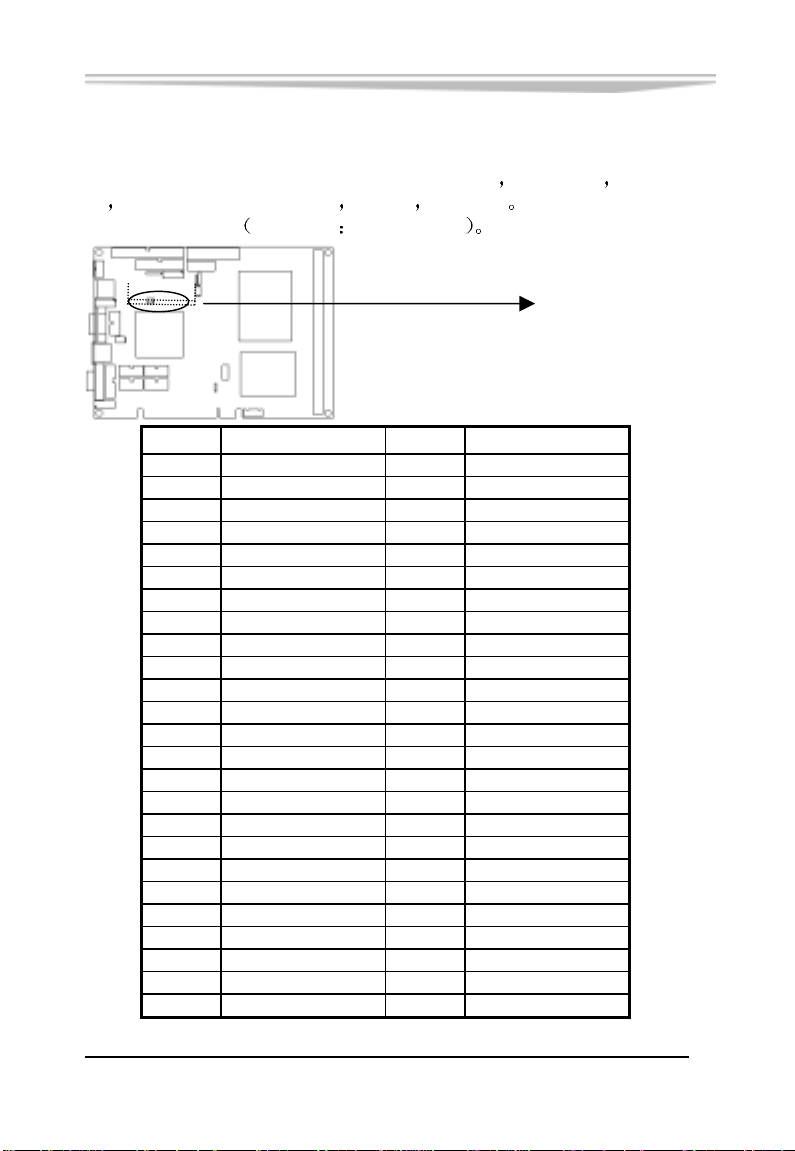
COMPACT FLASH 卡是一种快速存储器
存储量随所用的卡变化 如 1M
便
以一个方向插入
在板背面 用虚线表示
管 脚 信号名称 管 脚 信号名称
1 GND 26 NC
2 IDESD3 27 IDESD11
3 IDESD4 28 IDESD12
4 IDESD5 29 IDESD13
5 IDESD6 30 IDESD14
6 IDESD7 31 IDESD15
7 IDESCS0X 32 IDESCS1X
8 GND 33 NC
9 GND 34 IDESIORX
10 GND 35 IDESIOWX
11 GND 36 VCC3V
12 GND 37 IDESINTR
13 VCC3V 38 VCC3V
14 GND 39 GND
15 GND 40 NC
16 GND 41 IDESRSTX
17 GND 42 IDESIORDY
18 IDESA2 43 NC
19 IDESA1 44 VCC3V
20 IDESA0 45 HDDLED
21 IDESD0 46 NC
22 IDESD1 47 IDESD8
23 IDESD2 48 IDESD9
24 IOCS16X 49 IDESD10
25 NC 50 GND
-20-
EC5-1712CLDNA 产品说明书
体积很小 使用方
256M 等 CF 卡插入时只能
CFCARD
Page 28
第二章 安装说明
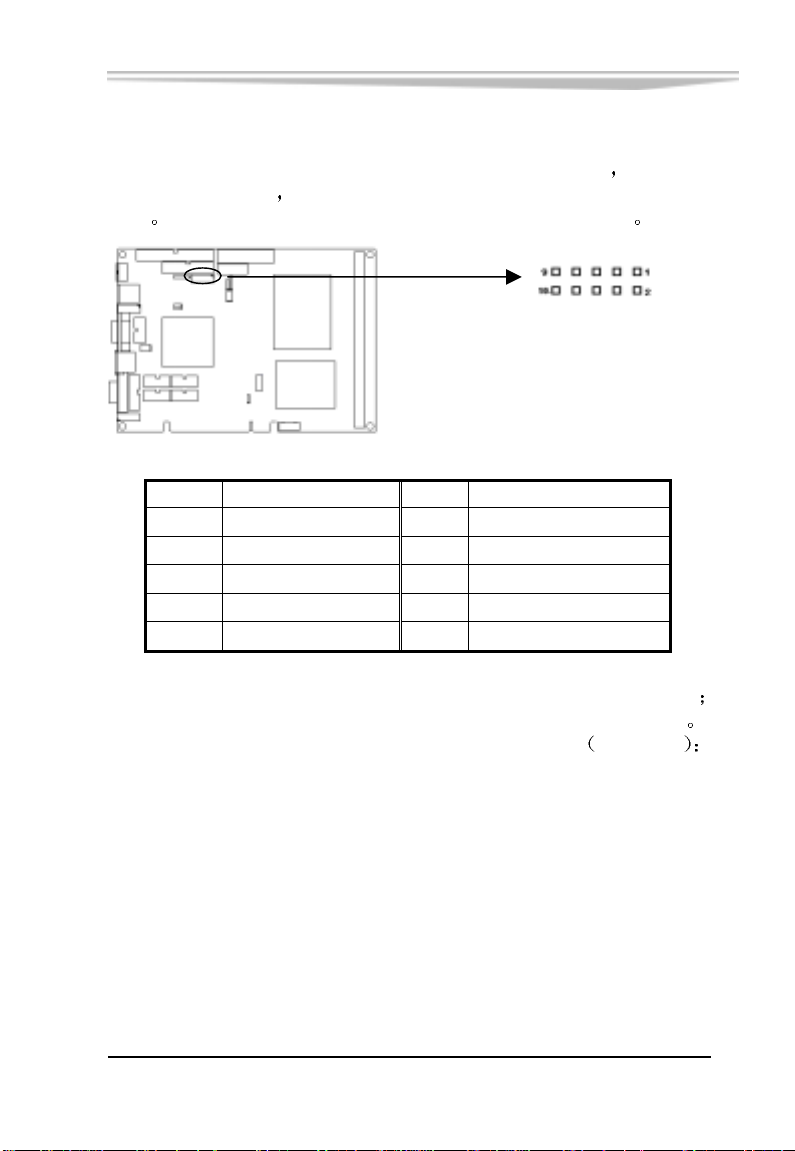
数字 I/O 接口
主板提供了一个 4 路输入和 4 路输出的可编程接口
入和输出是独立的
对应
该接口是由 Winbond W83627THF Super I/O 提供的
接口的输
在 CN9 位置的插针共有 8 Pin 与 8 个数字位相
CN9
管脚 信号名称
管脚
信号名称
1 VCC5 2 GND
3 INPUT0 4 OUTPUT0
5 INPUT 1 6 OUTPUT1
7 INPUT2 8 OUTPUT2
9 INPUT3 10 OUTPUT3
OUTPUT(0~3) 对应 W83627THF 的 GPIO Port5 Bit 0~3(GP50~53)
INPUT (0~3) 对应 W83627THF 的 GPIO Port2 Bit 3~6(GP23~26)
下面是 EC5-1712CLDNA 输入/输出接口的编程范例
测试程序
;MASM
;;EC5-1712CLDNA GPIO Test Program..
Model Small
386
INDEX_ADDR EQU 02Eh
INDEX_DATA EQU 02Fh
EC5-1712CLDNA 产品说明书
-21-
Page 29

第二章 安装说明
;;Read Winbond83627 PnP Register
ReadReg macro x
mov al, x
out INDEX_ADDR, al
jmp $+2
in al, INDEX_DATA
endm
;;Write Winbond83627 PnP Register
WriteReg macro x,y
mov al, x
out INDEX_ADDR, al
jmp $+2
mov al, y
out INDEX_DATA, al
endm
;;take Winbond83627 to progammable state
EnterProgram macro
mov al, 087h
out INDEX_ADDR, al
jmp $+2
out INDEX_ADDR, al
endm
;;exit/end programmable state
ExitProgram macro
mov al, 0aah
out INDEX_ADDR, al
endm
-22-
EC5-1712CLDNA 产品说明书
Page 30

第二章 安装说明
;;select Logical Device Number
SelectLDN macro x
WriteReg 007h, x
endm
code
start proc far
push ds
xor ax, ax
push ax
push cs
pop ds
push cs
pop es
EnterProgram
;;output 005h
mov al, 05h
call outport
;;;input
call inport
cmp al, 05h
jne error_exit
;;output 00Ah
mov al, 0ah
call outport
;;input
call inport
EC5-1712CLDNA 产品说明书
-23-
Page 31

cmp al, 00Ah
jne error_exit
mov bp, offset OK
mov cx, 8
out_string:
push cx
mov ax, 0300h
xor bx, bx
int 10h
pop cx
mov ax, 1301h
mov bx, 07h
int 10h
ExitProgram
ret
error_exit:
mov bp, offset ERROR
mov cx, 6
jmp out_string
OK db "SUCCESS!",'$'
ERROR db "ERROR!",'$'
start endp
;;read data from I/O port
inport proc near
;;input:
; none
;;output:
-24-
第二章 安装说明
EC5-1712CLDNA 产品说明书
Page 32

; al: port data
;;destroy: AX
SelectLDN 08h
ReadReg 0F1h
push cx
mov cl, 3
shr al, cl
pop cx
and al, 0fh
ret
inport endp
;;output data to I/O port
outport proc near
;;input:
;; al: port data
;;output:
;; none
;;destroy: AX
and al, 00Fh
mov ah, al
SelectLDN 07h
ReadReg 0F4h
and al, 0F0h
or ah, al
WriteReg 0F4h, ah
ret
outport endp
END
第二章 安装说明
EC5-1712CLDNA 产品说明书
-25-
Page 33
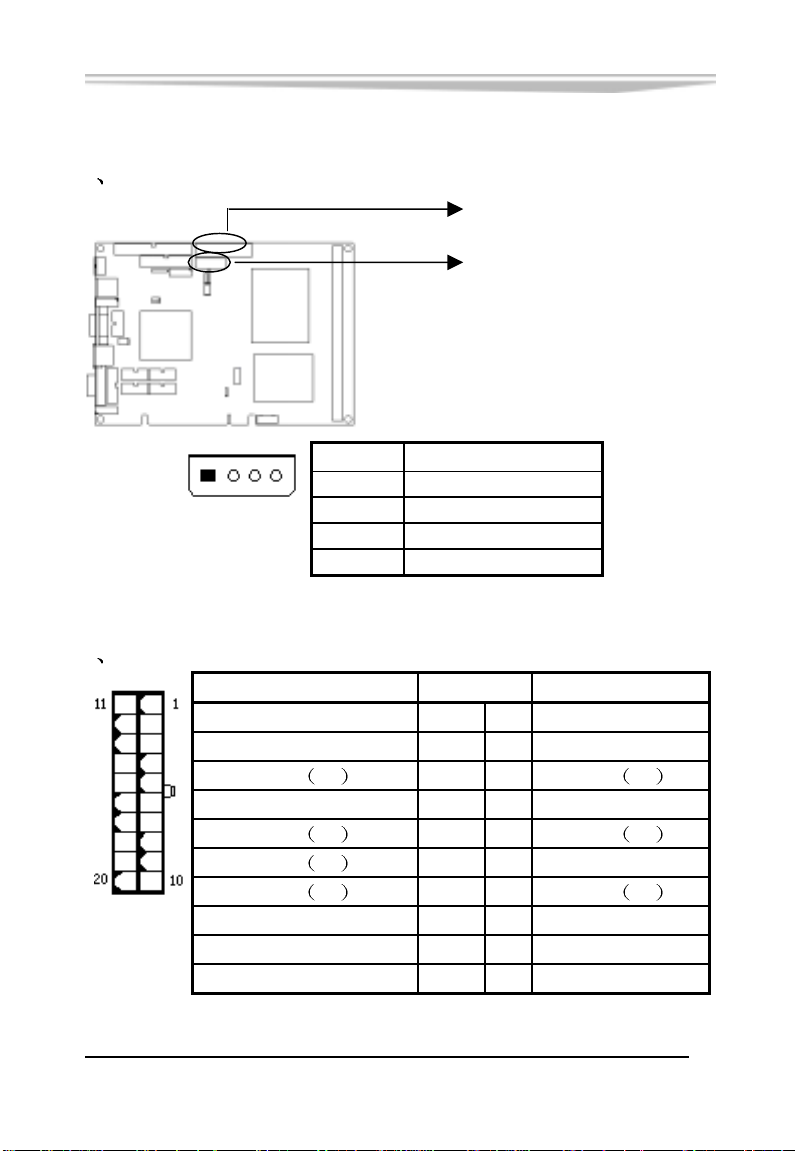
电源接口
1 AT 电源接口
1
AT P WR
2 ATX 电源接口
ATXPWR
-26-
PS-ON(电源开关控制) 14 4 +5V
第二章 安装说明
AT X P WR
AT P WR
管 脚
1 +12V
4
2 GND(地)
信号名称
3 GND(地)
4 +5V
信号名称 管 脚 信号名称
+3.3V 11 1 +3.3V
-12V 12 2 +3.3V
GND
GND
GND
GND
地
13 3 GND
地
15 5 GND
地
16 6 +5V
地
17 7 GND
-5V 18 8 Power Good
+5V 19 9 +5V SB(后备+5V)
+5V 20 10 +12V
EC5-1712CLDNA 产品说明书
地
地
地
Page 34
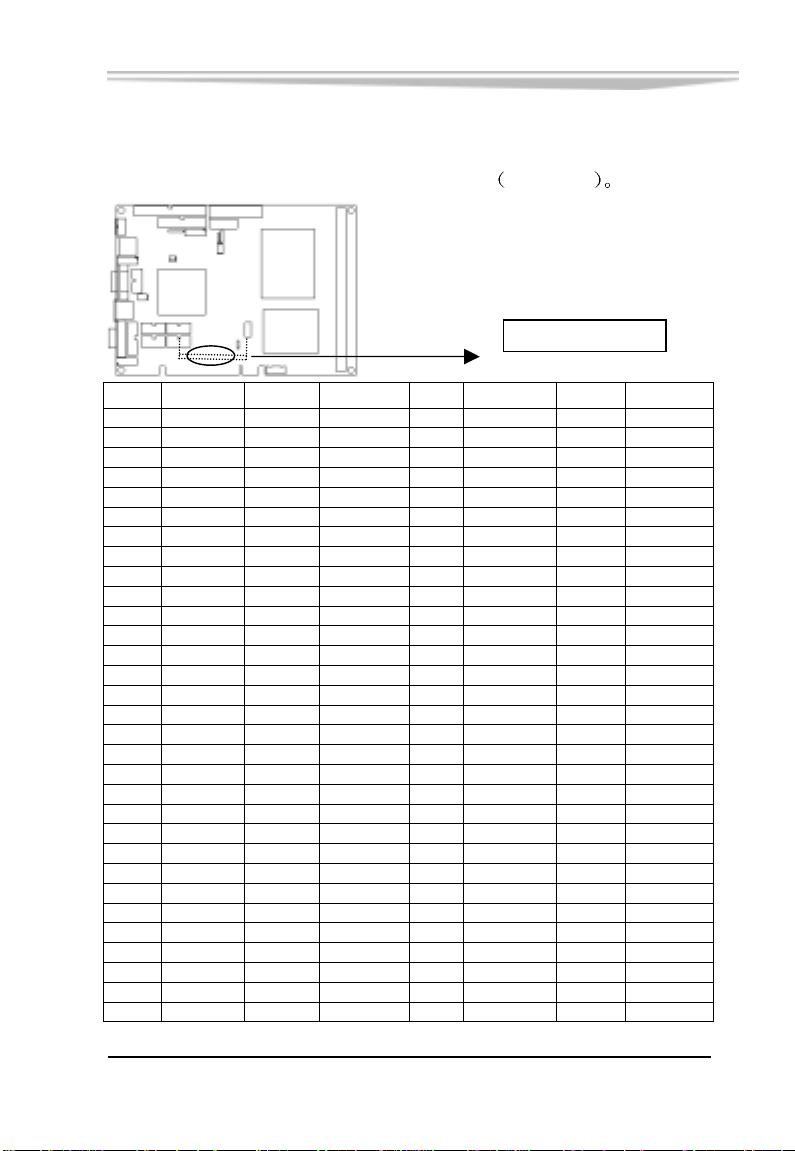
Mini-PCI
第二章 安装说明
一个 124Pin Mini-PCI 扩展总线接口 在板背面
124
2
PCI2
脚号 名 称 脚号 名 称 脚号 名 称 脚号 名 称
1 NC 32 GND 63 3.3V 94 AD2
2 NC 33 AD31 64 FRAME# 95 AD3
3 +5V 34 PME# 65 NC 96 AD0
4 +5V 35 AD29 66 TRDY# 97 +5V
5 +5V 36 +5V 67 SERR# 98 NC
6 +5V 37 GND 68 STOP# 99 AD1
7 +5V 38 AD30 69 GND 100 NC
8 +5V 39 AD27 70 3.3V 101 GND
9 +5V 40 3.3V 71 PERR 102 GND
10 +5V 41 AD25 72 DEVSEL# 103 NC
11 +5V 42 AD28 73 C/BE1# 104 NC
12 +5V 43 NC 74 GND 105 NC
13 +5V 44 AD26 75 AD14 106 NC
14 +5V 45 C/BE3# 76 AD15 107 NC
15 NC 46 AD24 77 GND 108 NC
16 +5V 47 AD23 78 AD13 109 NC
17 INTB# 48 IDSEL 79 AD12 110 NC
18 +5V 49 GND 80 3.3V 111 NC
19 3.3V 50 GND 81 AD10 112 +5V
20 INTA# 51 AD21 82 GND 113 NC
21 NC 52 AD22 83 GND 114 GND
22 +5V 53 AD19 84 AD9 115 NC
23 GND 54 AD20 85 AD8 116 NC
24 3.3AUX 55 GND 86 C/BE0# 117 NC
25 PCICLK 56 PAR 87 AD7 118 NC
26 RESET# 57 AD17 88 3.3V 119 NC
27 GND 58 AD18 89 3.3V 120 NC
28 3.3V 59 C/BE2# 90 AD6 121 NC
29 REQ# 60 AD16 91 AD5 122 NC
30 GNT# 61 IRDY# 92 AD4 123 +5V
31 3.3V 62 GND 93 NC 124 3.3AUX
123
1
EC5-1712CLDNA 产品说明书
-27-
Page 35
第二章 安装说明
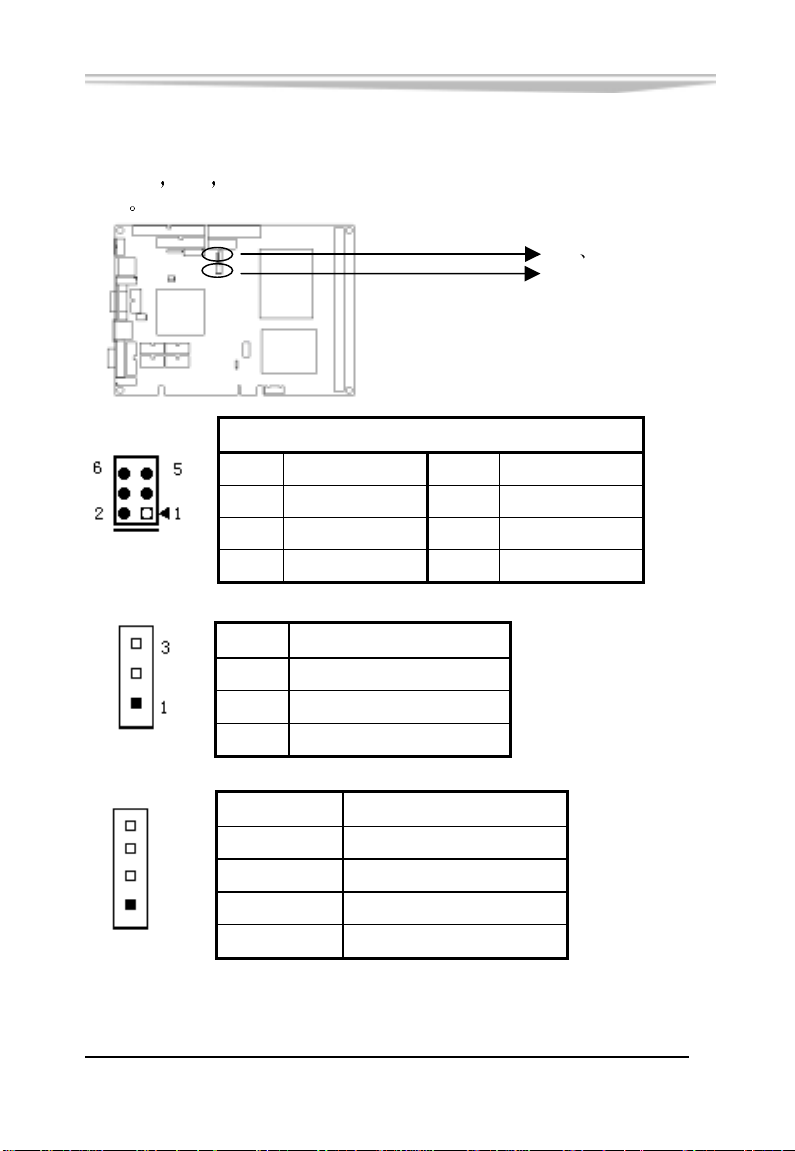
状态指示接口
FP2 FP3 用于连接至机箱前面板上所设的功能按钮或指
FP1
示灯
FP1
FP2
4
1
FP3
-28-
FP2 FP3
FP1
FP1
管脚 信号名称 管脚 信号名称
1
3
5
管脚
Power Button-
GND
IDE LED -
信号名称
2
4
6
Power Button+
RESET
IDE LED +
3 GND
2 N.C.
1 Power LED +
管脚 信号名称
4 +5V
3 GND
2 N.C.
1 Speaker out
EC5-1712CLDNA 产品说明书
Page 36

第三章
BIOS功能简介
BIOS 简介
第三章 BIOS 功能简介
BIOS Basic Input and Output System
化在 CPU 板上的闪存存储器中
主要功能包括 初始化系统硬件
基本输入输出系统 固
设置各系统部件的工作状态 调整各系统部件的工作参数 诊断系
统各部件的功能并报告故障
口
引导操作系统等
便用户配置各系统参数设置
资源分配等等
正确设置 BIOS 各项参数
能提升系统的整体性能
会使系统工作性能大为降低
作
给上层软件系统提供硬件操作控制接
BIOS 提供用户一个菜单式的人机接口
控制电源管理模式 调整系统设备的
可使系统稳定可靠地工作 同时也
不适当的甚至错误的 BIOS 参数设置 则
使系统工作不稳定 甚至无法正常工
方
EC5-1712CLDNA 产品说明书
-29-
Page 37

第三章 BIOS 功能简介
进入 BIOS 参数设定
每当系统接通电源 正常开机后 便可看见进入 BIOS 设置程
序提示的信息
通常为<Del>键 即可进入 BIOS 设置程序
CMOS 中 BIOS 设置内容被破坏时
设置或选择所有默认设置值
通过 BIOS 修改的所有设置值都保存在系统的 CMOS 存储器
中
该 CMOS 存储器由电池供电 即使切断外部电源 其内容也
不会丢失
注意
BIOS 的设置直接影响到电脑的性能
成电脑的损坏 甚至不能开机 请使用 BIOS 内定值来恢复系统正
常运行
由于本公司不断研发更新BIOS 设置程序 以下的画面仅供您参考
有可能跟您目前所使用的 BIOS 设置程序不完全相同
BIOS 基本功能介绍
此时(其它时间无效) 按下提示信息所指定的按键
系统也会要求进入 BIOS
除非执行清除 CMOS 内容的操作
设置错误的数值将造
当 SETUP 程序启动之后
画面如下
-30-
您可以看到 CMOS Setup Utility 主
EC5-1712CLDNA 产品说明书
Page 38
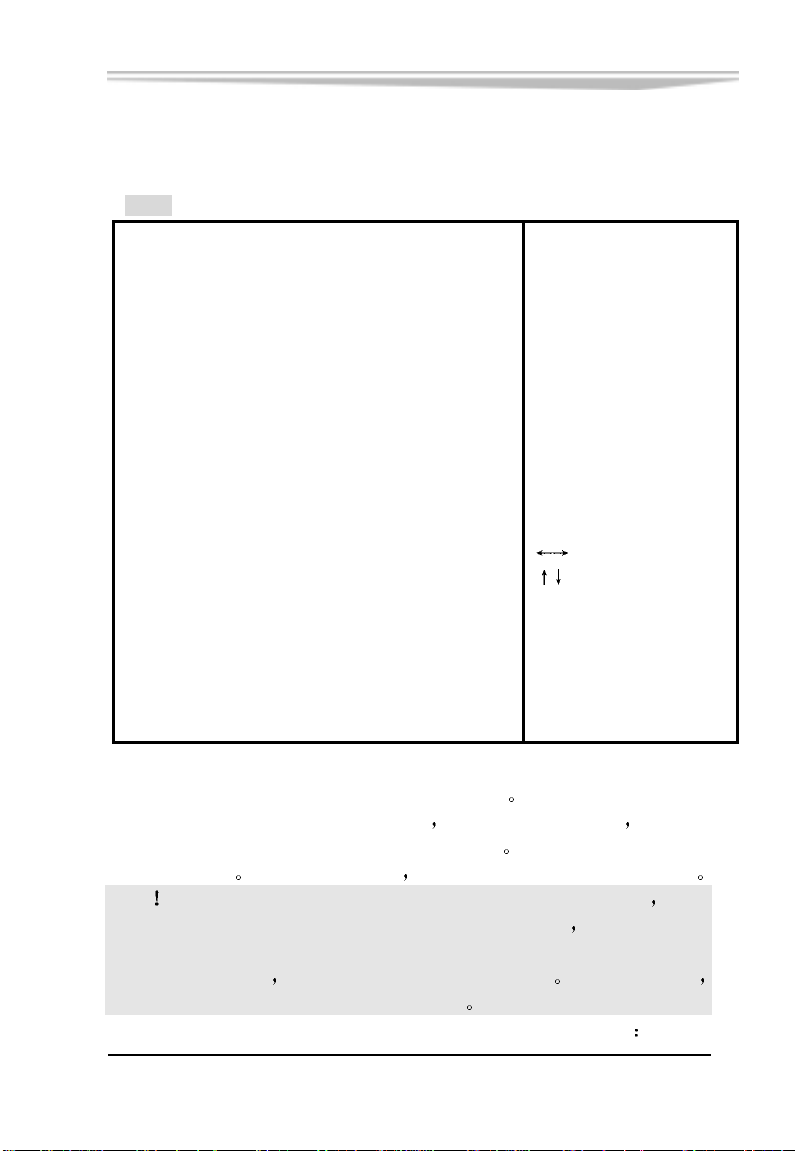
第三章 BIOS 功能简介
3.1 Main
BIOS SETUP UTILITY
Main Advanced PCIPnP Boot Security Chipset Power Exit
Use [ENTER], [TAB]
System Overview
or [SHIFT-TAB] to
select a field .
AMIBIOS
Version :
Build Date :
ID :
Processor
Type
Speed
Count
08.00.10
10/18/04
l8318006
Intel Pentium –M Processor
:
600MHZ
:
1
:
Use [+] or [-] to
configure system Time .
System Memory
Size
System Time
System Date
480MB
:
[21:18:12]
[Tue 10/26/2004]
Select Screen
Select Item
+- Change Field
Tab Select Field
F1 General Help
F10 Save and Exit
ESC Exit
v02.53 (C) Copyright 1985-2002 , American Megatrends , Inc.
主菜单顶部显示的是控制菜单的控制键 主菜单的中部显示的
是当前所选第一个控制菜单的内容
CPU 信息根据用户系统配置的改变自动调整
所用的控制键
如果你需要帮助 按<F1>将显示相关信息帮助您
灰色信息是只读的 内存及
菜单右下部是本菜单
注意 如果您的系统在保存了您改变的设置后无法正常工作 则您
可以清除 CMOS 内容后重新开机进入 BIOS 设置程序 选择 AMI BIOS
中的最后一个控制菜单 Exit 中的 Load Failsafe Defaults 或 Load
Optimal Defaults 使用 BIOS 预设的各项默认值 除非您很了解
否则不要对芯片集的默认值作任何改动
在以下的章节中我们对每一项中相关项作简要的介绍
EC5-1712CLDNA 产品说明书
-31-
Page 39

AMIBIOS
第三章 BIOS 功能简介
显示BIOS的版本
更新日期 识别号 用户不能修改 为只读项
Processor
显示所使用的协处理器CPU类型
速度 数量, 为只读项
System Time
选择此选项
格式来表示
(00-59), Second/秒(00-59)
用< + > / < - >来设置目前的时间 以时/分/秒的
各项目合理的范围是 Hour/时(00-23), Minute/分
System Date
选择此选项
格式来表示
用< + > / < - >来设置目前的日期 以月/日/年的
各项目合理的范围是 Month/月(Jan.-Dec.), Date/
日(01-31),Year/年(最大至 2099), Week/星期(Mon.~ Sun.)
-32-
EC5-1712CLDNA 产品说明书
Page 40
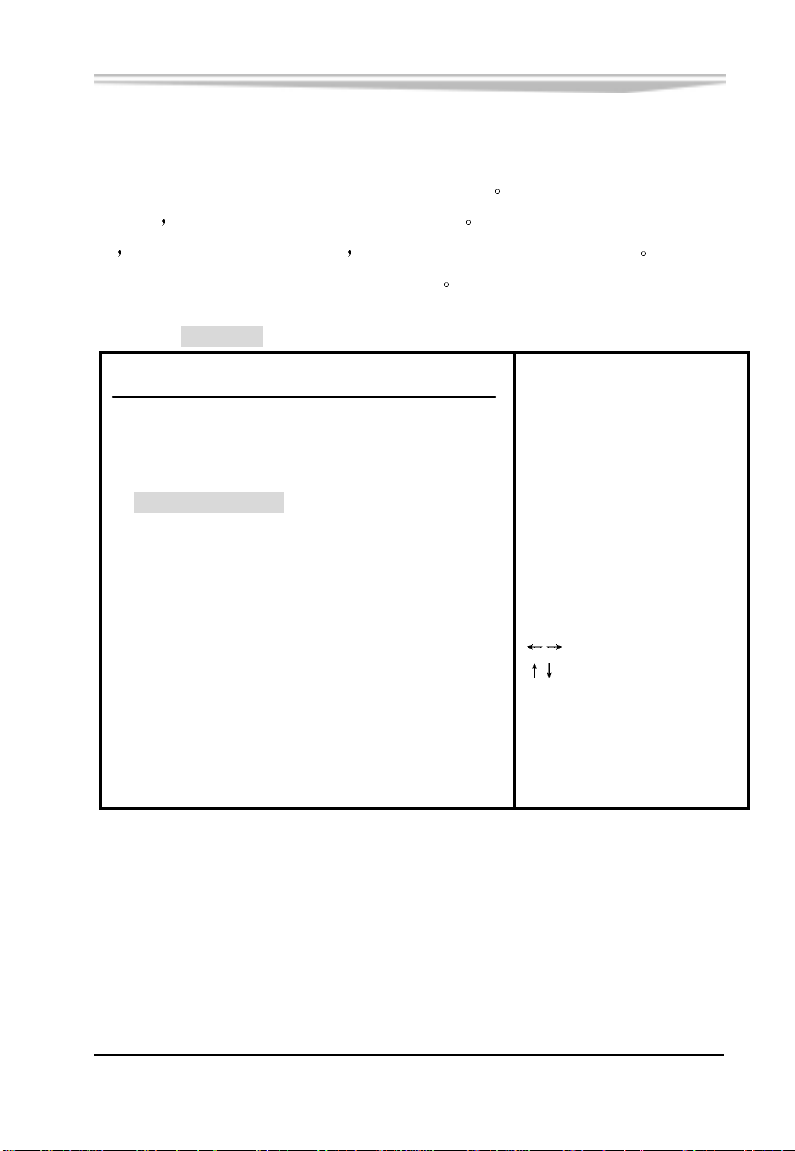
3.2 Advanced
第三章 BIOS 功能简介
这个选项可以设置系统的基本硬件配置
装好的
了
那您不必更动这个选项的设置 如果是CMOS中的数据遗失
或是您改变了硬件配置 那么您就必须自行改变设置值 当CMOS
的电池没电了,那么设置值也将会遗失
BIOS SETUP UTILITY
Main Advanced PCIPnP Boot Security Chipset Power Exit
Advanced Settings
WARNING :Setting wrong values in below sections
may cause system to malfunction.
► CPU Configuration
► IDE Configuration
► SuperIO Configuration
► Hardware Health Configuration
► ACPI Configuration
► MPS Configuration
► USB Configuration
F1 General Help
F10 Save and Exit
ESC Exit
如果您的电脑是已经组
Configure CPU .
Select Screen
Select Item
En ter Go to Sub Screen
v02.53 (C) Copyright 1985-2002 , American Megatrends , Inc.
EC5-1712CLDNA 产品说明书
-33-
Page 41
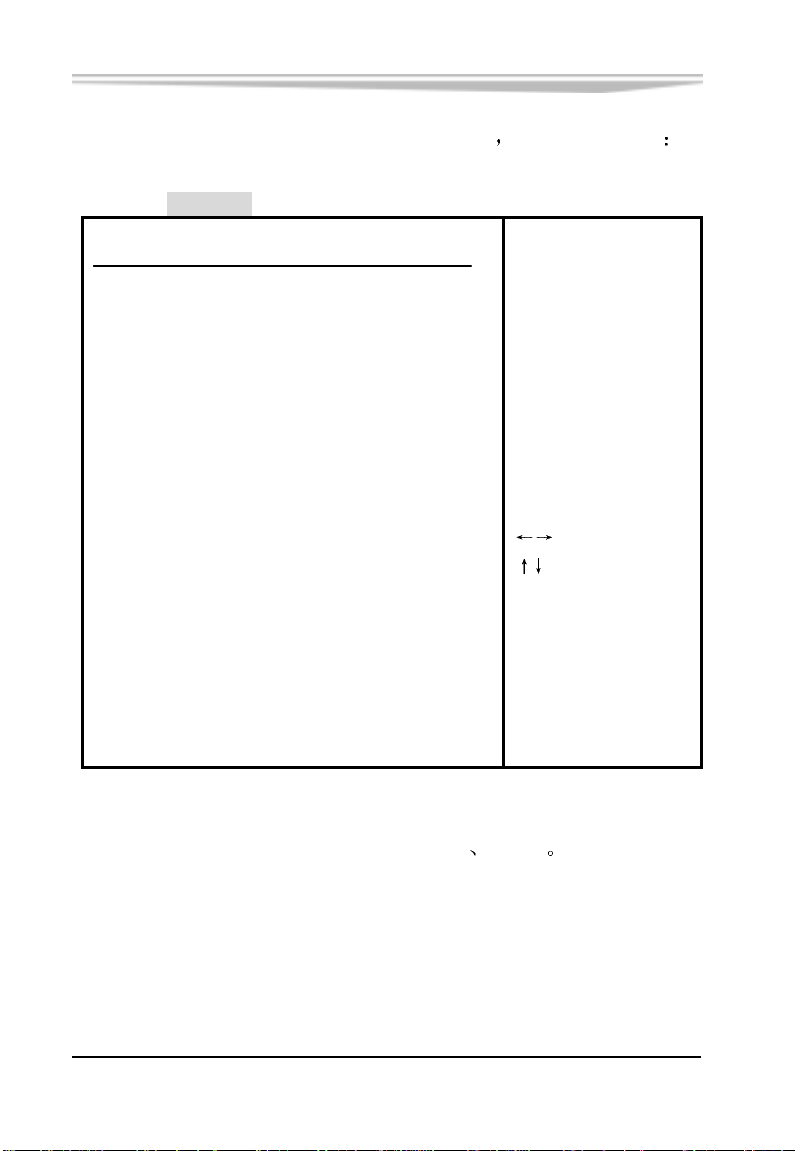
第三章 BIOS 功能简介
把光标移到CPU Configuration上并按<Enter>键
BIOS SETUP UTILITY
会出现如下画面
Advanced
Configure advanced CPU settings
Manufacturer :
Brand String :
Frequency :
FSB Speed :
Cache L1 :
Cache L2 :
Ratio Status
Ratio Actual Value :6
F1 General Help
ESC Exit
Intel
Intel (R) Pentium(R) processor
600MHz
400MHz
32 KB
0 KB
:Locked
Select Screen
Select Item
F10
Save and Exit
v02.53 (C) Copyright 1985-2002 , American Megatrends , Inc.
灰色部分为只读部分,显示用户所配 CPU 制造商
-34-
EC5-1712CLDNA 产品说明书
参数等
Page 42
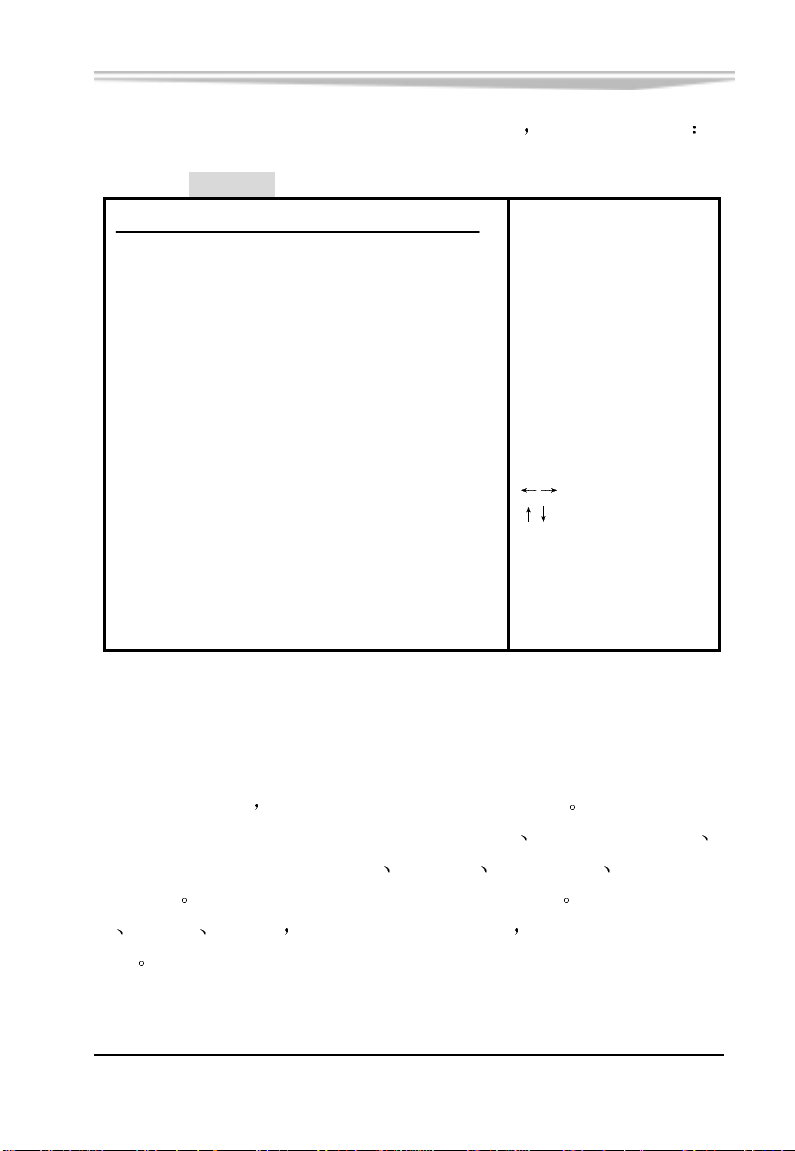
第三章 BIOS 功能简介
把光标移到 IDE Configuration 上并按<Enter>键
BIOS SETUP UTILITY
会出现如下画面
Advanced
IDE Configuration
OnBoard PCI IDE Controller [Both]
►Primary IDE Master
►Primary IDE Slave
►Secondary IDE Master
►Secondary IDE Slave
Hard Disk Write Protect [Disabled] BOTH: enables both IDE
IDE Detect Time Out (Sec) [35] Controllers.
ATA(PI) 80Pin Cable Detection [Host & Device]
+- Change Option
F1 General Help
F10 Save and Exit
ESC Exit
v02.53 (C) Copyright 1985-2002 , American Megatrends , Inc.
: [Not Detected]
: [Not Detected]
: [Hard Disk]
: [Not Detected]
DISABLED: disables the
integrated IDE
Controller.
PRIMARY:enables only
the Primary IDE
Controller.
SECONDARY: enables
only the Secondary IDE
Controller.
Select Screen
Select Item
Primary/ Secondary IDE Master/ Slave
要设置 IDE 硬盘
设置硬盘型态的项目包括了Type(类型)
您可以让系统在开机时自动侦测
LBA/Large Mode
Block(Multi-Sector Transfer) PIO Mode S.M.A.R.T 32Bit Data
Transfer
盘
CD-ROM ARMD等 都可以直接连接和使用 而不须外加额外的扩
展卡
支持Mode 0,1,2,3,4共5种PIO传输模式 如IDE接口的硬
EC5-1712CLDNA 产品说明书
-35-
Page 43

第三章 BIOS 功能简介
Hard Disk Write Protect
硬盘写保护后
据
您无法使用系统的硬盘驱动器在硬盘中写入任何数
IDE Detect Time Out (Sec)
此项设置BIOS搜索IDE设备的超时间隔
ATA(PI) 80Pin Cable Detection
设置此项可以选择检测ATA
PI 80pin 电缆的方法
-36-
EC5-1712CLDNA 产品说明书
Page 44
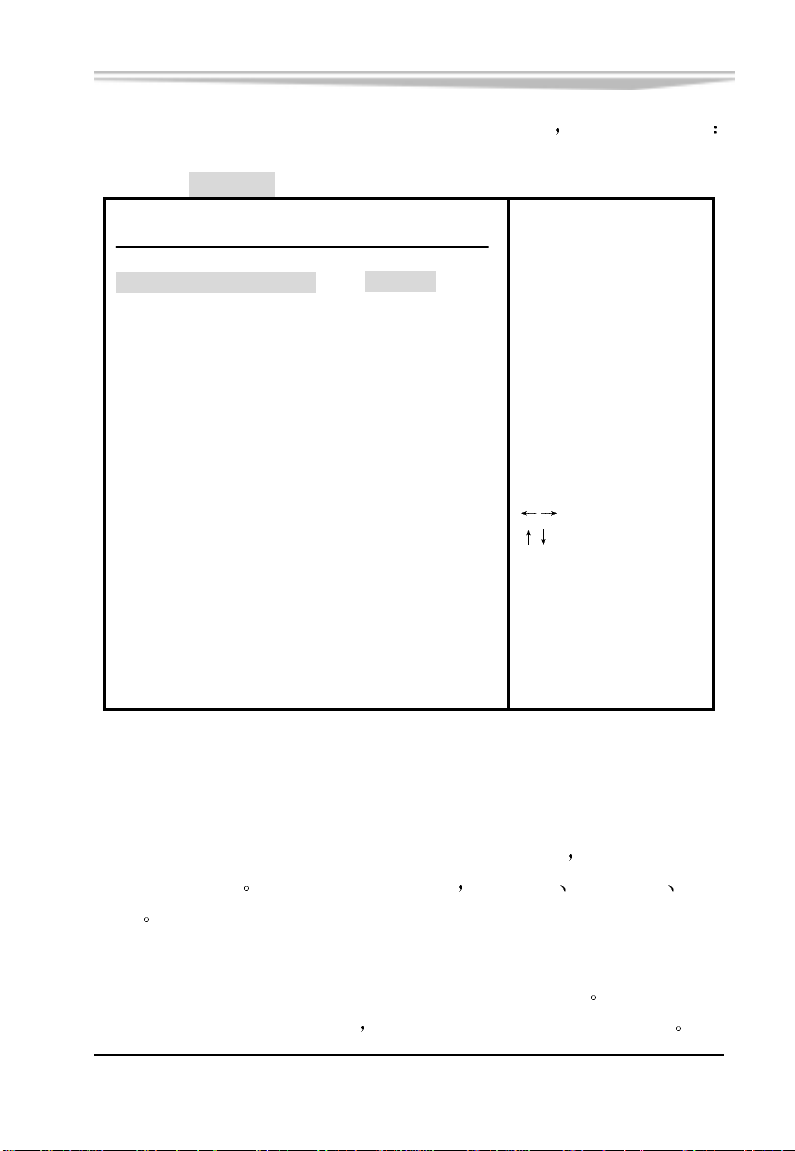
第三章 BIOS 功能简介
把光标移到SuperIO Configuration 上并按<Enter>键
BIOS SETUP UTILITY
会出现如下画面
Advanced
Configure Win627THF Super IO Chipset
OnBoard Floppy Controller
Serial Port1 Address
Serial Port2 Address
Serial Port2 Mode
Parallel Port Address
Parallel Port Mode
Parallel Port IRQ
F1 General Help
F10 Save and Exit
ESC Exit
[Enabled]
[3F8/IRQ4]
[2F8/IRQ3]
[Normal]
[378]
[Normal]
[IRQ7]
Allows BIOS to Enable
or Disable Floppy
Controller .
Select Screen
Select Item
+- Change Option
v02.53 (C) Copyright 1985-2002 , American Megatrends , Inc .
Serial Port1 Address
该项设置用来配置 CPU 板上第一个串行接口的类型
地址作响应分配
IRQ3
有 Disabled(禁止不用)
3F8/IRQ4 3E8/ IRQ4 2E8/
Serial Port2 Mode
该选项用来指定 CPU 板上第二个串行接口的工作模式
为标准 RS-232 串行通讯接口
EC5-1712CLDNA 产品说明书
其它设置值为红外通讯接口标准
并对中断和 I/O
默认 Normal
-37-
Page 45

第三章 BIOS 功能简介
IR I/O Pin Select
该项指定红外接口信号的输出引脚
Port2 Mode 设为红外状态
IRRX/IRTX
SINB/SOUTB
由专用的红外插座输出
由第二个串行接口的 RxD/TxD 引脚输出
欲设置此项 事先应将 Serial
IR Duplex Mode
欲设置此项
事先应将 Serial Port2 Mode 设为红外状态
此项设置设定红外接口采用
模式工作
Full (全双工)还是 Half (半双工)
Parallel Port Address
该项用来配置并行口所用的 I/O 地址
Parallel Poart Mode
该项设置指定并行口的工作模式: Normal, Bi-Directional, ECP,
EPP 表示双向数据传输下的最大速度 而 ECP 表示在双向数据传
EPP
输下比 EPP 更快的速度
Parallel Port IRQ
用于设置并行口的 IRQ 中断号
-38-
EC5-1712CLDNA 产品说明书
Page 46
第三章 BIOS 功能简介
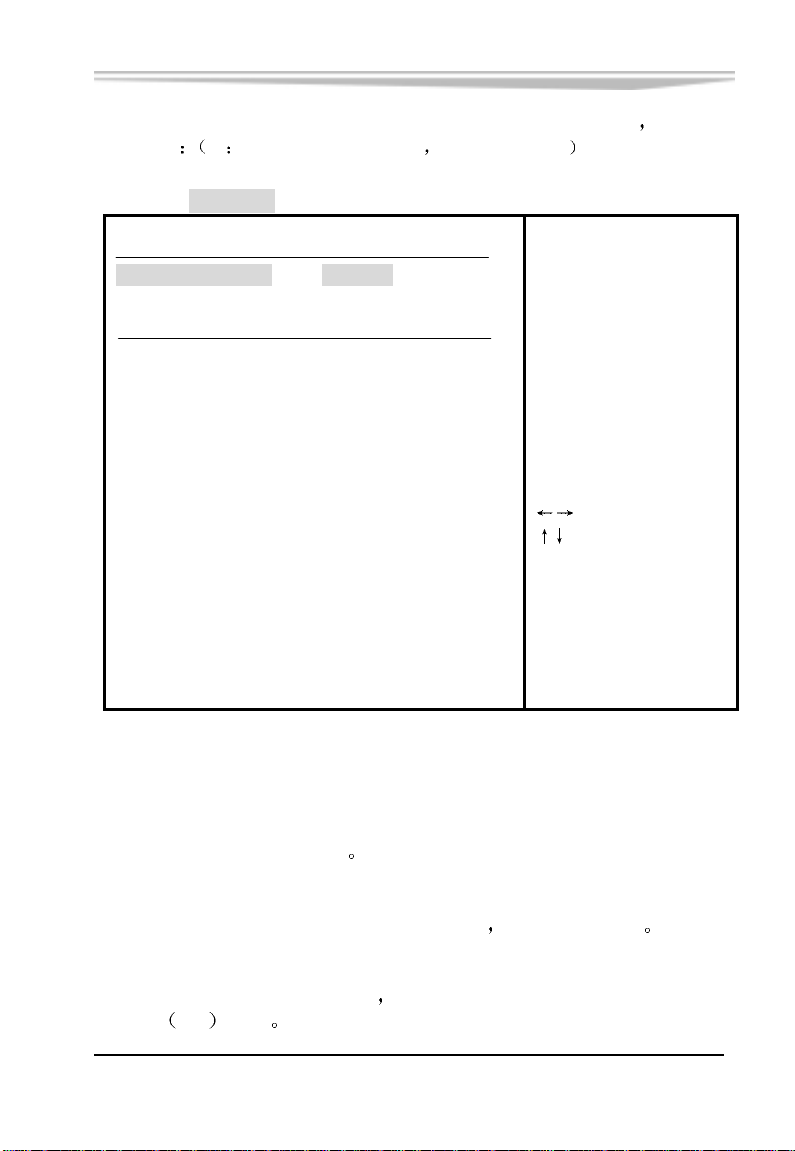
把光标移到 Hardware Health Configuration 上并按<Enter>键
如下画面
注 此项值为系统自动检测 以下值只作参考
BIOS SETUP UTILITY
Advanced
Hardware Health Configuration
H/W Health Function
Hardware Health Event Monitoring
System Temperature
CPU Temperature
Vcore
Vcc1.5V
Vcc12V
Vcc5V
+5VSB
VBAT
[Enabled]
:36 /96℉
:47 /116℉
:1.007 V
:1.500 V
:12.564 V
:4.946 V
:4.973 V
:3.177 V
Enables Hardware
Health Monitoring
Device.
+- Change Option
F1 General Help
F10 Save and Exit
ESC Exit
Select Screen
Select Item
会出现
v02.53 (C) Copyright 1985-2002 , American Megatrends , Inc.
System Temperature
显示的是机箱内的工作温度
CPU Temperature
CPU 的温度由 CPU 内置的温度传感器监测
Vcore
CPU 外部总线工作电压显示项
的接口
I/O
电压
EC5-1712CLDNA 产品说明书
此电压实际上是主板芯片组与 CPU
防止 CPU 过热
-39-
Page 47

第三章 BIOS 功能简介
Vcc1.5V/ Vcc12V/ Vcc5V
显示电源供给的 1.5V
12V 5V 电压值
5VSB
显示主机电源 5VSB 输出电压
VBAT
VBAT 显示 CMOS 电池电压
-40-
EC5-1712CLDNA 产品说明书
Page 48
第三章 BIOS 功能简介
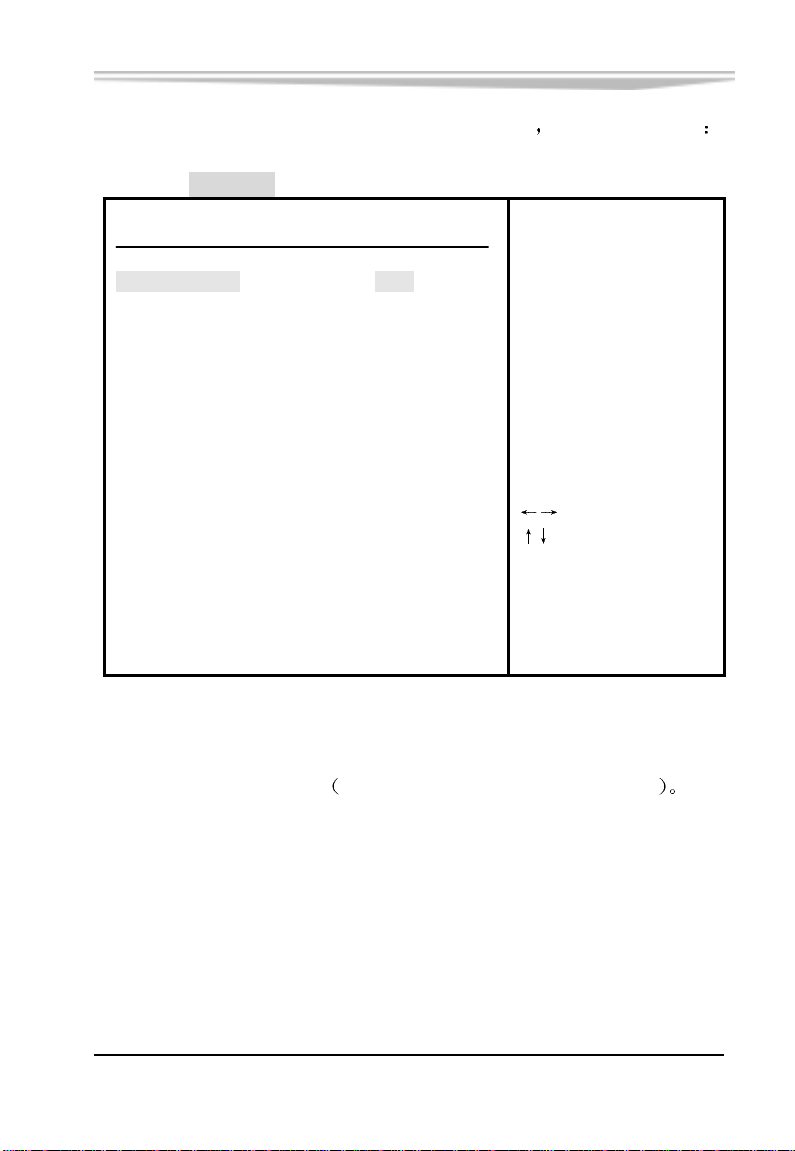
把光标移到 ACPI Configuration 上并按<Enter>键
BIOS SETUP UTILITY
Advanced
会出现如下画面
ACPI Settings
ACPI Aware O/S [Yes]
► Advanced ACPI Configuration
ENABLE: If OS
supports ACPI.
v02.53 (C) Copyright 1985-2002 , American Megatrends , Inc.
Enable / Disable
ACPI support for
Operating System.
DISABLE : If OS
does not support
ACPI.
Select Screen
Select Item
+- Change Option
F1 General Help
F10 Save and Exit
ESC Exit
ACPI Aware O/S
本项用来开启/关闭 ACPI
高级电源配置和电源管理接口功能
EC5-1712CLDNA 产品说明书
-41-
Page 49
第三章 BIOS 功能简介
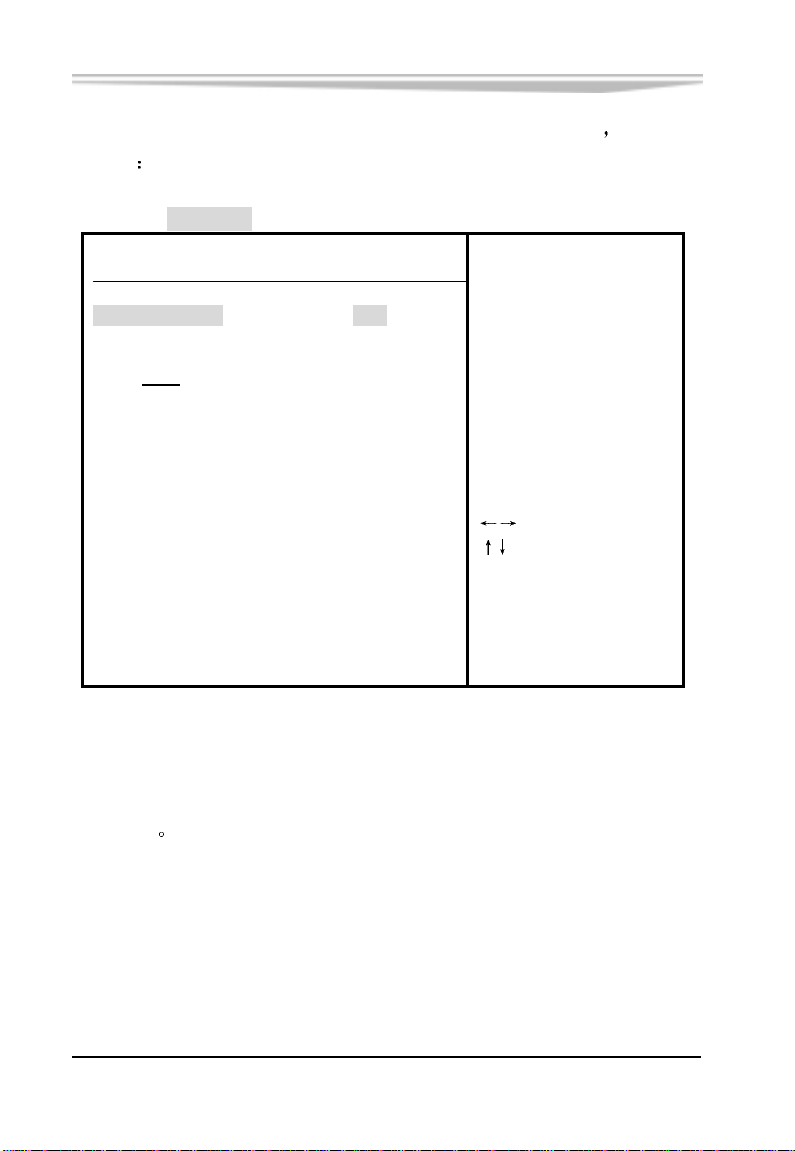
把光标移到 Advanced ACPI Configuration 上并按<Enter>键
下画面
BIOS SETUP UTILITY
Advanced
会出现如
Advanced ACPI Configuration
ACPI 2.0 Support [No]
ACPI APIC support
APIC ACPI SCI IRQ [Disabled]
BIOS >AML ACPI table
Headless mode
v02.53 (C) Copyright 1985-2002 , American Megatrends , Inc.
[Enabled]
[Enabled]
[Disabled]
ESC Exit
Add additional tables
as per ACPI 2.0
specifications.
Select Screen
Select Item
+- Change Option
F1 General Help
F10 Save and Exit
ACPI APIC support
APIC(高级可编程中断控制器)可在多处理器和单处理器环境下进行
中断调用
-42-
EC5-1712CLDNA 产品说明书
Page 50
第三章 BIOS 功能简介
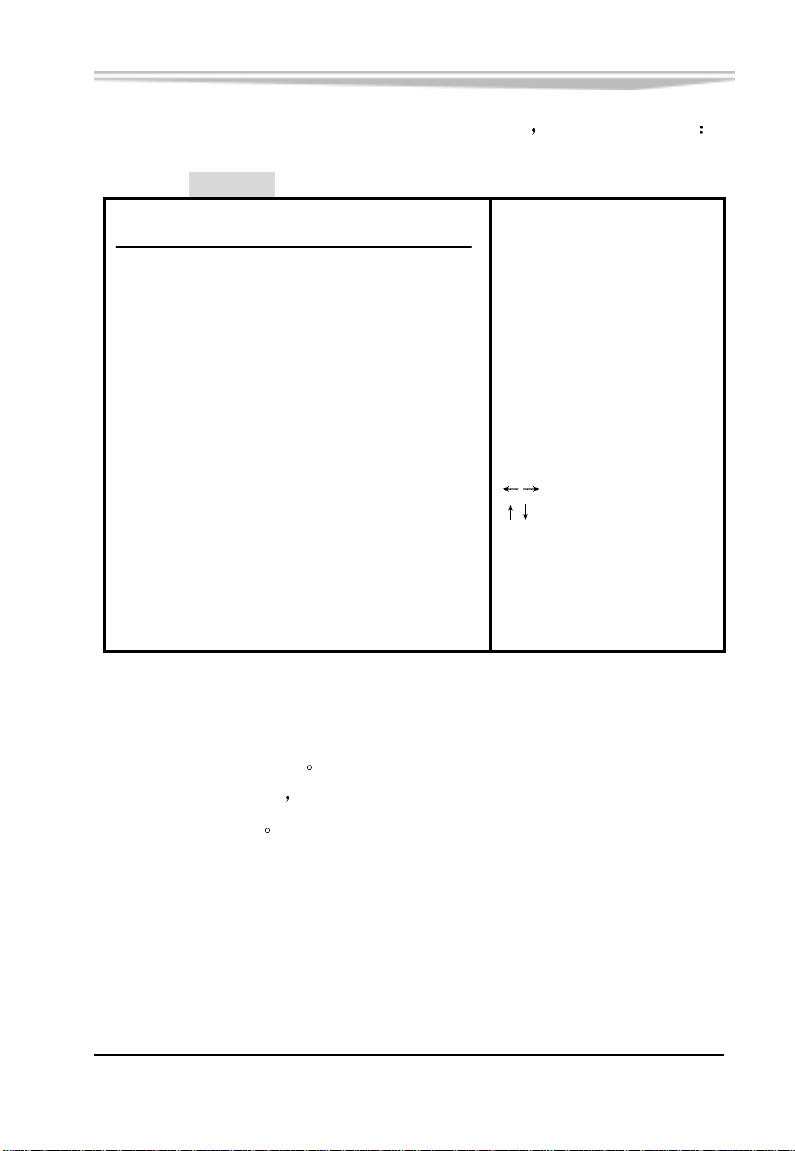
把光标移到 MPS Configuration 上并按<Enter>键
BIOS SETUP UTILITY
Advanced
会出现如下画面
MPS Configuration
MPS Revision [1.4]
v02.53 (C) Copyright 1985-2002 , American Megatrends , Inc.
Select MPS
Revision
Select Screen
Select Item
+- Change Option
F1 General Help
F10 Save and Exit
ESC Exit
MPS Revision
多处理器规范版本选项
择多处理器规范版本
辑处理器才有作用
这个选项让用户根据自己使用的操作系统选
该选项只有在系统内包含两个或多个物理或逻
EC5-1712CLDNA 产品说明书
-43-
Page 51
第三章 BIOS 功能简介
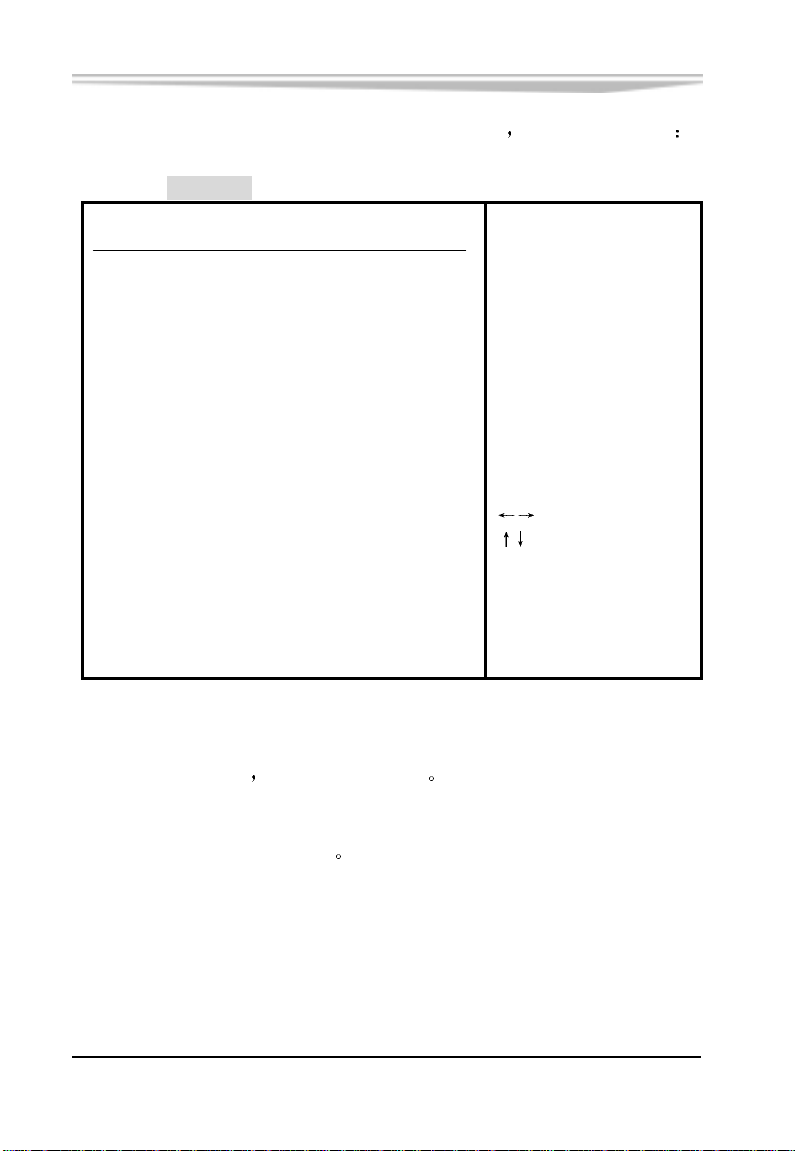
把光标移到 USB Configuration 上并按<Enter>键
BIOS SETUP UTILITY
会出现如下画面
Advanced
USB Configuration
Module Version - 2.23.2 -7.4
USB Devices Enabled :
None
USB Function
Legacy USB Support
USB 2.0 Controller
[4 USB Ports]
[Disabled]
[Enabled]
Enables USB host
controllers .
+- Change Option
F1 General Help
F10 Save and Exit
ESC Exit
Select Screen
Select Item
v02.53 (C) Copyright 1985-2002 , American Megatrends , Inc.
USB Function
本板共使用4个USB
支持4个USB设备
Legacy USB Support
支持传统的 USB 键盘和鼠标
-44-
EC5-1712CLDNA 产品说明书
Page 52
第三章 BIOS 功能简介
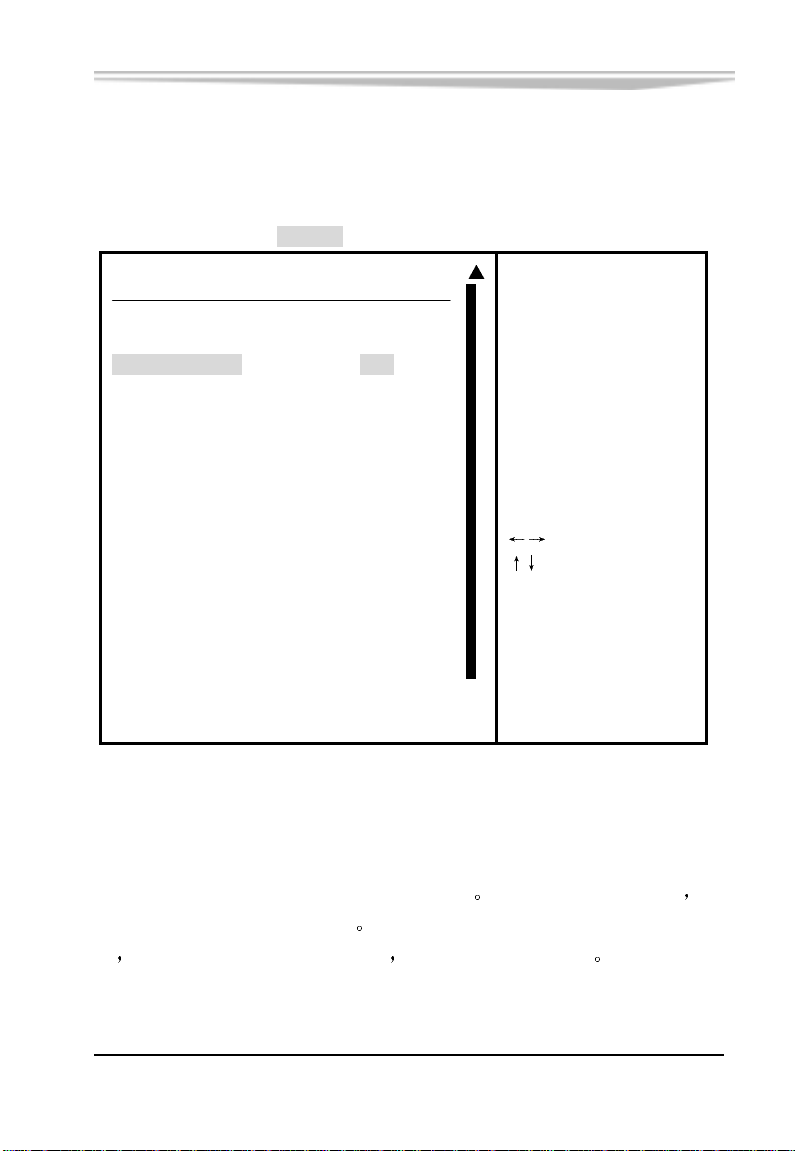
3.3 PCIPnP
BIOS SETUP UTILITY
Main Advanced PCIPnP Boot Security Chipset Power Exit
Advanced PCI/PnP Settings
WARNING:Setting wrong values in below sections
may cause system to malfunction .
Plug & Play O/S [No] operating system
PCI Latency Timer [64] configure Plug and
Allocate IRQ to PCI VGA
Palette Snooping [Disabled] required for boot if
PCI IDE BusMaster [Disabled] your system has a Plug
OffBoard PCI/ISA IDE Card [Auto] and Play operating
[Yes]
IRQ3 [Available]
IRQ4 [Available]
IRQ5 [Available] +- Change Option
IRQ7 [Available] F1 General Help
IRQ9 [Available] F10 Save and Exit
IRQ10 [Available] ESC Exit
IRQ11 [Available]
IRQ14
[Available] ▼
No: Lets the BIOS
configure all the
devices in the system .
YES: Lets the
Play (PnP) devices not
system.
Select Screen
Select Item
v02.53 (C) Copyright 1985-2002 , American Megatrends , Inc.
Plug & Play O/S
该项用来选择是由 BIOS 还是由具有即插即用(Plug-and-Play)功能的
操作系统来配置系统外围设备的中断资源
操作系统自动分配中断资源
能
或是为了避免重新设置中断 请将该项设置为 NO
若您所用的操作系统没有即插即用功
假如此项设置为 YES 由
EC5-1712CLDNA 产品说明书
-45-
Page 53

第三章 BIOS 功能简介
PCI Latency Timer
本项目可以用来选择相应设定值
以发挥 PCI 的最佳效能
Palette Snooping
对于某些显卡带有电视输出功能
为
Enabled
AGP 显卡中
这样才可以检测到显卡中的调色板 在一般的 PCI
此选项应设为
如 3D 小影霸 则需要将此选项设
Disabled
以免系统产生检测错误
PCI IDE BusMaster
此选项的缺省设置为
称为
以将此选项设为
DMA/33 接口
Enabled
Disabled
如果主板支持 PCI IDE BusMaster 接口 则可
即不让主板使用 BusMaster 接口 也
OffBoard PCI/ISA IDE Card
如果主板上的 PCI/ISA IDE 接口已坏了
能卡
在此卡上使用 PCI/ISA IDE 接口 此时需要将此选项设为 Auto
则可以在主板上加一个多功
IRQ3-15
本项目用以指定 IRQ 中断是可用还是保留
DMA Channel 0-7
该项设置用来指定 DMA 通道是可用还是保留
-46-
EC5-1712CLDNA 产品说明书
Page 54
第三章 BIOS 功能简介
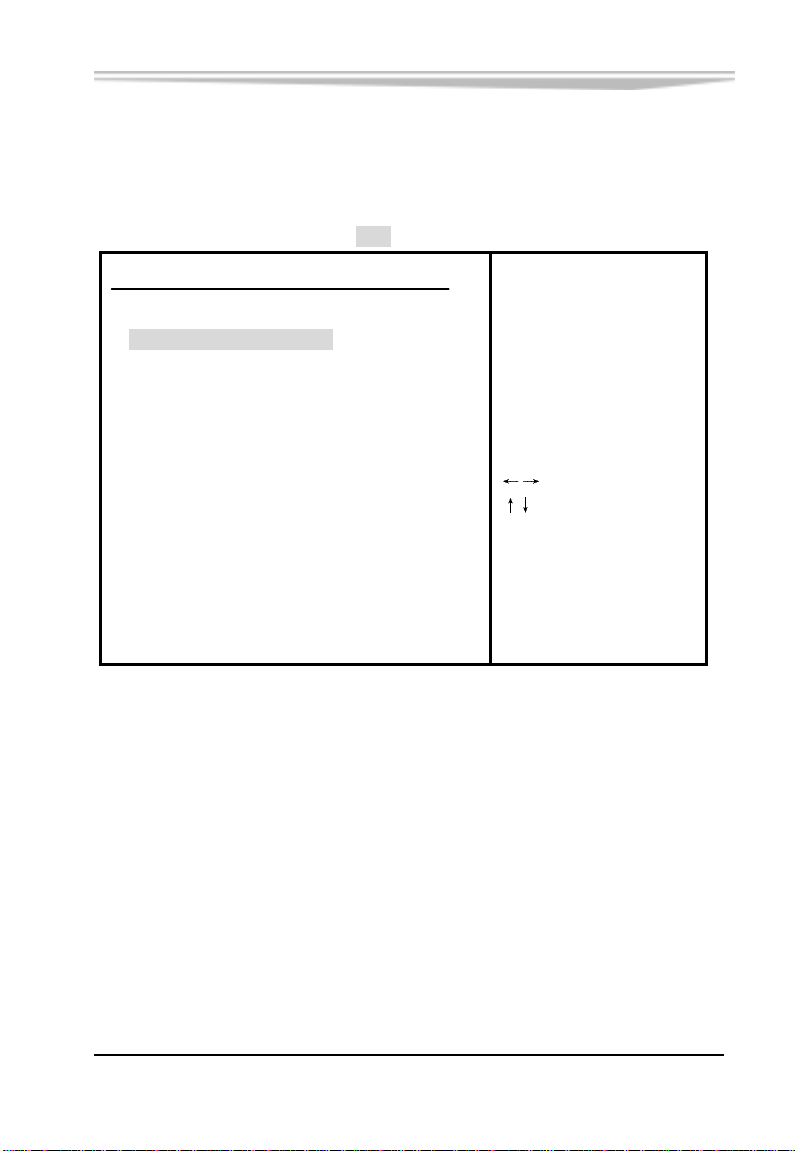
3.4 Boot
BIOS SETUP UTILITY
Main Advanced PCIPnP Boot Security Chipset Power Exit
Boot Settings
►Boot Settings Configuration
► Boot Device Priority
Enter Go to Sub Screen
F1 General Help
F10 Save and Exit
ESC Exit
Configure Settings
during System Boot.
Select Screen
Select Item
v02.53 (C) Copyright 1985-2002 , American Megatrends , Inc.
EC5-1712CLDNA 产品说明书
-47-
Page 55
第三章 BIOS 功能简介
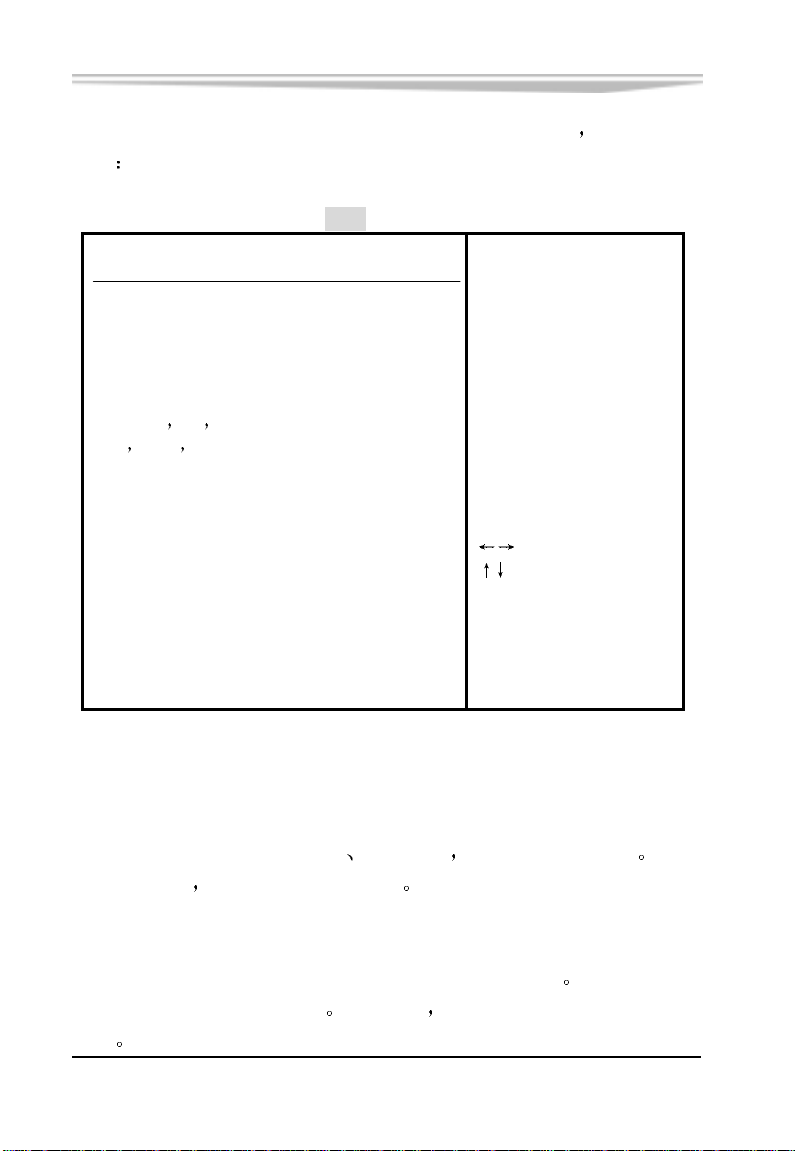
把光标移到 Boot Settings Configuration 上并按<Enter>键
画面
BIOS SETUP UTILITY
Boot
Boot Settings Configuration
Quick Boot [Enabled] decrease the time
Quiet Boot
AddOn ROM Display Mode
Bootup Num-lock [On]
PS/2 Mouse Support
Wait For F1 If Error
Hit DEL Message Display
Interrupt 19 Capture
[Disabled]
[Force BIOS]
[Auto]
[Enabled]
[Enabled]
[Disabled]
Allows BIOS to skip
certain tests while
booting. This will
needed to boot the
system.
+- Change Option
F1 General Help
F10 Save and Exit
ESC Exit
Select Screen
Select Item
会出现如下
v02.53 (C) Copyright 1985-2002 , American Megatrends , Inc.
Quick Boot
这个功能会跳过存储器的第二
一次的 POST
都是一次完整的测试
三次测试 加速 POST 的时间 而每
Boot Up Num-Lock
此功能允许你在系统上电后激活小键盘的数字锁功能
即系统启动时处于数字锁开
状态
-48-
设为 Off 启动时小键盘处于光标控制
EC5-1712CLDNA 产品说明书
缺省值为 On
Page 56

第三章 BIOS 功能简介
PS/2 Mouse Support
这个选项可以启用或禁止 PS/2 鼠标接口的使用
Wait For
系统自检如果发现有错误时
发现的问题不是致命的
工作
F1 If Error
等待用户按 F1 键 在系统启动自检中 如果
不会引起死机或严重结果的 则系统仍可以继续
但会显示 Press F1 to resume 或 Press F1 to Setup
这样的提示信息 此时按 F1 键即可继续工作
Hit
在设置为
want to run Setup 这类信息
不显示上述信息
DEL Message Display
Enabled 后 系统启动时屏幕会显示 Hit DEL if you
设置为 Disabled 时 则在启动中
一般应设置为 Enabled
EC5-1712CLDNA 产品说明书
-49-
Page 57
第三章 BIOS 功能简介
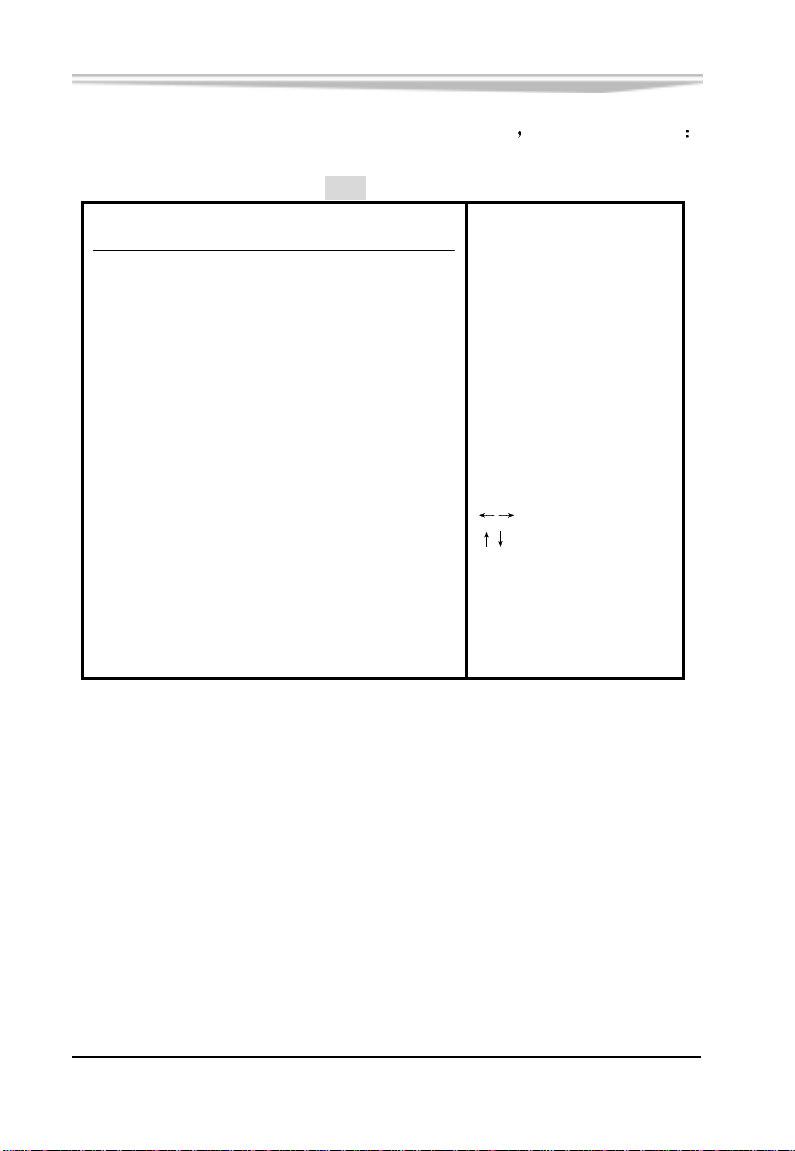
把光标移到 Boot Device Priority 上并按<Enter>键
BIOS SETUP UTILITY
会出现如下画面
Boot
Boot Device Priority
1st Boot Device [SM-ScanDisk SDCFB-3] available devices.
parenthesis has been
Specifies the boot
sequence from the
A device enclosed in
disabled in the
corresponding type
menu.
+- Change Option
F1 General Help
F10 Save and Exit
ESC Exit
Select Screen
Select Item
-50-
v02.53 (C) Copyright 1985-2002 , American Megatrends , Inc.
EC5-1712CLDNA 产品说明书
Page 58
第三章 BIOS 功能简介
3.5 Security
BIOS SETUP UTILITY
Main Advanced PCIPnP Boot Security Chipset Power Exit
Security Settings
Supervisor Password : Not Installed
User Password : Not Installed
Change Supervisor Password
Change User Password
Clear User Password
Boot Sector Virus Protection [Disabled]
Enter Change
F1 General Help
F10 Save and Exit
ESC Exit
Install or Change the
password .
Select Screen
Select Item
v02.53 (C) Copyright 1985-2002 , American Megatrends , Inc.
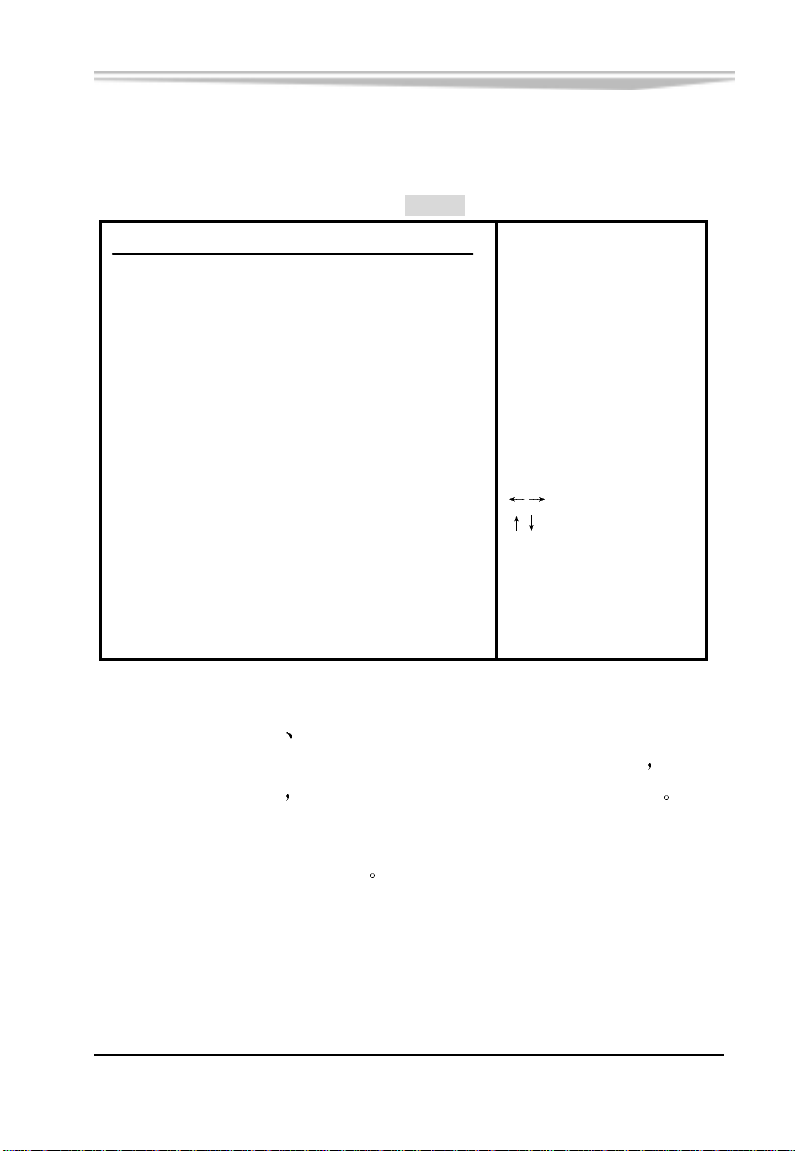
Supervisor Password User Password
当按 Change Supervisor Password 或 Change User Password 后
框中输入新的密码后
此栏会显示超级密码或用户密码已安装
Boot Sector Virus Protection
开启或关闭引导扇区病毒保护
EC5-1712CLDNA 产品说明书
在对话
-51-
Page 59
第三章 BIOS 功能简介
3.6 Chipset
BIOS SETUP UTILITY
Main Advanced PCIPnP Boot Security Chipset Power Exit
Advanced Chipset Settings
WARNING:Setting wrong values in below sections
may cause system to malfunction.
►NorthBridge Configuration
►SouthBridge Configuration
Enter Go to Sub Screen
F1 General Help
F10 Save and Exit
ESC Exit
Options for NB
Select Screen
Select Item
v02.53 (C) Copyright 1985-2002 , American Megatrends , Inc.
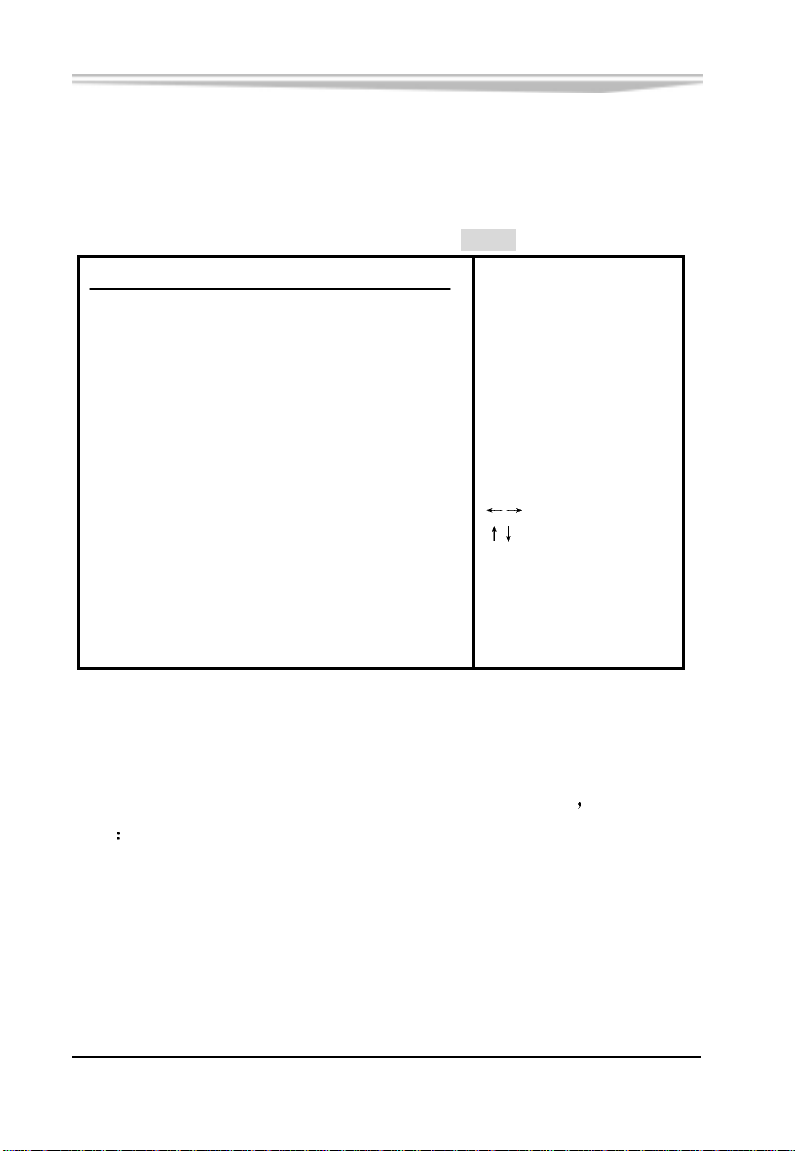
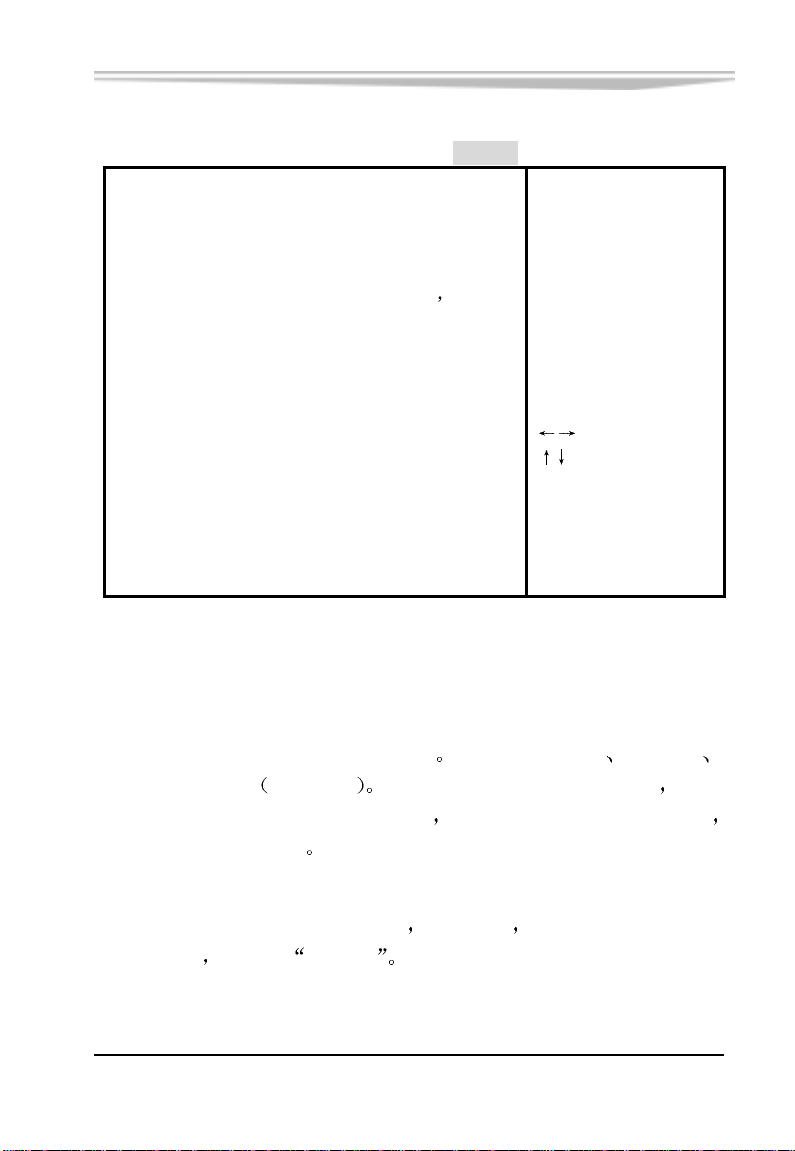
►NorthBridge Configuration
把光标移到 North Bridge Configuration 上并按<Enter>键
画面
-52-
EC5-1712CLDNA 产品说明书
会出现如下
Page 60
第三章 BIOS 功能简介
North Bridge Chipset Configuration
Chipset
DRAM Frequency [Auto]
Configure DRAM Timing by SPD [Enabled]
Memory Hole
Init. Graphic Adapter Priority [Internal VGA]
Internal Graphics Mode Select
Graphics Aperture Size
Boot Display Device
Flat Panel Type
v02.53 (C) Copyright 1985-2002 , American Megatrends , Inc.
[Disabled]
[Enabled 32MB]
[ 64MB]
[Auto]
[1024x768LVDS]
Select Screen
Select Item
+- Change Option
F1 General Help
F10 Save and Exit
ESC Exit
DRAM Frequency
这个选项用来设置系统内存工作频率
400MHz 或 Auto
自动选择 为减少因内存问题而影响开机 开机
第一次将运行在最低频率 266MHz 下
系统将自动识别其频率
Configure DRAM Timing by SPD
此选项为 DIMM 的 SPD 内存专用
SPD 内存条
则设为
Enabled
EC5-1712CLDNA 产品说明书
可设置 333MHz
266MHz
在 Load Optimal Defaults 之后
也就是说 如果计算机中安装了
-53-
Page 61

第三章 BIOS 功能简介
Memory Hole
一般 ISA 扩展卡只能存取到16MB 以上
而 15M-16M 是系统所使用
本功能如果被设置成 Enabled 时 是可以将存储器中 15MB-16MB 的
地址部份保留给 ISA 扩展卡作为其需要时用
缺省值: Disabled
Internal Graphics Mode Select
若系统中除装在板上内置的 VGA 显示控制器外
卡
则可用该项指定优先使用的显示接口
还有外部 PCI 显示
Graphics Aperture Size
这部分用以设置图形孔径
图形内存地址空间
在孔范围内的主循环不需任何转化转给 AGP 可
选 4M, 8M, 16M, 32M, 64M, 128M
小孔是 PCI 内存地址范围的一部分 用于
缺省值为 64M
Flat Panel Type
这个选项用来设置 LCD 的类型和分辨率
-54-
EC5-1712CLDNA 产品说明书
Page 62
第三章 BIOS 功能简介
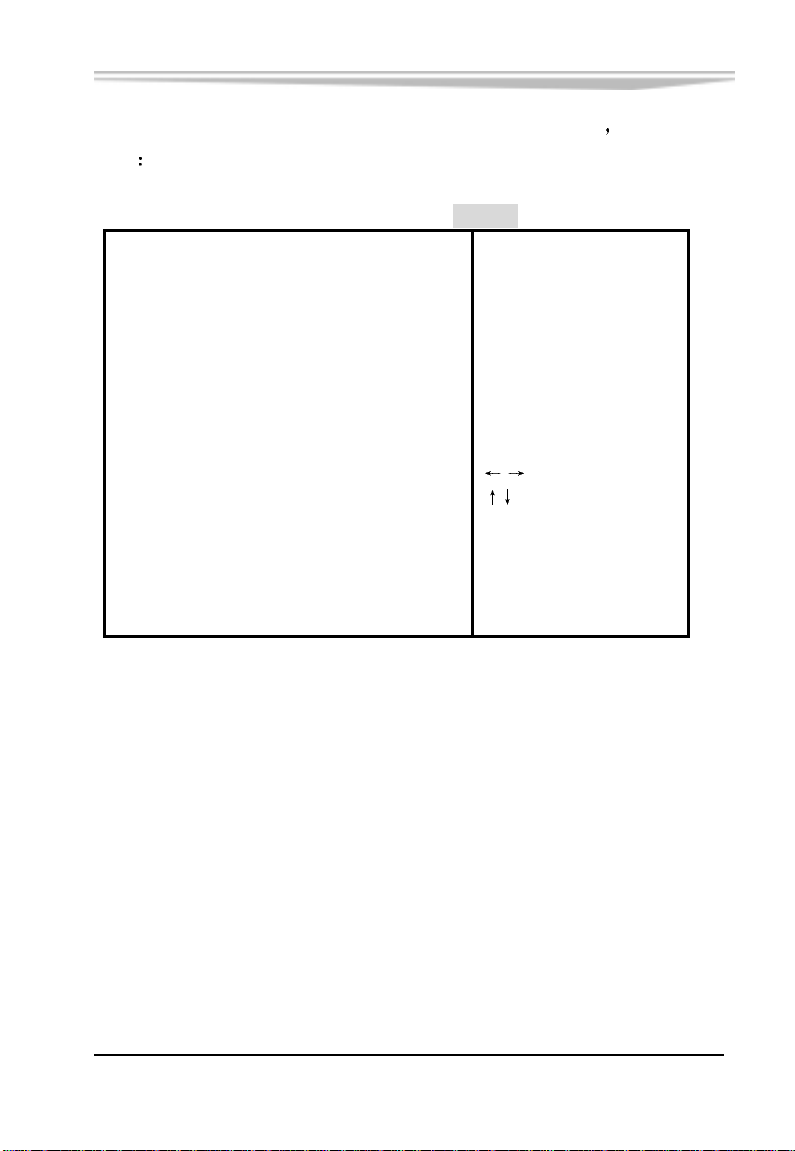
把光标移到 South Bridge Configuration 上并按<Enter>键
画面
South Bridge Chipset Configuration
会出现如下
Chipset
OnBoard AC’97 Audio [Auto]
OnBoard LAN
[Enabled
Enable/Disable
OnBoard AC’97 Audio
Select Screen
Select Item
+- Change Option
F1 General Help
F10 Save and Exit
ESC Exit
v02.53 (C) Copyright 1985-2002 , American Megatrends , Inc.
EC5-1712CLDNA 产品说明书
-55-
Page 63
第三章 BIOS 功能简介
3.7 Power
BIOS SETUP UTILITY
Main Advanced PCIPnP Boot Security Chipset Power Exit
APM Configuration
Power Management/APM [Enabled]
Video Power Down Mode [Suspend]
Hard Disk Power Down Mode [Suspend]
Standby Time Out [Disabled]
Suspend Time Out [Disabled]
Throttle Slow Clock Ratio [50%]
Keyboard & PS/2 Mouse [MONITOR]
FDC/LPT/COM Ports [MONITOR]
Primary Master IDE [MONITOR]
Primary Slave IDE [MONITOR]
Secondary Master IDE [MONITOR]
Secondary Slave IDE [MONITOR]
+- Change Option
System Thermal [Disabled] F1 General Help
F10 Save and Exit
Power Button Mode [On/Off] ESC Exit
Restore on AC Power Loss
[Last State] ▼
Enable or disable
APM.
Select Screen
Select Item
v02.53 (C) Copyright 1985-2002 , American Megatrends , Inc.
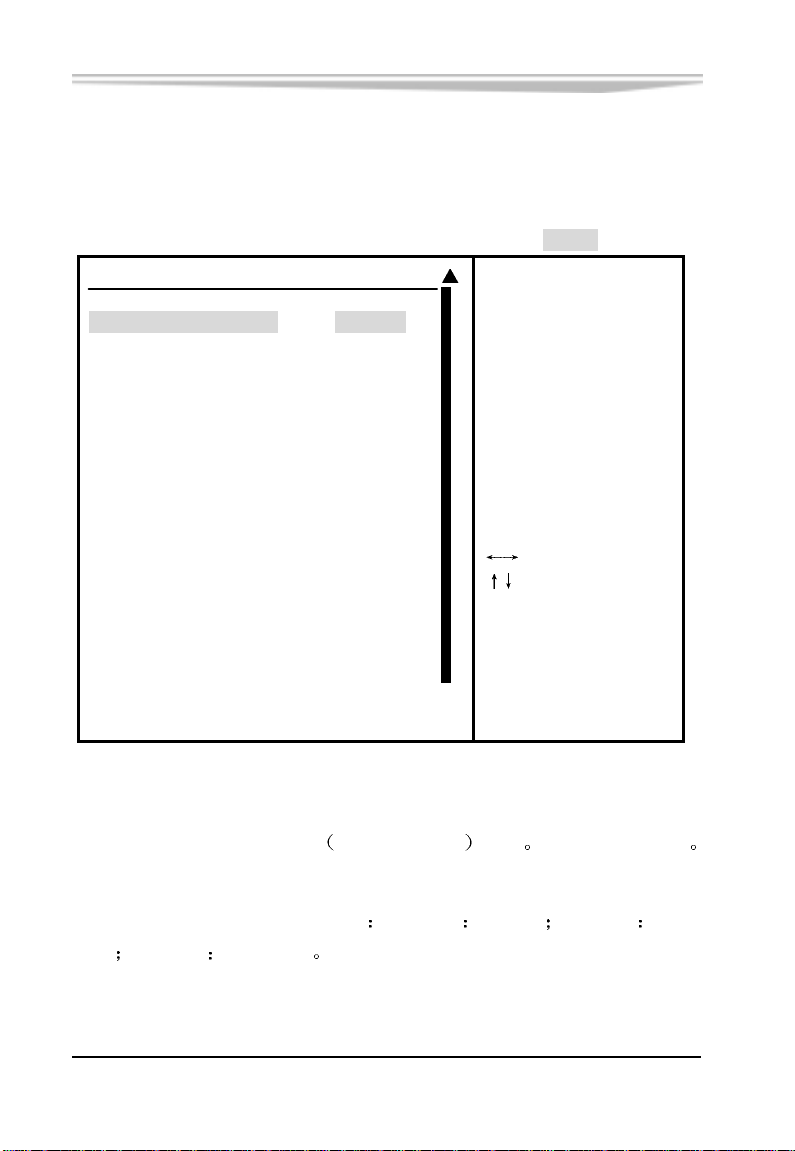
Power Management/APM
本选项用来开启/关闭 APM
高级电源管理 功能 缺省值: Enabled
Video Power Down Mode
设定显示器在省电模式下的状态
模式
Suspend
挂起模式
-56-
EC5-1712CLDNA 产品说明书
Disabled
不设定
StandBy
待命
Page 64

第三章 BIOS 功能简介
Hard Disk Power Down Mode
设定硬盘在省电模式下的状态 Disabled
命模式
Suspend
挂起模式
Standby Time Out
设置转入待命模式的间隔时间
内未接到任何信号
将进入节能待命模式
以分钟为单位 系统如果在设定时间
不设定
StandBy
待
Suspend Time Out
Minute (挂起设定时间
有的设备除了 CPU
Throttle Slow Clock Ratio
此选项用于设置节电时钟比率
分) 如果在指定的时间内系统无任何活动 所
都会被关闭
Keyboard & PS/2 Mouse
该选项设置是否将键盘/鼠标的活动作为电源管理事件
应预先将 Power Management/APM 设为 Enabled 状态
欲设置此项
FDC/LPT/COM Ports
该选项设置是否将软驱/并口/串口的活动作为电源管理事件
此项
应预先将 Power Management/APM 设为 Enabled 状态
Primary Master IDE
该选项可以监视第一个主 IDE 控制器的运行情况
号
则将恢复计算机的运行 有两个选项
第一个主 IDE 控制器有请求信号时
Ignore(忽略) Monitor(当
计算机将启动运行)
一旦此设备有信
System Thermal
该选项用于设置主板上 CPU 的温度控制情况
可以让 BIOS 监控 CPU 的温度
CPU 的温度
如果您的 CPU 已经超频 则将此选项设为
若为
Disabled
若为
Enabled
则不让 BIOS 监控
是很有必要的
欲设置
则
Enabled
EC5-1712CLDNA 产品说明书
-57-
Page 65

第三章 BIOS 功能简介
Power Button Mode
内定值 On/Off 表示如果 AT X 开关被按下不到四秒
成是一般的系统关机钮
四秒时
过四秒
系统会进入睡眠状态 无论什么设置 将 AT X 开关按下超
会将系统关机
Suspend 设置表示如果 AT X 开关被按下不到
会将 AT X 开关当
Restore on AC/Power Loss
使用该选项可以设置计算机的交流电源中断恢复状态
State
则可以恢复到断电前的状态
Resume On PME#
此项设置为Enabled 时
的事件时
会将系统从节电模式唤醒
当检测到来自PME (Power Management Event)
Resume On RTC Alarm
此项用来设置系统定时自动启动的时间/日期
若为
Last
-58-
EC5-1712CLDNA 产品说明书
Page 66
第三章 BIOS 功能简介
3.8 Exit
BIOS SETUP UTILITY
Main Advanced PCIPnP Boot Security Chipset Power Exit
Exit Options
Save Changes and Exit changes.
Discard Changes and Exit
Discard Changes F10 key can be used
for this operation.
Load Optimal Defaults
Load Failsafe Defaults
Enter Go to Sub Screen
F1 General Help
F10 Save and Exit
ESC Exit
Exit system setup
after saving the
Select Screen
Select Item
v02.53 (C) Copyright 1985-2002 , American Megatrends , Inc .
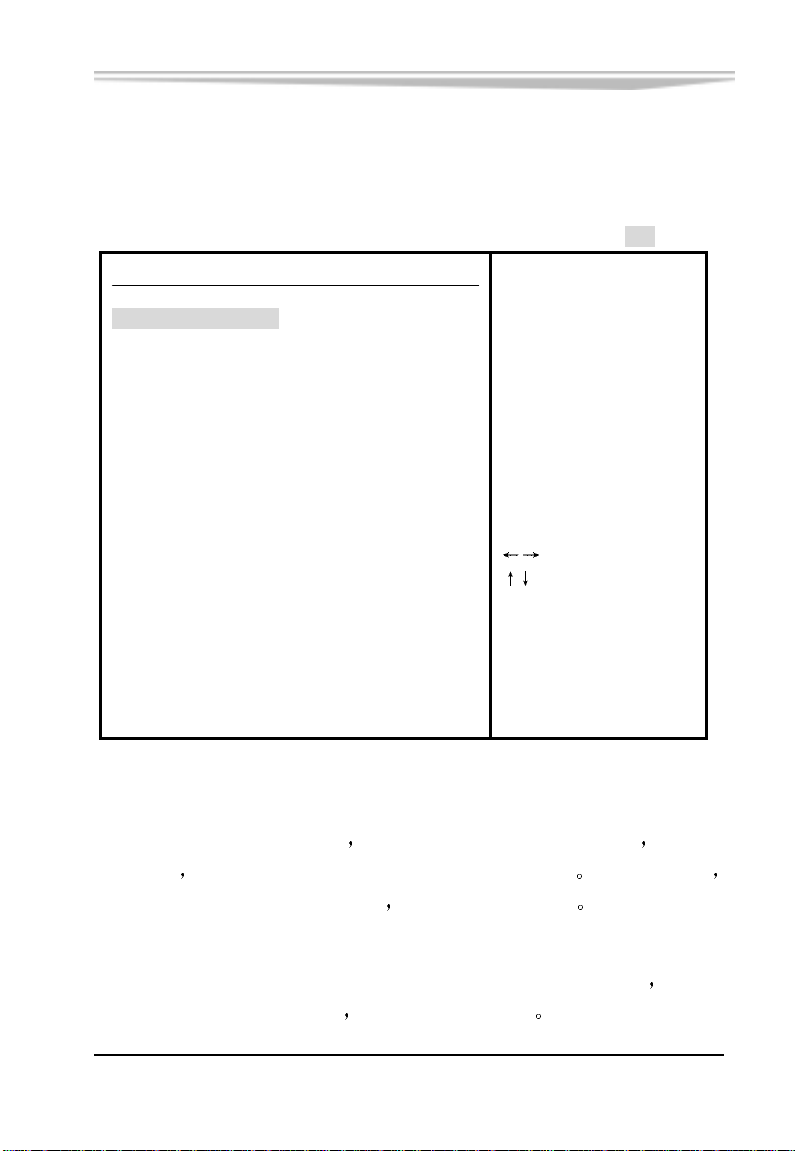
Save Change and Exit
当您完成了所有的修改操作
此项功能
新的设置参数将保存在 CMOS 的存储器中 要执行此操作
想将原来的设置参数覆盖掉时 可执行
先选定此选项并按下< Enter >键 再按< OK >键即可
Discard Changes and Exit
当您所做的任何更改设置的动作不想存入 CMOS 的存储器中
定此选项并按下< Enter >键
EC5-1712CLDNA 产品说明书
再按< OK >键即可
可先选
-59-
Page 67

第三章 BIOS 功能简介
Discard Changes
当您所做的任何更改设置的动作不想存入 CMOS 的存储器中
出 BIOS 系统
可执行此项 按下< Enter >键 再按< OK >键即可
但不退
Load Optimal Defaults
此菜单用于在你的系统配置中装入缺省值
可以发挥所有硬件的高性能
这些缺省设置是最优的
Load Failsafe Defaults
该选项的功能是将各项设置初始化为实现最基本的和最安全的系统
功能的值
系统会在屏幕上显示出要您确认的信息
功能
要执行此项功能 先选中此选项按下< Enter >即可 接着
按下< Ok >键确定执行该项
-60-
EC5-1712CLDNA 产品说明书
Page 68

附录
附录
驱动程序的安装
安装 Intel 852GM 芯片组驱动程序
安装 Intel Extreme Graphics 驱动程序
安装 CPU 卡自带网络驱动程序
安装 CPU 卡自带声卡驱动程序
安装 NM9845 驱动程序
驱动程序的安装方法有两种
自动安装 大部分驱动程序的安装都能通过单键点击自动安
装
手动安装 在相关的产品目录下存在一
内有详细的驱动程序路径说明 用户可照此进行操作
下面以手动安装为例
所致的驱动路径变动恕不另行通知用户
关产品
Readme.txt
简要说明安装方法 仅供参考 版本升级
文件
Readme.txt
请参考随机所附光盘相
文件
EC5-1712CLDNA 产品说明书
-61-
Page 69

附录
Intel 852GM 芯片组驱动程序的安装
注
在您安装其它 EVOC 所附相关软件前 建议先安装 Chipset 驱动程序
从研祥驱动程序光盘上找到 Intel 852GM 芯片组的驱动程序
点击 Intel 芯片组即插即用安装程序中的 Setup.exe
程序立即自行解压并启动 InstallShield 安装向导
步
到出现许可协议画面时
便自动进行驱动程序的安装
当安装完成后
单击 是 按钮认可该协议后 程序
需重新启动才能使新装的驱动程序生效
文件 该
单击 下一
注
在 WINDOWS 98 下驱动程序安装完后若出现有中断冲突造成
无法进入操作系统时
设备管理器
可用以下几组 I/O 值
可进入安全模式下然后进入到 系统属性
硬盘控制器 下更改输入/输出范围地址
FFF0-FFFF 0100-010F F980-F98F
F800-F80F 0120-012F 可以解决冲突现象
VGA 驱动程序的安装
从研祥驱动程序光盘上找到 Intel Extreme Graphics 驱动程序
1
请根据所使用的操作系统点击相对应的安装程序
按照屏幕提示安装
2
驱动程序安装完成后 需重新启动才能使新装的驱动程序生
3
效
-62-
EC5-1712CLDNA 产品说明书
Page 70

网络驱动程序的安装
附录
(1) 系统找到
网络 硬件 并提示安装 LAN 硬件驱动程序 从研
祥驱动程序光盘上找到 LAN 所需安装程序
(2) 单击
(3) 选择
(4) 在驱动程序安装完成后
效
浏览 按钮 找到相应操作系统下的安装文件
确定 按钮 开始驱动程序安装
需重新启动才能使新装的驱动程序生
声卡驱动程序的安装
(1) 系统找到
声卡 硬件 并提示安装声卡硬件驱动程序 从研
祥驱动程序光盘上找到声卡所需安装程序
(2) 单击
(3) 选择
(4) 在驱动程序安装完成后
效
浏览 按钮 找到相应操作系统下的安装文件
确定 按钮 开始驱动程序安装
需重新启动才能使新装的驱动程序生
USB 2.0 驱动程序安装
(1) 系统找到
USB Controller 硬件 并提示安装该硬件驱动程
序,从研祥驱动程序光盘上找到 USB2.0 所需安装程序
(2) 单击
(3) 选择
(4) 根据安装提示信息
浏览 按钮 找到相应操作系统下的安装文件
确定 按钮 开始驱动程序安装
安装完毕
EC5-1712CLDNA 产品说明书
-63-
Page 71

附录
NM9845 驱动程序的安装
(1) 进入 系统属性 的设备管理器 找到 其他设备 下的 PCI
Communication Device
动程序页面
单击 升级驱动程序 按 下一步 选择 搜
索比当前设备使用的驱动程序更好的驱动程序
按
下一步 在 指定位置 前打勾 单击 浏览 从研祥
单击 属性 按钮 然后选择驱
推荐 再
驱动程序光盘上找到 NM9845 驱动程序所在目录和相应操作
系统的子目录
(2) 系统会自动搜索到
Controller
(3) 驱动程序安装完成后
统属性
的设备管理器
NetMos PCI 9845 Multi-I/O
选择 下一步 按钮 开始驱动程序安装
点击 完成 和 关闭 按钮回到 系
-64-
EC5-1712CLDNA 产品说明书
Page 72

I/O 口地址映射表
附录
系统I/O地址空间总共有64K
地址空间
PCI 设备
下表给出了本 CPU 卡部分设备的 I/O 地址分配 由于
如 PCI 网卡 的地址是由软件配置的 表中没有列出
每一外围设备都会占用一段I/O
地址 设备描述
000h - 00Fh DMA 控制器#1
020h - 021h 可编程中断控制器#1
040h - 043h 系统计时器
060h - 064h 标准 101/102 键或 Microsoft 键盘
070h - 071h 系统 CMOS/实时钟
0A0h - 0A1h 可编程中断控制器#2
0C0h - 0DEh DMA 控制器#2
0F0h - 0FFh 数据数值处理器
170h - 177h 从 IDE
1F0h - 1F7h 主 IDE
295h - 296h 硬件监测器
2F8h - 2FFh 串行端口#2(COM2)
376h 从 IDE(dual FIFO)
378h - 37Fh 并行端口#1(LPT1)
3B0h - 3DFh
3F6h - 3F6h
Intel(R) 82852/82855 GM/GME Graphics
Controller
Intel(R) 82801DB Ultra ATA Storage
Controller–24CB
3F6h - 3F6h 主 IDE(dual FIFO)
3F8h - 3FFh 串行端口#1(COM1)
EC5-1712CLDNA 产品说明书
-65-
Page 73

IRQ 中断分配表
附录
系统共有 15 个中断源
占的中断才可分配给其他设备使用
有些已被系统设备独占 只有未被独
ISA 设备要求独占使用中断
只有即插即用 ISA 设备才可由 BIOS 或操作系统分配中断 而多个
PCI 设备可共享同一中断
了本 CPU 卡部分设备的中断分配情况
的中断资源
并由 BIOS 或操作系统分配 下表给出
但没有给出 PCI 设备所占用
级别 功能
IRQ0 系统计时器
IRQ1 标准 101/102 键或 Microsoft 键盘
IRQ2 可编程的中断控制器
IRQ3 串口#2
IRQ4 串口#1
IRQ5
IRQ5
Intel(R) 82801DB/DBM USB Universal Host Controller
-24C4
ACPI IRQ Holder for PCI IRQ Steering
IRQ6 保留
IRQ7 并口#1
IRQ8 系统 CMOS/实时时钟
IRQ9 SCI IRQ used by ACPI bus
IRQ10
IRQ10
IRQ10
IRQ11
IRQ11
IRQ11
IRQ11
IRQ11
Intel(R) 82801DB/DBM USB Universal Host Controller
-24C2
Intel(R) 82852/82855 GM/GME Graphics Controller
ACPI IRQ Holder for PCI IRQ Steering
NetMos PCI Serial Port COM8
NetMos PCI Serial Port COM7
NetMos PCI Serial Port COM6
NetMos PCI Serial Port COM5
Realtek AC'97 Audio
IRQ12 PS/2 兼容型鼠标端口
IRQ13 数据数值处理器
IRQ14 Intel(R) 82801DB Ultra ATA Storage Controller-24CB
IRQ15 从 IDE
-66-
EC5-1712CLDNA 产品说明书
Page 74

附录
IRQ15 Intel(R) 82801DB Ultra ATA Storage Controller-24CB
看门狗定时器配置
EC5-1712CLDNA 提供一个可按分或按秒计时的
的可编程看门狗定时器(以下简称 WDT)
通过编程 WDT 超时事件
可用来将系统复位或者产生一个可屏蔽中断
以下用 C 语言形式描述了 WDT 的编程
进行操作之前
需先进入 WDT 编程模式 在结束对 WDT 的操作之后
必须注意 在对 WDT
最长达 255 级
退出 WDT
对 WDT 的编程需遵循以下步骤
进入 WDT 编程模式
设置 WDT 工作方式/启动 WDT/关闭 WDT
退出 WDT 编程模式
WDT 的编程方法
请参看以下示范代码
#define INDEXP 0x2e
#define DATAP 0x2f
//Super I/O Watchdog
#define STARTPROG { outportb(INDEXP,0x87);
outportb(INDEXP,0x87);}
#define ENDPROG outportb(INDEXP,0xaa);
#define SELEDEV(x) { outportb(INDEXP,7); outportb(DATAP,x); }
#define WRITEREG(reg,val) { outportb(INDEXP,reg);
outportb(DATAP,val); }
//1.Initial Watchdog device
short SIOWTD_Setup(short irq)
/* irq=3,4,5,6,7,9,12,0:disable interrupt,0xff:reset*/
{
//start programming Watchdog
STARTPROG
//Active Watchdog Device
SELEDEV(8) //logical device 8
EC5-1712CLDNA 产品说明书
-67-
Page 75

附录
WRITEREG(0x30,0x01)
//read IC is 627HF or 627THF
outportb(INDEXP, 0x20);
unsigned char thfver = inportb(DATAP); //{0x52=HF,0x82=THF}
outportb(INDEXP,0x2b);
unsigned char oldval=inportb(DATAP);
if(irq==0xff) //WatchDog cause System Reset
{
if(thfver == 0x82)
{ //is 627THF
oldval &= 0xf3;
oldval |= 0x04; //bit3,2=01
}
else
{
oldval &= 0xef; //BIT4=0
}
WRITEREG(0x2b, oldval);
}
else //Watchdog cause System Interrupt
{
if(thfver == 0x82)
{ //is 627THF
oldval &= 0xf3; //bit3,2=00
}
else
{
oldval |= 0x10; //BIT4=1
}
WRITEREG(0x2B,oldval)
-68-
EC5-1712CLDNA 产品说明书
Page 76

附录
WRITEREG(0xf7,irq)
}
//end programming watchdog
ENDPROG
return 0;
}
//2.start Watchdog to count
short SIOWTD_Enable(short time,short unit)
/*unit=0:second,=1:minutes */
{
if(time<1 || time>255) return -1;
if(unit<0 || unit>1) return -1;
//start programming watchdog
STARTPROG
SELEDEV(8) //logical device 8
//select Watchdog Timer clock
switch(unit)
{
case 0:
WRITEREG(0xf5,0x00) //BIT3=0,secondes
break;
case 1:
WRITEREG(0xf5,0x08) //BIT3=1,minutes
break;
}
WRITEREG(0xF6,time) //set timeout value
//end programming watchdog
ENDPROG
return 0;
}
EC5-1712CLDNA 产品说明书
-69-
 Loading...