

Page 1
1
2551127G
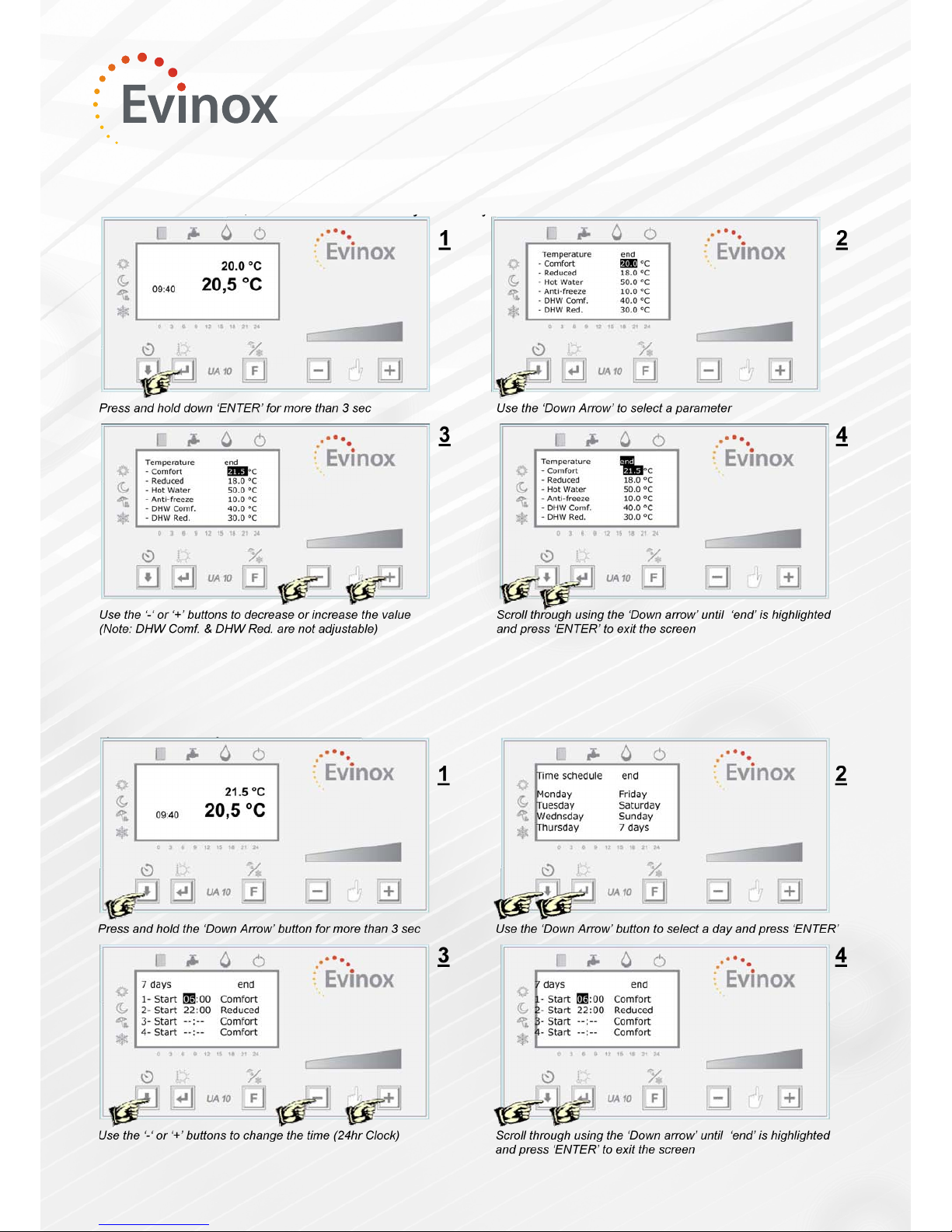
Parameter Setting
This operation allows the user to set the temperature set point for comfort, reduced, anti-freeze and HW, that will
follow the daily or weekly set time schedule.
Time Schedule Programming
The time schedule can be set to control the comfort, reduced or antifreeze operation of the system.
ModuSat
Room Controller
The temperature set point can be changed using the ‘+’ or ‘-‘ buttons. The set temperature can be changed within
+/- 3 °C.
Page 2
2
2551127G
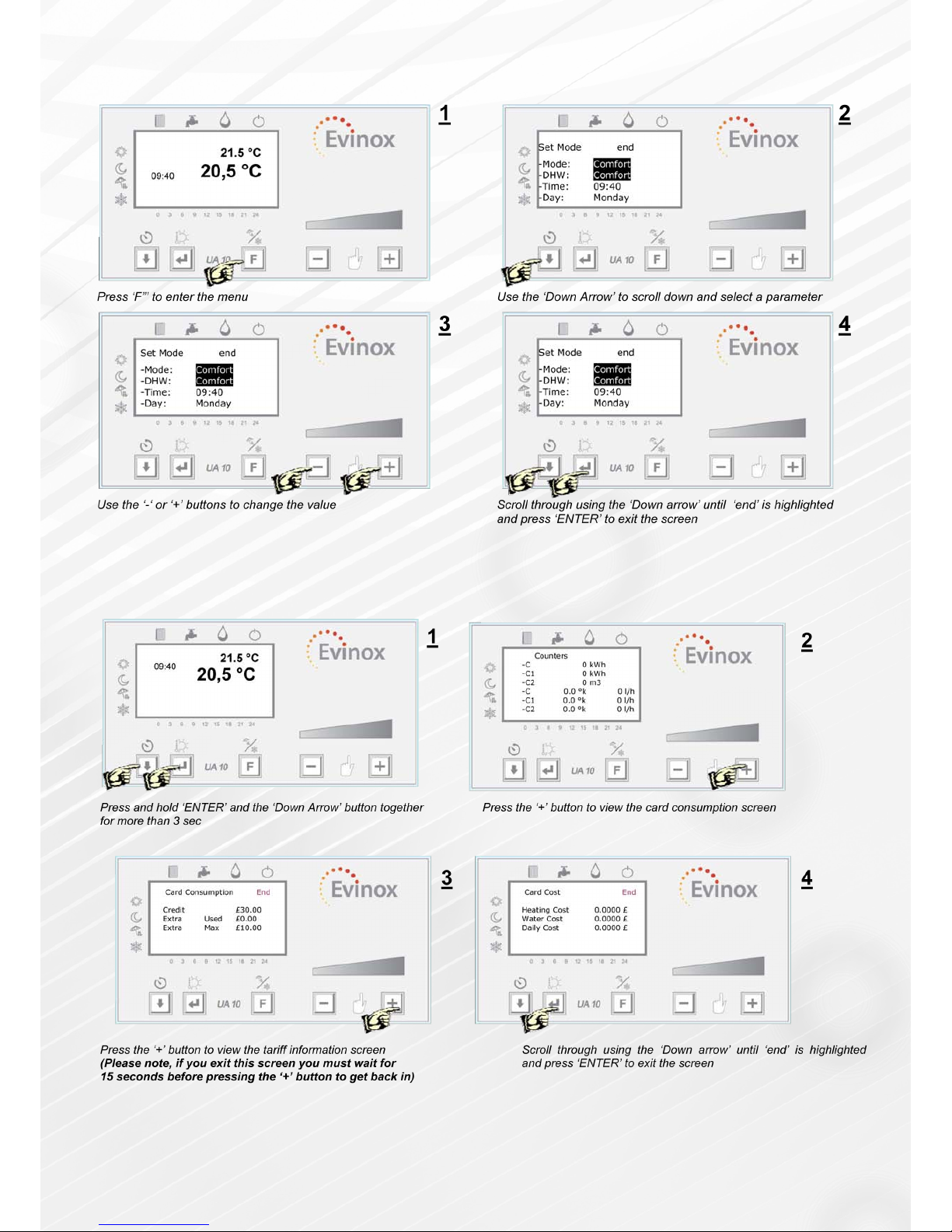
Operating Mode Selection
This operation allows the user to set the operating mode: comfort, reduced, daily, 7 days, anti-freeze, clock date and
time. (DHW= Domestic Hot Water)
Reading Your Consumption Figures
The user can read the consumption gures for the unit, for example: C for heating, C1 cooling (when present) and C2
cold water (Only when a cold water meter is installed within the dwelling and connected to the Evinox system) The
display also shows the temperature and ow rate related to the three counters.
Denition of Card Consumption Figures:
Credit: The remaining energy credit
Extra Used: The amount of emergency credit that has been used
Extra Max: The max amount of emergency credit available
Heating Cost: The cost of each energy unit (per kwh)
 Loading...