

Page 1
1
AD142 LAMP MODULE
This plug-in Lamp Module is a transceiver which is a Z-WaveTM enabled device and
is fully compatible with any Z-Wave
TM
enabled network. Z-WaveTM enabled devices
displaying the Z-Wave
TM
logo can also be used with it regardless of the manufacturer,
and ours can also be used in other manufacturer’s Z-Wave
TM
enabled networks.
Inclusion of the Lamp Module on other manufacturer’s Wireless Controller menu
allows remote On/Off control and dimming of lamps connected. Each module is
designed to act as a repeater. Repeaters will re-transmit the RF signal to ensure
that the signal is received by its intended destination by routing the signal around
obstacles and radio dead spots. The plug-in Lamp Module is compatible with our
Motion Detectors SP103 and Door/Window Detectors SM103.
Adding to Z-WaveTM Network
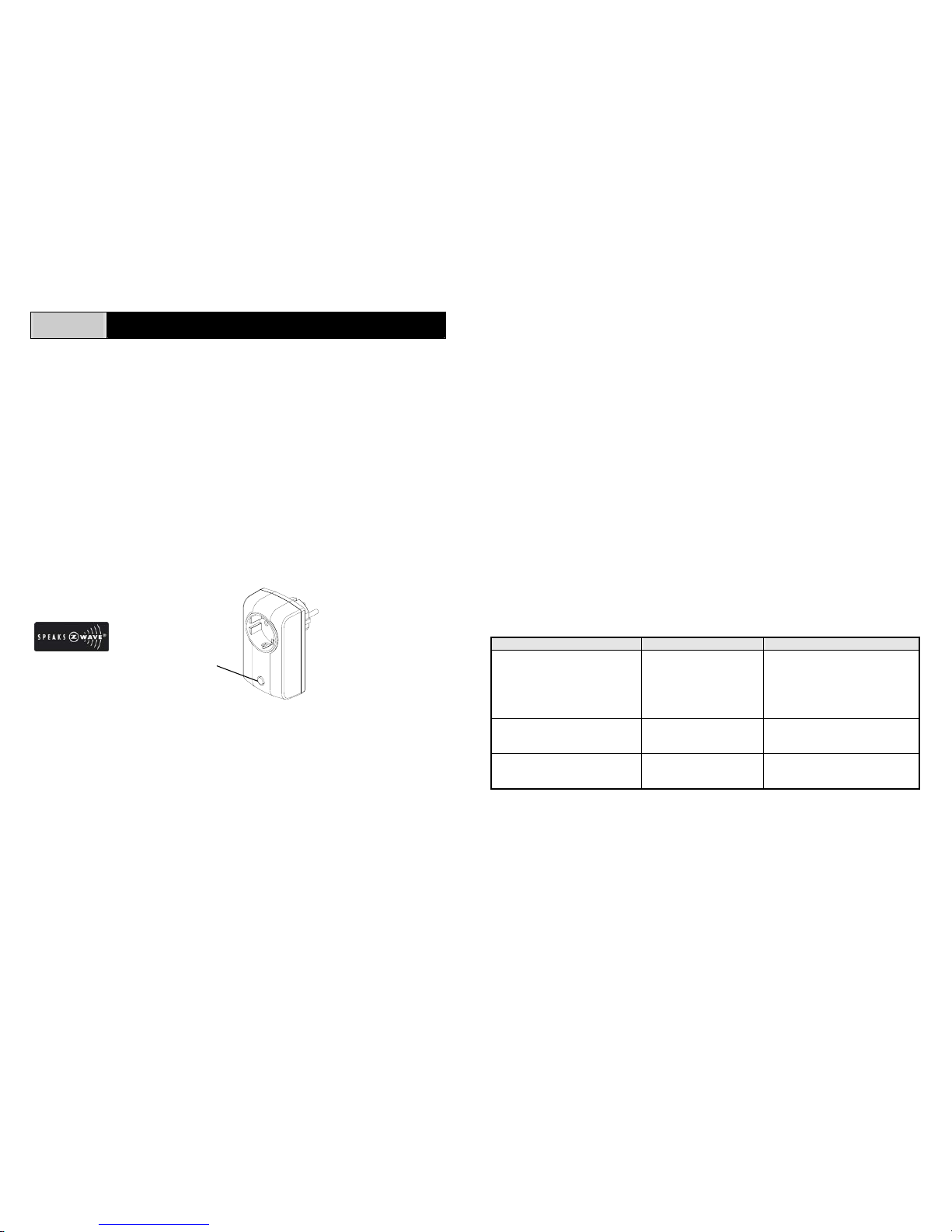
In the front casing, there is an On/Off/Dim knob which is used to carry out inclusion,
exclusion or association. Put a Z-Wave
TM
Wireless Controller into inclusion/exclusion
mode, press the knob on the Module to complete the inclusion/exclusion process.
Installation
1. Plug this Lamp Module into a wall outlet near the lamp to be controlled.
2. Plug the lamp into the Lamp Module. Make sure the lamp to be controlled
cannot exceed 400 watts.
3. Turn the knob or switch on the lamp to the ON position.
4. To manually turn ON the Lamp Module, press and release the On/Off/Dim knob.
The red indicator LED will turn ON, and the lamp plugged into the Lamp Module
will also turn ON.
5. To manually turn OFF the Lamp Module, simply press and release the
On/Off/Dim knob. The red indicator LED will turn OFF and the lamp plugged into
the Module will also turn OFF.
6. To manually dim the Lamp Module, press and hold the On/Off/Dim knob until the
desired lighting level has been reached.
7. If Motion Detector SP103 or Door/Window Detector SM103 has been removed
from the wall by triggering the tamper switch, the Detector (SP103 or SM103) will
send an alarm command (ALARM_REPORT, Alarm Type == 0x01, Alarm Level
== 0x11) to the Module, of which red indicato r LED and the lamp plugged into the
Module will flash for 10 times simultaneously.
Programming
The On/Off/Dim knob allows the user
- Turn on, off or dim the lamp attached
- Include or exclude the Module from the Z-Wave
TM
system
- Control other Z-Wave
TM
enabled devices
See the instructions for SP103 Motion Detector or SM103 Door/Window Detector.
Troubleshooting
Symptom Cause of Failure Recommendation
The Module not working and
LED off
1. The Module is not
plugged into the
electrical outlet
properly
2. The Module is out of
order
1. Check power connections
2. Don’t open up the Module and
send it for repair.
The Module LED illuminating,
but cannot control the ON/OFF
Switch of the lamp attached
Check if the lamp plugged
into the Module has
burned out
Replace a new lamp
The Module LED illuminating,
but the Detector cannot control
the Module
1. Not carry out
association
2. Frequency interference
1. Carry out association
2. Wait for a while to re-try
On/Off/Dim Knob
LED Indicator
Page 2
2
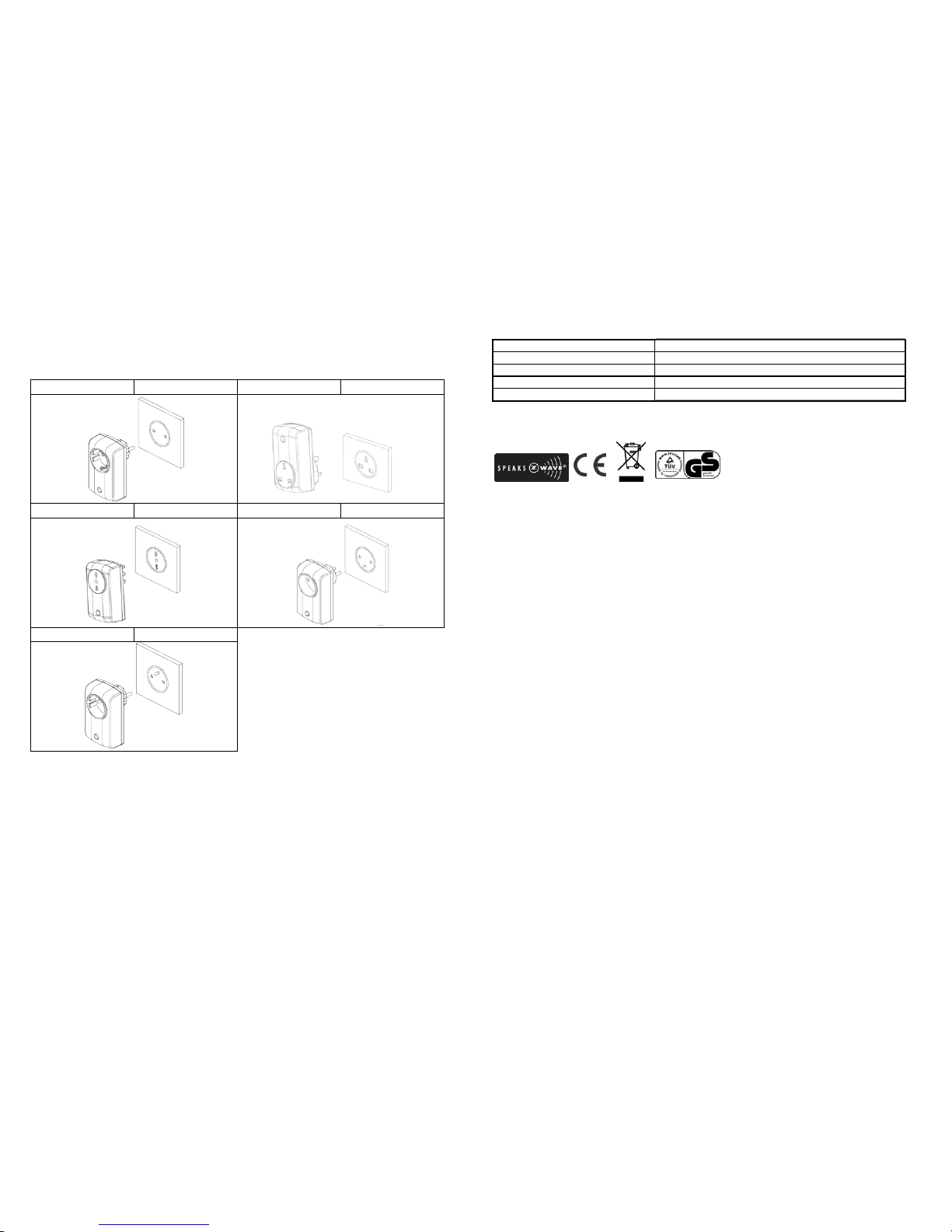
Socket Type
Since the socket type for each country in Europe varies, refer to the outline for each
socket suited for each country as follows:
AD142-2
Germany AD142-3 U.K.
AD142-4 Italy AD142-5 Denmark
AD142-6 France
Specification
Operating Voltage 230V/50Hz
Maximum Load 400W, for incandescent lamps only
Minimum Load 25W, for incandescent lamps only
Range Minimum 30 m line of sight
Frequency Range 868.42 MHz
** Specifications are subject to change and improvement without notice. A501111352R
Warning:
Do not dispose of electrical appliances as unsorted municipal waste, use separate
collection facilities.
Contact your local government for information regarding the collection systems
available.
If electrical appliances are disposed of in landfills or dumps, hazardous substances
can leak into the groundwater and get into the food chain, damaging your health and
well-being.
When replacing old appliances with new once, the retailer is legally obligated to take
back your old appliance for disposal at least for free of charge.
 Loading...