

Page 1
1
AD126 LAMP MODULE
This plug-in Lamp Module is a transceiver which is a Z-WaveTM enabled device
and is fully compatible with any Z-Wave
TM
enabled network. Z-WaveTM enabled
devices displaying the Z-Wave
TM
logo can also be used with it regardless of the
manufacturer, and ours can also be used in other manufacturer’s Z-Wave
TM
enabled networks. Inclusion of the Lamp module on other manufacturer’s
Wireless Controller menu allows remote On/Off control and dimming of lamps
connected. Each module is designed to act as a repeater. Repeaters will
re-transmit the RF signal to ensure that the signal is received by its intended
destination by routing the signal around obstacles and radio dead spots.
Adding to Z-WaveTM Network
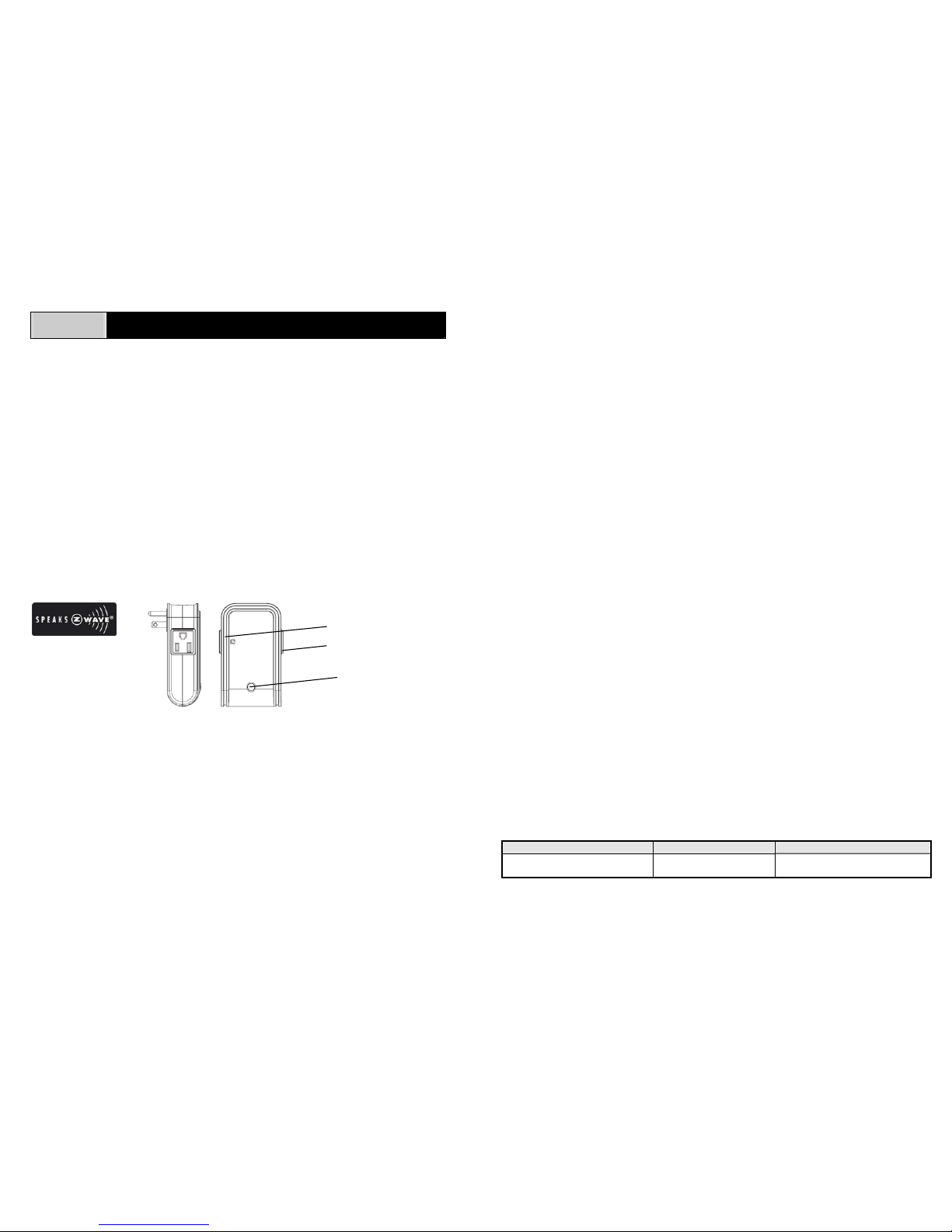
In the front casing, there is an On/Off/Dim knob which is used to carry out inclusion,
exclusion or association. Put a Z-Wave
TM
Wireless Controller into
inclusion/exclusion mode, press the knob on the Module to complete the
inclusion/exclusion process.
Installation
1. Plug this Lamp module into a wall outlet near the lamp to be controlled.
2. Plug the lamp into the Lamp Module. There are two outlets at different sides of
AD126. The lamp plugged into the controllable outlet can be controlled by the
On/Off/Dim knob and remote controller, its maximum load is 300 watts. The
other side acts as a pass-through outlet which is non-controlled by the
On/Off/Dim knob and remote controller.
3. Make sure the total load of both outlets cannot exceed 1500 watts which
means if the load of controllable outlet is changed; the other pass-through will
be altered accordingly. For instance, if the load of controllable outlet is about
300 watts, the other should be 1200 watts. When the load of controllable outlet
consumes as 0 watts, the other will be 1500 watts.
4. Turn the knob or switch on the lamp to the ON position.
5. To manually turn ON the AD126 Lamp Module, press and release the
On/Off/Dim knob. The red indicator LED will turn ON, and the lamp plugged
into the AD126 Lamp Module will also turn ON.
6. To manually turn OFF the AD126 Lamp Module, simply press and release the
On/Off/Dim knob. The red indicator LED will turn OFF and the lamp plugged
into the AD126 Lamp Module will also turn OFF.
7. To manually dim the AD126 Lamp Module, press and hold the On/Off/Dim
knob until the desired lighting level has been reached.
Note: Dimming an inductive load, such as a motor or a transformer, could
impair the dimmer and load attached as well.
Programming
The On/Off/Dim knob allows the user
- Turn on, off or dim the lamp attached
- Include or exclude the module from the Z-Wave
TM
system
- Control other Z-Wave
TM
enabled devices
Advanced Operation
As long as any Z-WaveTM enabled device that can send below mentioned alarm
command
(ALARM_REPORT, Alarm Type == 0x01, Alarm Level == 0x11)
to the AD126 Lamp Module will enable its red indicator LED and the load plugged
into the AD126 Lamp Module to be on and off intermittently for 10 seconds
simultaneously.
Troubleshooting
Symptom Cause of Failure Recommendation
The Module not working and
LED off
1. The Module is not
plugged into the
1. Check power connections
2. Don’t open up the Module and
On /Off / Dim knob
Controllable outlet
Pass-through outlet
Page 2
2
electrical outlet
properly
2. The Module break
down
send it for repair.
The Module LED illuminating,
but cannot control the ON/OFF
Switch of the lamp attached
Check if the lamp plugged
into the Module has
burned out
Replace a new lamp
The Module LED illuminating,
but the Detector cannot control
the Module
1. Not carry out
association
2. Frequency interference
1. Carry out association
2. Wait for a while to re-try
Specification
Operating Voltage 120V/60Hz
Maximum Load 300W, for incandescent lamps only
Minimum Load 25W, for incandescent lamps only
Range Minimum 100 feet line of sight
Frequency Range 908.42 MHz
** Specifications are subject to change and improvement without notice. A501111257R
Compatible Devices
The Everspring AD126 Lamp module is fully Z-WaveTM device compatible.
Homeowners with existing Z-Wave
TM
devices can easily add this device or more
in to complete a safety network firmly. The following Everspring devices are
compatible with AD126 Lamp module.
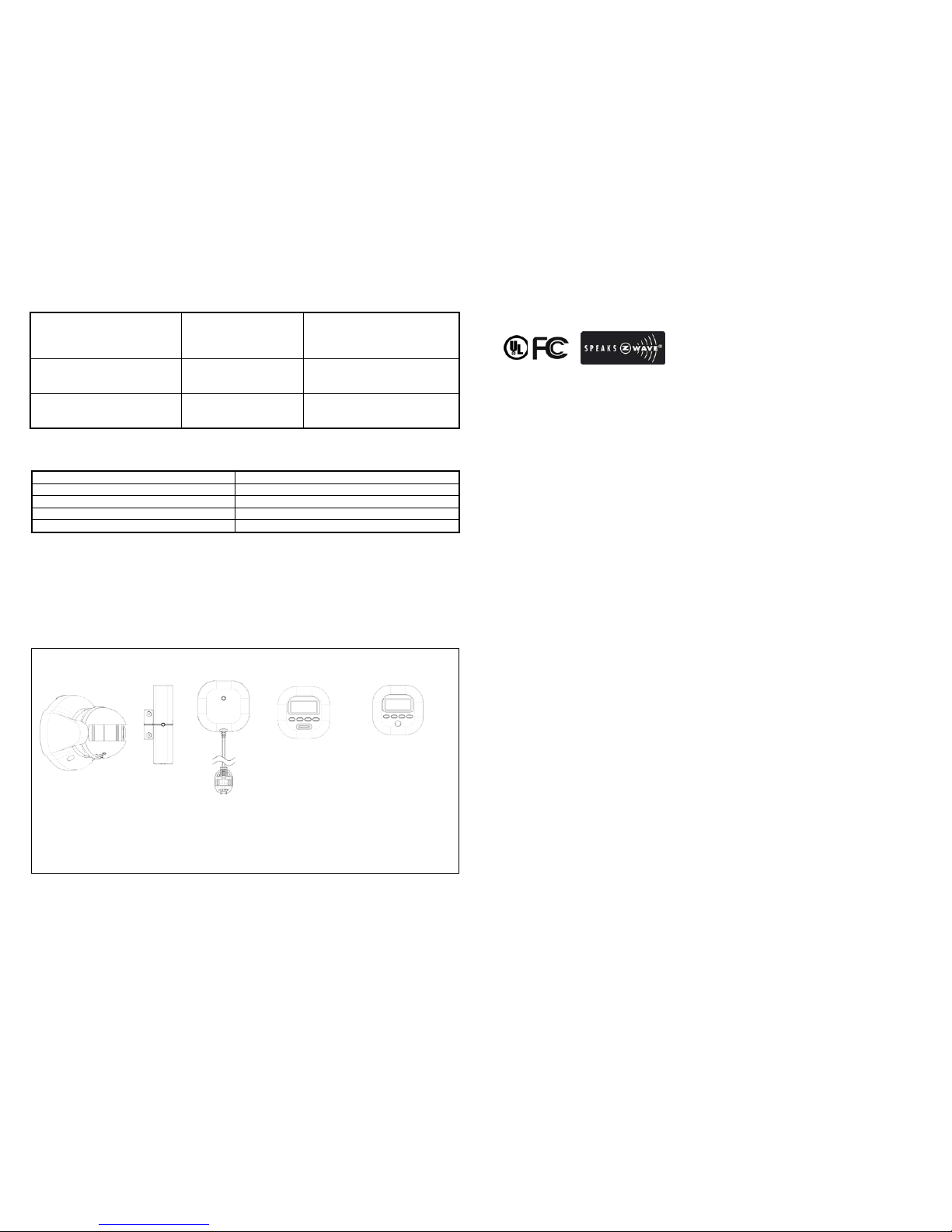
The following modules (sold separately) can be compatible with this device:
SP103 SM103 ST812 ST814 ST815
PIR Detector Door/Windows Floor Temperature/Humidity Illuminatinon
Detector Detector Detector Detector
IMPORTANT! To ensure better compatibility, only purchase Everspring or other
manufactures’
Z-Wave
TM
Enabled devices .
Mobile of end product
Federal Communication Commission Interference Statement
This equipment has been tested and found to comply with the limits for a
Class B digital device, pursuant to Part 15 of the FCC Rules. These limits
are designed to provide reasonable protection against harmful interference
in a residential installation. This equipment generates, uses and can
radiate radio frequency energy and, if not installed and used in accordance
with the instructions, may cause harmful interference to radio
communications. However, there is no guarantee that interference will
not occur in a particular installation. If this equipment does cause harmful
interference to radio or television reception, which can be determined by
turning the equipment off and on, the user is encouraged to try to correct
the interference by one of the following measures:
- Reorient or relocate the receiving antenna.
- Increase the separation between the equipment and receiver.
- Connect the equipment into an outlet on a circuit different from that to
which the receiver is connected.
- Consult the dealer or an experienced radio/TV technician for help.
This device complies with Part 15 of the FCC Rules. Operation is subject
to the following two conditions: (1) This device may not cause harmful
interference, and (2) this device must accept any interference received,
including interference that may cause undesired operation.
FCC Caution: Any changes or modifications not expressly approved by the
party responsible for compliance could void the user's authority to operate
this equipment.
This transmitter must not be co-located or operating in conjunction with
any other antenna or transmitter.
 Loading...