

Page 1
RampMaster II
Easy Reference Programming
Cone Fire Mode
This method is used to fire ceramics, porcelain, & pottery to a specific cone number
using different firing times. Total firing times may vary depending on cone number selected.
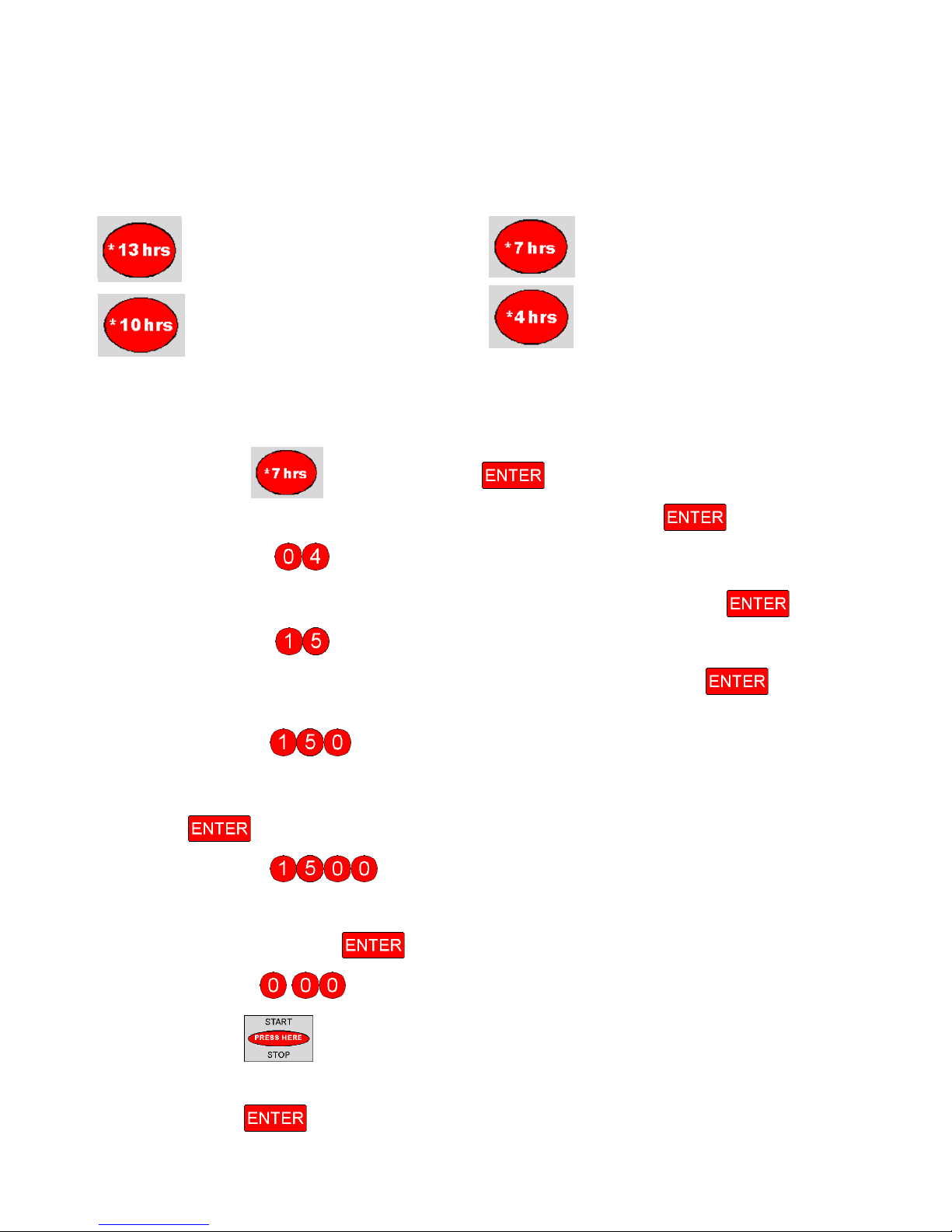
13 hours to reach 04 Cone 7 hours to reach 04 Cone
10 hours to reach 04 Cone 4 hours to reach 04 Cone
Example: Simple 7 hour firing:
1. Turn Power Switch On (Proceed once WAIT is no longer in the display)
2. Press the Button, then the Button.
3. Press the number keys for the Cone you wish to fire, then the Button.
♦ Such as for an 04 Cone
4. Press the number keys for the amount of Hold time desired, then the Button.
♦ Such as . for 15 minutes
5. Press the number keys for the rate of cool down desired, then the Button.
(If none, then enter “0” and it will skip this option and go to IDLE)
♦ Such as for 150 degrees an hour
6. Press the number keys for the temperature you wish to control the cool down to, then
the Button.
♦ Such as
7. Press the number keys for the amount of hold time you wish to hold the end
temperature, then the Button.
for 1500 degrees
♦ Such as
8. Press the Button
♦ The display will read “-- -- -- --“.
9. Press the Button to initiate the firing.
For more complex firings using additional features, refer to your complete operating manual.
. for no hold time.
Page 2
RampMaster II
Easy Reference Programming
Ramp Mode
This method is used to fire glass, knives, & pottery using rate per hours, set point
temperatures, and hold times. You have 6 available programs that consist of 8 segments
each. You can control the rate of the kiln heating up as well as cooling down.
Example: 1 Segment Program:
1. Turn Power Switch On (Proceed once WAIT is no longer in the display)
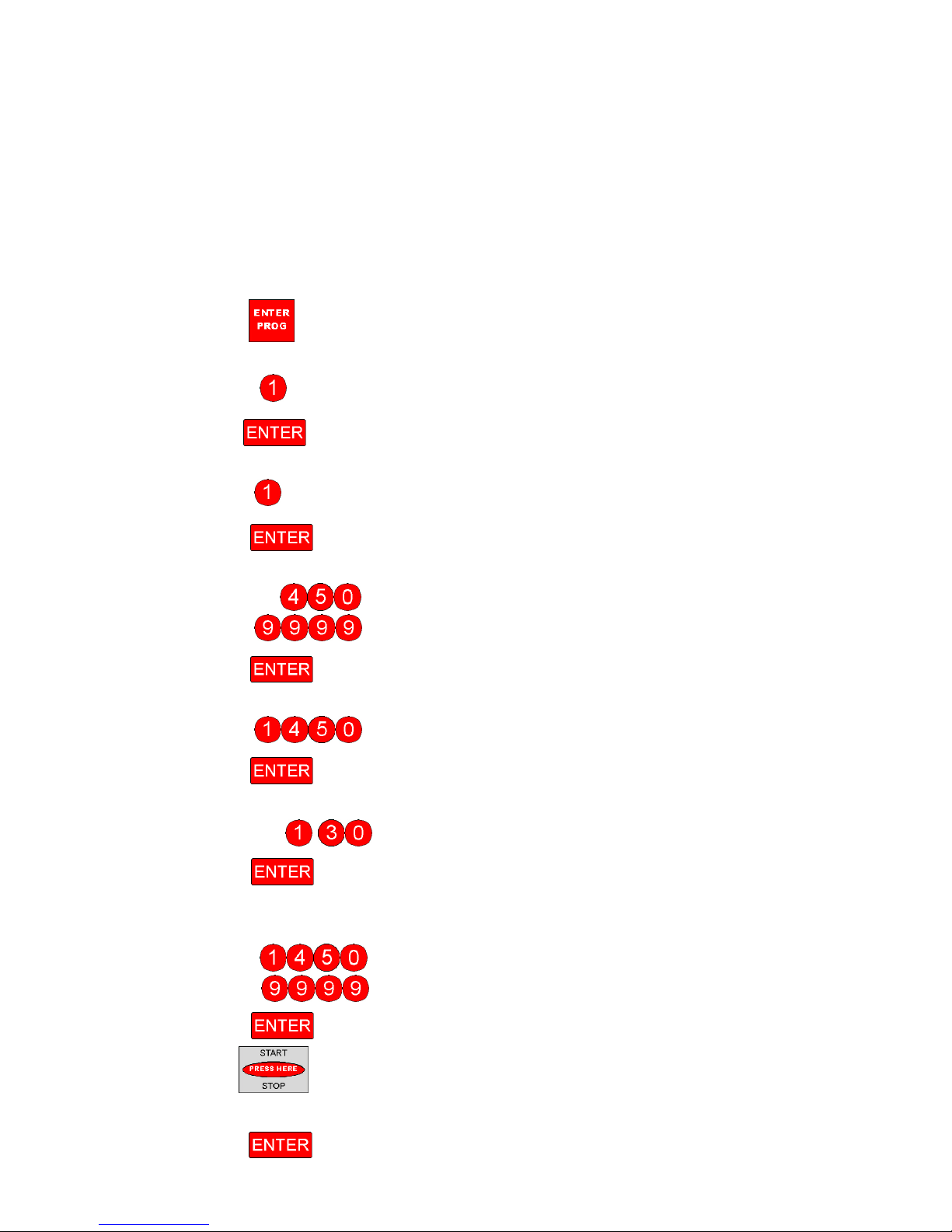
2. Press the Button
3. Press the number key for the program you want to enter
♦ Such as for your first program
4. Press the Button
5. Press the number keys for the amount of segments desired
♦ Such as for a firing that only needs 1 rate, 1 set point, & 1 hold time
6. Press the Button
7. Press the number keys for the heating or cooling rate per hour desired
♦ Such as for a 450 degree per hour rate or
♦ Such as for a full rate as fast as possible
8. Press the Button
9. Press the number keys for the set point temperature you want to reach
♦ Such as for a 1450 degree temperature
10. Press the Button
11. Press the number keys for the amount of Hold time desired
♦ Such as
12. Press the Button
♦ for multiple segment firings: repeat steps 7 through 12
13. Press the number keys for the temperature you want the alarm to be set for
♦ Such as for 1450 degrees or
. for 1 hour 30 minutes
♦ Such as to turn the alarm feature off
14. Press the Button
15. Press the Button
♦ The display will read “-- -- -- --“.
16. Press the Button to initiate the firing.
 Loading...