

Page 1
Quick-Start
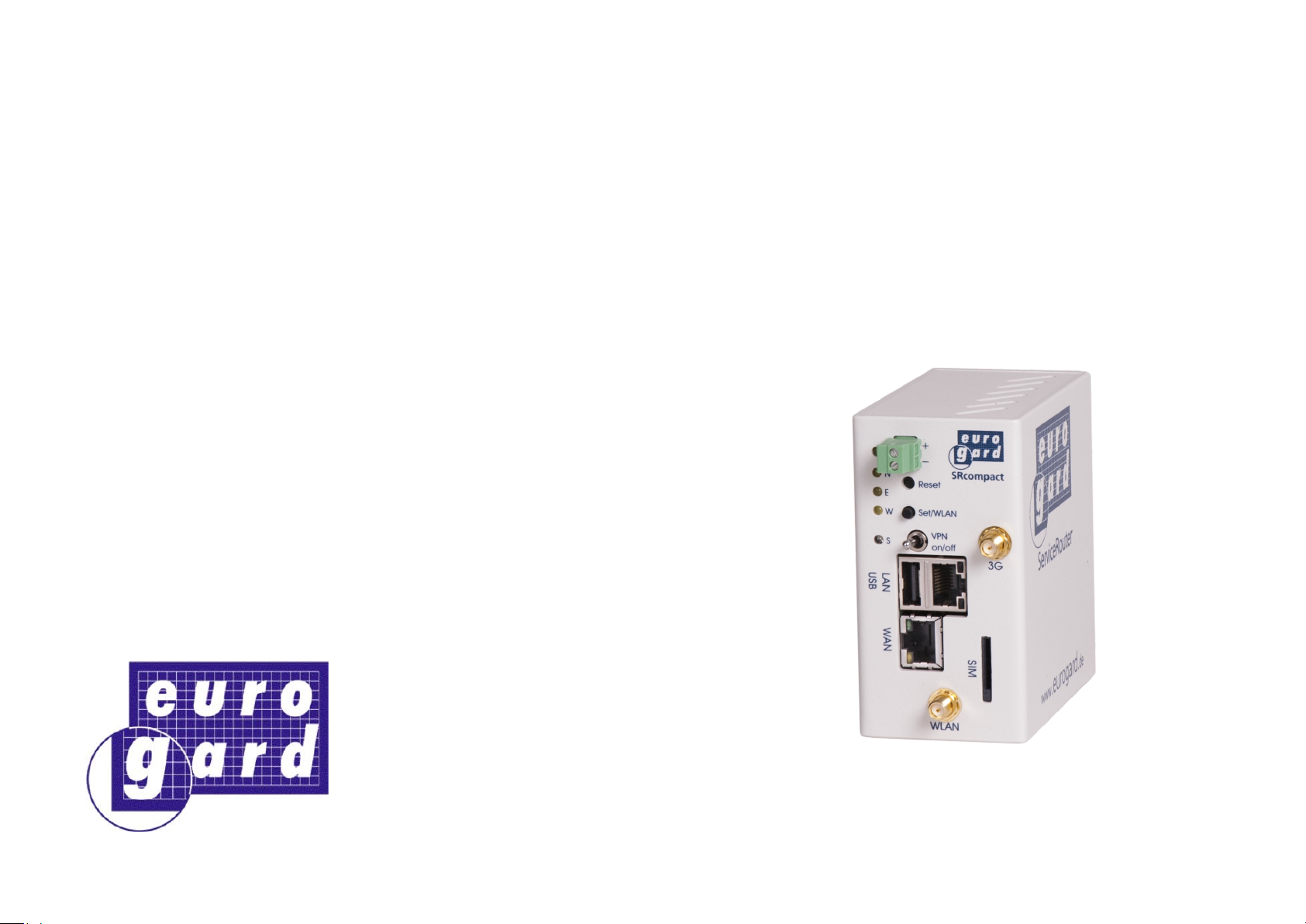
eurogard ServiceRouter compact
from Firmware 5.0
eurogard GmbH
Technologiepark H‘rath
Kaiserstraße 100
D-52134 Herzogenrath
Tel +49 2407 95 16-0
Fax +49 2407 95 16-23
Mail [email protected]
Info www.eurogard.de
January 2018
Page 2
Initial set up
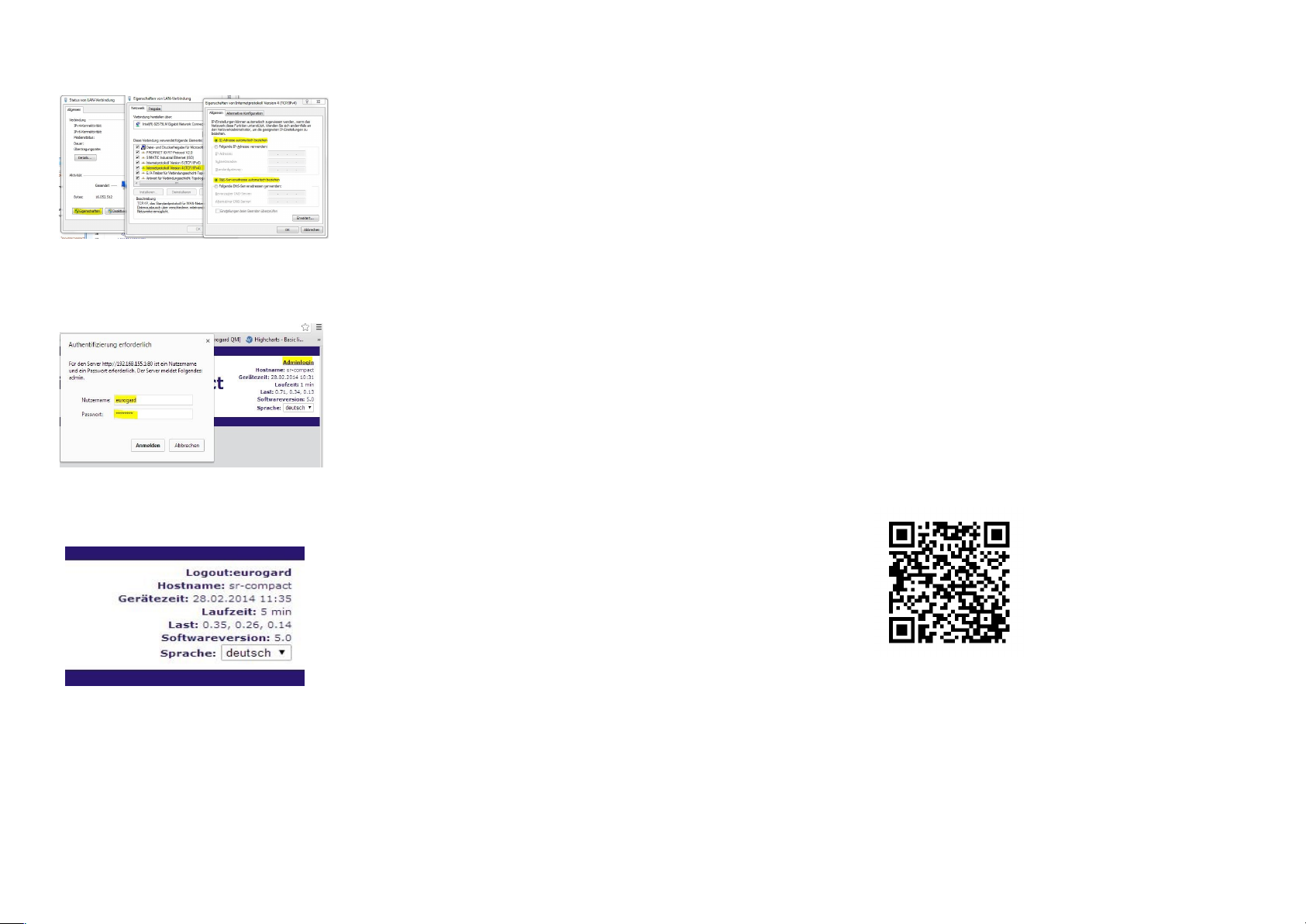
Connect your computer directly to
the LAN side of the Router by
means of the cable included and
allow the Router‘s DHCP to assign
an IP number.
IP of the Router: 192.168.155.1
Start a browser and connect to the
Router by entering
https://192.168.155.1
Go to the Admin area. The
administrator login can be found in
the upper right-hand corner of the
input screen.
Accounts
The following administrator
account is set as default:
Admin: User: eurogard
Password: eurogard
Please make sure that these
passwords are changed in the
course of the conguration
process in view of Internet
security.
Warning and safety instructions
The remote maintenance access to a plant represents a powerful tool
and has to be handled with great care and, as a general rule, with
qualied sta on site, preventing any possible hazard to men and
machines.
These notes are on the one hand intended as a guideline for the sta
involved in the project and on the other hand in order to prevent any
damage to the above product or any equipment connected to it.
Proper use, installation and assembly
The device must only be used for purposes described in this manual
and in the technical instructions and only in connection with approved
external devices and components recommended by eurogard GmbH.
Please note
All functions described in this manual apply only to the latest version.
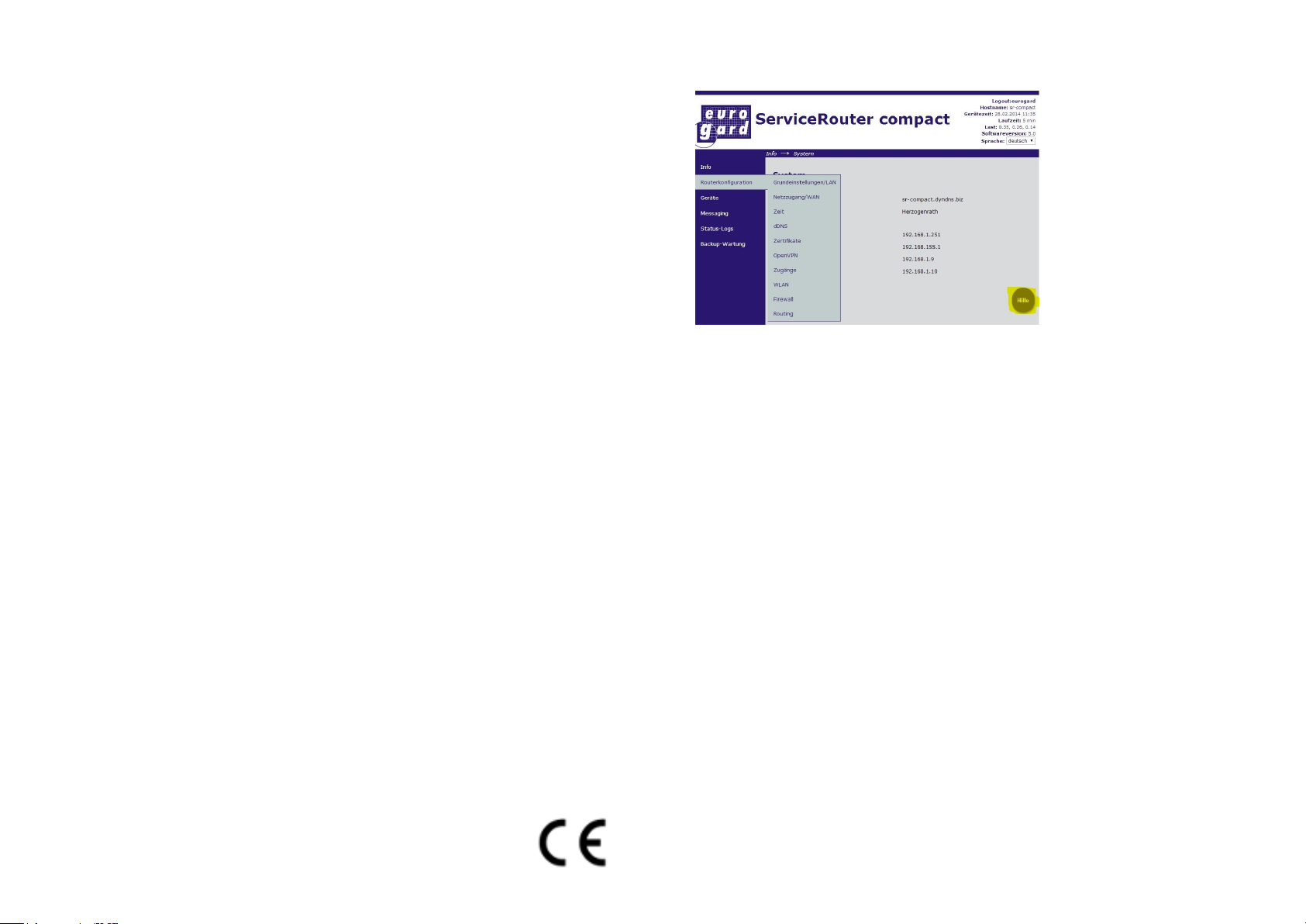
The detailed operating manual can be found in the online help of your
Router and on our website in the download area:
(https://eurogard.de/en/downloads/category/72-manuals.html)
For any questions and further information please contact the
eurogard team.
[email protected]
www.eurogard.de
Page 3
Disclaimer
We aim at keeping our software as error-free as possible. However, the
general rule is: No software is absolutely free of errors and the probability
of errors increases proportionally with the complexity of the program. For
this reason we cannot guarantee that this software will run absolutely error
-free in any context and with any other application. Liability for damage of
any sort, direct or indirect, is hereby excluded to that extent permitted by
the law. In any case, liability is limited to the purchase price of the software
or the device. In particular, we shall also not be held liable for any damage
incurred resulting, eg loss of production or costs incurred by on-site work
in the event of a remote maintenance equipment breakdown.
While every precaution has been taken in the preparation of this manual,
eurogard cannot guarantee total accuracy of all information contained
herein and accepts no liability whatsoever, be it for errors in this manual or
for any potential damage occurring as a result of its utilisation.
eurogard GmbH reserves the right to make improvements and alterations,
both to its hardware and software products, regarding function, application
and presentation without prior notication. Their description is of no
binding or contractual character whatsoever. The specications described
in this manual only apply to the current version.
The online documentation regarding the Router is intended for technically
qualied personnel, either those project planning personnel familiar with
security concepts in the area of automation and network technology; or
those trained as operating personnel dealing with automation equipment
and network technology and familiar with the terms used in this manual
pertaining to their operation; or, as commissioning and service personnel,
having the necessary qualications for servicing facilities of this kind.
Products are designed, manufactured and tested according to the relevant
VDE-regulations, VDE directives and IEC-recommendations.
Declaration of Conformity
We herewith conrm that the design and construction of the model family
ServiceRouter compact ER1301, ER1301-WLAN, ER1301-UMTS, ER1301-W/
UMTS, ER1301-LTE und ER1301-W/LTE complies with the (EC) guidelines
1999/5/EC and 2011/65/EC. The model specic declarations can be found
on the website below:
https://eurogard.de/en/downloads/category/80-eg-cecerticates.html
Please use the online
help in the course of the
parameterisation
process!
Forwarding in the target network - ServiceRouter in client mode
(in operation with eurogard ServiceServers)
No forwarding of incoming telegrams has to be set up in the target
network.
o Access to an NTP time server, via Intranet or Internet
o Access to the Internet (ServiceRouter-Server) outward
Forwarding in the target network - ServiceRouter in Server mode
The Router has to be integrated into the target network by forwarding
the (incoming) ports described below.
o TCP 443 (SSL) for access to the conguration interface and
proxy function
o UDP 1194 (VPN) for the tunnelled connection to the PLC
network
o TCP 22 when required for rmware updates and Router
support through manufacturer eurogard.
o Access to an NTP time server, via Intranet or Internet
o Access to DynDNS outward, if required
The SSL and VPN ports can be changed during conguration. Access
via ports 443 and 22 can be blocked.
Page 4
Commissioning protocol
Host name ________________________________________
Domain name ________________________________________
Local IP ________________________________________
WAN IP ________________________________________
DYN DNS o yes/ o no
WLAN ESSID ________________________________________
Technical specications
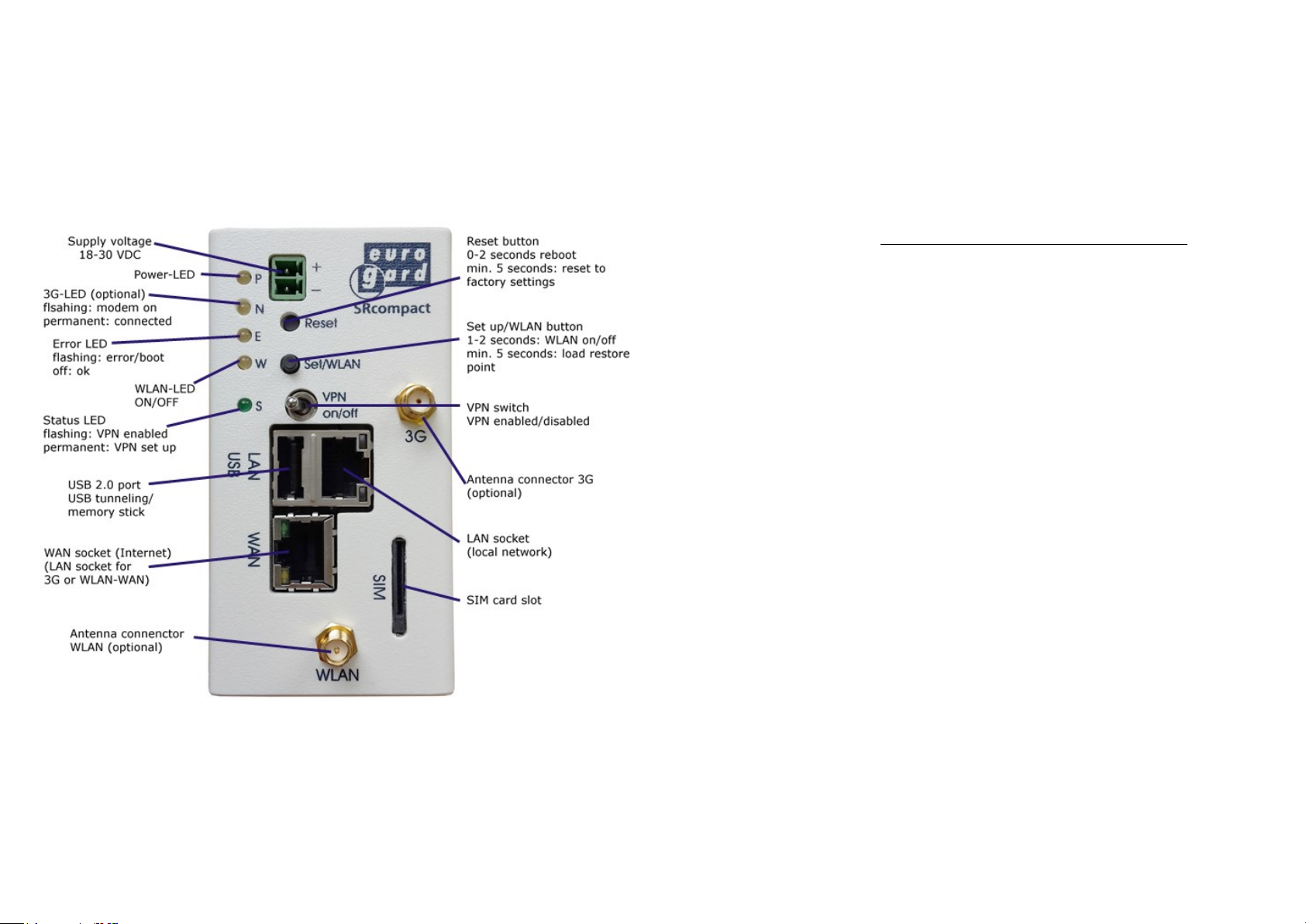
Supply voltage 12-32 VDC
Power consumption ca. 4W
Ambient temperature -20…+55 °C
Humidity 0…95% rel. humidity, non-condensing
Design DIN-rail
Dimensions (H x W x D) 98 x 52 x 90 mm
Mobile communication
GSM/GPRS/EDGE 850/900/1800/1900 MHz
UMTS/HSPA+ 800/850,900,AWS1700,1900,2100 MHz
Upload max. 5,76 Mbit/s
Download max. 21 Mbit/s
GPS in preparation
Network
VPN OpenVPN-Server, OpenVPN-Client
WAN/LAN 2 x RJ 45 10/100 Mbit/s, full and half duplex
WLAN 802.11 b/g/n, Access-Point, WAN-Client
Security
VPN Certicate administration, exclusively enc
rypted data trac, ip switch„VPN ON/OFF“
Additional functions
USB USB 2.0 for tunneling of USB devices
One-Click conguration for ServiceServer
via USB stick
Message function Reports via email
Alarm messages via email and SMS (ISO-on TCP, Modbus TCP)
Fallback Internet access 3G to WLAN or WAN
Denition of two OpenVPN servers
Miscellaneous Buered real-time clock, watchdog,
rmware updates, dynDNS
 Loading...