

Page 1
SHANGHAI EUCHIPS INDUSTRIAL CO.,LTD
RC11 User Manual V01.1 1 www.euchips.com
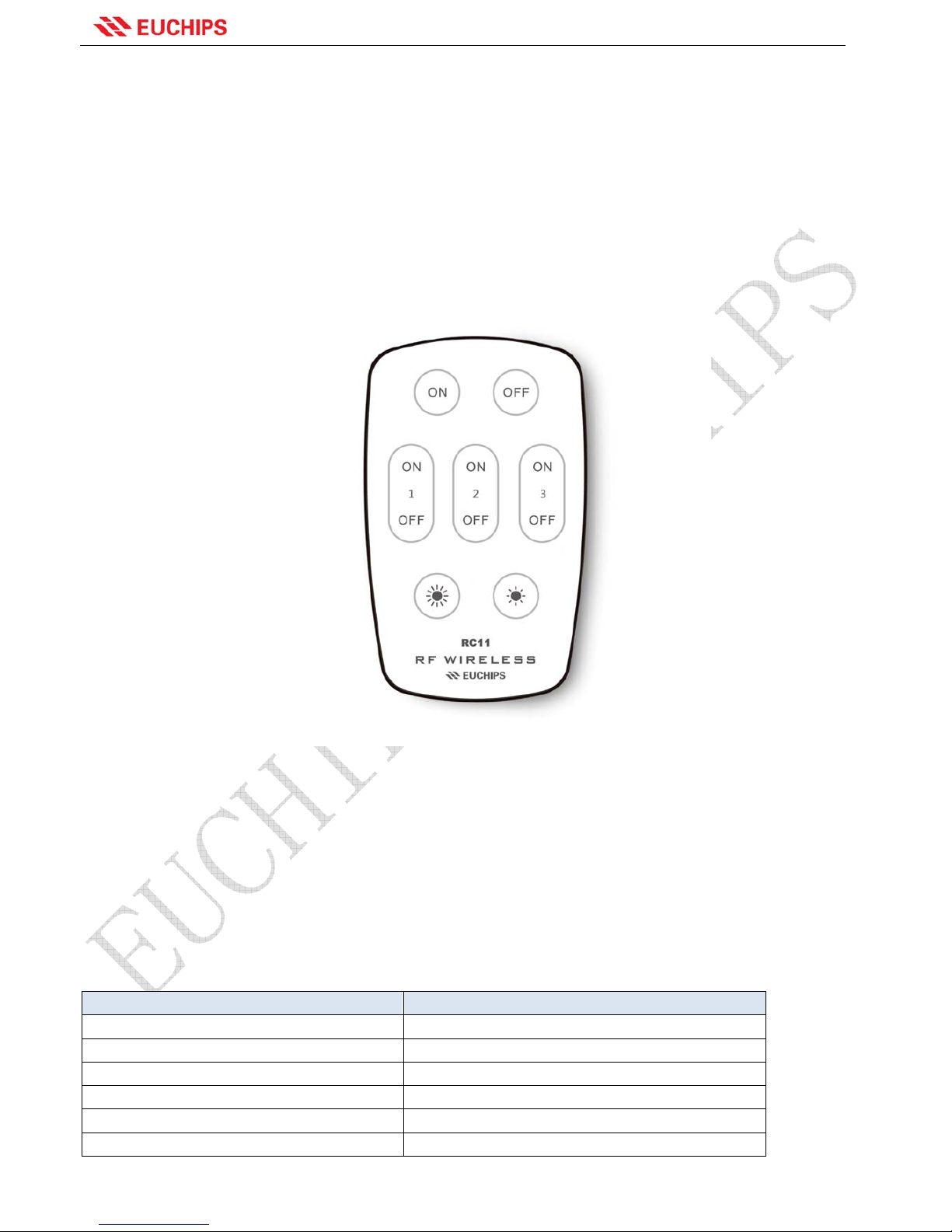
RC11
2.4G Remote Control
Product Features
z Using 2.4G RF remote control, long distance transmission
z For adjusting the brightness of the lamps
z Achieve group control
z Can control a variety of controllers, and can be free to code and clear code
z Fashion, and easy to use
Technical Parameters
Item Parameters
Power 3V button battery
Remote Distance 20 m
Wireless Frequency 2.4Ghz ISM
Material PC+ABS
Dimension 100*61.5*9mm(L*W*H)
N.G 35g
Page 2
SHANGHAI EUCHIPS INDUSTRIAL CO.,LTD
RC11 User Manual V01.1 2 www.euchips.com
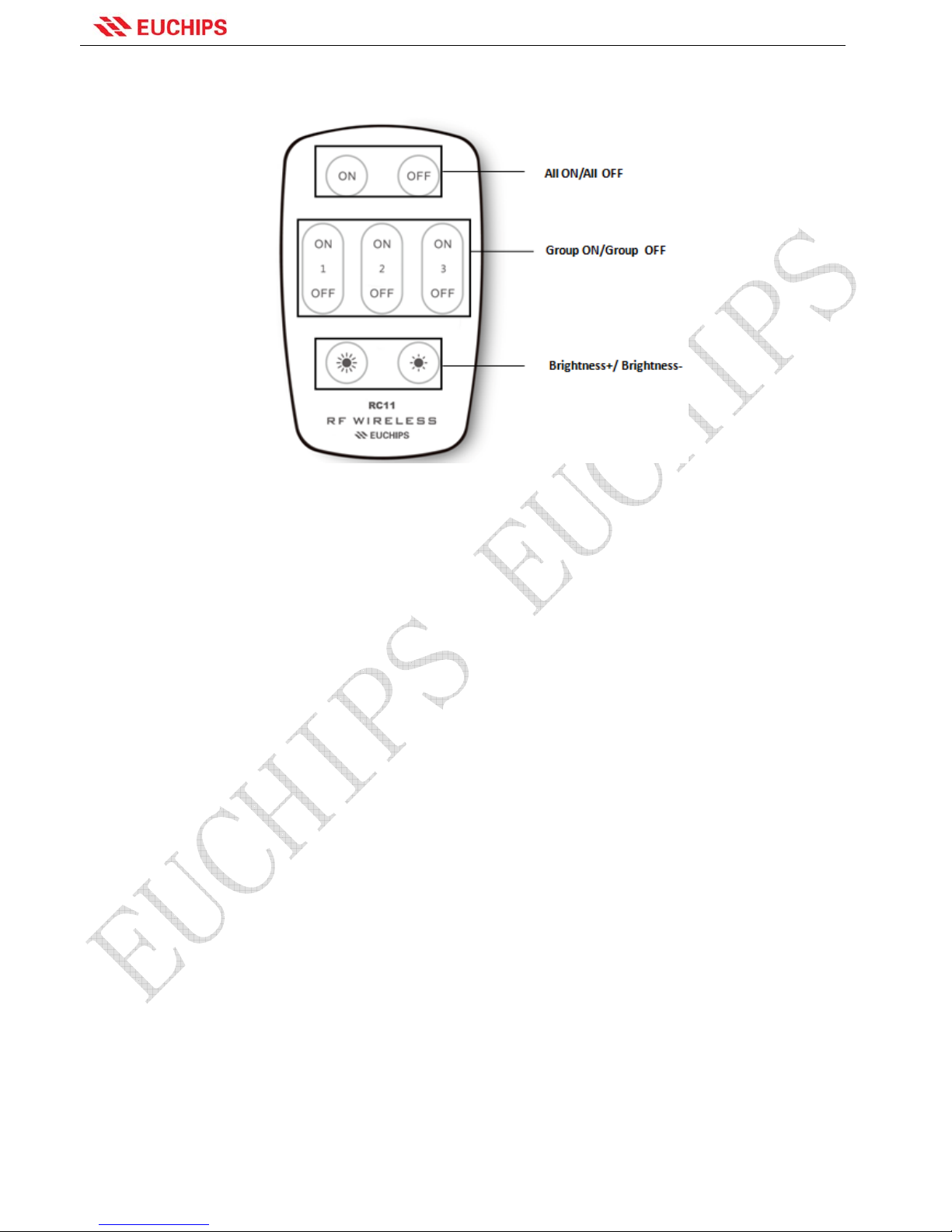
Remote Control Button
All ON/All OFF
( Remark1) :Press the button to turn on or turn off the led driver which be matched to this remote control.
Group ON/Group OFF
( Remark1): Press the button to turn on or turn off the lights which be matched to this group.
Brightness+/Brightness-: Adjust the LED lights brightness. Press and hold to adjust quickly.
If you want to use a remote control to contr ol all the ligh ts, fir st press th e "All ON" butto n; if you want to a chieve group
control with a remote control, first press the corresponding "Group ON" button, then adjust the brightness.
Match Code and Grouping:
The remote control can be used after matching the code with the led driver, the method is as following:
Choose the led driver that you want to divide the group, turn off the power for 10 seconds, then turn on the LED driver,
Within 3 seconds, press the corresponding " Group ON " button quickly for 3 times, the lamp connected to the LED
driver will flick slowly for 3 times. Then, confirm the success of matching code. The other groups can also be set by
the same method.
Clear Code and Regroup:
If the room layout are changed, or you want to make a little adjustment upon your fond, then you may want to change
the previous groups. Before regrouping, you need to clear the code, the method is as following:
Full clear code:Choose the led driver you want to clear the code(If more than one driver needs to be clear, the
operation is performed at the same time.), turn off the power for 10 seconds, then turn on the power again. Within 3
seconds, press the " All ON " button quickly for 6 times, the lamp connected to the LED driver will flick quickly for 6
times, then the code is cleared successfully, and it can’t be controlled by all the remote control.
Group clear code:If you do not need to regroup, only clear code for a group of remote control, choose the led driver
you want to clear the code (If more than one driver needs to be clear, the operation is performed at the same time.),
turn off the power for 10 seconds, then turn on the power again. Within 3 seconds, press the corresponding "Group
ON " button quickly for 6 times, the lamp connected to the LED driver will flick quickly for 6 times, then the code is
cleared successfully, but it can be controlled by other remote controls.
Page 3
SHANGHAI EUCHIPS INDUSTRIAL CO.,LTD
RC11 User Manual V01.1 3 www.euchips.com
After the code is cleared, the method of setting the group is totally the same as the principle of "matching the code
and grouping"
Recommended Application
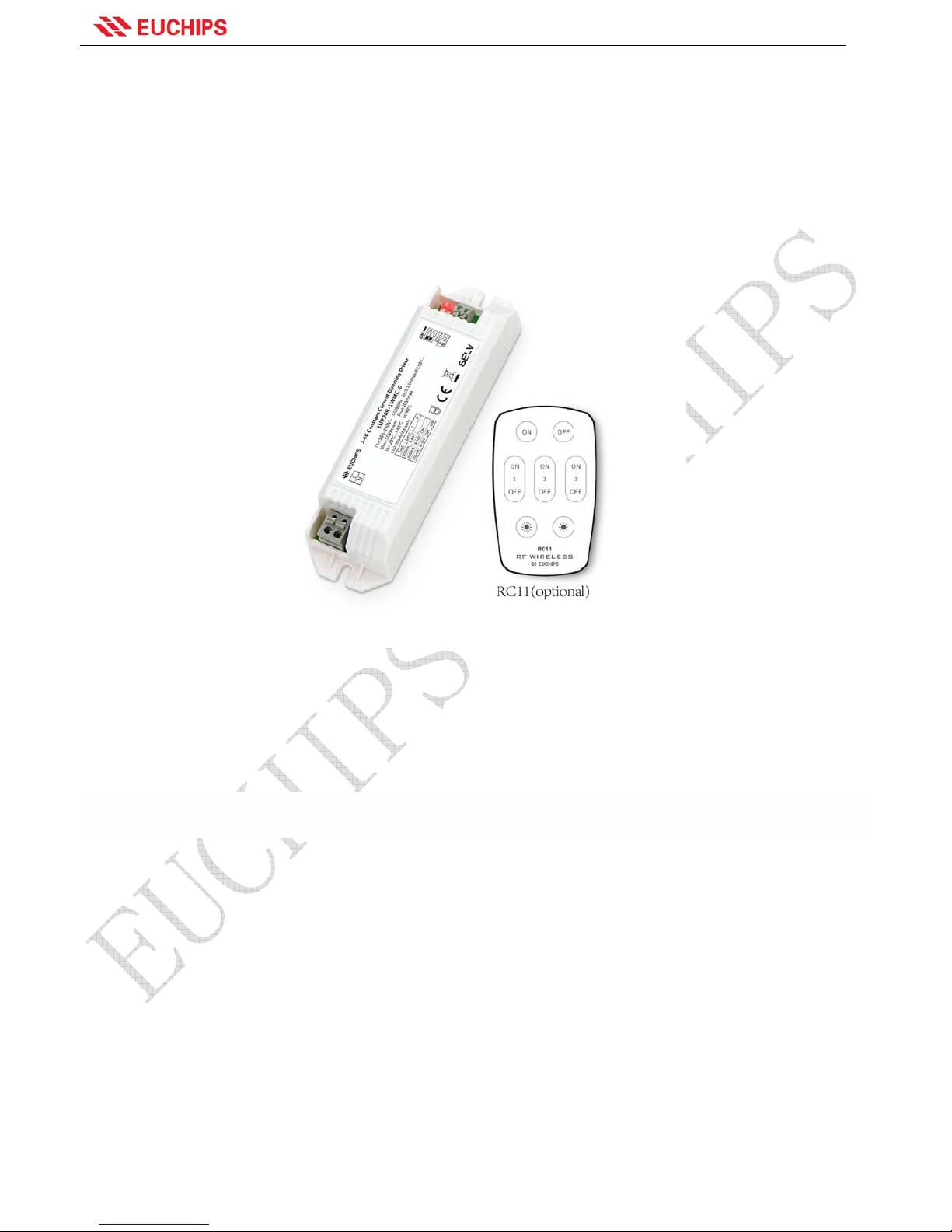
The remote control can control many models LED driver and lamps,such as EUP20R-1WMC-0,EUP40R-1WMC-0,
,and bulb lamp.
Remark1: When matching the code, press corresponding “Group ON” or ‘All ON’ continuously and quickly for 3 times, and clearing the
code, press continuously and quickly for 6 times.
Remark 2:One led driver can only match one group of the same remote, but one remote group can match countless led drivers, and
one led driver can match 10 remotes.
Remark 3: The grades and the number of brightness are set in the LED controller, the remote control is responsible for sending the
command.
Remark 4:The remote should not put in the area with large-scale metal or near strong electromagnetic wave region; otherwise the
communication distance will be seriously affected.
 Loading...